

10 Best Inventory and Sales Software Reviewed In 2026

Best Inventory and Sales Software Shortlist


Inventory and sales software are a valuable asset for any company. With the right software, teams can improve operational efficiency and enhance sales tracking. But finding the right inventory and sales software can be a challenge, especially with so many options available.
Using my experience with revenue operations software, I tested and compared several of the top inventory and sales software available. From there, I compiled my results into detailed reviews to help you find the best software for your needs.
Why Trust Our Software Recommendations
Our reviews reflect our independent judgment—not a sales pitch. Learn how we stay transparent.
For this guide, we evaluated tools using hands-on testing and independent research, scoring tools using our selection criteria.
Our reviews reflect our human editorial judgment, not a sales pitch.
Best Inventory and Sales Software Summary
This comparison chart summarizes pricing details for my top inventory and sales software selections to help you find the best one for your budget and business needs.
| Tool | Best For | Trial Info | Price | ||
|---|---|---|---|---|---|
| 1 | Best for ERP-level control in manufacturing SMEs | 30-day free trial | From $49/user/month | Website | |
| 2 | Best for real-time tracking in small manufacturing | Free plan available | From $299/month | Website | |
| 3 | Best for streamlined multichannel sales | 15-day free trial + free plan available | From $349/month | Website | |
| 4 | Best for all-in-one small business management | 14-day free trial + free demo available | From $29/organization/month (billed annually) | Website | |
| 5 | Best for warehouse management | Free demo available | From $499/month | Website | |
| 6 | Best for stock tracking | 14-day free trial | From $49/month (billed annually) | Website | |
| 7 | Best for scalability | 14-day free trial | From $89/month (billed annually) | Website | |
| 8 | Best for centralized order processing | Free demo available | Pricing upon request | Website | |
| 9 | Best for detailed reporting | 14-day free trial available | From $99/month | Website | |
| 10 | Best for easy setup | 30-day free trial | From $9/month | Website |
Best Inventory and Sales Software Reviews
Below are my detailed summaries of the best inventory and sales software that made it onto my shortlist. My reviews offer an inside look at the key features, pros & cons, integrations, and ideal use cases of each tool to help you find the best one for you.

MRPeasy
Best for ERP-level control in manufacturing SMEs

MRPeasy is a manufacturing resource planning software designed for small to medium-sized enterprises, offering tools for production planning and inventory management. It helps businesses optimize their manufacturing processes and manage resources effectively.
Why I picked MRPeasy: MRPeasy caters specifically to manufacturing SMEs with features that support detailed production scheduling. The software provides real-time inventory tracking, ensuring your team can quickly respond to stock changes. Its production planning module also allows for accurate forecasting and resource allocation. Additionally, the user interface is designed to simplify complex manufacturing operations.
Standout features & integrations:
Features include production scheduling, which allows you to plan and allocate resources efficiently and quality management tools to ensure product standards are met. You can also generate detailed reports to gain insights into your manufacturing processes.
Integrations include QuickBooks Online, Xero, WooCommerce, Shopify, Salesforce, Stripe, PayPal, Zapier, BigCommerce, and HubSpot.
Pros and Cons
Pros:
- Real-time inventory tracking
- Quality management tools
- Insightful reporting features
Cons:
- Learning curve for new users
- Limited customization options
New Product Updates from MRPeasy
MRPeasy Expands REST API v2 With New Data Endpoints
MRPeasy expands REST API v2 with new endpoints for reports, dashboard data, production resources, stock, and settings. This gives users broader programmatic access to operational data. For more information, visit MRPeasy’s official site.
 .
.
Katana
Best for real-time tracking in small manufacturing
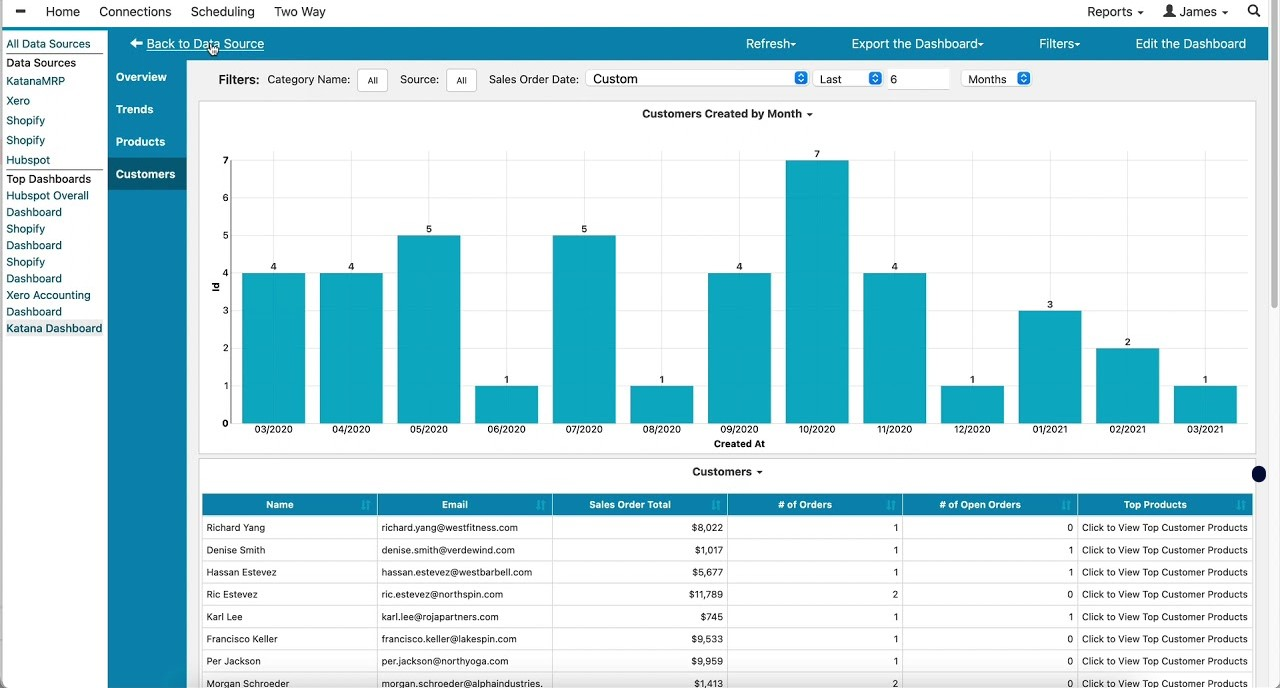
Katana is a manufacturing resource planning software designed for small manufacturers, offering production management and inventory control. It helps businesses streamline their manufacturing processes and manage resources efficiently.
Why I picked Katana: Katana is tailored for small manufacturers with features that enhance production oversight. The software’s visual production planning lets your team see the entire workflow at a glance, while its real-time inventory updates ensure you always know stock levels, avoiding production delays. Additionally, its shop floor app allows operators to track tasks and time efficiently.
Standout features & integrations:
Features include batch tracking, which helps you maintain quality control by tracking product batches from start to finish. The software also provides a bill of materials management, ensuring accurate production planning.
Integrations include QuickBooks Online, Xero, Shopify, WooCommerce, Zapier, HubSpot, Amazon, BigCommerce, and Square.
Pros and Cons
Pros:
- Visual production planning
- Real-time inventory updates
- Comprehensive batch tracking
Cons:
- Limited scalability for large enterprises
- Requires internet for full functionality

Ordoro
Best for streamlined multichannel sales
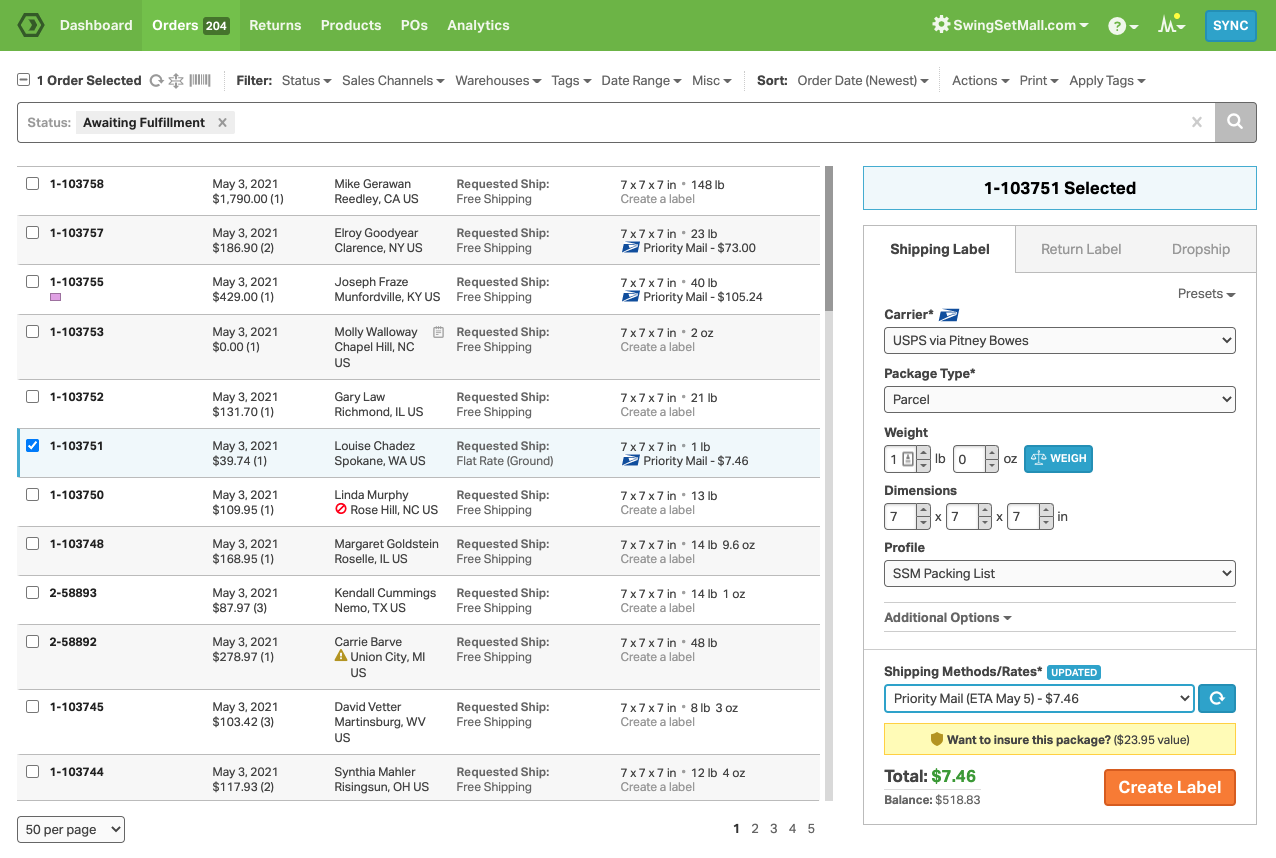
Ordoro is an inventory management software designed for ecommerce businesses, helping them manage inventory and orders across multiple channels. It provides tools for efficient shipping and inventory control.
Why I picked Ordoro: Ordoro excels at handling multichannel sales, making it perfect for ecommerce operations. With its centralized dashboard, your team can manage orders from various sales channels in one place. The software also offers shipping label creation, simplifying the fulfillment process. Additionally, its kitting feature allows you to bundle products, enhancing sales flexibility.
Standout features & integrations:
Features include advanced inventory tracking, which keeps your stock levels updated in real-time and drop shipping to simplify order fulfillment. The software also supports barcode scanning for quick and accurate stock management.
Integrations include Shopify, WooCommerce, Amazon, eBay, BigCommerce, Etsy, Square, QuickBooks Online, Xero, and ShipStation.
Pros and Cons
Pros:
- Centralized order management
- Supports multichannel sales
- Shipping label creation included
Cons:
- Can be complex for new users
- Limited customization options
Best for all-in-one small business management
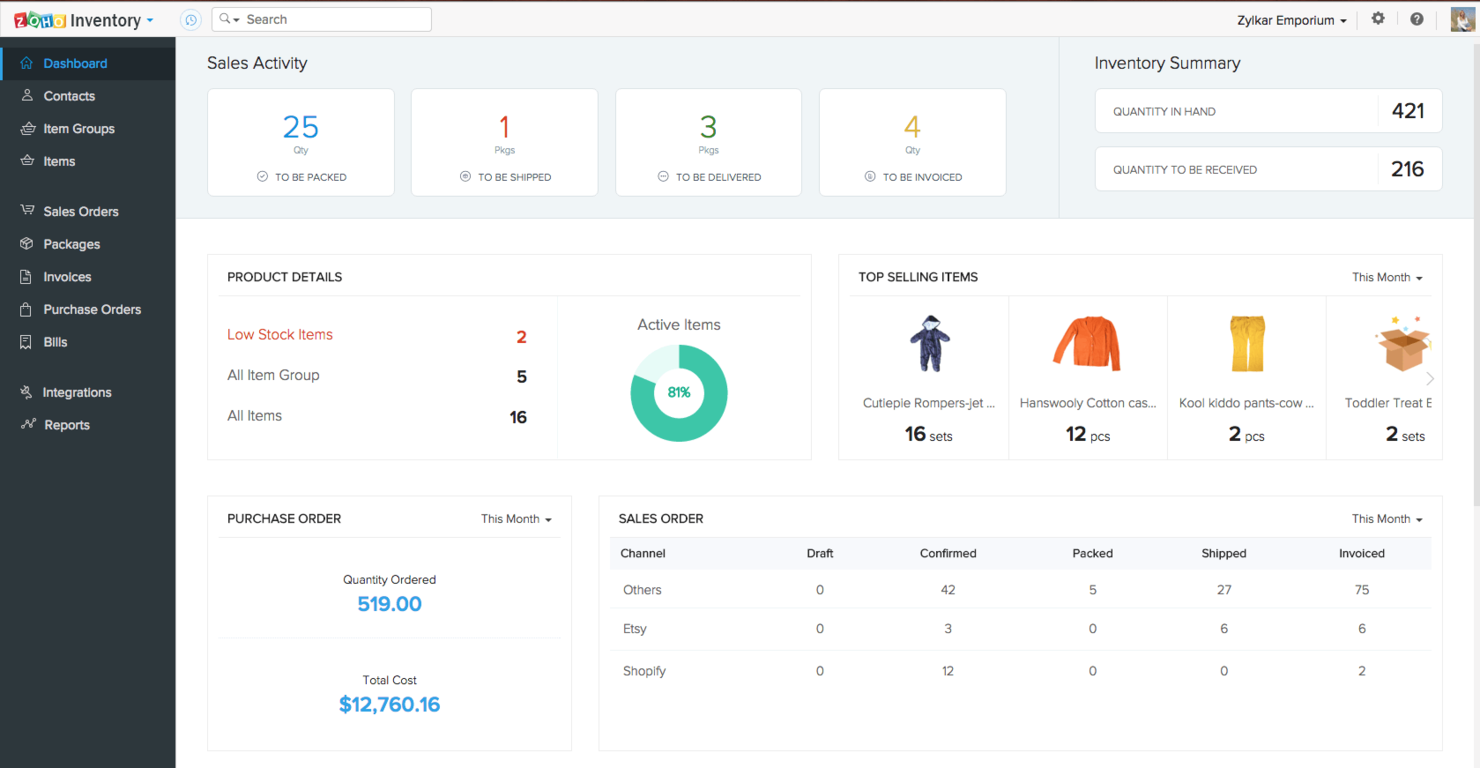
Zoho Inventory is an inventory management software tailored for small and growing businesses, offering order management and inventory tracking. It helps businesses manage sales and purchase orders efficiently.
Why I picked Zoho Inventory: Zoho Inventory is a great fit for small businesses due to its ease of use and affordability. The software supports automation for workflows and reports, allowing your team to focus on strategic tasks. Its ability to integrate with major ecommerce platforms like Amazon and Shopify also enhances its utility for online sellers. Plus, the mobile app provides real-time updates, ensuring your team stays connected on the go.
Standout features & integrations:
Features include inventory tracking, order management, and automation for workflows and reports. The centralized dashboard also offers easy access to sales and purchase monitoring.
Integrations include Zoho Books, Zoho CRM, Amazon, eBay, Shopify, Slack, Google Workspace, and Twilio.
Pros and Cons
Pros:
- Easy to use for small teams
- Mobile app for real-time access
- Automation for workflows
Cons:
- Occasional technical issues
- Limited features for large enterprises
Best for warehouse management
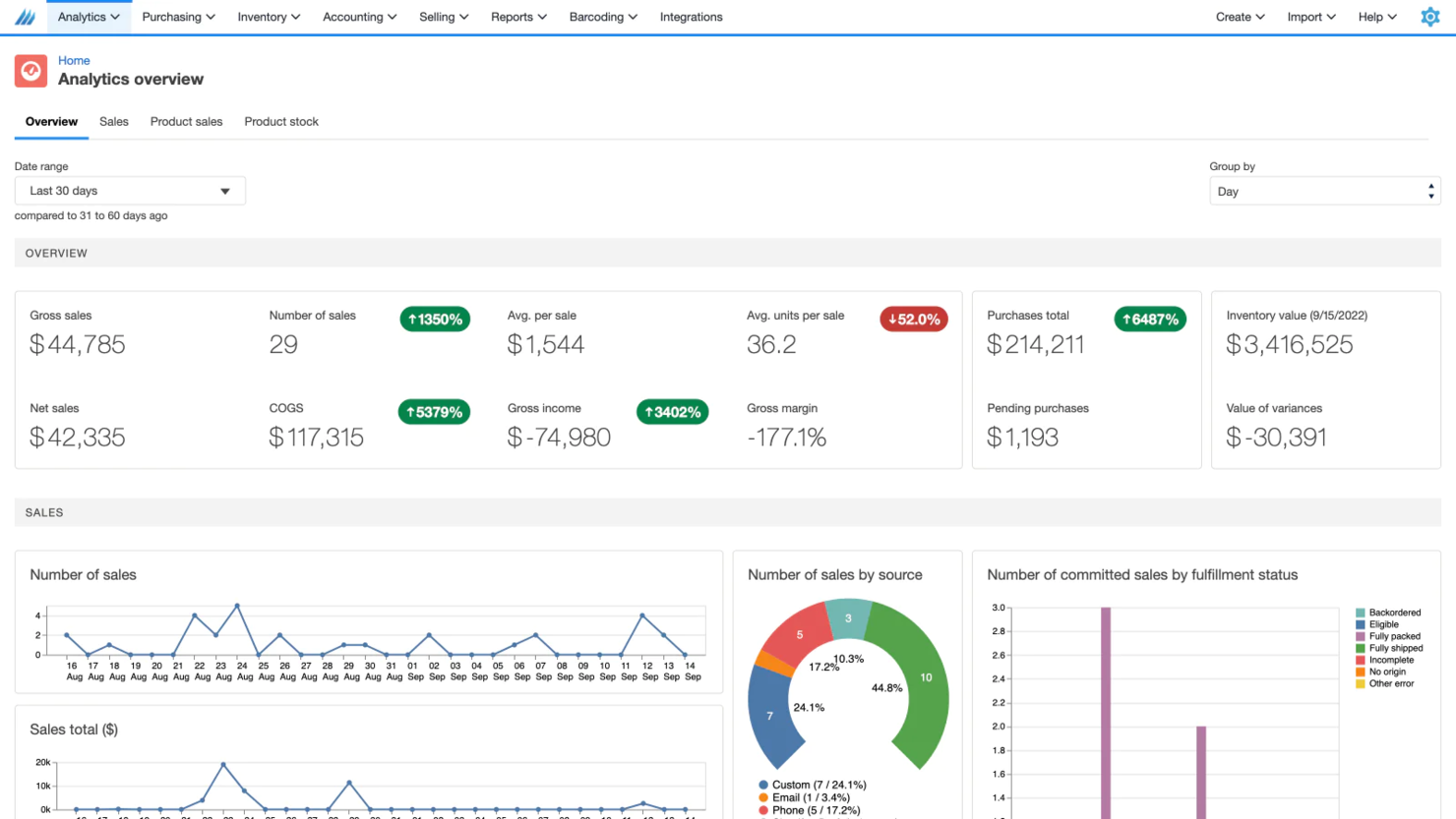
Finale Inventory is a cloud-based inventory management software designed for businesses requiring efficient warehouse management and stock control. It serves companies that need to track inventory across multiple locations.
Why I picked Finale Inventory: Finale Inventory is tailored for businesses with complex warehouse management needs, offering real-time stock visibility across locations. The software supports high-volume order processing, helping your team manage large inventories with ease. It also includes barcode scanning capabilities for quick and accurate stock updates. Additionally, the system allows for seamless transfer of stock between warehouses, ensuring flexibility in operations.
Standout features & integrations:
Features include customizable reporting, enabling you to generate reports that fit your business needs. The software also provides detailed audit trails, which help track all inventory movements. Plus, with its multi-location support, you can manage stock across different warehouses effortlessly.
Integrations include QuickBooks Online, Xero, Shopify, Amazon, eBay, ShipStation, BigCommerce, WooCommerce, Magento, and Squarespace.
Pros and Cons
Pros:
- Real-time stock visibility
- Supports high-volume order processing
- Barcode scanning capabilities
Cons:
- Limited customization for smaller businesses
- Can be overwhelming for new users

Best for stock tracking
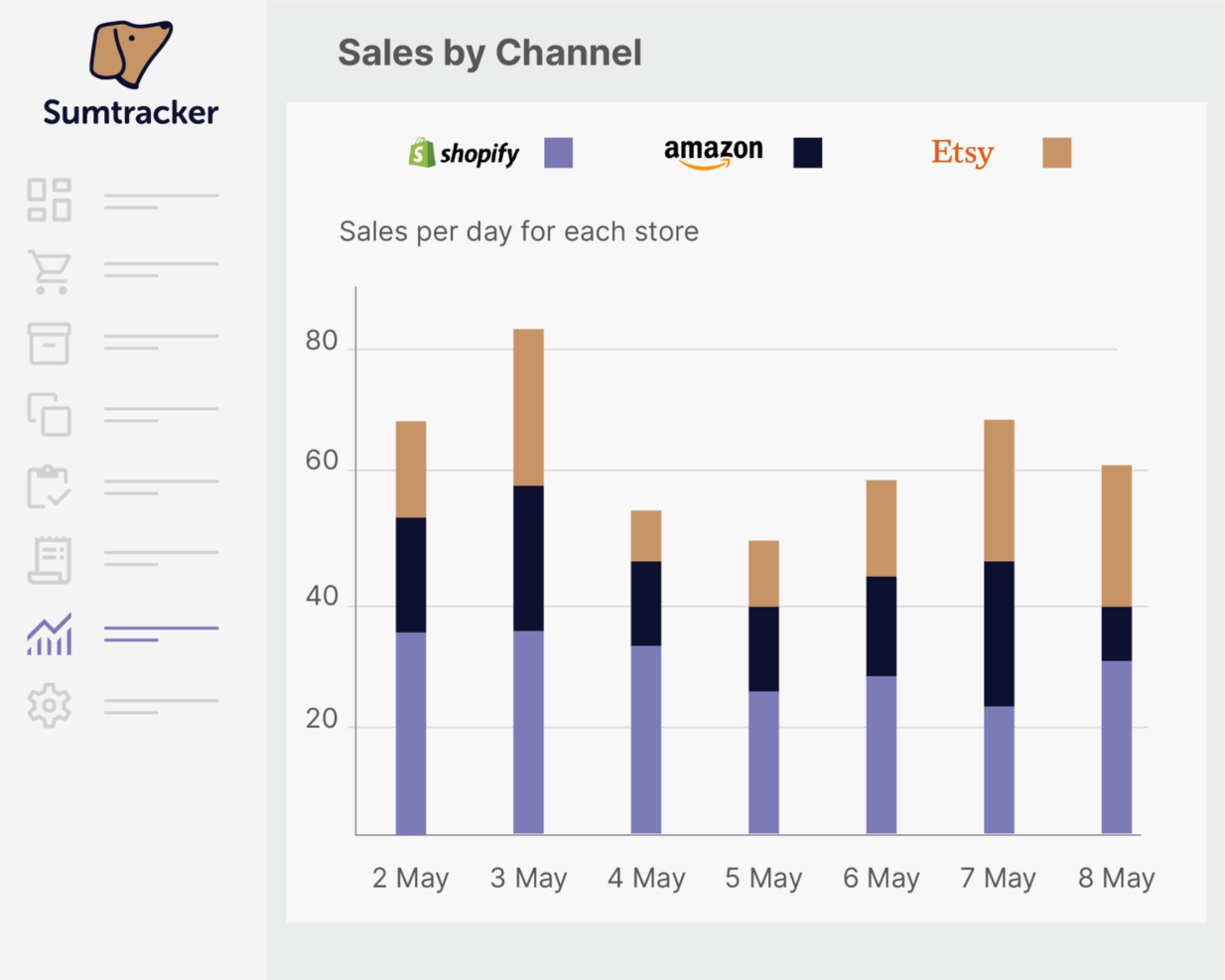
Sumtracker is a cloud-based inventory management tool aimed at small to medium-sized businesses, streamlining stock tracking and order management. It helps companies keep accurate records of their inventory levels and sales.
Why I picked Sumtracker: Sumtracker excels in stock tracking, providing real-time updates on inventory levels. The software supports multiple warehouses, allowing your team to manage stock across various locations effortlessly. You can also automate alerts for low stock, ensuring timely reordering. Additionally, its user-friendly interface simplifies the management process, making it accessible for all team members.
Standout features & integrations:
Features include custom fields, which let you tailor the software to fit your business needs, and the software offers detailed reporting, providing insights into sales and inventory trends. You can also manage purchase orders directly through the platform, streamlining procurement.
Integrations include Shopify, WooCommerce, Amazon, Etsy, eBay, BigCommerce, Xero, QuickBooks Online, Square, and Stripe.
Pros and Cons
Pros:
- Real-time stock updates
- Supports multiple warehouses
- Automates low stock alerts
Cons:
- May not scale for large enterprises
- Basic analytics options

Best for scalability
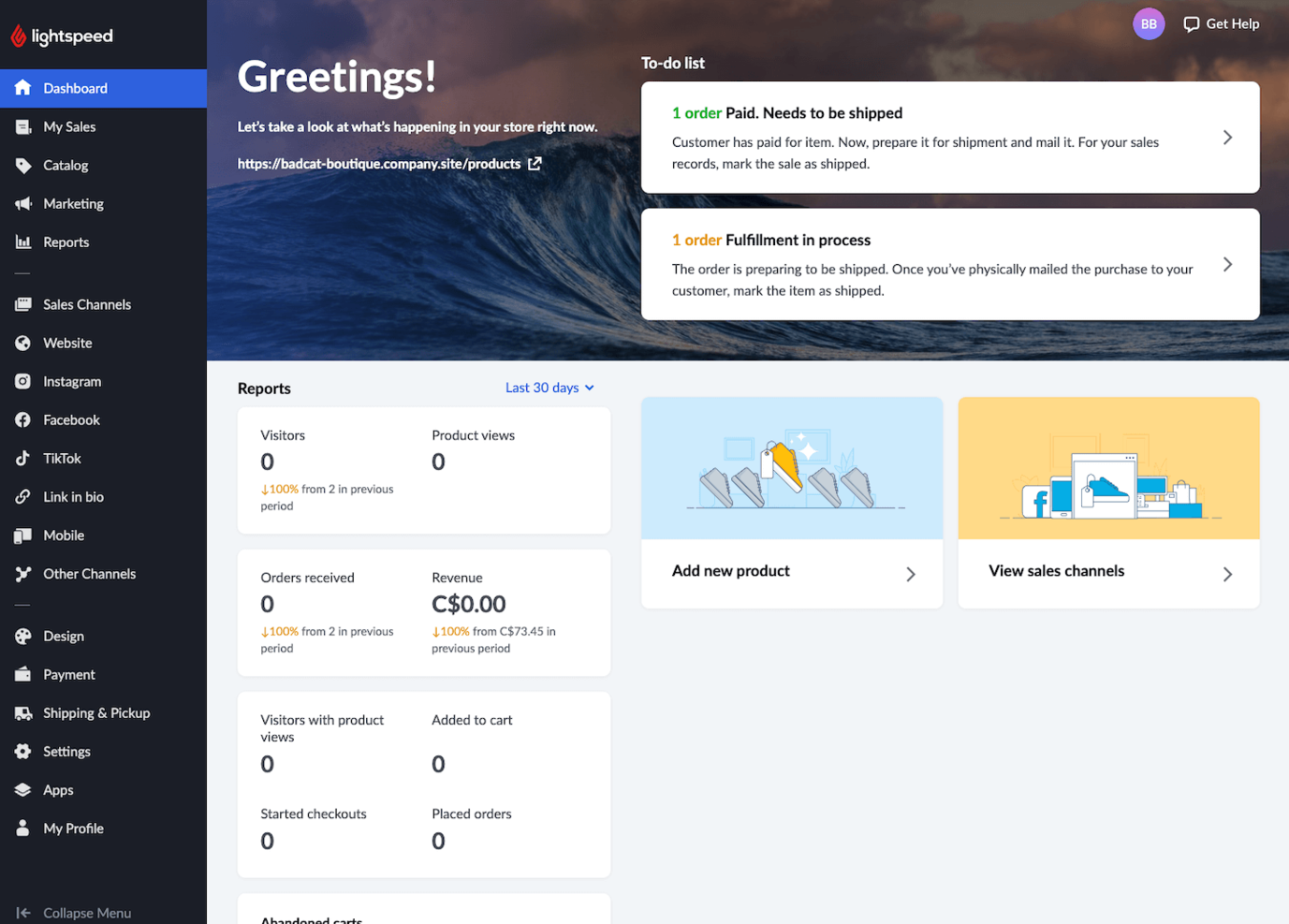
Lightspeed is a cloud-based point-of-sale system designed for retail businesses, providing inventory management and sales analytics. It caters to a variety of retail stores, from small shops to larger enterprises.
Why I picked Lightspeed: Lightspeed offers scalability, making it suitable for businesses aiming to expand. The software features advanced inventory management, allowing you to track stock levels across multiple locations, while built-in analytics provide insights to help you make data-driven decisions. Additionally, it supports various payment methods, ensuring a smooth checkout process for your customers.
Standout features & integrations:
Features include multi-store management, which helps you oversee operations across different locations and customizable reports that provide insights tailored to your business needs. You can also access your data from anywhere, thanks to its cloud-based platform.
Integrations include QuickBooks, Xero, Shopify, WooCommerce, Mailchimp, BigCommerce, Sage, Vend, and AWeber.
Pros and Cons
Pros:
- Designed for multi-store operations
- Cloud-based access to data
- Scales with business growth
Cons:
- Requires stable internet connectivity
- Complex features for small businesses

Fulfil
Best for centralized order processing

Fulfil is an AI-native ERP solution designed specifically for ecommerce and wholesale businesses. It enhances inventory and sales management by providing a comprehensive suite of features that integrate seamlessly with various platforms.
Why I Picked Fulfil: I picked Fulfil for its robust inventory and order management features that give you real-time visibility and control across all channels, helping you prevent overselling and optimize stock levels. Its centralized order processing automates workflows so you can fulfill orders faster and with less manual effort. I also value its warehouse management tools, which streamline picking, packing, and shipping to boost efficiency and keep deliveries on time, plus its manufacturing support that tracks production costs and enhances supply chain visibility.
Standout features & integrations:
Features include AI-powered operations that simplify tasks like report generation and package optimization, providing you with more time to focus on strategic decisions. The financial management aspect offers accurate transaction-level accounting, ensuring you have the financial insights needed to make informed choices. EDI integration facilitates B2B transactions and compliance with trading partners, making it easier for you to expand your business network without additional complications.
Integrations include Amazon Shipping, FedEx, DHL, UPS, USPS, PayPal, Stripe, Braintree, Amazon, Etsy, Shopify, and TikTok Shop.
Pros and Cons
Pros:
- Seamless integrations with major platforms
- Automated order processing and routing
- Real-time inventory visibility and control
Cons:
- Requires setup for system integration
- Pricing details not publicly disclosed


Unleashed is an inventory management software primarily used by manufacturers and distributors to manage stock levels and sales. It offers businesses advanced insights into inventory and sales performance.
Why I picked Unleashed: Unleashed provides detailed reporting tools that help you track inventory with precision. The software allows you to generate custom reports, providing insights tailored to your business needs. Its real-time data tracking also ensures you have up-to-date information on stock levels and sales. Plus, the system's ability to handle complex inventory structures makes it ideal for businesses needing detailed oversight.
Standout features & integrations:
Features include advanced inventory control, which helps you manage stock levels efficiently. The software also supports batch tracking, ensuring quality control from production to sales.
Integrations include Xero, QuickBooks Online, Shopify, WooCommerce, Magento, Amazon, Vend, Zapier, Salesforce, and Square.
Pros and Cons
Pros:
- Suitable for complex inventory systems
- Customizable reporting tools
- Batch tracking capabilities
Cons:
- Steep learning curve
- Requires stable internet connection

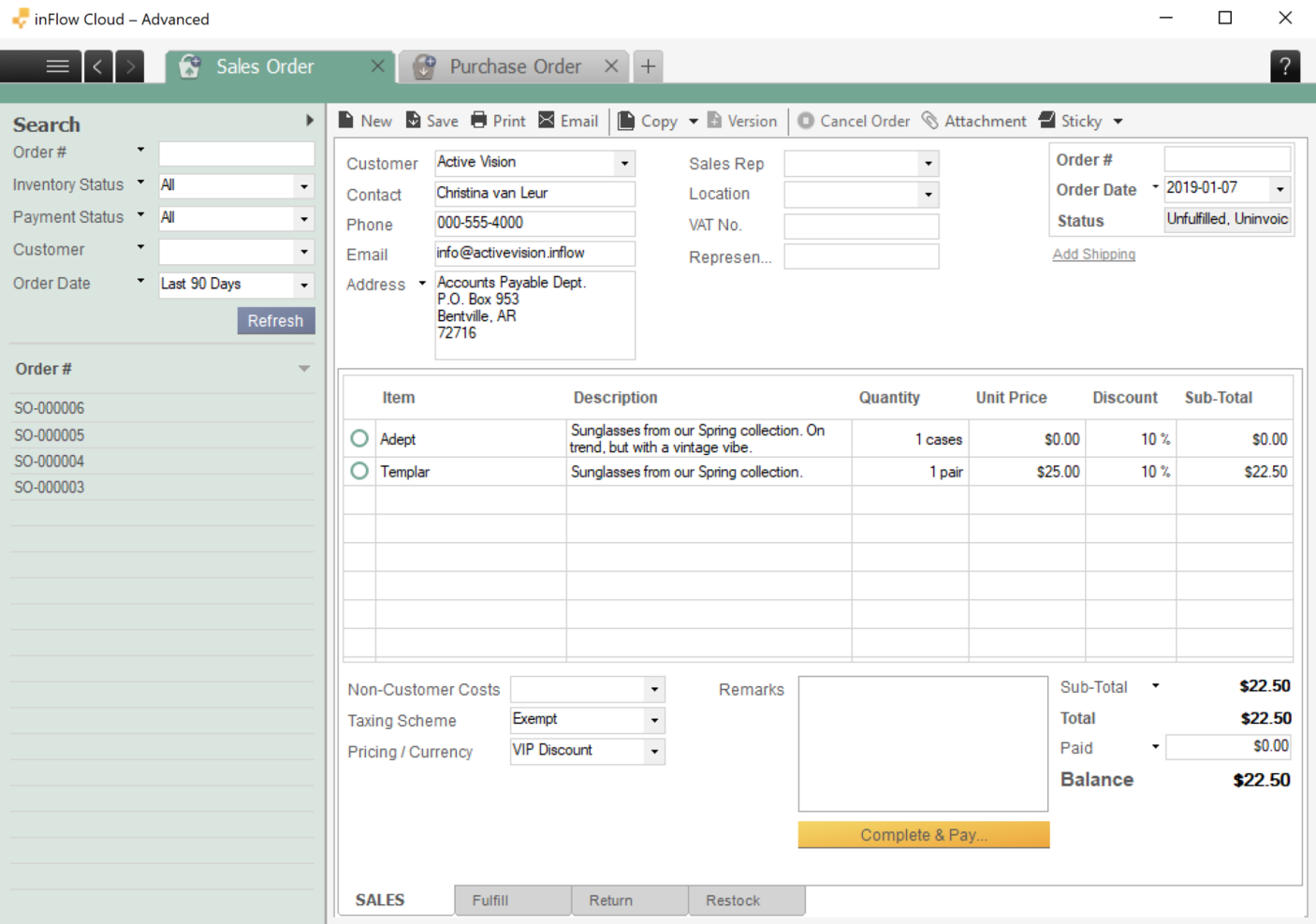
SalesBinder is an online inventory management software designed for small to medium-sized businesses, offering tools for managing inventory, customers, and sales. It helps companies keep track of stock levels and sales transactions efficiently.
Why I picked SalesBinder: SalesBinder’s ideal for businesses looking for a quick and easy setup process. The interface is straightforward, allowing your team to get started without lengthy training. It also offers customizable fields, so you can tailor the system to your specific needs. Additionally, the software’s ability to manage customers, inventory, and sales all in one place simplifies operations significantly.
Standout features & integrations:
Features include inventory alerts, which notify you when stock levels fall below a set threshold, and the ability to create detailed invoices directly from the system to help streamline your billing process. The software also offers customer relationship management tools to help maintain strong client connections.
Integrations include QuickBooks, Xero, WooCommerce, Shopify, Mailchimp, Magento, BigCommerce, Stripe, PayPal, and Square.
Pros and Cons
Pros:
- Quick and easy setup
- Customizable fields available
- Combines inventory and CRM
Cons:
- Limited advanced features
- May not scale with large businesses
Other Inventory and Sales Software
Here are some additional inventory and sales software options that didn’t make it onto my shortlist, but are still worth checking out:
- inFlow
For barcode integration
- Netstock
For inventory forecasting
- Square
For retail stores
- SimplyDepo
For route optimization tools
- Brightpearl
For retail automation
- Fishbowl
For QuickBooks users
- Cin7
For streamlined multichannel sales
- Phocas
For data-driven insights
- SimpleConsign
For consignment stores


How I Evaluate Inventory and Sales Software
I split my evaluation into two layers: the baseline capabilities a tool must have—like live stock visibility and order processing—and the differentiators that set the best options apart.
Core Functionality (Table Stakes For This List)
When I'm selecting tools for my list, I rank each one on a scale from 0 (does not offer the functionality) to 5 (excels in this area) for each core functionality listed below. Then, I calculate the tool's total score into a percentage. Each tool needs to achieve a minimum total score of 65% to be considered for inclusion.
- Real-Time Inventory Tracking: I look for live stock updates across warehouses and channels—so when a sale hits Shopify, counts adjust everywhere before a second order comes through.
- Sales Order Management: The full quote-to-cash cycle matters here, from generating a quote to triggering fulfillment, with clear order status visibility at each stage.
- Multi-Channel Sync: I evaluate how well a tool keeps inventory and order data aligned across eCommerce storefronts, marketplaces, and POS systems without manual reconciliation.
- Demand Forecasting & Reorder Automation: I check whether the tool can translate sales velocity into reorder triggers—like auto-generating a purchase order when a top SKU dips below safety stock.
- Reporting & Sales Analytics: SKU-level and channel-level breakdowns are what I look for, including inventory turnover rates and margin analysis that RevOps teams actually use for planning.
- CRM/ERP Integration: Strong connectors to platforms like Salesforce, HubSpot, NetSuite, or QuickBooks tell me a tool can fit into a broader RevOps tech stack without custom workarounds.
Once I have a list of tools that meet this criteria, I consider what sets each platform apart.
Differentiating Factors (What Sets Vendors Apart)
Here's how I compare and contrast different vendors:
Standout Features
Kitting and bundling support matters when your catalog includes product packages—I look for tools that auto-deduct component inventory at the point of sale. Landed cost tracking is another area I evaluate closely, since accurate margin reporting depends on factoring in freight, duties, and tariffs at the SKU level. For teams with wholesale channels, B2B portals where buyers can check stock and reorder on their own cut down on manual order entry.
Beyond Features
Integration ecosystem depth is one of the first things I evaluate—a tool that connects natively to your CRM, ERP, and accounting platform saves months of custom development. Pricing transparency also gets close attention, since inventory tools often layer on fees per channel, user, or transaction that inflate total cost quickly. I also consider implementation timelines; a platform that takes six months to deploy with no migration support can stall revenue operations at the worst possible time.
How to Choose Inventory and Sales Software
It’s easy to get bogged down in long feature lists and complex pricing structures. To help you stay focused as you work through your unique software selection process, here’s a checklist of factors to keep in mind:
| Factor | What to Consider |
| Scalability | Will the software grow with your business? |
| Integrations | Does it integrate with your current systems? |
| Customizability | Can the software be tailored to fit your needs? |
| Ease of Use | Is the software user-friendly for your team? |
| Budget | Does the software fit within your budget? |
| Security Safeguards | Are your data protection needs met? |
| Reporting Features | Does it offer the reports you require? |
| Customer Support | Is reliable support available when needed? |
Trends In Inventory and Sales Software
In my research, I sourced countless product updates, press releases, and release logs from different inventory and sales software vendors. Here are some of the emerging trends I’m keeping an eye on:
- AI-Driven Insights: More systems are using AI to analyze sales and inventory data, helping businesses predict trends and make better decisions. This trend is especially useful for optimizing stock levels and improving sales strategies.
- Blockchain Technology: Some vendors are exploring blockchain for secure and transparent inventory tracking. This technology offers a tamper-proof way to monitor product history and authenticity, which is vital for industries like pharmaceuticals and luxury goods.
- Sustainability Tracking: Companies are focusing on tracking their sustainability efforts through inventory software. This includes monitoring carbon footprints and sourcing from sustainable suppliers. Such features help businesses meet regulatory requirements and appeal to eco-conscious consumers.
- Virtual Reality (VR) for Training: VR is being used to train staff on inventory management processes. This trend allows for immersive learning experiences, reducing training time and improving retention. It's particularly popular in large warehouses where safety and efficiency are priorities.
- IoT Integration: Internet of Things (IoT) devices are increasingly connecting to inventory systems for real-time data on stock conditions. This trend provides insights into temperature, humidity, and other factors affecting product quality, which is important for industries like food and pharmaceuticals.
What Is Inventory and Sales Software?
Inventory and sales software is a tool that helps businesses track and manage their stock levels and sales processes. These tools are generally used by inventory managers, sales teams, and business owners who need to maintain accurate inventory records and improve sales efficiency.
Key features like real-time tracking, demand forecasting, and automated alerts help with reducing stockouts, optimizing inventory levels, and enhancing sales strategies. Overall, these tools provide businesses with the ability to efficiently manage their inventory and sales operations, leading to better decision-making and improved profitability.
Features of Inventory and Sales Software
When selecting inventory and sales software, keep an eye out for the following key features:
- Inventory Tracking: Monitors stock levels in real-time to prevent shortages and overstock.
- Order Management: Streamlines the process of handling customer orders from receipt to delivery.
- Sales Reporting: Provides insights into sales performance to help make data-driven decisions.
- Demand Forecasting: Predicts future inventory needs based on past sales data, reducing waste and optimizing stock levels.
- Multi-Location Support: Manages inventory across different warehouses or stores, ensuring accurate stock records.
- Barcode Scanning: Speeds up the stocktaking process and reduces manual entry errors.
- Automated Alerts: Notifies users of low stock levels or other critical inventory issues, ensuring timely responses.
- Batch Tracking: Tracks product batches for quality control, which is essential for regulated industries.
- Customizable Reporting: Allows users to generate tailored reports that meet specific business needs.
- Ecommerce Integration: Connects with online sales platforms to synchronize orders and inventory, improving accuracy and efficiency.
Benefits of Inventory and Sales Software
Implementing inventory and sales software provides several benefits for your team and your business. Here are a few you can look forward to:
- Improved Accuracy: Real-time tracking and barcode scanning reduce manual errors in inventory management.
- Enhanced Decision-Making: Sales reporting and demand forecasting provide data insights for better business strategies.
- Increased Efficiency: Automated alerts and order management tools save time and streamline operations.
- Better Stock Control: Multi-location support and inventory tracking ensure optimal stock levels across warehouses.
- Cost Savings: Preventing overstock and stockouts reduces unnecessary expenses and improves cash flow.
- Quality Assurance: Batch tracking helps maintain product quality and compliance with industry standards.
- Scalability: Ecommerce integration allows for easy expansion into online sales channels, supporting business growth.
Cost and Pricing of Inventory and Sales Software
Selecting inventory and sales software requires an understanding of the various pricing models and plans available. Costs vary based on features, team size, add-ons, and more. The table below summarizes common plans, their average prices, and typical features included in inventory and sales software solutions:
Plan Comparison Table for Inventory and Sales Software
| Plan Type | Average Price | Common Features |
| Free Plan | $0 | Basic inventory tracking, sales reporting, and limited support. |
| Personal Plan | $10-$30/user/month | Inventory management, order processing, and basic reporting features. |
| Business Plan | $50-$100/user/month | Multi-location support, advanced analytics, and ecommerce integration. |
| Enterprise Plan | $150-$300/user/month | Customizable dashboards, demand forecasting, and priority customer support. |
Inventory and Sales Software FAQs
Here are some answers to common questions about inventory and sales software:
How do you manage sales and inventory?
Managing sales and inventory involves using software to track stock levels and sales data in real time. This helps you avoid stockouts and overstock situations. By utilizing features like forecasting and automated alerts, your team can make informed decisions and streamline operations.
How does the inventory management system impact sales?
An inventory management system enhances your sales team’s ability to close deals by providing accurate stock information. With real-time data, your team can confidently inform customers about product availability and pricing. This not only boosts sales but also improves customer satisfaction and loyalty.
Why use cloud-based inventory management software?
Cloud-based inventory management software allows you to access data from anywhere, providing flexibility and convenience. It supports real-time updates and collaboration among team members, regardless of location. This can enhance efficiency and ensure your team stays informed and connected.
What are the benefits of integrating ecommerce platforms with inventory software?
Integrating ecommerce platforms with your inventory software synchronizes sales orders and stock levels automatically. This reduces manual entry errors and ensures accurate inventory records. It also enables you to manage online and offline sales in one place, simplifying operations and improving efficiency.
What’s Next?
Want to take your RevOps game to the next level? Subscribe to The CRO Club newsletter.