

10 Best Contract Negotiation Software in 2026

10 Best Contract Negotiation Software Shortlist


Contract negotiation software is a platform for drafting, redlining, reviewing, approving, and executing business agreements. For RevOps teams, the right tool connects negotiations to CRM data, approval workflows, and forecast timing without leaving sellers to chase updates across email and documents.
I evaluated 18 options to help you compare clause controls, collaboration features, integrations, analytics, and implementation fit.
Why Trust Our Software Recommendations
Our reviews reflect our independent judgment—not a sales pitch. Learn how we stay transparent.
For this guide, we evaluated tools using hands-on testing and independent research, scoring tools using our selection criteria.
Our reviews reflect our human editorial judgment, not a sales pitch.
Compare the Best Contract Negotiation Software
Compare pricing and specs, side by side, for the contract negotiation software that made it onto my shortlist.
| Tool | Best For | Trial Info | Price | ||
|---|---|---|---|---|---|
| 1 | Best for unlimited-user contract redlining | 14-day free trial | Pricing upon request | Website | |
| 2 | Best for AI-guided redlining with CRM sync | Free demo available | Pricing upon request | Website | |
| 3 | Best for no-code approval routing on clause changes | Free plan available | Pricing upon request | Website | |
| 4 | Best for legal teams negotiating in Word | Free demo available | Pricing upon request | Website | |
| 5 | Best for AI-driven clause risk across enterprise deals | Free demo available | Pricing upon request | Website | |
| 6 | Best for enterprise-grade AI-assisted redline workflows | Free demo available | Pricing upon request | Website | |
| 7 | Best for negotiation analytics across deal stages | Free demo available | Pricing upon request | Website | |
| 8 | Best for cross-team redlining with CRM sync | Free demo available | From $499/month (billed annually) | Website | |
| 9 | Best for playbook-driven AI redlining at scale | Free demo available | Pricing upon request | Website | |
| 10 | Best for revenue-stack contract negotiation | Free plan available + 14-day free trial available | From $19/user/month (billed annually) | Website |
Best Contract Negotiation Software Reviews
Below are my summaries of the best contract negotiation software on my shortlist. My reviews examine each platform’s features, integrations, and best use cases to help you find the right fit.

Best for unlimited-user contract redlining
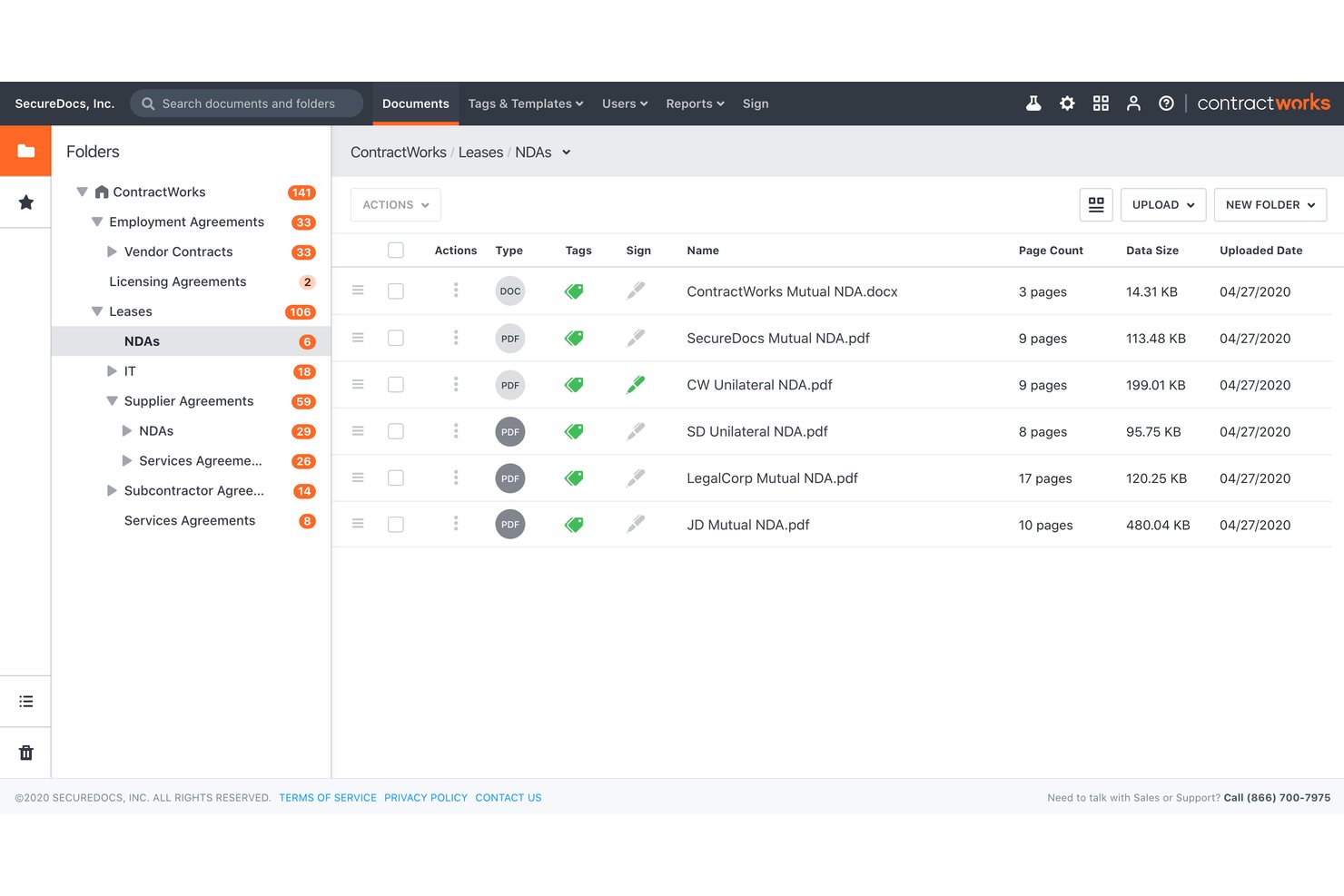
ContractWorks is a contract lifecycle management platform that covers drafting, real-time redlining, clause libraries, approval workflows, e-signatures, and a searchable contract repository.
Who Is ContractWorks Best For?
ContractWorks is a strong fit for legal and contracts teams at mid-market companies that need cross-functional contract access without paying per seat.
Why I Picked ContractWorks
ContractWorks earns its spot on my shortlist because its unlimited-user pricing model means your entire legal, sales, and procurement team can redline contracts without you worrying about seat costs adding up. I particularly like the Collaborative Editor, which lets counterparties negotiate in real time directly in the platform, no sign-in required on their end. Version control is thorough too: you can compare any two versions side by side and roll back changes with one click, with a full audit trail showing exactly who approved which redlines.
ContractWorks Key Features
- GPT-3 AI clause creator: Generate new contract clauses using built-in AI directly from the clause library without leaving the platform.
- AnySign link signing: Create a self-serve signing link from any template to embed in an email or on a webpage for recipient signing.
- Contract requests intake module: Collect and route contract requests through a structured intake form before drafting begins.
- Automated date alerts: Set milestone and renewal date alerts that trigger automatic notifications so no deadline slips through.
ContractWorks Integrations
ContractWorks offers documented integrations with Salesforce, Microsoft Word, Microsoft Active Directory, OneLogin, Okta, and Fujitsu ScanSnap. It also supports third-party e-signature integrations and public register or database connections, but no API or broader marketplace is documented.
Pros and Cons
Pros:
- Version comparison includes one-click rollback
- External parties negotiate without platform accounts
- Unlimited users support cross-functional redlining
Cons:
- AI does not summarize counterparty redlines
- Negotiation analytics lack dedicated cycle-time dashboards
Juro
Best for AI-guided redlining with CRM sync
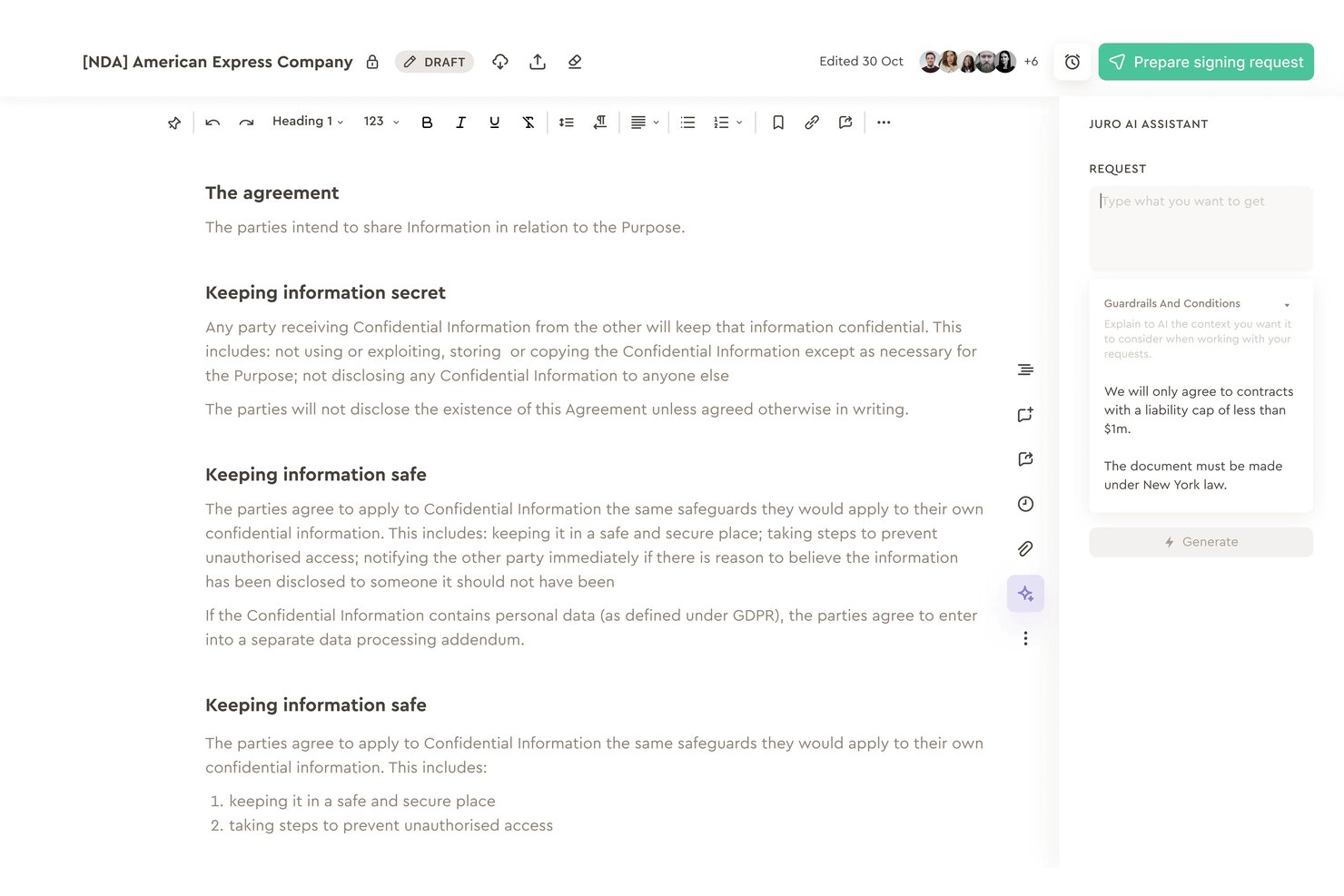
Juro is a contract negotiation platform with browser-native redlining, AI-powered review and playbook enforcement, no-code approval workflows, native eSignature, and CRM integrations for Salesforce and HubSpot.
Who Is Juro Best For?
Juro works well for sales ops and legal teams that negotiate a high volume of contracts and need redlining, approvals, and e-signature connected to Salesforce or HubSpot in one place.
Why I Picked Juro
I've included Juro in my top picks because its AI-guided redlining is genuinely different from what most contract tools offer. The AI playbook enforcement flags clause deviations in real time and suggests pre-approved fallback language, so legal standards hold even when sales reps are editing. Pair that with bi-directional Salesforce and HubSpot sync, and your team can generate, negotiate, and track contracts without ever leaving the CRM.
Juro Key Features
- Native eSignature: Sign contracts directly in-browser with eIDAS Advanced Electronic Signature compliance, sequential signing waterfalls, and bulk signing—no third-party signing tool required.
- No-code approval workflow builder: Configure conditional, multi-step approval waterfalls at the template level, with auto-resend triggered when contract edits are made.
- Internal vs. external comment toggling: Keep internal team discussions hidden from counterparties while collaborating on the same document, eliminating the need for parallel files.
- AI-powered contract repository: Query your contract data in natural language, extract metadata like renewal dates and contract values, and surface insights through customizable dashboards.
Juro Integrations
Juro offers native integrations with Salesforce, HubSpot, DocuSign, Microsoft Word, Google Drive, Slack, Greenhouse, and Ashby. Enterprise plans add REST API and webhooks, while Zapier is also available.
Pros and Cons
Pros:
- Visual timeline records edits and approvals
- Native signing includes approval waterfalls
- AI flags deviations and suggests fallback language
Cons:
- Word imports can break formatting
- Complex negotiations can feel constrained
Agiloft
Best for no-code approval routing on clause changes
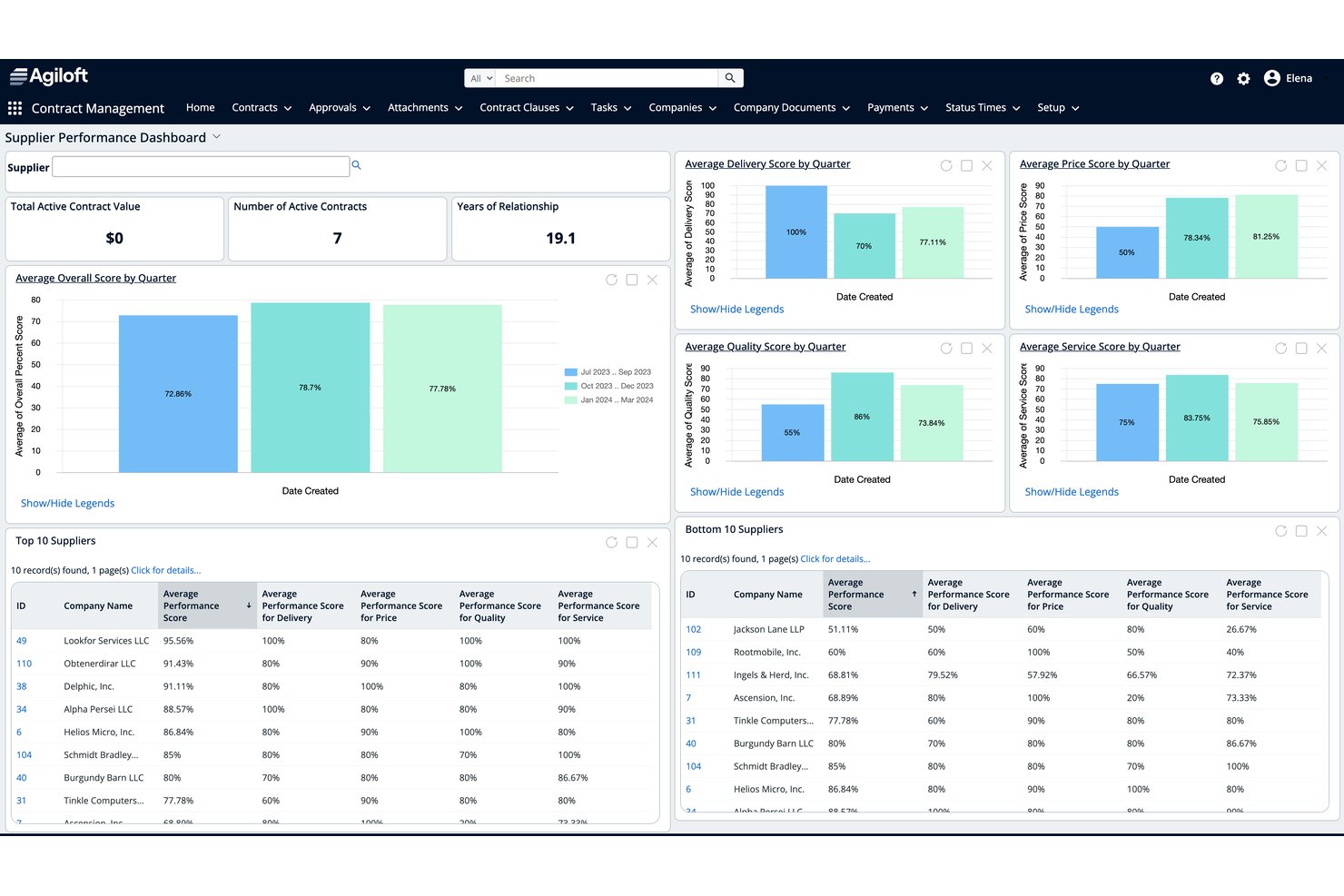
Agiloft is a contract lifecycle management platform with AI-assisted redlining, no-code approval workflow automation, a clause and template library, and integrations with CRM and ERP systems.
Who Is Agiloft Best For?
Agiloft is a strong fit for legal and sales operations teams in mid-to-large enterprises that need complex, rules-based approval workflows triggered by clause-level contract changes.
Why I Picked Agiloft
Agiloft earns its spot on my shortlist because its no-code approval routing is genuinely clause-aware, not just contract-level. When a counterparty swaps in non-standard language, Agiloft automatically routes that specific clause deviation to the right subject matter expert, whether that's legal, finance, or procurement. I also like that approvals can be actioned directly from Teams or Slack, so reviewers aren't forced into the platform. The Astra Word add-in rounds this out by letting reviewers compare redlines against pre-approved playbooks without leaving the document.
Agiloft Key Features
- AI-assisted redlining in Word: Agiloft Astra reviews third-party paper and suggests edits with explanations directly inside Microsoft Word, without requiring you to switch platforms.
- Clause and template library: A searchable library of pre-approved standard and fallback clauses is accessible both in the web app and from the Word add-in during active review.
- Obligation management: Extract, categorize, and track post-signature obligations with automated reminders, deadline tracking, and dashboards for upcoming and past-due commitments.
- E-signature integrations: Trigger DocuSign or Adobe Sign directly from the contract record, with automatic storage of executed agreements and stakeholder status notifications.
Agiloft Integrations
Agiloft offers 1,000+ pre-built Integration Hub connectors, including Salesforce, SAP, Oracle Fusion Cloud, NetSuite, Microsoft Word, Microsoft Teams, Slack, DocuSign, and Adobe Sign. Its custom API platform supports additional integrations.
Pros and Cons
Pros:
- Word-based AI redlining with explanations
- Auditable clause-level version history
- Clause-triggered approval routing
Cons:
- Configuration requires specialist administration
- Counterparty negotiation relies on email and Word

Best for legal teams negotiating in Word
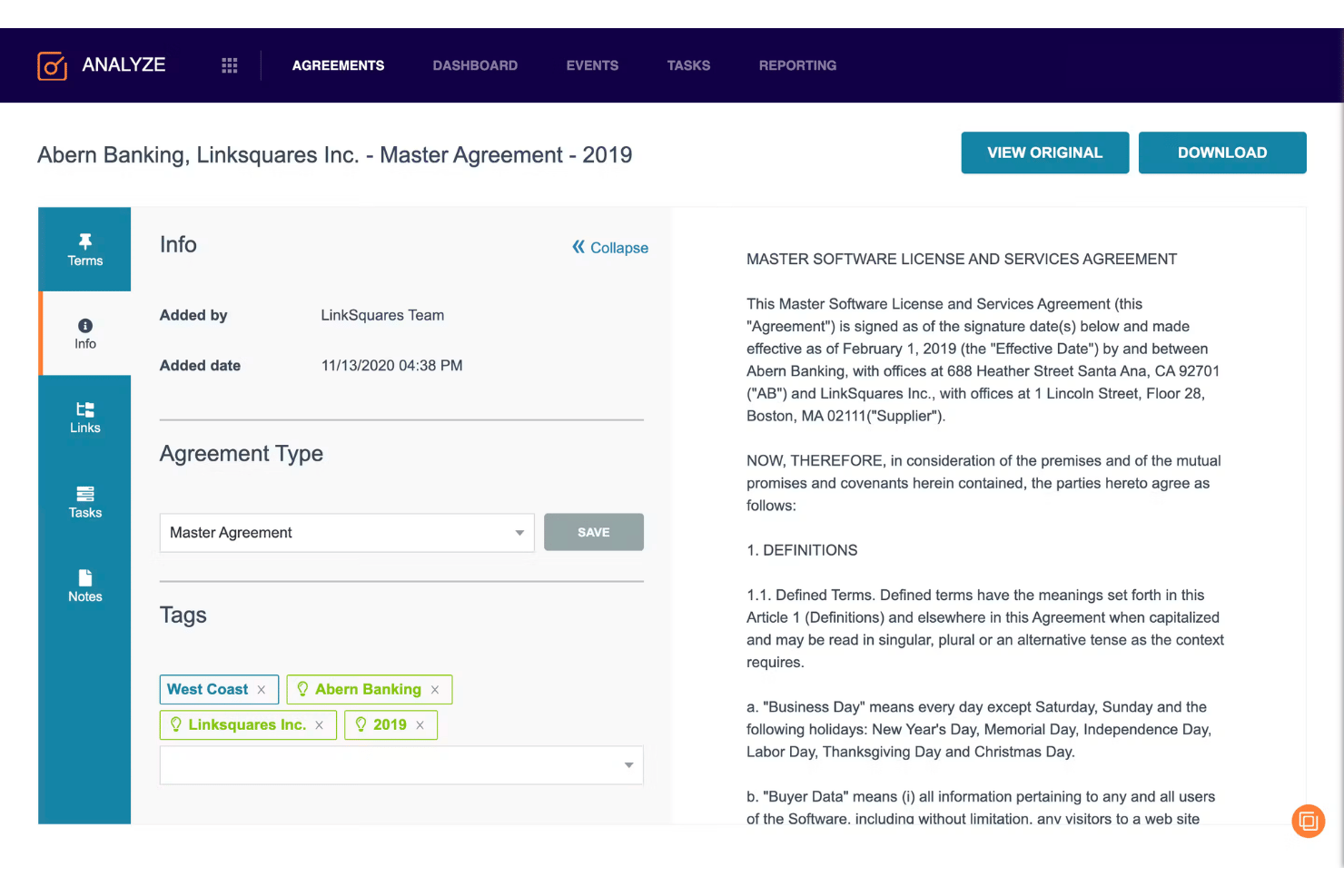
LinkSquares is a contract lifecycle management platform built for legal teams that covers pre-signature workflows—drafting, redlining, negotiation, and approval routing—alongside a post-signature repository with AI-powered clause extraction and analytics.
Who Is LinkSquares Best For?
LinkSquares is a strong fit for in-house legal teams that live in Microsoft Word and need pre-signature negotiation, approval routing, and post-signature analytics in one platform.
Why I Picked LinkSquares
I picked LinkSquares as one of the best because it keeps legal teams inside Microsoft Word while adding the structure most Word-based workflows lack. The Word add-in gives you clause library access, AI redline summaries, and simultaneous co-editing without ever leaving the document. What I find genuinely useful is the Playbooks feature, which flags deviations from pre-approved positions and inserts tracked-change edits inline, so you're not manually cross-referencing a separate document during negotiation.
LinkSquares Key Features
- Negotiation Hub: Tracks all contract versions, internal comments, and counterparty exchanges in one place, with automatic version capture and timestamps.
- Native e-signature: LinkSquares Sign handles execution directly in the platform, with real-time signer status tracking and automatic archiving of signed agreements and certificates.
- AI Workflow Builder: Lets you create or modify approval workflows using plain-language descriptions, which the AI converts into configured routing rules for your review before publishing.
- Post-signature analytics: Extracts key terms, dates, and obligations from executed contracts and surfaces renewal tracking, obligation management, and negotiation performance dashboards.
LinkSquares Integrations
LinkSquares offers native integrations with Salesforce, Microsoft Word, DocuSign, Adobe Sign, Slack, Ramp Procurement, Google Drive, OneDrive, SharePoint, and Box. Its public API supports custom workflow integrations.
Pros and Cons
Pros:
- Automatic version capture preserves negotiation history
- Playbooks flag deviations during redlining
- Negotiates directly inside Microsoft Word
Cons:
- AI extraction can produce inconsistent results
- Counterparty collaboration remains email-centric

Sirion
Best for AI-driven clause risk across enterprise deals
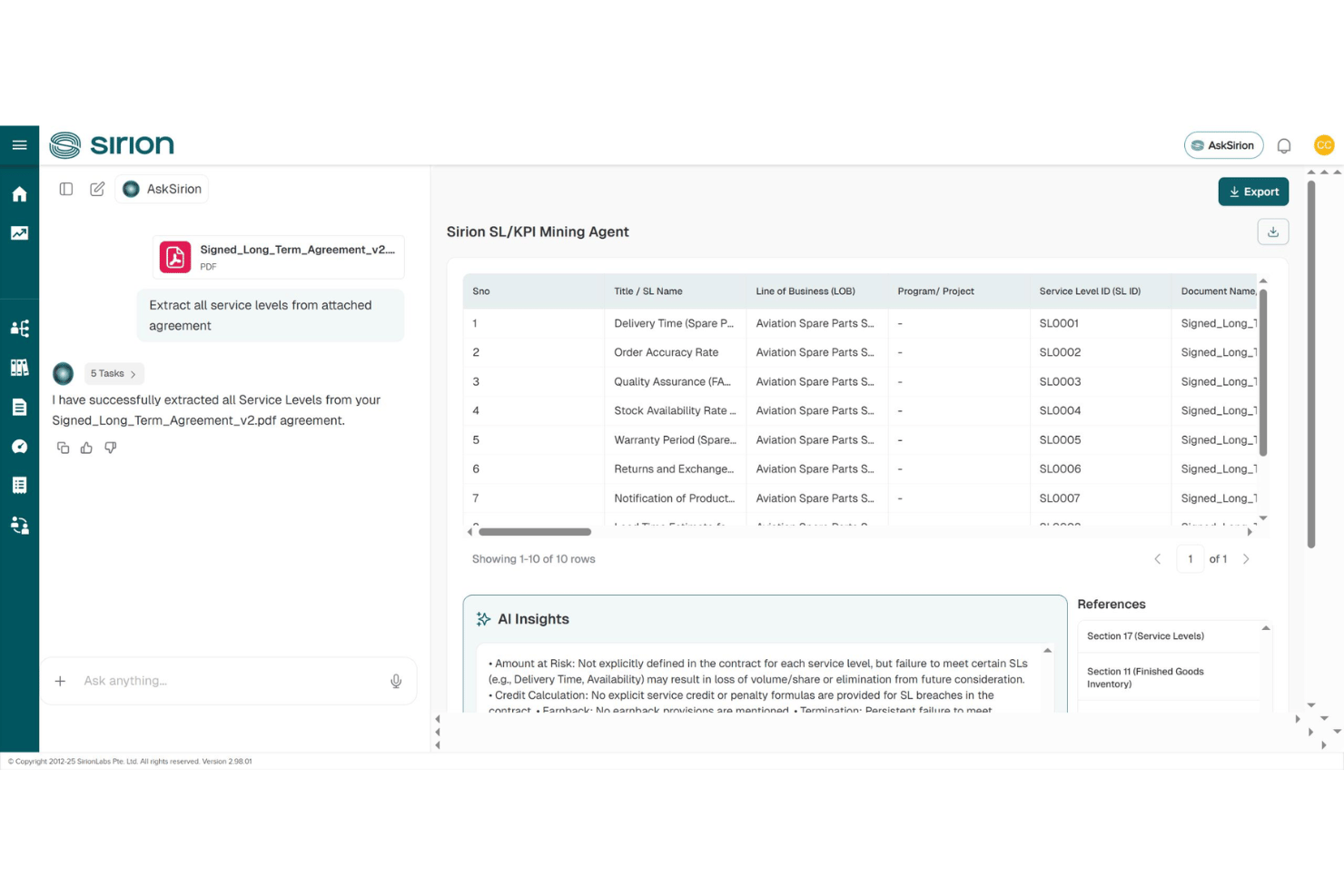
Sirion is an AI-native contract lifecycle management platform that handles drafting, redlining, playbook-based clause detection, approval routing, and post-signature obligation tracking across enterprise agreements.
Who Is Sirion Best For?
Sirion is built for enterprise legal, procurement, and sales operations teams managing high-volume, high-complexity contracts where AI-driven clause risk detection and post-signature obligation tracking matter most.
Why I Picked Sirion
I picked Sirion as one of the best because its IssueDetection Agent catches clause-level risk with a precision I haven't seen matched elsewhere, flagging deviations against your negotiation playbook in real time, including missing must-have terms, across complex multi-document packages like an MSA bundled with SOWs and exhibits. What I really like is how the Redline Agent pairs with it, proposing targeted edits with a plain-language rationale for each change so your legal team can accept, reject, or refine without losing the thread of why a change was made.
Sirion Key Features
- Multi-document negotiation: Sirion treats bundled agreements like an MSA paired with SOWs and exhibits as a single package, preserving order of precedence throughout the negotiation.
- AskSirion conversational interface: Submit plain-language requests and AI agents execute them with explanations and source links, without requiring you to navigate complex menus.
- Post-signature obligation tracking: The Obligations Agent monitors milestones, deliverables, SLAs, and renewal dates with direct traceability back to specific contract clauses.
- Counterparty collaboration portal: A secure external portal lets you collaborate with outside parties on contract review without leaving the Sirion environment.
Sirion Integrations
Sirion offers integrations with Microsoft Word, Outlook, DocuSign, Adobe Sign, Salesforce, Slack, and SAP. It also supports CRM, ERP, and procure-to-pay synchronization for contract status and data.
Pros and Cons
Pros:
- Tracks clause risk across versions
- Handles bundled agreements and commercial terms
- Playbook-linked redlines explain every proposed change
Cons:
- Implementation requires substantial enterprise configuration
- Interface complexity slows new-user adoption

Best for enterprise-grade AI-assisted redline workflows
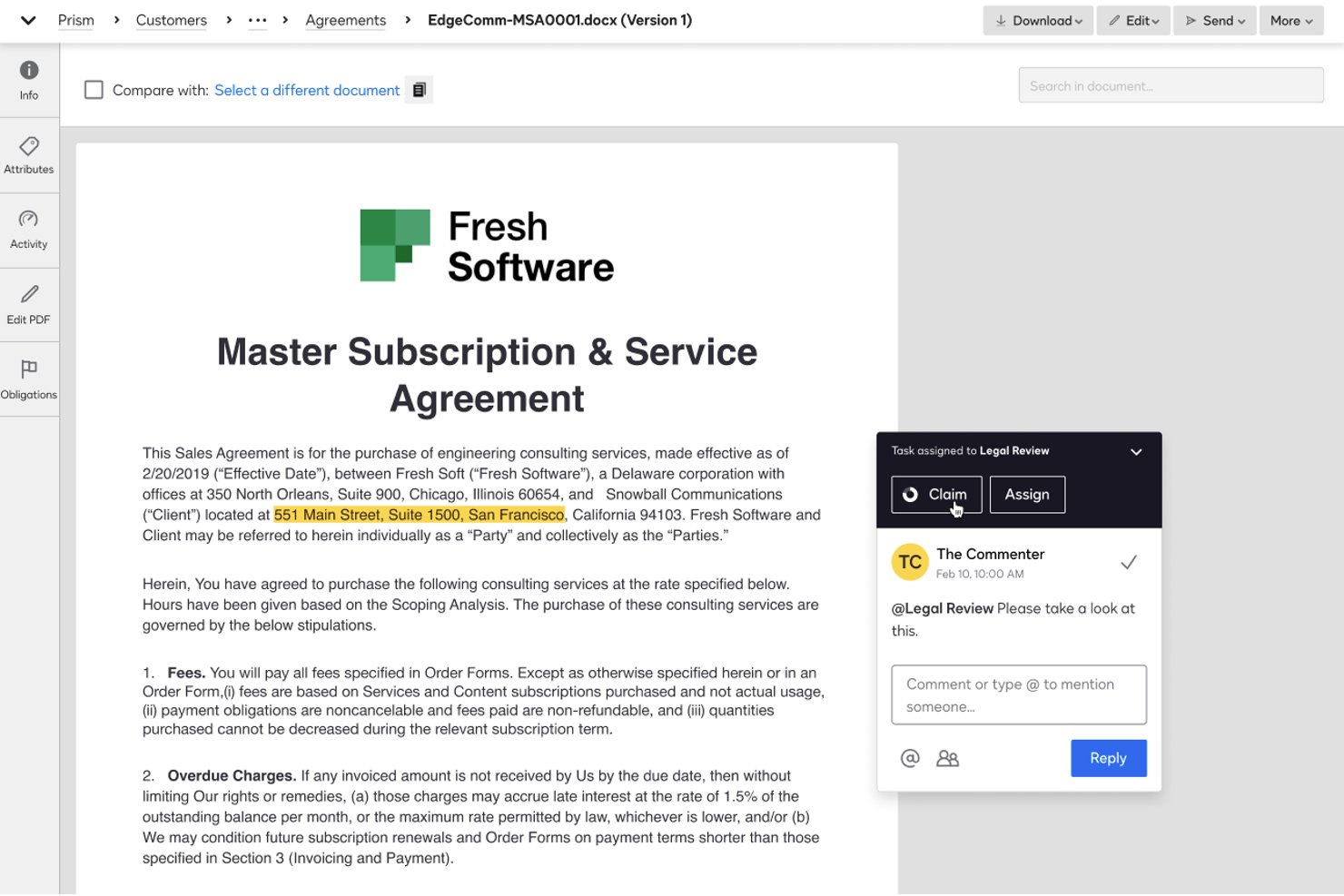
Docusign CLM is a contract lifecycle management platform that handles contract creation, AI-assisted redlining via a Word add-in, approval workflow routing, clause library management, obligation tracking, and e-signature in a single connected system.
Who Is Docusign CLM Best For?
Docusign CLM is a strong fit for enterprise legal and sales operations teams that need AI-assisted redlining, multi-step approval routing, and e-signature in one connected system.
Why I Picked Docusign CLM
Docusign CLM earns its spot on my shortlist because of how well its AI-Assisted Review playbook system works inside Microsoft Word, where legal teams actually do their redlining. I like that the Word add-in checks contract language against pre-approved playbooks, flags misaligned clauses, and suggests compliant alternatives without pulling reviewers out of their existing workflow. The platform's AI risk scoring also acts as a conditional routing trigger, so higher-risk redlines automatically escalate through the right approval steps.
Docusign CLM Key Features
- Drag-and-drop workflow editor: Build multi-step approval workflows using 100+ pre-configured steps covering contract generation, review, approval, and signature routing.
- Obligation and renewal management: Track post-signature commitments, renewal dates, and key milestones with built-in reporting to surface upcoming obligations.
- AI-powered contract repository: Store, search, and filter agreements by keyword, concept, or metadata using Docusign's Iris AI engine, which runs on 100+ pre-trained models.
- Native eSignature integration: Send contracts for signature directly within CLM workflows, with a real-time audit trail and no account required for recipients.
Docusign CLM Integrations
Docusign CLM offers 100+ CLM connectors, including Salesforce, SAP Ariba, Coupa, Microsoft Word, Microsoft Teams, Slack, and Google Workspace. Its APIs support custom integrations.
Pros and Cons
Pros:
- Native signing preserves negotiation audit trails
- Risk scoring routes complex approvals automatically
- AI-assisted redlining checks approved playbooks
Cons:
- Negotiation workflows involve excessive clicks
- Word-based redlining limits live collaboration

Best for negotiation analytics across deal stages
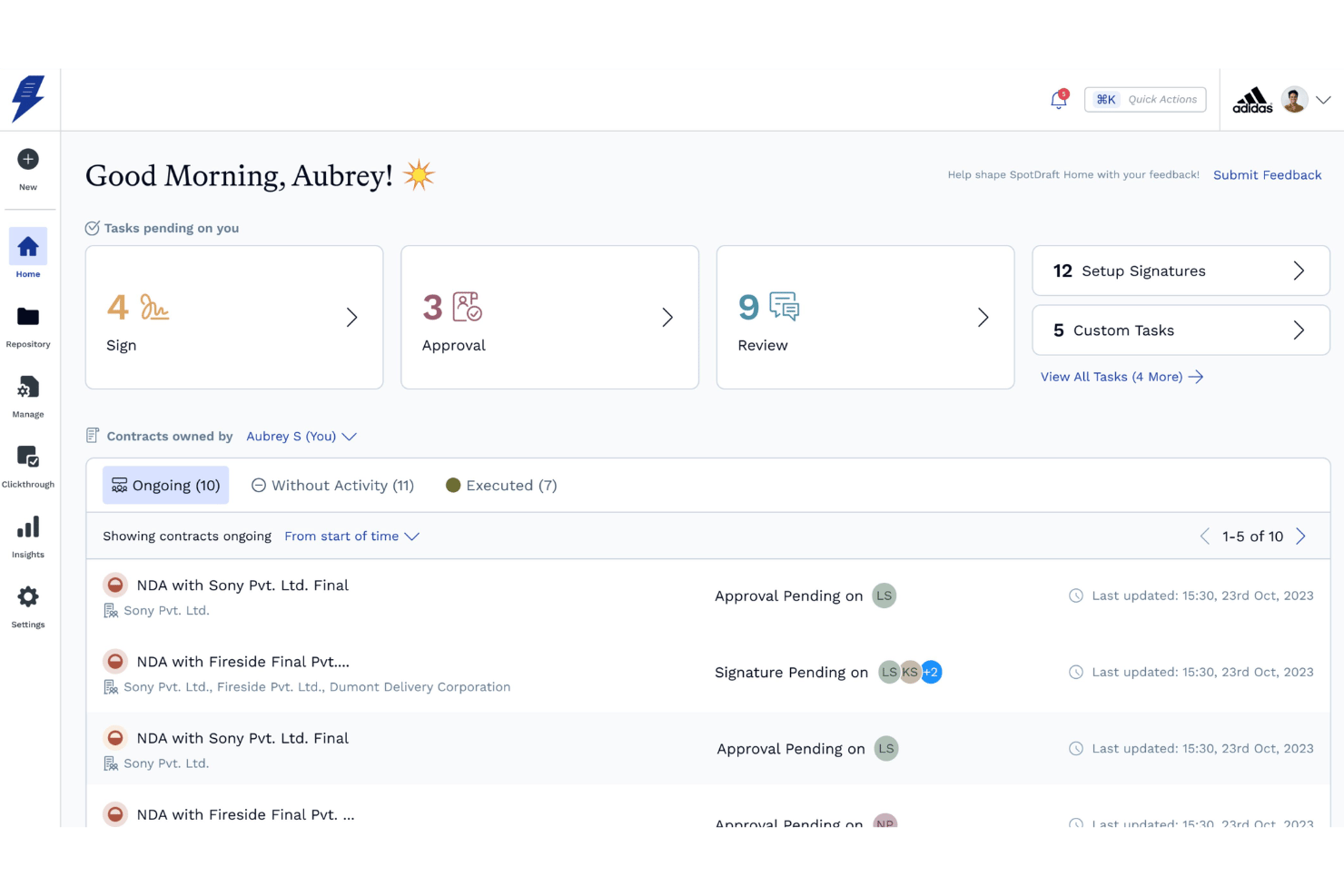
SpotDraft is a contract lifecycle management platform that combines AI-powered redlining, clause and playbook libraries, multi-party negotiation workflows, approval routing, native e-signature, and negotiation analytics.
Who Is SpotDraft Best For?
SpotDraft is a strong fit for revenue operations and legal teams that need to track where deals stall across every contract stage—from internal redlines to counterparty review to final signatures.
Why I Picked SpotDraft
SpotDraft earns its spot on my shortlist because of its negotiation analytics dashboards, which break down turnaround time by stage: drafting, internal redline, counterparty redline, review, approval, and signature collection. I love that you can pinpoint exactly where deals stall across 30+ metrics, including approval bottlenecks by department and SLA tracking. VerifAI adds another layer by flagging clause deviations against playbook positions with Met/Not Met verdicts in real time.
SpotDraft Key Features
- VerifAI clause deviation flagging: Compares drafted contract language against your playbook's preferred wording and fallback positions, returning Met/Not Met verdicts with AI reasoning for each clause.
- Multi-party workflow builder: Supports contract negotiation and signing with up to 10 parties simultaneously, with configurable role aliases and sequential or parallel routing.
- Native e-signature with signing order: Collect unlimited signatures directly in SpotDraft, with configurable signing sequences, OTP identity verification, and automated reminders.
- Salesforce two-way sync: Pushes contract status, approvals, and executed PDFs back to Salesforce on defined triggers, with contract generation and approval routing available without leaving the CRM.
SpotDraft Integrations
SpotDraft offers 30+ native integrations, including Salesforce, HubSpot, Microsoft Word, DocuSign, Adobe Sign, Coupa, SAP, Slack, Microsoft SharePoint, and Zapier. Salesforce supports two-way syncing for contract status, approvals, and executed PDFs.
Pros and Cons
Pros:
- Playbook verdicts guide consistent clause decisions
- Word-based redlining preserves familiar lawyer workflows
- Stage-level negotiation analytics expose bottlenecks
Cons:
- Complex approval hierarchies need more configuration
- Word editing remains single-user at once
Concord
Best for cross-team redlining with CRM sync
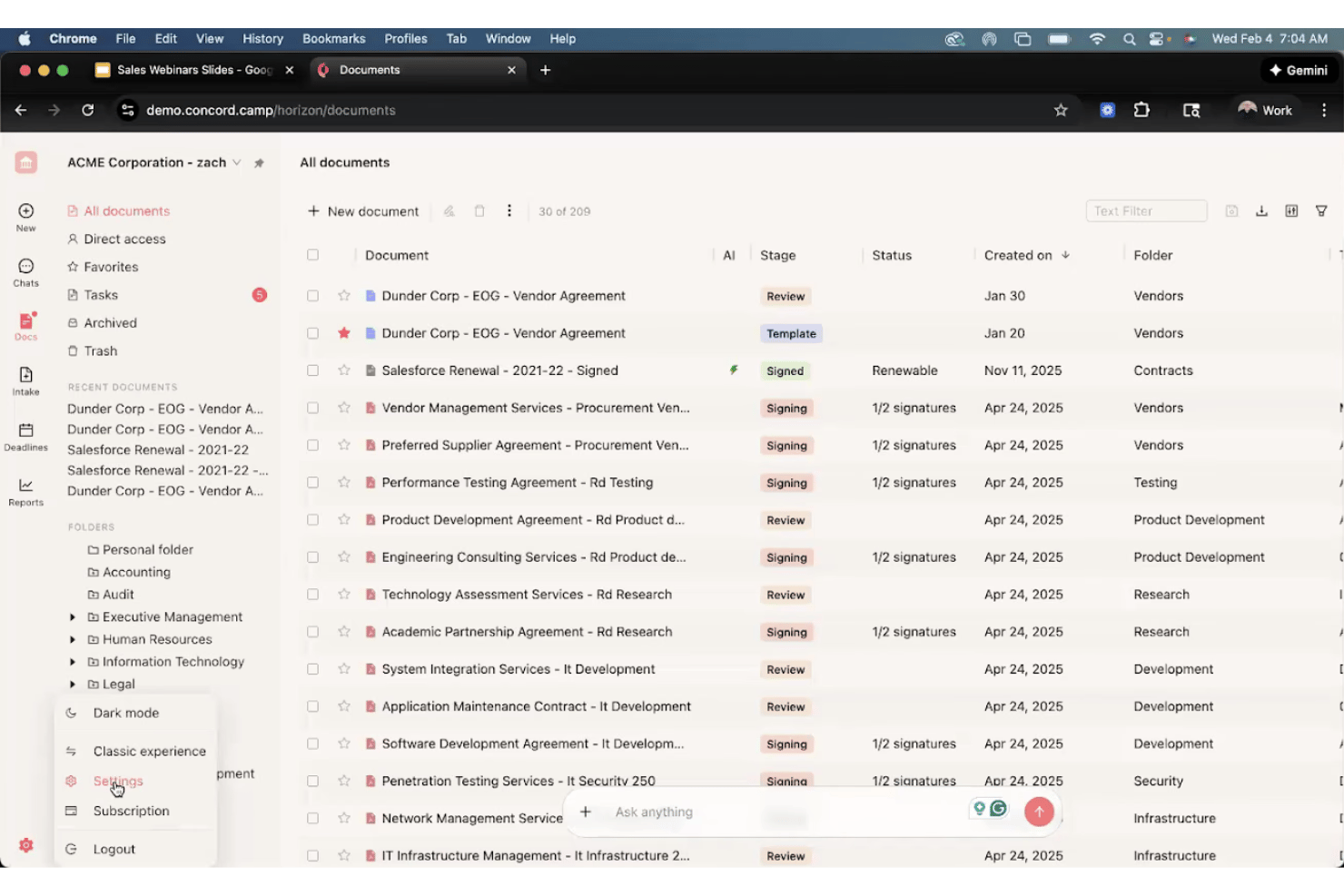
Concord is a contract negotiation platform with a Word/Google Docs-style editor that supports live redlining, tracked changes, version control, approval workflows, a governed clause library, native e-signature, and CRM integrations with Salesforce and HubSpot.
Who Is Concord Best For?
Concord is a strong fit for sales operations and legal teams at mid-market companies that need non-lawyers to negotiate and redline contracts without a steep learning curve.
Why I Picked Concord
Concord earns its spot on my shortlist because it's the only tool I've found where sales reps and legal can redline the same live document together, without anyone needing to export a Word file or manage email chains. What makes it click for cross-team negotiation is the Salesforce and HubSpot sync: a rep can generate a contract directly from a Salesforce Opportunity, share it for redlining, and both sides negotiate inside Concord without switching tools. The tamper-proof audit trail captures every tracked change, comment, and approval with timestamps, which gives legal the defensibility they need while keeping sales moving.
Concord Key Features
- AI Copilot: Detects missing or non-standard clauses, suggests safer revisions, and links directly to the relevant document section for editing.
- Native e-signature: Sign contracts without any third-party tool, with compliance across eIDAS, UETA, and the U.S. ESIGN Act, valid in 150+ countries.
- Intake forms: Standardize contract requests from sales, procurement, and other teams, feeding directly into approval routing workflows.
- Contract repository with OCR search: Store, tag, and search across your full contract portfolio, including bulk-uploaded legacy and scanned paper contracts.
Concord Integrations
Concord offers native integrations with Salesforce, HubSpot, DocuSign, Google Drive, Box, and Dropbox. Enterprise plans include the Concord REST API, while Business plans add Zapier and Slack integration.
Pros and Cons
Pros:
- AI detects non-standard clauses and suggests revisions
- Tamper-proof audit trails preserve negotiation history
- Live redlining keeps negotiations in one document
Cons:
- Negotiation analytics lack bottleneck visibility
- Offline editing can lose recent changes

Ironclad
Best for playbook-driven AI redlining at scale
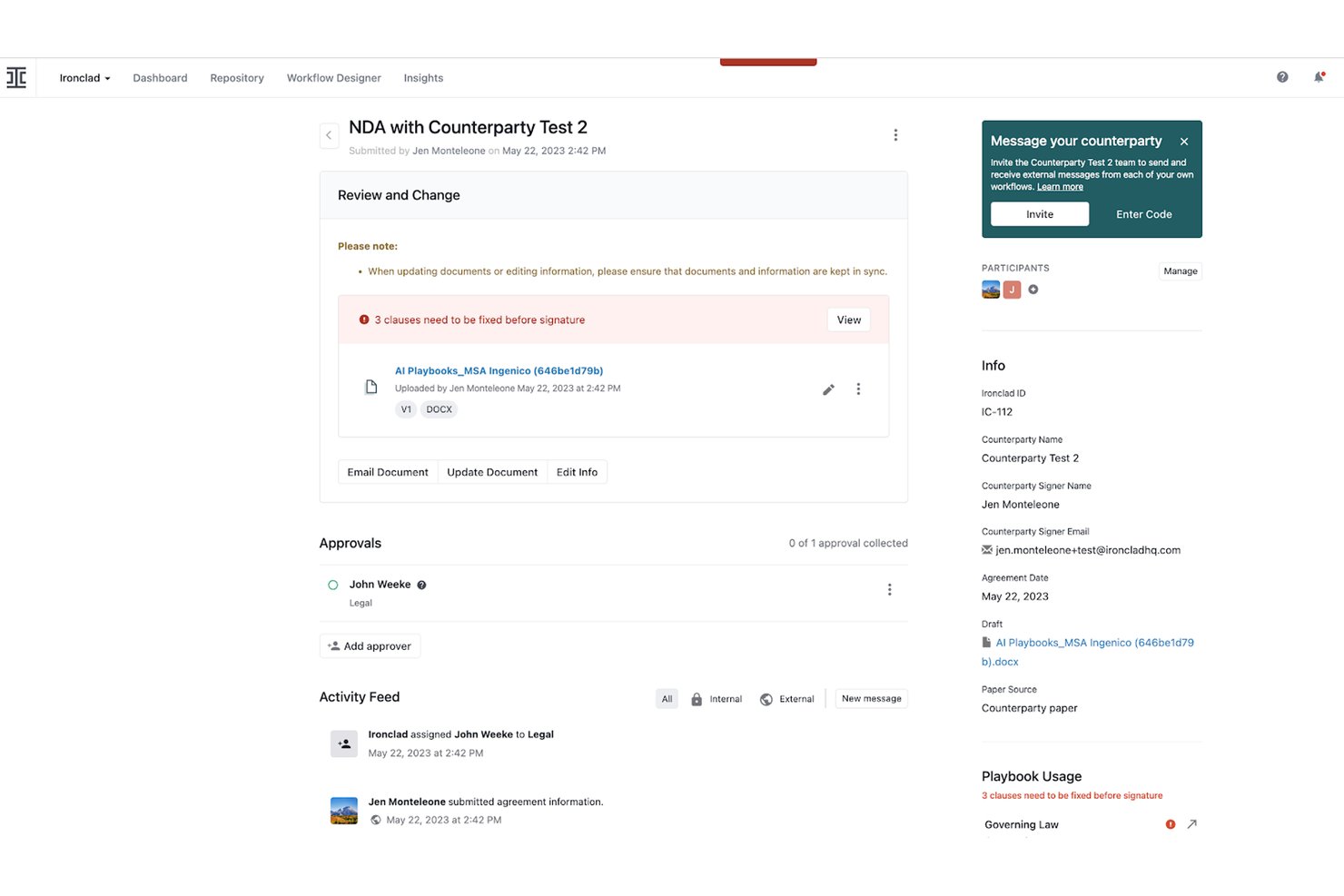
Ironclad is a contract lifecycle management platform that handles redlining, AI-driven clause review, approval routing, e-signature, and negotiation analytics across the full contract process.
Who Is Ironclad Best For?
Ironclad is a strong fit for enterprise legal and revenue operations teams that negotiate high volumes of contracts and need AI-driven redlining built around pre-approved playbooks.
Why I Picked Ironclad
I picked Ironclad as one of the best because its AI Playbooks handle redlining at a scale that's genuinely hard to replicate. The Jurist Redlining Agent scans counterparty paper, compares it against your pre-approved playbook, and delivers a sourced first-pass redline in minutes rather than hours. Teams like AES cut that process from up to two hours down to minutes. On top of that, the Workflow Designer routes flagged clauses to the right approver automatically, based on detected risk level.
Ironclad Key Features
- Ironclad Insights dashboard: Track negotiation cycle times, redline frequency by contract type, and median counterparty turnaround across customizable, shareable dashboards.
- Ironclad Signature and Clickwrap: Send contracts for signature via email, direct link, or embedded flow, with approval history surfaced to signers before they sign.
- Activity Feed: Captures every version save, comment, approval, and counterparty turn in a single chronological record tied to each contract.
- Microsoft Word add-in: Manage redlines, tracked changes, and counterparty turns directly inside Word without switching to a separate platform.
Ironclad Integrations
Ironclad offers native integrations with Salesforce, SAP, NetSuite, Slack, Microsoft Teams, OneDrive, Box, Dropbox, DocuSign, and Adobe Acrobat Sign. It also supports custom integrations through its public API and Zapier.
Pros and Cons
Pros:
- Conditional routing sends risks to approvers
- Activity Feed tracks every negotiation turn
- Playbook-driven AI redlining handles first passes
Cons:
- Repository cleanup can require manual tagging
- Advanced workflows require dedicated administrator time
PandaDoc
Best for revenue-stack contract negotiation
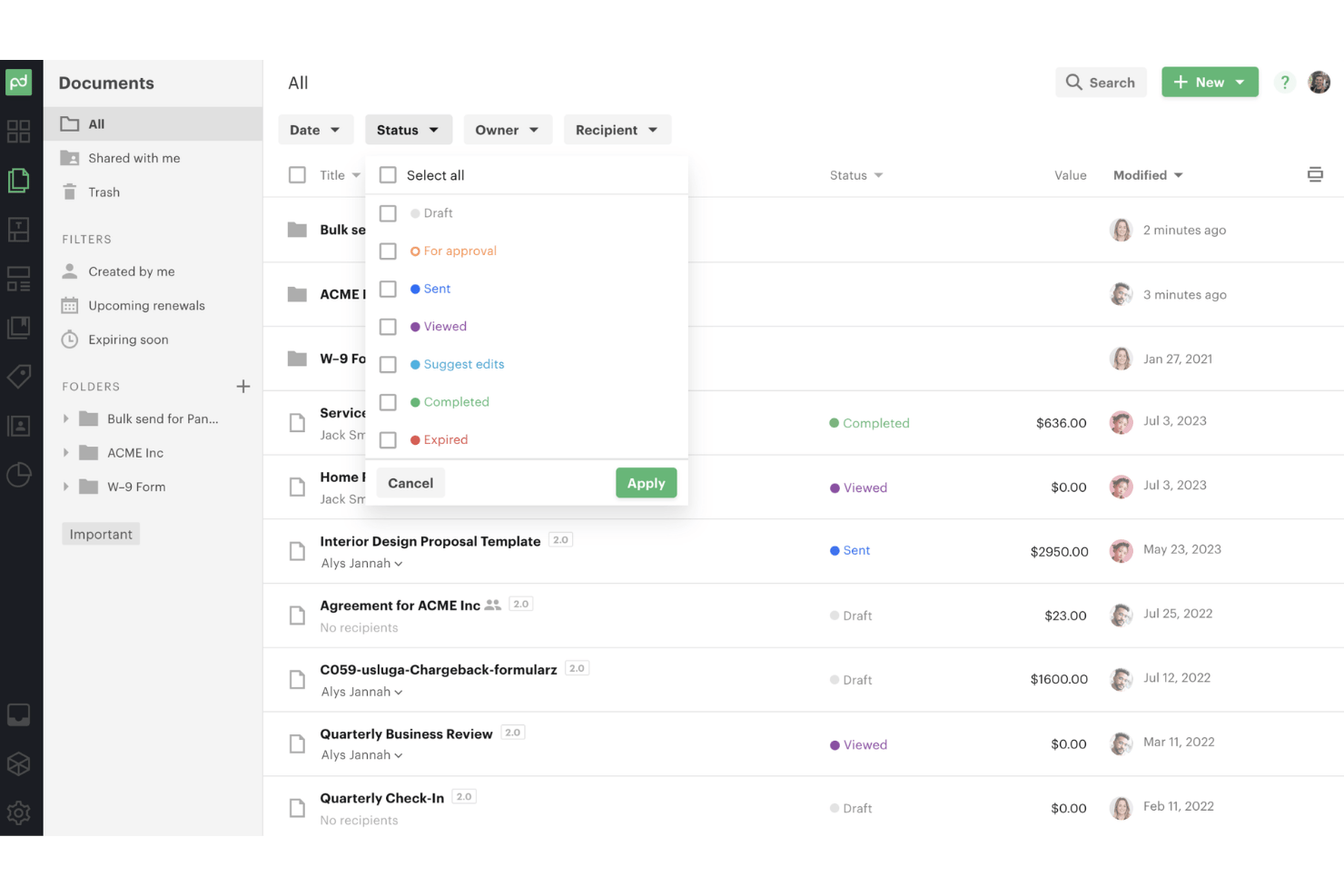
PandaDoc is a document and contract management platform that combines real-time redlining, clause libraries, approval workflows, native e-signature, and CRM-connected quoting in one workspace.
Who Is PandaDoc Best For?
PandaDoc is a strong fit for revenue-focused teams that need contract creation, negotiation, and e-signature in one connected workflow alongside their CRM.
Why I Picked PandaDoc
I picked PandaDoc as one of the best because it's the only tool on my shortlist that connects contract redlining directly to CPQ and CRM deal stages in a single workflow. When a rep closes a quote in Salesforce or HubSpot, PandaDoc pulls that data into the contract automatically, so redlining starts from an accurate, pre-approved clause library rather than a blank draft. I also love that external counterparties can mark up, comment, and sign via a shared link without buying a seat.
PandaDoc Key Features
- Content library: Store and insert pre-approved legal clauses, templates, and pricing tables directly into contracts from a centralized, role-governed library.
- Audit trail: Every edit, approval, status change, and signature is logged with timestamps and user IDs in a step-by-step record visible from the document sidebar.
- AI contract repository: Automatically extracts 100+ data fields from signed contracts, including renewal dates, payment terms, and counterparties, with deadline alerts.
- Native e-signature: Legally binding e-signatures are built into the document workflow, with multi-signer support, signing order, ID verification, and QES for EU/UK compliance.
PandaDoc Integrations
PandaDoc offers native integrations with Salesforce, HubSpot CRM, Pipedrive, Microsoft Dynamics, Zoho, Google Drive, Dropbox, and OneDrive. It also supports Zapier and an open API for custom integrations, with API access on Enterprise.
Pros and Cons
Pros:
- Contract repository extracts renewal obligations
- Native signatures complete negotiation workflows
- Real-time redlining with external collaborators
Cons:
- Legal playbook risk scoring remains absent
- Audit trails cannot export separately
Other Contract Negotiation Software
Here are some additional contract negotiation software options that didn’t make it onto my shortlist, but are still worth checking out:
- Conga CLM
For Salesforce-native CLM
- Gatekeeper
For vendor negotiation with procurement depth
- Icertis
For enterprise-scale redline accuracy
- Contractbook
For post-signature obligation tracking
- Malbek
For CLM-to-CRM contract visibility
- Cobblestone
For AI-guided clause playbook negotiation
- Oneflow
For live contract edits with CRM sync
- DocJuris
For legal-engineer-built negotiation workflows


How I Evaluate Contract Negotiation Software
I split my evaluation into baseline functionality every tool must nail—redlining, version control, approval routing—and the differentiators that separate tools built for RevOps speed from those built purely for legal compliance.
Core Functionality (Table Stakes For This List)
When I'm selecting tools for my list, I rank each one on a scale from 0 (does not offer the functionality) to 5 (excels in this area) for each core functionality listed below. I then calculate the tool's total score into a percentage, and use that to help me assess its overall fit for the list.
- Real-time redlining: I check whether multiple parties can mark up the same document simultaneously with live change visibility, not just sequential editing.
- Version control and audit trail: Every edit, author, and timestamp should be tracked automatically so you can compare versions side by side or roll back a prior state.
- Approval workflow routing: I evaluate how flexibly the tool routes contracts through multi-step approval chains based on deal value, clause risk, or region.
- Clause and template library: Pre-approved clause variations mapped to negotiation scenarios matter more than a flat folder of static templates.
- External party collaboration: Counterparties should be able to redline and comment directly without purchasing a license or creating a full account.
- E-signature integration: I look for one-click signature routing triggered straight from the final approved redline, with automatic archiving after execution.
Once I have a list of tools that meet the criteria, I consider what sets each platform apart.
Differentiating Factors (What Sets Vendors Apart)
Here's how I compare and contrast different vendors:
Standout Features
I look for AI clause risk scoring that flags non-standard language against your playbook in real time—not after a reviewer spots it manually. Negotiation analytics dashboards matter just as much. I evaluate whether a tool surfaces cycle-time bottlenecks and fallout rates so you can pinpoint exactly where deals stall. Obligation management post-signature is another separator; tools like Sirion and Gatekeeper track renewals and deliverables that prevent revenue leakage after execution. Finally, I check CRM/CLM native sync depth, because a contract status that's out of step with your deal record breaks forecast accuracy.
Beyond Features
I evaluate how quickly a tool shortens time-to-signature by looking for vendor-published benchmark data or customer case studies. Cross-functional adoption matters just as much—if your sales team avoids the platform because the UI buries redline history behind legal-centric views, you'll end up with shadow processes in email. I also check integration depth beyond just "connects to Salesforce," focusing on whether contract status syncs bi-directionally and in real time with your CRM and CPQ so forecast data stays accurate without manual updates.
How to Choose Contract Negotiation Software
Choose contract negotiation software by matching your highest-risk negotiation problem to evidence you can verify before purchase.
| If your priority is | Look for |
|---|---|
| Forecast accuracy | A written specification for two-way CRM status updates and failed-sync handling |
| Controlled concessions | A clause playbook showing fallback language, approval owners, and escalation thresholds |
| Audit readiness | An exportable version history containing authors, timestamps, comments, and approval decisions |
| Counterparty participation | A trial workflow that lets an external reviewer redline without a paid seat |
| Faster legal handoffs | A documented routing matrix for value, region, clause, and business-owner approvals |
How to Vet Your Shortlist
- Run a redline trial: Give each vendor one agreement with three non-standard clauses and require your team to complete the review within five business days.
- Request an audit export: Ask for a sample document showing every version, comment, approval, timestamp, and final executed copy.
- Test CRM synchronization: Create a test opportunity, change its contract stage twice, and verify the documented field mapping and update timing within 24 hours.
- Ask for exceptions in writing: Request the vendor’s written answer for a non-standard liability clause, an approval override, and a failed integration event.
- Choose your tradeoff: Decide whether you prefer legal’s deeper clause control or sales’ lower-friction negotiation workflow, because few platforms prioritize both equally.
What Is Contract Negotiation Software?
Contract negotiation software is a platform for drafting, reviewing, redlining, approving, and executing business agreements. It keeps document versions, comments, clause changes, approval decisions, and signatures in one workflow. RevOps teams use it to connect contract status with CRM records, approval rules, and revenue forecasts while giving sales, legal, finance, and counterparties a shared place to negotiate.
Features of Contract Negotiation Software
When selecting contract negotiation software, keep an eye out for the following key features:
- Real-time redlining: Lets multiple reviewers edit, comment on, and compare contract changes within one shared document. Everyone can see proposed revisions without exchanging separate files.
- Version control: Records each document version, editor, timestamp, comment, and change. Teams can compare revisions, restore earlier drafts, and maintain a reliable negotiation history.
- Approval routing: Sends agreements to the right reviewers based on deal value, clause type, region, or business unit. Conditional workflows can request additional approval when negotiations exceed predefined limits.
- Clause library: Stores approved clauses, fallback language, and negotiation guidance in a searchable collection. Users can insert consistent wording instead of copying clauses from older agreements.
- External collaboration: Gives counterparties a secure way to review, comment on, and redline documents. Guest access helps outside reviewers participate without purchasing full user licenses.
- E-signature integration: Sends approved agreements for electronic signatures from the negotiation workspace. The platform records signature status and attaches the completed agreement to its contract record.
- Risk detection: Reviews contract language against approved playbooks and flags unusual terms, missing provisions, or unacceptable deviations. Legal and sales teams can focus their review on clauses requiring attention.
- Negotiation analytics: Tracks metrics such as review duration, approval delays, clause changes, and negotiation outcomes. RevOps teams can use these reports to identify stalled deals and recurring approval bottlenecks.
- CRM integration: Connects contract records with opportunities, accounts, and deal stages in your CRM. Status updates, key dates, and approval events can support accurate pipeline and forecast reporting.
Benefits of Contract Negotiation Software
Implementing contract negotiation software provides several benefits for your team and your business. Here are a few you can look forward to:
- Faster deal progression: Shared redlining, real-time comments, and automated approval routing reduce delays between sales, legal, finance, and counterparties.
- More consistent contract terms: Clause libraries store approved language, fallback positions, and negotiation guidance for repeatable agreements.
- Stronger audit readiness: Version control records every edit, author, timestamp, comment, approval decision, and executed document.
- Better forecast accuracy: CRM integrations connect contract stages, approval events, and key dates with opportunity records.
- Lower contract risk: AI risk detection flags unusual language, missing provisions, and deviations from your approved playbooks.
- Clearer negotiation performance: Analytics reveal review durations, approval bottlenecks, clause changes, and negotiation outcomes across deals.
Costs and Pricing of Contract Negotiation Software
Selecting contract negotiation software requires understanding the available pricing models and plans. Costs vary based on features, team size, add-ons, and other factors. The table below summarizes common plans, average prices, and typical features:
Plan Comparison Table
| Plan Type | Average Price | Common Features |
|---|---|---|
| Free Plan | $0/user/month | Basic document storage, limited templates, simple collaboration, and restricted user access. |
| Personal Plan | $10-$30/user/month | Contract templates, document version control, e-signature integration, and basic approval workflows. |
| Business Plan | $30-$100/user/month | Advanced redlining, clause libraries, approval routing, CRM integrations, and negotiation analytics. |
| Enterprise Plan | $100-$300/user/month | Custom workflows, AI risk detection, advanced reporting, dedicated support, and enterprise security controls. |
Contract Negotiation Software FAQs
Here are some answers to common questions about contract negotiation software:
Can contract negotiation software replace a contract lifecycle management platform?
No, contract negotiation software usually handles the pre-signature process rather than every contract lifecycle stage. It supports drafting, redlining, approvals, and signature preparation. A CLM platform may also manage repositories, renewals, obligations, and post-signature reporting. Some vendors combine both categories in one product. Before buying, map your current workflow from request through renewal. Confirm whether the platform supports executed-contract storage, obligation tracking, and renewal alerts if those capabilities matter to your team.
How does contract negotiation software connect with CRM and CPQ systems?
Contract negotiation software can connect CRM and CPQ records with contract status, deal details, pricing, and approval events. Check whether the connection works in both directions. You should also ask about field mapping, update timing, failed-sync alerts, and duplicate records. A Salesforce connection alone doesn’t confirm useful data exchange. Test a sample opportunity through several contract stages. Then verify that sales representatives see the same status in the CRM and negotiation workspace.
Can outside parties redline contracts without buying user licenses?
Often, yes, but guest access rules vary by vendor and plan. Ask whether counterparties can comment, suggest edits, compare versions, and approve changes through a browser. Confirm whether they need an account, paid seat, or email verification. Also check which actions appear in your audit trail. A practical test uses a real agreement with internal and external reviewers. Review the activity history afterward to confirm that every participant and change appears correctly.
What should RevOps teams measure after implementing the software?
Track negotiation cycle time, approval wait time, redline counts, clause exceptions, and time from approval to signature. Segment these metrics by sales team, contract type, region, and deal size. This helps you separate process delays from complex agreements. Review CRM data alongside negotiation records. If the systems show different contract stages, investigate the integration before changing your sales forecast. Set a baseline before implementation, then compare the same measurements monthly.