

10 Best Advertising Sales Management Software Reviewed in 2026

Best Advertising Sales Management Software Shortlist


Navigating the world of advertising sales can be tough. You're juggling multiple campaigns, managing client expectations, and trying to hit revenue targets. It's no wonder things can get overwhelming.
That's where advertising sales management software comes in. It helps you keep track of your sales process, manage client relationships, and boost your team's efficiency. In my experience, finding the right tool can make a world of difference.
In this article, I'll share my top picks for the best solutions on the market. I'll walk you through their features and highlight what sets each one apart. My goal is to help you find the perfect fit for your team's needs.
Why Trust Our Software Recommendations
Our reviews reflect our independent judgment—not a sales pitch. Learn how we stay transparent.
For this guide, we evaluated tools using hands-on testing and independent research, scoring tools using our selection criteria.
Our reviews reflect our human editorial judgment, not a sales pitch.
Best Advertising Sales Management Software Summary
This comparison chart summarizes pricing details for my top advertising sales management software to help you find the best one for your budget and business needs.
| Tool | Best For | Trial Info | Price | ||
|---|---|---|---|---|---|
| 1 | Best for magazine ad sales and production | Free demo available | Pricing upon request | Website | |
| 2 | Best for newspaper ad sales teams | Free demo available | Pricing upon request | Website | |
| 3 | Best for campaign tracking | Free demo available | Pricing upon request | Website | |
| 4 | Best for publishers | Free demo available | Pricing upon request | Website | |
| 5 | Best for CTV and streaming ad order management | Not available | Pricing upon request | Website | |
| 6 | Best for AI-powered CRM insights | 30-day free trial | From $25/user/month | Website | |
| 7 | Best for end-to-end ad sales quote-to-cash | Free demo available | Pricing upon request | Website | |
| 8 | Best for global ad sales | Free demo available | Pricing upon request | Website | |
| 9 | Best for media ad sales on Salesforce | Free demo available | Pricing upon request | Website | |
| 10 | Best for direct and programmatic unified OMS | Free demo available | Pricing upon request | Website |
Best Advertising Sales Management Software Review
Below are my detailed summaries of the best advertising sales management software that made it onto my shortlist. My reviews offer a detailed look at the key features, pros and cons, integrations, and ideal use cases of each tool to help you find the best one for you.

My Evaluation Score
- Media Proposal & CPQ
- Strong
- Ad Inventory Management
- Adequate
- Ad Sales CRM & Pipeline
- Strong
- Order & Campaign Management
- Strong
- Revenue Reporting & Forecasting
- Strong
- Billing, Invoicing & Reconciliation
- Strong
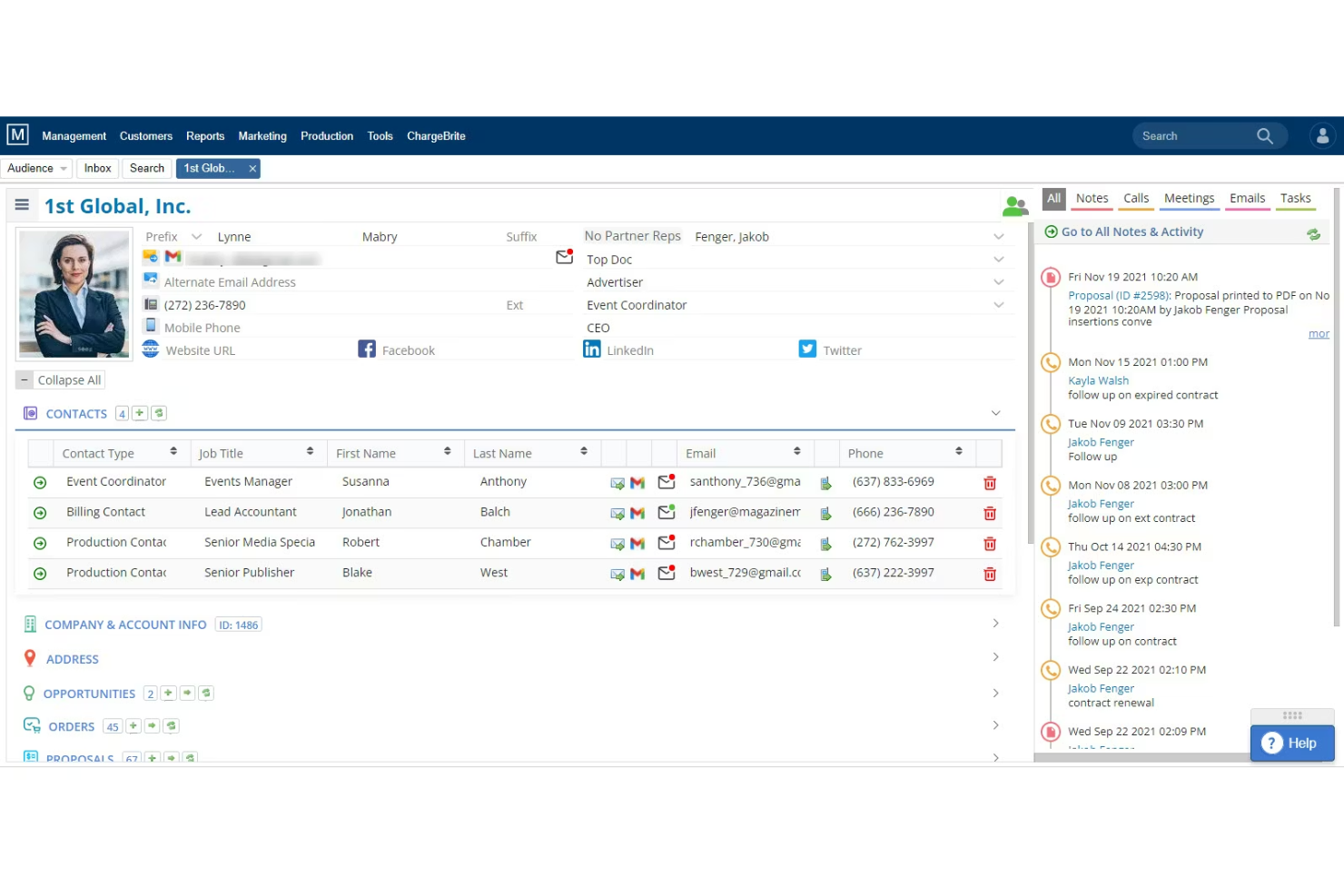
The Magazine Manager is a publishing-specific advertising sales management platform that combines a purpose-built CRM, insertion order management, live flat planning, and billing automation for print and digital magazine publishers.
Who Is The Magazine Manager Best For?
The Magazine Manager is built for print and digital magazine publishers whose ad sales teams need one platform to manage the full cycle from proposal to payment.
Why I Picked The Magazine Manager
I picked The Magazine Manager because no generic CRM comes close to replicating what it does for magazine ad sales, specifically the live flat plan that updates available print positions in real time the moment a sale is made. I also love that multi-issue contracts auto-generate every insertion order across an entire contract term on signing, which cuts out a significant amount of manual scheduling. Add in automated tearsheet delivery triggered by issue close, and the full production cycle runs without chasing anyone.
The Magazine Manager Key Features
- Multi-issue contract scheduling: When a contract is signed, the system auto-generates every insertion order across the full contract term without manual entry.
- Client self-service portal: Advertisers can upload creative materials, view their ad schedule, and pay invoices through a 24/7 online portal.
- Google Ad Manager two-way sync: Order data flows between The Magazine Manager and GAM in both directions, with real-time impression reconciliation for digital campaigns.
- Media Mate AI: An AI assistant that supports lead prioritization, sales forecasting, and communication drafting directly within the platform.
The Magazine Manager Integrations
The Magazine Manager supports 20 documented integrations, including Google Ad Manager, QuickBooks, Xero, Stripe, Adobe InDesign, and Citrix RightSignature. An API supports custom business intelligence and data warehouse integrations.
Pros and Cons
Pros:
- Self-service portal for creative uploads and payments
- Multi-issue contracts auto-generate insertion orders
- Built-in live flat plan for ad inventory
Cons:
- Mobile app lacks order entry functionality
- No native support for broadcast or OOH

My Evaluation Score
- Media Proposal & CPQ
- Strong
- Ad Inventory Management
- Adequate
- Ad Sales CRM & Pipeline
- Strong
- Order & Campaign Management
- Strong
- Revenue Reporting & Forecasting
- Strong
- Billing, Invoicing & Reconciliation
- Strong
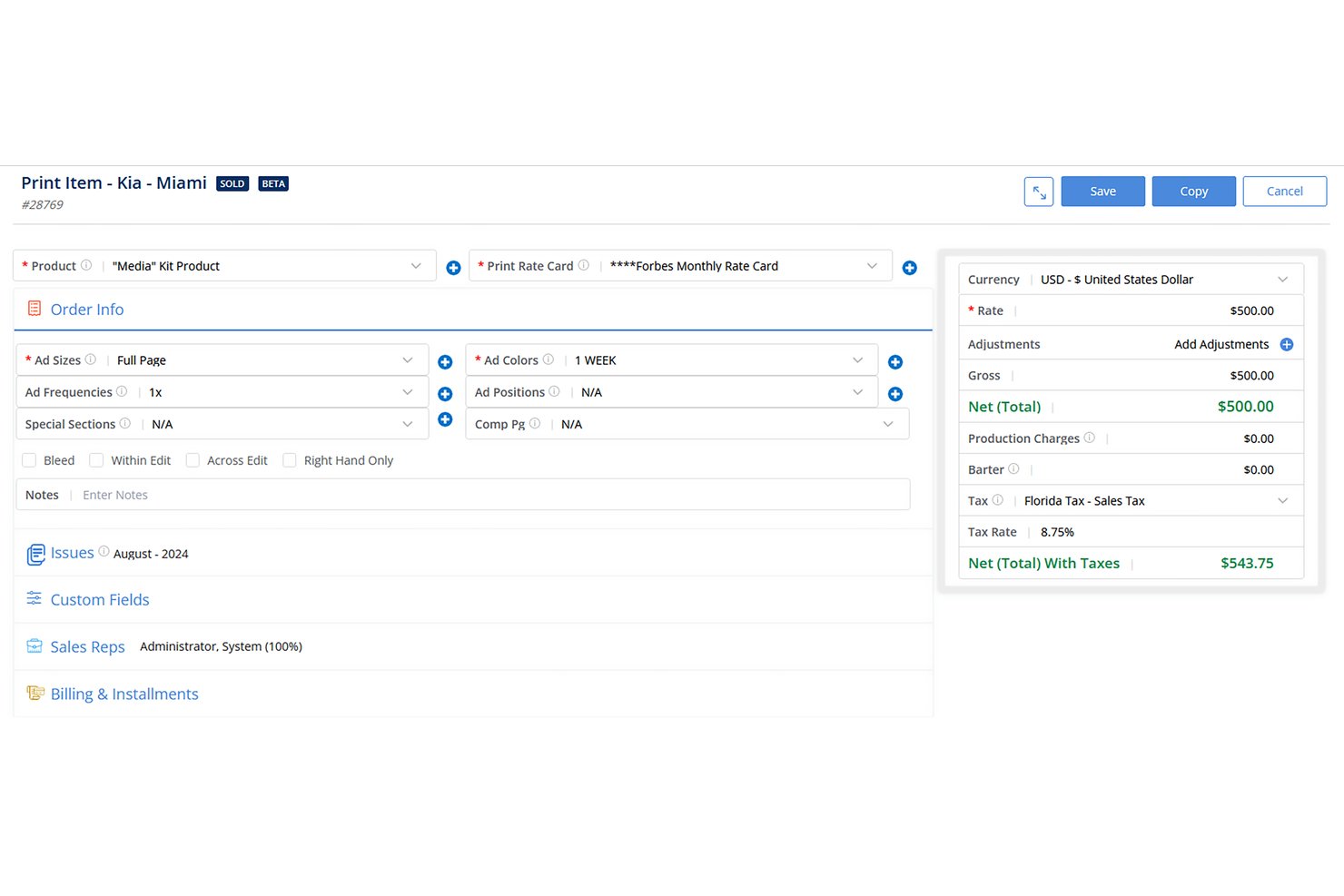
The Newspaper Manager is a publishing-native advertising sales management platform built for newspaper and community publishers, combining a purpose-built ad sales CRM, insertion order management, multimedia proposal generation, billing and invoicing, and revenue reporting in one system.
Who Is The Newspaper Manager Best For?
Newspaper and community publishers managing print-first ad sales workflows will get the most out of this platform, especially those running multiple publications with dedicated field sales reps.
Why I Picked The Newspaper Manager
The Newspaper Manager earns its spot on my shortlist because no other platform treats newspaper ad sales as a first-class workflow. I love how the Multi-Media Proposal Generator auto-populates 100 line items in seconds once you enter dates, which is a real advantage when reps are closing bundled print, classified, and newsletter packages on the same call. The built-in insertion order-to-invoice pipeline, paired with digital tearsheet automation, means billing triggers the moment press is confirmed.
The Newspaper Manager Key Features
- Sales Sequencing: Automates sales tasks like sending emails, scheduling calls, and updating contact records based on preset triggers.
- Google Ad Manager two-way sync: Pushes and pulls order data between the CRM and GAM while reconciling billing against real-time digital ad impressions.
- Revenues & Goals Module: Generates custom sales reports by customer, product, or rep, with comparisons of current and previous sales against preset goals and budgets.
- Customer payment portal: Lets clients review and pay invoices online, supporting multiple payment gateways and currencies.
The Newspaper Manager Integrations
The Newspaper Manager offers documented integrations with Google Ad Manager, QuickBooks, Epicor, Sage, Microsoft Dynamics GP, Adobe InDesign, Stripe, and Gmail. It also connects with Adpay, Breeze, Mailchimp, Campaigner, and Kibana.
Pros and Cons
Pros:
- Automated tearsheet and invoice triggers
- Multi-media proposals generated in seconds
- Built for newspaper and community publishers
Cons:
- Annual contracts required for all plans
- No support for TV or OOH ads

My Evaluation Score
- Media Proposal & CPQ
- Strong
- Ad Inventory Management
- Adequate
- Ad Sales CRM & Pipeline
- Strong
- Order & Campaign Management
- Strong
- Revenue Reporting & Forecasting
- Adequate
- Billing, Invoicing & Reconciliation
- Strong
Ad Orbit is a purpose-built advertising sales management platform that connects CRM, order management, ad ops, and billing into a single contract-to-cash workflow for publishers, broadcasters, podcasters, and event operators.
Who Is Ad Orbit Best For?
Ad Orbit is a strong fit for mid-market publishers, broadcasters, and event operators who need one system to manage ad sales, campaign delivery, and billing together.
Why I Picked Ad Orbit
Ad Orbit earns its spot on my shortlist because its campaign tracking capabilities are built around real delivery data, not estimates. I particularly like how the GAM two-way sync pulls actual delivery figures directly back into the platform, feeding both billing and campaign status without any manual reconciliation. Pair that with rule-based ticket automation and a full revision audit trail per order, and you get a system that keeps campaign progress visible from signed IO to final delivery.
Ad Orbit Key Features
- Multi-product proposal builder: Create proposals with bundled product offerings checked against live inventory, then close deals with integrated e-signature directly in the platform.
- Advertiser self-service portal: A white-labeled client portal lets advertisers upload creative assets, approve proofs, and submit payments without rep involvement.
- Rule-based ticket automation: IFTTT-style automation rules create and assign ad ops tickets by brand, product type, or company the moment an order is approved.
- Delivery-tied invoicing: Invoices generate from actual GAM delivery data, so billing reflects what ran rather than what was booked.
Ad Orbit Integrations
Ad Orbit offers documented native integrations with Google Ad Manager, Salesforce, HubSpot, QuickBooks Online, Xero, Avalara, Stripe, Broadstreet, AdCellerant, and NetSuite (Beta). It also supports custom integrations through a direct API and Zapier.
Pros and Cons
Pros:
- Advertiser portal streamlines creative asset collection
- Delivery-based invoicing reduces billing headaches
- Built for ad sales from end to end
Cons:
- Reporting dashboards offer limited customization options
- NetSuite integration still in beta status


My Evaluation Score
- Media Proposal & CPQ
- Strong
- Ad Inventory Management
- Strong
- Ad Sales CRM & Pipeline
- Strong
- Order & Campaign Management
- Strong
- Revenue Reporting & Forecasting
- Adequate
- Billing, Invoicing & Reconciliation
- Strong
Adpoint by Lineup Systems is a media-specific advertising sales management platform that covers the full quote-to-cash lifecycle, including ad sales CRM, omnichannel order management, CPQ, billing, and revenue analytics.
Who Is Lineup Systems (Adpoint) Best For?
Adpoint is built for established multi-channel media publishers—think print, broadcast, and digital—that need a single platform to manage their entire ad sales operation.
Why I Picked Lineup Systems (Adpoint)
I picked Adpoint because it's built specifically for media publishers, not adapted from a generic sales tool. The omnichannel OMS handles print, broadcast, digital, OOH, audio, and classified bookings in a single workflow, which is exactly what a multi-channel publisher needs. I also like the Adpoint CPQ module, which supports complex multi-channel pricing, discount tiers, and multi-tiered approval queues so your team can move from proposal to signed insertion order without jumping between systems.
Lineup Systems (Adpoint) Key Features
- Adpoint Assistant: An email connector for Gmail and Outlook that lets reps update CRM records directly from their inbox.
- Pay4Media portal: A self-service advertiser payment hub where clients can view invoices and schedule payments independently.
- Bi-directional ad server reconciliation: Syncs delivery data from Google Ad Manager, Xandr, and Smart AdServer back into Adpoint for invoice accuracy.
- Spend dip detection: An analytics feature that flags drops in advertiser spend to surface at-risk accounts before revenue is lost.
Lineup Systems (Adpoint) Integrations
Adpoint supports 100+ integration partners, including Google Ad Manager, Xandr, Smart AdServer, Adswizz, HubSpot, Salesforce via AppExchange, SAP, Oracle, and Tableau. SOAP and REST APIs support custom integrations.
Pros and Cons
Pros:
- Automated revenue recognition and ad server reconciliation
- Covers print, broadcast, digital, and OOH channels
- Purpose-built workflows for publishers' ad sales teams
Cons:
- CTV and OTT campaign management not fully documented
- No native AI-powered forecasting or deal insights

My Evaluation Score
- Media Proposal & CPQ
- Excels
- Ad Inventory Management
- Excels
- Ad Sales CRM & Pipeline
- Adequate
- Order & Campaign Management
- Excels
- Revenue Reporting & Forecasting
- Excels
- Billing, Invoicing & Reconciliation
- Strong
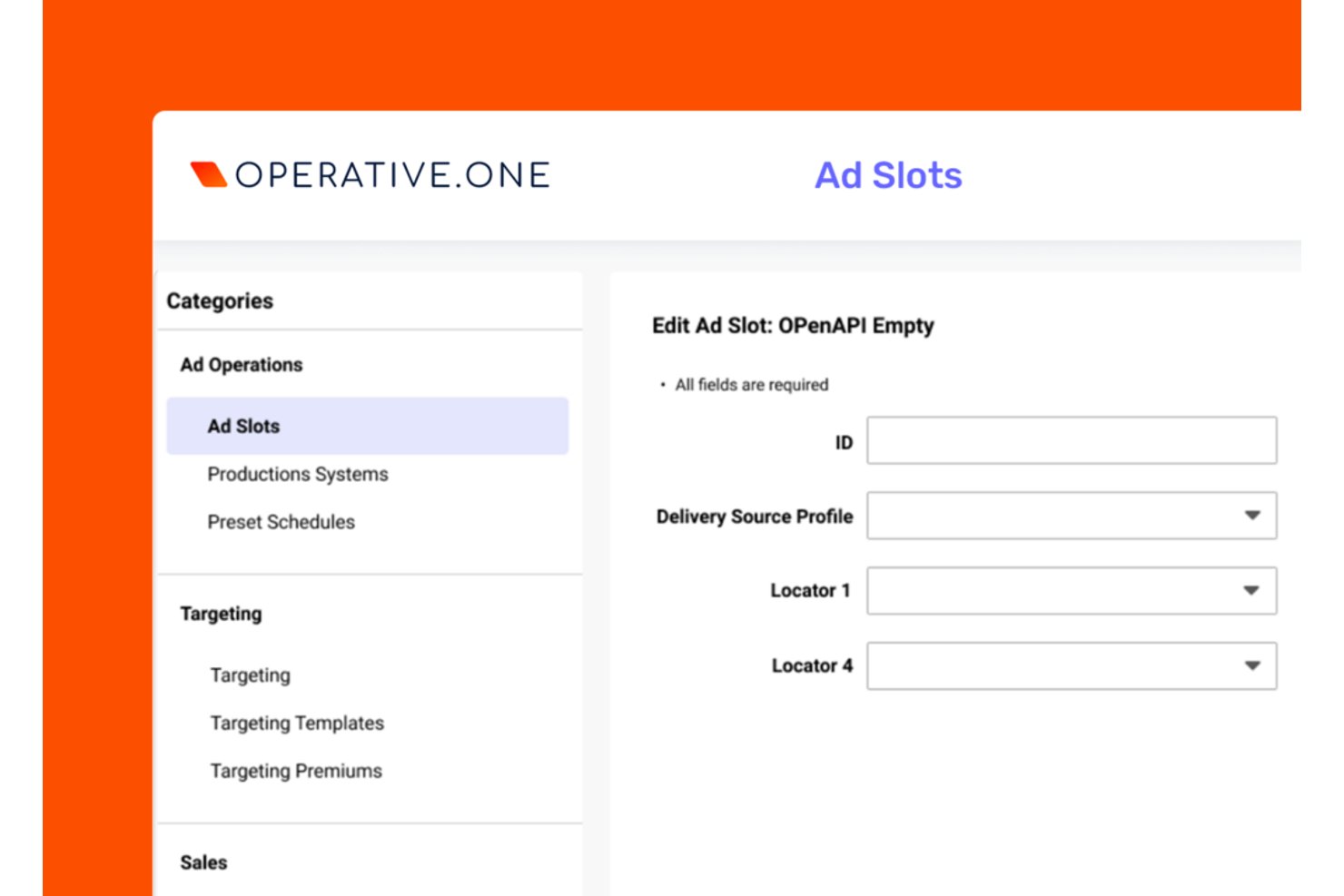
Operative.One is an enterprise ad sales management platform built around order management, covering quote-to-cash workflows, inventory control, AI-powered proposal generation, and revenue analytics across CTV, digital, linear, DOOH, and audio channels.
Who Is Operative.One Best For?
Operative.One is built for enterprise media companies managing high-volume ad sales across CTV, streaming, and linear TV from a single order management system.
Why I Picked Operative.One
Operative.One earns its spot on my shortlist because no other platform comes close to its dominance in CTV and streaming ad order management, powering more than half of global streaming ad revenue across 100+ services. I'm particularly impressed by the Adeline AI proposal generator, which converts RFP inputs into optimized campaign plans near-instantly, cutting what used to take days into seconds. On top of that, AOS Insights delivers real-time revenue metrics and ML-powered forecasting built on Google Cloud, giving ops teams the pipeline visibility they actually need.
Operative.One Key Features
- Converged linear and digital order management: Manages insertion orders, campaign flighting, and revisions across linear TV and digital channels from a single system.
- Programmatic management module: Combines direct-sold and programmatic workflows in one platform, giving sellers a unified view of guaranteed and non-guaranteed demand.
- STAQ data consolidation: Automatically pulls reporting data from 400+ ad tech sources, including ad servers, DSPs, and SSPs, into a single analytics layer.
- Google Ad Manager 360 native integration: Bi-directional trafficking between Operative.One and GAM 360 keeps order data and delivery data in sync without manual handoffs.
Operative.One Integrations
Operative.One has native integrations with Google Ad Manager 360, FreeWheel, and Salesforce Media Cloud, plus integrations with Oracle PeopleSoft and PubMatic. It also offers an API layer and AOS CloudCore for custom data exchange.
Pros and Cons
Pros:
- Real-time revenue analytics with ML forecasting
- Supports converged linear and CTV ad management
- AI proposal generator reduces manual campaign planning
Cons:
- Requires supplemental CRM for advanced tracking
- User interface described as outdated
Best for AI-powered CRM insights

My Evaluation Score
- Media Proposal & CPQ
- Excels
- Ad Inventory Management
- Excels
- Ad Sales CRM & Pipeline
- Excels
- Order & Campaign Management
- Excels
- Revenue Reporting & Forecasting
- Excels
- Billing, Invoicing & Reconciliation
- Excels
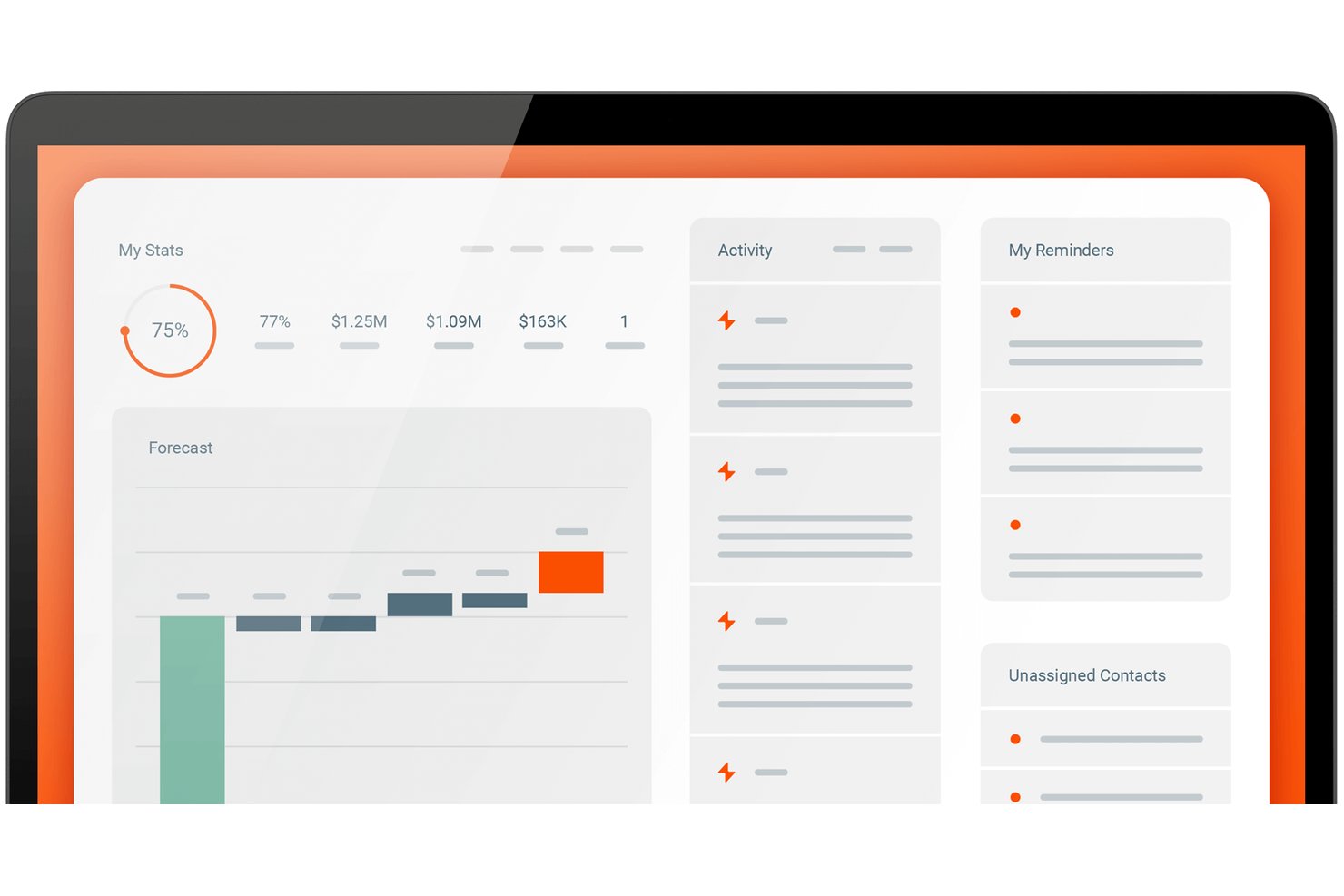
Salesforce Media Cloud is an enterprise ad sales management platform with a purpose-built advertising sales module that covers multi-party CRM, AI-powered proposal generation, cross-channel inventory management, CPQ, order trafficking, and billing in one system.
Who Is Salesforce Best For?
Salesforce Media Cloud is a strong fit for mid-market to enterprise media companies that need AI-driven ad sales pipeline management, cross-channel inventory control, and end-to-end quote-to-cash in one platform.
Why I Picked Salesforce
Salesforce earns its spot on my shortlist because the Agentforce Ad Proposal Agent does something I haven't seen replicated elsewhere: it auto-generates full media plans and pitch decks directly from an RFP brief, cutting processing time by 83% in Uber's production deployment. I also rate its Actionable Relationship Center highly, since it natively models multi-tier advertiser, agency, and holding company structures that generic CRMs simply can't handle.
Salesforce Key Features
- Cross-channel inventory calendar: A centralized view of ad placements across linear TV, CTV, digital, audio, print, and OOH that automatically updates availability network-wide when inventory is reserved.
- Revenue Cloud Advanced billing: Automates invoicing, supports delivery-based and consumption billing models, and handles reconciliation with ASC 606/IFRS 15 revenue recognition compliance.
- AdOpportunity pipeline tracking: Ad-sales-specific opportunity objects with deal stages, split-credit support, and at-risk deal identification built directly into the CRM.
- Google Ad Manager integration: A pre-built native integration that connects order trafficking and campaign setup directly between Salesforce ASM and Google Ad Manager.
Salesforce Integrations
Salesforce has documented integrations with Google Ad Manager and FreeWheel, plus integrations with Slack, Tableau, Data 360, and Marketing Cloud. MuleSoft APIs connect Salesforce with additional ad servers, ERPs such as SAP and NetSuite, and other systems.
Pros and Cons
Pros:
- Unified inventory calendar spans all ad channels
- Multi-tier agency structures modeled natively
- AI proposal agent cuts RFP turnaround time
Cons:
- Full implementation demands significant time and resources
- Advanced features require expensive top-tier plan

My Evaluation Score
- Media Proposal & CPQ
- Excels
- Ad Inventory Management
- Excels
- Ad Sales CRM & Pipeline
- Excels
- Order & Campaign Management
- Excels
- Revenue Reporting & Forecasting
- Strong
- Billing, Invoicing & Reconciliation
- Excels
Boostr is a purpose-built ad sales management platform that unifies CRM, order management, media proposal and CPQ, inventory tracking, trafficking, delivery reconciliation, and billing in a single system designed specifically for media publishers.
Who Is Boostr Best For?
Boostr is a strong fit for media publishers running multi-format ad sales operations across digital, audio, CTV, OOH, or linear TV who need one system to handle everything from RFP to invoice.
Why I Picked Boostr
Boostr earns its spot on my shortlist because it's the only platform I've found that handles the full ad sales lifecycle, from RFP to invoice, without stitching together separate tools. I particularly like Proposal IQ, which uses historical win data and live inventory to generate optimized proposals in minutes rather than hours. The EIO-MediaOcean integration is equally impressive, automating RFP receipt, IO processing, and third-party delivery reconciliation directly with Mediaocean Prisma.
Boostr Key Features
- Omnichannel revenue forecasting: Unifies direct-sold IO and programmatic revenue streams (PG, PMP) into a single forecast view accessible from seller level to CFO.
- Seller priorities dashboard: Surfaces each seller's pipeline progress, quota attainment, and commission data in a single consolidated view.
- 50+ automated workflows: Pre-built automations cover approval routing, rate card enforcement, pacing alerts, oversold inventory checks, and IO processing.
- ERP integration: Syncs billing and invoicing data with NetSuite, Oracle Fusion, Sage Intacct, and QuickBooks for revenue recognition and month-end close.
Boostr Integrations
Integrations include Google Ad Manager, FreeWheel, Mediaocean Prisma, Megaphone, Adswizz, Salesforce, Microsoft Dynamics, NetSuite, QuickBooks, and The Trade Desk. Boostr supports REST, SOAP, flat-file integrations, and custom APIs through its integration workbench.
Pros and Cons
Pros:
- Includes AI agents for campaign trafficking tasks
- Automates RFP response and media plan creation
- Handles every ad sales step in one platform
Cons:
- Reporting customization options may be constrained
- User reviews volume is still limited


My Evaluation Score
- Media Proposal & CPQ
- Excels
- Ad Inventory Management
- Strong
- Ad Sales CRM & Pipeline
- Excels
- Order & Campaign Management
- Excels
- Revenue Reporting & Forecasting
- Excels
- Billing, Invoicing & Reconciliation
- Excels
Placements.io is an end-to-end advertising sales management platform that covers the full ad sales lifecycle—from CRM and media proposal building to automated ad trafficking, delivery reconciliation, and billing—across digital, CTV, retail media, audio, DOOH, and social channels.
Who Is Placements.io Best For?
Placements.io is a strong fit for mid-to-large media companies running ad sales across multiple channels and regions, from digital publishers to retail media networks and broadcasters.
Why I Picked Placements.io
Placements.io earns its spot as one of the best on my shortlist because no other platform I've evaluated covers as many channels and regions under one ad sales roof. I especially like how its inventory forecasting pulls real-time avails across CTV, audio, DOOH, retail media, and social simultaneously, so a global team managing campaigns across North America, EMEA, and APAC isn't toggling between disconnected systems. The AI Copilot and IO Parser are also standouts for global scale: teams can upload PDF insertion orders from international buyers and have them auto-converted into trafficking-ready media plans.
Placements.io Key Features
- IO Parser: Uploads PDF or image insertion orders and uses OCR and ML to automatically convert them into trafficking-ready media plans.
- Sponsorship Calendar: Manages exclusive and time-bound sponsorship inventory with a dedicated calendar view across all active campaigns.
- ASC 606-compliant billing: Generates invoices from delivery data with built-in accrual-based revenue recognition to meet GAAP standards.
- White-label Storefront: Gives buyers a branded, self-serve portal to book campaigns, manage creatives, and access performance reporting.
Placements.io Integrations
Placements.io offers 40+ pre-built, bi-directional integrations, including Salesforce, Google Ad Manager, Microsoft Invest (Xandr), FreeWheel, NetSuite, and DocuSign. Its open API suite supports custom integrations.
Pros and Cons
Pros:
- ASC 606/GAAP billing for finance compliance
- AI Copilot streamlines campaign and workflow management
- Automated trafficking spans all major ad channels
Cons:
- Limited number of peer user reviews
- No pricing or trial information publicly available

My Evaluation Score
- Media Proposal & CPQ
- Excels
- Ad Inventory Management
- Excels
- Ad Sales CRM & Pipeline
- Excels
- Order & Campaign Management
- Excels
- Revenue Reporting & Forecasting
- Strong
- Billing, Invoicing & Reconciliation
- Excels
ADvendio is a Salesforce-native advertising sales management platform that covers omnichannel media planning, CPQ, inventory management, order management, ad server trafficking, and billing across digital, print, OOH, audio, and linear TV.
Who Is ADvendio Best For?
ADvendio suits multi-platform media publishers and broadcaster sales teams that run their business on Salesforce and need a single system to manage direct and programmatic ad sales across digital, print, OOH, audio, and linear TV.
Why I Picked ADvendio
ADvendio earns its spot on my shortlist because it's built 100% natively on Salesforce, making it the clearest choice for media sales teams that already run their pipeline there. What I find most compelling is the Campaign Builder: it pulls Digital, Print, OOH, Audio, and Linear TV into a single quote with real-time inventory checks and dynamic pricing rules applied automatically. Add the AI-powered Seller Agent, which translates client briefs into ready-to-book proposals and enforces commercial guardrails like minimum margins autonomously, and you get a genuinely end-to-end ad sales engine without leaving Salesforce.
ADvendio Key Features
- AdFinance billing module: Generates and sends bulk invoices automatically, with delivery-based reconciliation pulled directly from connected ad servers.
- AdPortal self-serve platform: Lets advertisers and agencies book campaigns independently, reducing manual intake work for publisher sales teams.
- Guardrail Engine: Enforces credit limits, minimum margins, and framework agreement terms across every deal, including autonomous agent-negotiated transactions.
- Multi-entity and multi-currency support: Handles global ad sales operations across multiple companies, currencies, languages, and country-specific tax configurations in a single instance.
ADvendio Integrations
ADvendio offers native integrations with Salesforce, Google Ad Manager, Xandr Monetize, FreeWheel, Broadsign, AdsWizz, SAP, Sage, Microsoft Dynamics 365, and BURT Analytics. Standard APIs and custom connectors support additional ERP and finance integrations.
Pros and Cons
Pros:
- Handles complex ad finance and reconciliation
- Supports true omnichannel ad sales workflow
- Built entirely on Salesforce infrastructure
Cons:
- Booking calendar can be slow and confusing
- Requires ongoing Salesforce admin resources

My Evaluation Score
- Media Proposal & CPQ
- Excels
- Ad Inventory Management
- Excels
- Ad Sales CRM & Pipeline
- Excels
- Order & Campaign Management
- Excels
- Revenue Reporting & Forecasting
- Excels
- Billing, Invoicing & Reconciliation
- Strong
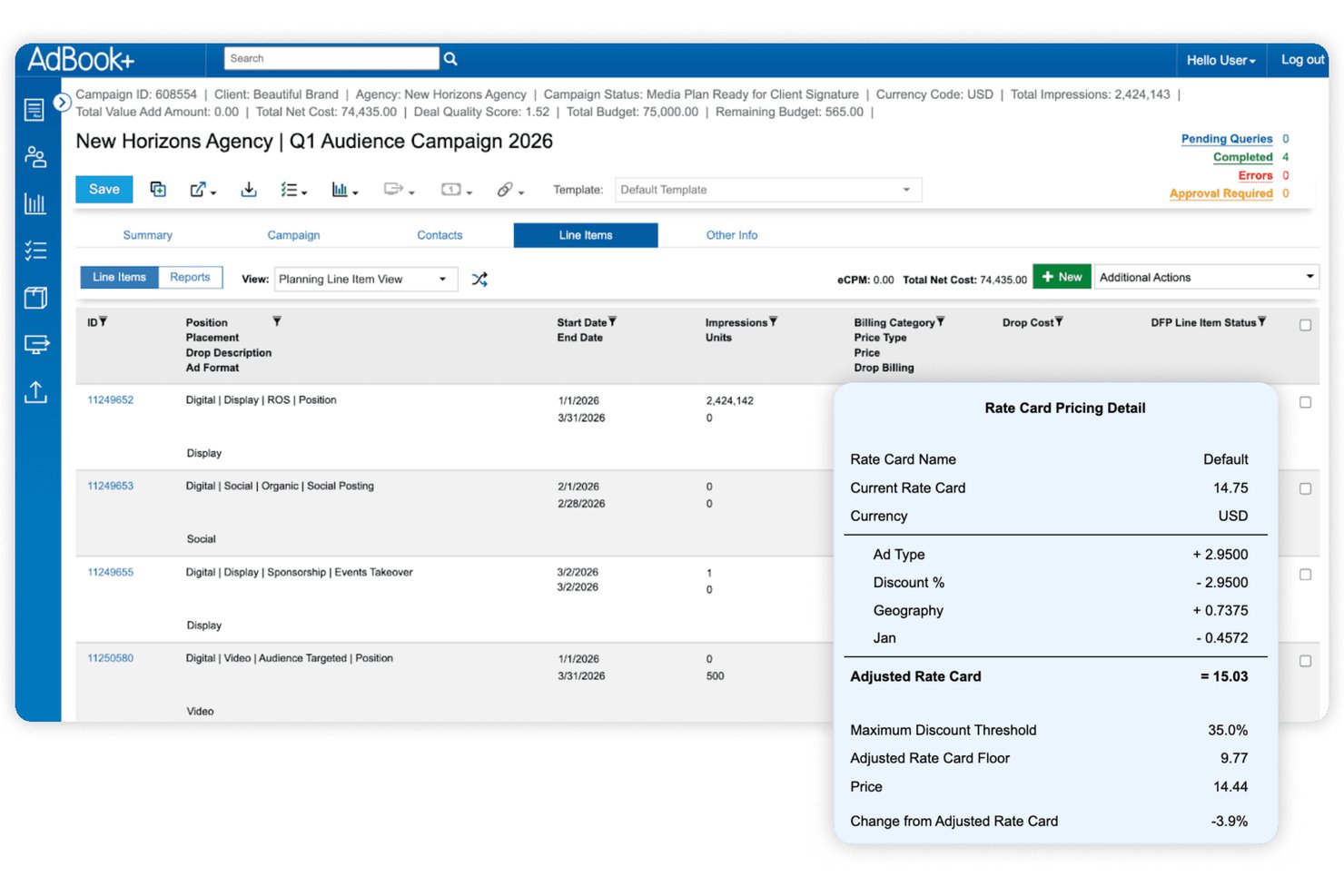
AdBook+ is a publisher-focused order management system (OMS) that spans direct ad sales, media planning, inventory management, campaign trafficking, billing reconciliation, and programmatic deal management across digital, print, audio, DOOH, and event inventory.
Who Is AdBook+ Best For?
AdBook+ is built for multi-channel publishers—think media companies, B2B publishers, and retail media networks—that need to manage direct ad sales and programmatic deals in a single system.
Why I Picked AdBook+
I picked AdBook+ as one of the best because it's the only platform I've seen that genuinely unifies direct-sold and programmatic deal management inside a single OMS. Through AdBookPSP, private auction, preferred deals, and programmatic guaranteed all sit alongside direct campaigns in one workflow. Add AI-driven product recommendations in the proposal builder and real-time inventory avails via Google Ad Manager, and you've got a system that handles the full sales cycle without stitching together separate tools.
AdBook+ Key Features
- AdBook Portal: A self-serve hub where advertisers can upload creatives, view campaign status, access invoices, and pay via credit card or ACH.
- DQT report import: Exports scheduled revenue and delivery reports as custom Salesforce objects to trigger workflows or populate dashboards.
- Burt Intelligence forecasting: Real-time pacing and delivery insights surfaced directly inside AdBookOMS for in-platform revenue forecasting.
- Agency-holding-company hierarchy management: Structures advertiser, agency, and holding-company relationships across multiple publications with differentiated access controls.
AdBook+ Integrations
AdBook+ has five documented native integrations, including Salesforce, Google Ad Manager, FreeWheel, Vistar Media, and Burt Intelligence. It also connects with DV Publisher Suite, Google Display & Video 360, Snowflake, SFTP, and webhooks, with hundreds of API endpoints for custom integrations.
Pros and Cons
Pros:
- Real-time inventory and avails across channels
- Deep Salesforce-native sales and operations integration
- Unified dashboard for direct and programmatic deals
Cons:
- Limited independent user reviews and ratings
- Platform speed is frequently cited as slow
Other Advertising Sales Management Software
Here are some additional advertising sales management software options that didn’t make it onto my shortlist but are still worth checking out:


How I Evaluate Advertising Sales Management Software
I evaluate these tools in two layers: the baseline capabilities—ad sales pipeline management, inventory avails, IO workflows, and campaign pacing—any serious contender must have, and the differentiators that set the best apart.
Core Functionality (Table Stakes For This List)
When I'm selecting tools for my list, I rank each one on a scale from 0 (does not offer the functionality) to 5 (excels in this area) for each core functionality listed below. Then, I calculate the tool's total score into a percentage. Each tool needs to achieve a minimum total score of 65% to be considered for inclusion.
- Ad Sales CRM & Pipeline: I check whether a tool can manage advertiser and agency accounts, opportunities, and deal stages in a way that reflects media sales cycles rather than relying on a generic sales pipeline.
- Ad Inventory Tracking & Avails: I check whether a tool gives sales reps real-time visibility into available placements, dayparts, or impressions so they can confidently sell without overbooking.
- Proposal & IO Workflow: From building media plans and rate-card-based quotes to routing an IO for approval, I evaluate how well each platform handles the back-and-forth between reps, planners, and approvers.
- Campaign Order Lifecycle: I look for full order management from booking through delivery, including campaign flighting, revision handling, and makegood workflows that mirror how ad ops teams actually work.
- Revenue Forecasting & Pacing: A tool should let revenue leaders compare pipeline, booked, projected, and delivered revenue against targets—think pacing dashboards that flag underdelivery mid-flight.
- Ad Billing & Reconciliation: Reconciling delivered units against contracted terms is where revenue leakage hides, so I evaluate how each platform automates invoicing, reconciles booked versus delivered activity, and flags discrepancies.
Once I have a list of tools that meet this criteria, I consider what sets each platform apart.
Differentiating Factors (What Sets Vendors Apart)
Here's how I compare and contrast different vendors:
Standout Features
Cross-media sell support matters when your team sells across digital, linear, print, audio, CTV, or OOH—I evaluate whether a platform can manage those avails in one unified view. Rate card and discount governance is another area I look at closely, especially for teams where reps need approval-based discounting to protect margins. I also consider how well a tool unifies programmatic and direct-sold deals, optimizes pricing and inventory allocation, and identifies issues like underdelivery, unbilled campaigns, or revenue leakage.
Beyond Features
Ecosystem integrations are a big differentiator—I check whether a platform syncs with your existing ad server, CRM, finance, and reporting stack without heavy custom development. Vertical and media-type fit also matters; a tool built for broadcast sellers may not serve a digital-first publisher well. I consider the vendor's media-industry expertise and implementation support, particularly when migrating historical campaigns, IOs, and rate cards. Finally, I evaluate scalability, including whether the platform can support multiple brands, regions, currencies, and increasingly complex workflows as the media business grows.
How To Choose Advertising Sales Management Software
It’s easy to get bogged down in long feature lists and complex pricing structures. To help you stay focused as you work through your unique software selection process, here’s a checklist of factors to keep in mind:
| Factor | What to Consider |
|---|---|
| Scalability | Will the software grow with your business? Check if it can handle increased ad volume and users without performance issues. Look for flexible pricing plans. |
| Integrations | Does it connect with your existing tools? Verify it integrates with your CRM, billing systems, and ad networks to avoid data silos and manual work. |
| Customizability | Can you tailor it to fit your workflows? Look for customizable dashboards and fields that match your team's processes and business needs. |
| Ease of Use | Is it user-friendly for your team? Test the interface for intuitiveness and simplicity to reduce training time and boost adoption. |
| Implementation and Onboarding | How long will it take to get up and running? Consider the time and resources needed for setup, data migration, and training. Look for supportive onboarding resources. |
| Cost | Is it within your budget? Compare pricing tiers and features offered. Consider the total cost of ownership, including hidden fees and future upgrades. |
| Security Safeguards | How does it protect your data? Look for encryption, access controls, and compliance with data protection regulations to secure sensitive information. |
What Is Advertising Sales Management Software?
Advertising sales management software is a tool that helps businesses manage and optimize their ad sales processes. Media sales professionals, account managers, and ad operations teams commonly use these tools to track sales, manage client relationships, and maximize revenue. Features such as ad inventory management, automated billing, and sales reporting help with efficiency and data-driven decision-making. Overall, these tools improve productivity and revenue potential for sales teams.
Features
When selecting advertising sales management software, keep an eye out for the following key features:
- Ad inventory management: Helps you track and optimize available ad space across channels.
- Automated billing: Reduces manual invoicing work and errors.
- Sales reporting: Provides actionable insights into pipeline health and revenue performance.
- Customer relationship management: Organizes customer data and communications to build and maintain stronger relationships.
- Customizable dashboards: Allow teams to view metrics and reports that matter most to their role.
- Cross-platform tracking: Supports end-to-end visibility across digital and traditional inventory.
- Lead management: Helps sales reps capture, segment, and nurture prospects.
- Email campaigns: Support follow-ups, renewals, and sales outreach.
- Task automation: Cuts down repetitive work so teams can focus on closing deals.
- Permissions and security safeguards: Protects sensitive data with encryption and role-based access.
- Integration capabilities: Connects with your existing tech stack to reduce data silos.
Benefits
Implementing advertising sales management software provides several benefits for your team and your business. Here are a few you can look forward to:
- Increased efficiency: Automation of repetitive tasks, such as billing and reporting, frees up time for your team to focus on important initiatives.
- Better decision-making: Detailed sales reporting and customer data allow for informed planning.
- Improved customer experience: Organized communication supports long-term relationships.
- Better revenue potential: Optimized ad inventory and segmentation reveal new opportunities.
- Flexible workflows: Customizable dashboards and modules adapt to different sales roles.
- Cross-channel management: Teams maintain a unified view of campaigns and inventory.
- Data security: Permissions and safeguards help maintain compliance with industry regulations.
Costs & Pricing
Selecting advertising sales management software requires an understanding of the various pricing models and plans available. Costs vary based on features, team size, add-ons, and more. The table below summarizes common plans, their average prices, and typical features included in advertising sales management software solutions:
Plan Comparison Table for Advertising Sales Management Software
| Plan Type | Average Price | Common Features |
|---|---|---|
| Free Plan | $0 | Basic ad tracking, limited reporting, and standard support. |
| Personal Plan | $10-$30/user/month | Improved tracking, basic CRM features, email support, and customizable dashboards. |
| Business Plan | $40-$70/user/month | Advanced analytics, task automation tools, segmentation, multi-channel tracking, and priority support. |
| Enterprise Plan | $100+/user/month | Full customization, dedicated account manager, API access, and advanced security features. |
Advertising Sales Management Software FAQs
Here are some answers to common questions about advertising sales management software:
How do I know if the software can handle both digital and traditional ad inventory?
You should check whether the SaaS platform offers converged media planning or cross-channel inventory tracking, meaning it supports ad placements across print, digital, broadcast, and more. Many tools provide a unified view of all available inventory. If your team works across different formats, confirm that the inventory and campaign workflows cover each one.
Can I manage contracts and billing through this software?
Many advertising sales tools include contract management and billing features that let you create quotes, set pricing, approve deals, and manage invoices in one place. Some platforms also support credit card payments or integrate with payment processors, helping teams close deals faster and reduce billing delays.
What if my ad campaigns need frequent adjustments after launch?
Most platforms let you update campaign details after launch. You can adjust placements, pricing, or inventory based on performance or client needs. This flexibility helps sales reps respond quickly and keeps deals moving without the need to rebuild campaigns from scratch.
How flexible is pricing and quoting for complex ad packages?
Many tools include pricing engines that support different rate models for size, placement, channel, timing, and more. Some systems use machine learning to analyze past deals and inventory performance, making it easier to build accurate, competitive packages for clients.
Will the software help me forecast revenue and track sales performance across my ad inventory?
Yes, these tools often provide reporting dashboards that show revenue forecasts, pipeline status, and inventory performance. This helps your team understand which opportunities are most likely to close and where to focus sales efforts.
What should I consider when evaluating different advertising sales tools for my team?
Think about how your team currently sells ads and where the gaps are. Consider whether the SaaS solution fits your workflow and inventory types, integrates with tools you already use, and supports the full customer journey. Testing demos or trials can help you see how well it matches your day-to-day needs.
What’s Next:
If you're in the process of researching advertising sales management software, connect with a SoftwareSelect advisor for free recommendations.
You fill out a form and have a quick chat where they get into the specifics of your needs. Then you'll get a shortlist of software to review. They'll even support you through the entire buying process, including price negotiations.