
Recensione Zoho CRM: Pro, Contro, Caratteristiche e Prezzi
Nel corso della mia carriera ho utilizzato molti strumenti di gestione delle relazioni con i clienti, incluso Zoho CRM. Ti guiderò tra le sue funzionalità, alternative e molto altro.

Recensiamo gli strumenti in modo indipendente e le commissioni aiutano a finanziare i nostri test. Consulta la nostra politica sulla trasparenza, la nostra metodologia o suggerisci uno strumento.
Zoho CRM is a CRM software built for sales teams that need to track leads, manage pipelines, and automate follow-ups without the overhead of an enterprise platform. If you're weighing it against Salesforce, Zoho CRM gives you comparable pipeline visibility, workflow automation, and reporting depth at a fraction of the cost—making it a realistic option for growing teams that aren't ready to commit to Salesforce's pricing or implementation complexity.
Zoho CRM Evaluation Summary
4.2/5
- Pricing upon request
- Free plan available
Perché fidarsi dei nostri consigli sui software
6,700+
Reviews
20
Industry experts
16+
Evaluation factors
14
Years
Le nostre recensioni riflettono il nostro giudizio indipendente, non un discorso di vendita. Scopri come manteniamo la trasparenza.
Per questa guida, abbiamo valutato gli strumenti attraverso test pratici e ricerche indipendenti, assegnando un punteggio agli strumenti in base ai nostri criteri di selezione.
Le nostre recensioni riflettono il nostro giudizio editoriale umano, non un discorso di vendita.
Zoho CRM Overview
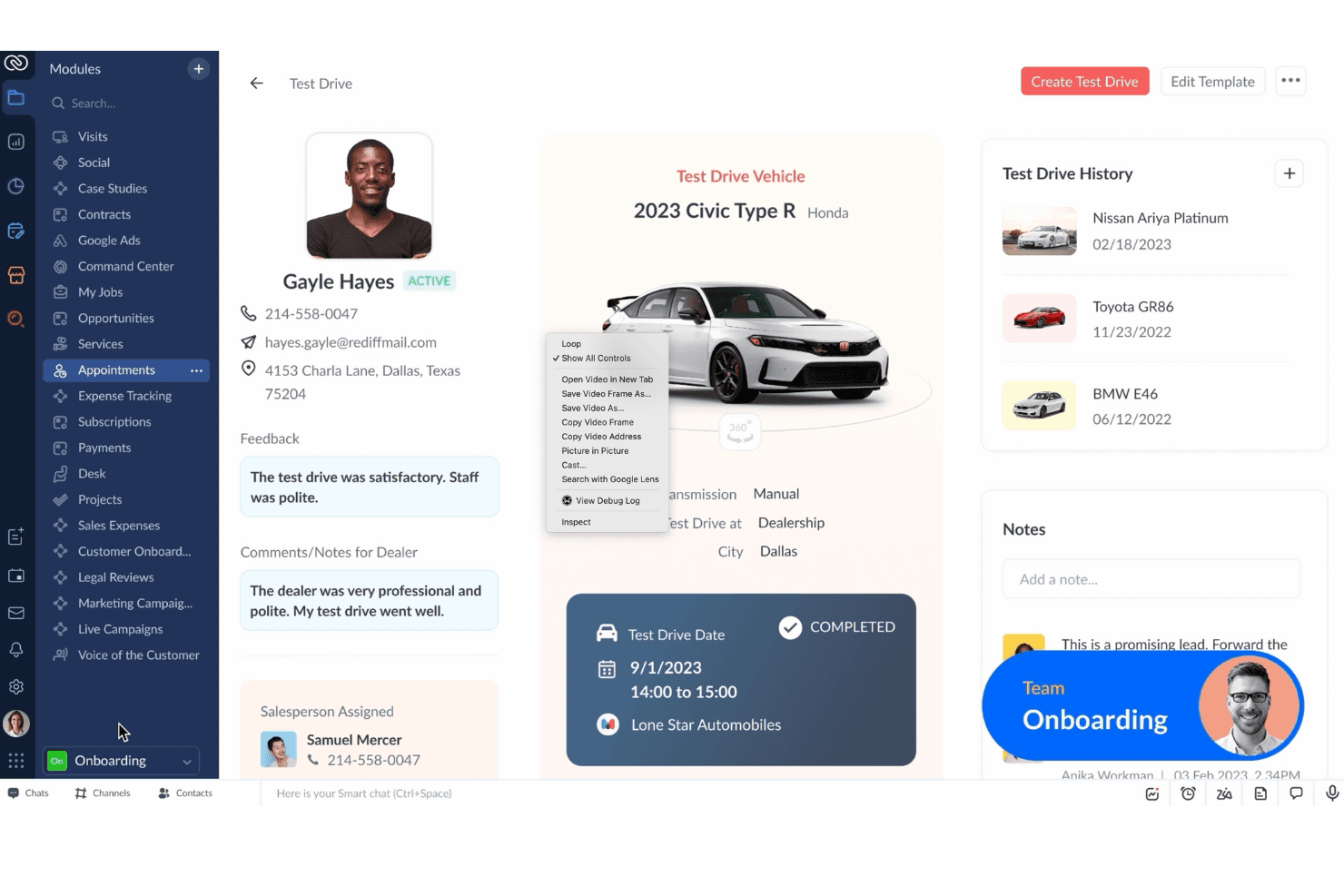
Zoho CRM excels with robust automation and customization, making it a versatile choice for enhancing your team’s productivity.
Pros
- You can customize Zoho CRM to fit your team's specific needs.
- The automation features help your team save time on repetitive tasks.
- You get access to detailed analytics for better decision-making.
Cons
- Your team might find the initial setup a bit complex.
- The mobile app could be more intuitive for your on-the-go work.
- You might experience occasional delays in customer support response times.
Is Zoho CRM Right For Your Needs?
Who Would be a Good Fit for Zoho CRM?
Small to medium-sized businesses, especially in retail and real estate, would find Zoho CRM a great fit. Your team can benefit from its customizable features that align with specific sales and marketing needs. If you’re looking to automate tasks and analyze customer interactions effectively, Zoho CRM’s robust automation and analytics tools can significantly improve your workflow.
- Small BusinessesZoho CRM offers flexible pricing and customizable features that fit your unique needs.
- Sales TeamsYou can automate lead management and track your sales pipeline efficiently.
- Marketing DepartmentsThe platform provides tools to automate campaigns and analyze customer behavior.
- Real Estate AgentsYou can manage client interactions and property listings with ease.
- Retail BusinessesZoho CRM helps you track customer purchases and personalize marketing efforts.
- Customer Support TeamsYou can streamline ticket management and improve response times with integrated support tools.
Who Would be a Bad Fit for Zoho CRM?
Large enterprises with complex, multi-layered sales processes might find Zoho CRM lacking in advanced features needed for intricate operations. If your team requires extensive custom integrations or highly specialized functionalities, Zoho CRM’s out-of-the-box solutions may not meet your needs. Additionally, businesses heavily reliant on a seamless mobile experience may be disappointed with its current mobile app limitations.
- Large CorporationsYour complex sales processes might need more advanced features than Zoho CRM offers.
- Tech StartupsIf you rely on cutting-edge tech integrations, Zoho CRM’s standard offerings might not suffice.
- Financial InstitutionsYour need for specialized financial tools may not align with Zoho CRM’s generalist approach.
- Healthcare ProvidersYou might require industry-specific compliance features that aren’t available in Zoho CRM.
- Legal FirmsIf you need specialized case management tools, Zoho CRM might not support your work effectively.
- Field Sales TeamsYour on-the-go team may find the mobile app less intuitive and feature-rich than needed.
Come Testiamo e Valutiamo gli Strumenti
Abbiamo trascorso anni a costruire, perfezionare e migliorare il nostro sistema di valutazione e test dei software. Il nostro metodo è pensato per cogliere le sfumature della selezione software e ciò che rende uno strumento efficace, concentrandosi sugli aspetti critici del processo decisionale. Qui sotto puoi vedere esattamente come funzionano i nostri test e la valutazione sui sette criteri. Ci permette di fornire una valutazione imparziale del software in base alla funzionalità principale, alle caratteristiche distintive, facilità d’uso, onboarding, assistenza clienti, integrazioni, recensioni degli utenti e rapporto qualità-prezzo.
Funzionalità Principali (25% del punteggio finale)
Il punto di partenza per la nostra valutazione è sempre la funzionalità di base dello strumento. Possiede le caratteristiche e le funzioni che un utente si aspetterebbe di trovare? Alcune di queste funzioni di base sono limitate ai piani tariffari più costosi? Per noi uno strumento deve almeno essere alla pari con le capacità minime offerte dai concorrenti.
Caratteristiche Distintive (25% del punteggio finale)
Successivamente, valutiamo le funzionalità insolite o esclusive che vanno oltre le funzioni core normalmente presenti in strumenti simili. Un punteggio elevato riflette una presenza di caratteristiche particolari o uniche che rendono il prodotto più veloce, efficace o danno un valore aggiunto all’utente. Valutiamo anche la facilità di integrazione con altri strumenti tipici del tech stack per espanderne funzionalità e utilità. Gli strumenti che offrono numerose integrazioni native, connessioni di terze parti e accesso API per costruire integrazioni personalizzate ottengono i punteggi migliori.
Facilità d’Uso (10% del punteggio finale)
Consideriamo quanto sia rapido e intuitivo svolgere le attività fondamentali tramite lo strumento. I software con i punteggi più alti hanno un design ben pensato, sono intuitivi, offrono app mobili, forniscono modelli predefiniti e semplificano anche le attività più complesse.
Onboarding (10% del punteggio finale)
Sappiamo quanto sia importante che un nuovo strumento venga rapidamente adottato dal team, quindi valutiamo la facilità di apprendimento con un minimo di formazione. Valutiamo quanto velocemente un membro del team può iniziare a usare lo strumento senza esperienza. Le soluzioni con i punteggi più alti richiedono poco o nessun supporto iniziale.
Assistenza Clienti (10% del punteggio finale)
Analizziamo quanto sia facile e veloce risolvere problemi e ricevere assistenza tramite telefono, chat dal vivo o knowledge base. Gli strumenti e le aziende che offrono supporto in tempo reale ottengono i punteggi migliori, mentre i chatbot ottengono i peggiori.
Recensioni dei Clienti (10% del punteggio finale)
Oltre ai nostri test, consideriamo il net promoter score da clienti attuali e passati. Valutiamo la probabilità che gli utenti sceglierebbero nuovamente lo strumento per le funzionalità principali. Un punteggio elevato riflette un alto net promoter score da parte dei clienti.
Rapporto Qualità-Prezzo (10% del punteggio finale)
Infine, considerando tutti gli altri criteri, esaminiamo il prezzo medio dei piani base rispetto alle funzionalità principali e agli altri fattori valutativi. I software che offrono di più a un costo inferiore ottengono un punteggio più alto.
Core Features
Lead Management
Zoho CRM helps you capture, track, and manage leads efficiently. You can score leads based on engagement, improving your sales focus.
Contact Management
Keep all customer information in one place, making it easy to access and update. Your team can view interaction history, ensuring personalized communication.
Sales Pipeline Management
Visualize your sales process and track deals through various stages. You can identify bottlenecks and prioritize tasks to close deals faster.
Email Marketing
Integrate your email campaigns directly within Zoho CRM. You can automate follow-ups and track engagement to refine your messaging.
Workflow Automation
Automate repetitive tasks, like sending emails or updating records, to save time. This feature allows your team to focus on strategic activities.
Reporting and Analytics
Generate real-time reports to analyze sales performance and customer behavior. You gain insights to make informed business decisions.
Ease of Use
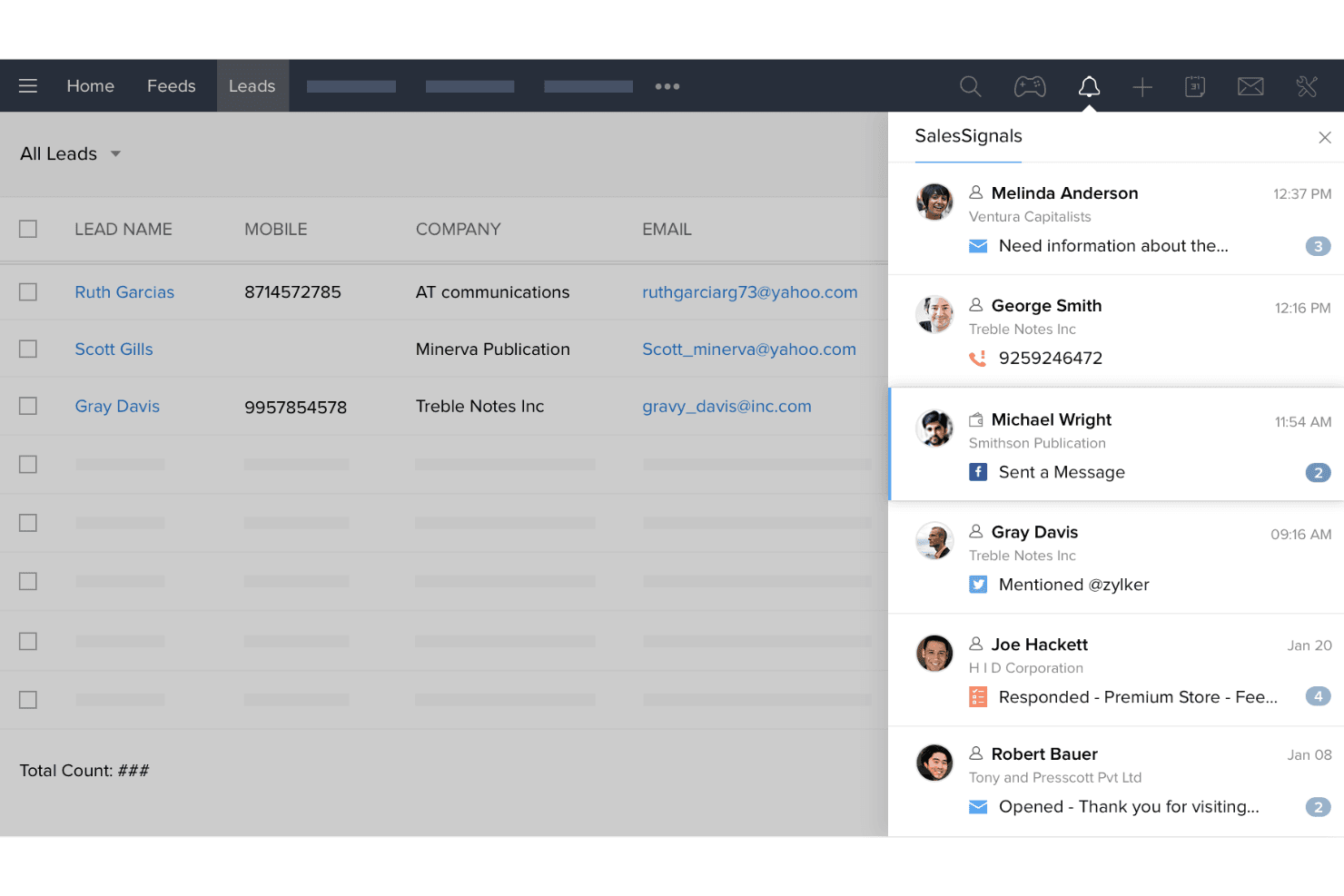
Zoho CRM strikes a balance between functionality and user-friendliness, making it accessible for most teams. Its interface is intuitive, but the depth of features might require a learning curve for some users. You can easily navigate through modules, but setting up customizations might take extra time. Compared to others, Zoho CRM offers a solid experience, though your team might need initial guidance to unlock its full potential. Overall, it provides a smooth experience once you’re familiar with its layout.
Integrations
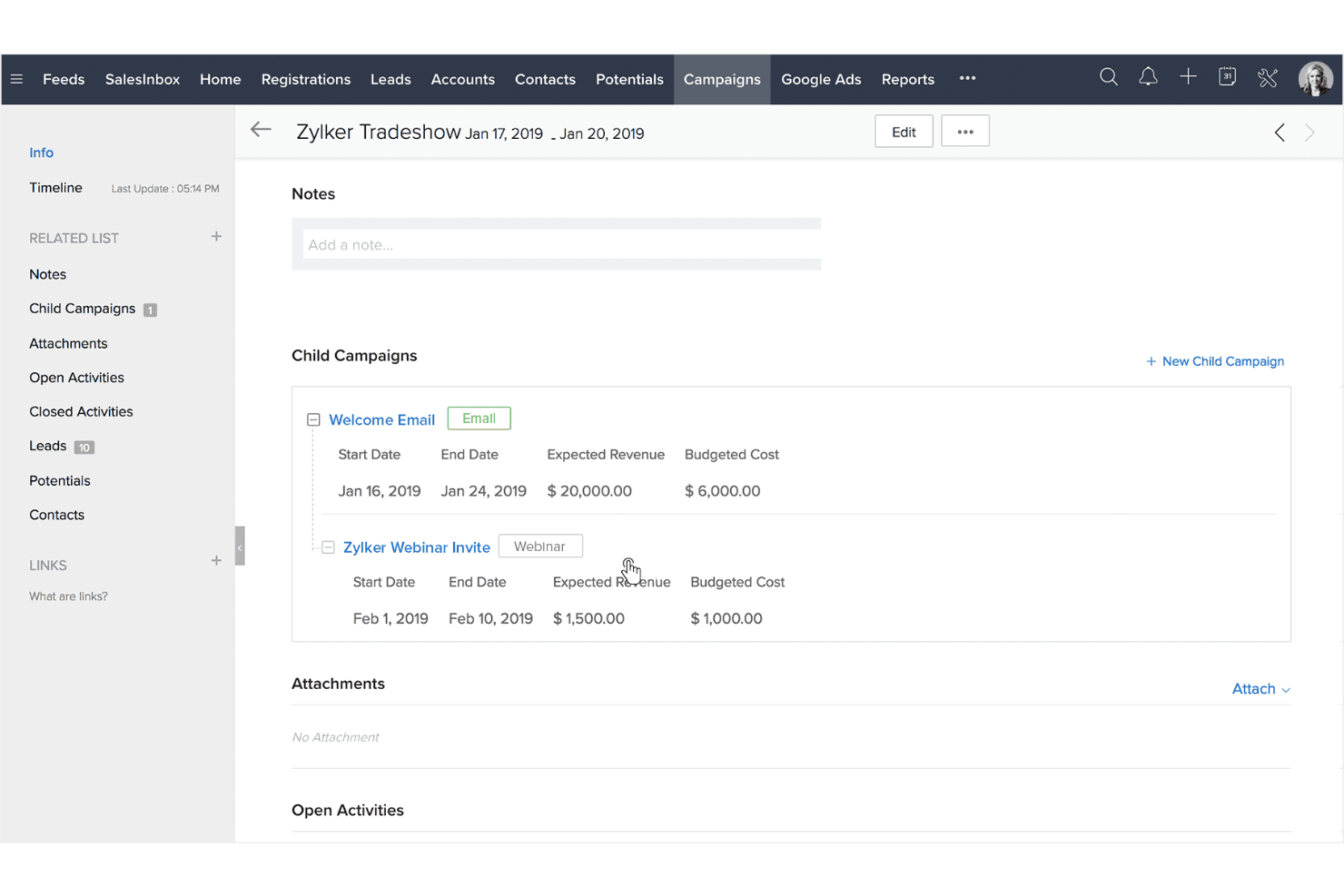
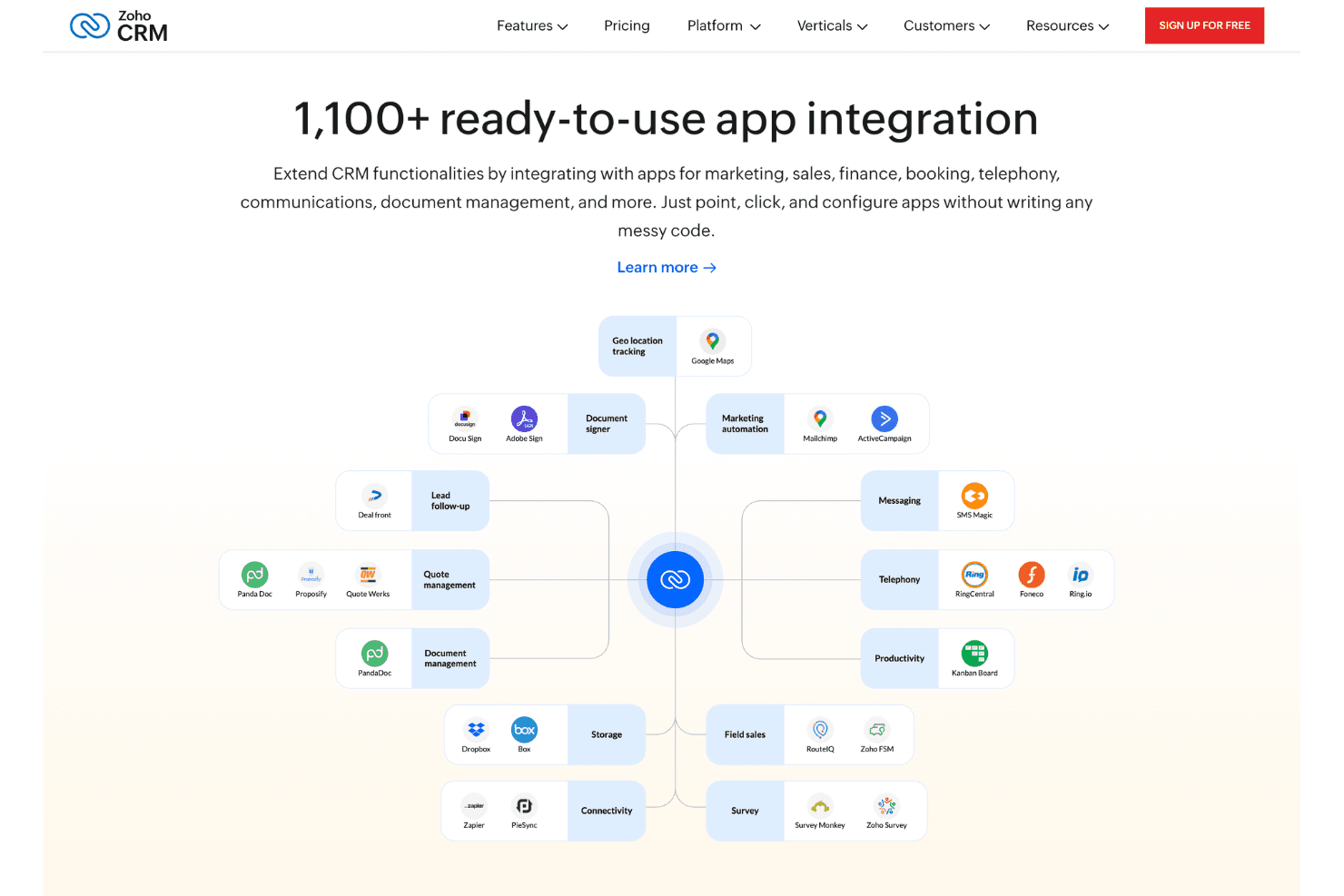
Integrations include Google Workspace, Office 365, Mailchimp, Slack, DocuSign, Adobe Sign, SalesIQ, Voice, Marketing Automation, Zoho Books, Zoho Projects, and Zoho Desk.
New Product Updates from Zoho CRM
 Opens new window
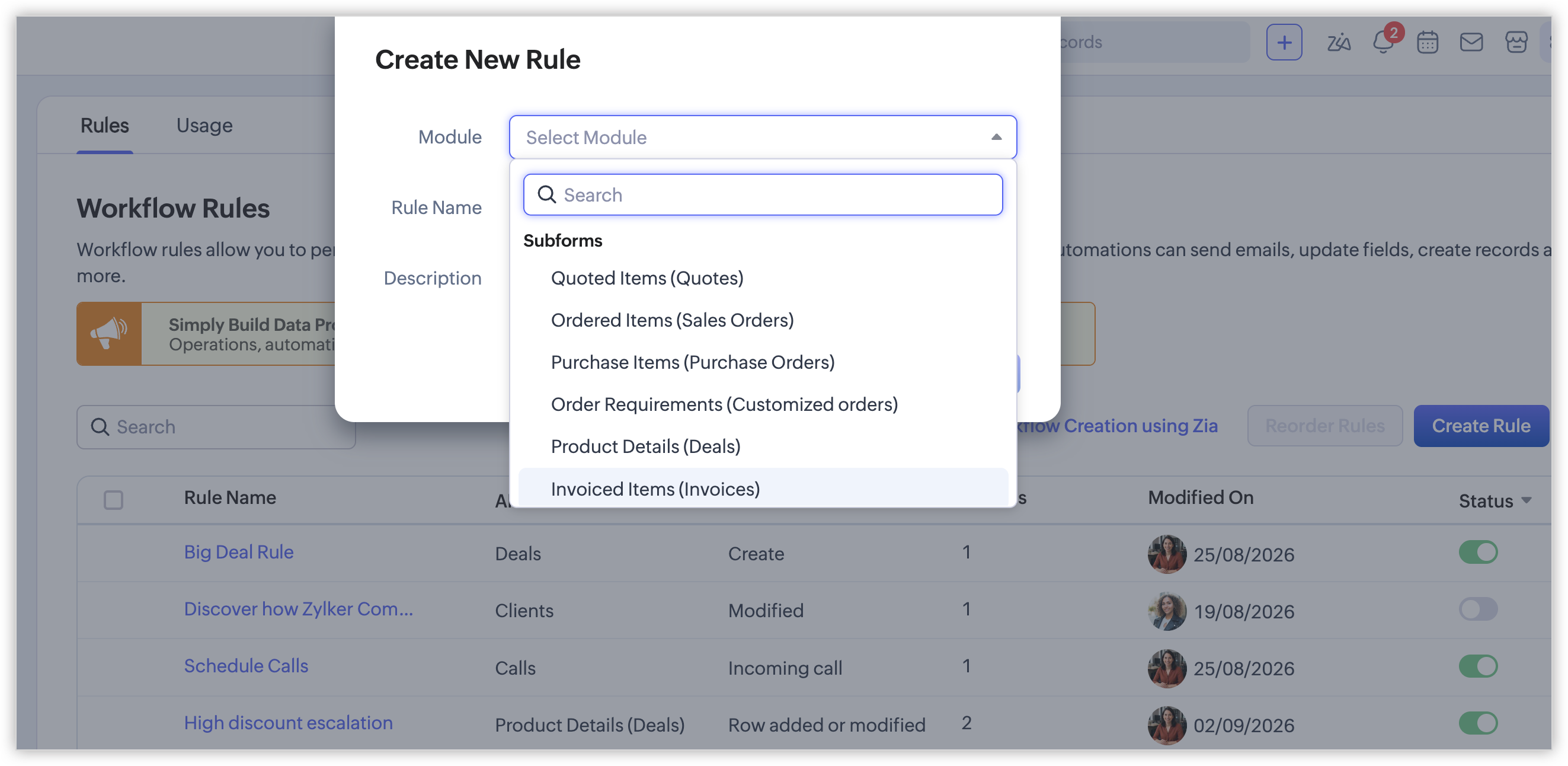
Zoho CRM Adds Workflow Automation for Subform Actions
Zoho CRM has expanded workflow automation by adding support for subform triggers. This gives teams more control over how subform row changes drive downstream actions, improving process consistency and reducing manual follow-ups. Highlights include:
- Subform Triggers: Run workflows when rows are added, modified, or deleted.
- Date and Time Triggers: Trigger rules from created, modified, or custom date fields.
- Combined Conditions: Apply logic across both subform fields and parent module fields.
- Instant Actions: Trigger field updates, email, SMS, webhooks, and functions.
- Cross-Record Updates: Update fields in the subform, parent module, or lookup module.
Visit Zoho CRM’s official site for more details.
 Opens new window
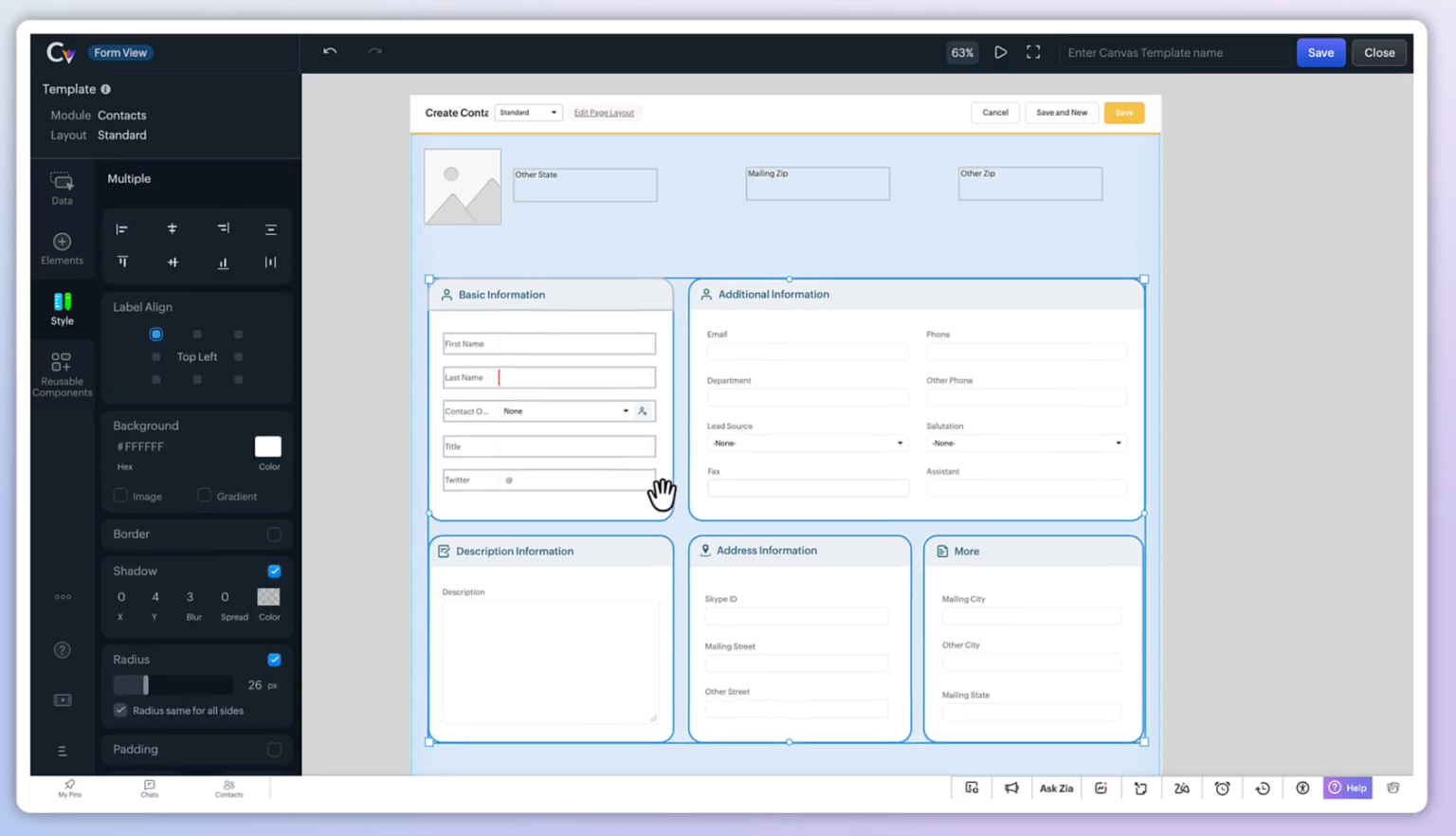
Zoho CRM Adds Reusable Canvas Templates for Forms
Zoho CRM Canvas Templates provide centralized template management for linking one master form design across modules such as Contacts, Leads, and Deals. Teams can apply shared updates, make module-specific style changes, or unsync individual views for independent customization. Highlights include:
- Reusable Templates: Lets teams create one Canvas form design and apply it across multiple modules.
- Shared Updates: Automatically reflects master template changes across linked module views.
- Module Overrides: Allows styling adjustments for individual modules without changing the core template.
- Unsync Controls: Lets teams detach a view for independent customization when needed.
- Template Management: Adds a centralized Templates tab for creating, mapping, publishing, and managing linked views.
Visit Zoho CRM’s official site for more details.
 Opens new window
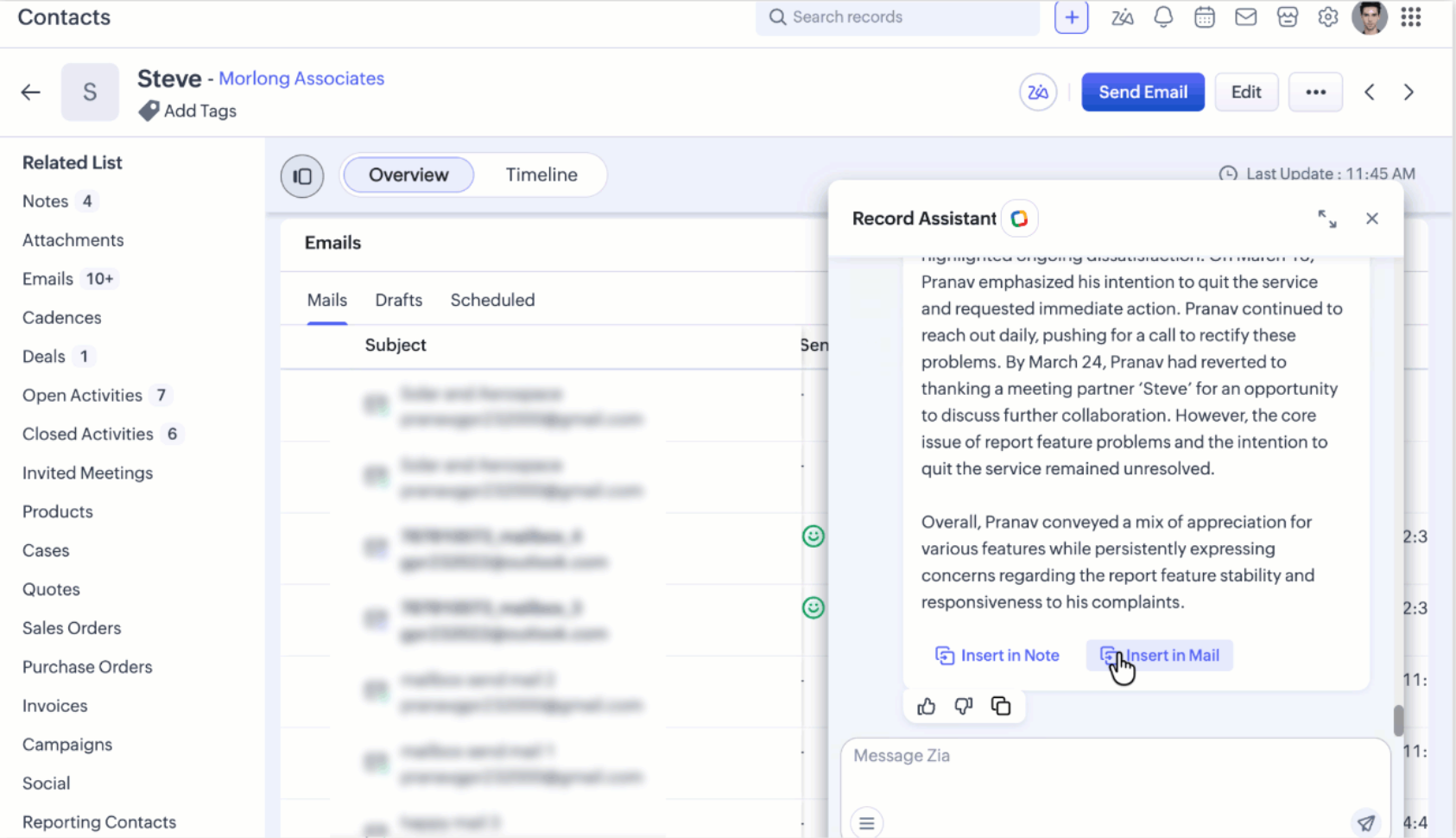
Zoho CRM Adds Zia Email Summaries and ABM Updates
Zoho CRM adds Zia Email Summaries and Account-Based Marketing enhancements to improve customer insights and engagement management. These updates help teams summarize conversations, refine target accounts, and optimize marketing workflows. Highlights include:
- Zia Email Summaries: Summarize past email exchanges, customer intent, sentiment, and follow-ups for faster record context.
- Account-Based Marketing Enhancements: Improve account targeting, segment management, Marketing Automation syncing, and RFM customization.
Visit Zoho CRM’s official site for more details.
Zoho CRM Specs
- 2-Factor Authentication: Yes
- API: Yes
- Calendar Management: Yes
- Call Tracking: Yes
- Campaign Management: Yes
- Click-to-Dial: Yes
- Contact Management: Yes
- Contact Sharing: Yes
- Custom Data Forms: Yes
- Customer Management: Yes
- Dashboard: Yes
- Data Export: Yes
- Data Import: Yes
- Data Visualization: Yes
- Email Integration: Yes
- External Integrations: Yes
- File Sharing: Yes
- File Transfer: Yes
- Google Apps Integration: Yes
- Lead Management: Yes
- Lead Scoring: Yes
- Marketing Automation: Yes
- Mobile App: Yes
- Multi-User: Yes
- Notifications: Yes
- Pipeline Management: Yes
- Sales Automation: Yes
- Scheduling: Yes
- Social-Media Integration: Yes
- Task Scheduling/Tracking: Yes
- Third-Party Plugins/Add-Ons: Yes
Alternatives to Zoho CRM


Zoho CRM FAQs
Cosa succede adesso?
Per rimanere aggiornato su tutte le novità dai nostri esperti di settore, non dimenticare di iscriverti alla nostra newsletter.