

Avis sur Five9 : Avantages, Inconvénients, Fonctionnalités et Tarifs
Five9 se distingue par son interface intuitive et son support client robuste, ce qui en fait un choix de premier ordre pour les équipes recherchant un logiciel de numérotation automatique fiable et efficace.

Nous évaluons les outils de manière indépendante, et les commissions contribuent au financement de nos tests. Consultez notre politique de transparence, notre méthodologie, ou suggérez un outil.
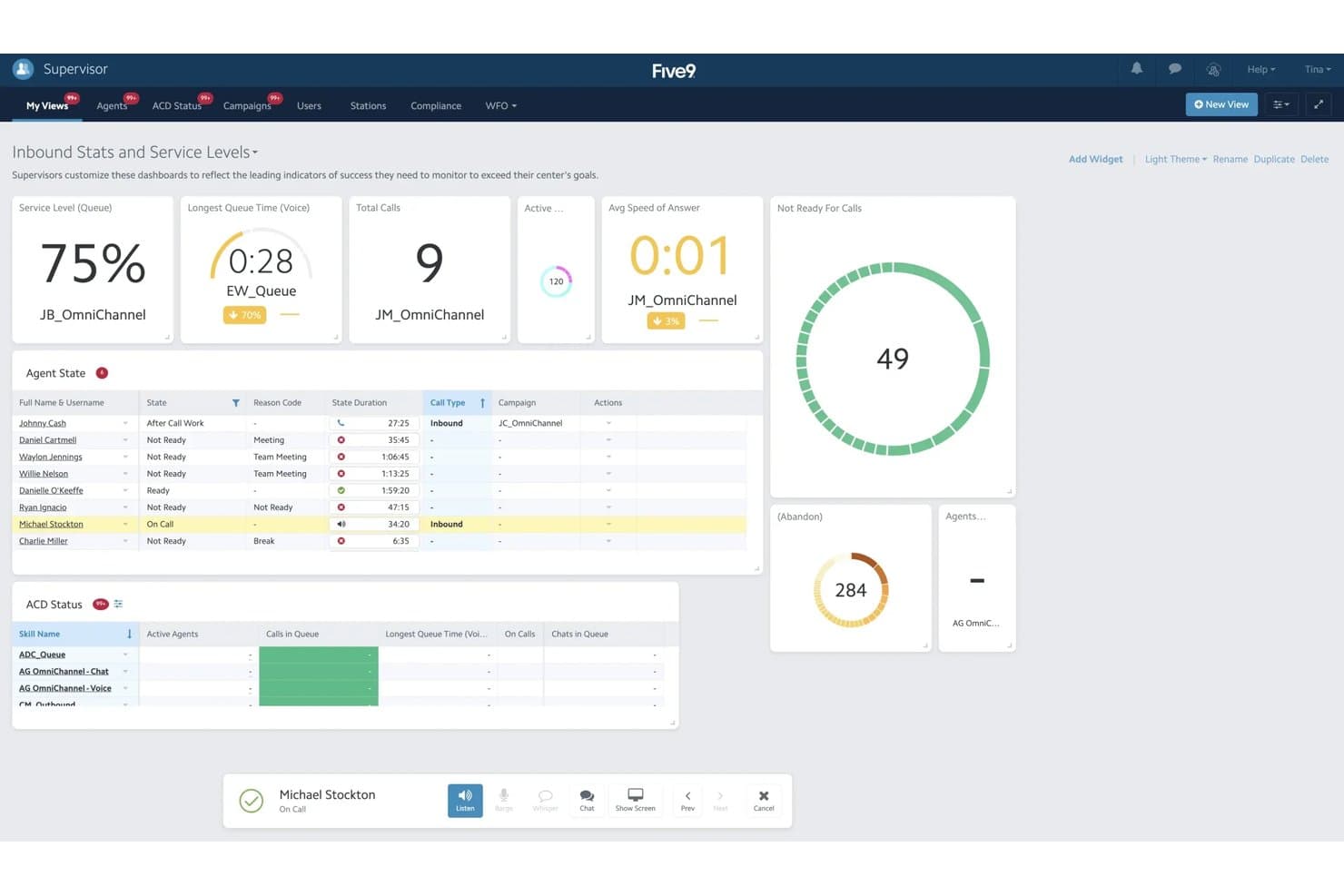
Five9 is an auto dialer software built for contact centers running high-volume outbound calling campaigns that need predictive, power, and progressive dialing modes in one platform. I'd consider it if your team needs more dialing intelligence and reporting depth than a tool like Aircall provides, without the complexity and cost of a full enterprise platform like Genesys.
Five9 Evaluation Summary
4.1/5
- From $119/seat/month
- Free demo available
Pourquoi faire confiance à nos recommandations de logiciels
6,700+
Reviews
20
Industry experts
16+
Evaluation factors
14
Years
Nos avis reflètent notre jugement indépendant — et non un argumentaire de vente. Découvrez comment nous restons transparents.
Pour ce guide, nous avons évalué les outils grâce à des tests pratiques et une recherche indépendante, en notant les outils selon nos critères de sélection.
Nos avis reflètent notre jugement éditorial humain, et non un argumentaire de vente.
Five9 Overview
In my opinion, Five9 is a solid choice for teams looking for reliable auto dialer software. Its standout features, overall functionality and strong customer support make it appealing, though the ease of use could be improved. Compared to other cloud contact center providers, Five9 excels in onboarding and support, making it ideal for customer service teams needing quick setup and assistance. However, its interface can be a bit tricky, which might not suit teams that require intuitive navigation. Overall, Five9 is best for environments where support and onboarding are key, like in large-scale contact centers.
Pros
- Your team will appreciate the strong customer support available when needed.
- Onboarding is smooth and quick, getting you up and running fast.
- It offers powerful call management features that boost productivity.
Cons
- You might find the interface less intuitive than other options.
- Some users report occasional technical glitches during calls.
- It can be resource-heavy, which might affect system performance.
Is Five9 Right For Your Needs?
Who Would be a Good Fit for Five9?
Five9 is ideal for large contact centers in industries like telecommunications and finance. Your team will benefit from its efficient call handling and strong customer support, which are crucial for managing high call volumes. If you're in customer service, Five9's powerful call management features will enhance productivity. It’s also great for teams that need fast onboarding to minimize downtime. The software's capabilities make it well-suited for environments where quick setup and reliable support are essential.
- Telecommunications CompaniesYour team can handle high call volumes efficiently with Five9's powerful call management features.
- Finance DepartmentsFive9's strong customer support ensures your team can resolve customer inquiries quickly and effectively.
- Customer Service TeamsWith fast onboarding, your team can get up and running without delay, improving service delivery.
- Large Contact CentersFive9's capabilities make it easy to manage large volumes of calls efficiently and reliably.
- Sales TeamsFive9's features can help your team boost productivity by automating outbound calls and follow-ups.
- Tech Support DepartmentsThe software's reliable customer support ensures your team can provide timely assistance to users.
Who Would be a Bad Fit for Five9?
Five9 might not suit small businesses or startups with limited resources. Its complex user interface can be challenging for teams needing simplicity and ease of use. If your team prioritizes intuitive navigation, Five9's learning curve could slow you down. Also, if technical glitches are a concern, you might find it frustrating. Teams that don’t require extensive call management features might find Five9's capabilities excessive and unnecessary.
- Small StartupsYour team might struggle with Five9's complex interface and find it overwhelming for simple operations.
- FreelancersFive9's powerful features are excessive for individual use and may not justify the cost.
- Nonprofit OrganizationsLimited budgets may not align well with Five9's feature set and potential resource demands.
- Retail BusinessesIf your focus isn't on high-volume calls, Five9's capabilities might be more than you need.
- Educational InstitutionsFive9's learning curve and interface complexity might not fit well with your needs for straightforward communication.
- Independent ConsultantsYour work might not require the extensive call management features Five9 offers, making it a less practical choice.
Comment nous testons et notons les outils
Nous avons passé des années à construire, affiner et améliorer notre système de test et de notation des logiciels. La grille d’évaluation est conçue pour saisir toutes les nuances dans le choix d’un logiciel et pour identifier ce qui rend un outil efficace, en mettant l’accent sur les aspects essentiels du processus de décision. Vous trouverez ci-dessous le détail exact de notre méthode de test et de notation selon sept critères. Cela nous permet de fournir une évaluation impartiale des logiciels basée sur la fonctionnalité principale, les fonctionnalités remarquables, la facilité d’utilisation, l’onboarding, le support client, les intégrations, les avis clients et le rapport qualité-prix.
Fonctionnalités principales (25 % de la note finale)
Le point de départ de notre évaluation est toujours la fonctionnalité principale de l’outil. Dispose-t-il des fonctions et caractéristiques de base auxquelles un utilisateur peut s’attendre ? Certaines de ces fonctionnalités de base sont-elles réservées à des formules plus onéreuses ? Nous attendons d’un outil qu’il tienne la comparaison avec les capacités minimales de ses concurrents.
Fonctionnalités remarquables (25 % de la note finale)
Nous évaluons ensuite les fonctionnalités remarquables, rares ou originales, qui vont au-delà des fonctionnalités principales habituellement trouvées dans ce type d’outils. Un score élevé reflète des fonctionnalités spécialisées ou innovantes qui accélèrent le produit, l’optimisent ou apportent une valeur ajoutée à l’utilisateur. Nous évaluons également la facilité d’intégration de l’outil aux autres logiciels généralement présents dans l’écosystème technologique, afin d’étendre ses fonctionnalités et son utilité. Les outils qui offrent de nombreuses intégrations natives, connexions tierces et accès API pour des intégrations personnalisées obtiennent la meilleure note.
Facilité d’utilisation (10 % de la note finale)
Nous évaluons la rapidité et la facilité d’exécution des tâches principales à l’aide de l’outil. Les logiciels les mieux notés sont bien conçus, intuitifs, proposent des applis mobiles, fournissent des modèles et facilitent la réalisation de tâches complexes.
Onboarding (10 % de la note finale)
Nous savons combien il est important d’adopter rapidement une nouvelle plateforme en équipe. Nous évaluons donc la facilité de prise en main de l’outil avec un minimum de formation. Nous étudions la rapidité avec laquelle un membre peut être opérationnel et commencer à utiliser l’outil sans expérience préalable. Un score élevé indique qu’aucun ou très peu de support est requis.
Support client (10 % de la note finale)
Nous examinons la rapidité et la facilité avec lesquelles il est possible de sortir d’une impasse et de trouver de l’aide par téléphone, chat en direct ou base de connaissances. Les outils et entreprises qui proposent une assistance en temps réel obtiennent la meilleure note, tandis que les chatbots sont les moins bien notés.
Avis clients (10 % de la note finale)
Au-delà de nos propres tests et évaluations, nous prenons en compte le score net d’appréciation des clients actuels et passés. Nous examinons la probabilité qu’ils choisissent à nouveau l’outil pour ses fonctionnalités principales. Un score élevé reflète une forte satisfaction des clients actuels ou passés.
Rapport qualité-prix (10 % de la note finale)
Enfin, en tenant compte de tous les autres critères, nous comparons le prix moyen des forfaits d’entrée de gamme avec les fonctionnalités de base et évaluons la valeur ajoutée selon les autres critères. Un logiciel offrant plus pour moins sera mieux noté.
Core Features
Automated Dialing
Five9 automatically dials numbers for your team, saving time and effort. It reduces idle time between calls, boosting productivity.
Call Routing
This feature directs inbound calls to the right agent based on skills or availability. It helps streamline call handling and ensures your customers get quick and efficient service.
Real-Time Monitoring
You can monitor calls live, offering immediate feedback to your team. It helps maintain quality and improves training efficiency.
Analytics and Reporting
Five9 provides detailed reports on call metrics, helping you track performance. This data aids in making informed decisions.
Interactive Voice Response (IVR)
IVR allows your customers to navigate menus using voice commands. It enhances the customer experience by reducing wait times.
Call Recording
Record calls for quality monitoring and training. It helps you maintain high standards and resolve disputes effectively.
Ease of Use
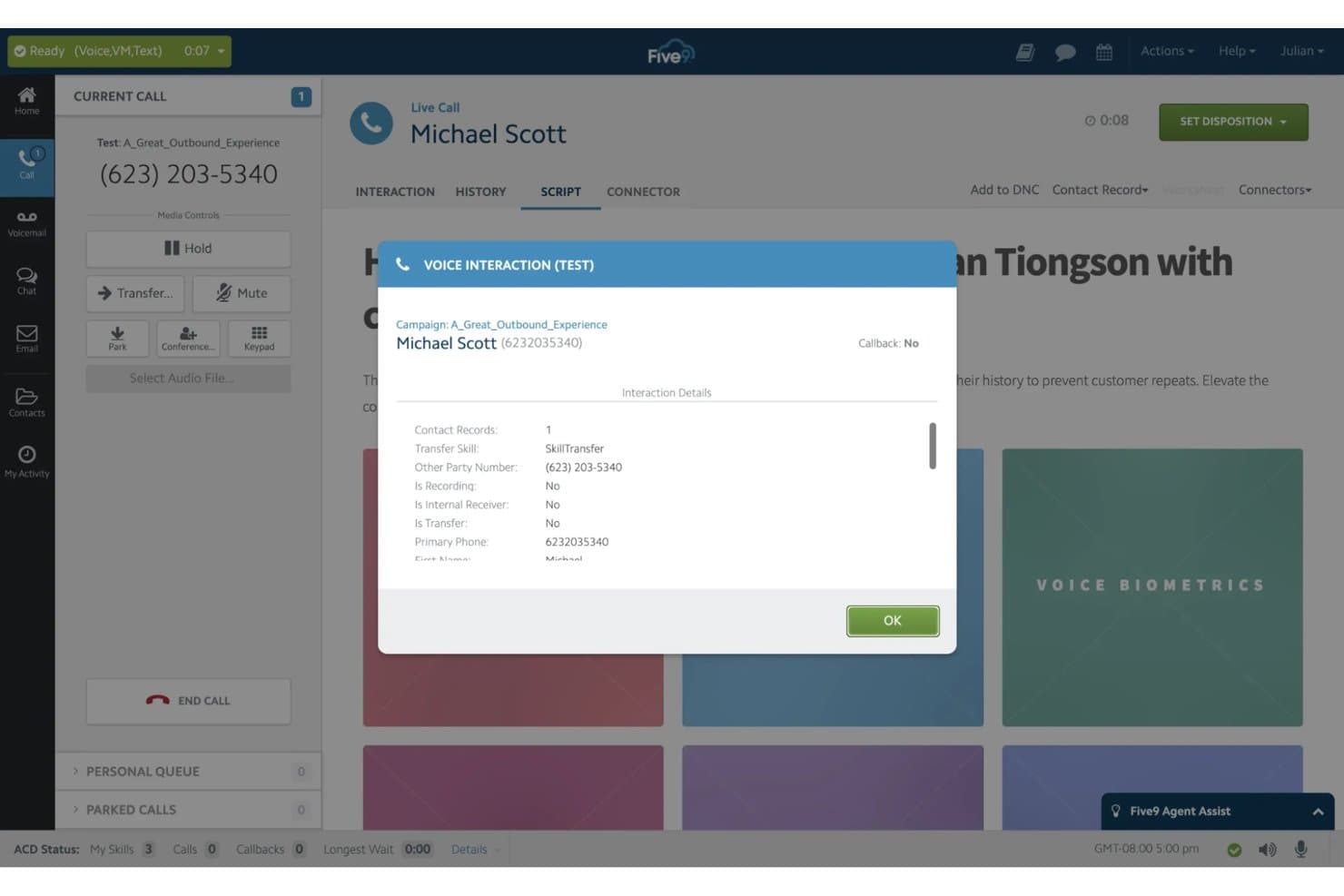
Five9 can be challenging to navigate due to its complex interface, which might slow your team down initially. Some users find the learning curve steep, especially if you're new to auto dialer software. However, once mastered, its powerful features like real-time monitoring and analytics make it worth the effort. If your team is prepared for a bit of a learning phase, the productivity gains can be significant.
Integrations
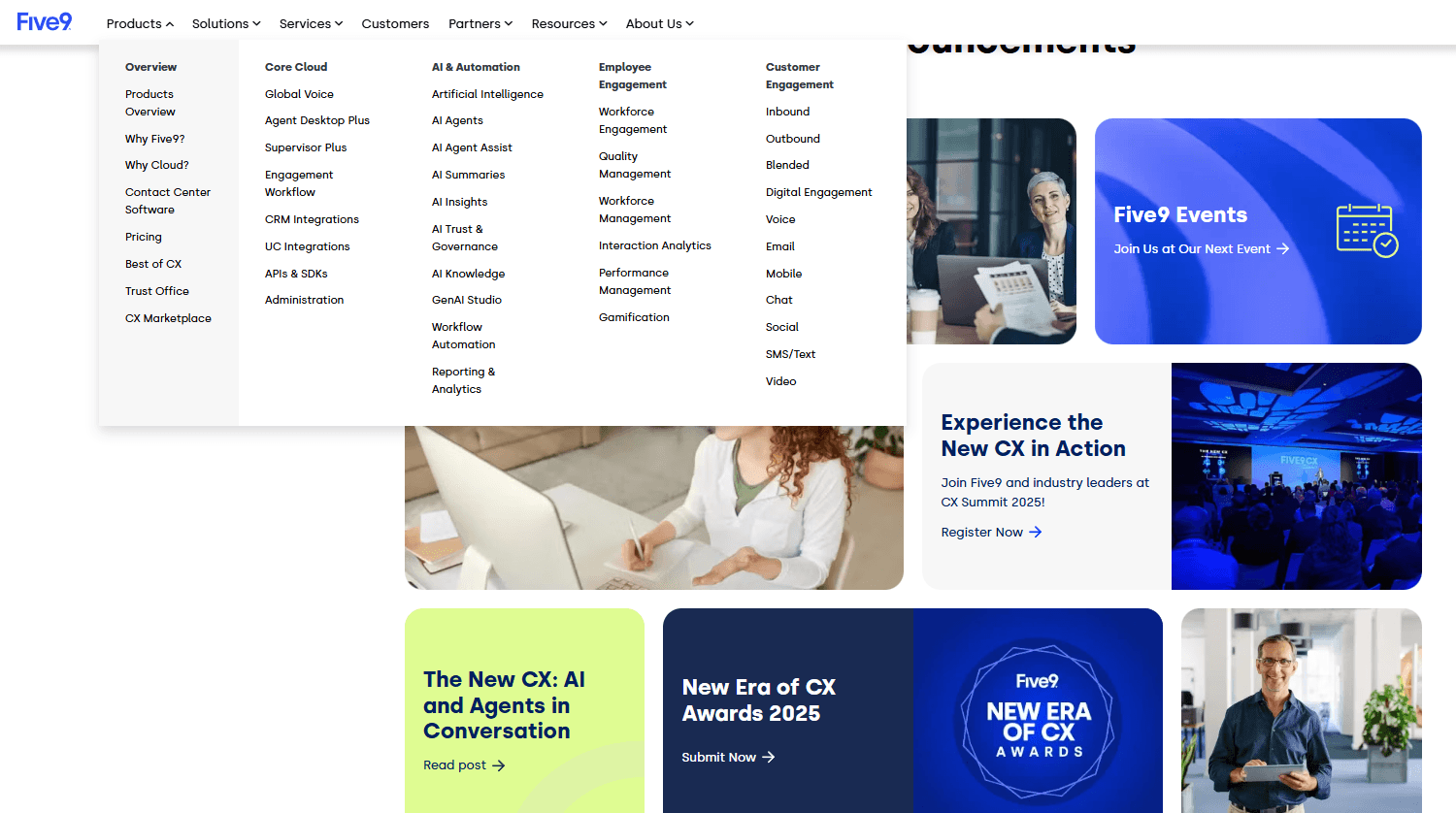
Five9 integrates with Salesforce, ServiceNow, Microsoft, Oracle, Zendesk, NetSuite, Zoom, Slack, Google Workspace, and Microsoft Teams.
Five9 also offers an API for custom integrations and connects with third-party integration tools.
Five9 Specs
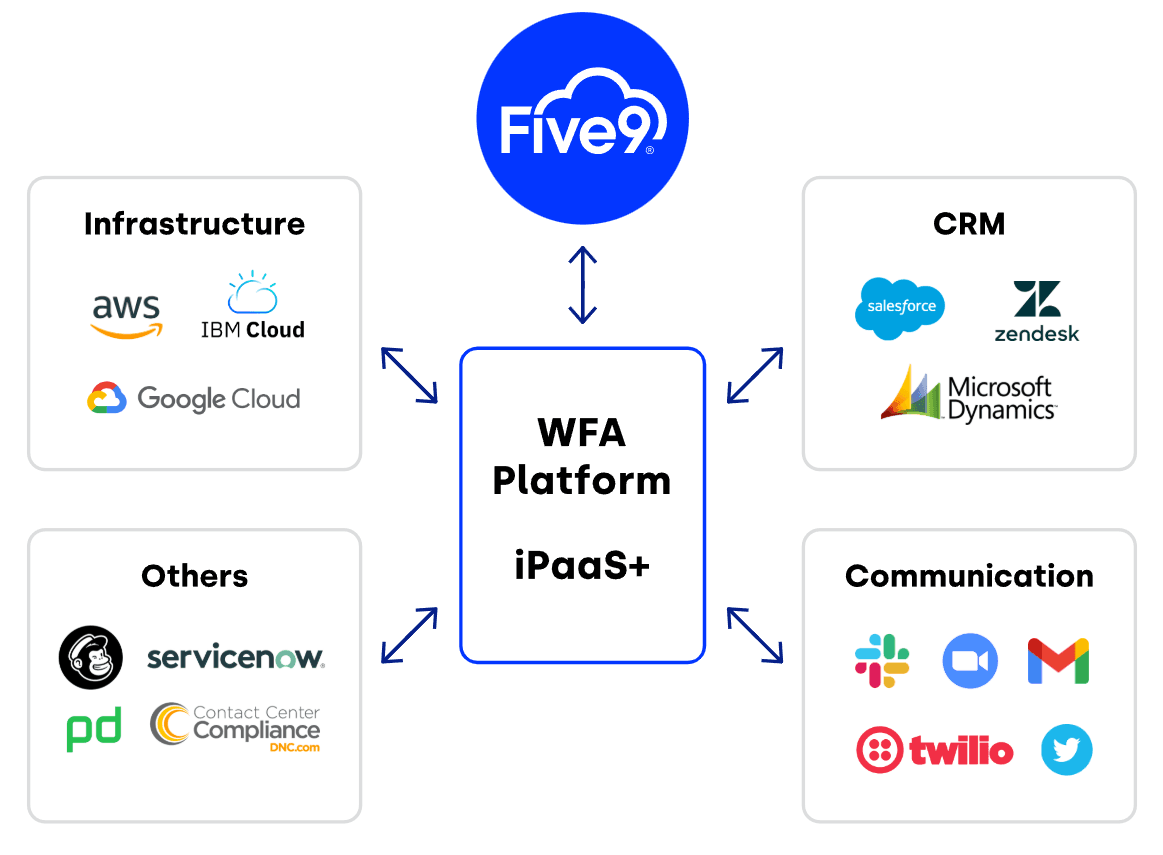
- API: Yes
- Auto Dialer: Yes
- Batch Permissions & Access: No
- Calendar Management: No
- Call Disposition: Yes
- Call Integration: Yes
- Call Logging: Yes
- Call Monitoring: Yes
- Call Recording: Yes
- Call Scripting: Yes
- Call Tracking: Yes
- Chat: Yes
- Click-to-Dial: Yes
- Contact Management: Yes
- Contact Sharing: Yes
- Custom Data Forms: Yes
- Customer Management: Yes
- Customer Service: Yes
- Dashboard: Yes
- Data Export: Yes
- Data Import: Yes
- Data Visualization: No
- Email Integration: Yes
- Escalation Management: No
- External Integrations: Yes
- Google Apps Integration: No
- Interactive Voice Response: Yes
- Knowledge Base: No
- Lead Management: Yes
- Lead Scoring: No
- Marketing Automation: No
- Multi-User: Yes
- Notifications: Yes
- SAP Integration: No
- Scheduling: Yes
- Softphone: Yes
- Supplier Management: No
- Support Forum: No
- Ticket Management: No


