

Las 10 mejores herramientas de enrutamiento de clientes potenciales analizadas para 2026

10 Lista de selección del mejor software de enrutamiento de clientes potenciales


En el acelerado mundo de las operaciones de ingresos, gestionar los clientes potenciales de manera eficiente es un desafío constante. Cada día debes asegurarte de que cada cliente potencial llegue rápidamente al miembro adecuado del equipo. El software de enrutamiento de clientes potenciales puede aliviar esta carga al dirigir los clientes potenciales con precisión y aumentar la productividad de tu equipo.
He probado y analizado diversas soluciones de enrutamiento de clientes potenciales para ayudarte a encontrar la opción que mejor se adapte a tus necesidades. Según mi experiencia, elegir el software adecuado puede marcar una diferencia significativa en la forma de gestionar los clientes potenciales.
En este artículo, compartiré mis principales recomendaciones con información imparcial y bien documentada. Obtendrás una comprensión clara de lo que ofrece cada opción, lo que ayudará a tu equipo a tomar decisiones informadas.
Por qué confiar en nuestras recomendaciones de software
Nuestras reseñas reflejan nuestro criterio independiente, no un discurso de ventas. Descubra cómo mantenemos la transparencia.
Para esta guía, evaluamos las herramientas mediante pruebas prácticas e investigación independiente, puntuando las herramientas según nuestros criterios de selección.
Nuestras reseñas reflejan nuestro criterio editorial humano, no un discurso de ventas.
Resumen del mejor software de enrutamiento de clientes potenciales
| Tool | Best For | Trial Info | Price | ||
|---|---|---|---|---|---|
| 1 | La mejor opción para la programación de reuniones integrada | Plan gratuito disponible | Precios bajo solicitud | Website | |
| 2 | Ideal para reglas de enrutamiento personalizables | Demostración gratuita disponible | Precio bajo consulta | Website | |
| 3 | Ideal para portales de socios con etiqueta blanca | Demostración gratuita disponible | Precio a consultar | Website | |
| 4 | Ideal para secuencias automáticas de correo electrónico | Prueba gratuita de 30 días + demo gratis disponible | Desde $29/usuario/mes (facturado anualmente) | Website | |
| 5 | Ideal para alertas rápidas de leads | Demo gratuita disponible | Precio a consultar | Website | |
| 6 | Mejor con números telefónicos globales en más de 160 países | Prueba gratuita de 14 días | Desde $25/usuario/mes (facturado anualmente) | Website | |
| 7 | El mejor software para impulsar ventas de equipos de ingresos B2B | Demostración gratuita disponible | Desde $30/usuario/mes + $150 tarifa de plataforma | Website | |
| 8 | Ideal para reducir tiempos de enrutamiento enviando el lead correcto a la persona adecuada | Demo gratuita disponible | Desde $39/usuario/mes | Website | |
| 9 | Ideal para mayor control sobre tu proceso de distribución de leads | Demostración gratuita disponible | Desde $25/usuario/mes | Website | |
| 10 | Ideal para una asignación de leads más flexible mediante software inteligente | Disponible prueba gratuita de seis meses | Desde $99/empresa/mes | Website |

Análisis del mejor software de enrutamiento de clientes potenciales
Puedes utilizar los sencillos resúmenes de cada herramienta que aparecen a continuación para entender en qué se diferencia cada una de otros programas de habilitación de ventas.

La mejor opción para la programación de reuniones integrada
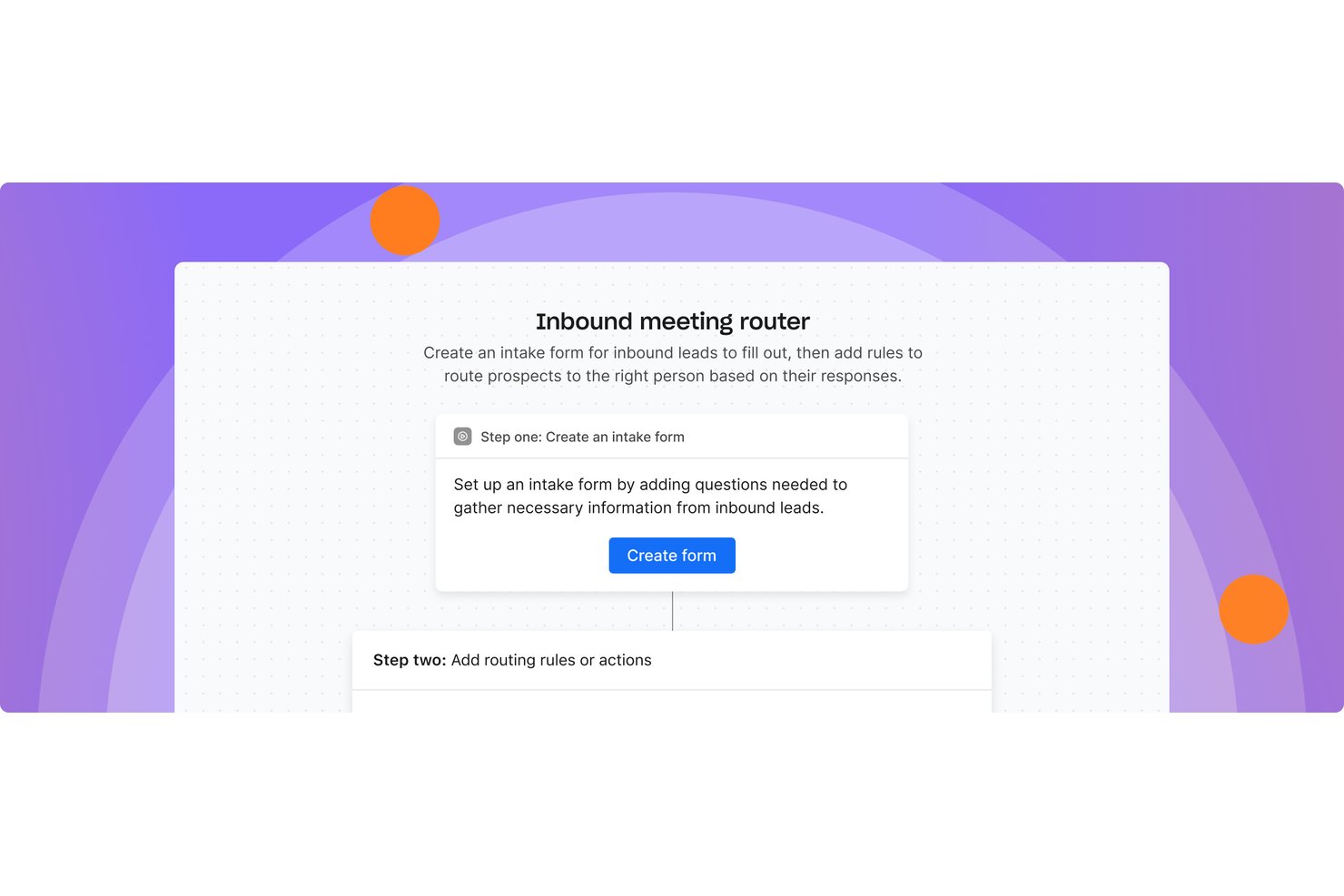
Apollo.io es una plataforma de inteligencia de ventas y de GTM que integra el enrutamiento de clientes potenciales entrantes, la programación de reuniones, el enriquecimiento del CRM y la interacción de ventas multicanal en un solo espacio de trabajo.
¿Para quién es más adecuado Apollo.io?
Apollo.io es adecuado para equipos de ventas B2B y operaciones de ingresos de pequeñas y medianas empresas y compañías del mercado intermedio que quieren consolidar su conjunto de herramientas de ventas en lugar de gestionar varias soluciones independientes.
Por qué elegí Apollo.io
Apollo.io ocupa un lugar en mi lista de opciones principales porque la programación de reuniones y el enrutamiento de clientes potenciales están integrados en la misma plataforma, sin necesidad de gestionar herramientas independientes. Cuando un cliente potencial envía un formulario web, Apollo enriquece el registro, lo asigna según el propietario del CRM o mediante distribución rotatoria y pone en cola un enlace de reserva en una sola acción. He visto equipos sustituir Chili Piper después de cambiarse, y la actualización de Optimización de Entrada de mediados de 2026 de Apollo, que mejoró la precisión del enrutamiento en un 300 %, hace que esa decisión sea sencilla.
Características principales de Apollo.io
- Integración con el CRM: Se sincroniza bidireccionalmente con Salesforce, HubSpot y Pipedrive para los datos y las asignaciones de clientes potenciales.
- Reglas de enrutamiento personalizadas: Permite realizar el enrutamiento según varios criterios basados en atributos como el territorio, el tamaño del acuerdo o la propiedad de la cuenta.
- Correspondencia entre cliente potencial y cuenta: Utiliza inteligencia artificial para relacionar nuevos clientes potenciales con cuentas existentes y evitar asignaciones duplicadas.
- Seguimiento del rendimiento de los SLA: Ofrece paneles integrados para controlar la velocidad del enrutamiento, la precisión de las asignaciones y el cumplimiento de los SLA.
Integraciones de Apollo.io
Apollo.io ofrece integraciones nativas con Salesforce, HubSpot, Pipedrive, Marketo y Slack. También hay una API disponible para integraciones personalizadas.
Pros and Cons
Pros:
- La programación de reuniones está integrada en los flujos de trabajo de enrutamiento
- El enriquecimiento de datos nativo se ejecuta antes de tomar decisiones de enrutamiento
- Distribución rotatoria y ponderada incluida de forma nativa
Cons:
- Las reglas de enrutamiento carecen de la profundidad de las de los proveedores especializados
- Usuarios reales han señalado problemas de precisión de los datos

Default
Ideal para reglas de enrutamiento personalizables

Default es una plataforma innovadora diseñada para automatizar flujos de trabajo en equipos B2B de rápido crecimiento. Sobresale en la gestión de funciones go-to-market de entrada, salida y autoservicio, lo que la convierte en una herramienta esencial para mejorar la eficiencia en ventas y marketing.
Default destaca como software de enrutamiento de prospectos gracias a sus avanzadas capacidades para asignar los leads a los representantes de ventas adecuados. Esto se logra a través de reglas de enrutamiento personalizables basadas en diversos criterios como geografía, puntuación del lead y disponibilidad del equipo. Al automatizar la distribución de leads, Default minimiza los tiempos de respuesta, asegurando que ningún lead quede desatendido.
Además de sus capacidades de enrutamiento, Default proporciona notificaciones y alertas en tiempo real, manteniendo a los equipos de ventas informados sobre nuevas asignaciones de leads y cambios de estado. Esta función mejora la capacidad de respuesta y garantiza el seguimiento ágil a los leads. La plataforma también incluye herramientas integrales de informes y análisis que ofrecen información sobre el rendimiento en la gestión de leads.
Funciones destacadas e integraciones de Default
Las funciones incluyen automatización de flujos de trabajo, puntuación de leads, gestión de contactos y cuentas, automatización de tareas, seguimiento de correos electrónicos, integración con CRM, creación de formularios, enriquecimiento de datos, herramientas de programación y plantillas personalizables.
Las integraciones incluyen Salesforce, HubSpot, Outreach, SalesLoft, Apollo, Google Calendar, Zoom y Zapier. También se admiten otras integraciones mediante Webhooks.
Pros and Cons
Pros:
- Constructor de arrastrar y soltar
- Amplia gama de integraciones
- Lógica de enrutamiento personalizable
Cons:
- Curva de aprendizaje al comenzar
- Capacidades offline limitadas

Phonexa
Ideal para portales de socios con etiqueta blanca
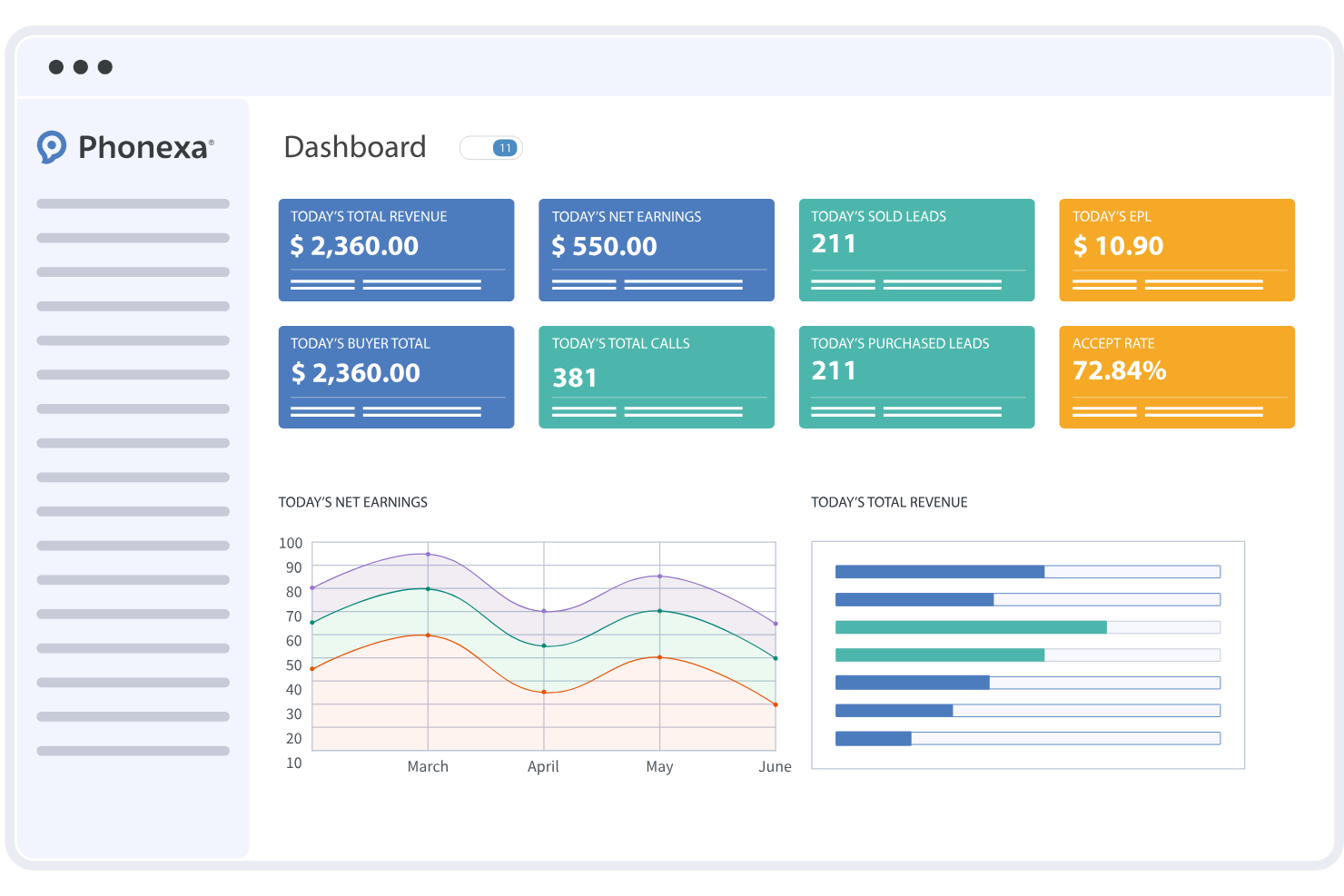
Phonexa es una plataforma de enrutamiento de leads que combina la distribución de leads, el seguimiento de llamadas, la gestión de socios y la contabilidad automatizada en un solo sistema. Ayuda a agencias, generadores de leads y especialistas en marketing de resultados a gestionar y enrutar grandes volúmenes de leads entrantes a través de múltiples canales, manteniendo la visibilidad del rendimiento y los pagos.
¿Para quién es mejor Phonexa?
Phonexa es más adecuada para agencias de marketing, redes de afiliados y empresas de generación de leads que necesitan enrutar leads a múltiples compradores o equipos utilizando reglas personalizables y controles específicos para socios.
Por qué elegí Phonexa
Elegí Phonexa por su sólida capacidad de etiqueta blanca, especialmente para portales de socios. Las agencias pueden presentar una experiencia completamente personalizada a compradores y socios, incluidos paneles, informes y controles de acceso adaptados. Esto facilita gestionar la distribución de leads a escala mientras se mantiene una presencia de marca coherente en todo el ecosistema de socios.
Características clave de Phonexa
- Motor de distribución de leads: Enruta los leads mediante reglas personalizables, incluyendo ping post y enrutamiento por prioridad.
- Seguimiento de llamadas: Permite realizar el seguimiento y la atribución de llamadas entrantes junto con los leads digitales para lograr un enrutamiento e informes unificados.
- Captura multicanal de leads: Recoge y gestiona leads desde formularios web, llamadas e integraciones API en una sola plataforma.
- Herramientas de validación y cumplimiento de leads: Filtra los leads y aplica reglas de cumplimiento antes de enviarlos a los compradores.
- Portales de socios con etiqueta blanca: Proporciona a socios y compradores acceso personalizado a leads, informes y datos de rendimiento.
Integraciones de Phonexa
Phonexa se integra con Salesforce, HubSpot, Mailgun, Twilio y Google Analytics. Hay una API disponible para integraciones adicionales.
Pros and Cons
Pros:
- Seguimiento de llamadas y análisis de leads integrados
- Portales de socios con etiqueta blanca para la gestión de partners
- Distribución de leads en tiempo real con ping post
Cons:
- No dispone de un plan gratuito para siempre
- El proceso de configuración puede ser laborioso para nuevos usuarios
New Product Updates from Phonexa

Phonexa Expands Automated Traffic and Offer Routing
Phonexa adds tag-based publisher distribution, fallback bidding for Ping Post Calls, and Logic Links for smarter offer routing. These updates reduce manual traffic management and help route leads and calls to better available options. For more information, visit Phonexa’s official site.
 .
.
Ideal para secuencias automáticas de correo electrónico
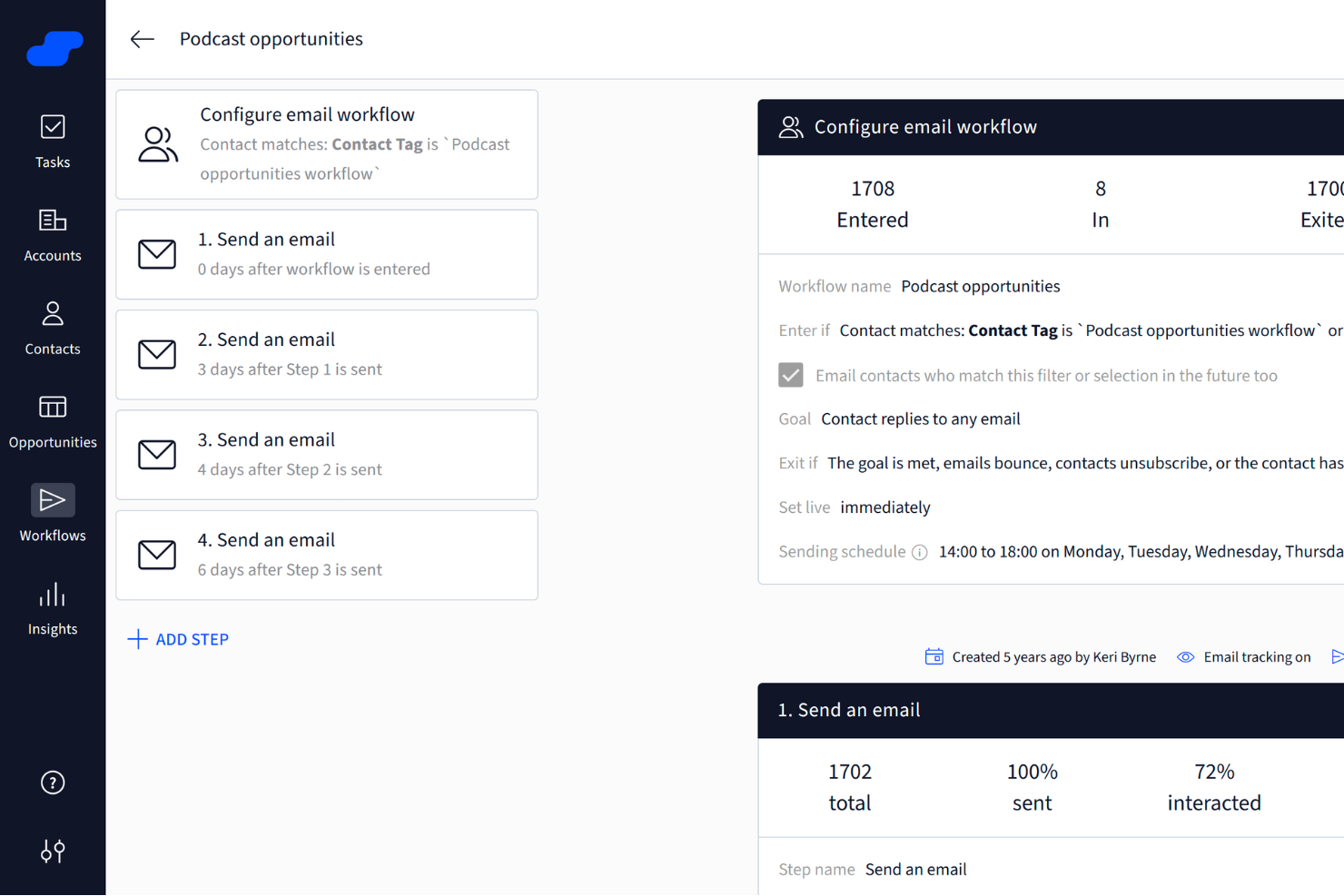
Salesflare es un CRM diseñado específicamente para pequeñas y medianas empresas B2B. Simplifica el proceso de ventas al ofrecer un conjunto de herramientas que te ayudan a gestionar los leads y las relaciones con clientes de manera más efectiva.
Salesflare destaca como uno de los mejores software de enrutamiento de leads gracias a su función de secuencias de correos automáticos. Esto te permite interactuar con los leads mediante seguimientos personalizados sin mover un dedo, asegurándote de que ningún lead se pierda. Además, la herramienta de búsqueda de leads es un gran recurso para descubrir nuevos leads, ahorrándote el esfuerzo de manejar varias herramientas o archivos de datos.
Otra razón convincente para elegir Salesflare es su función de inteligencia relacional. Te da acceso a métricas sobre las relaciones del equipo, lo que te permite fortalecer las conexiones con los clientes y mejorar tu estrategia de ventas. Esta función es especialmente útil si buscas mejorar la forma en que tu equipo interactúa con los clientes.
Características y conexiones destacadas de Salesflare
Características incluyen flujos de ventas visuales, sugerencias impulsadas por IA, que proporcionan valiosas ideas para mejorar tu estrategia de ventas, y paneles personalizables.
Integraciones incluyen Google Workspace, Slack, Mailchimp, Shopify, Google Drive, Google Sheets, Intercom, Calendly, QuickBooks Online, Stripe, Asana y RingCentral.
Pros and Cons
Pros:
- Interfaz fácil de usar
- Paneles personalizables
- Excelente funcionalidad de automatización
Cons:
- Funcionalidades avanzadas limitadas
- Capacidades de informes limitadas
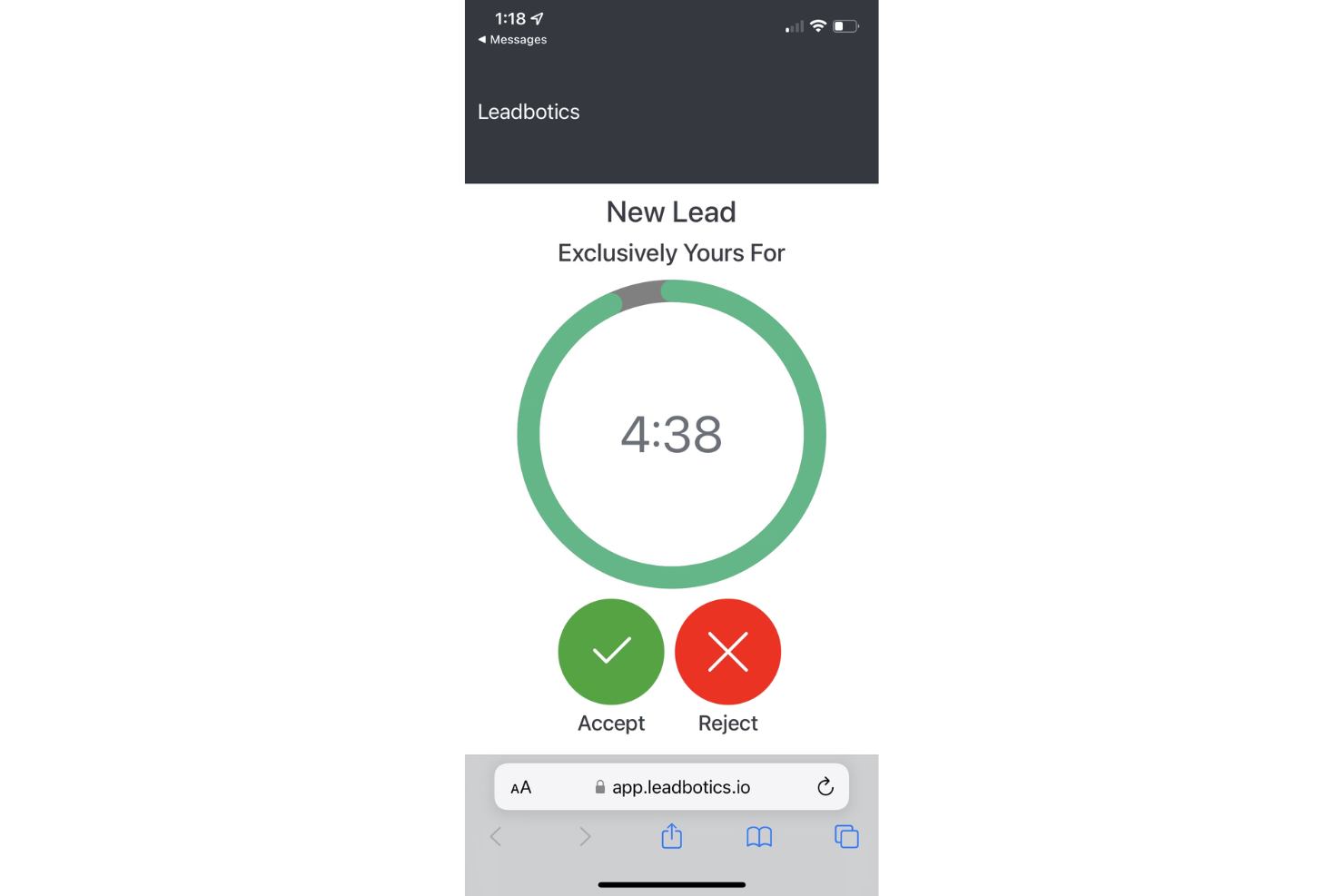
LeadBotics es un sistema de gestión de leads impulsado por IA, diseñado para mejorar la eficiencia y el rendimiento de los equipos de ventas mediante la optimización del enrutamiento y la asignación de prospectos. Permite a los representantes de ventas responder rápidamente a los leads a través de alertas por SMS y correo electrónico, asegurando que ningún lead quede desatendido.
LeadBotics se destaca gracias a sus funciones avanzadas que aprovechan la inteligencia artificial y el aprendizaje automático. Estas tecnologías facilitan el enrutamiento y la distribución óptima de leads, asegurando que los leads sean atendidos de manera rápida y precisa. La visibilidad en tiempo real de los leads permite a las empresas adaptar el software a sus necesidades específicas, haciéndolo altamente adaptable a diversos requisitos operativos.
Las reglas de enrutamiento personalizables también brindan a las empresas la flexibilidad para priorizar leads según factores como el valor del trato, el territorio o la experiencia específica del representante de ventas. Esto garantiza que los leads de alto valor reciban la atención que merecen, aumentando así el rendimiento general de ventas.
Características y conexiones destacadas de LeadBotics
Las características incluyen herramientas para aceptar y rechazar leads, notificaciones en tiempo real, asignación automática de leads, visibilidad multicanal y análisis que rastrean la velocidad de los leads, el rendimiento de los socios y el desempeño del canal.
Las integraciones incluyen SalesForce, Keap, Monday, Zoho, HubSpot, Mailchimp, Oracle, Pipedrive y Zapier. También puedes integrar más a través de Webhooks y REST APIs.
Pros and Cons
Pros:
- Acceso rápido a leads en móvil o escritorio
- Los usuarios pueden configurar reglas de enrutamiento de leads
- Se integra con CRMs populares
Cons:
- Solo disponible en inglés
- Podría ofrecer más funciones para el seguimiento de clientes

Mejor con números telefónicos globales en más de 160 países

CloudTalk es una plataforma de centro de llamadas basada en la nube para el enrutamiento de leads que ofrece distribución avanzada de llamadas, automatización de flujos de llamadas e integraciones con herramientas de CRM y de mesa de ayuda.
¿Para quién es mejor CloudTalk?
CloudTalk es ideal para los equipos de ventas y soporte en empresas con operaciones distribuidas o internacionales que necesitan enrutamiento de llamadas avanzado y múltiples integraciones.
Por qué elegí CloudTalk
Elegí CloudTalk como uno de los mejores porque puedo asignar números locales o gratuitos en más de 160 países, lo que es una gran ventaja para el enrutamiento global de leads. Mi equipo utiliza la plataforma para configurar instantáneamente números en nuevos mercados y enrutar llamadas según la ubicación del llamante. También me gusta que podamos gestionar todos estos números desde un solo panel, lo que facilita el soporte a los equipos de ventas y soporte internacionales.
Características clave de CloudTalk
- Respuesta de voz interactiva (IVR): Configura menús multinivel para dirigir a los llamantes al equipo o agente correcto.
- Enrutamiento basado en habilidades: Enruta las llamadas entrantes a agentes según su experiencia o habilidades lingüísticas.
- Cola de llamadas: Organiza las llamadas entrantes en colas con reglas y mensajes de espera personalizables.
- Monitoreo de llamadas en tiempo real: Escucha las llamadas en vivo y proporciona orientación o soporte a los agentes según sea necesario.
Integraciones de CloudTalk
CloudTalk ofrece más de 35 integraciones nativas, incluyendo Salesforce, HubSpot, Pipedrive, Zendesk, Intercom, Freshdesk, Zoho CRM, Microsoft Dynamics 365, Slack y Aircall. También se conecta con Zapier y proporciona una API para integraciones personalizadas.
Pros and Cons
Pros:
- IVR multinivel para flujos de llamadas complejos
- Integraciones nativas con los principales CRMs y sistemas de soporte
- Distribución automática de llamadas basada en reglas personalizadas
Cons:
- Las funciones de SMS no están disponibles en todos los países
- La configuración de flujos de trabajo avanzados puede llevar tiempo

El mejor software para impulsar ventas de equipos de ingresos B2B
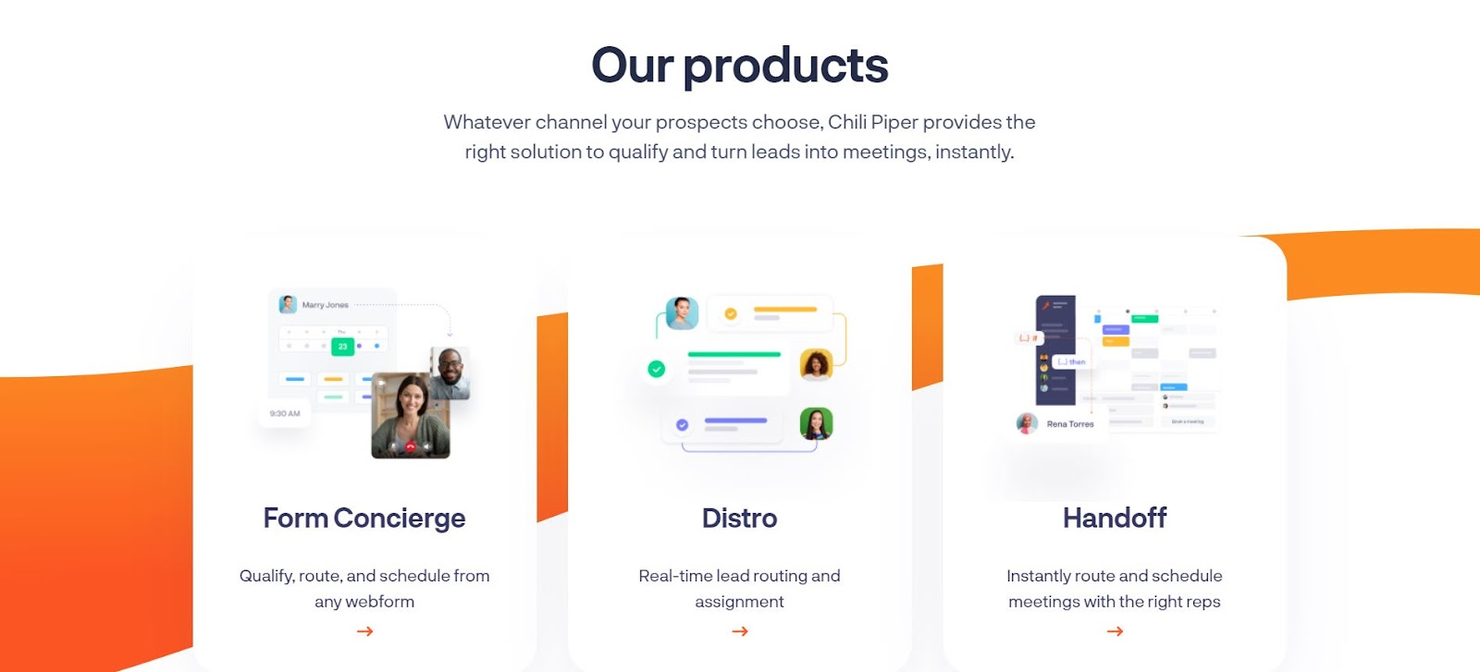
Chili Piper es una potente plataforma de automatización del ciclo de reuniones que puede gestionar el enrutamiento de leads sin importar qué canales elijan tus prospectos para comunicarse con tu equipo. Desde formularios y llamadas hasta correos electrónicos y reuniones programadas, pueden ayudarte a calificar leads y convertirlos en clientes.
Esta plataforma está diseñada para mejorar las tasas de conversión entrante en empresas B2B con herramientas como Form Concierge, que califica, enruta y agenda leads desde tus formularios existentes; Distro, para evitar pérdidas en tu embudo de ventas; y Handoff, para programar reuniones con un solo clic — ¡sin necesidad de hojas de Excel!
Ya seas una pyme o una organización a nivel empresarial, Chili Piper puede manejar cualquier carga y flujo de trabajo. Ofrecen soluciones para generación de demanda, éxito del cliente, ventas y operaciones de ingresos en diversos sectores.
Funciones e integraciones destacadas de Chili Piper
Funciones incluyen Form Concierge, Handoff, Distro, Instant Booker, controles de acceso y permisos, herramientas de colaboración, generación de leads, gestión de llamadas, formularios web, reserva de salas, programación de grupos y seguimiento de fuentes.
Integraciones incluyen Ada, HubSpot, Google Hangouts, Clearbit, Eloqua, Partner Fleet, Slack, Gong, Duplicate Check y Unbounce.
Precio: Desde $30/usuario/mes + $150 tarifa de plataforma
Prueba gratuita: Demostración gratuita disponible
PROS
Capacidades robustas de integración
Planes escalonados asequibles
Implementación rápida y sencilla
CONTRAS
Requiere una tarifa adicional de plataforma
La programación puede complicarse con diferentes zonas horarias
Pros and Cons
Pros:
- Capacidades robustas de integración
- Planes escalonados asequibles
- Implementación rápida y sencilla
Cons:
- Requiere una tarifa adicional de plataforma
- La programación puede complicarse con diferentes zonas horarias

LeanData
Ideal para reducir tiempos de enrutamiento enviando el lead correcto a la persona adecuada
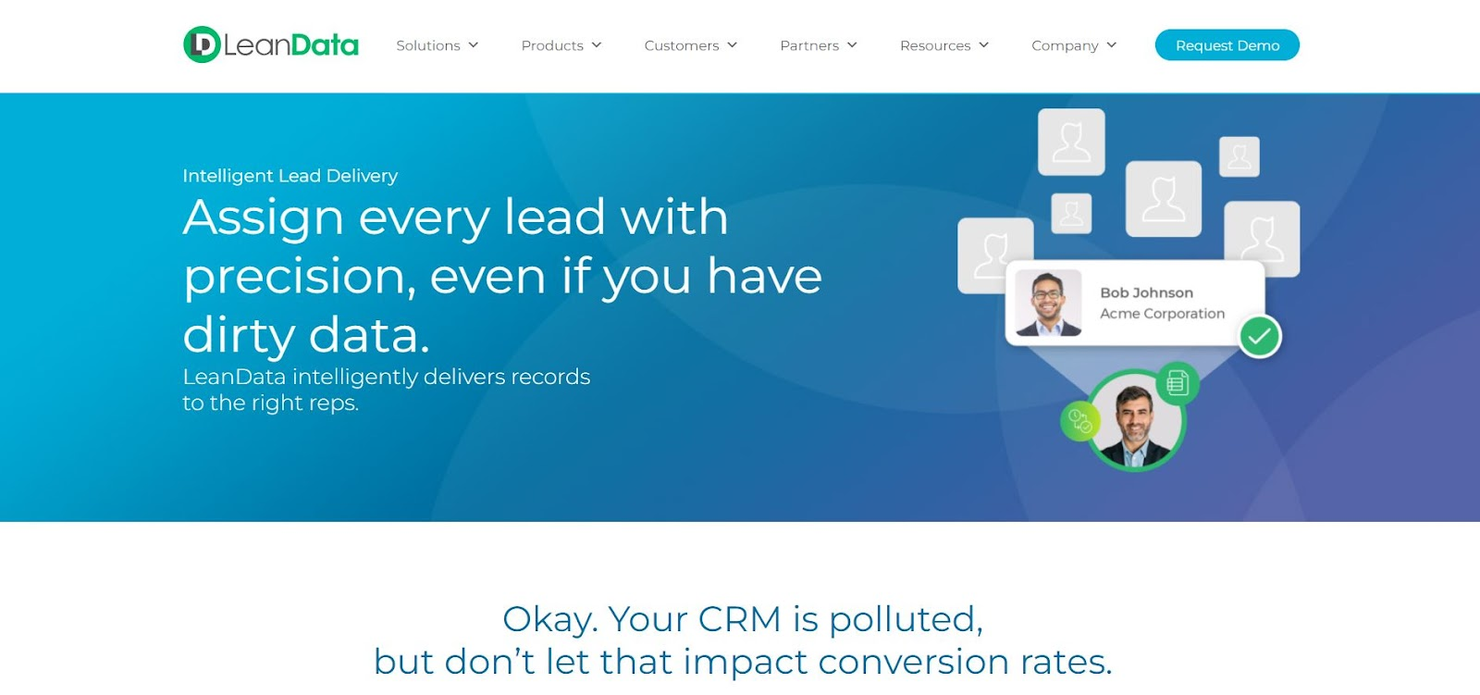
Si buscas el estándar de oro en la gestión moderna de leads, LeanData te ofrece una plataforma de orquestación de ingresos con automatización simple y sin código que acelera el embudo de ventas mediante enrutamiento inteligente, algoritmos avanzados, vinculación de leads con cuentas, datos precisos y automatización de datos de leads en todas las integraciones.
Una de las mejores herramientas para tu proceso de ventas es la herramienta de enrutamiento, que captura, filtra y consolida datos de clientes. Puede identificar llamadas duplicadas y de seguimiento para eliminar prospectos de baja prioridad y enrutar las devoluciones de llamadas al representante de ventas adecuado. ¡LeanData afirma que puede lograr hasta un 99% de reducción en el tiempo de respuesta con sus herramientas!
LeanData es una excelente opción para pymes que se enfocan en el desarrollo de ventas, generación de demanda y operaciones. Algunos de sus clientes incluyen Zoom, DocuSign e Intercom, demostrando que también pueden manejar soporte CRM para empresas de nivel empresarial.
Funciones e integraciones destacadas de LeanData
Funciones incluyen insights a nivel de cuenta, análisis de leads, segmentación, identificación de cuentas, coincidencias de prioridad, desempate de cuentas, coincidencia difusa, emparejar y enrutar, múltiples objetos, enrutamiento por territorios, enrutamiento por horario laboral, registros de auditoría, coincidencia de duplicados y analítica.
Integraciones incluyen 6Sense, Clearbit, Cloudingo, Kronologic, Outreach, Crossbeam, SalesIntel, Microsoft Teams, Cognism y Salesforce Sales Engagement.
Pros and Cons
Pros:
- Muchas posibilidades para gestionar la asignación de registros
- Cuenta con auditoría para identificar errores rápidamente
- Gran función de notificaciones
Cons:
- Bookit aún presenta algunos fallos por solucionar
- La personalización adicional puede llevar a flujos de trabajo complejos

Ideal para mayor control sobre tu proceso de distribución de leads
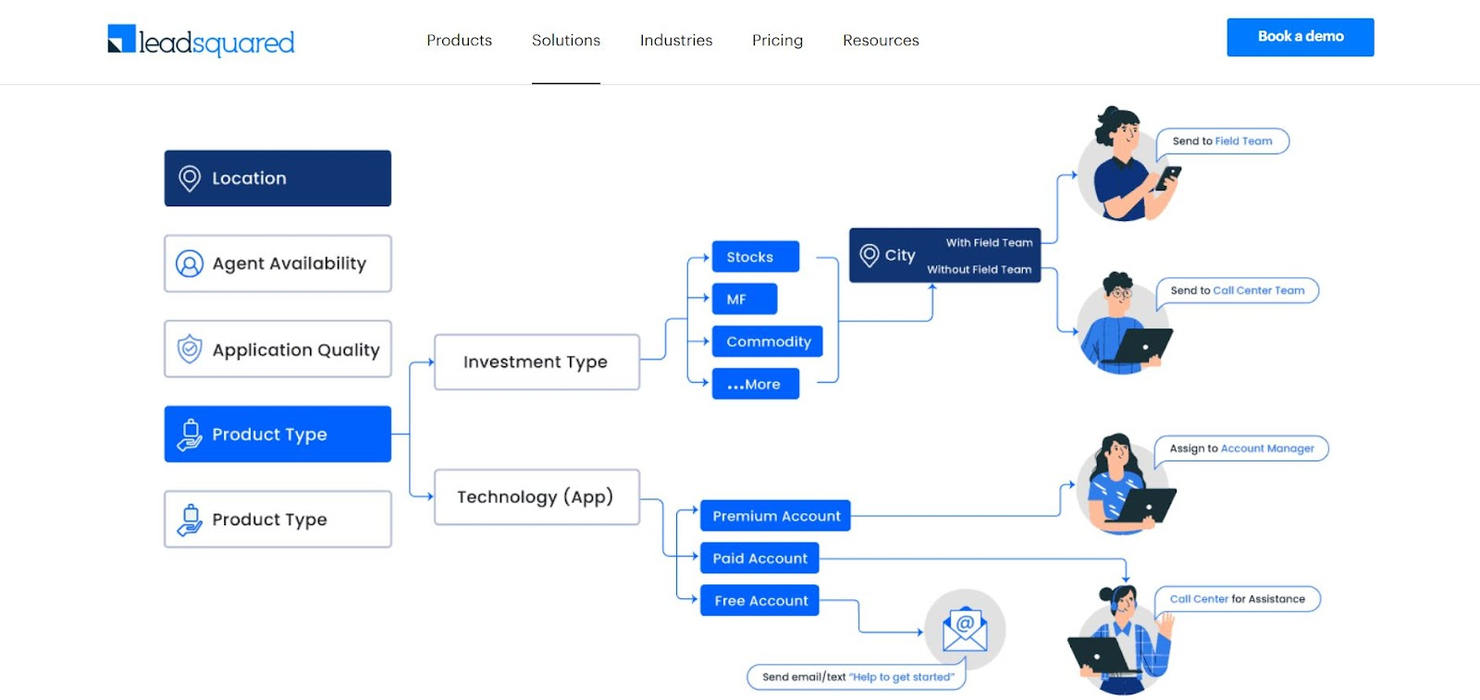
Si bien LeadSquared ofrece un CRM de servicio completo con muchas funciones esenciales, también se enfocan en una distribución inteligente de leads que te ayuda a organizar, gestionar y controlar cada trato de principio a fin. Cuando reduces el tiempo de respuesta mediante la distribución automatizada, mejoras la experiencia del prospecto incluso antes de empezar a hablar con él.
Ya sea que elijas distribuir los leads según los atributos del agente o del lead, o que limites la cantidad de leads con lógica automática de asignación máxima, existen muchas formas de asegurar canales de distribución optimizados que no saturen tus líneas telefónicas. Uno de los aspectos únicos de las opciones de distribución de LeadSquared es la posibilidad de redistribuir automáticamente los leads de un agente desvinculado. Evita interrupciones en la comunicación al enviar esos leads a representantes de ventas más disponibles.
LeadSquared te ayuda a captar leads desde cualquier fuente posible, incluyendo llamadas telefónicas, correo electrónico, chat, redes sociales, blogs, anuncios en línea e incluso eventos. También pueden asegurar que tu sector cuente con soluciones específicas mediante una plataforma personalizada diseñada para cualquier área, desde la industria financiera y la educación hasta viajes y automóviles.
Características y integraciones destacadas de LeadSquared
Características que incluyen distribución inteligente de leads, asignación máxima, redistribución automática, gestión y automatización de ventas, seguimiento de leads, CRM de centro de llamadas, oportunidades B2C, soluciones para ventas remotas, automatización y gestión de fuerza de campo, e informes de fuerza de campo.
Integraciones incluyen Gmail, Salesforce, WordPress, Acuity Scheduling, Shopify, Zapier, Freshdesk, Zendesk, LiveChat y Meta for Business.
Pros and Cons
Pros:
- Producto intuitivo que requiere capacitación mínima
- Todas las funciones necesarias para la automatización de ventas
- Fácil de rastrear llamadas desde cualquier fuente
Cons:
- Aún integrando más software
- Le falta una opción para guardar grabaciones de llamadas

LeadAngel
Ideal para una asignación de leads más flexible mediante software inteligente
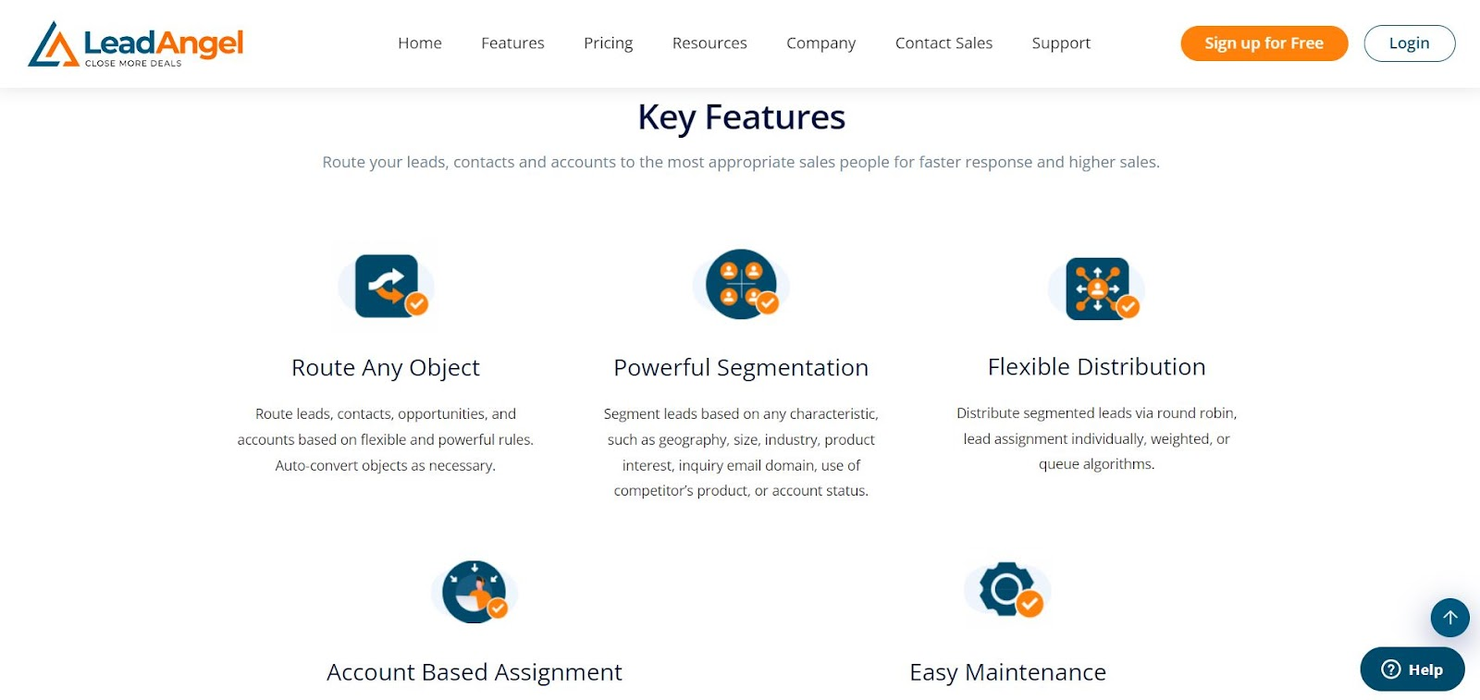
LeadAngel es un software de gestión de leads que ayuda a potenciar tu equipo de ventas con una asignación inteligente de leads fácil de configurar y mantener. Su software de distribución de leads funciona con cualquier CRM y ofrece informes detallados que garantizan obtener información valiosa sobre el equipo de ventas y las necesidades del cliente.
Una de las características clave de su sistema de asignación de leads es el software de segmentación, que clasifica los leads según cualquier característica que elijas, incluyendo industria, interés en productos, ubicación geográfica, tamaño de la empresa, dominio de correo electrónico y estado de la cuenta. Crea listas y reglas personalizadas para cada tipo de lead y así asignarlos de inmediato al representante de ventas adecuado.
Como solución basada en la nube y navegador, LeadAngel puede maximizar la asignación de llamadas entrantes para garantizar servicios eficientes a PYMES y empresas de nivel empresarial. Si buscas optimizar de forma inteligente tu proceso de distribución de leads e integrarlo con un CRM externo, LeadAngel puede ayudarte.
Características destacadas e integraciones de LeadAngel
Características incluyen emparejamiento de leads, asistente de leads, distribución, depuración de datos, generación de informes, alertas/notificaciones, calificación de leads, gestión de oportunidades, datos en tiempo real, mapeo de datos, segmentación, identificación de cuentas objetivo y seguimiento de interacciones.
Integraciones incluyen Salesforce Essentials, Eloqua, Marketo e Interfaz API.
Pros and Cons
Pros:
- Fácil de configurar
- Más flexibilidad para la asignación de leads a cuentas
- Atención al cliente de primer nivel
Cons:
- Sin informes de contribución de campañas
Otros programas de enrutamiento de clientes potenciales
Estas son algunas opciones adicionales que no llegaron a formar parte de la lista del mejor software de enrutamiento de clientes potenciales:
- Bitrix24
La mejor solución empresarial todo en uno
- boberdoo
La mejor como solución sencilla y todo en uno para pymes
- Distribution Engine
Ideal para el enrutamiento de leads con Salesforce
- Lead Assign
Ideal para visibilidad en tiempo real en cada socio
- Nextiva
Mejor para la gestión de leads impulsada por IA
- Freshsales
Mejor para la gestión de leads y soporte al cliente


Cómo Evalúo el Software de Distribución de Leads
Evalúo las herramientas de distribución de leads en dos capas: los requisitos imprescindibles como la asignación en tiempo real en CRM y la vinculación entre leads y cuentas, y luego los diferenciadores que distinguen a ciertas plataformas para necesidades específicas de Operaciones de Ingresos (RevOps).
Funcionalidad Principal (Requisitos Fundamentales Para Esta Lista)
Cuando selecciono herramientas para mi lista, califico cada una en una escala de 0 (no ofrece la funcionalidad) a 5 (sobresale en esta área) para cada funcionalidad principal indicada a continuación. Luego, calculo la puntuación total de la herramienta en un porcentaje. Cada herramienta debe alcanzar una puntuación total mínima del 65% para ser considerada para su inclusión.
- Asignación Automática de Leads: Verifico si una herramienta puede asignar instantáneamente los leads entrantes de formularios, chat y automatización de marketing sin que un representante tenga que reclamarlos manualmente desde una cola.
- Reglas de Distribución Personalizadas: Cada herramienta debe permitirme crear reglas multinivel, como distribuir leads empresariales por industria y región a responsables de cuentas asignados, utilizando lógica AND/OR.
- Métodos de Distribución: Busco soporte para modelos round-robin, ponderados y basados en capacidad, para que los equipos puedan equilibrar cargas de trabajo durante periodos de integración o transición de territorios.
- Integración con CRM: Aquí importa la sincronización bidireccional con plataformas como Salesforce y HubSpot, incluyendo la capacidad de leer objetos personalizados y escribir asignaciones en tiempo real.
- Vinculación Lead-Cuenta: Evalúo cuán bien una herramienta conecta nuevos leads con cuentas existentes, ya sea que maneje jerarquías de padres/hijos, emparejamiento difuso de dominios o estructuras de subsidiarias.
- Seguimiento de SLA y Desempeño: Los tableros integrados que muestran tiempos de respuesta, precisión de asignaciones y distribución de carga entre representantes ayudan a los equipos de RevOps a detectar rápidamente cuellos de botella en la distribución.
Una vez tengo una lista de herramientas que cumplen este criterio, considero los aspectos que distinguen a cada plataforma.
Factores Diferenciadores (Lo Que Distingue a los Proveedores)
Así es como comparo y diferencio a los distintos proveedores:
Características Destacadas
La programación de reuniones integrada es clave: las herramientas que permiten que un lead cualificado reserve directamente en el calendario de un representante eliminan un paso completo de transferencia y reducen horas en el tiempo de respuesta. También busco enriquecimiento de datos que añada detalles firmográficos antes de la decisión de distribución, ya que el tamaño de la empresa o el stack tecnológico de un lead suelen determinar a qué representante se debe asignar. La orquestación de grupos de compra importa para las ventas empresariales, donde múltiples contactos de una cuenta deben asignarse al mismo responsable y no repartirse entre el equipo.
Más Allá de las Características
La compatibilidad con el stack tecnológico es algo que evalúo de cerca: una herramienta de distribución debe conectarse con tu automatización de marketing, plataformas de chat y proveedores de enriquecimiento para que los leads fluyan sin importaciones manuales. La implementación y el tiempo hasta obtener valor también son determinantes en mi evaluación. Una herramienta con plantillas de distribución predefinidas permite a un equipo de RevOps estar activo en días, mientras que otras pueden requerir semanas de servicios profesionales para configurar modelos complejos de territorios. También considero la escalabilidad, especialmente si la estructura y el precio pueden adaptarse al aumento del número de representantes y al incremento de volumen de leads durante campañas pico.
Cómo elegir un software de enrutamiento de clientes potenciales
Es fácil perderse entre largas listas de funciones y complejas estructuras de precios. Para ayudarte a mantener la concentración mientras avanzas en tu proceso único de selección de software, aquí tienes una lista de factores que debes tener en cuenta:
| Factor | Qué debes considerar |
|---|---|
| Escalabilidad | ¿Puede el software crecer junto con tu empresa? Considera la expansión futura, el número de clientes potenciales que puede gestionar y si admite equipos más grandes sin costes adicionales. |
| Integraciones | ¿Se conecta con tus herramientas actuales, como el CRM o las plataformas de correo electrónico? Comprueba si ofrece integraciones nativas para reducir la dependencia de conectores de terceros. |
| Personalización | ¿Puedes adaptar el software a tu flujo de trabajo? Busca reglas de enrutamiento y paneles ajustables que se adapten a tus procesos específicos. |
| Facilidad de uso | ¿La interfaz es fácil de usar? Evalúa la curva de aprendizaje y si requiere una formación amplia para utilizarlo de manera eficaz. |
| Implementación e incorporación | ¿Con qué rapidez puedes empezar? Considera el tiempo y los recursos necesarios para la configuración, incluidas las guías disponibles o la asistencia del proveedor. |
| Coste | ¿Los precios son claros y se ajustan a tu presupuesto? Compara los planes, las tarifas ocultas y si el coste se corresponde con las funciones y ventajas ofrecidas. |
| Medidas de seguridad | ¿Cumple tus estándares de seguridad? Asegúrate de que cuenta con cifrado de datos y permisos de usuario, y de que cumple las normativas pertinentes, como el RGPD o la CCPA. |
| Disponibilidad de asistencia | ¿Hay ayuda disponible cuando la necesitas? Comprueba las opciones de asistencia 24/7, los tiempos de respuesta y la calidad de recursos como las preguntas frecuentes o el chat en directo. |
¿Qué es un software de enrutamiento de clientes potenciales?
El software de enrutamiento de clientes potenciales es una herramienta que distribuye automáticamente los clientes potenciales entrantes al representante de ventas o equipo de ventas adecuado. Los profesionales de ventas, los equipos de marketing y los agentes de atención al cliente suelen utilizar estas herramientas para garantizar que los clientes potenciales se gestionen de manera eficiente. La automatización, la integración con sistemas CRM y las reglas de enrutamiento personalizables ayudan a gestionar el flujo de clientes potenciales y a mejorar los tiempos de respuesta. En general, estas herramientas mejoran la gestión de clientes potenciales y aumentan la productividad del equipo de ventas.
Características
Al seleccionar un software de enrutamiento de clientes potenciales, presta atención a las siguientes características clave:
- Distribución automatizada de clientes potenciales: Asigna automáticamente los clientes potenciales al miembro adecuado del equipo, lo que garantiza un seguimiento rápido y reduce los tiempos de respuesta.
- Integración con CRM: Se conecta fácilmente con los sistemas CRM existentes para mantener una visión unificada de los datos y las interacciones de los clientes.
- Reglas de enrutamiento personalizables: Permite a los usuarios establecer criterios específicos para la asignación de clientes potenciales y adaptar el proceso a las necesidades particulares de la empresa.
- Análisis e informes: Proporciona información sobre el rendimiento de la gestión de clientes potenciales, lo que ayuda a los equipos a tomar decisiones basadas en datos.
- Captura de clientes potenciales multicanal: Recopila clientes potenciales de diversas fuentes, como formularios web, redes sociales y correo electrónico, y los centraliza para facilitar su gestión.
- Calificación de clientes potenciales basada en IA: Utiliza inteligencia artificial para priorizar los clientes potenciales según su probabilidad de conversión, mejorando la eficiencia de las ventas.
- Notificaciones en tiempo real: Avisa inmediatamente a los representantes de ventas cuando se asigna un nuevo cliente potencial, lo que permite una interacción rápida.
- Interfaz fácil de usar: Cuenta con un diseño sencillo e intuitivo que reduce la curva de aprendizaje y ayuda a los equipos a comenzar a trabajar rápidamente.
- Medidas de seguridad: Garantiza la protección de los datos mediante el cifrado y el cumplimiento de normativas como GDPR y CCPA.
- Recursos de capacitación: Ofrece acceso a tutoriales, seminarios web y asistencia para facilitar la incorporación y el uso eficaz del software.
Beneficios
Implementar un software de enrutamiento de clientes potenciales ofrece varios beneficios para tu equipo y tu empresa. Estos son algunos de los que puedes esperar:
- Mejores tiempos de respuesta: La distribución automatizada de clientes potenciales garantiza que se asignen rápidamente al miembro adecuado del equipo, reduciendo las demoras.
- Priorización mejorada de clientes potenciales: La calificación de clientes potenciales basada en IA ayuda a concentrar los esfuerzos en los clientes potenciales con mayor probabilidad de conversión, aumentando la eficiencia de las ventas.
- Gestión centralizada de datos: La integración con CRM mantiene toda la información de los clientes potenciales en un solo lugar, lo que facilita su acceso y gestión.
- Mayor productividad del equipo: Las reglas de enrutamiento personalizables y las notificaciones en tiempo real permiten al equipo trabajar de manera más eficaz y mantenerse al tanto de los nuevos clientes potenciales.
- Mejor toma de decisiones: Los análisis y los informes proporcionan información sobre el rendimiento de la gestión de clientes potenciales, lo que ayuda a los equipos a perfeccionar sus estrategias.
- Incorporación simplificada: Las interfaces fáciles de usar y los recursos de capacitación facilitan que los nuevos usuarios se pongan al día rápidamente.
- Cumplimiento de la seguridad de los datos: Las medidas de seguridad garantizan que los datos de los clientes potenciales estén protegidos y cumplan las normativas pertinentes.
Costos y precios
Seleccionar un software de enrutamiento de clientes potenciales requiere comprender los diversos modelos de precios y planes disponibles. Los costos varían según las características, el tamaño del equipo, los complementos y otros factores. La tabla siguiente resume los planes habituales, sus precios promedio y las características que suelen incluir las soluciones de software de enrutamiento de clientes potenciales:
Tabla comparativa de planes de software de enrutamiento de clientes potenciales
| Tipo de plan | Precio promedio | Características habituales |
|---|---|---|
| Plan gratuito | $0 | Enrutamiento básico de clientes potenciales, integración limitada con CRM y análisis básicos. |
| Plan personal | $10-$30/usuario/mes | Reglas de enrutamiento avanzadas, integración con CRM e informes básicos. |
| Plan empresarial | $40-$70/usuario/mes | Paneles personalizables, calificación de clientes potenciales basada en IA y análisis mejorados. |
| Plan para empresas | $80-$150/usuario/mes | Integración completa con CRM, notificaciones en tiempo real, funciones de seguridad avanzadas y asistencia al cliente especializada. |
Preguntas frecuentes sobre el enrutamiento de clientes potenciales: ideas clave para que los líderes de ingresos impulsen conversiones más rápidas
Cuando los clientes potenciales se pierden, los ingresos se ven afectados. Estas preguntas frecuentes abordan los principales problemas de los líderes de ingresos —desde los tiempos de respuesta lentos hasta la distribución desequilibrada de clientes potenciales— y te ayudan a encontrar un sistema de enrutamiento de clientes potenciales que acelere la velocidad de ventas e impulse el crecimiento.
¿Puedo integrar el software de enrutamiento de clientes potenciales con mi CRM actual?
¿Cuáles son los desafíos habituales al implementar un software de enrutamiento de clientes potenciales?
¿El software de enrutamiento de clientes potenciales es adecuado para pequeñas empresas?
Qué sigue:
Si estás investigando un software de enrutamiento de clientes potenciales, ponte en contacto con un asesor de SoftwareSelect para recibir recomendaciones gratuitas.
Rellenas un formulario y mantienes una breve conversación en la que conocerán los detalles específicos de tus necesidades. Después, recibirás una lista breve de programas que podrás revisar. Incluso te apoyarán durante todo el proceso de compra, incluidas las negociaciones de precios.