

Outreach Review: Pros, Cons, Features and Pricing Explained
Here’s what I’ve learned about Outreach: if you want a sales engagement platform that actually helps you hit your targets instead of just tracking them, this is the one to watch in 2026.

We review tools independently, and commissions help fund our testing. See our transparency policy, our methodology, or suggest a tool.
Outreach is a sales intelligence software for revenue teams that need to run structured prospecting sequences, forecast pipeline, and coach reps from one workflow. I'd reach for it when your sales org has outgrown the basic cadence features inside HubSpot Sales Hub but doesn't want the heavy CRM replacement that Salesloft pushes toward, since Outreach gives you deeper AI-driven deal insights and sequence analytics without forcing you to rip out your existing stack.
Outreach Evaluation Summary
4.3/5
- Pricing upon request
- Free demo available
Why Trust Our Software Recommendations
6,700+
Reviews
20
Industry experts
16+
Evaluation factors
14
Years
Our reviews reflect our independent judgment—not a sales pitch. Learn how we stay transparent.
For this guide, we evaluated tools using hands-on testing and independent research, scoring tools using our selection criteria.
Our reviews reflect our human editorial judgment, not a sales pitch.
Outreach Overview
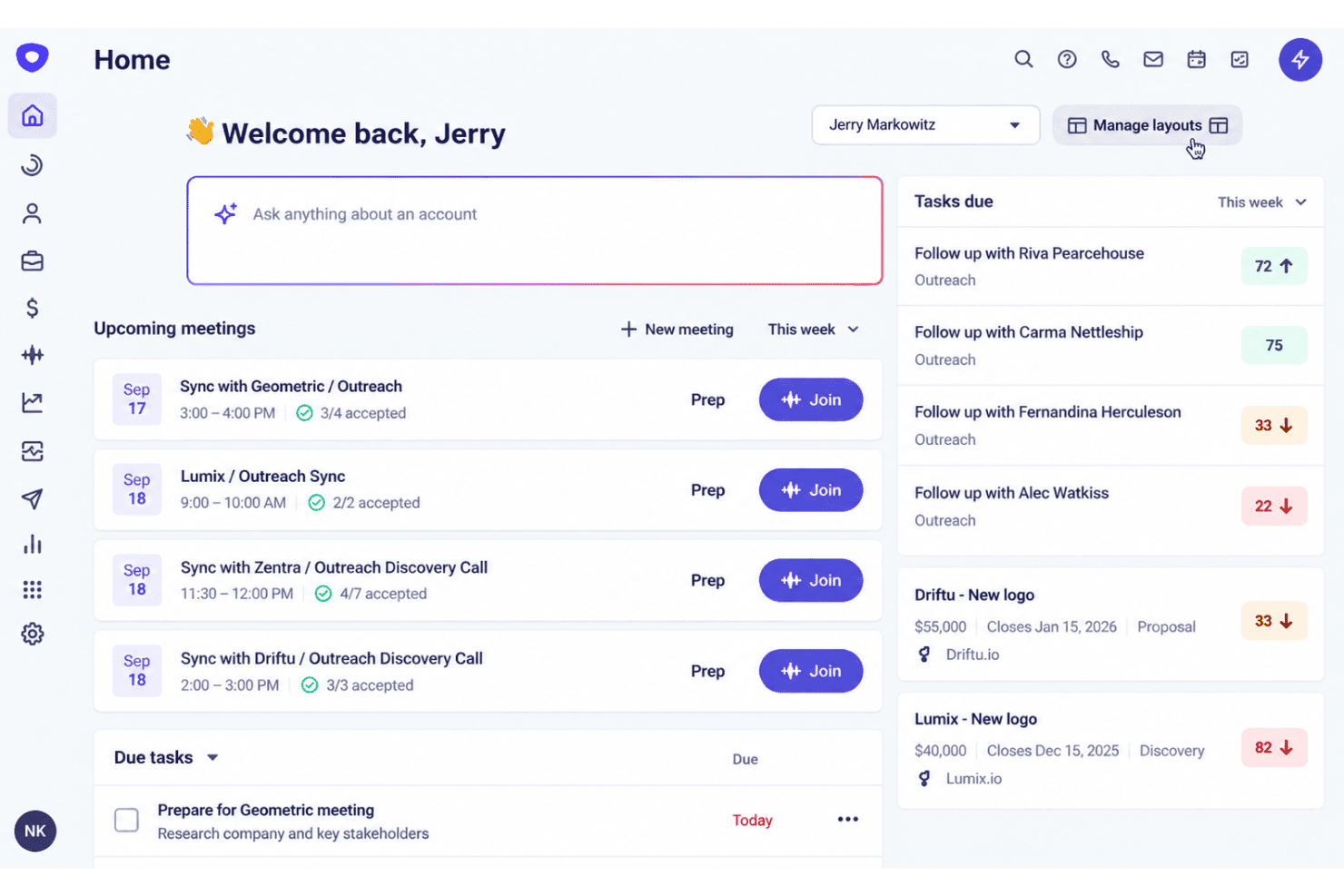
I think Outreach sets itself apart with AI-powered deal insights and revenue intelligence that give you more than just a record of activities—they help you judge rep performance and pipeline health. Pricing sits at the higher end, but the feature depth and integration options often justify the spend for revenue teams scaling past basic needs. You should expect onboarding to take time, but the payoff comes in clearer forecasting, actionable coaching tools, and a clean interface that keeps reps moving quickly. Outreach is best if your sales org needs more intelligence without overhauling your current tech stack.
Pros
- AI-driven deal insights help predict pipeline outcomes.
- Advanced sequence analytics and A/B testing support detailed performance tracking.
- Built-in coaching tools improve rep conversations and skills.
Cons
- High pricing limits access for smaller sales teams.
- Onboarding process can be lengthy and complex.
- Reporting customization is less flexible than some competitors.


How We Test & Score Tools
We’ve spent years building, refining, and improving our software testing and scoring system. The rubric is designed to capture the nuances of software selection and what makes a tool effective, focusing on critical aspects of the decision-making process.
Below, you can see exactly how our testing and scoring works across seven criteria. It allows us to provide an unbiased evaluation of the software based on core functionality, standout features, ease of use, onboarding, customer support, integrations, customer reviews, and value for money.
Core Functionality (25% of final scoring)
The starting point of our evaluation is always the core functionality of the tool. Does it have the basic features and functions that a user would expect to see? Are any of those core features locked to higher-tiered pricing plans? At its core, we expect a tool to stand up against the baseline capabilities of its competitors.
Standout Features (25% of final scoring)
Next, we evaluate uncommon standout features that go above and beyond the core functionality typically found in tools of its kind. A high score reflects specialized or unique features that make the product faster, more efficient, or offer additional value to the user.
We also evaluate how easy it is to integrate with other tools typically found in the tech stack to expand the functionality and utility of the software. Tools offering plentiful native integrations, 3rd party connections, and API access to build custom integrations score best.
Ease of Use (10% of final scoring)
We consider how quick and easy it is to execute the tasks defined in the core functionality using the tool. High scoring software is well designed, intuitive to use, offers mobile apps, provides templates, and makes relatively complex tasks seem simple.
Onboarding (10% of final scoring)
We know how important rapid team adoption is for a new platform, so we evaluate how easy it is to learn and use a tool with minimal training. We evaluate how quickly a team member can get set up and start using the tool with no experience. High scoring solutions indicate little or no support is required.
Customer Support (10% of final scoring)
We review how quick and easy it is to get unstuck and find help by phone, live chat, or knowledge base. Tools and companies that provide real-time support score best, while chatbots score worst.
Customer Reviews (10% of final scoring)
Beyond our own testing and evaluation, we consider the net promoter score from current and past customers. We review their likelihood, given the option, to choose the tool again for the core functionality. A high scoring software reflects a high net promoter score from current or past customers.
Value for Money (10% of final scoring)
Lastly, in consideration of all the other criteria, we review the average price of entry level plans against the core features and consider the value of the other evaluation criteria. Software that delivers more, for less, will score higher.
Core Features
AI Deal Insights
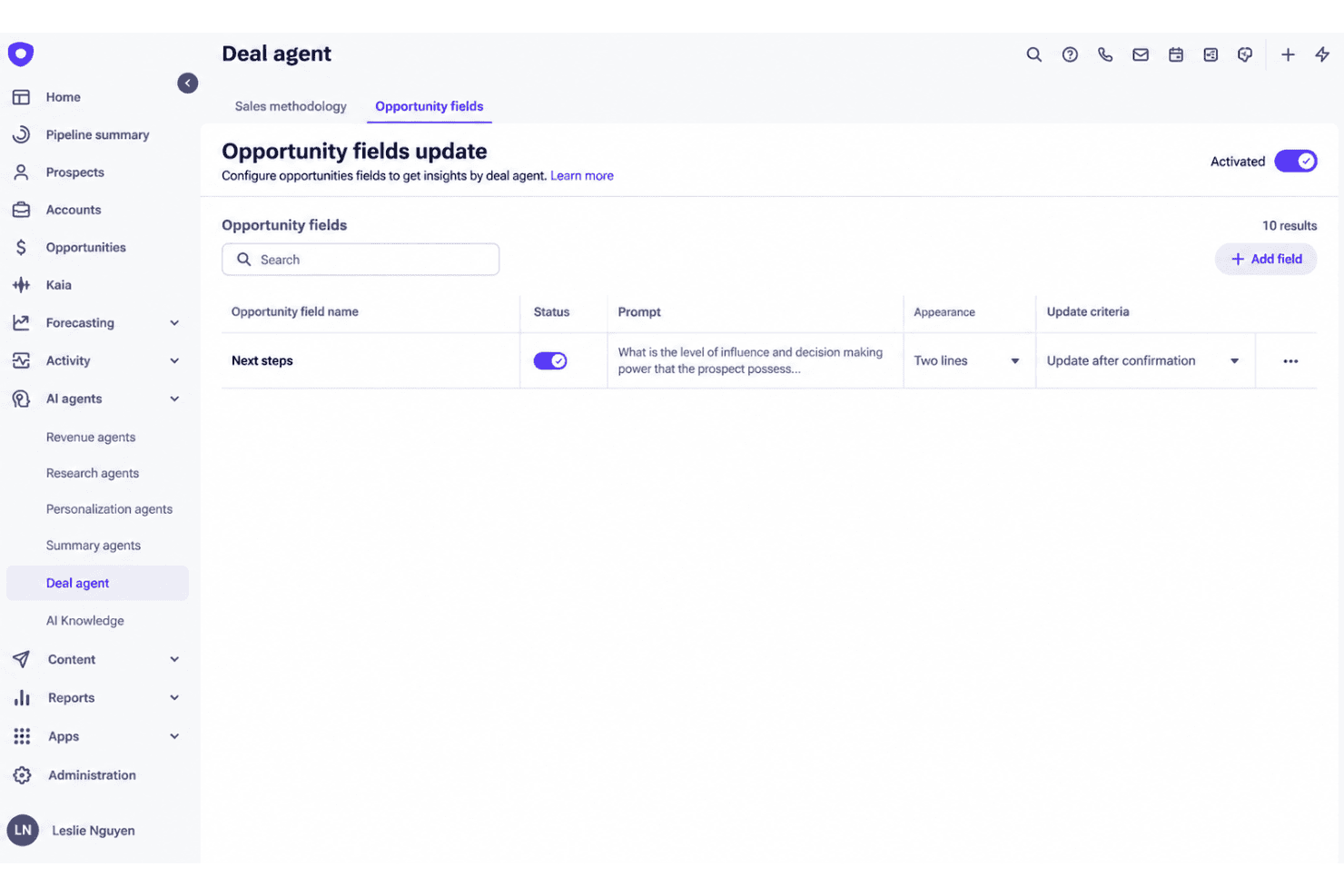
AI Deal Insights automatically analyzes your pipeline to spot deal risks, next steps, and win likelihood. This means you get clear recommendations on where to focus to improve deal velocity and outcomes.
Sequence Analytics
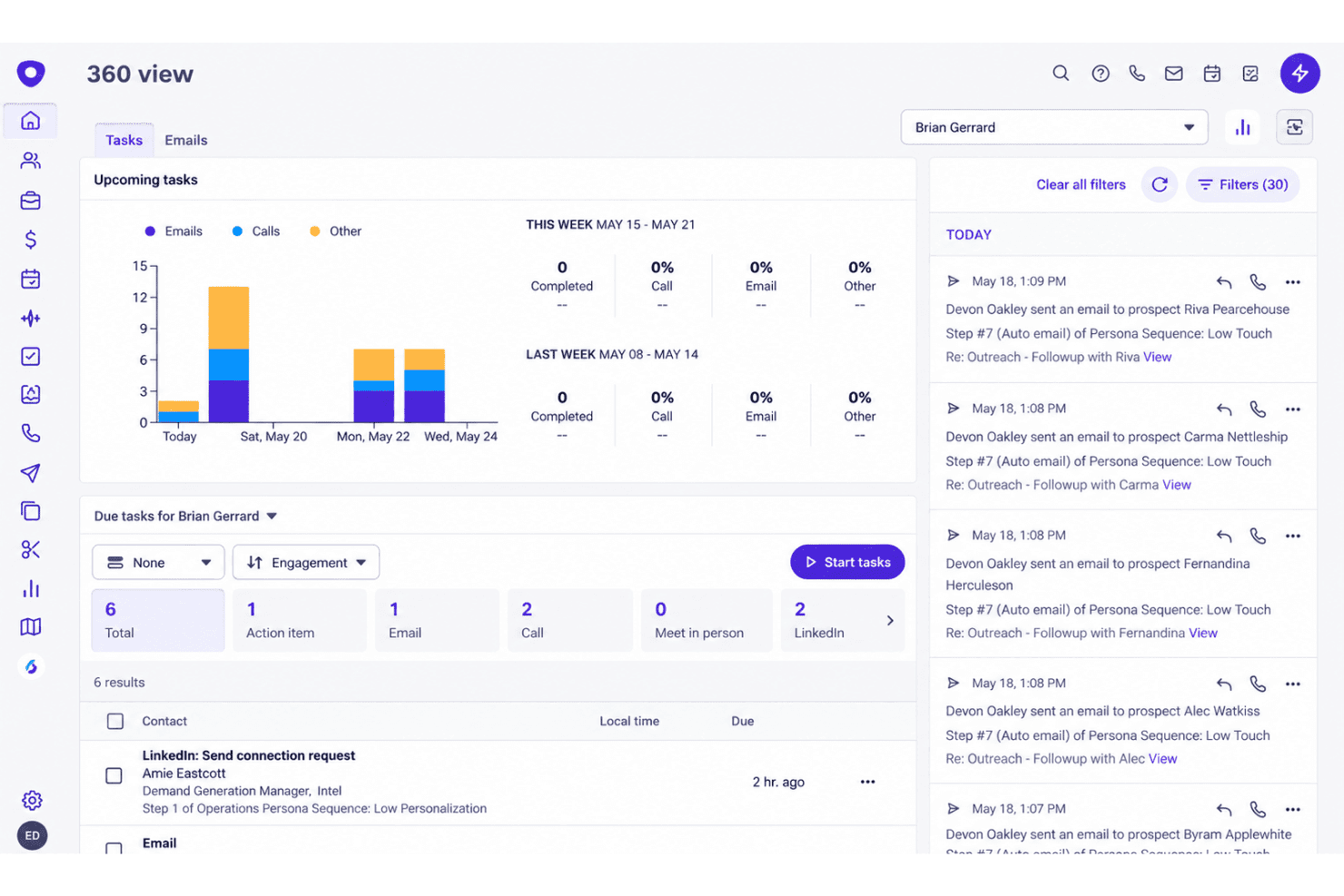
Sequence Analytics tracks every touchpoint in prospecting sequences, showing open, reply, and meeting rates over time. You can compare cold email sequence effectiveness across reps, track deliverability, and adjust tactics fast.
Guided Selling Workflows
Guided Selling Workflows prompt reps through their tasks, recommended actions, and automated next steps in real time. This cuts down on manual tracking, and Smart Email Assist helps reps draft follow-ups that stick to best practices.
Conversation Intelligence
Conversation Intelligence records, transcribes, and analyzes sales calls for talk ratios, keyword trends, and coaching moments.
Pipeline Management
Pipeline Management surfaces real-time pipeline health, forecast accuracy, and deal progress from a single dashboard. This helps sales managers spot gaps and address stalled deals quickly.
Rep Coaching Tools
Rep Coaching Tools let you review calls, emails, and sequence outcomes all in one place. Identify exactly where account executives are performing or need targeted support.
Ease of Use
Outreach has a clean, modern interface that keeps navigation simple for reps, with guided prompts and automated workflows reducing manual effort. Some users report a steep learning curve during onboarding, especially with advanced features like sequence analytics and deal insights. Once you’re ramped, core tasks—prospecting, tracking pipeline, reviewing calls, segmenting—are fast to access in one workflow, making complex processes feel manageable. Expect initial setup to take time but deliver smooth ongoing usability.
Integrations
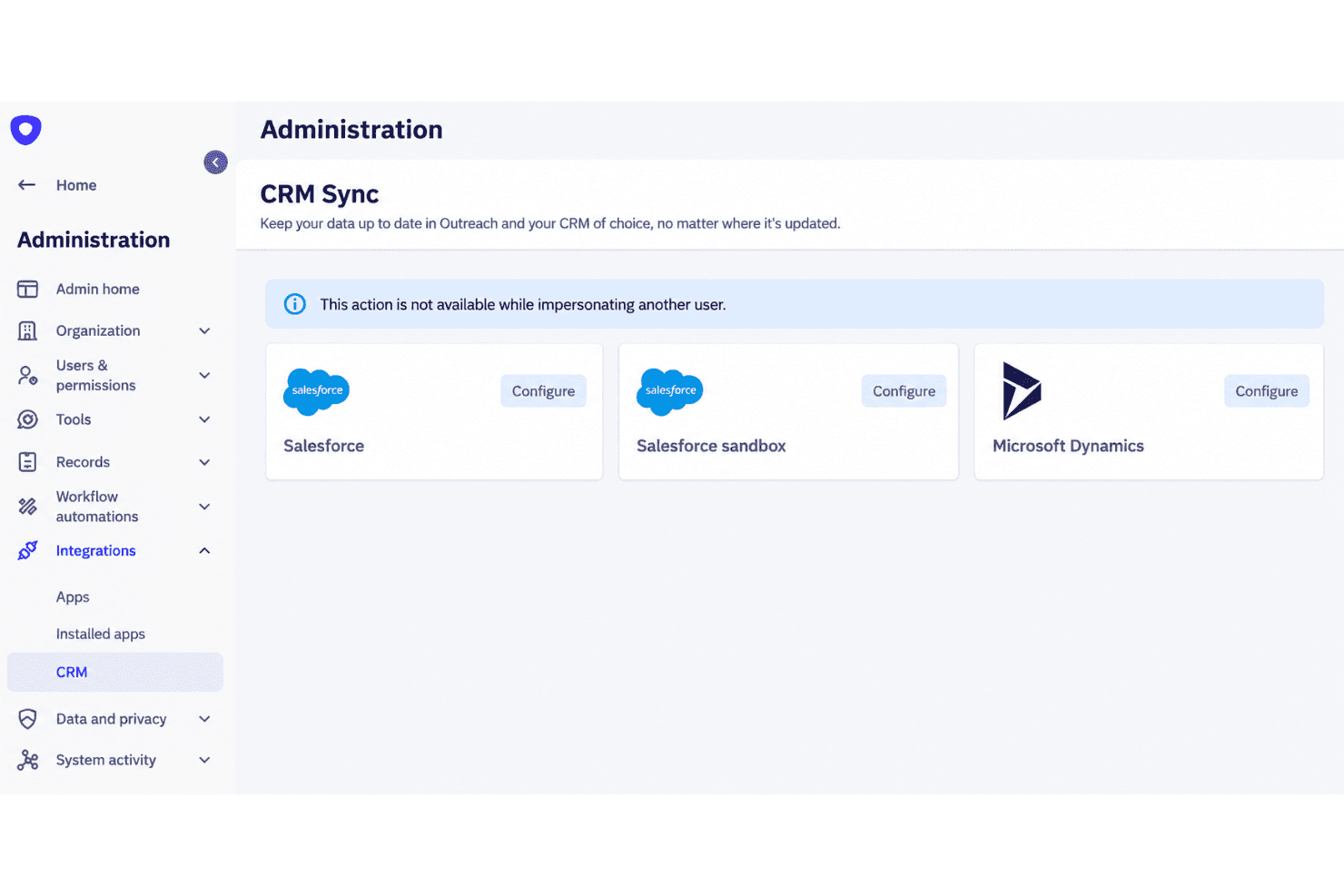
Outreach integrates with Salesforce, Slack, Aircall, Zoom, Zoominfo, Warmly, Microsoft Outlook, LinkedIn Sales Navigator, ServiceNow, and RingCentral, among others.
Outreach also offers an API and connects with third-party integration platforms.
Outreach Specs
- API: Yes
- Audience Targeting: Yes
- Budgeting: Yes
- Calendar Management: Yes
- Call Disposition: Yes
- Call Tracking: Yes
- Contact Management: Yes
- Contact Sharing: Yes
- CRM Integration: Yes
- Customer Management: Yes
- Dashboard: Yes
- Data Export: Yes
- Data Import: Yes
- Data Visualization: Yes
- Email Integration: Yes
- Expense Tracking: Yes
- External Integrations: Yes
- Forecasting: Yes
- Google Apps Integration: Yes
- Inventory Tracking: Yes
- Lead Management: Yes
- Lead Scoring: Yes
- Marketing Automation: Yes
- Multi-Currency: Yes
- Multi-User: Yes
- Notifications: Yes
- Project Management: Yes
- Referral Tracking: Yes
- Sales Motivator: Yes
- Scheduling: Yes
- Softphone: Yes
- Supplier Management: Yes
- Third-Party Plugins/Add-Ons: Yes
- Travel Management: Yes


