

The best RingCentral alternatives offer reliable sales call tracking, integrations, and flexible communication features that help your team stay connected and organized. If you’re searching for RingCentral alternatives, you’re likely looking for tools that can handle high call volumes, provide actionable analytics, and fit into your existing sales workflows without causing disruption.
Choosing the right platform can make a big difference in how your team tracks conversations, measures performance, and supports revenue growth.
In this guide, you’ll find a curated list of top RingCentral alternatives, each with unique strengths to help you find the best fit for your sales operations in 2026.
What Is RingCentral?
RingCentral is a cloud-based communication platform that combines voice, video, messaging, and sales call tracking in one system. It’s designed to help businesses manage inbound and outbound calls, monitor sales team performance, and integrate with CRM and productivity tools.
Teams use RingCentral to centralize communication, improve call visibility, and simplify sales processes, making it a popular choice for organizations that need reliable call tracking and analytics.
RingCentral Competitors Comparison Table
This comparison table highlights pricing details for my top RingCentral competitors.
| Tool | Best For | Trial Info | Price | ||
|---|---|---|---|---|---|
| 1 | Best for unified communications across teams | Free trial available | From $15/user/month (billed annually) | Website | |
| 2 | Best with end-to-end encrypted voice calls | Free plan + 14-day trial + free demo available | From $25/user/month (billed annually) | Website | |
| 3 | Best for outbound sales dialing at scale | Free demo available | From $25/month (billed annually) | Website | |
| 4 | Best with AWS cloud infrastructure | Free plan available | Pricing upon request | Website | |
| 5 | Best for solopreneurs and small businesses | 7-day free trial available | From $14/month (billed annually) | Website | |
| 6 | Best for outbound call campaign management | Free demo available | From $135/month (billed annually) | Website | |
| 7 | Best with AI-powered call analytics | Free demo available | From $119/seat/month | Website | |
| 8 | Best for CRM and helpdesk integrations | 14-day free trial | From $29/user/month (billed annually) | Website | |
| 9 | Best for quick setup and onboarding | 7-day free trial + free demo available | From $20/user/month (billed annually) | Website | |
| 10 | Best for hybrid and remote teams | Free demo available | Pricing upon request | Website |


Why Trust Our Software Recommendations
6,700+
Reviews
20
Industry experts
16+
Evaluation factors
14
Years
Our reviews reflect our independent judgment—not a sales pitch. Learn how we stay transparent.
For this guide, we evaluated tools using hands-on testing and independent research, scoring tools using our selection criteria.
Our reviews reflect our human editorial judgment, not a sales pitch.
RingCentral Alternatives Reviews
Below are my detailed summaries of the best RingCentral alternatives that made it onto my shortlist. My reviews offer a detailed look at the features, integrations, and best use cases of each software to help you find the best one for you.
 Best for unified communications across teams
- Free trial available
- From $15/user/month (billed annually)
Visit WebsiteCustomer Rating:4.5/5
Nextiva unifies calls, messaging, and video with sales analytics. Nextiva is a cloud-based communication platform built for sales teams and businesses that need reliable call tracking and analytics. If you want to unify your phone, messaging, and video in one place while keeping a close eye on sales activity, Nextiva is worth a look.
Who Is Nextiva Best For?
Sales and support teams at mid-sized to large businesses that need unified communications across multiple channels.
Why Nextiva Is a Good RingCentral Alternative
I picked Nextiva because it brings voice, video, and messaging into a single interface, which makes it easier to track every sales touchpoint without jumping between tools. I especially appreciate the call analytics dashboard, where I can monitor call volume, duration, and outcomes in real time across the entire team.
Nextiva's conversation intelligence features also let me review call recordings and flag key moments, which helps with coaching and performance reviews. For teams that need full communication visibility in one place, it's a strong fit.
Nextiva Key Features
- Auto attendant: Routes incoming calls to the right team member automatically, without manual transfers.
- Call queues: Holds callers in line when agents are busy, so no sales call goes unanswered.
- Voicemail-to-email: Delivers voicemail messages directly to your inbox so you can review and respond faster.
- Real-time presence: Shows which team members are available to take calls or messages at any given moment.
Nextiva Integrations
Integrations include Salesforce, HubSpot, Microsoft Teams, Google Workspace, Zendesk, Oracle NetSuite, Zoho, Microsoft Outlook, ServiceNow, and Bullhorn.
Pros and Cons
Pros:
- Bundled professional service onboarding options
- Auto attendant setup is flexible for routing
- Call analytics dashboard is detailed and visual
Cons:
- Restrictive monthly SMS transmission caps
- Limited international toll-free minute allowances
Learn more about Nextiva: Best with end-to-end encrypted voice calls
- Free plan + 14-day trial + free demo available
- From $25/user/month (billed annually)
Visit WebsiteCustomer Rating:4.2/5
CloudTalk lets you view real-time agent status. CloudTalk is a cloud-based phone system built for sales and support teams who need advanced call center features and flexible global connectivity. If you’re looking for a RingCentral alternative with strong automation, analytics, and easy integration, CloudTalk is worth a look.
Who Is CloudTalk Best For?
Outbound sales teams in SaaS and B2B companies looking to automate and scale their calling operations.
Why CloudTalk Is a Good RingCentral Alternative
I picked CloudTalk because it gives my team end-to-end encrypted voice calls for every conversation. I like that we can protect sensitive client data and meet strict compliance requirements. The platform’s secure call recording and encrypted storage add another layer of privacy. For teams handling confidential information, CloudTalk’s security features are a clear advantage over other options.
CloudTalk Key Features
- Call recording: Automatically records inbound and outbound calls for quality assurance and training.
- Interactive voice response (IVR): Lets you set up custom call routing menus for callers.
- Voicemail transcription: Converts voicemails to text for quick review and follow-up.
- Click-to-call browser extension: Enables one-click calling directly from your CRM or browser.
CloudTalk Integrations
CloudTalk offers native integrations with Salesforce, HubSpot, Zendesk, Pipedrive, Zoho CRM, Intercom, Freshdesk, and Gong. It also connects with Zapier and provides an API for custom integrations.
Pros and Cons
Pros:
- Offers AI-powered dialers
- Instant global number provisioning
- Real-time call monitoring
Cons:
- Advanced features require higher-tier plans
- Fewer built-in team messaging options
Learn more about CloudTalk: Best for outbound sales dialing at scale
- Free demo available
- From $25/month (billed annually)
Visit WebsiteCustomer Rating:4.8/5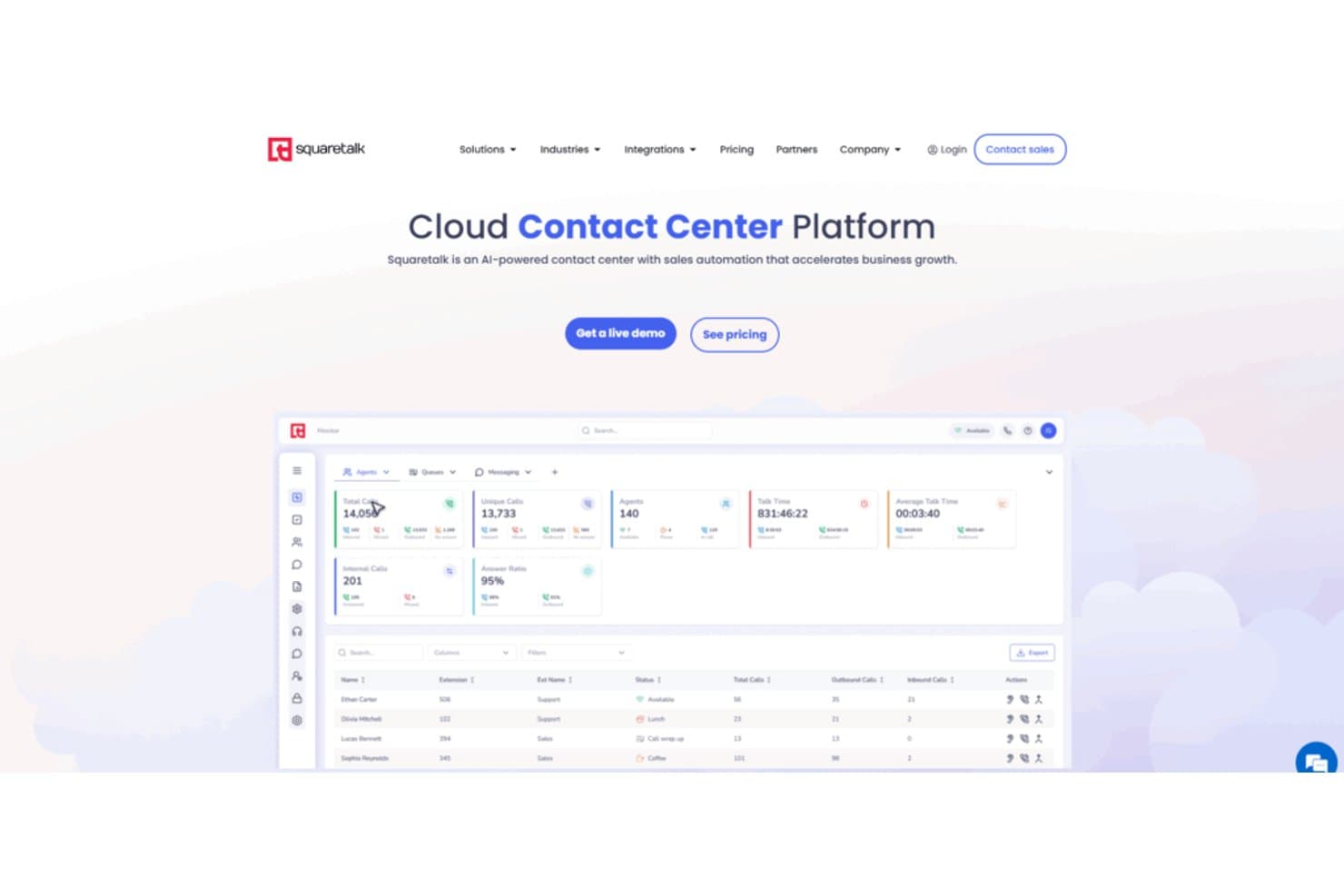
Squaretalk's contact center dashboard tracks calls, agents, and answer ratios in real time. Squaretalk is a business phone system for revenue teams seeking a RingCentral alternative to organize sales communications, manage calling workflows, and improve visibility across customer conversations.
Who Is Squaretalk Best For?
Squaretalk suits revenue teams that need structured workflows and visibility for high-volume outbound sales calls.
Why Squaretalk Is a Good RingCentral Alternatives
I picked Squaretalk because it’s built for outbound sales dialing at scale. Its structured calling workflows help my team organize high-volume outreach, while conversation visibility keeps customer interactions easier to review. We use it to coordinate sales calls and track communication across revenue workflows.
Squaretalk Key Features
- Interactive voice response: Build menu-based call routing for incoming callers.
- Call recording: Record conversations for review, training, and quality checks.
- Voicemail transcription: Convert voicemail messages into searchable text.
- SMS messaging: Send and receive customer texts within Squaretalk.
Squaretalk Integrations
Squaretalk documents seven native integrations: Zoho CRM, Zoho Desk, Zoho SalesIQ, Zoho Recruit, Salesforce, Freshworks CRM, and Pipedrive. It also provides APIs for custom integrations and workflows.
Pros and Cons
Pros:
- Call recording supports coaching and quality reviews
- Campaign controls organize high-volume outbound workflows
- Predictive dialing reduces agent idle time
Cons:
- Peak-hour connections may occasionally delay calls
- Reporting filters need greater customization
Learn more about Squaretalk: Best with AWS cloud infrastructure
- Free plan available
- Pricing upon request
Visit WebsiteCustomer Rating:4.5/5
Amazon Connect manages calls with scalable routing and AWS integration. Amazon Connect is a cloud-based contact center platform designed for teams that want to manage sales calls, customer interactions, and call tracking within the AWS ecosystem. It’s a strong fit for businesses that need scalable telephony, advanced call routing, and deep integration with other AWS services.
Who Is Amazon Connect Best For?
Enterprise IT teams and contact centers already using AWS cloud infrastructure.
Why Amazon Is a Good RingCentral Alternative
I picked Amazon Connect because it's built natively on AWS, which means your contact center infrastructure scales automatically without managing separate telephony vendors. I like the analytics data lake feature, which lets you pipe call data directly into AWS tools like Amazon Redshift or QuickBooks BI without complex ETL pipelines.
In practice, that means my team can build custom call performance dashboards using the exact metrics that matter to our revenue model. The predictive dialer with answering machine detection is another feature I rely on—it filters out voicemails automatically and connects agents only to live prospects, keeping outbound call campaigns moving.
Amazon Connect Key Features
- Drag-and-drop workflow designer: Lets you build IVR flows, chatbot experiences, and agent task automation using a visual, no-code interface.
- Skills-based routing: Directs incoming contacts to the right agent based on availability, skillset, customer sentiment, and interaction history.
- Screen recording: Records agent screens alongside call audio so managers can review both what agents said and what they did during a contact.
- Real-time conversational analytics: Tracks sentiment, keywords, and compliance triggers across live voice and chat interactions with supervisor alerting.
Amazon Connect Integrations
Integrations include Salesforce Service Cloud, Zendesk, ServiceNow, Microsoft Dynamics 365, Oracle, SAP, Slack, WhatsApp Business, and Apple Messages for Business.
Pros and Cons
Pros:
- Real-time sentiment and conversation analytics
- Pay-as-you-go pricing with no contracts
- Deep integration with AWS cloud services
Cons:
- Requires AWS expertise for advanced setup
- Complex pricing structure
Learn more about Amazon Connect: Best for solopreneurs and small businesses
- 7-day free trial available
- From $14/month (billed annually)
Visit WebsiteCustomer Rating:4.2/5
Grasshopper provides a simple business phone system on existing devices. Grasshopper gives small businesses and solo operators a dedicated business phone system that works on their existing devices. If you want to keep personal and business calls separate without extra hardware, Grasshopper is a straightforward solution.
Who Is Grasshopper Best For?
Solo entrepreneurs and small business owners who need a dedicated business phone line.
Why Grasshopper Is a Good RingCentral Alternative
I picked Grasshopper because it's purpose-built for solo operators and small teams who don't want to manage a complex phone system. The instant response feature automatically sends a text reply when you miss a call, so no lead goes cold while you're busy.
I also like the call blasting feature, which rings multiple devices at once so the first available person picks up. For a small business that runs on a handful of people, that kind of coverage without per-user fees is hard to beat.
Grasshopper Key Features
- Voicemail transcription: Converts voicemail messages to text so you can read them without listening to each one.
- Call screening and blocking: Lets you identify callers before answering and block unwanted numbers.
- Business hours control: Sets defined hours so calls are handled differently outside of your working schedule.
- Virtual receptionist: Handles incoming calls on your behalf, routing them without a full-time hire.
Grasshopper Integrations
Native integrations are not currently listed.
Pros and Cons
Pros:
- Threaded conversation view for all interactions
- Lightweight mobile-first call forwarding architecture
- Flat-rate pricing regardless of user count
Cons:
- Lack of automated call queueing systems
- No support for physical desk phones
Learn more about Grasshopper: Best for outbound call campaign management
- Free demo available
- From $135/month (billed annually)
Visit WebsiteCustomer Rating:4.7/5
Call Logic automates high-volume dialing and tracks outcomes. Call Logic is a cloud-based auto-dialer built for sales teams and call centers that need to manage high-volume outbound calling campaigns. I think you'll find it especially useful if your team wants to automate dialing, track call outcomes, and improve agent productivity.
Who Is Call Logic Best For?
Outbound sales teams and call centers running high-volume calling campaigns.
Why Call Logic Is a Good RingCentral Alternative
I picked Call Logic specifically because of how it handles outbound campaign management end-to-end. When my team runs a campaign, the power dialer automatically moves through contact lists without manual dialing, and a one-click voicemail drop means reps aren't burning time leaving the same message over and over.
I also rely on the built-in call scripts and custom dispositions to keep every rep on-message and every outcome properly categorized. In practice, that means I can run a full outbound campaign—from list import to follow-up email—without ever leaving the platform.
Call Logic Key Features
- TCPA compliance and DNC scrubbing: Automatically scrubs contact lists against Do Not Call registries in real time before each call.
- Preview dialing: Display contact details to reps before a call connects so they can personalize the conversation.
- Hot lead dial: Instantly connects reps to new inbound leads the moment a form is submitted.
- Call reporting and analytics: Track call volume, connect rates, and agent activity across campaigns with summary and usage reports.
Call Logic Integrations
Integrations include Allstate Lead Manager, Salesforce, Crelate, Bullhorn, PCR, Blitz, Redtail, HireQuest Inc, KBIC, MRI Network, and Snelling Staffing.
Pros and Cons
Pros:
- Real-time DNC list scrubbing for compliance
- Built-in call scripting for agent consistency
- Auto-dialer increases outbound call efficiency
Cons:
- No mobile app for on-the-go access
- Lacks inbound call management features
Learn more about Call Logic: Best with AI-powered call analytics
- Free demo available
- From $119/seat/month
Visit WebsiteCustomer Rating:4.1/5
Five9 optimizes calls with automation, analytics, and integrations. Five9 is a cloud-based contact center platform designed for sales and support teams who need advanced call management and automation. It’s a strong fit for businesses that want to optimize outbound calling, monitor agent performance, and integrate voice with digital channels.
Who Is Five9 Best For?
Enterprise sales and support teams that need advanced call analytics and automation.
Why Five9 Is a Good RingCentral Alternative
I picked Five9 because its AI-powered analytics go well beyond basic call logging. I like how the real-time transcription and sentiment analysis surface coaching moments during live calls—not just after the fact.
My team also uses the intelligent virtual agent (IVA) to handle routine inbound queries automatically, freeing reps for higher-value conversations. For teams that need to act on call data quickly, that combination is hard to match.
Five9 Key Features
- Predictive dialer: Automatically dials multiple numbers and connects agents only when a live person answers.
- Quality management (QM): Reviews voice and digital interactions to evaluate agent performance across channels.
- Workforce management (WFM): Forecasts call volume and schedules agents to match demand in real time.
- Omnichannel routing: Connects customers to agents across voice, chat, email, SMS, and social messaging from a single platform.
Five9 Integrations
Integrations include Salesforce, ServiceNow, Microsoft, Oracle, Zendesk, Microsoft Teams, Zoom Phone, RingCentral, Nextiva, and Epic.
Pros and Cons
Pros:
- Advanced outbound dialing and campaign tools
- Real-time agent assist during live calls
- AI-driven call analytics for actionable insights
Cons:
- Limited self-service options for end users
- Complex setup for smaller sales teams
Learn more about Five9: Best for CRM and helpdesk integrations
- 14-day free trial
- From $29/user/month (billed annually)
Visit WebsiteCustomer Rating:4.1/5
JustCall connects calls, texts, and automation with CRM tools. JustCall is a cloud-based phone system built for sales and support teams who want to connect calls, texts, and automations with their existing CRM or helpdesk. I think it’s a strong choice for businesses that need to track conversations and manage outreach directly from the tools they already use.
Who Is JustCall Best For?
Sales and support teams at small to mid-sized businesses that rely on CRM or helpdesk platforms.
Why JustCall Is a Good RingCentral Alternative
I picked JustCall because it's built around the idea that your phone system should live inside your CRM, not alongside it. Call notes, recordings, and dispositions sync automatically into tools like HubSpot, Salesforce, and Pipedrive the moment a call ends.
I also like the Sales Dialer, which lets reps launch outbound campaigns directly from a CRM contact list without any manual dialing. In practice, that means my team spends more time talking to prospects and less time toggling between tabs to log activity.
JustCall Key Features
- Call disposition and notes: Lets agents mark call outcomes using preset codes and attach notes to every call for future reference.
- Voicemail drop: Drops a pre-recorded voicemail automatically so reps can move to the next call without waiting for the beep.
- Live call monitoring: Lets managers listen to active calls in real time, whisper to the agent, or join the call directly.
- SMS workflows: Triggers automated text messages based on specific conditions, such as follow-ups or appointment reminders.
JustCall Integrations
Integrations include Salesforce, HubSpot, Pipedrive, Zendesk, Freshdesk, Intercom, Slack, ActiveCampaign, monday.com, and Zoho CRM.
Pros and Cons
Pros:
- Pre-built high-velocity outbound power dialers
- Unified inbox for all customer channels
- Native WhatsApp business messaging integration
Cons:
- Lack of internal team collaboration tools
- Inconsistent CRM activity sync reliability
Learn more about JustCall: Best for quick setup and onboarding
- 7-day free trial + free demo available
- From $20/user/month (billed annually)
Visit WebsiteCustomer Rating:4/5
MightyCall offers easy call tracking, routing, and business texting. MightyCall is a cloud-based phone system built for small businesses and teams that want to manage sales calls without complex setup. It’s a strong choice for those who need call tracking, call routing, and business texting in a single, easy-to-use platform.
Who Is MightyCall Best For?
Small businesses and startups that need a simple, unified phone system for sales and support teams.
Why MightyCall Is a Good RingCentral Alternative
I picked MightyCall because getting a team up and running fast is genuinely where it shines. The no-code call flow designer lets me configure IVR menus, routing rules, and business hours without touching a single line of code—what takes days in other platforms takes me an hour here.
I also rely on the free white-glove onboarding session, which means a real person walks my team through setup rather than leaving us to figure it out from documentation. In practice, that means new agents are handling live calls the same day we sign up.
MightyCall Key Features
- Call whisper: Lets supervisors coach agents mid-call by speaking directly to them without the customer hearing.
- Voicemail drop: Automatically leaves a pre-recorded message when an outbound call reaches a customer's voicemail.
- AI call summaries: Generates instant, AI-written summaries of completed calls so managers can review key points without replaying recordings.
- Call dispositions report: Logs specific outcomes for each customer call, giving visibility into campaign performance and agent effectiveness.
MightyCall Integrations
Integrations include HubSpot, Salesforce, Zoho, and Balto, and an API is available for custom integrations.
Pros and Cons
Pros:
- Dedicated server architecture for call quality
- Included multi-number bundles per user
- Fast onboarding with guided setup sessions
Cons:
- No built-in video conferencing functionality
- Mandatory three-user minimum seat count
Learn more about MightyCall:

GoTo Connect unifies calls, meetings, and messaging for teams. GoTo Connect brings together cloud-based calling, video meetings, and messaging in one platform designed for distributed and hybrid teams. If you need to manage sales calls, meetings, and team communications from anywhere, this tool gives you a unified workspace.
Who Is GoTo Connect Best For?
Sales and support teams working across multiple locations or remote environments.
Why Go To Connect Is a Good RingCentral Alternative
I picked GoTo Connect because it's built around the reality that modern sales teams aren't all in one place. The drag-and-drop dial plan editor lets me configure call routing for different time zones, office locations, and remote agents without needing IT support.
I also rely on the one-click video conferencing built directly into the platform—my team can jump from a call into a video meeting without switching apps. In practice, that means distributed reps stay connected and coordinated no matter where they're working from.
GoTo Connect Key Features
- Call routing schedules: Set up time-based call routing for business hours, after-hours, and holidays, with custom greetings for each schedule.
- Sentiment analysis: Tracks customer sentiment across phone calls and texts so managers can flag at-risk conversations.
- Hot desking: Lets remote and hybrid employees log into any shared desk phone and access their personal settings and extensions.
- Dial-by-name directory: Lets callers search for and connect with specific team members by name through an automated directory.
GoTo Connect Integrations
Integrations include Salesforce, HubSpot, Zendesk, Microsoft Dynamics, SugarCRM, Freshdesk, Freshsales, Kommo, Pipedrive, Google, and an API is available for custom integrations.
Pros and Cons
Pros:
- Unlimited call queues for large teams
- Built-in SMS and fax support
- Drag-and-drop dial plan editor is intuitive
Cons:
- Limited international phone number options
- No built-in call transcription
Learn more about GoTo Connect:
Other RingCentral Alternatives
Here are some additional RingCentral alternatives that didn’t make it onto my shortlist, but are still worth checking out:
- 11VonageBest for customizable API integrations
- 12Zoom PhoneBest for video and voice integration
- 13Microsoft Teams PhoneBest for Microsoft 365 integration
- 14Brevo PhoneBest for multichannel communication
- 15PhonexaBest with built-in call attribution tools
- 16AircallBest for Salesforce integration
- 178x8Best for global phone number coverage
- 18OomaBest for toll-free business numbers
- 19DialpadBest with real-time transcription
- 20QuoBest for AI-driven conversation insights
How I Evaluate RingCentral Alternatives
I look at every alternative in two layers: the UCaaS baseline it must clear to qualify, and the differentiating factors—like CRM depth and call analytics—that determine fit for a RevOps team.
Core Functionality (Table Stakes For This List)
When I'm selecting tools for my list, I rank each one on a scale from 0 (does not offer the functionality) to 5 (excels in this area) for each core functionality listed below. Then, I calculate the tool's total score into a percentage. Each tool needs to achieve a minimum total score of 65% to be considered for inclusion.
- Cloud Voice & Calling: I check whether a platform provides full inbound/outbound VoIP with business number provisioning broad enough for distributed sales floors and CS teams.
- Unified Communications: Voice, video, SMS, and team messaging should live in one app, so reps aren't toggling between Zoom, a dialer, and a separate chat tool.
- CRM & RevOps Integrations: I evaluate how deeply each tool syncs with platforms like Salesforce and HubSpot, specifically whether call logs, recordings, and outcomes map to contacts and deals automatically.
- Call Routing & IVR: The platform should offer configurable call flows, ring groups, and IVR menus that let you route inbound calls to the right rep or queue based on territory, deal stage, or account ownership.
- Call Recording & Analytics: I look for automatic recording, transcription, and dashboards that surface metrics like talk time and call outcomes, the data RevOps teams rely on for forecasting and coaching.
- Contact Center Capabilities: For teams running inbound support or outbound prospecting at scale, I evaluate queue management, supervisor monitoring, and agent availability controls.
Once I have a list of tools that meet this criteria, I consider what sets each platform apart.
Differentiating Factors (What Sets Vendors Apart)
Here's how I compare and contrast different vendors:
Standout Features
AI conversation intelligence is a big differentiator. I look for platforms that auto-generate call summaries and flag deal risks, so RevOps leaders can coach reps without listening to every recording. Built-in power or parallel dialers also matter for outbound-heavy teams, since bolting on a third-party dialer adds cost and breaks CRM sync. I evaluate workflow automation triggers that fire CRM updates or Slack notifications based on call outcomes, cutting out the manual logging that slows pipeline hygiene.
Beyond Features
Total cost of ownership deserves close attention. I compare per-seat pricing tiers, but also check what's bundled versus add-on, since AI features and CCaaS modules can inflate costs fast. RevOps tech stack depth matters too. A Salesforce integration that only logs calls is different from one that writes to custom objects and triggers workflow rules. I also evaluate time-to-value, specifically how quickly admins can port numbers, configure call flows, and go live without heavy IT involvement.
Why Look For A RingCentral Alternative?
While RingCentral is a good choice of sales call tracking software, there are a number of reasons why some users seek out alternative solutions. You might be looking for a RingCentral alternative because…
- You need more advanced outbound campaign management
- Your team requires built-in call scripting tools
- You want real-time DNC list scrubbing for compliance
- You need integrations with niche CRMs or lead managers
- Your business operates in regions with limited RingCentral coverage
- You want more granular call outcome tracking
Choosing the right VoIP provider ensures that these tools, ranging from basic calling to social media integration, work together to provide a professional presence. If any of these sound like you, you’ve come to the right place. My list contains several sales call tracking software options that are better suited for teams facing these challenges with RingCentral and looking for alternative solutions.
RingCentral Key Features
As you evaluate a modern communications solution, it is important to understand how these tools simplify both internal operations and the customer experience. A UCaaS platform offers an extensive feature set designed to keep teams connected through a single, user-friendly interface. Here are some of the key features of RingCentral, to help you contrast and compare what alternative solutions offer:
- Call recording: Automatically records inbound and outbound calls so you can review conversations for quality assurance, training, or compliance purposes. This is one of many advanced features that help maintain service standards.
- Auto-attendant: Routes incoming calls to the right department or agent using customizable menus and prompts, reducing manual call transfers and ensuring toll-free numbers are managed efficiently.
- Call analytics: Provides detailed reports on call volume, duration, wait times, and agent performance to help you monitor team productivity and identify trends within your VoIP system.
- Voicemail-to-email: Sends voicemail messages directly to your email inbox as audio files or transcriptions, making it easy to stay on top of missed calls.
- Call forwarding: Redirects calls to mobile phones or other numbers, ensuring your team stays reachable even when away from their desks.
- Team messaging: Offers built-in chat for real-time communication and collaboration between team members within the RingCentral platform.
- Video conferencing: Enables HD video calls with screen sharing and recording, supporting remote collaboration and client presentations.
- Mobile app: Lets users make and receive calls, join meetings, and access messages from anywhere using their smartphones, tablets, or the desktop app.
- CRM integrations: Connects with popular CRM platforms like Salesforce and HubSpot to sync call data and simplify workflows, which are essential features for sales and support teams.
- IVR (interactive voice response): Allows callers to interact with an automated system using voice or keypad inputs, improving call routing and self-service options.