

10 Best Quote And Invoice Software Reviewed In 2026

10 Best Quote and Invoice Software Shortlist


Quote and invoicing software are valuable assets for any company. With the right software, teams can improve billing efficiency and enhance financial accuracy. But finding the right quote and invoice software can be a challenge, especially with so many options available.
Using my experience with revenue operations software, I tested and compared several of the top quote and invoice software available. From there, I compiled my results into detailed reviews to help you find the best software for your needs.
Why Trust Our Software Recommendations
Our reviews reflect our independent judgment—not a sales pitch. Learn how we stay transparent.
For this guide, we evaluated tools using hands-on testing and independent research, scoring tools using our selection criteria.
Our reviews reflect our human editorial judgment, not a sales pitch.
Best Quote and Invoice Software Summary
This comparison chart summarizes pricing details for my top quote and invoice software selections to help you find the best one for your budget and business needs.
| Tool | Best For | Trial Info | Price | ||
|---|---|---|---|---|---|
| 1 | Best for subscription lifecycle automation | Free demo available | Pricing upon request | Website | |
| 2 | Best for unified quoting and contracting | Free demo available | Pricing upon request | Website | |
| 3 | Best for mobile use | Free plan + free trial available | From $49/month | Website | |
| 4 | Best for global transactions | Free plan + free demo available | From $0.30/transaction | Website | |
| 5 | Best for advanced reporting | 30-day free trial | From $38/month | Website | |
| 6 | Best for small businesses | 30-day free trial available | From $2.50/month | Website | |
| 7 | Best for branded invoice templates | Free plan available | From $9.99/month | Website | |
| 8 | Best for free invoicing | 30-day free trial | From $40/month | Website | |
| 9 | Best for SaaS companies | Free demo available | From $0.50 + 5% per transaction | Website | |
| 10 | Best for multi-currency support | Free demo available | Pricing upon request | Website |

Best Quote and Invoice Software Reviews
Below are my detailed summaries of the best quote and invoice software that made it onto my shortlist. My reviews offer a detailed look at the key features, pros & cons, integrations, and ideal use cases of each tool to help you find the best one for you.

Younium
Best for subscription lifecycle automation
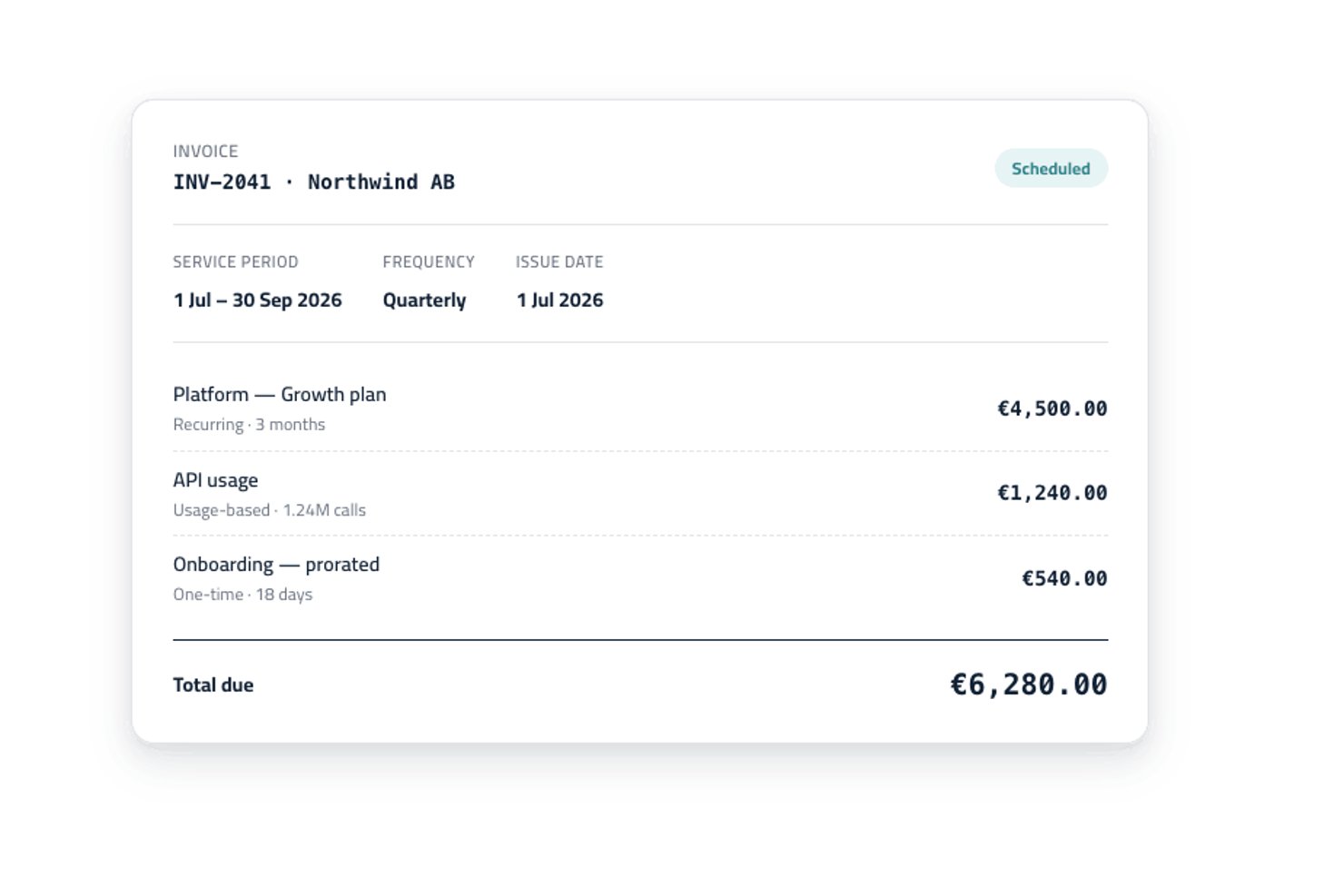
Younium is a subscription management platform that combines CPQ, automated billing, revenue recognition, and CRM and ERP integrations for B2B recurring revenue businesses.
Who Is Younium Best For?
Younium is a strong fit for mid-market B2B SaaS and tech companies whose finance and RevOps teams manage complex, evolving subscription agreements.
Why I Picked Younium
Younium earns its spot on my shortlist because the connection between quoting and billing is genuinely tight. I like that the AI-powered CPQ Agent lets my team build quotes conversationally, adding products and adjusting pricing in real time, and what's quoted flows directly into subscription billing with no manual re-entry. Multi-level approval workflows trigger automatically on discount thresholds or non-standard terms, keeping every deal governed without slowing the process down.
Younium Key Features
- ASC 606 and IFRS 15 revenue recognition: Automates revenue schedules and compliance for every subscription order.
- Customer self-service portals: Lets your customers view quotes, accept terms, access invoices, and pay balances online.
- Multi-entity and multi-currency support: Handles billing across different legal entities, currencies, and geographies.
- Open API and webhooks: Enables real-time data sync and integration with downstream RevOps and finance systems.
Younium Integrations
Younium offers native integrations with HubSpot, Salesforce, NetSuite, QuickBooks, Xero, Microsoft Dynamics 365, Exact Online, Stripe, and GoCardless. An open API is available for custom integrations.
Pros and Cons
Pros:
- AI-powered CPQ speeds up quote creation
- Revenue recognition is built into billing
- Handles mid-cycle subscription changes natively
Cons:
- Onboarding takes longer than simpler alternatives
- Reporting dashboards have limited out-of-box options

Best for unified quoting and contracting
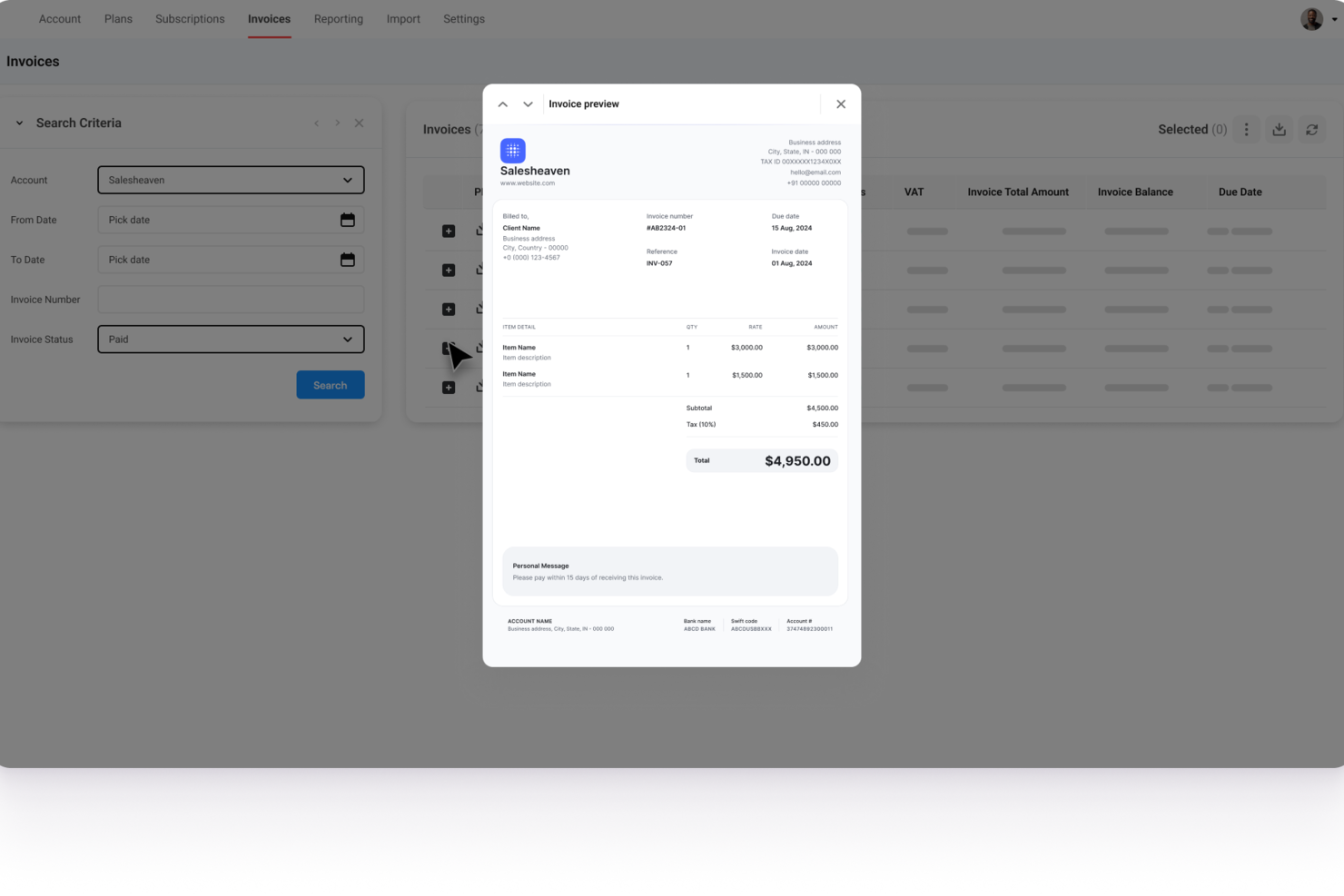
DealHub AI is a quote-to-revenue platform that combines CPQ, contract lifecycle management, automated billing, and digital sales proposals in a single connected system.
Who Is DealHub AI Best For?
DealHub AI is a strong fit for B2B sales teams at mid-market and enterprise companies that manage complex, multi-stakeholder deals with custom pricing and contract requirements.
Why I Picked DealHub AI
DealHub AI earns its spot on my shortlist because it keeps quoting and contracting inside one platform instead of forcing your team to jump between a CPQ tool and a separate CLM. I like that you can generate a quote and convert it directly into a contract using pre-approved clause libraries and dynamic templates, with redlining and version tracking built in. That means my team isn't manually copying deal terms from one document to another, which is where errors tend to sneak in.
DealHub AI Key Features
- DealRoom: A buyer-facing portal where clients can view quotes, ask questions, and sign documents in one shared space.
- Guided selling playbooks: Rule-based configuration guides reps through product and pricing options based on deal criteria.
- Automated billing: Schedules recurring invoices, handles usage-based billing, and manages mid-cycle amendments like upgrades or co-terming.
- DealSign: A built-in eSign tool that lets buyers sign quotes and contracts without a third-party application.
DealHub AI Integrations
DealHub AI offers native integrations with Salesforce, HubSpot, Microsoft Dynamics 365, Docusign, Gong, Slack, NetSuite, and Avalara. An API is also available for custom integrations, such as connecting additional CRM and ERP systems. Zapier support is not clearly documented.
Pros and Cons
Pros:
- Supports line-item and deal-level approvals
- Unifies CPQ, CLM, and billing natively
- Admins build approval workflows without coding
Cons:
- Gaps in product documentation for admins
- Slow loading times on high-volume deals
New Product Updates from DealHub AI

DealHub AI Expands Bundle Attribute Automation
DealHub AI introduces Assignment Rules for child proposal attributes and numeric aggregation for bundles. These updates give admins more control over bundle attribute automation and configuration. For more information, visit DealHub’s official site.
 .
.
Best for mobile use

Square Invoices is an invoicing tool tailored for small to medium-sized businesses, enabling efficient billing and payment processing. It serves retail, service-based businesses, and freelancers, making invoicing and payment collection straightforward.
Why I picked Square Invoices: Square Invoices excels with its mobile accessibility, allowing you to manage invoices on the go. Its user-friendly app ensures you can send invoices and track payments easily from almost anywhere. Customizable invoice templates help you maintain brand consistency while the platform's integration with Square's payment processing offers an easy billing experience.
Standout features & integrations:
Features include recurring billing that automates invoice creation for regular clients. Payment reminders help reduce late payments by notifying clients automatically. The reporting tools give you insights into your financial health and help track outstanding invoices.
Integrations include QuickBooks, WooCommerce, BigCommerce, Wix, Adobe Commerce, Google Calendar, Acuity Scheduling, JotForm, Zapier, and Mailchimp.
Pros and Cons
Pros:
- Integrated payment processing
- Recurring billing options
- Automated payment reminders
Cons:
- Limited advanced features
- Not ideal for large enterprises

PayPal
Best for global transactions

PayPal is a versatile payment processing and invoicing solution widely used by businesses of all sizes. Its main user base includes small to medium-sized enterprises looking for efficient financial transaction management. It facilitates global transactions and offers robust financial services.
Why I picked PayPal: PayPal is distinguished by its global reach and ability to handle international transactions easily. It offers features like multi-currency support and cross-border payment capabilities, essential for businesses operating in multiple countries. The platform's security measures, including encrypted transactions, ensure safe dealings. Its user-friendly interface helps streamline payment processes, making it ideal for businesses looking to expand internationally.
Standout features & integrations:
Features include multi-currency support, allowing your team to handle global transactions at scale. Advanced security measures keep your financial data protected. The "Pay in 4" option provides flexible payment plans for customers, enhancing your sales potential.
Integrations include QuickBooks, Xero, Shopify, WooCommerce, BigCommerce, Adobe Commerce, PrestaShop, Stripe, Salesforce, and Mailchimp.
Pros and Cons
Pros:
- Trusted brand with wide global acceptance
- Strong security features
- Flexible payment options
Cons:
- Transaction fees can be costly
- Holds on funds for new users

Best for advanced reporting

QuickBooks is an accounting and invoicing software widely used by small to medium-sized businesses for managing finances, payroll, and tax compliance. It offers features to streamline bookkeeping and financial reporting.
Why I picked QuickBooks: QuickBooks delivers in-depth reporting capabilities, making it ideal for those needing detailed financial insights. Its customizable reports help you track every aspect of your business finances. The software's invoicing tools automate billing, reducing manual work. Real-time tracking of income and expenses ensures your financial records stay up-to-date.
Standout features & integrations:
Features include automated sales tax calculations that simplify tax compliance for your business. The cash flow planner helps you forecast and manage your finances effectively. Receipt capture allows you to upload and track expenses easily, keeping your records organized.
Integrations include PayPal, Shopify, Square, TSheets, BILL, HubSpot, Salesforce, Expensify, Gusto, and Mailchimp.
Pros and Cons
Pros:
- Extensive reporting capabilities
- Automated sales tax calculations
- Real-time financial tracking
Cons:
- Can be complex for new users
- Limited customization for some features
Xero
Best for small businesses
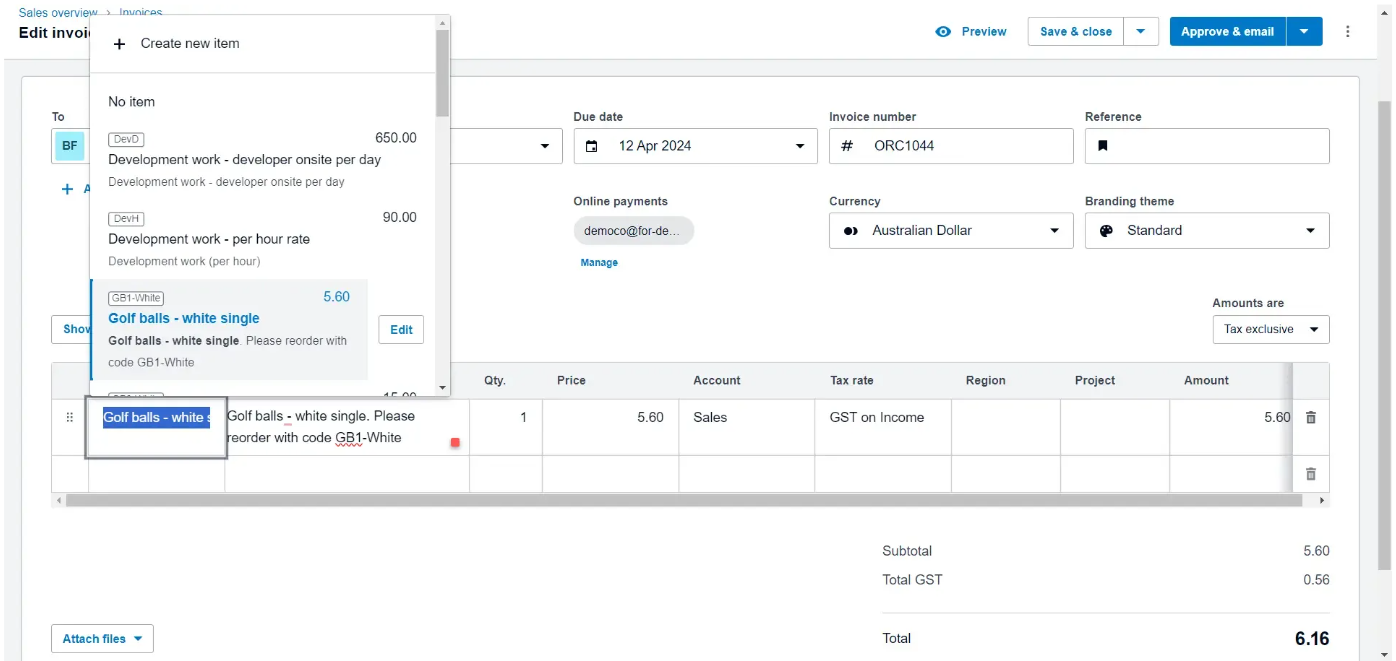
Xero is an accounting software designed for small businesses and sole traders, offering features like automated bank reconciliation and customizable reporting. It supports various industries, including construction, real estate, and retail.
Why I picked Xero: Xero caters to small businesses with features such as automated transaction reconciliation and invoice reminders. Its customizable reporting tools help you manage finances efficiently. Xero's multi-tier pricing plans accommodate growing businesses, ensuring scalability. Plus, integrations with popular payment processors ensure streamlined invoice payments.
Standout features & integrations:
Features include automated bank reconciliation to keep your accounts updated effortlessly. Customizable reporting tools help you tailor financial insights to your needs. Invoice reminders ensure your clients pay on time, reducing late payments.
Integrations include QuickBooks, Shopify, HubSpot, PayPal, Stripe, Square, Gusto, Vend, Fathom, and Salesforce.
Pros and Cons
Pros:
- Extensive accounting features
- Supports multiple industries
- Flexible pricing plans
Cons:
- Occasional sync issues with banks
- High fees for advanced plans

Best for branded invoice templates

Invoicely is an online invoicing tool geared towards freelancers and small businesses. It provides essential functions like invoicing, expense tracking, and time tracking to help streamline financial management.
Why I picked Invoicely: Invoicely is recognized for its straightforward invoicing capabilities, making it ideal for those who need a simple solution without unnecessary complexity. It offers customizable invoice templates that help maintain your brand identity through customizable branded elements such as logos, icons, and colour schemes. The platform also includes time and expense tracking, allowing you to manage your projects and finances in one place. Its user-friendly interface ensures you can get started quickly with minimal training.
Standout features & integrations:
Features include time tracking, which helps you log billable hours efficiently. Expense tracking allows you to keep an eye on your business costs effortlessly. The customizable templates let you tailor invoices to suit your brand, enhancing your professional appearance.
Integrations include PayPal, Stripe, Authorize.Net, Mollie, WePay, Square, 2Checkout, BitPay, Payoneer, and BlueSnap.
Pros and Cons
Pros:
- Straightforward invoicing process
- Customizable invoice templates
- Time and expense tracking features
Cons:
- No native mobile app
- Not ideal for large teams

Wave
Best for free invoicing

Wave is an online accounting and invoicing platform designed for small businesses and freelancers. It offers essential financial management tools like invoicing, expense tracking, and receipt scanning without monthly fees.
Why I picked Wave: Wave's standout feature is its free invoicing service, making it accessible for small businesses on a budget. It provides unlimited invoices, allowing you to send as many as needed without extra cost. The easy-to-use dashboard helps you stay on top of your finances. Its receipt scanning feature simplifies expense management by digitizing your receipts.
Standout features & integrations:
Features include automated receipt scanning, which helps you track expenses by digitizing paper receipts. Wave's invoicing tool lets you customize invoice templates to match your brand. The dashboard provides a clear overview of your business's financial health, helping you make informed decisions.
Integrations include PayPal, Etsy, Shoeboxed, Google Sheets, Zapier, Stripe, Shopify, Square, QuickBooks, and HubSpot.
Pros and Cons
Pros:
- Free unlimited invoicing
- Automated receipt scanning
- Clear financial dashboard
Cons:
- Limited advanced features
- No inventory management

Paddle
Best for SaaS companies

Paddle is a billing and subscription management platform tailored for SaaS companies, providing tools for payment processing, subscription management, and global compliance. It serves businesses looking to streamline their billing operations and expand internationally.
Why I picked Paddle: Paddle excels in serving SaaS companies by offering comprehensive billing and subscription management tools. It simplifies global transactions with built-in tax compliance and currency conversion. The platform's subscription management features help you handle recurring billing with ease. Paddle's analytics tools provide insights into customer behavior and revenue trends.
Standout features & integrations:
Features include a built-in tax compliance system that handles VAT and sales tax for global transactions. The currency conversion feature allows you to cater to international customers easily. Paddle’s analytics tools offer detailed insights into revenue and customer metrics, helping you make data-driven decisions.
Integrations include Salesforce, Xero, QuickBooks, Zapier, HubSpot, Slack, Google Analytics, Mailchimp, Shopify, and WordPress.
Pros and Cons
Pros:
- Built-in tax compliance
- Supports global transactions
- Complete subscription management
Cons:
- Limited customization options
- Requires onboarding for new users

Best for multi-currency support

Sage Accounting is a financial management tool designed for small and medium-sized businesses, offering features for invoicing, expense tracking, and cash flow management. It assists businesses in maintaining financial accuracy and compliance.
Why I picked Sage Accounting: Sage Accounting excels in multi-currency support, making it ideal for businesses dealing with international transactions. Its real-time currency conversion helps you manage global financial operations efficiently. The platform's automated invoicing reduces manual work. Additionally, its tax compliance features ensure your business meets local regulations.
Standout features & integrations:
Features include automated bank feeds that keep your transactions updated in real-time. Cash flow forecasts help you plan and manage your finances effectively. The intuitive dashboard provides a clear overview of your financial health.
Integrations include Microsoft 365, Stripe, PayPal, Shopify, Gusto, AutoEntry, Zapier, Expensify, Salesforce, and Paya.
Pros and Cons
Pros:
- Strong multi-currency capabilities
- Automated bank feeds
- Real-time currency conversion
Cons:
- Limited customization options
- Can be complex for beginners
Other Quote and Invoice Software
Here are some additional quote and invoice software options that didn’t make it onto my shortlist, but are still worth checking out:
- InSitu Sales
For mobile invoicing and inventory
- Hiveage
For recurring billing
- Harvest
For time tracking
- InvoiceNinja
For custom invoicing
- Paymo
For project expense tracking
- Stripe
For online payments
- Invoice Home
For simple templates
- HoneyBook
For creative professionals
- Zoho Invoice
For automation tools
- Float Forecasting
For cash flow management
- Xero
For accounting features
- Thryv
For estimate approval and prepayment
- Paystand
For blockchain technology


How I Evaluate Quote and Invoice Software
I split my evaluation into baseline requirements—like quote-to-invoice conversion and CRM sync—and the differentiators that separate tools worth recommending from those that fall short.
Core Functionality (Table Stakes For This List)
When I'm selecting tools for my list, I rank each one on a scale from 0 (does not offer the functionality) to 5 (excels in this area) for each core functionality listed below. Then, I calculate the tool's total score into a percentage. Each tool needs to achieve a minimum total score of 65% to be considered for inclusion.
- Quote Creation & Configuration: I look for product catalogs, bundle support, and template flexibility—things like building a multi-tier SaaS deal with add-ons and volume discounts directly in the quote.
- Invoice Generation & Billing: Each tool should handle one-time and recurring invoicing at minimum, with stronger platforms supporting usage-based and milestone billing for complex deal structures.
- Approval & Discount Workflows: I evaluate how a tool routes non-standard deals for sign-off, such as flagging quotes that exceed a set discount threshold before they reach the buyer.
- E-Signature & Quote Acceptance: Whether native or through a third-party integration like DocuSign, I check that buyers can review, accept, and sign quotes without leaving the platform.
- CRM & Accounting Integrations: Real-time sync between tools like Salesforce or HubSpot and accounting systems like QuickBooks or Xero keeps deal and financial data aligned across teams.
- Payment Collection & Tracking: I evaluate whether a platform accepts online payments, supports multiple gateways, and gives clear visibility into aging balances and collection status.
Once I have a list of tools that meet this criteria, I consider what sets each platform apart.
Differentiating Factors (What Sets Vendors Apart)
Here's how I compare and contrast different vendors:
Standout Features
I look for built-in analytics that track quote velocity, win rates, and invoice aging—metrics RevOps teams need to spot pipeline bottlenecks fast. Revenue recognition tied to quote and invoice data matters too, especially for teams managing ASC 606 compliance across mixed deal types. A customer self-service portal where buyers can review quotes, accept terms, and pay invoices on their own cuts back-and-forth and speeds up the quote-to-cash cycle considerably.
Beyond Features
How well a tool fits into your existing quote-to-cash stack matters. I check for bidirectional CRM and ERP sync, open APIs, and native connectors to tax engines like Avalara. Scalability is another key factor—particularly whether a platform handles SaaS, usage-based, and hybrid pricing models as your deal structures evolve. I also evaluate compliance posture, including SOC 2 Type II certification, regional tax support, and audit trail depth for teams operating under financial controls.
How to Choose Quote And Invoice Software
It’s easy to get bogged down in long feature lists and complex pricing structures. To help you stay focused as you work through your unique software selection process, here’s a checklist of factors to keep in mind:
| Factor | What to Consider |
| Scalability | Ensure the software can grow with your business. Look for solutions that handle increased transaction volumes without performance issues. |
| Integrations | Check if it integrates with your existing tools, like CRM or accounting software, to ensure uninterrupted workflows and data consistency. |
| Customizability | Consider how well you can tailor the software to fit your specific business processes, such as custom templates or tailored workflows. |
| Ease of Use | Look for intuitive interfaces that your team can navigate without extensive training. Test usability with free trials if available. |
| Budget | Ensure the pricing aligns with your financial constraints, considering both upfront costs and potential future expenses for upgrades or additional features. |
| Security Safeguards | Verify the software offers robust data protection measures, such as encryption and compliance with regulations like GDPR, to safeguard sensitive information. |
| Customer Support | Assess the availability and quality of support channels, like live chat or phone, to ensure you get help when needed. |
| Mobile Access | Evaluate if the software offers mobile access, allowing your team to manage quotes and invoices on the go for increased flexibility. |
Trends in Quote and Invoice Software
In my research, I sourced countless product updates, press releases, and release logs from different quote and invoice software vendors. Here are some of the emerging trends I’m keeping an eye on:
- AI-driven insights: AI is being used to analyze billing data and provide actionable insights for businesses. This helps you understand customer payment patterns and optimize your cash flow. Xero, for example, is integrating AI to offer predictive analytics in their financial tools.
- Blockchain for security: Some software solutions are employing blockchain to enhance transaction security and transparency. This provides an immutable record of all transactions, which is especially useful for businesses dealing with sensitive financial data.
- Subscription management: As more businesses shift to subscription models, tools are adapting to handle recurring billing and subscription lifecycle management. This trend is crucial for SaaS companies looking to automate their billing processes.
- Eco-friendly invoicing: Digital invoicing is reducing the need for paper, and some vendors are focusing on eco-friendly solutions. This includes features like carbon footprint tracking for invoices sent. It's becoming more popular as businesses aim for sustainability.
- Customizable client portals: Many vendors now offer client portals that can be customized to match your brand. This trend helps you enhance the client experience by providing a branded space for invoice management and payments.
What is Quote and Invoice Software?
Quote and invoice software is a type of digital tool that helps businesses generate and manage quotes and invoices. These tools are commonly used by freelancers, small business owners, and accountants to simplify billing and keep financial records organized. Features like automated invoicing, payment tracking, and customizable templates support efficient financial management and enhance user experience. Overall, these tools provide value by saving time, reducing errors, and improving cash flow management.
Features of Quote and Invoice Software
When selecting quote and invoice software, keep an eye out for the following key features:
- Automated invoicing: Automatically generate and send invoices, saving you time and reducing manual errors.
- Payment tracking: Monitor payment status and follow up on overdue invoices, helping you maintain healthy cash flow.
- Customizable templates: Tailor invoice templates to match your brand, ensuring consistency and professionalism.
- Recurring billing: Set up automated billing for subscription services, making it easier to manage ongoing client relationships.
- Multi-currency support: Handle transactions in various currencies, beneficial for businesses working with international clients.
- Expense tracking: Record and categorize business expenses, offering a clear overview of your financial health.
- Time tracking: Log billable hours accurately, ensuring precise billing for project-based work.
- AI-driven insights: Use AI to analyze billing data and provide actionable insights, helping you optimize financial operations.
- Client portals: Offer clients a personalized space to view and manage their invoices, enhancing client satisfaction.
- Tax compliance tools: Automate tax calculations to ensure compliance with local and international tax regulations.
Benefits of Quote And Invoice Software
Implementing quote and invoice software provides several benefits for your team and your business. Here are a few you can look forward to:
- Time savings: Automated invoicing and payment tracking save time by reducing manual work and ensuring timely billing.
- Improved cash flow: Payment tracking and reminders help you manage and follow up on overdue invoices, keeping your cash flow steady.
- Professional branding: Customizable templates let you create invoices that match your brand, enhancing your business's professional image.
- Accurate billing: Time tracking ensures you bill clients accurately for hours worked, reducing discrepancies and disputes.
- Global reach: Multi-currency support allows you to work with international clients, expanding your business opportunities.
- Financial clarity: Expense tracking gives you a clear picture of your business's financial health, aiding in better decision-making.
- Client satisfaction: Client portals provide a convenient way for clients to manage their invoices, improving their overall experience.
Costs and Pricing of Quote and Invoice Software
Selecting quote and invoice software requires an understanding of the various pricing models and plans available. Costs vary based on features, team size, add-ons, and more. The table below summarizes common plans, their average prices, and typical features included in quote and invoice software solutions:
Plan Comparison Table for Quote and Invoice Software
| Plan Type | Average Price | Common Features |
| Free Plan | $0 | Basic invoicing, payment tracking, and limited templates. |
| Personal Plan | $5-$25 /user /month | Customizable templates, time tracking, expense tracking, and basic reporting. |
| Business Plan | $25-$50 /user /month | Multi-currency support, automated reminders, advanced reporting, and client portals. |
| Enterprise Plan | $50-$100 /user /month | Advanced analytics, custom integrations, dedicated support, and comprehensive security features. |
Quote and Invoice Software FAQs
Here are some answers to common questions about quote and invoice software:
Can the amount for an invoice be more than quote?
Yes, an invoice can be higher than the original quote. This often happens if the scope of work changes or additional services are required. Tax and service fees may also apply. It’s important to communicate any changes to clients beforehand. This helps avoid surprises when the invoice is issued.
Can you use a quote as an invoice?
No, a quote and an invoice serve different purposes. A quote is an estimate of costs given before delivering goods or services. An invoice is a bill sent after the goods or services are provided. It’s crucial to use these documents correctly to maintain clear financial records.
How does invoicing software work?
Invoicing software automates the billing process for services and products. It helps you create invoices, track payments, and manage client information. This software simplifies financial management by providing an accurate picture of your business’s finances and improving cash flow and profitability by ensuring you are more likely to get paid on time.
What is the difference between a quote and a tax invoice?
A quote provides an estimated cost for goods or services before delivery. A tax invoice is issued after the goods or services are provided, detailing the actual costs and any applicable taxes. It’s essential to issue these documents at the right stages to ensure proper accounting.
How can I ensure my invoice gets paid on time?
Setting clear payment terms and sending invoices promptly are key. Use invoicing management software to automate reminders, recurring invoices, and set notifications to follow up on overdue payments. This helps maintain good cash flow and reduces the chances of late payments affecting your business.
What should I include in a quote?
A quote should include a detailed list of goods or services, estimated costs, and any applicable terms and conditions. You should also list the date of the service or product delivery and the customer information. You may want to clarify payment options such as online debit or ACH bank transfers and any extra fees such as surcharges for paying by credit card. Clear and detailed quotes help set the right expectations with clients and reduce misunderstandings.
What's Next?
If you're in the process of researching quote and invoice software, connect with a SoftwareSelect advisor for free recommendations.
You fill out a form and have a quick chat where they get into the specifics of your needs. Then you'll get a shortlist of software to review. They'll even support you through the entire buying process, including price negotiations.