

10 Best Partner Training Software in 2026

Best Partner Training Software Shortlist


Partner training software helps you manage, deliver, and track education programs for your partner ecosystem, so every reseller, distributor, and affiliate stays aligned with your business. If you’re looking for the right platform to simplify onboarding, improve certification, and scale partner enablement, preventing outdated or ad hoc solutions making it tough to protect your external partnerships, deliver a consistent experience and measure results.
In this guide, I’ll break down the top software options for channel partner training so you can find the best fit for your partner program, compare features that matter, and drive partner performance with confidence.
Why Trust Our Software Reviews
We’ve been testing and reviewing RevOps software since 2022. As RevOps leaders ourselves, we know how critical and difficult it is to make the right decision when selecting software.
We invest in deep research to help our audience make better software purchasing decisions. We’ve tested more than 2,000 tools for different RevOps use cases and written over 1,000 comprehensive software reviews. Learn how we stay transparent & our software review methodology.
Best Partner Training Software Summary
This comparison chart summarizes pricing details for my top partner training software selections to help you find the best one for your budget and business needs. software selections to help you find the best one for your budget and business needs.
| Tool | Best For | Trial Info | Price | ||
|---|---|---|---|---|---|
| 1 | Best for scalable partner training rollouts | Free plan + free demo available | From $119/month (billed annually) | Website | |
| 2 | Best with built-in webinar & meeting integrations | 14-day free trial | Pricing upon request | Website | |
| 3 | Best for partner certification and field readiness | Free trial available | From $6.91/user/month (billed annually) | Website | |
| 4 | Best for multilingual partner portals | Free demo available | From $250/month | Website | |
| 5 | Best for automating partner onboarding | Free demo available | Pricing upon request | Website | |
| 6 | Best for multi-domain learning environments | Free demo available | Pricing upon request | Website | |
| 7 | Best for setup with HRIS and SSO integrations | Not available | Pricing upon request | Website | |
| 8 | Best for white-label portals | Free demo available | Pricing upon request | Website | |
| 9 | Best for tech channel certifications | Free demo available | From $1,899/month (billed annually) | Website | |
| 10 | Best for branded learning experiences | Free demo available | Pricing upon request | Website |


Best Partner Training Software Reviews
Below are my detailed summaries of the best partner training software that made it onto my shortlist. My reviews offer a detailed look at the features, integrations, and best use cases of each platform to help you find the best one for you.
Best for scalable partner training rollouts

TalentLMS is a cloud-based learning management system with a dedicated partner training environment, including branded portals (branches), multilingual course delivery, learning paths, certifications, and automation tools.
Who Is TalentLMS Best For?
TalentLMS suits mid-sized to enterprise businesses that need to train and certify external partner networks at scale.
Why I Picked TalentLMS
I've included TalentLMS in my top picks because its branches feature is tailored for scaling partner training across large, distributed networks. You can create separate, white-labeled training portals for each partner group, each with its own branding, content, and user base, all managed from a single admin account. I also like that mass actions let you enroll, update, or deactivate hundreds of users across branches in just a few clicks, which speeds up onboarding new resellers or distributors.
TalentLMS Key Features
- Learning paths: Chain multiple courses into a fixed sequence so partners complete training in a structured, defined order.
- Automated enrollments: Set rules to auto-assign courses to users based on their group, branch, or role when they join the platform.
- AI course creation: Generate course outlines, quizzes, and content from a text prompt directly inside the course builder.
- Multilingual course delivery: Translate course content into over 40 languages using built-in AI translation tools.
TalentLMS Integrations
TalentLMS integrates with Salesforce, BambooHR, ADP Workforce Now, HubSpot, Zoom, Okta, Zendesk, Trello, Microsoft Teams, Shopify, WooCommerce, Stripe, PayPal, and more. It also works with Zapier. An API is available for custom integrations.
Pros and Cons
Pros:
- Supports multiple test question types
- Built-in course builder requires no additional tools
- Branded branches for each partner organization
Cons:
- Multi-language courses require separate duplicates
- Reporting lacks detailed analytical drill-downs
New Product Updates from TalentLMS
TalentLMS Adds Learning Paths, AI Video, and Learner Experience Updates
TalentLMS introduced updates across learning management, content creation, and learner experience, including Learning Paths for Groups, AI video generation in TalentCraft, video bookmarking, and expanded administration tools. For more information, visit TalentLMS’s official site.

SkyPrep
Best with built-in webinar & meeting integrations
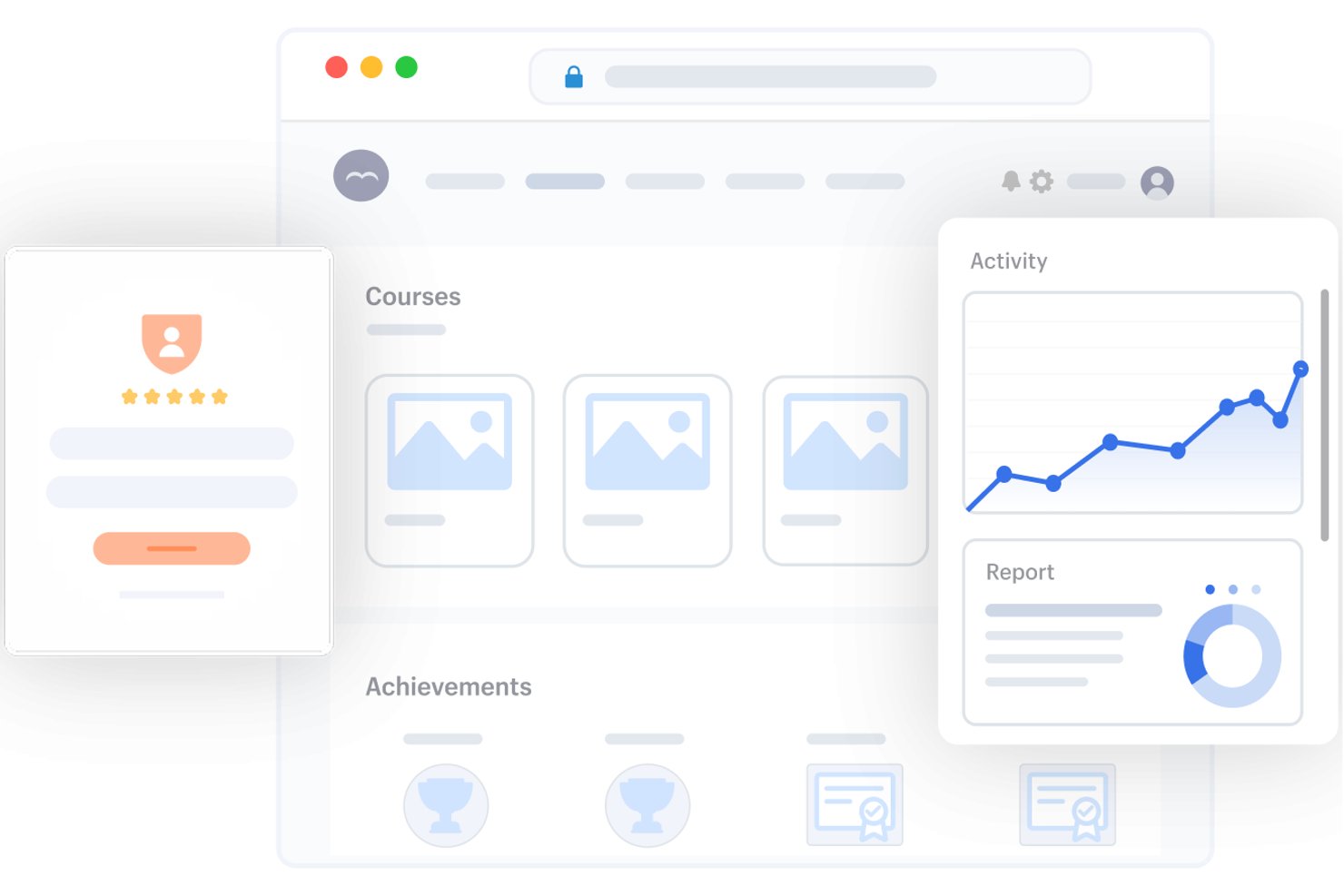
SkyPrep is a partner training LMS that combines branded partner portals, role-based learning paths, certification management, and multi-tenant environments for external learner delivery across partner tiers and regions.
Who Is SkyPrep Best For?
SkyPrep is a strong fit for mid-market companies running channel or reseller programs who need structured, multi-tenant partner training without a complex enterprise implementation.
Why I Picked SkyPrep
I picked SkyPrep because its AI-powered course creation tools can help businesses build and deliver training to external partners more efficiently. Its AI features assist with generating course content, quizzes, and assessments, while its learning management tools make it possible to organize training for different partner groups in one platform. This combination makes SkyPrep a strong option for businesses that want to create partner-focused courses without building every piece of training content from scratch.
SkyPrep Key Features
- Multi-tenant partner portals: Create fully branded, segmented portals for each partner company, tier, or region.
- Role and tier path automation: Assign training automatically by partner role, region, or tier with pre-set prerequisites and expirations.
- Account-level analytics dashboards: View training engagement, completion, and certification by partner account, tier, or location.
- Certification and micro-credentialing: Issue structured partner certifications and micro-credentials linked to partner program requirements.
SkyPrep Integrations
SkyPrep offers native integrations with Salesforce, HubSpot, ADP, Zoom, Google Workspace, and SSO providers. An API is available for custom integrations.
Pros and Cons
Pros:
- Automated certification renewals with expiry tracking
- Dedicated portals per partner organization
- Native live training tools built in
Cons:
- Limited options for bulk user management
- Reporting lacks deep partner-account-level insights

Best for partner certification and field readiness
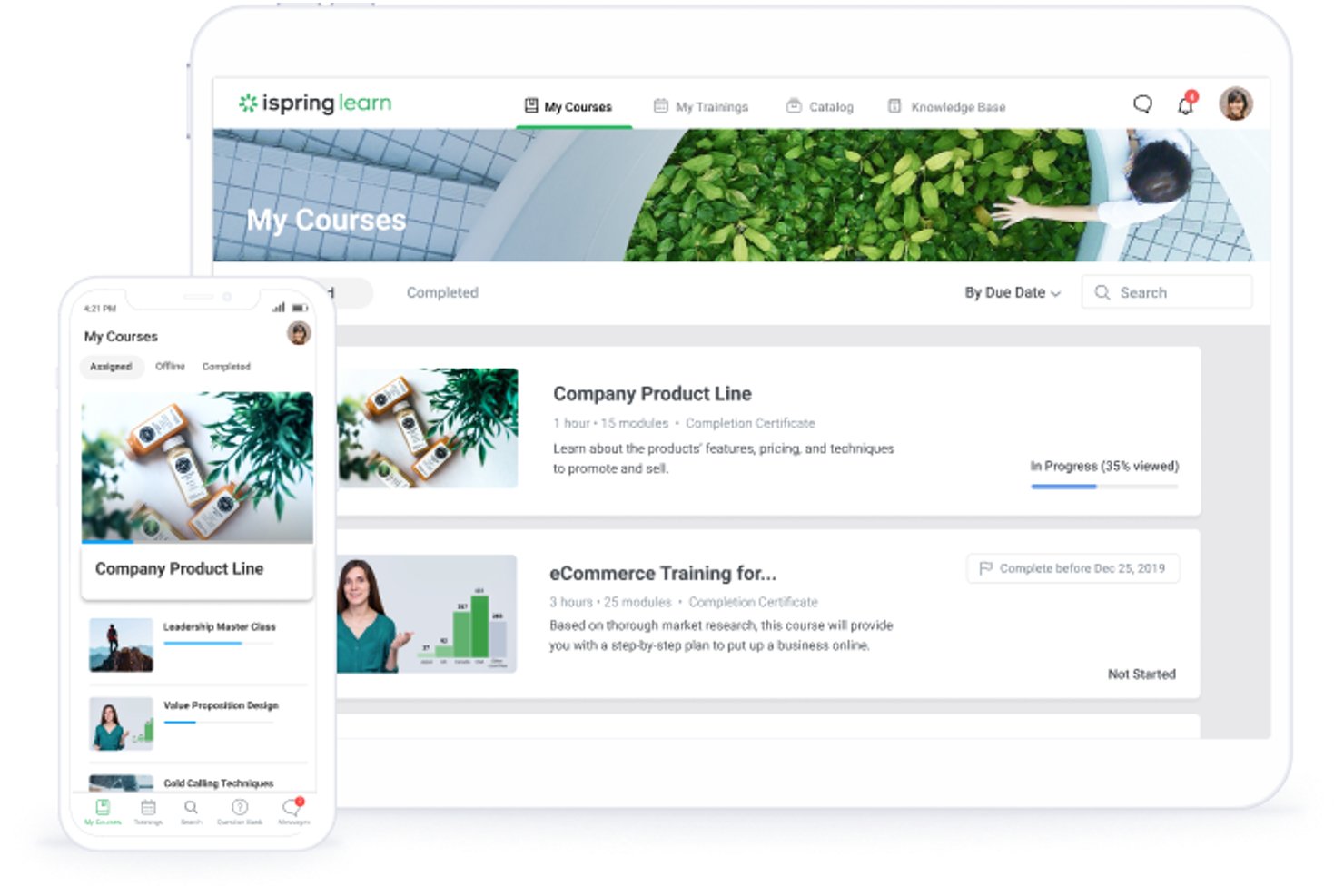
iSpring LMS is a learning management system built for extended enterprise training, offering course authoring, certification management, automated enrollment, and mobile learning for external audiences like channel partners, resellers, and franchisees.
Who Is iSpring LMS Best For?
iSpring LMS is a strong fit for partner enablement managers at mid-market companies who need to run structured certification programs across dealer networks, resellers, or franchisees.
Why I Picked iSpring LMS
iSpring LMS earns its spot on my shortlist because of how purpose-built its certification engine is for channel programs. I love that it handles the full certification lifecycle: automated expiry tracking, renewal reminders, and branded credential issuance tied directly to learning path completions. In a real dealer or reseller network, that means a partner rep in the field can complete training offline on the mobile app and automatically receive their certification once they sync back up.
iSpring LMS Key Features
- Offline mobile learning: Native iOS and Android apps let partner reps download and complete training without an internet connection, syncing progress automatically when they reconnect.
- AI-powered course translation: Content can be automatically translated into 70+ languages, making it practical to run a single training program across global partner networks.
- External certificate storage: Partner learners can store and track externally issued credentials within their profiles, with automated expiration alerts to flag renewals.
- Pay-per-active-user billing: You're only charged for learners who log in each month, which keeps costs proportional to actual partner engagement rather than total registered users.
iSpring LMS Integrations
iSpring LMS integrates with Salesforce, Microsoft Entra ID, BambooHR, Zoom, Microsoft Teams, Shopify, Tilda, LinkedIn Learning, Udemy, and Go1. It supports REST and SOAP APIs, plus Zapier and Albato for custom connectivity.
Pros and Cons
Pros:
- Fully featured offline mobile learning app
- Includes AI-powered course translation capabilities
- Tracks partner certifications with automated renewals
Cons:
- Reporting lacks partner-level revenue visibility
- No multi-tenant partner portal support
New Product Updates from iSpring LMS

iSpring LMS Supports Multiple OJT Observations
iSpring LMS now lets managers log multiple observations within one OJT session and automatically generates summary stats and comparisons. This makes it easier to track employee progress over time. For more information, visit iSpring’s official site.

Best for multilingual partner portals

AcademyOcean is a partner training LMS that supports multilingual course delivery, separate branded portals per partner, certification programs, and webinar hosting across global partner networks.
Who Is AcademyOcean Best For?
AcademyOcean is a solid fit for mid-market SaaS and technology companies that distribute through international channel partners across multiple languages and regions.
Why I Picked AcademyOcean
I've included AcademyOcean in my top picks because of how well it handles the complexity of running partner training across multiple languages and regions. Each partner group gets its own separately branded portal with its own language settings, so a reseller in Germany and a distributor in Japan aren't sharing the same interface. I also like that course content, UI navigation, and assessments all render in the learner's preferred language, not just the course text.
AcademyOcean Key Features
- Quiz and poll builder: Use the built-in course builder to create quizzes, polls, and a reusable library of quiz questions to assess partner knowledge at any stage of training.
- Certificate builder: Issue branded, forgery-protected certificates using pre-made templates with your own logo and colors.
- Individual learner profiles: Track each partner's training history, strengths, and knowledge gaps through dedicated learner profiles.
AcademyOcean Integrations
AcademyOcean's API integrates with CRM platforms like Salesforce and HubSpot, HR systems like BambooHR and Workday, collaboration tools like Slack and Microsoft Teams, webinar platforms like Zoom and Webex, and analytics tools like Power BI and Tableau. It also connects with Zapier, and an API and webhooks are available for custom integrations.
Pros and Cons
Pros:
- Forgery-protected certificate templates included
- Built-in multilingual course and UI rendering
- Separate branded portals per partner group
Cons:
- Higher starting price point for small businesses
- Limited native CRM export automations
Best for automating partner onboarding
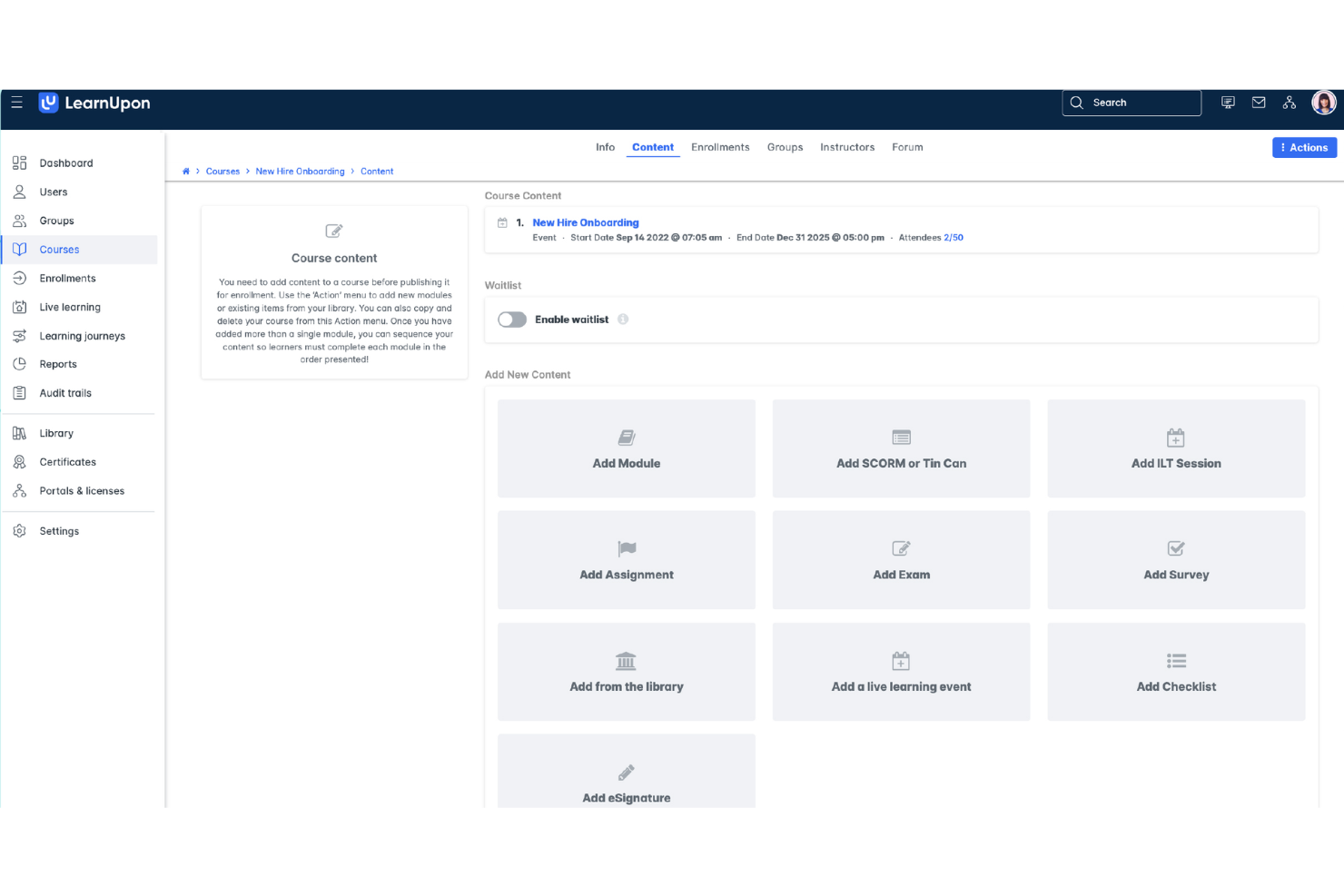
LearnUpon is a learning management system built for businesses that need to train external audiences, combining customer training and partner onboarding into unified, portal-based learning environments.
Who Is LearnUpon Best For?
LearnUpon is a strong fit for SaaS and technology companies that manage large partner networks and need to automate how training is assigned, delivered, and tracked across those audiences.
Why I Picked LearnUpon
I've included LearnUpon in my top picks because its underlying training platform uses a Learning Journeys feature that takes the manual work out of partner onboarding. You build "if/then" logic on a canvas, and the platform automatically routes new partners to the right courses based on their role, tier, or product set, no admin intervention needed. I also like how it syncs with your CRM so that when a new partner is added, they're enrolled in the right training instantly.
LearnUpon Key Features
- Portals: Create separate, white-labeled learning environments for different partner types or tiers, all managed from a single admin account.
- Completion certificates: Automatically issue personalized certificates when partners finish a course, with configurable re-certification alerts.
- Multilingual support: Deliver training in 20+ out-of-the-box languages to reach partner audiences across different regions.
LearnUpon Integrations
LearnUpon offers native integrations with BambooHR, Zoom, Microsoft Teams, Slack, Shopify, Gong, Intercom, and Okta, among others, spanning CRM, HRIS, webinar, ecommerce, and access management categories. It also connects with Zapier and provides an API with webhooks for custom integrations.
Pros and Cons
Pros:
- Automated enrollment from CRM or HRIS data
- AI-powered course creation via Courseau
- Separate branded portals per partner audience
Cons:
- Rigid course versioning clutters dashboards
- Two-step registration for live learning events causes user confusion
Docebo
Best for multi-domain learning environments
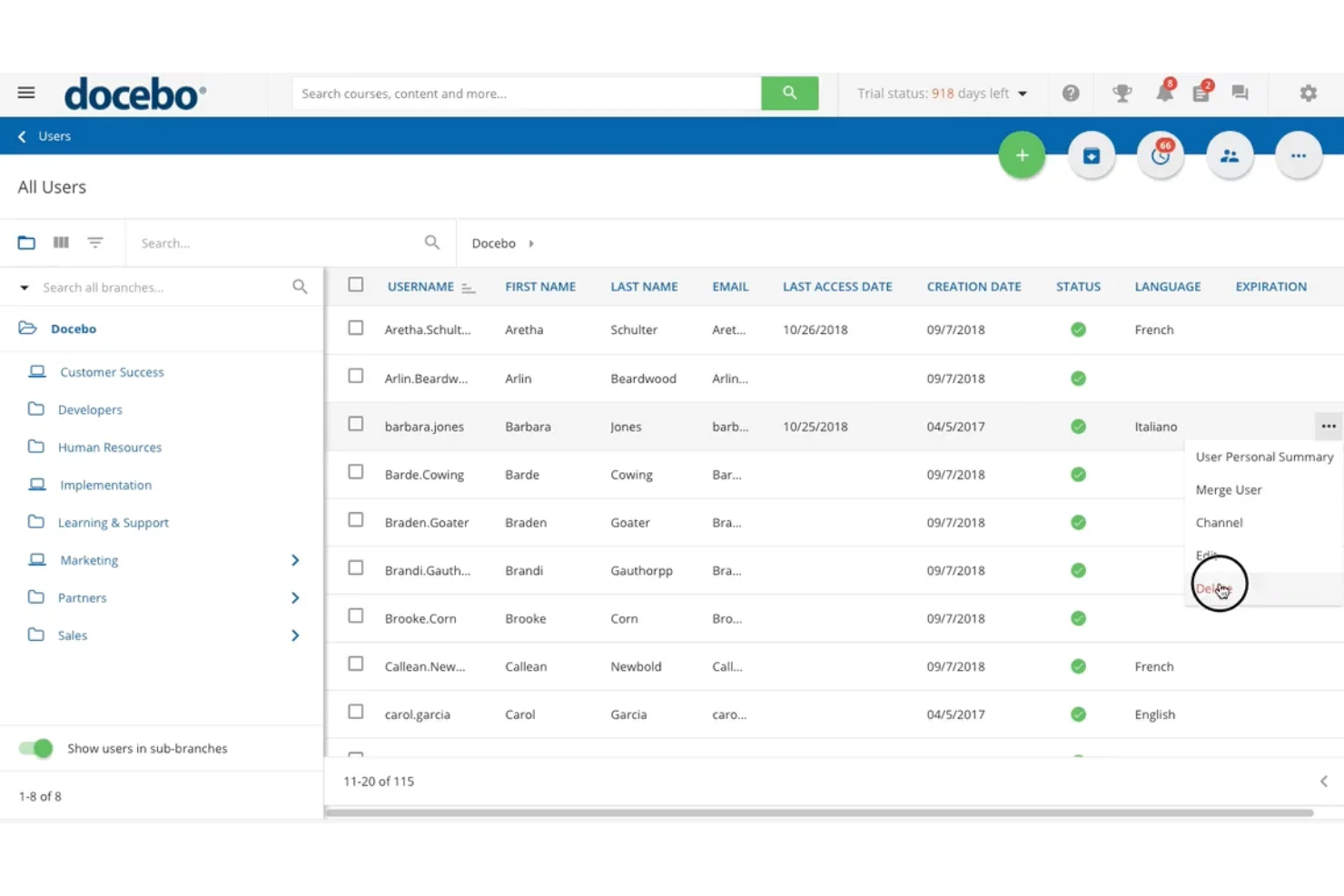
Docebo is an AI-powered learning management platform that lets you run enterprise-grade channel partner training programs, with features spanning course delivery, certification management, gamification, and Salesforce integration.
Who Is Docebo Best For?
Docebo is a strong fit for mid-to-large enterprises managing complex partner ecosystems across multiple brands, regions, or product lines.
Why I Picked Docebo
Docebo is one of my top picks because I love how its Multi Domain App lets you run completely separate learning environments under one platform. Each domain gets its own branding and admin rights, which is a real differentiator when you're managing training across distinct partner tiers or regional channels. I also like the Extended Enterprise Module, which lets you configure separate authentication for internal and external user groups—no more shared logins across your channel.
Docebo Key Features
- Certification & Retraining app: Create certification programs with configurable delivery and expiration policies for partner compliance tracking.
- Gamification: Adds points, badges, and leaderboards to partner training courses to drive engagement and course completion.
- eCommerce module: Connects with Shopify, Stripe, and PayPal so you can monetize partner training programs directly within the platform.
Docebo Integrations
Docebo offers 400+ integrations through its marketplace, including off-the-shelf, connector-based, and custom options. Verified integrations include Salesforce, HubSpot, Microsoft Teams, Dropbox, BambooHR, ADP Workforce Now, Amazon S3, Gong, Credly, and Accredible. An API is available for custom integrations, and Docebo Connect serves as a low-code integration platform for building custom connectors.
Pros and Cons
Pros:
- Extensive integration marketplace and smooth API
- Deep, AI-powered content deep-searching and auto-tagging
- Separate branded domains per partner audience
Cons:
- Advanced reporting and custom dashboards require paid upgrades
- Complex initial configuration and steep learning curve
eloomi
Best for setup with HRIS and SSO integrations
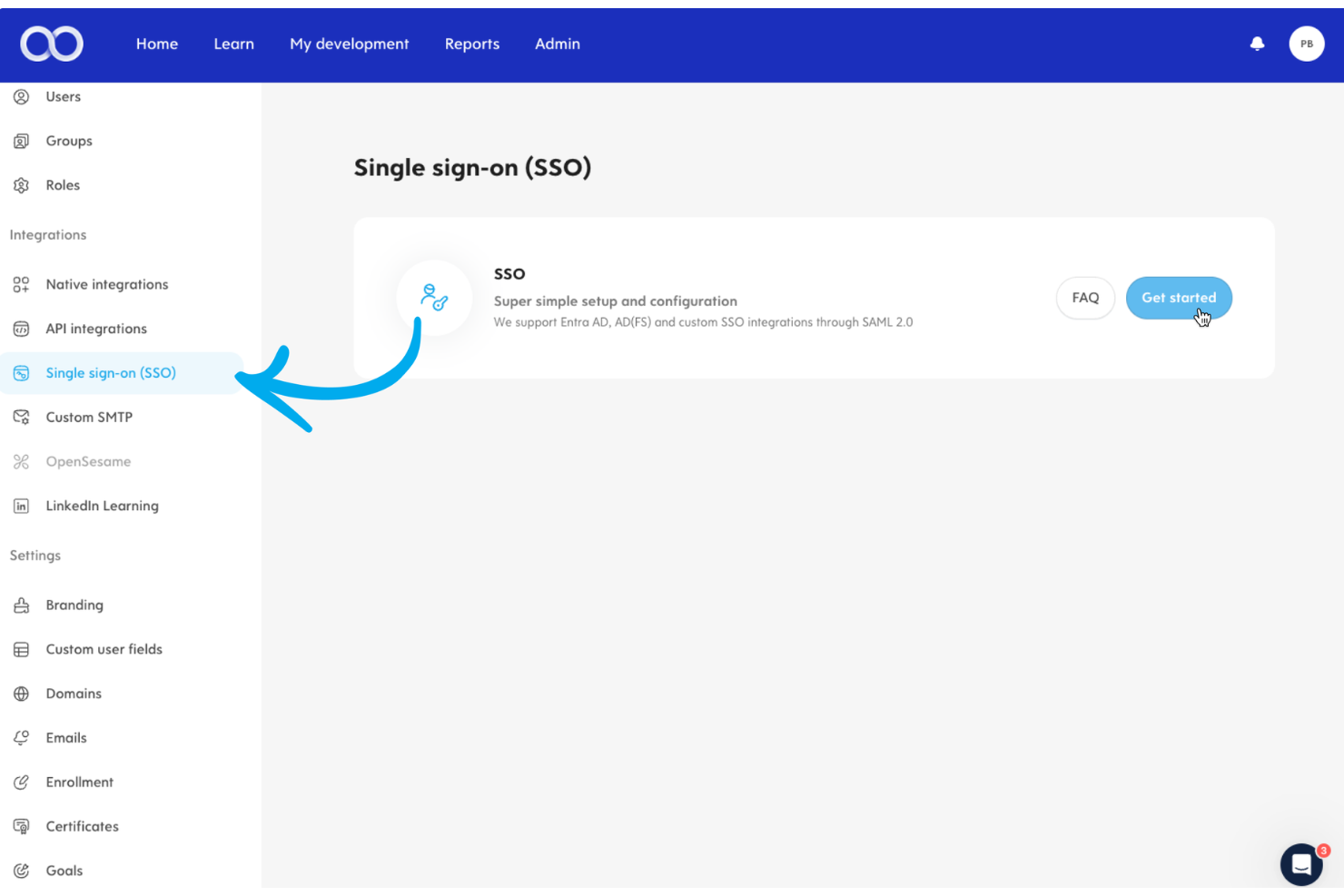
Eloomi is a partner training LMS with course authoring, automated user enrollment via HRIS integrations, SSO access, real-time progress tracking, and compliance training built in.
Who Is Eloomi Best For?
Eloomi is a great fit for HR and L&D teams at mid-market companies that need to onboard and train external partners without building a separate IT infrastructure to manage access.
Why I Picked Eloomi
I've included Eloomi in my top picks because of how fast you can get a partner training program off the ground. The HRIS setup is genuinely click-to-connect, syncing users automatically so you're not manually importing partner lists. I also like that SSO is available across devices, so partners log in once and go straight to their training. With 40+ HRIS integrations supported out of the box, there's very little configuration needed on the IT side to get external users enrolled and active.
Eloomi Key Features
- Learning plans and group assignments: Automate training delivery with scheduled learning plans, group-based assignments, deadlines, and automated reminders.
- Real-time reporting dashboard: Monitor partner course completion rates, assessment scores, and engagement gaps from a live analytics view.
- Mobile app access: Partners can access training from any device through Eloomi's mobile app, without needing to be at a desktop.
Eloomi Integrations
Eloomi offers 40+ native HRIS integrations, including BambooHR, Workday, SAP SuccessFactors, Personio, Gusto, Paylocity, HiBob, UKG Pro, Sage HR, and ADP. It also integrates natively with Microsoft Teams and LinkedIn Learning. An open REST API is available for custom integrations, and SSO is supported for user authentication.
Pros and Cons
Pros:
- Automated learning plans with deadline reminders
- Compliance tracking with test attempt logging
- Skills mapping links training to partner growth
Cons:
- Limited course branding and font options
- Report generation slows with large datasets

Best for white-label portals
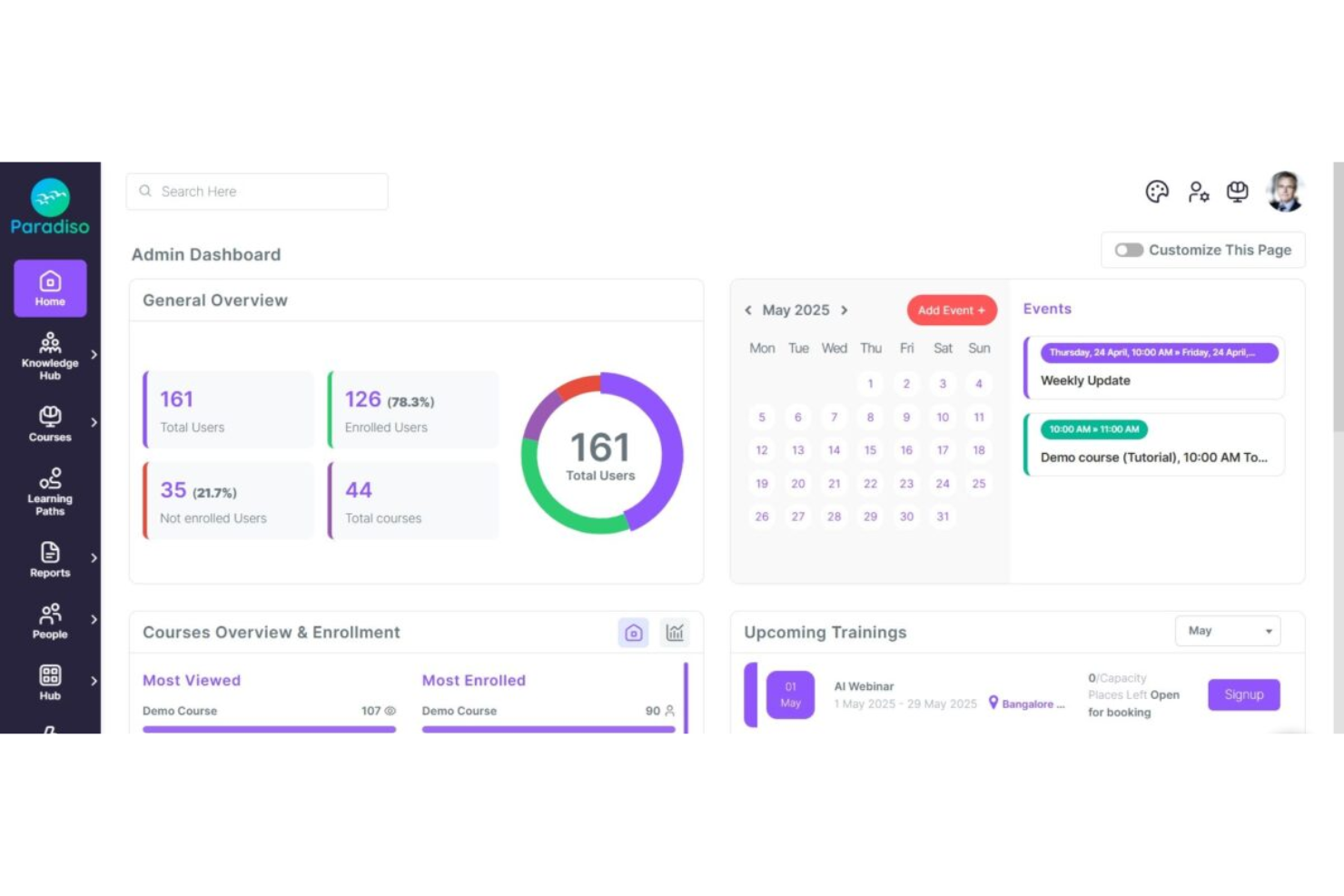
Paradiso LMS is an AI-powered learning management system built for partner and channel training, with a multi-tenant architecture that supports fully white-labeled portals, custom course authoring, self-enrollment, and real-time progress tracking across distributed partner networks.
Who Is Paradiso LMS Best For?
Paradiso LMS is a strong fit for mid-to-large technology and SaaS vendors that need to run branded training portals for multiple independent partner organizations simultaneously.
Why I Picked Paradiso LMS
Paradiso LMS earns its spot on my shortlist because of how far it takes white-label customization for partner portals. Each partner organization gets its own branded domain, custom login page, and SSL certificate, with system emails sent from that domain too. I also like that this extends to mobile, where partners can access a fully branded iOS and Android app. That level of portal separation is genuinely hard to find at this price point.
Paradiso LMS Key Features
- Self-enrollment and mandatory course assignment: Partners can self-enroll in role-relevant courses, or you can push mandatory training assignments to ensure consistent knowledge across your entire network.
- SSO and portal embedding: Embed Paradiso LMS directly inside your existing partner portal via SSO, so partners never have to log in separately or leave your ecosystem to access training.
- Certification and compliance tracking: Track partner certifications, monitor renewal deadlines, and report on compliance status across your full partner network from one admin dashboard.
Paradiso LMS Integrations
Paradiso LMS supports 100+ integrations across CRM, HRIS, ERP, ecommerce, video conferencing, content library, and payment categories, including Salesforce, HubSpot, SAP, Oracle, Zoom, Microsoft Teams, Shopify, WooCommerce, LinkedIn Learning, OpenSesame, PayPal, Stripe, Google Analytics, and Power BI. It also connects with Zapier, and an API is available for custom integrations.
Pros and Cons
Pros:
- Gamification drives partner engagement with training
- Built-in course authoring with SCORM support
- Multi-tenant architecture for isolated partner portals
Cons:
- Initial platform setup requires significant configuration time
- Page navigation speed lags noticeably

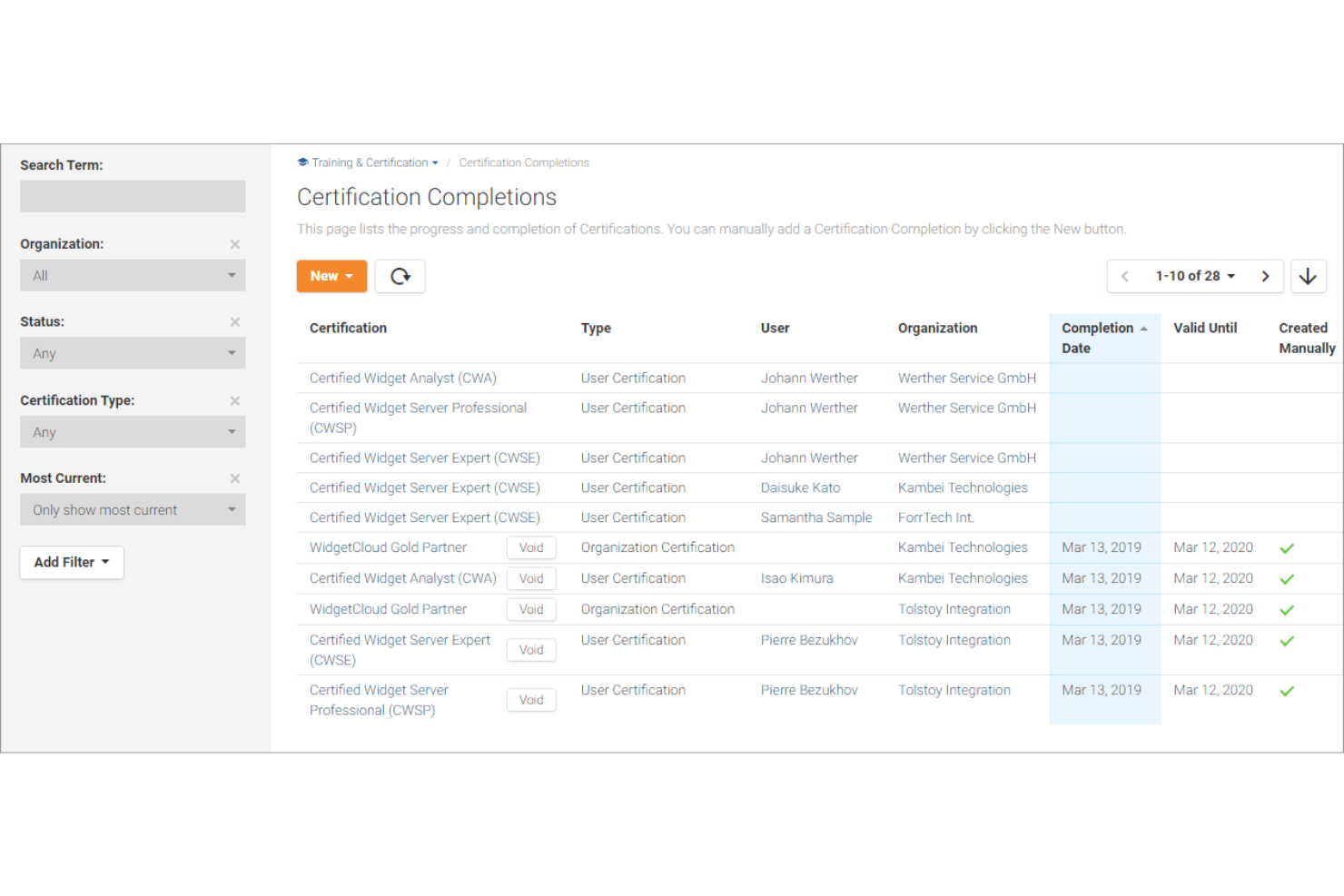
Channeltivity is a partner relationship management (PRM) platform built for tech channel programs, combining training course creation, SCORM/xAPI content delivery, quiz-based certification, and rep- and partner-level credentialing in a single partner portal.
Who Is Channeltivity Best For?
Channeltivity is a strong fit for B2B tech vendors running structured channel programs who need to scale their partner enablement programs to train, quiz, and certify reseller reps through a single portal.
Why I Picked Channeltivity
I picked Channeltivity as one of the best because of how tightly its certification logic maps to the way tech channel programs actually work. You can award certifications at both the rep and partner organization level, which matters when your accreditation requirements differ by tier or role. I also like that Channeltivity auto-generates high-resolution PDF certificates and lets certified reps post credentials directly to their LinkedIn profiles, giving your program real-world visibility without any manual work on your end.
Channeltivity Key Features
- SCORM, AICC, cmi5, and xAPI support: Upload and deliver training content in any of these formats directly inside the partner portal.
- Group-specific training deployment: Assign courses to specific user profiles and partner groups so different partner tiers see only the content relevant to them.
- Comprehensive training activity reporting: Track digital coursework progress, live training attendance, quiz results, and certification status across your entire partner base from a single reporting view.
Channeltivity Integrations
Channeltivity offers native integrations with Salesforce, HubSpot, Zoho, and Microsoft Dynamics 365, covering deal registration, lead distribution, referral, and organization sync workflows. It also supports SAML 2.0 single sign-on and connects with Zapier. An API is available for custom integrations.
Pros and Cons
Pros:
- Logs external training, such as in-person sessions
- Supports SCORM, AICC, cmi5, and xAPI content
- Rep and org-level certification tracking
Cons:
- Portal UI feels dated compared to competitors
- Reporting lacks visual graphs or charts

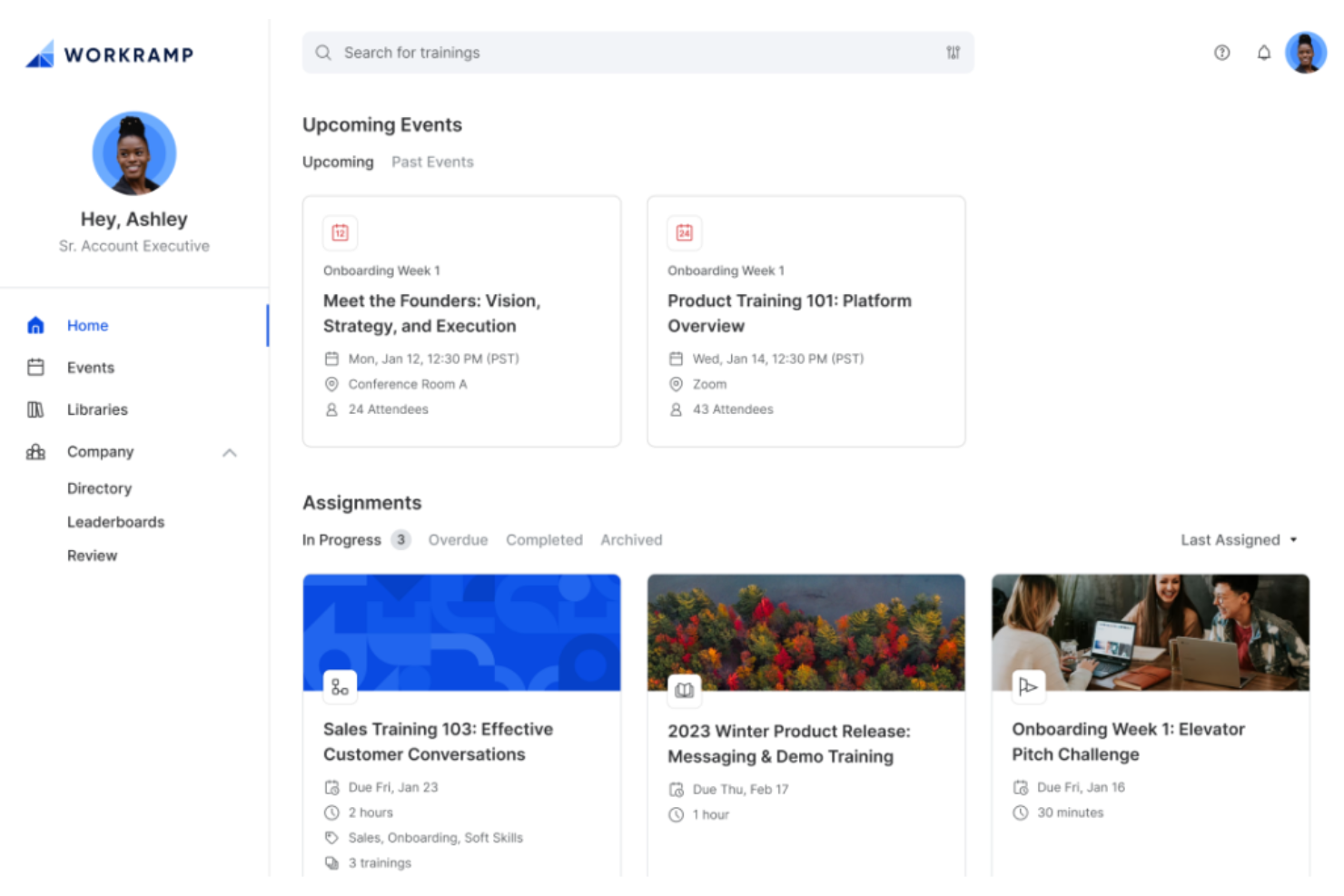
WorkRamp is an enterprise software solution that excels at combining partner enablement, certifications, and customer training into a single, cohesive academy system.
Who Is WorkRamp Best For?
WorkRamp is a strong fit for SaaS companies that want effortless content management to run a fully branded partner or customer academy under their own domain, with separate, customized experiences for different external audiences.
Why I Picked WorkRamp
WorkRamp earns its spot on my shortlist because of how far it takes branded academy customization. You can host your partner academy on your own custom domain, apply your brand's full visual identity, and use your product's existing SSO—so partners never feel like they've left your ecosystem. I also like that certifications partners earn can be published directly to LinkedIn, which turns completed training into organic brand visibility without any extra lift from your team.
WorkRamp Key Features
- Partner enablement module: Deliver dedicated training paths, content, and resources built specifically for partner audiences, separate from customer learning.
- E-commerce and SEO tools: Sell courses directly through your academy and optimize training content for search engine visibility.
- Academy embedding: Embed your partner academy directly inside your product or website without redirecting learners to an external platform.
WorkRamp Integrations
WorkRamp offers native integrations with Salesforce, HubSpot, Slack, Zoom, Google Calendar, Google Tag Manager, Intercom, Pendo, Zendesk, and Segment.io, along with HRIS syncing through HiBob and Microsoft 365 support for Teams, Outlook, and SSO. It also connects with Zapier and provides an API with webhooks for custom integrations.
Pros and Cons
Pros:
- Automated enrollment from CRM or HRIS data
- Advanced native conversational AI tools for real-time learner coaching
- Separate branded portals per partner audience
Cons:
- Lacks advanced native gamification out of the box
- High complexity and lengthy initial implementation
Other Partner Training Software
Here are some additional partner training software options that didn’t make it onto my shortlist, but are still worth checking out:
- Intellum
For AI-driven onboarding journeys
- ZINFI
For co-branded content access
- Impartner
For automated certification tracks
- Absorb
For interactive course authoring tools
- Introw
For meeting-based learning paths
- Seismic
For sales content integration
- Pifini
For AI-driven content recommendations
- Wahoo Learning
For fully managed training services


How I Evaluate Partner Training Software
I evaluate partner training platforms in two layers: the baseline criteria a tool must clear—like cert tracking and partner portals—and the differentiators that reveal the best fit.
Core Functionality (Table Stakes For This List)
When I'm selecting tools for my list, I rank each one on a scale from 0 (does not offer the functionality) to 5 (excels in this area) for each core functionality listed below. Then, I calculate the tool's total score into a percentage. Each tool needs to achieve a minimum total score of 65% to be considered for inclusion.
- External Learner Management: I check whether the platform segments learners by partner org, tier, and region—so a Gold reseller in APAC sees different content than a Silver one.
- Course Authoring & Content Delivery: I look for native authoring with SCORM support and structured learning paths, not just a file dump where partners dig for product decks.
- Certification & Assessment: Each tool should let you issue certifications tied to competency milestones, with expiration dates and renewal workflows for things like annual product recertification.
- Multi-Tenant Partner Portals: I evaluate whether each partner org gets a branded, self-contained portal with its own admin controls, rather than a shared environment.
- Progress Tracking & Reporting: Reporting should roll up from individual learner progress to partner-account-level dashboards, so you can spot which partner teams are falling behind on enablement.
- RevOps Stack Integrations: I look at CRM and PRM connectivity—whether training data flows into Salesforce or HubSpot records so partner managers can tie certifications to deal activity.
Once I have a list of tools that meet the criteria, I consider what sets each platform apart.
Differentiating Factors (What Sets Vendors Apart)
Here's how I compare and contrast different vendors:
Standout Features
Gamification features like points and leaderboards keep partners motivated, especially during certification pushes across hundreds of resellers. AI-powered personalization is another factor I weigh. Adaptive learning paths can route a technical partner to product deep-dives while a sales-focused rep gets objection-handling content instead. I also check for mobile and offline access, which matters for field reps who need to complete training between customer meetings.
Beyond Features
Scalability matters when your partner program grows from 50 to 500 organizations. I evaluate whether pricing scales with active learners and whether the platform supports multi-language rollouts. Partner program ROI measurement is equally important—I look for tools that correlate training completion with partner-sourced pipeline, giving channel leaders the data to justify program investment. Security and compliance round this out. SOC 2 and GDPR readiness plus SSO support are table stakes when you're granting external users access to your systems.
How to Choose Partner Training Software
It’s easy to get bogged down in long feature lists and complex pricing structures. To help you stay focused as you work through your unique software selection process, here’s a checklist of factors to keep in mind:
| Factor | What to Consider |
|---|---|
| Scalability | Can the tool handle your current and future partner volumes without unexpected cost jumps or admin strain? |
| Integrations | Does it connect with your HRIS, SSO, CRM, or data warehouse systems without custom development? |
| Customizability | Can you brand the experience and define access or workflows for different partner tiers or regions? |
| Ease of use | Will both admins and external users navigate it without ongoing training or heavy IT support? |
| Implementation and onboarding | How much time and effort will it take your organization and partners to deploy and get up to speed? |
| Cost | Are licensing, onboarding, and long-term usage costs clear, predictable, and aligned with your budget plans? |
| Security safeguards | Does the system comply with your security policies, data handling standards, and third-party risk requirements? |
| Support availability | Will you and your partners have access to timely, knowledgeable technical support in all required languages and regions? |
What Is a Partner Training Software?
Partner training software is a digital platform designed to deliver, manage, and track educational programs for external partners such as resellers, distributors, or affiliates. These systems help organizations provide consistent onboarding, certification, and knowledge sharing, making it easier to measure partner engagement, ensure compliance, and maintain scalable learning experiences across diverse partner networks.
Features of Partner Training Software
When selecting partner training software, keep an eye out for the following key features:
- Course creation tools: Provide everything you need to build and organize online training modules using videos, documents, quizzes, and interactive content to boost technical product knowledge.
- User management: Let you enroll, group, and track partner users or organizations, making it easy to tailor training for different audiences.
- Progress tracking: Offers real-time dashboards so you can monitor who is enrolled, what courses have been started or finished, and where users are getting stuck.
- Assessment and quizzes: Allow you to create tests or knowledge checks to verify comprehension and award certifications or badges upon successful completion.
- Certification management: Automatically issues, stores, and manages digital certificates when partners finish required coursework or pass assessments.
- Reporting and analytics: Generate easy-to-read reports on participation, course completion rates, and outcomes to demonstrate program effectiveness.
- Multi-language support: Ensures content and navigation are accessible for global partners in their local language.
- White-label branding: Lets you customize the look, feel, and communications to match your company or partner’s brand identity.
- Role-based permissions: Gives you control over who can access courses, manage users, or view sensitive reporting based on their role.
- Automated reminders: Send emails or in-app alerts to prompt partners to start, continue, or finish specific learning assignments.
Common Partner Training Software AI Features
Beyond the standard partner training software features listed above, many of these solutions are incorporating AI with features like:
- Personalized learning recommendations: Analyze individual partner behaviors and progress to suggest relevant courses or resources most likely to boost engagement and knowledge retention.
- Automated content curation: Uses machine learning to review and organize large content libraries, ensuring partners always see the freshest and most relevant materials first.
- Predictive engagement alerts: Monitors partner activity patterns and flags users likely to disengage, helping admins reach out at the right moment to improve retention rates.
- Adaptive assessments: Adjusts questions and difficulty in real time based on a partner’s previous answers, delivering a tailored evaluation experience and more accurate measurement of skills.
- AI chat support: Offers instant, contextual help to partners as they work through training, resolving common issues and answering FAQs without human intervention.
Benefits of Partner Training Software
Implementing partner training software provides several benefits for your team and your business. Here are a few you can look forward to:
- Unified onboarding process: Delivers consistent, structured onboarding to every partner using standardized modules and automated enrollment.
- Improved compliance management: Tracks mandatory training, certification completions, and regulatory requirements automatically with built-in monitoring tools.
- Increased partner engagement: Offers interactive learning experiences, notifications, and gamified elements that boost motivation and participation.
- Scalable training delivery: Supports growth by reaching more partners across regions without increasing manual workload or administrative complexity.
- Improved data-driven decisions: Provides administrators with real-time analytics and reporting to evaluate program success and identify areas for improvement.
- Enhanced brand consistency: Customizes training materials and platform appearance so partners experience your brand with every interaction.
- Time and resource savings: Centralizes course management, user tracking, and content updates, reducing repetitive administrative tasks.
Costs and Pricing of Partner Training Software
Selecting partner training software requires an understanding of the various pricing models and plans available. Costs vary based on features, team size, add-ons, and more. The table below summarizes common plans, their average prices, and typical features included in partner training software solutions:
Plan Comparison Table for Partner Training Software
| Plan Type | Average Price | Common Features |
|---|---|---|
| Free Plan | $0 | Basic user management, limited course creation, basic reporting, and standard email support. |
| Personal Plan | $10-$30/user/month | Progress tracking, assessments, branded certificates, expanded storage, and simple integrations. |
| Business Plan | $25-$50/user/month | Custom branding, advanced analytics, automation, group management, and dedicated onboarding support. |
| Enterprise Plan | $50-$100+/user/month | SSO, API access, multi-language support, custom SLAs, advanced security, and configurable workflows. |
Partner Training Software FAQs
Here are some answers to common questions about partner training software:
Can partner training software integrate with my CRM or other business systems?
Yes, most partner training software offers integrations with popular CRM, marketing automation, and analytics platforms. This allows you to sync partner data, automate enrollment, and consolidate reporting across your tech stack.
How secure is partner training software for sharing sensitive content?
Most solutions provide security measures like encrypted data storage, role-based access controls, and SSO options to protect your training materials and partner information.
Will I be able to customize training paths for different partner types?
Yes, you can typically design and assign unique courses, modules, or certification paths to different partner segments, regions, or roles.
What kind of support is available for new users or administrators?
Vendors usually offer onboarding assistance, online help centers, webinars, and live customer support to help both admins and partners get up to speed.
Is reporting available to track partner engagement and performance?
Yes, partner training software commonly includes dashboards and detailed reports so you can monitor progress, course completion, and overall program impact.