

10 Best Mobile CRM in 2026

Best Mobile CRM Shortlist


A mobile CRM is a customer relationship management tool you can use on your phone or tablet, letting you track deals, manage contacts, and access customer data wherever you work. If you’re searching for the best mobile CRM, you need options built for fast-moving sales teams juggling in-person meetings, follow-ups, and constant communication. Missed opportunities, scattered notes, and slow updates cost real revenue—especially when you’re out of the office. This guide will help you pick a solution that fits your workflow, keeps your pipeline moving, and integrates the tools your team already relies on.
Why Trust Our Software Reviews
We’ve been testing and reviewing RevOps software since 2022. As RevOps leaders ourselves, we know how critical and difficult it is to make the right decision when selecting software.
We invest in deep research to help our audience make better software purchasing decisions. We’ve tested more than 2,000 tools for different RevOps use cases and written over 1,000 comprehensive software reviews. Learn how we stay transparent & our software review methodology.
Best Mobile CRM Summary
This comparison chart summarizes pricing details for my mobile CRM to help you find the best one for your budget and business needs.
| Tool | Best For | Trial Info | Price | ||
|---|---|---|---|---|---|
| 1 | Best for action-focused contact management | 21-day free trial | From $9.95/user/month (billed annually) | Website | |
| 2 | Best for visualizing sales pipelines | 14-day free trial | Pricing upon request | Website | |
| 3 | Best for project and relationship linking | 14-day free trial | From $29/user/month (billed annually) | Website | |
| 4 | Best for offline database access | 14-day free trial + free demo available | From $30/user/month (billed annually) | Website | |
| 5 | Best for in-app calling and messaging | 21-day free trial | From $9/user/month (billed annually) | Website | |
| 6 | Best for cross-department data alignment | Free plan available | From $7/user/month (billed annually) | Website | |
| 7 | Best for automated email harvesting | 21-day free trial | From $9.95/user/month (billed annually) | Website | |
| 8 | Best for native telephony integration | Free plan available | From $69/month | Website | |
| 9 | Best for AI-powered lead scoring | 21-day free trial | From $9/user/month (billed annually) | Website | |
| 10 | Best for enterprise revenue forecasting | 30-day free trial | From $25/user/month | Website |
Best Mobile CRM Reviews
Below are my detailed summaries of the best mobile CRM that made it onto my shortlist. My reviews offer a detailed look at the features, best use cases, and integrations of each platform to help you find the best one for you.
Best for action-focused contact management
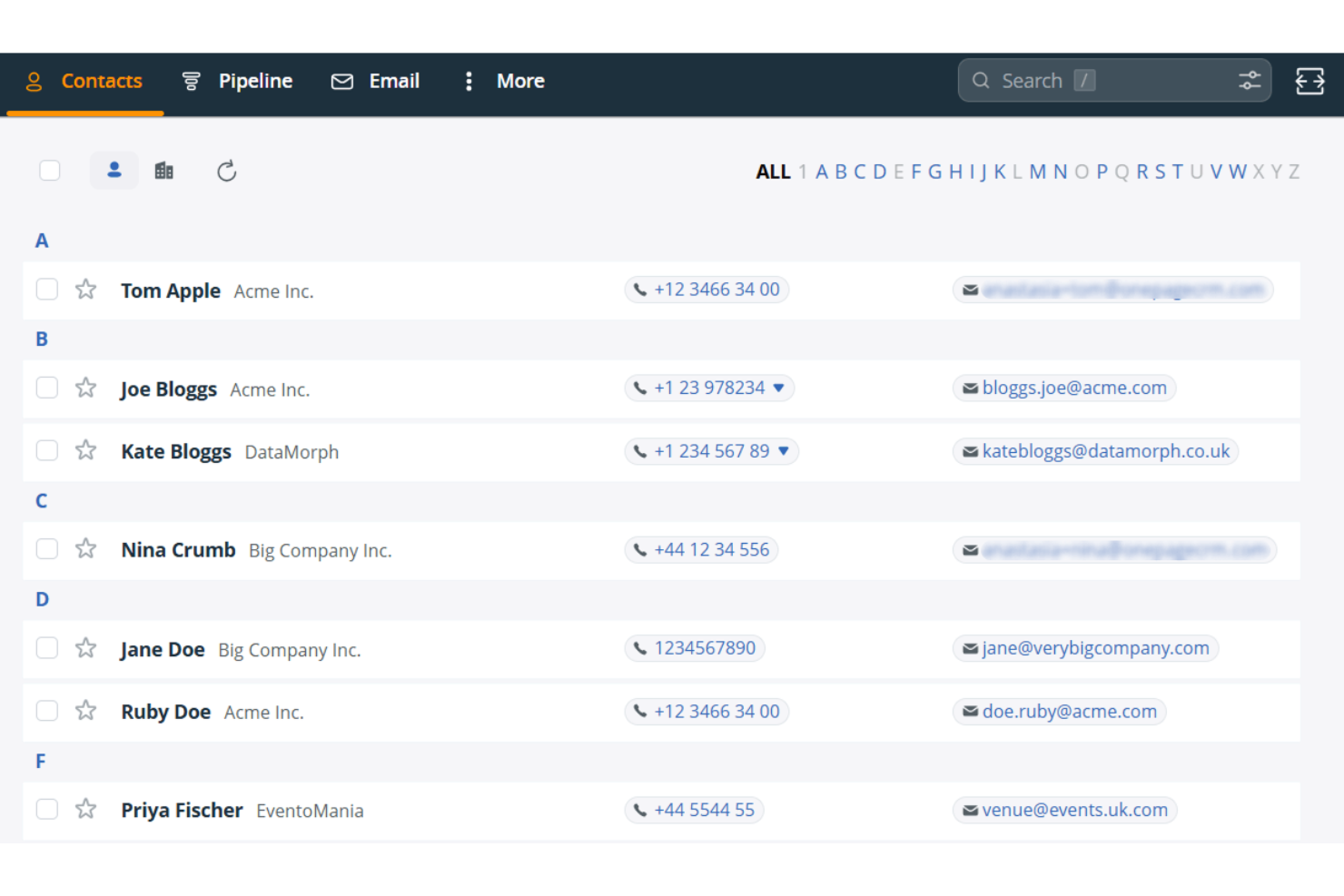
OnePageCRM is a mobile CRM built around a prioritized action list, offering contact management, pipeline tracking, an AI-powered route planner, a built-in business card scanner, and a Speed Dialer for field sales teams.
Who Is OnePageCRM Best For?
OnePageCRM is a strong fit for field sales reps and small sales teams who need a no-fuss mobile CRM built around daily follow-up priorities.
Why I Picked OnePageCRM
OnePageCRM earns its spot on my shortlist because of how it structures daily selling around a prioritized action list rather than leaving reps to figure out who to call next. The Action Stream color-codes every contact by urgency and surfaces the total open deal value alongside each follow-up, so I can see at a glance whether I'm chasing a $500 deal or a $50,000 one. I also rely on the "On the Road" route planner, which pulls live traffic data to sequence field visits, then hands off to the Speed Dialer for back-to-back calls without manual lookup between each one.
OnePageCRM Key Features
- AI business card scanner: Captures field leads instantly by photographing a business card, which auto-populates a new CRM contact record.
- Voice-to-text note logging: Lets reps dictate notes hands-free directly into contact records after field interactions.
- Focus Mode: Hides contacts not due today with a single tap, keeping your view limited to urgent follow-ups.
- Sales Forecast View: Gives mobile access to pipeline forecasting data across all plan tiers, with no upgrade required.
OnePageCRM Integrations
OnePageCRM offers marketplace integrations with Gmail, Google Calendar, Outlook Calendar, Aircall, Mailchimp, QuickBooks, and Xero. It also supports API access, webhooks, Make.com, and Zapier on all plans.
Pros and Cons
Pros:
- Built-in business card scanner for instant capture
- Prioritized action list with deal value display
- Supports full mobile contact and deal editing
Cons:
- Text messages are not automatically logged
- No offline mobile access available

Best for visualizing sales pipelines
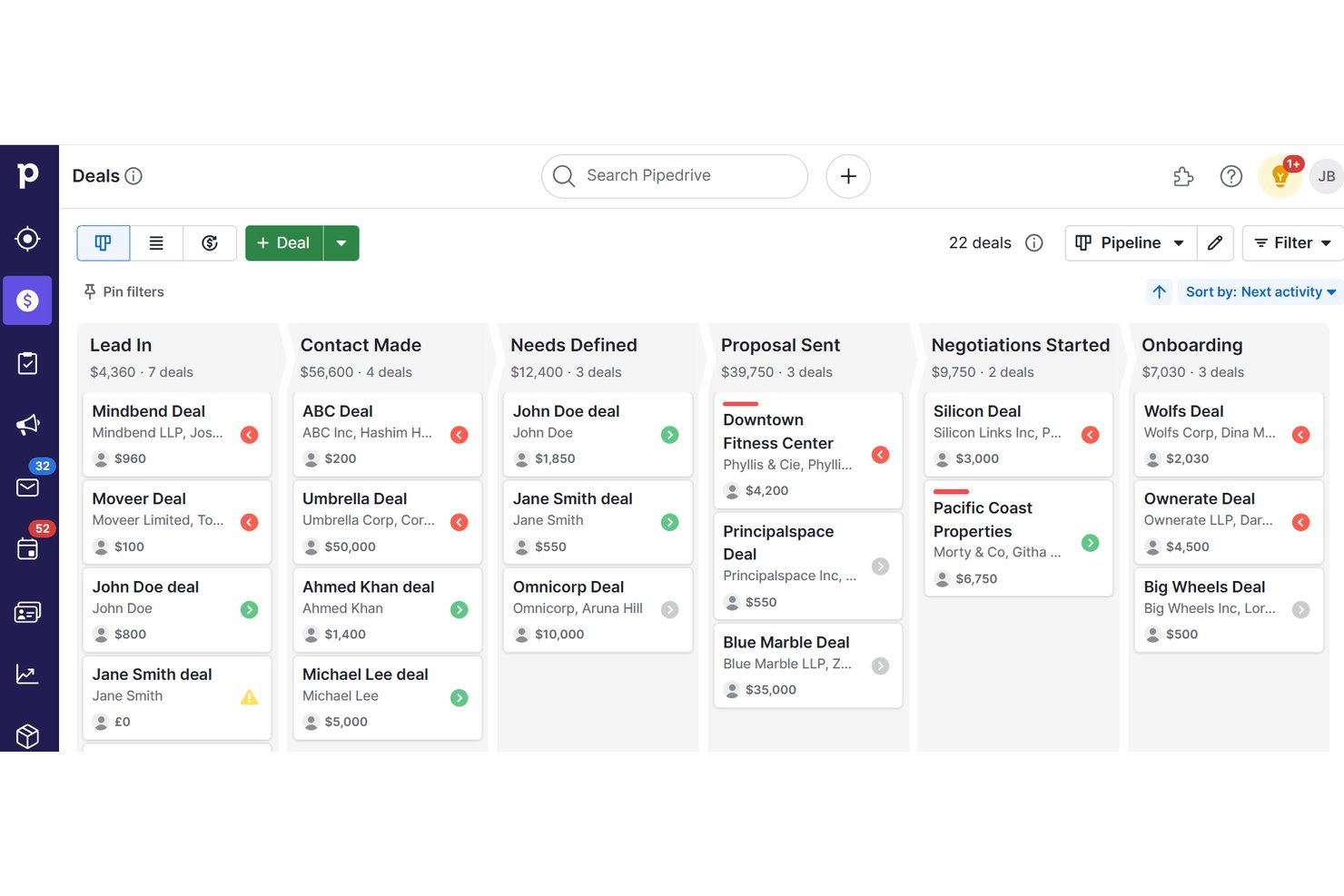
Pipedrive is a sales CRM with native iOS and Android apps that gives field teams full pipeline management, offline deal tracking, geolocation-based contact discovery, built-in business card scanning, and voice note capture.
Who Is Pipedrive Best For?
Pipedrive is a strong fit for field sales reps who need to manage deals, log activity, and find nearby prospects without being tied to a desk.
Why I Picked Pipedrive
Pipedrive earns its spot on my shortlist because no other tool I've tested makes pipeline visualization as accessible on mobile as it does on desktop. I love that you can drag and drop deals between stages directly from your phone, with the forecast view available on Growth plans and above. The Nearby feature is what really sets it apart: it surfaces a map of contacts and prospects within 10 km of your current location, so field reps can fill gaps between meetings without opening a separate app.
Pipedrive Key Features
- Offline mode: Work without connectivity by moving deals, adding notes, and logging activities, with automatic sync when you reconnect.
- Business card scanner: Capture contact details on the spot using OCR scanning, review extracted data, and save directly to your CRM.
- Audio notes: Record voice notes and attach them to any deal or contact record directly from your phone.
- AI Sales Assistant: Receive deal prioritization tips, next-best-action suggestions, and performance coaching via push notifications on mobile.
Pipedrive Integrations
Pipedrive offers 500+ Marketplace integrations, including Slack, Microsoft Teams, Zoom, Aircall, Gmail, Outlook, Calendly, Gong, Mailchimp and PandaDoc. It also supports custom integrations through its open REST API, webhooks and Zapier.
Pros and Cons
Pros:
- Native business card scanner in mobile app
- Nearby geolocation feature for field reps
- Full-featured offline mode for mobile users
Cons:
- Performance issues with large deal volumes
- Advanced reporting dashboards desktop-only

Best for project and relationship linking
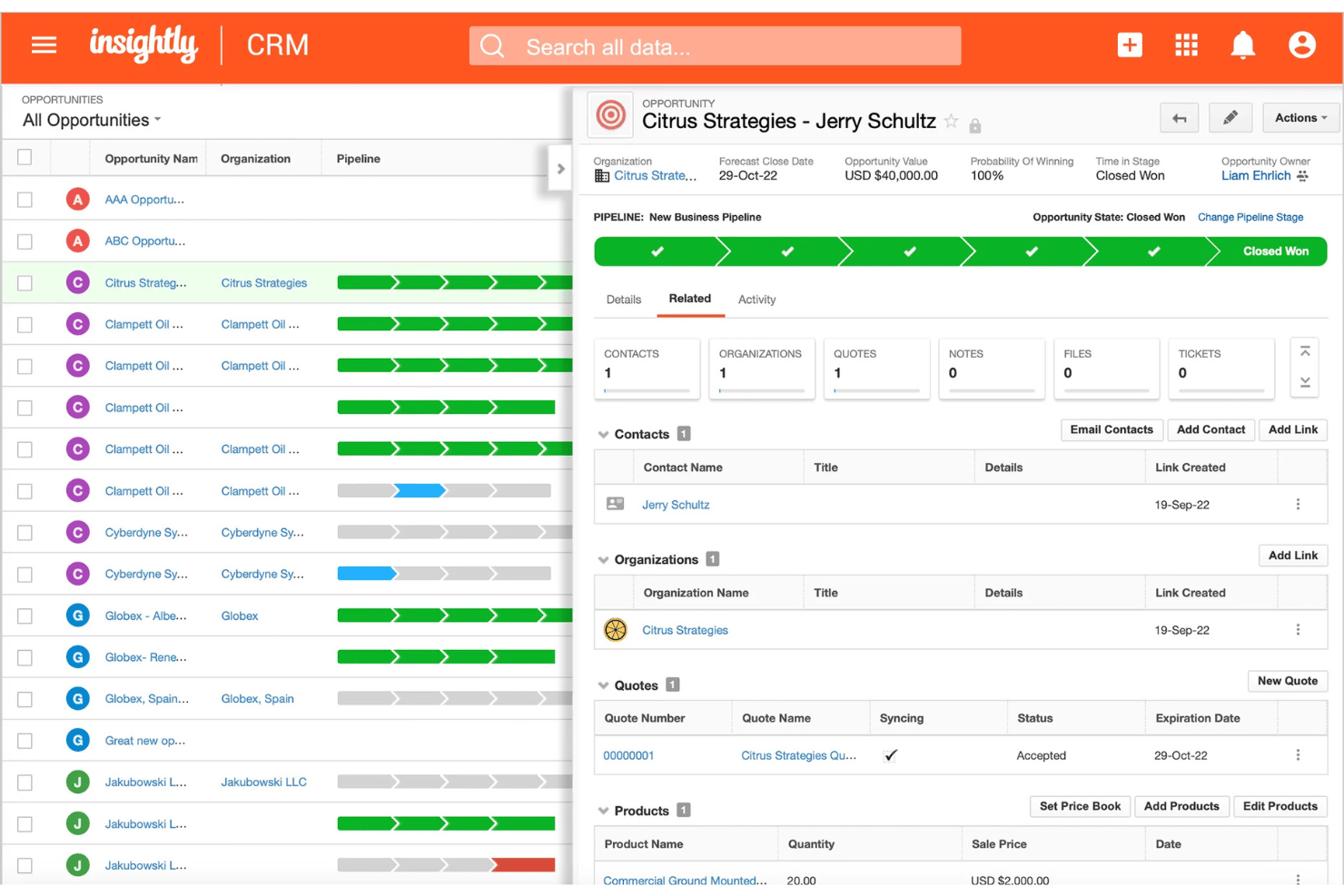
Insightly is a mobile CRM that connects contact management, pipeline tracking, opportunity management, and project linking across both iOS and Android apps.
Who Is Insightly Best For?
Insightly suits B2B teams that manage complex post-sale relationships, where connecting won deals to ongoing projects and tracking stakeholder roles is part of the everyday workflow.
Why I Picked Insightly
Insightly earns its spot on my shortlist because of how it handles the transition from closed deal to active project. When an opportunity is won, I can convert it directly into a linked project within the mobile app, with relationship roles like economic buyer and delivery owner preserved throughout. The built-in Business Card Scanner also lets me capture new contacts on the spot, with AI pulling the details into the record automatically.
Insightly Key Features
- Voice note recording: Capture meeting context hands-free by recording voice notes directly into contact or opportunity records from the mobile app.
- Drag-and-drop pipeline views: Manage deals across Kanban and Milestone views on mobile, with full drag-and-drop stage updates available on both iOS and Android.
- Dashboard parity: Any dashboard built on the desktop automatically appears in the mobile app with full fidelity, giving you consistent reporting visibility wherever you are.
- AI Copilot: Use natural language to look up records, draft follow-up emails, and update deals directly within the CRM interface.
Insightly Integrations
Insightly offers native integrations with Gmail, Microsoft Outlook, and Slack, plus AppConnect integrations with Salesloft, DocuSign, Asana, QuickBooks Online, Calendly, and ZoomInfo. Its REST API v3.1 supports custom integrations on all paid plans.
Pros and Cons
Pros:
- Built-in AI business card scanner
- Mobile dashboard parity with desktop views
- Converts deals into mobile-linked projects
Cons:
- No map-based account or route features
- Offline editing depth is unclear
Act!
Best for offline database access
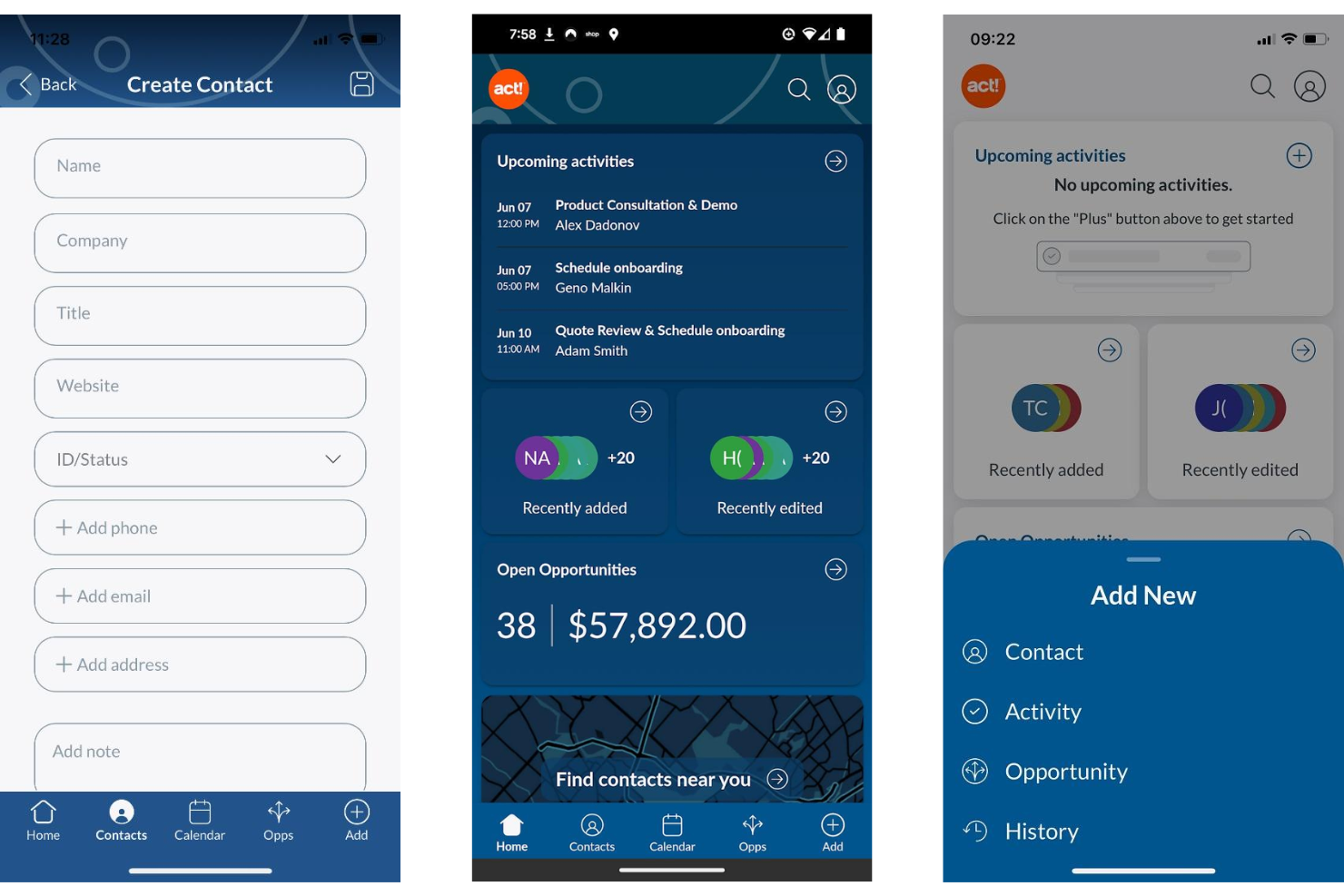
Act! is a mobile CRM built for small businesses and field sales teams, offering contact and company management, pipeline tracking, activity logging, proximity search, and a business card scanner across iOS and Android.
Who Is Act! Best For?
Act! is a strong fit for small business field sales teams that need a structured CRM with mobile-friendly tools like proximity search and a business card scanner.
Why I Picked Act!
Act! earns its spot on my shortlist because of something genuinely rare in mobile CRM: a legitimate offline database story. The Act! Premium Desktop version lets you work from a locally installed database with no internet required, syncing changes back when you reconnect. I also like the proximity search, which lets field reps pull up contacts within a set radius of their current location, and the built-in business card scanner for logging new contacts on the spot.
Act! Key Features
- Notification center: Delivers push alerts for upcoming activities with snooze, reschedule, and dismiss options, including linked contact and company names for context.
- Multi-user calendar: Lets mobile users view and add activities to teammates' calendars directly from the app.
- Pipeline dashboard: Displays open deals with sortable views of deal count, value, age, and status, with the ability to edit or close opportunities on the go.
- Business card scanner: Uses built-in OCR to capture contact details from physical cards and create new records instantly from your mobile device.
Act! Integrations
Act! offers native integrations with Microsoft Outlook and Google Workspace for contact, calendar, and email sync, plus Microsoft Office connectivity. It also provides an open API for custom integrations and Zapier integrations.
Pros and Cons
Pros:
- Notification center supports activity reminders
- Proximity search helps plan sales visits
- Business card and QR code scanner included
Cons:
- Few modern RevOps integrations available
- No offline access in the mobile app
Best for in-app calling and messaging
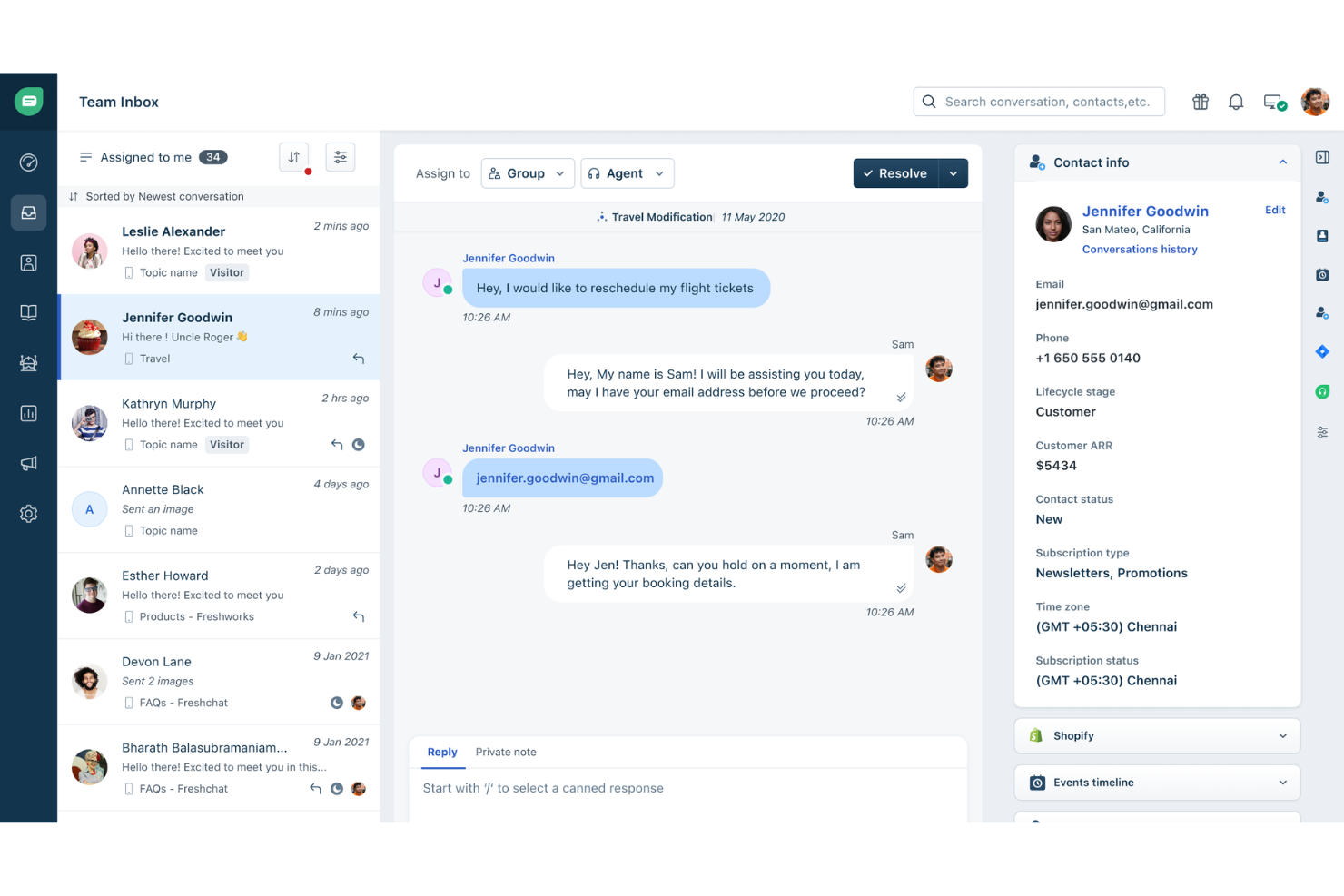
Freshsales is a mobile CRM built for field and remote sales teams, combining contact and deal management, AI-powered pipeline views, offline access, GPS check-ins, built-in calling, and multi-channel messaging in a single app.
Who Is Freshworks Best For?
Freshsales is a strong fit for field sales teams that rely on phone and messaging to move deals forward and need those tools built directly into their CRM.
Why I Picked Freshworks
Freshsales earns its spot on my shortlist because no other mobile CRM bundles this many communication channels into a single app as cleanly. I'm talking about a built-in dialer with call recording, WhatsApp Business, Apple Business Chat, and SMS, all logging back to the contact record automatically. What I particularly like is that a rep can finish a call, attach a voice note, and GPS check-in to a site visit without ever leaving the app.
Freshworks Key Features
- Freddy AI Kanban view: Groups deals by AI-predicted win probability so you can see which opportunities need attention before your next call.
- Business card scanner: Uses your device camera to capture card details and instantly create a contact record via the Quick Add button.
- GPS check-in: Logs your location when visiting a customer site, tagging the field visit directly to the relevant contact or account record.
- Offline mode: Lets you create, edit, and delete records across leads, contacts, deals, and tasks with no connection, then syncs automatically when you're back online.
Freshworks Integrations
Freshsales offers 100+ marketplace integrations, including Slack, Gmail, Outlook, Google Calendar, Freshdesk, Freshcaller, Gong, Zoom, and WhatsApp Business. It also supports an open REST API, webhooks, and Zapier.
Pros and Cons
Pros:
- Voice notes and GPS check-in for field reps
- Full offline access to core CRM modules
- Built-in in-app calling and messaging
Cons:
- No offline access for custom modules
- Only 100 records per view sync offline

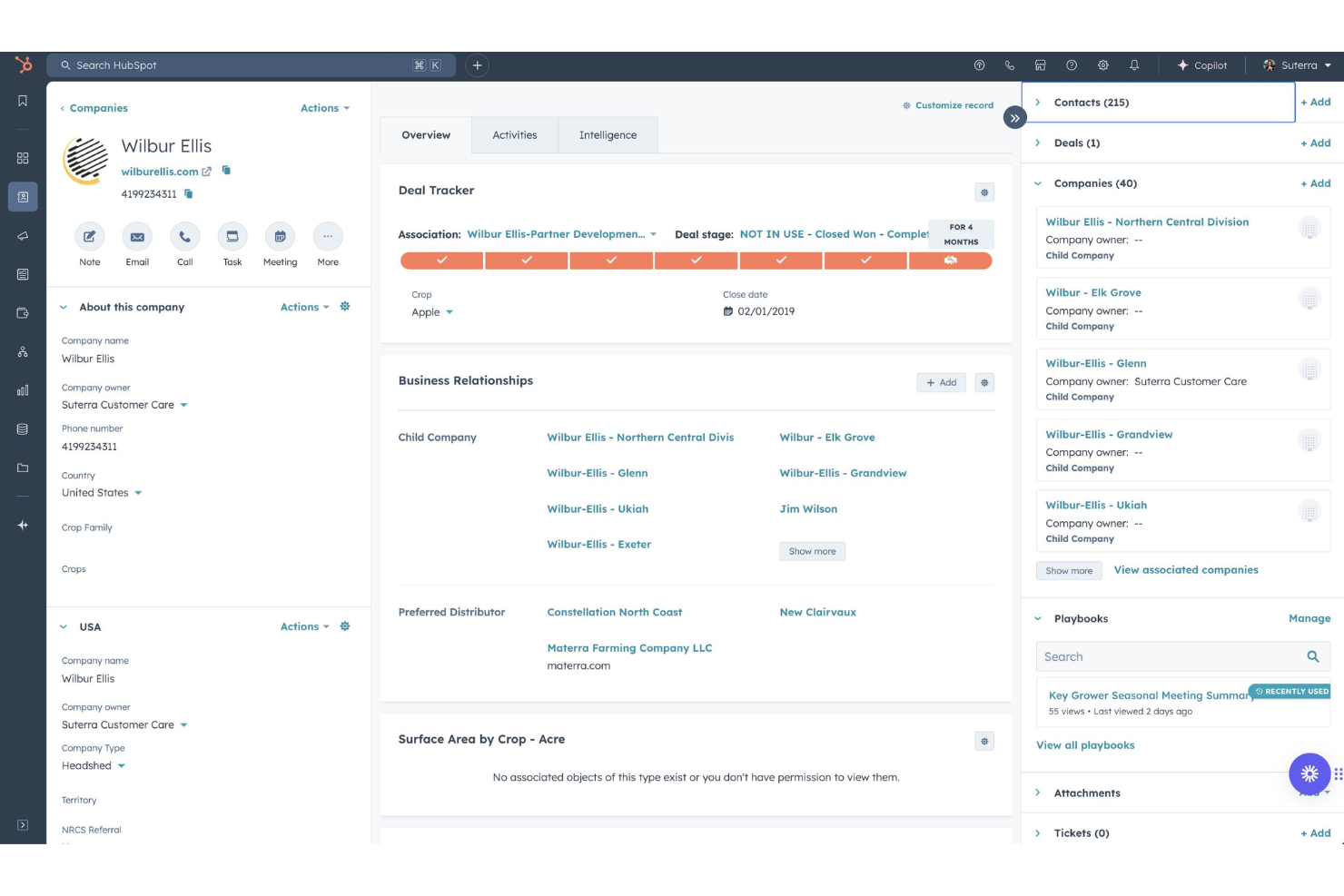
HubSpot Free CRM is a mobile-accessible CRM platform with native iOS and Android apps that spans sales, marketing, and customer success, offering contact management, pipeline tracking, in-app calling, activity logging, and AI-powered assistance via Breeze.
Who Is HubSpot Free CRM Best For?
HubSpot Free CRM suits revenue teams that need sales, marketing, and customer success data unified in one mobile-accessible platform.
Why I Picked HubSpot Free HubSpot CRM
HubSpot Free HubSpot CRM earns its spot on my list because no other tool I've tested spans sales, marketing, and customer success data from a single mobile app the way HubSpot does. I particularly like the Breeze Assistant, which is embedded across every screen and pulls live CRM context, so I can walk into a meeting with a full summary of the deal, open tickets, and recent activity without opening my laptop. The built-in business card scanner also logs and associates new contacts instantly, which keeps cross-department records clean from the first touchpoint.
HubSpot Free HubSpot CRM Key Features
- In-app calling with Caller ID: Make outbound calls directly from the app using HubSpot phone numbers, with incoming calls displaying linked CRM contact data automatically.
- Board view for pipeline management: A Kanban-style pipeline view lets you tap through deal stages and switch between multiple pipelines without leaving the mobile app.
- Push notifications and task alerts: Configurable push notifications surface task reminders, deal activity, and assignment alerts directly to your device.
- 2,000+ marketplace integrations: Connect HubSpot to tools like Gong, Outreach, Salesloft, Gmail, and Outlook via native integrations or the broader app marketplace.
HubSpot Free HubSpot CRM Integrations
HubSpot Free HubSpot CRM offers 2,000+ marketplace integrations, including Gong, Outreach, Salesloft, Gmail, Outlook, and Slack. Its open API and webhooks support custom connections, and Zapier is also available.
Pros and Cons
Pros:
- True cross-department CRM data access
- Built-in business card scanner is unlimited
- AI-powered assistant available on every screen
Cons:
- No native geolocation or route planning
- Offline editing capabilities are very limited
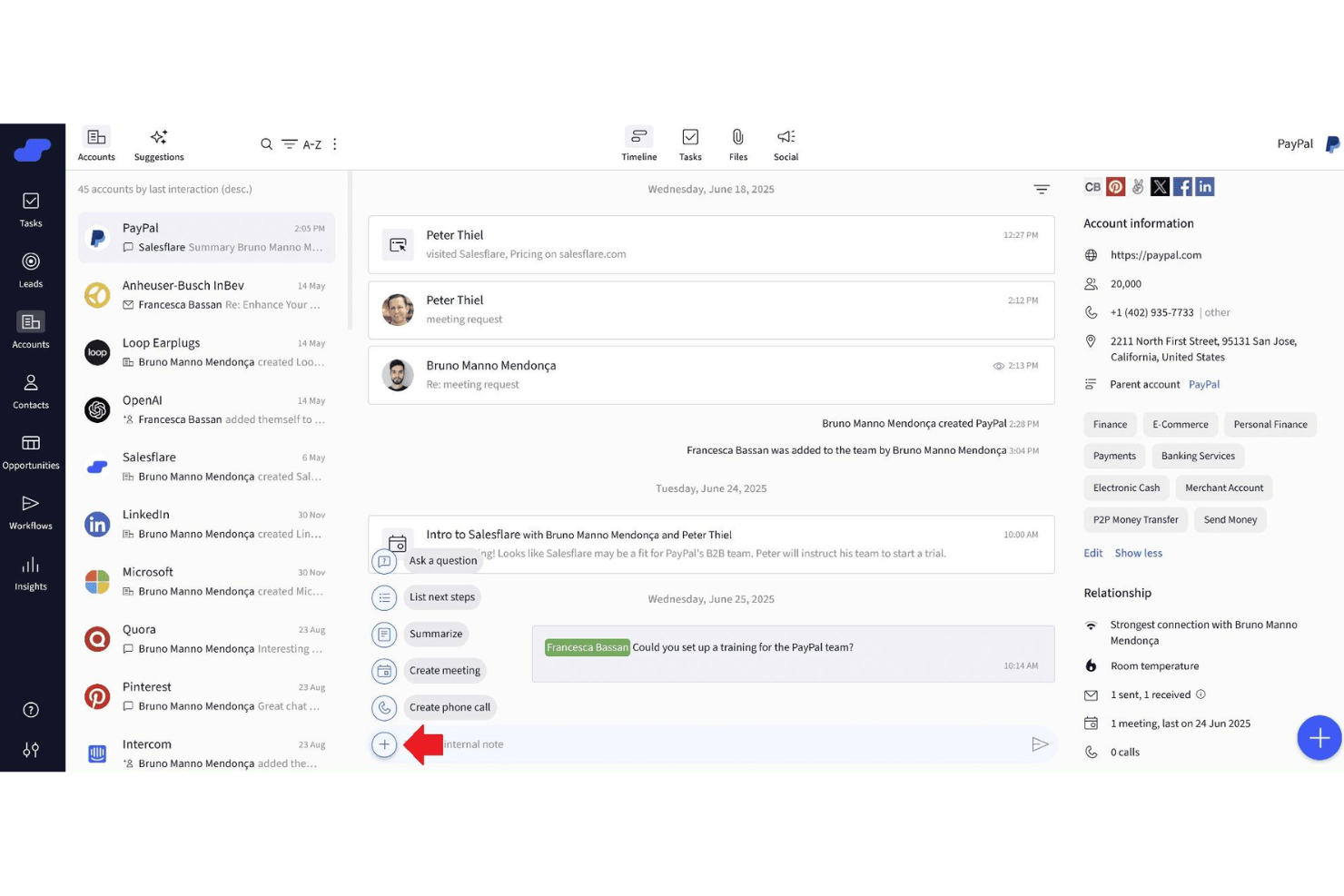
OnePageCRM is a mobile CRM built for field sales teams, offering dual native apps with an AI-powered route planner, speed dialer, business card scanner, and action-based contact prioritization.
Who Is OnePageCRM Best For?
OnePageCRM is a strong fit for small field sales teams who need a mobile-first CRM with built-in route planning, speed dialing, and action-based contact prioritization.
Why I Picked OnePageCRM
OnePageCRM earns its spot on my shortlist because of how it handles automated email harvesting through its Lead Clipper browser extension and Apollo.io integration, which pull contact data and email addresses directly into CRM records without manual entry. I also love the AI Business Card Scanner built into the mobile app: snap a card after a field meeting and it instantly creates a contact record. The Action Stream then surfaces that new contact as a color-coded priority, so nothing slips after a busy day on the road.
OnePageCRM Key Features
- Action Stream prioritization: A color-coded task queue that flags overdue, due-today, and future follow-ups so you always know which contact needs attention first.
- Speed dialer: Lets you call a sequential list of prioritized contacts directly from the On the Road app, with post-call note prompts after each conversation.
- Sales Forecast View: A pipeline-level view available on all plans that shows projected revenue based on current deal stages and close dates.
- MCP-based AI logging: Connects OnePageCRM to AI assistants like ChatGPT and Claude so you can log calls, update deals, and set reminders using natural language prompts.
OnePageCRM Integrations
OnePageCRM offers 40+ marketplace integrations, including Gmail, Outlook, Google Calendar, WhatsApp, Mailchimp, ActiveCampaign, QuickBooks, Help Scout, Lead Clipper, and Apollo.io. It also supports Zapier, Make.com, an open REST API, and webhooks for custom integrations.
Pros and Cons
Pros:
- Built-in AI business card scanner
- Dual native mobile apps for field reps
- Automated email harvesting from web and Apollo
Cons:
- Lacks advanced reporting and analytics
- No offline access on any device

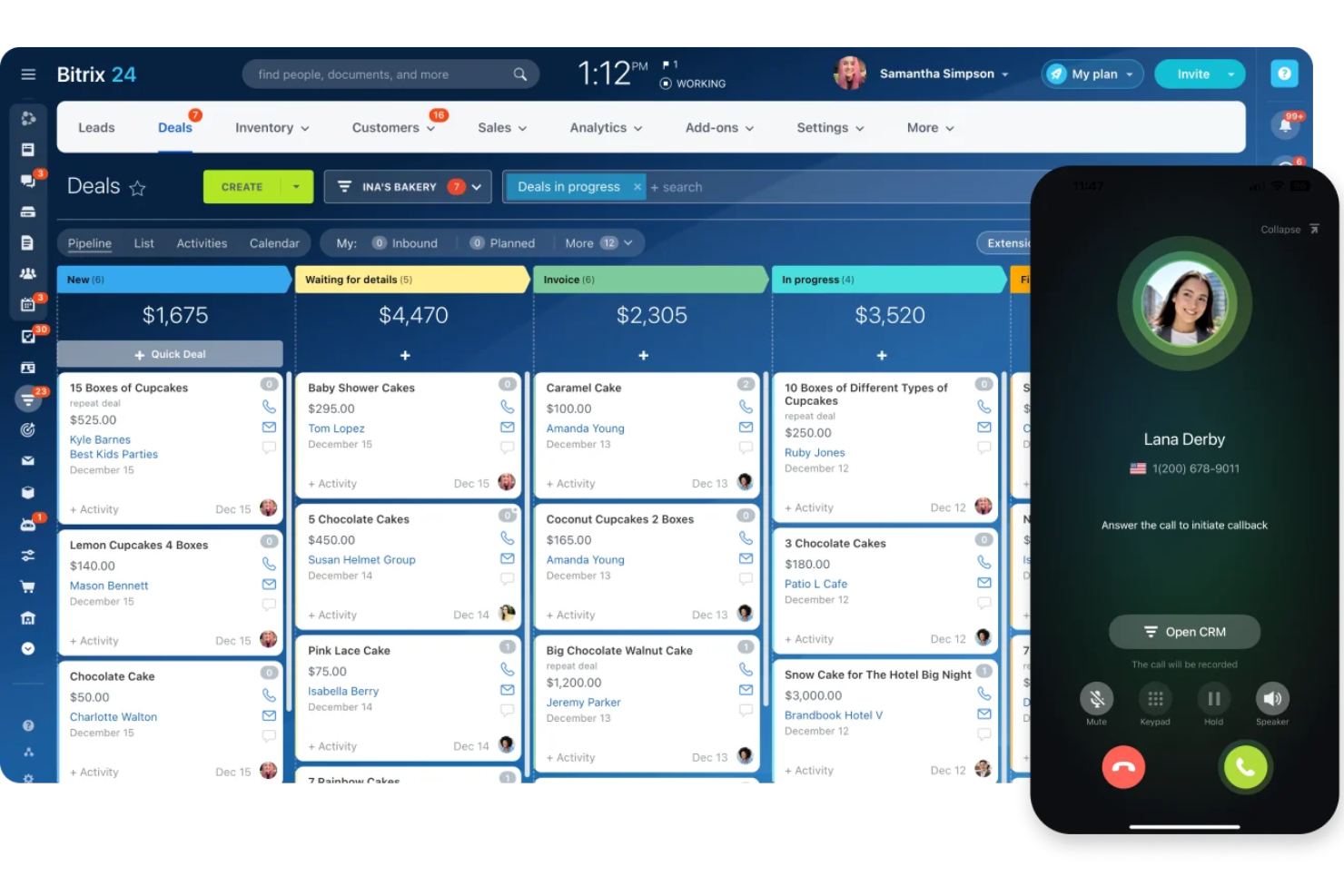
Bitrix24 Mobile CRM is a native mobile CRM app for iOS, Android, and Huawei that combines deal and pipeline management, built-in VoIP telephony, AI-powered call transcription, GPS check-ins, and omnichannel contact management in a single platform.
Who Is Bitrix24 Mobile CRM Best For?
Bitrix24 Mobile CRM is a strong fit for field sales teams that need built-in VoIP calling, AI call transcription, and deal management without a separate dialer app.
Why I Picked Bitrix24 Mobile CRM
Bitrix24 Mobile CRM earns its spot on my shortlist because its native VoIP telephony is built directly into every deal and contact record, with no external dialer needed. I can place a call, have it recorded and auto-logged, and get a CoPilot AI transcription linked to the deal, all from the mobile app. The AI also compares recorded calls against your sales scripts and surfaces coaching feedback, which is a genuine differentiator for field teams.
Bitrix24 Mobile CRM Key Features
- GPS check-in: Field reps can log client visits with time, location, and photo, all recorded directly in the activity timeline.
- Omnichannel inbox: Captures and consolidates messages from WhatsApp, Facebook Messenger, Instagram, email, and live chat in a single mobile view.
- Push notifications with Smart Notifications: Real-time alerts for deal updates, task assignments, and workflow triggers, with automatic suppression when you're active on desktop.
- Flat-rate pricing: Plans cover multiple users at a fixed monthly cost, so scaling your field team doesn't trigger per-seat pricing increases.
Bitrix24 Mobile CRM Integrations
Bitrix24 Mobile CRM offers native integrations with Gmail, Google Calendar, Microsoft 365, Google Drive, WhatsApp, Facebook Messenger, and Instagram. It also supports custom integrations through its REST API and Zapier.
Pros and Cons
Pros:
- Omnichannel inbox for all channels
- GPS check-ins for client visits
- Native VoIP calls with AI transcription
Cons:
- Business card scanning requires a companion app
- Offline access limited to viewing data

Best for AI-powered lead scoring
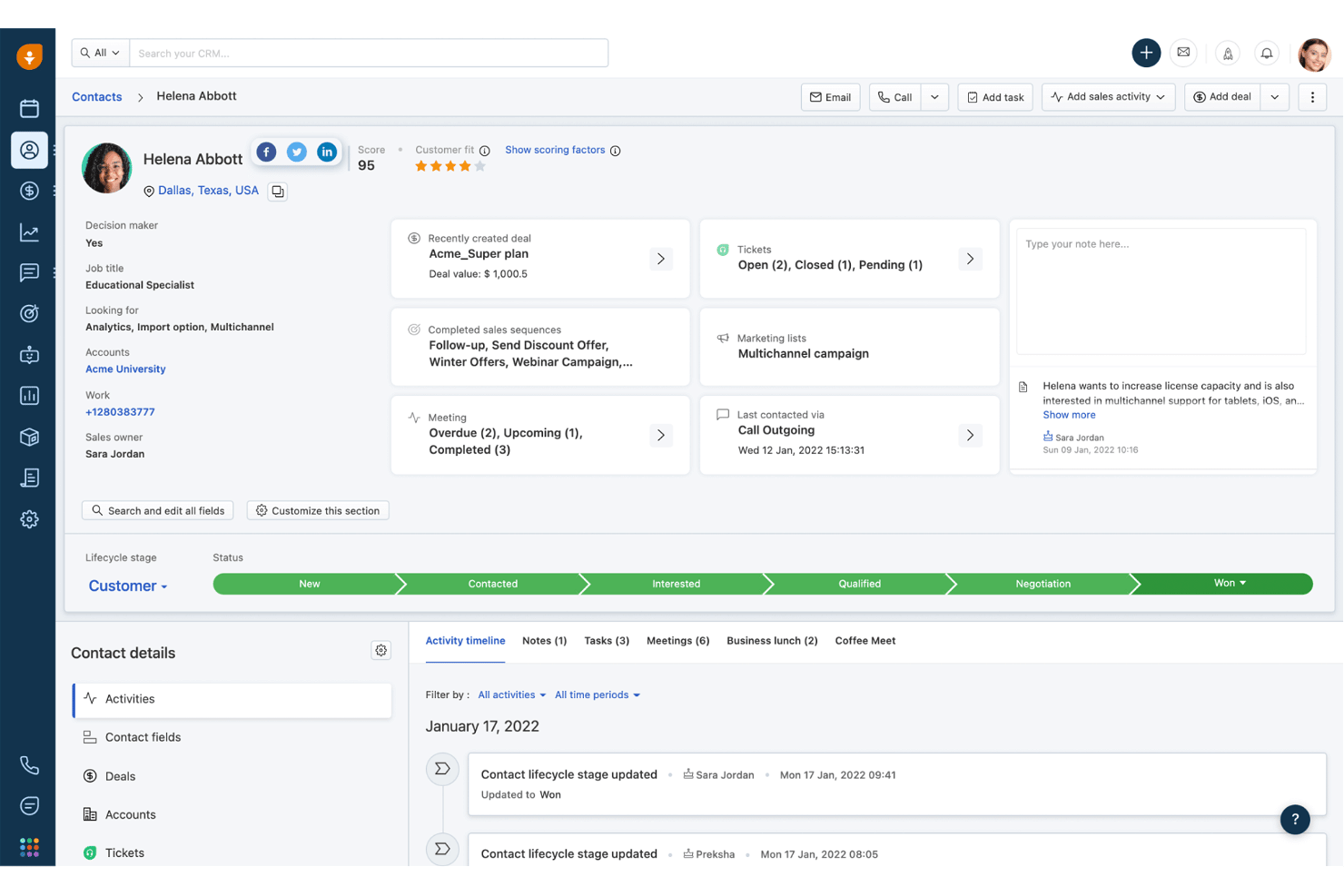
Freshsales is a sales CRM with native iOS and Android apps that gives field teams access to contact management, deal pipelines, activity logging, voice notes with live transcription, GPS check-ins, and AI-powered lead scoring on the go.
Who Is Freshsales Best For?
Freshsales is a strong fit for field sales teams that need hands-free activity logging, AI lead scoring, and reliable offline access between client visits.
Why I Picked Freshsales
Freshsales earns its spot on my shortlist because Freddy AI's lead scoring doesn't just rank contacts—it pulls from your historical deal data to surface which leads are worth prioritizing before you walk into a meeting. I also love the live voice transcription on iOS, which lets field reps dictate notes in real time right after a call without typing anything. Pair that with GPS check-ins that work offline, and your team's activity data stays accurate even in low-signal areas.
Freshsales Key Features
- Business card scanner: Scan a card with your camera and the app auto-extracts contact details via OCR, creating a new record instantly.
- Offline read/write mode: Create and edit leads, contacts, deals, tasks, and notes without a connection, then sync when you're back online.
- Image-to-text notes: Capture up to three images per note and let the app transcribe the text automatically, no manual entry needed.
- Configurable push notifications: Set alerts for email opens, link clicks, deal updates, task reminders, and lead assignments directly in app settings.
Freshsales Integrations
Freshsales offers native integrations with Freshdesk, Freshchat, Freshcaller, Freshsuccess, Gmail, Outlook, Slack, and Gong, with Gong two-way sync on Enterprise. Its marketplace includes 100+ apps, and an open REST API supports custom integrations.
Pros and Cons
Pros:
- Offline editing and syncing for field access
- Live voice transcription for hands-free note capture
- Built-in OCR business card scanner for contacts
Cons:
- Business card scanner supports English only
- Reporting and analytics reliability concerns
Best for enterprise revenue forecasting
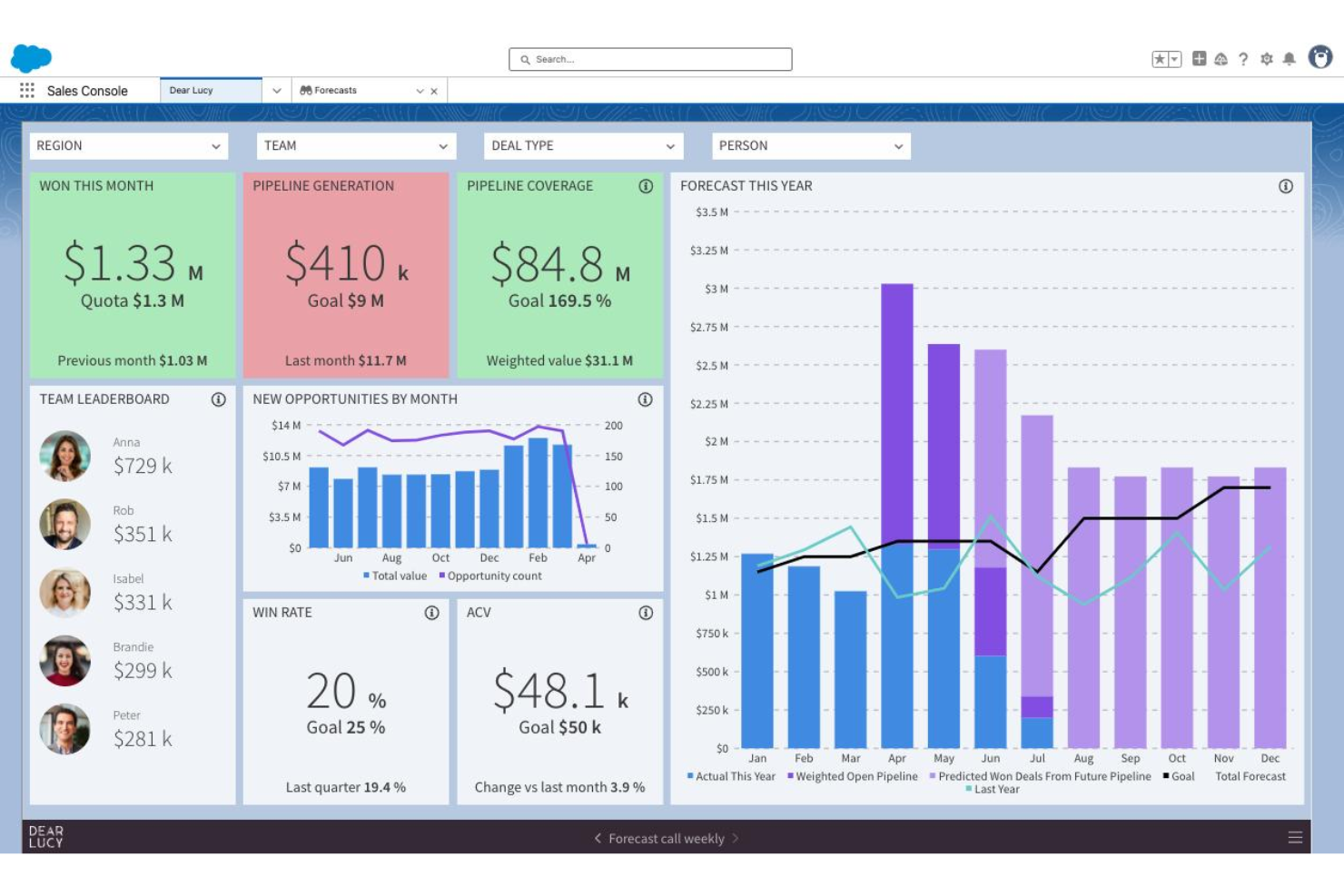
Salesforce CRM is an enterprise CRM platform with native iOS and Android apps that covers contact and account management, pipeline tracking, AI-driven insights via Agentforce, mobile dashboards through Tableau Next, and geolocation tools for field sales.
Who Is Salesforce CRM Best For?
Salesforce CRM is a strong fit for enterprise revenue teams that need AI-driven forecasting, field sales geolocation tools, and mobile pipeline visibility across complex, multi-cloud go-to-market operations.
Why I Picked Salesforce CRM
Salesforce CRM earns its spot on my shortlist because no other mobile CRM comes close for enterprise revenue forecasting at scale. Agentforce surfaces deal risk scores and next-best actions directly in the mobile app, while Tableau Next pushes real-time pipeline alerts before you even open a dashboard. I also rely on Salesforce Maps for field reps who need route optimization and nearby account discovery between meetings.
Salesforce CRM Key Features
- Sales Cloud Mobile Lightning App: Opens directly to a pipeline workspace showing priority meetings, tasks, leads, and opportunities for fast mobile access.
- Notification Builder: Admins configure push notifications for deal updates, task reminders, mentions, and workflow-triggered events at a granular level.
- Mobile Builder: A low-code tool that lets admins create custom, mobile-optimized layouts for any CRM object without writing code.
- Slack integration: Native Slack connectivity surfaces real-time CRM notifications and deal collaboration directly within Slack on mobile.
Salesforce CRM Integrations
Salesforce CRM offers native integrations with Slack, Microsoft Teams, Gmail, and Outlook, plus marketplace integrations through AppExchange, including Gong and Salesloft. Its open API and MuleSoft support custom enterprise connections.
Pros and Cons
Pros:
- Built-in field sales route optimization
- Deep mobile-first analytics dashboards
- AI agent suggests next-best actions
Cons:
- Mobile app has reported performance issues
- Offline access requires costly add-on
New Product Updates from Salesforce CRM
Salesforce CRM Adds Agent Access Controls in Agentforce Builder
Salesforce CRM adds Agent Access controls in Agentforce Builder for managing user and agent permissions. This gives admins more control over who can use Employee agents and what Service agents can access. For more information, visit Salesforce CRM’s official site.
 .
.Other Mobile CRM
Here are some additional Mobile CRM options that didn’t make it onto my shortlist, but are still worth checking out:
- Zoho CRM
For multi-channel customer engagement
- SPOTIO
For field sales tracking features
- SugarAI
For fully tailored workflows
- Streak
For CRM integrated with Gmail
- Zendesk Sell
For sales CRM with support integration
- Creatio
For customizable workflow automation
- monday.com CRM
For visual project-style sales management
- Ringy
For automated drip voice campaigns
- Runo
For SIM-based outbound call tracking


How I Evaluate Mobile CRM
My evaluation splits into two layers: the baseline every tool must clear—like reliable offline access for reps in low-signal areas—and the differentiators that separate one vendor from another.
Core Functionality (Table Stakes For This List)
When I'm selecting tools for my list, I rank each one on a scale from 0 (does not offer the functionality) to 5 (excels in this area) for each core functionality listed below. Then, I calculate the tool's total score into a percentage. Each tool needs to achieve a minimum total score of 65% to be considered for inclusion.
- Native mobile apps: I check for dedicated iOS and Android apps—not just responsive web views—with feature parity close to the desktop experience.
- Offline functionality: Field reps in parking garages or rural areas need to edit records offline, so I evaluate how each tool handles sync and conflicts.
- Contact & account management: I look for full create, edit, and delete access to contacts, accounts, leads, and opportunities—not just a read-only list.
- Mobile activity logging: Reps between back-to-back meetings need fast capture, so I evaluate whether tools offer one-tap logging, voice-to-text, or call capture.
- Pipeline & deal management: Each tool should let reps update deal stages and view forecasts on mobile, not just see a static list of open opportunities.
- Push notifications & alerts: Real-time alerts for deal changes, task assignments, or workflow triggers keep reps responsive, so I evaluate configurability here.
Once I have a list of tools that meet this criteria, I consider what sets each platform apart.
Differentiating Factors (What Sets Vendors Apart)
Here's how I compare and contrast different vendors:
Standout Features
Voice-to-CRM capture is a big differentiator for reps who need to log notes hands-free between appointments. I also look at geolocation and route planning, since map-based account views and optimized routing can save field teams hours each week on territory visits. AI-powered insights matter too—I evaluate whether a tool surfaces deal risk scores or next-best actions on mobile, giving reps actionable guidance without switching to a desktop.
Beyond Features
Security matters when reps access customer data on personal devices. I evaluate whether a platform supports biometric login, remote wipe, and MDM so admins can enforce policies across a distributed team. Integration depth is equally important—a mobile CRM that doesn't sync bi-directionally with your email, calendar, and tools like Slack or Teams creates data gaps that undermine reporting. I also consider app performance, since slow load times or heavy battery drain will kill adoption with field reps faster than any missing feature.
How to Choose Mobile CRM
It’s easy to get bogged down in long feature lists and complex pricing structures. To help you stay focused as you work through your unique software selection process, here’s a checklist of factors to keep in mind:
| Factor | What to Consider |
|---|---|
| Scalability | Will the CRM support your team as it grows, or will you outgrow core capabilities after adding users or new geographies? |
| Integrations | Ask which email, calendar, and RevOps tools connect directly with the mobile app and whether those integrations sync both ways and in real time. |
| Customizability | Consider how easily you can adapt fields, data layouts, or workflows for your business—especially if your sales or service process is nonstandard. |
| Ease of use | Is the app intuitive for your distributed, on-the-go teams? Try demos on various devices, and watch for steep learning curves or hard-to-find menus. |
| Implementation and onboarding | How difficult will rollout be for mobile users? Evaluate the vendor’s training resources, admin controls, and help with setting permissions. |
| Cost | Look closely at per-user mobile access, upgrade triggers, and add-on charges. Are critical features available without forcing enterprise pricing? |
| Security safeguards | Which authentication options, remote device controls, and admin policies are included to protect sensitive customer data on mobile devices? |
| Support availability | Does the vendor offer global support hours, in-app help, or response SLAs that match your team’s time zones and business cycles? |
What Is Mobile CRM?
Mobile CRM is a customer relationship management platform designed for smartphones and tablets, giving your team real-time access to contacts, deals, and account data from anywhere. These solutions enable field reps and distributed revenue teams to update records, log activities, manage pipelines, and receive alerts while away from their desk, supporting faster decisions and more responsive service on the go.
Features of Mobile CRM
When selecting mobile CRM, keep an eye out for the following key features:
- Native mobile apps: Dedicated iOS and Android apps let users access the CRM from their phones and tablets, with interfaces tailored for touch and small screens.
- Offline access: View, edit, and add records without a connection; data syncs automatically once back online, so sales teams can work in remote or low-signal areas.
- Contact and account management: Create, edit, and search contact, account, and opportunity details from anywhere, ensuring full visibility on every client conversation.
- Mobile activity logging: Log calls, emails, meeting notes, and tasks directly on mobile, often including voice-to-text or one-tap capture for speed and convenience.
- Push notifications: Receive alerts for deal updates, assigned tasks, or workflow triggers, so team members stay responsive to new developments as they happen.
- Pipeline and deal management: Update deal stages, forecast values, and track pipeline progress in real time to keep leadership and reps aligned, even when out in the field.
- Geolocation and route planning: Use built-in maps to visualize accounts by location, discover nearby opportunities, and optimize routes for field appointments.
- AI-powered insights: Access on-device AI for next-best actions, risk scoring, or automated summaries, helping reps focus on high-priority deals quickly.
- Business card scanning: Instantly create contact records by capturing business card images, with details automatically parsed and added to the right fields.
- Customizable dashboards: View interactive, touch-friendly dashboards and reports from mobile, offering pipeline health and sales insights at a glance.
Benefits of Mobile CRM
Implementing mobile CRM provides several benefits for your team and your business. Here are a few you can look forward to:
- Real-time data access: Quickly retrieve and update customer and deal information from any location, keeping records up to date even when you’re traveling or between meetings.
- Faster activity capture: Log calls, notes, and meetings on the spot using mobile activity logging and voice-to-text, so nothing slips through the cracks.
- Improved pipeline visibility: Access and manage your pipeline, forecasts, and dashboards on the go, making it easier to track sales progress and make informed decisions.
- More responsive teams: Stay on top of deal updates, mentions, and tasks with push notifications, helping your reps act swiftly and avoid missed opportunities.
- Enhanced field productivity: Utilize features like offline access, route planning, and business card scanning to support reps working in remote, low-signal, or fast-paced environments.
- Stronger collaboration: Enable distributed sales, marketing, and customer success teams to collaborate on accounts and deals in real time, no matter where they are.
- Higher data accuracy: Capture notes and updates immediately, reducing reliance on memory and minimizing errors caused by delayed data entry.
Costs and Pricing of Mobile CRM
Selecting mobile CRM requires an understanding of the various pricing models and plans available. Costs vary based on features, team size, add-ons, and more. The table below summarizes common plans, their average prices, and typical features included in mobile CRM solutions:
Plan Comparison Table for Mobile CRM
| Plan Type | Average Price | Common Features |
|---|---|---|
| Free Plan | $0 | Basic contact management, limited deal tracking, basic mobile app access, and community support. |
| Personal Plan | $5–$25/user/month | Full mobile app access, contact and account management, activity logging, notifications, and entry-level support. |
| Business Plan | $30–$60/user/month | Pipeline management, advanced reporting, integrations with email and calendar, geolocation, and admin controls. |
| Enterprise Plan | $70–$150/user/month | Advanced security, custom workflows, mobile dashboards, integration with RevOps stack, and dedicated support. |
Mobile CRM FAQs
Here are some answers to common questions about Mobile CRM:
Can Mobile CRM apps work offline?
Yes, many mobile crm tools and apps offer offline access. You can view and update customer information without an internet connection, and your changes will sync automatically once you’re back online. This capability is one of the key benefits of mobile crm for field teams or anyone working in areas with unreliable connectivity.
How secure is data in a Mobile CRM?
Mobile crm solutions typically use encryption, secure logins, and mobile device management to protect your data. Whether you are running a large enterprise or managing agile startups, look for a mobile crm system that supports remote wipe, two-factor authentication, and compliance with your organization’s security standards to reduce risk.
What types of teams benefit most from Mobile CRM?
Sales, field service, and customer service teams that spend time away from their desks benefit most from mobile customer relationship management. To improve the overall customer experience, these teams need to access customer data, track customer interactions, update records, and communicate with colleagues while on the move.
Are all features available on the mobile version?
No, some advanced features—like detailed forecast modelling, complex marketing automation, or deep social media integrations—may only be available on the desktop version of your crm system. Always review the crm mobile app feature list, evaluate the user-friendly interface, and test the mobile crm software to ensure it supports your team’s core workflows.
How do Mobile CRM apps handle notifications?
Mobile crm apps use push notifications to alert salespeople about new leads, deal updates, task reminders, and other important activities. You can usually customize which notifications you receive to avoid unnecessary interruptions.