

10 Best Construction CRM Software Reviewed In 2026

10 Best Construction CRM Software Shortlist


Construction CRM software helps you manage client interactions and project details in one place. It improves communication, tracks project progress, and enhances client satisfaction. This software solves issues like disorganized client data, poor communication, and project delays.
Choosing the right construction CRM software is tough with so many options out there. You need to manage client relationships and streamline your construction projects, but finding the best tool is a challenge. I've got you! With years of experience using various CRM, sales, and business intelligence software, here are my top picks to help you narrow down your options.
Why Trust Our Software Reviews
We’ve been testing and reviewing RevOps software since 2022. As RevOps leaders ourselves, we know how critical and difficult it is to make the right decision when selecting software.
We invest in deep research to help our audience make better software purchasing decisions. We’ve tested more than 2,000 tools for different RevOps use cases and written over 1,000 comprehensive software reviews. Learn how we stay transparent & our software review methodology.
Best Construction CRM Software Summary
This comparison chart summarizes pricing details for my top construction CRM software selections to help you find the best software for your budget and business needs.
| Tool | Best For | Trial Info | Price | ||
|---|---|---|---|---|---|
| 1 | Best for all-in-one business management | 14-day free trial | From $19/month | Website | |
| 2 | Best for roofing contractors | 14-day free trial | From $25/user/month (billed annually) | Website | |
| 3 | Best for construction project management | Free demo available | Pricing upon request | Website | |
| 4 | Best for Google Workspace integration | 14-day free trial | From $12/user/month | Website | |
| 5 | Best for sales automation and lead management | Not available | From $15/user/month (billed annually) | Website | |
| 6 | Best for B2B customer relationship management | 14-day free trial | From $29/user/month (billed annually) | Website | |
| 7 | Best for professional services project management | Free demo available | Pricing upon request | Website | |
| 8 | Best for combined ERP and CRM in construction | Free demo available | Pricing upon request | Website | |
| 9 | Best for home improvement contractor management | Not available | From $65/user/month (min. 5 seats) | Website | |
| 10 | Best for no-code workflow automation | 14-day free trial | From $40/user/month (billed annually) | Website |

Best Construction CRM Software Reviews
This in-depth analysis provides overviews of each construction CRM software, detailing their pros and cons. Here are the features and best use cases for each tool.

Best for all-in-one business management

SuiteDash is an all-in-one business management platform that brings CRM, client portals, project management, invoicing, proposals, e-signatures, and automated onboarding workflows into a single white-labeled system for small to mid-sized businesses.
Who Is SuiteDash Best For?
SuiteDash is a good fit for small to mid-sized service businesses, including construction contractors, that want to consolidate client management, project tracking, and billing into one platform.
Why I Picked SuiteDash
I've included SuiteDash in my top picks because it's one of the few platforms that genuinely replaces multiple disconnected tools in a single system. For construction contractors juggling client communication, project tracking, and billing across different software, SuiteDash ties all of it together. I particularly like the no-code automation builder, which lets you trigger actions across the platform—like auto-generating an invoice when a proposal is accepted. The client portal with white-label branding also means your clients see a professional, on-brand experience, not a generic third-party tool.
SuiteDash Key Features
- CRM contact management: Store and organize unlimited client, lead, and subcontractor contacts with custom fields and tagging.
- Time tracking: Log billable hours directly against projects and automatically pull them into client invoices.
- Appointment scheduling: Let clients book meetings or site consultations through a built-in scheduling tool linked to your calendar.
- E-signatures: Send contracts and agreements for electronic signature without leaving the platform.
Pros and Cons
Pros:
- Secure client portals
- White label customization
- All-in-one business management platform
Cons:
- Slight learning curve
- Limited third-party integrations

Best for roofing contractors
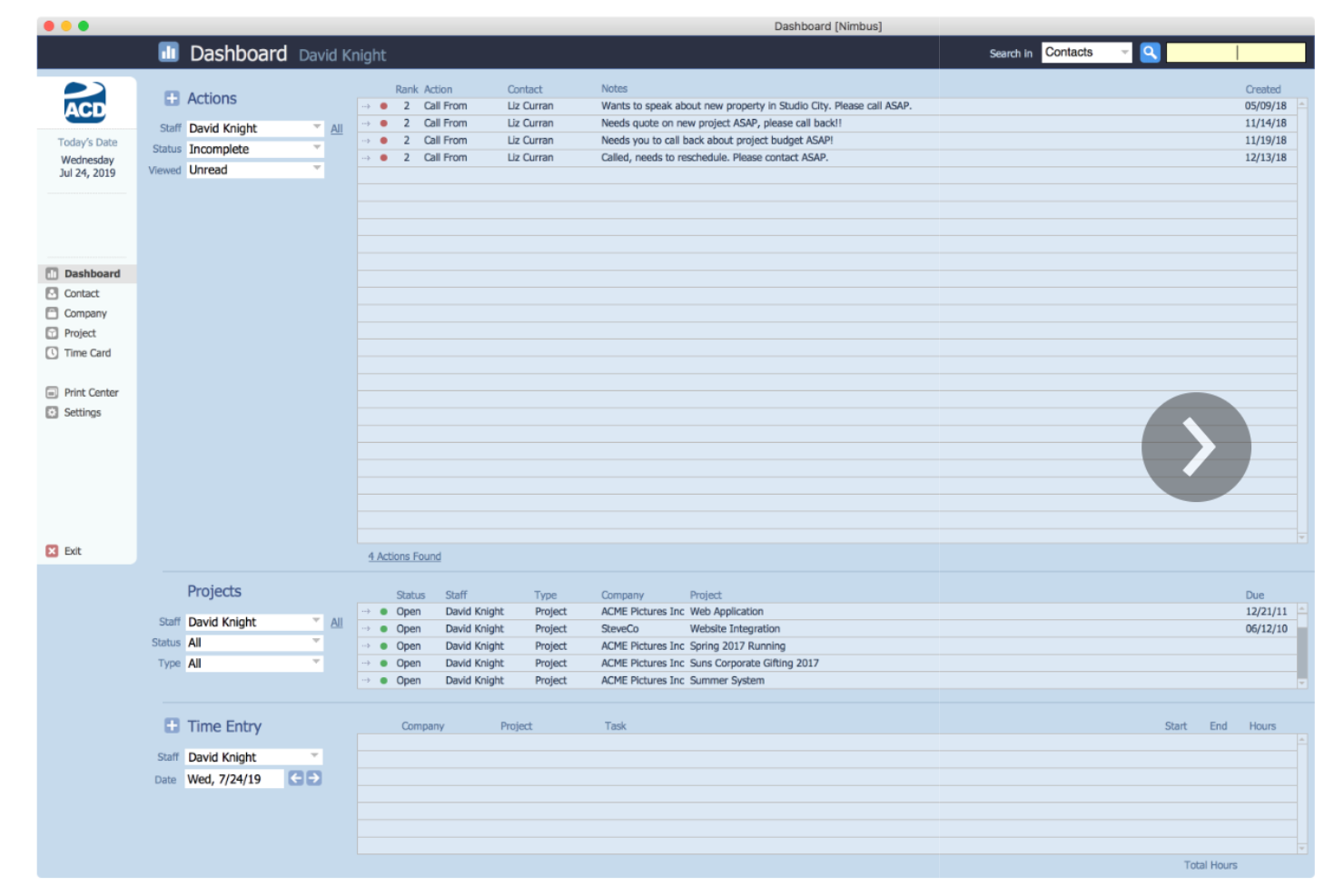
JobNimbus is a CRM and project management platform built specifically for roofing and home exterior contractors, with tools for lead tracking, smart estimating, production management, invoicing, and built-in payment collection.
Who Is JobNimbus Best For?
JobNimbus is a strong fit for roofing contractors and home exterior specialists who need a single platform to manage sales, jobs, and payments.
Why I Picked JobNimbus
JobNimbus earns its spot on my shortlist because no other CRM is built as specifically around roofing workflows. I love that it connects directly with aerial measurement tools like EagleView and HOVER, so I can pull roof measurements straight into an estimate without leaving the platform. The material ordering integration with suppliers like ABC Supply also means I can go from a signed estimate to a placed order without juggling separate systems.
JobNimbus Key Features
- Sales pipeline boards: Customizable Kanban-style boards let you track every lead and job through each stage of your sales process.
- Engage texting: Built-in two-way SMS lets you send automated follow-ups and communicate with customers directly from the platform.
- Digital signatures: Send proposals and contracts for e-signature directly from JobNimbus without needing a third-party signing tool.
- Built-in financing: Offer customers job financing options at the point of sale directly within the platform.
Pros and Cons
Pros:
- Customizable workflows
- Mobile app available
- Tailored for roofing
Cons:
- Heavy reliance on tech tools
- Limited to specific contractor types

Best for construction project management

Buildertrend is a construction management platform for home builders, remodelers, and specialty contractors that combines CRM, lead tracking, project scheduling, financial management, and client communication tools in one system.
Who Is Buildertrend Best For?
Buildertrend is a strong fit for residential home builders, remodelers, and specialty contractors who need to manage leads, projects, and client communication in one place.
Why I Picked Buildertrend
I picked Buildertrend as one of the best because it's one of the few CRM tools built entirely around how construction projects actually run. The scheduling tool lets you build Gantt-style timelines and automatically notify subs and suppliers when their start dates shift—something that matters on a job site where a delayed framing crew cascades into everything else. I also like that the daily logs feature keeps a timestamped, photo-supported record of on-site progress, which ties directly back to client communication in the CRM's customer portal.
Buildertrend Key Features
- Lead management: Track new leads, log contact details, and move prospects through a customizable sales pipeline from first inquiry to signed contract.
- Proposals with e-signatures: Build and send branded project proposals with line-item pricing, and collect legally binding signatures directly in the platform.
- Client selections: Let clients browse, approve, and sign off on material and finish choices within a dedicated selections tool tied to the project budget.
- Change orders: Create, send, and track scope changes with client-facing approval workflows that automatically update the project budget when accepted.
Pros and Cons
Pros:
- Real-time updates
- User-friendly interface
- Project management, sales, and financial tools in one platform
Cons:
- Limited to construction industry
- Requires annual billing
- Higher starting price
Best for Google Workspace integration
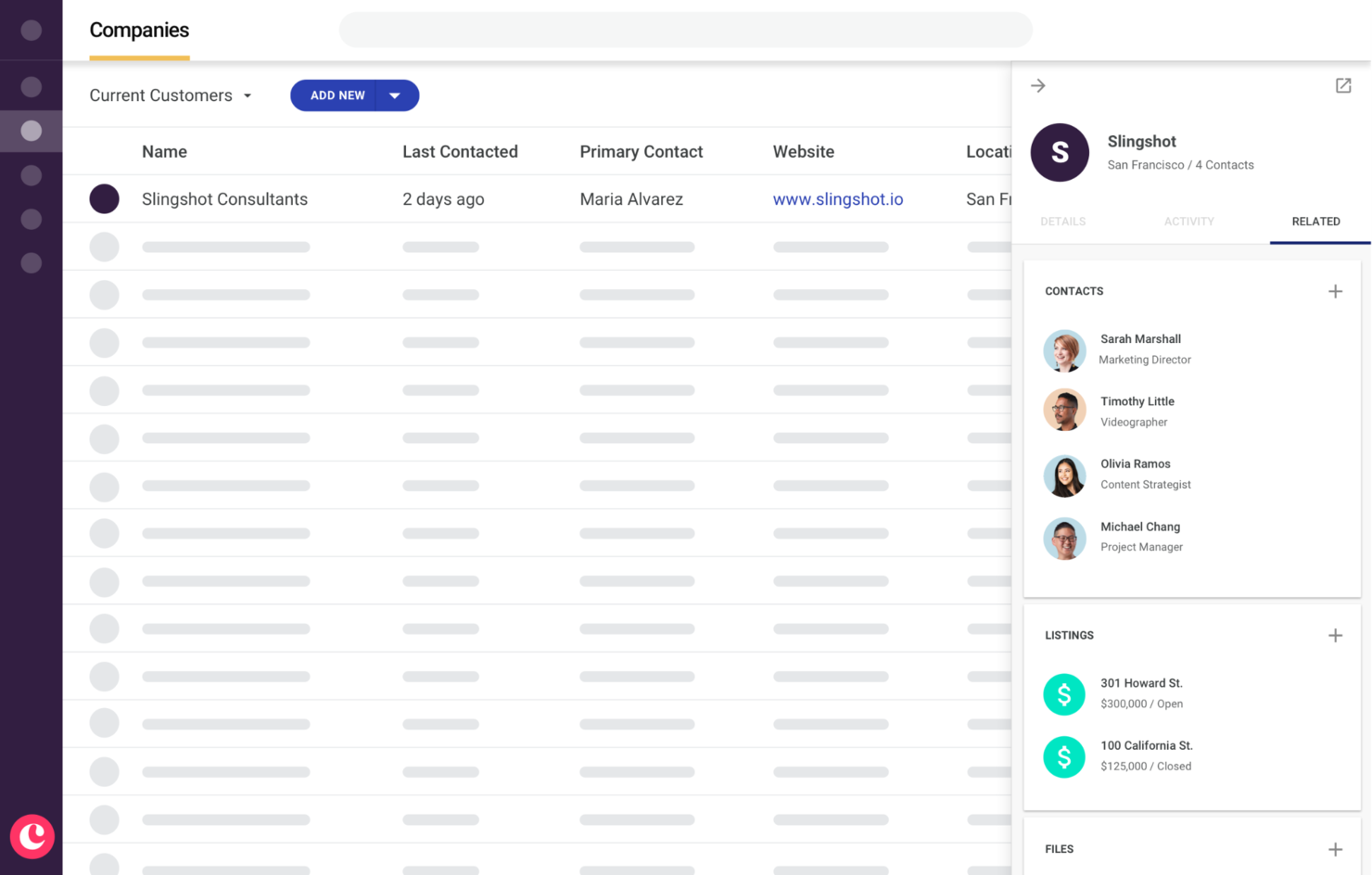
Copper CRM is a relationship-focused CRM platform built natively on Google Workspace, with tools for lead tracking, bid pipeline management, project delivery, and client communication built for construction teams.
Who Is Copper CRM Best For?
Copper CRM is a strong fit for small to mid-sized construction firms that run their business communications through Google Workspace.
Why I Picked Copper CRM
Copper CRM earns its spot on my shortlist because of how deeply it lives inside Google Workspace. I work out of Gmail constantly, and Copper's sidebar lets me log contacts, update deal stages, and track bid activity without ever leaving my inbox. I also like that it pulls contact details automatically from email threads, so there's no manual data entry when a new subcontractor or client reaches out. Google Calendar syncs directly too, so site visits and follow-up calls show up in my pipeline automatically.
Copper CRM Key Features
- Drag-and-drop pipeline management: Move bids and leads through custom stages using a visual Kanban-style board.
- Deal-to-project conversion: Turn a closed bid directly into an active project record without re-entering any data.
- Workflow automation: Set trigger-based tasks and follow-ups to fire automatically when a deal stage changes or a contact is added.
- Mobile app: Log calls, update records, and view pipeline activity from a job site on iOS or Android.
Pros and Cons
Pros:
- Automated tasks
- Custom reporting
- Google Workspace integration
Cons:
- Higher cost for smaller teams
- Limited non-Google integrations available

Best for sales automation and lead management

Solid Performers CRM is a sales CRM built around lead capture, automated lead allocation, follow-up automation, and pipeline management for sales teams looking to centralize and automate their lead-to-close process.
Who Is Solid Performers CRM Best For?
Solid Performers CRM is a good fit for small to mid-sized sales teams that need structured lead management and automated follow-up workflows without a lot of setup complexity.
Why I Picked Solid Performers CRM
I've included Solid Performers CRM in my top picks because its automated lead allocation engine is one of the more practical tools I've seen for construction sales teams juggling multiple inbound channels. When a lead comes in from your website or a platform like Facebook, Solid Performers automatically routes it to the right sales rep based on pre-defined rules, with no manual hand-off needed. I also like the automated follow-up sequencing, which lets you build timed nurturing messages so no prospect goes cold between site visits or quote requests.
Solid Performers CRM Key Features
- Sales pipeline management: Track deals across custom stages with a visual pipeline view that shows where each prospect stands.
- Custom reports and dashboards: Build reports on lead sources, conversion rates, and rep performance using configurable dashboard widgets.
- Proposal management: Create and send proposals directly from the CRM and track when clients open them.
- Role-based access control: Set user permissions by role to control who can view, edit, or manage specific records and data.
Pros and Cons
Pros:
- Customizable dashboards
- Lead management tools
- Advanced sales automation
Cons:
- Higher cost for additional integrations
- Limited third-party integrations


Insightly is a CRM platform that combines contact and pipeline management, deal-to-project conversion, workflow automation, and built-in marketing and support tools.
Who Is Insightly Best For?
Insightly is a strong fit for small to mid-sized B2B companies that need a single platform to manage contacts, deals, and post-sale project delivery.
Why I Picked Insightly
I've included Insightly in my top picks because it's genuinely built around B2B relationship management in a way that maps well to construction sales cycles. When a deal closes, Insightly converts that opportunity directly into a project, carrying all the contact history, notes, and linked records with it. I also like the relationship linking feature, which lets you connect contacts to organizations, other contacts, and active projects simultaneously—so your team always knows who's involved and where things stand.
Insightly Key Features
- Custom pipeline management: Build and configure multiple sales pipelines with stage-specific fields to reflect different project types or deal structures.
- Workflow automation: Trigger automatic task creation, email sends, and field updates based on record changes or deal stage movement.
- Mobile app: Access contacts, log calls, and update records from the field using iOS and Android apps with real-time sync.
- Dashboards and reporting: Build custom reports and visual dashboards to track pipeline activity, deal progress, and team performance.
Pros and Cons
Pros:
- Scalable for growing businesses
- Many integration options
- Extensive B2B features
Cons:
- Complex setup for small teams
- Higher starting price


Accelo is a professional services automation (PSA) platform that combines client management, project tracking, resource scheduling, time and expense tracking, financial management, and business intelligence in one system.
Who Is Accelo Best For?
Accelo is a good fit for small to mid-sized professional services firms, including consultancies, agencies, and IT service providers.
Why I Picked Accelo
Accelo ties project delivery to financial performance. The ability to launch projects directly from approved quotes ensures scope, budget, and tasks carry over automatically. Accelo then tracks planned versus actual time, expenses, and materials in real time, so you can spot budget drift before it becomes a problem. Its Gantt charts with auto-adjusting timelines and dependencies keep multi-phase projects organized with minimal manual rescheduling.
Accelo Key Features
- Resource scheduling: Assign team members to projects based on availability and capacity using a visual scheduling interface.
- Retainer management: Set up recurring work agreements with defined budgets, hours, and billing cycles tracked in one place.
- Client portal: Give clients a dedicated space to view project status, approve quotes, and access shared documents.
- Automated triggers: Build rule-based automations that move work through stages, assign tasks, or send notifications based on predefined conditions.
Pros and Cons
Pros:
- Automated time logging
- Real-time project visibility
- End-to-end project management
Cons:
- Requires annual billing
- Higher starting price

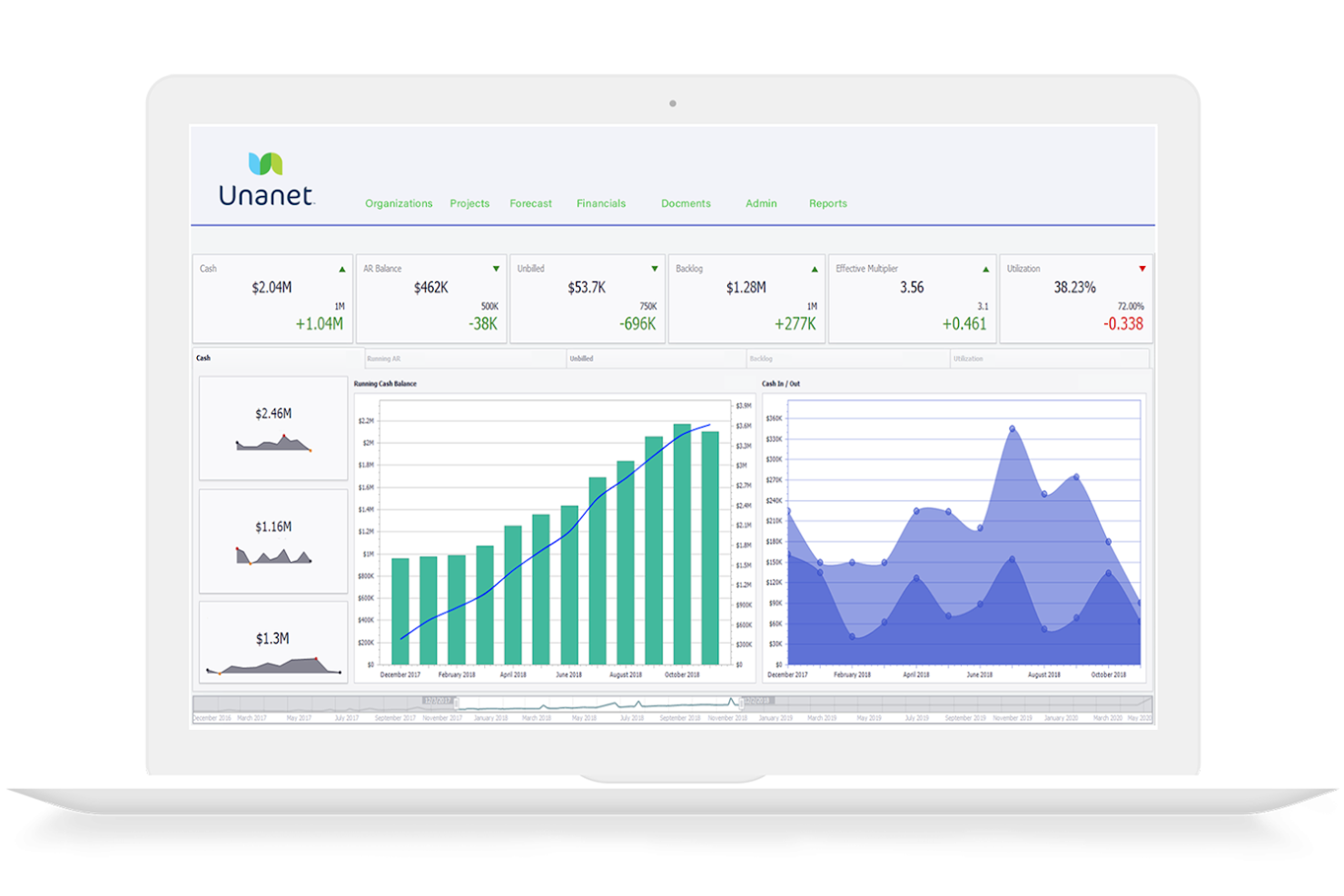
Unanet is a CRM and ERP platform purpose-built for architecture, engineering, and construction firms, combining pipeline management, proposal automation, project financials, and resource planning in one system.
Who Is Unanet Best For?
Unanet is a strong fit for mid-sized AEC firms that need their CRM and project financials connected in a single platform.
Why I Picked Unanet
Unanet earns its spot on my shortlist because it's one of the few platforms that genuinely connects CRM and ERP in a single construction-specific system. I like that win data flows directly into project financials, so when a pursuit converts, my team doesn't have to re-enter scope or budget details in a separate tool. Features like OpportuneAI for pursuit qualification and built-in go/no-go scoring make the CRM side feel purpose-built, not bolted on.
Unanet Key Features
- ProposalAI: Generates and formats construction proposals using AI, with export options to Microsoft Word and Adobe InDesign.
- Outlook plugin: Lets you log contacts, update opportunities, and sync CRM activity directly from your inbox.
- Contact enrichment: Pulls contact data from LinkedIn and 50+ social sources to keep your firm's relationship records current.
- Pipeline analytics dashboard: Tracks win rates, pursuit stages, and revenue forecasts in real time across your project pipeline.
Pros and Cons
Pros:
- Tailored for construction industry needs
- Real-time project and financial insights
- Centralized data for better decision-making
Cons:
- Steep learning curve initially
- Limited third-party software integrations
Best for home improvement contractor management

JobProgress is a CRM and job management platform built for home improvement contractors, covering lead tracking, estimating, proposals, scheduling, workflow automation, and field-to-office communications in one system.
Who Is JobProgress Best For?
JobProgress is a strong fit for small to mid-sized residential contractors in trades like roofing, siding, windows, and remodeling who need a single platform to manage the full job lifecycle.
Why I Picked JobProgress
I've included JobProgress in my top picks because it's purpose-built for home improvement contractors in a way that general construction CRMs simply aren't. I love that the workflow builder lets you configure custom stages and steps that match how trades like roofing and remodeling actually move a job from lead to completion. The built-in insurance estimating tools with macros and selling price worksheets are a standout detail—those aren't features you find in broad construction platforms. I also rely on the interactive homeowner webpage feature, which gives customers real-time visibility into their job status without a phone call.
JobProgress Key Features
- Digital contracts with e-signatures: Create, send, and collect signed contracts directly from the platform without needing a third-party tool.
- Production scheduling: Assign crews, set job timelines, and manage calendar-based scheduling for active jobs in the field.
- Invoicing and payment processing: Generate invoices and collect payments from homeowners directly through the platform via Leap Pay.
- Photo and document management: Attach job-site photos, permits, and files directly to individual job records for organized, accessible documentation.
Pros and Cons
Pros:
- Mobile app support
- Customized job and workflow manager
- Tailored for contractors
Cons:
- Requires setup fee
- Limited to home improvement

Creatio CRM
Best for no-code workflow automation
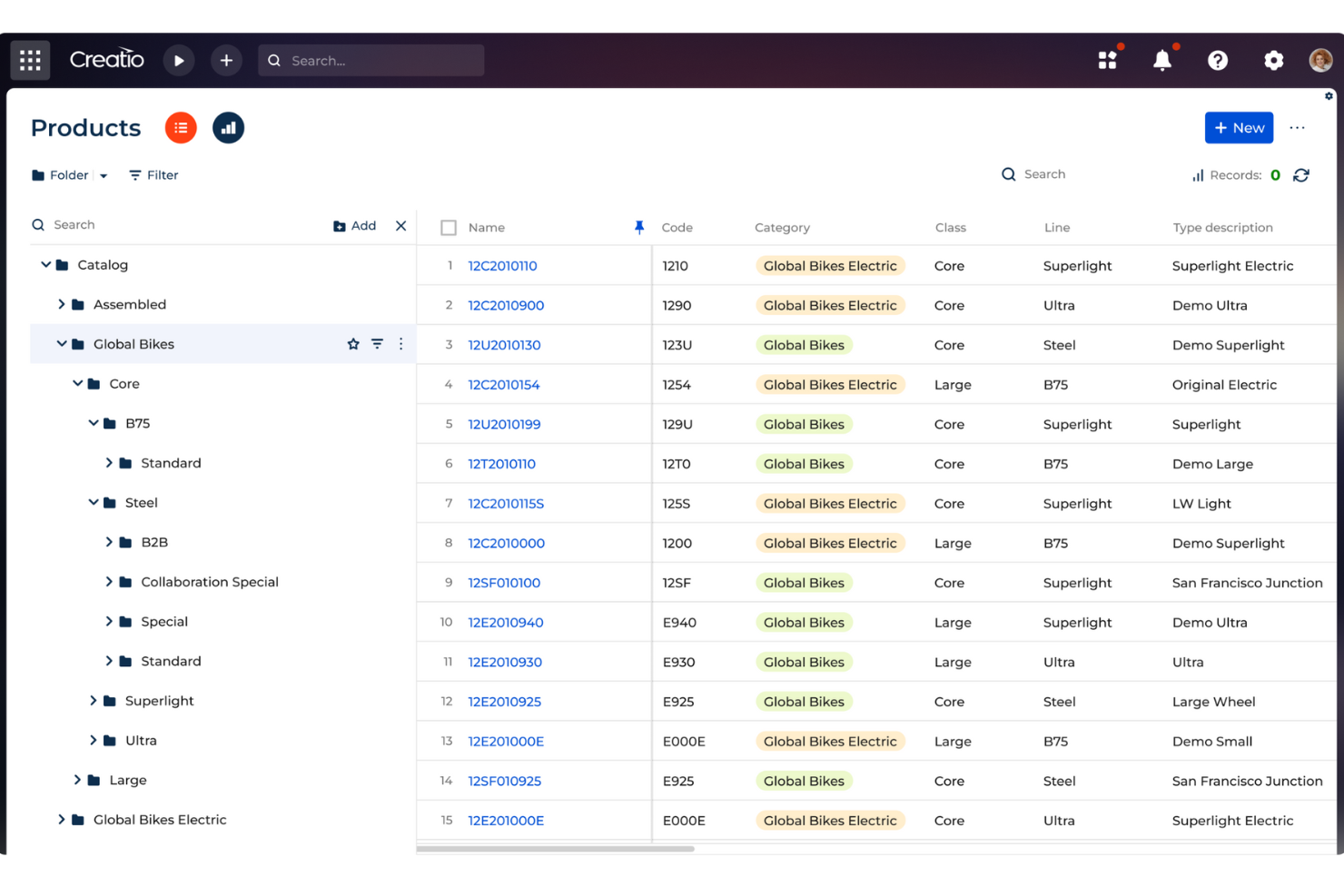
Creatio CRM is a no-code CRM and workflow automation platform that combines sales pipeline management, contact tracking, marketing automation, and customer service tools in a single configurable system.
Who Is Creatio CRM Best For?
Creatio CRM is a good fit for mid-size to enterprise construction firms that need a highly customizable CRM without relying on developer resources.
Why I Picked Creatio CRM
Creatio CRM is a top pick because its no-code workflow automation engine is genuinely one of the most flexible I've seen in a CRM. That flexibility is valuable for construction firms. You can use the visual process designer to build multi-step approval workflows for bids, subcontractor onboarding, or change order requests without filing a single IT ticket. The drag-and-drop interface uses BPMN 2.0 notation, so even non-technical ops staff can map out complex, conditional processes. I also like that the AI copilot can generate workflow logic from natural-language prompts, which reduces build time when you need to spin up a new process.
Creatio CRM Key Features
- Sales pipeline management: Track deals and opportunities through configurable pipeline stages, with all related activities, contacts, and documents accessible in one place.
- Customer 360 view: Build a unified profile for each contact or account that consolidates interaction history, associated deals, and communication records.
- AI-driven sales forecasting: Generate revenue predictions using historical pipeline data, with predictive AI surfacing risks and trends to support planning.
- Customizable reporting dashboards: Build and configure reports using a drag-and-drop report builder, with pre-built dashboards covering sales, marketing, and service performance.
Pros and Cons
Pros:
- Supports scaling businesses
- No-code platform
- Extensive customization options
Cons:
- Data migration may be complex
- Customization can be time-consuming
New Product Updates from Creatio CRM

Creatio CRM Expands AI Across Marketing and Collaboration
Creatio CRM introduces AI-assisted landing page generation, template-based email generation, RAG-enabled knowledge governance, a Microsoft Teams personal tab, and AI meeting summaries. These updates help teams create content faster and streamline AI-powered workflows. For more information, visit Creatio’s official site.
Other Construction CRM Software
Below is a list of additional construction CRM software that I shortlisted, but did not make it to the top list. Definitely worth checking them out.
- Jobber
For automated client communication in field services
- Zoho CRM
For AI-driven sales automation
- Smartsheet
For project tracking and collaboration
- MRPeasy
For manufacturing resource planning
- Knowify
For contractor-specific features
- Salesforce Financial Services Cloud
For extensive customization options
- Oracle NetSuite
For comprehensive business management
- Pipedrive
For visual sales pipeline management
- Thryv
For small business management
- Freshsales
For AI-based lead scoring
- Capsule
For simple and intuitive interface
- monday CRM
For customizable workflows


Related Software Reviews
If you still haven't found what you're looking for here, check out these tools closely related to construction CRM software that we've tested and evaluated.
- CRM Software
- Sales Software
- Lead Management Software
- Contract Management Software
- Revenue Management System
- CPQ Software
How I Evaluate Construction CRM Software
I split my evaluation into two layers: core must-haves every construction CRM needs—like bid pipeline and GC relationship tracking—then differentiators that separate the best options.
Core Functionality (Table Stakes For This List)
When I'm selecting tools for my list, I rank each one on a scale from 0 (does not offer the functionality) to 5 (excels in this area) for each core functionality listed below. Then, I calculate the tool's total score into a percentage. Each tool needs to achieve a minimum total score of 55% to be considered for inclusion.
- Bid & Project Pipeline Tracking: I look for construction-specific pipeline stages like prequalification, bid submitted, and awarded, along with fields for bid due date, project value, and delivery method.
- Construction Contact Management: Each tool should let you map relationships across GCs, subs, owners, and architects, then tie those contacts back to specific projects and bid history.
- Estimating & Bid History: Tracking win/loss outcomes, competitor data, and hit rates by market sector tells you where your BD efforts are paying off—I check whether each CRM captures this natively.
- Revenue Forecasting & Backlog Visibility: A construction CRM should offer probability-weighted pipeline forecasting alongside awarded-project backlog, so RevOps teams can model revenue beyond just open opportunities.
- Document & Plan Management: I evaluate how each platform handles RFPs, drawings, specs, and addenda—whether files are just attached or actually organized and linked to the right opportunity and contact records.
- Construction Tech Integrations: Connectivity with ERPs like Sage 300 CRE or Viewpoint, PM platforms like Procore, and estimating tools matters because a CRM that sits outside your tech stack creates more data work than it solves.
Once I have a list of tools that meet this criteria, I consider what sets each platform apart.
Differentiating Factors (What Sets Vendors Apart)
Here's how I compare and contrast different vendors:
Standout Features
Go/no-go workflows are a big differentiator—I look for tools that let BD teams score pursuits on factors like capacity, competition, and client history before committing estimating hours. Project intelligence feeds matter too, especially when a CRM pulls leads from databases like Dodge or ConstructConnect directly into the pipeline. I also check for relationship analytics that flag when key GC or owner contacts haven't been touched recently, so accounts don't go cold between bid cycles.
Beyond Features
I evaluate whether each CRM fits specific construction segments—a tool built for specialty subcontractors often misses what a large GC or design-build firm needs in pipeline structure and reporting. Implementation experience matters just as much; I check if the vendor has consultants who understand AEC workflows and can migrate data from legacy tools like Cosential or spreadsheet-based trackers. Reporting is another area I dig into, especially prebuilt dashboards for hit rate, backlog, and pipeline coverage broken out by market sector or project type.
How To Choose Construction CRM Software
As you work through your own unique software selection process, keep the following points in mind:
- Integration Capabilities: Construction projects often involve multiple software systems for project management, accounting, and communication. A CRM that integrates seamlessly with these existing systems can reduce the need for manual data entry. For example, integrating your CRM with project management software can ensure that client communications are aligned with project timelines and milestones.
- Mobile Accessibility: Construction professionals are frequently on-site and need access to CRM data on the go. A CRM with robust mobile capabilities allows team members to update project statuses, access client information, and communicate with stakeholders from anywhere. This is particularly useful for site managers who need to make quick decisions based on real-time data.
- Customization Options: Every construction business has unique processes and workflows. A CRM that offers customization options can be tailored to fit specific business needs, such as custom fields for tracking project-specific information or automated workflows for client follow-ups. This ensures that the CRM supports your business processes rather than forcing you to adapt to a rigid system.
- Reporting and Analytics: Understanding project performance and client interactions is crucial for making informed business decisions. A CRM with advanced reporting and analytics capabilities can provide insights into sales trends, project profitability, and client satisfaction. For instance, detailed reports can help identify which types of projects are most profitable or which clients require more attention.
- User-Friendly Interface: A CRM is only effective if your team uses it consistently. A user-friendly interface with intuitive navigation and easy-to-understand features can encourage adoption and reduce the learning curve. This is especially important in the construction industry, where team members may not have extensive experience with complex software systems. A simple, straightforward CRM can help ensure that all team members, from sales to project managers, can use the system effectively.
Trends For Construction CRM Software
The construction industry is evolving, and so is its CRM software. Here are some key trends to watch in the coming future.
- AI-Driven Predictive Analytics: AI-driven predictive analytics are becoming integral. They help forecast project timelines and costs with greater accuracy. This reduces unexpected delays and budget overruns.
- Mobile-First Solutions: Mobile-first solutions are gaining traction. They allow on-site teams to access and update project data in real-time. This improves communication and decision-making.
- Integration with BIM: Integration with Building Information Modeling (BIM) is on the rise. It enables better project visualization and coordination. This leads to more efficient project management.
- Enhanced Data Security: Enhanced data security measures are being prioritized. Protecting sensitive project information is crucial. This trend addresses growing cybersecurity concerns.
- Customizable Dashboards: Customizable dashboards are becoming more popular. They offer tailored views of project metrics and KPIs. This helps teams focus on what matters most.
Construction CRM software is evolving in notable ways. AI-driven predictive analytics improve accuracy in forecasting project timelines and costs, reducing delays and budget overruns. Mobile-first solutions enable on-site teams to update project data in real-time, enhancing communication. Integration with BIM offers better project visualization, leading to more efficient management. Enhanced data security protects sensitive information, addressing cybersecurity concerns. Customizable dashboards provide tailored views of key metrics, helping teams focus on what matters most. Keep an eye on these trends to stay ahead in the competitive construction industry.
What Is Construction CRM Software?
Construction CRM software is a tool designed to help construction companies manage their customer relationships, sales processes, and project communications. It is commonly used by construction managers, sales teams, and project coordinators to track leads, manage client interactions, and streamline communication across projects.
The primary components of construction CRM software include lead management, contact management, project tracking, and communication tools. These features allow users to maintain detailed records of client interactions, monitor project progress, and ensure effective communication among team members and clients.
Features Of Construction CRM Software
In this section, I will introduce the essential features that make Construction CRM Software a valuable tool for managing projects and client relationships. These features are designed to enhance efficiency, improve communication, and ensure successful project outcomes.
- Project Management: Tracks project progress and tasks efficiently.
- Lead Tracking: Monitors potential clients from initial contact to conversion.
- Customer Communication: Centralizes communication with clients for better engagement.
- Reporting and Analytics: Provides insights through detailed reports and data analysis.
- Document Management: Stores and organizes important documents securely.
- Scheduling: Manages appointments and deadlines to keep projects on track.
- Task Automation: Automates repetitive tasks to save time and reduce errors.
- Integration Capabilities: Connects with other tools like accounting and email marketing software.
- Mobile Access: Allows access to CRM features on mobile devices for on-the-go management.
- Customization: Offers tailored solutions to fit specific business needs.
These features collectively help construction companies streamline their operations, improve client satisfaction, and achieve their business goals more effectively.
Benefits Of Construction CRM Software
In the construction industry, managing customer relationships and project details can be complex and time-consuming. Construction CRM (Customer Relationship Management) software is designed to streamline these processes, providing numerous benefits to both users and organizations. Below are five main benefits of using construction CRM software.
- Improved Customer Relations and Satisfaction: CRM software centralizes all customer information, making it easily accessible to anyone in the company. This ensures that customer interactions are consistent and personalized, leading to higher customer satisfaction and retention.
- Enhanced Project Management: With features like real-time tracking, task management, and scheduling, CRM software helps construction companies manage projects more efficiently. This leads to better resource allocation, timely project completion, and improved financial control.
- Streamlined Communication and Collaboration: CRM systems centralize communication channels, making it easier for project teams and clients to collaborate. This reduces the likelihood of miscommunication and errors, thereby increasing overall project efficiency.
- Data and Analytics for Informed Decisions: CRM software provides powerful reporting and analytics tools that offer insights into customer behavior, project performance, and business health. This data helps companies make informed decisions, optimize processes, and identify areas for improvement.
- Automated Marketing and Sales Processes: CRM systems automate repetitive tasks such as follow-ups, reminders, and marketing campaigns. This not only saves time but also ensures that no important tasks are overlooked, leading to higher sales conversion rates and better customer engagement.
Construction CRM software offers a comprehensive solution for managing customer relationships, projects, and business operations. By centralizing information and automating tasks, it helps construction companies improve efficiency, make informed decisions, and enhance customer satisfaction. Adopting a CRM system can be a game-changer for construction businesses looking to stay competitive and grow.
Costs And Pricing Of Construction CRM Software
Choosing the right Construction CRM (Customer Relationship Management) software can significantly enhance your business operations by streamlining project management, improving client communication, and boosting lead tracking. This guide provides an overview of various pricing plans and features of popular construction CRM software to help you make an informed decision.
Below is a detailed table summarizing the different plans, their average prices, and common features included in each plan for various construction CRM software.
Plan Comparison Table for Construction CRM Software
| Plan Type | Average Price | Common Features |
| Free Plan | $0 | Basic contact management, lead tracking, document storage, limited users, basic reporting, email templates |
| Starter Plan | $14 - $29 /user/month | Enhanced contact management, multiple sales pipelines, email and social media integration, basic automation, custom data fields, meeting scheduler |
| Professional Plan | $29 - $49/ user/month | Advanced automation, project management tools, custom reports and dashboards, workflow automation, inventory management, customer support module |
| Enterprise Plan | $49 - $99/ user/month | AI-powered tools, advanced project management, unlimited custom fields, advanced reporting, sales forecasting, dedicated account manager, enhanced security features |
When selecting a construction CRM software, consider the specific needs of your business, such as the number of users, required features, and budget. Free plans are suitable for small teams with basic needs, while professional and enterprise plans offer advanced features for larger teams and more complex project management requirements.
Construction CRM Software FAQs
Here are some commonly asked questions about construction CRM software.
Why do construction companies need CRM software?
Construction companies need CRM software to efficiently manage client interactions, improve project management, and boost sales. It centralizes data, automates tasks, and provides valuable insights for better decision-making.
How does Construction CRM software improve project management?
It improves project management by providing real-time updates, task assignments, and progress tracking. This ensures better coordination, timely completion, and higher quality of work.
Can Construction CRM software integrate with other tools?
Yes, many CRM solutions offer integration with other tools like accounting software, project management platforms, and email marketing services. Integration enhances functionality and streamlines operations.
Is Construction CRM software easy to use?
Ease of use depends on the specific software. Many are designed with intuitive interfaces and offer training resources to help users quickly adapt and maximize benefits.
Can Construction CRM software help with lead generation?
Yes, it can help with lead generation by tracking potential clients, automating follow-ups, and analyzing data to identify promising leads. This leads to more effective sales strategies and increased conversions.
What’s Next:
If you're in the process of researching construction CRM software, connect with a SoftwareSelect advisor for free recommendations.
You fill out a form and have a quick chat where they get into the specifics of your needs. Then you'll get a shortlist of software to review. They'll even support you through the entire buying process, including price negotiations.