

O Ontraport é um software de automação empresarial que ajuda a gerir o marketing, as vendas e as relações com os clientes, fornecendo uma plataforma unificada para operações eficientes.
No entanto, alguns utilizadores podem procurar alternativas devido a necessidades específicas de funcionalidades, preocupações com os preços ou preferência por interfaces de utilizador diferentes. Eis as minhas sugestões para as melhores alternativas ao Ontraport.
O que é o Ontraport?
O Ontraport é um software abrangente de automação empresarial que ajuda as pequenas empresas a gerir o marketing, as vendas e o serviço de apoio ao cliente. Empresários, proprietários de pequenas empresas e profissionais de marketing utilizam o Ontraport para automatizar tarefas, gerir dados de clientes e otimizar os esforços de marketing.
Why Trust Our Software Recommendations
6,700+
Reviews
20
Industry experts
16+
Evaluation factors
14
Years
Our reviews reflect our independent judgment—not a sales pitch. Learn how we stay transparent.
For this guide, we evaluated tools using hands-on testing and independent research, scoring tools using our selection criteria.
Our reviews reflect our human editorial judgment, not a sales pitch.
Tabela de comparação das alternativas ao Ontraport
| Tool | Best For | Trial Info | Price | ||
|---|---|---|---|---|---|
| 1 | Best for no-code business process automation | Free plan + free demo available | Pricing upon request | Website | |
| 2 | Best for affordable all-in-one CRM | Free plan + free demo available | From $11.04/user/month (billed annually) | Website | |
| 3 | Best for full-funnel marketing | Free demo available | Pricing upon request | Website | |
| 4 | Best for AI-powered marketing automation | 14-day free trial + free demo available | From $15/month (billed annually) | Website | |
| 5 | Best for AI-driven CRM | 30-day free trial + free demo available | From $325/user/month (billed annually) | Website | |
| 6 | Best for smart campaign building | Free plan + 14-day trial + demo available | From $19/month | Website | |
| 7 | Best for free online workspace with CRM | Free plan + 15-day cloud trial + 30-day On-Premise trial + free demo available | From $69/month | Website | |
| 8 | Best for B2B marketing automation | Free plan available | From $1,250/month (billed annually) | Website | |
| 9 | Best for comprehensive email marketing | Free plan + 14-day free trial + free demo available | From $13/month | Website | |
| 10 | Best for multi-channel marketing | Free plan available | From $9/month | Website |


Avaliações das melhores alternativas ao Ontraport
Nesta análise, apresentarei as vantagens e desvantagens de cada alternativa ao Ontraport. Abordarei as suas funcionalidades e os melhores casos de utilização para o ajudar a tomar uma decisão informada.
 Best for no-code business process automation
- Free plan + free demo available
- Pricing upon request
Visit WebsiteCustomer Rating:4.6/5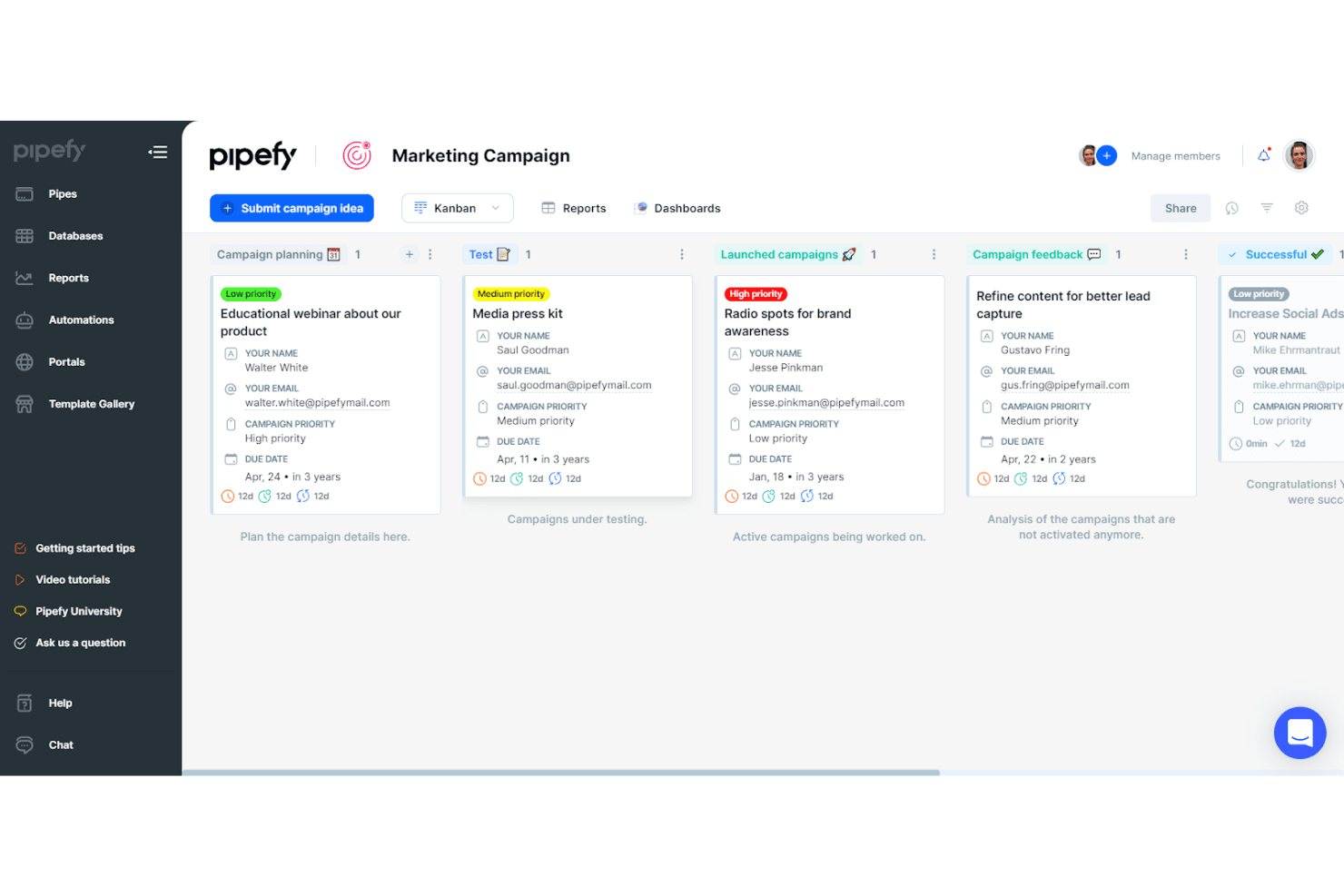
Pipefy organizes marketing campaigns across Kanban pipeline stages. Pipefy is a no-code business process automation platform that lets you build custom workflows, automate approvals and task routing, manage sales pipelines, and connect marketing and operations processes without writing code.
Who Is Pipefy Best For?
Pipefy is a strong fit for operations and marketing teams that need to automate structured, repeatable business processes without relying on developers.
Why I Picked Pipefy
I picked Pipefy as one of the best because it brings genuine no-code process automation to teams that need structured, repeatable workflows across sales and marketing without writing a single line of code. I especially like its AI-powered lead scoring, which instantly prioritizes leads by commercial fit so your sales pipeline only surfaces opportunities worth pursuing. Its Sales Pipeline product lets me configure custom deal stages, automate follow-up emails on phase changes, and track cycle time through built-in dashboards.
Pipefy Key Features
- No-code automation rules: Configure event-triggered automation rules that send emails, move cards, update records, and assign tasks without writing code.
- Public forms and portals: Create branded intake forms that can be shared by link, embedded on a website, or grouped into a stakeholder portal.
- Multi-channel integration connectors: Connect Pipefy to tools like Mailchimp, HubSpot, Salesforce, Slack, Stripe, and Shopify through its catalog of 500+ integrations.
- AI Copilot: Build and analyze workflows using natural-language prompts to identify bottlenecks and surface process improvement opportunities.
Pipefy Integrations
Pipefy offers integrations with HubSpot, Mailchimp, Salesforce, Shopify, Stripe, Twilio, Google Sheets, and Slack. It supports GraphQL API access, webhooks, and Zapier for custom connectivity.
Pros and Cons
Pros:
- Lead scoring prioritizes commercially fit prospects
- Visual workflows clarify request ownership
- Custom sales stages automate follow-up
Cons:
- Contact records lack documented segmentation
- No documented broadcast campaign analytics
Learn more about Pipefy: Best for affordable all-in-one CRM
- Free plan + free demo available
- From $11.04/user/month (billed annually)
Visit WebsiteCustomer Rating:4.6/5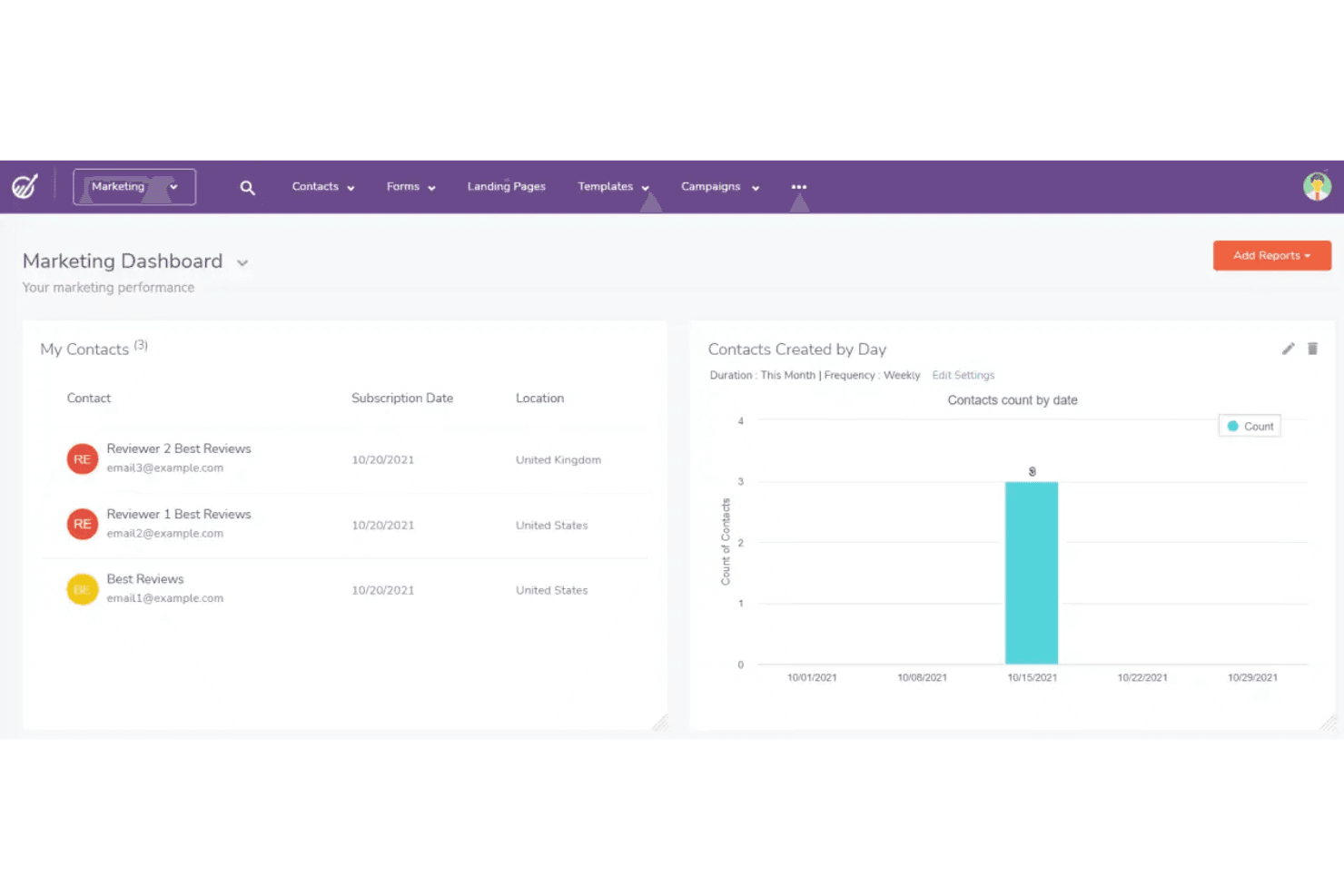
EngageBay tracks contacts and daily creation stats on its marketing dashboard. EngageBay is an all-in-one CRM platform that bundles contact management, marketing automation, email campaigns, sales pipeline, landing pages, and a help desk into a single system for small businesses and agencies.
Who Is EngageBay Best For?
EngageBay is a strong fit for small business owners and agency operators who want CRM, marketing automation, and a help desk in one place without paying for multiple tools.
Why I Picked EngageBay
EngageBay earns its spot on my shortlist because it bundles CRM, marketing automation, sales pipeline, and a help desk into one platform at a price that genuinely undercuts most Ontraport alternatives. I particularly like how the visual automation builder lets you trigger actions off email opens, tag changes, or form submissions, then instantly create a deal or update a milestone in the same workflow. The unified contact view pulling together deals, tasks, calls, and tickets in one place makes managing follow-up far less fragmented.
EngageBay Key Features
- Lead scoring: Assigns points to contacts automatically based on predefined or custom rules tied to form submissions, email engagement, and other behaviors.
- Email broadcast A/B testing: Lets you create two email variations, set a winning metric, and send the best-performing version to your list.
- Help desk and ticket management: Provides a built-in support system where you can manage, assign, and respond to customer tickets without leaving the platform.
- Landing page A/B testing: Creates and tests two versions of a landing page to identify which design or copy drives more conversions.
EngageBay Integrations
EngageBay lists 250+ integrations, including Shopify, Stripe, PayPal, QuickBooks, Twilio, and SendGrid. It also offers a REST API for custom integrations and lists Zapier.
Pros and Cons
Pros:
- Email automation reduces manual nurturing work
- Pipeline views clarify deal stages and next steps
- Unified contact history keeps follow-ups in context
Cons:
- Campaign statistics can arrive late
- Custom reporting limits cross-pipeline analysis
Learn more about EngageBay: Best for full-funnel marketing
- Free demo available
- Pricing upon request
Visit WebsiteCustomer Rating:4.5/5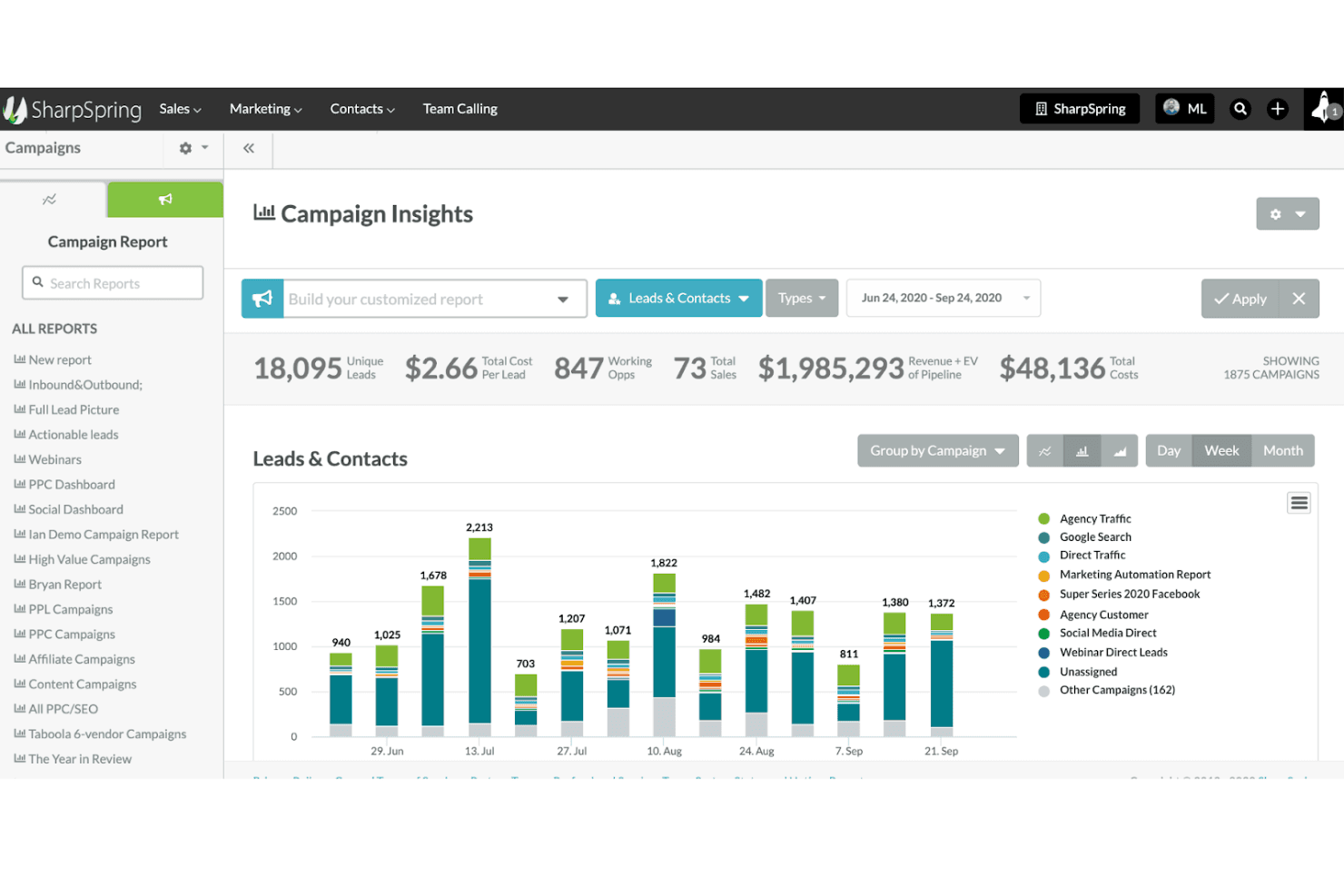
SharpSpring tracks campaign leads, costs, and pipeline in one dashboard. Lead Gen & CRM (formerly SharpSpring) is a marketing and sales platform from Constant Contact that combines CRM, lead scoring, marketing automation, email campaigns, pipeline management, and conversion analytics in one system.
Who Is SharpSpring Best For?
Lead Gen & CRM is a strong fit for marketing agencies and operations teams that need to manage leads, automate nurture workflows, and track pipeline performance from a single platform.
Why I Picked SharpSpring
I picked Lead Gen & CRM (formerly SharpSpring) as one of the best for full-funnel marketing because it connects lead generation directly to revenue tracking in a single platform. I particularly like its configurable lead scoring engine, which automatically scores and routes leads to sales based on the activities that actually matter to your business. Pair that with the Visual Workflow Builder for multi-step nurture sequences and a built-in pipeline editor, and you get end-to-end funnel visibility without stitching together separate tools.
SharpSpring Key Features
- Custom contact fields: Add user-defined fields to lead, account, and opportunity records to capture the data points that matter to your team.
- Email A/B testing: Create and run A/B tests on email campaigns and review performance in built-in campaign reports.
- Role-based user permissions: Assign different access levels to users across areas of the platform to control what each team member can see and do.
- Agency client account access: Access individual client accounts directly from the main agency account to manage multiple clients from one place.
SharpSpring Integrations
SharpSpring has a documented Shopify shopping-cart integration for recording and attributing online-store transactions. It also provides an Open API for custom integrations.
Pros and Cons
Pros:
- Agency accounts support multi-client campaign management
- CRM and nurture workflows share pipeline context
- Configurable lead scoring routes sales-ready prospects
Cons:
- Page and email builders trail competitors
- Users report workflow glitches and freezes
Learn more about SharpSpring: Best for AI-powered marketing automation
- 14-day free trial + free demo available
- From $15/month (billed annually)
Visit WebsiteCustomer Rating:4.4/5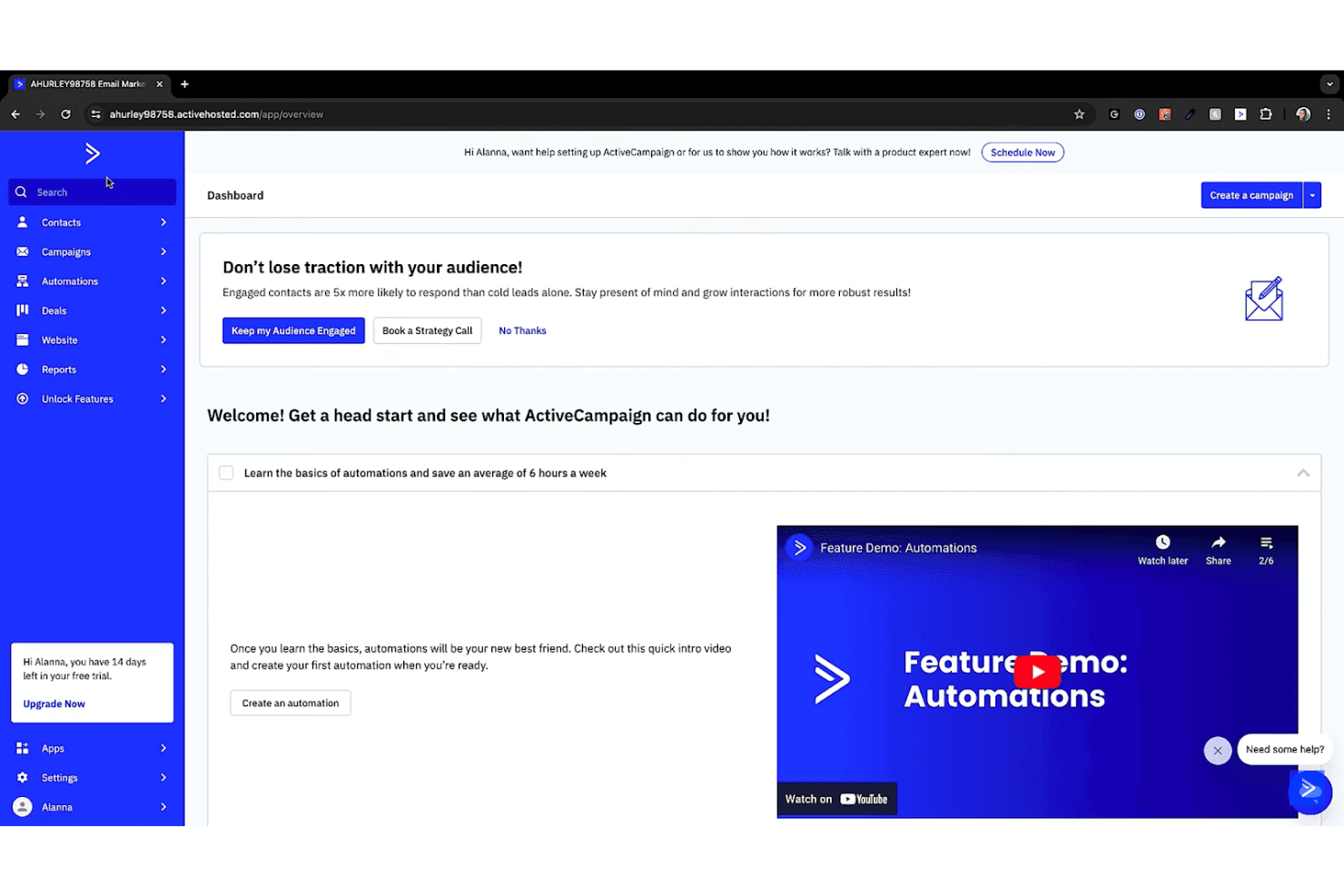
ActiveCampaign's dashboard helps users get started with automations. ActiveCampaign is a marketing automation platform that combines AI-driven email campaigns, multi-step automation workflows, contact management, and CRM tools in one system.
Who Is ActiveCampaign Best For?
ActiveCampaign is a strong fit for small businesses and marketing agencies that want sophisticated email automation without building out a complex martech stack.
Why I Picked ActiveCampaign
ActiveCampaign earns its spot on my shortlist because its AI-powered automation builder lets you describe a customer journey in plain language and watch it translate into a multi-step, behavior-triggered workflow. I especially like how it layers predictive sending and conditional content on top of that, so the right message reaches each contact at the statistically best moment. If you're moving away from Ontraport's email tools, ActiveCampaign's campaign editor and 950+ automation recipes give you a genuinely polished upgrade on that side of the stack.
ActiveCampaign Key Features
- Contact tagging and segmentation: Organize contacts using unlimited custom fields, tags, and lists, with segmentation depth that scales from standard to premium across plans.
- 950+ automation recipes: Access a library of pre-built automation workflows covering common use cases like lead nurturing, win-back campaigns, and post-purchase follow-up.
- Ecommerce integrations: Connect Shopify, WooCommerce, Square, and other platforms to sync customer data and trigger behavior-based marketing workflows.
- Agency account snapshots: Copy campaigns, automations, templates, forms, and scoring rules from one client account to another using the snapshot tool.
ActiveCampaign Integrations
ActiveCampaign offers 1,000+ apps and integrations, including native Salesforce, Shopify, WooCommerce, Google Ads, and Stripe connections. It also provides REST API and webhooks for custom integrations, plus Zapier.
Pros and Cons
Pros:
- Agency snapshots speed client account setup
- Behavior-based automations support deep branching
- Polished email editor outpaces Ontraport’s
Cons:
- Landing pages struggle with complex customization
- No native checkout for complete funnels
Learn more about ActiveCampaign: Best for AI-driven CRM
- 30-day free trial + free demo available
- From $325/user/month (billed annually)
Visit WebsiteCustomer Rating:4.3/5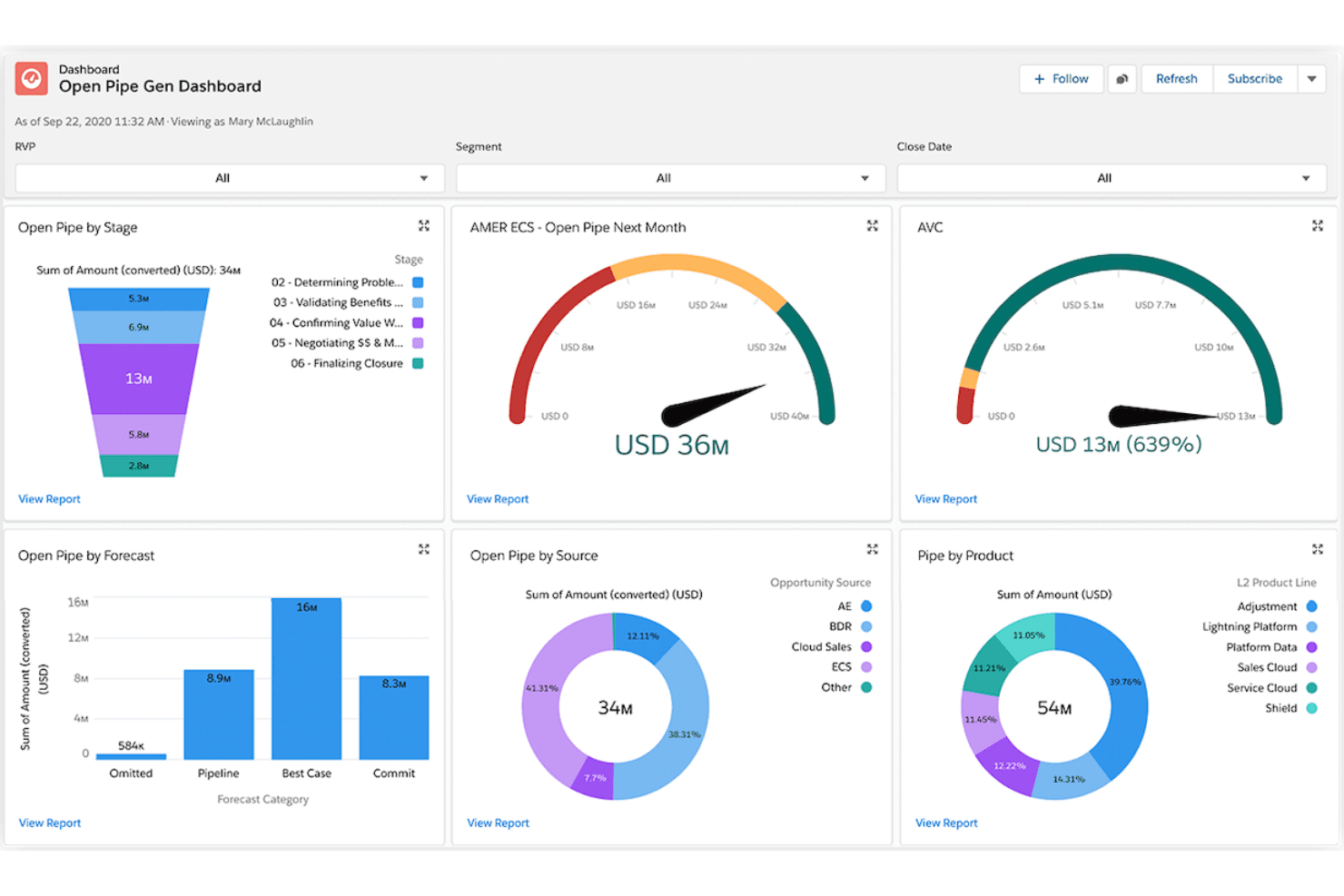
Salesforce tracks open pipeline by stage, forecast, source, and product. Salesforce Financial Services Cloud is a CRM platform built for banking, wealth management, and insurance teams, offering unified client profiles, AI-driven sales forecasting, pipeline management, and service workflow automation.
Who Is Salesforce Financial Services Cloud Best For?
Financial Services Cloud is built for banking, wealth management, and insurance teams that need AI-driven client relationship management and pipeline visibility at an enterprise scale.
Why I Picked Salesforce Financial Services Cloud
I've included Salesforce Financial Services Cloud in my top picks because its AI-driven CRM runs deeper than most tools in this space. It maps household relationships, life events, and financial account data into a single client view, then uses that context to surface predictive signals like churn risk or consolidation opportunities. Pipeline Inspection gives teams live forecasting across deposits, policies, and deal pipelines, something purpose-built alternatives rarely match.
Salesforce Financial Services Cloud Key Features
- Unified client profile: Combines financial accounts, policies, portfolios, interaction history, and relationship hierarchies into a single client record.
- Actionable Segmentation: Builds targeted client segments by joining data across Account, Contact, and Financial Account objects for outreach campaigns.
- Client signal alerts: Surfaces real-time signals like deposits, withdrawals, policy changes, and life events to prompt timely follow-up.
- Commission management: Automates commission calculations across fee-based, commission-based, and hybrid compensation structures.
Salesforce Financial Services Cloud Integrations
Salesforce Financial Services Cloud offers integrations with MoneyGuidePro, Ortec, Experian, Mastercard, Visa, Onfido, Guidewire, and DocuSign. It supports more than 13,000 marketplace solutions through AgentExchange and provides REST, GraphQL, Financial Services, and platform event APIs for custom integrations.
Pros and Cons
Pros:
- Follow-ups connect to client signals
- Pipeline forecasts cover financial portfolios
- Unified client, household, and account context
Cons:
- No landing pages or funnel checkout
- No native email campaign creation
Learn more about Salesforce Financial Services Cloud: Best for smart campaign building
- Free plan + 14-day trial + demo available
- From $19/month
Visit WebsiteCustomer Rating:4.3/5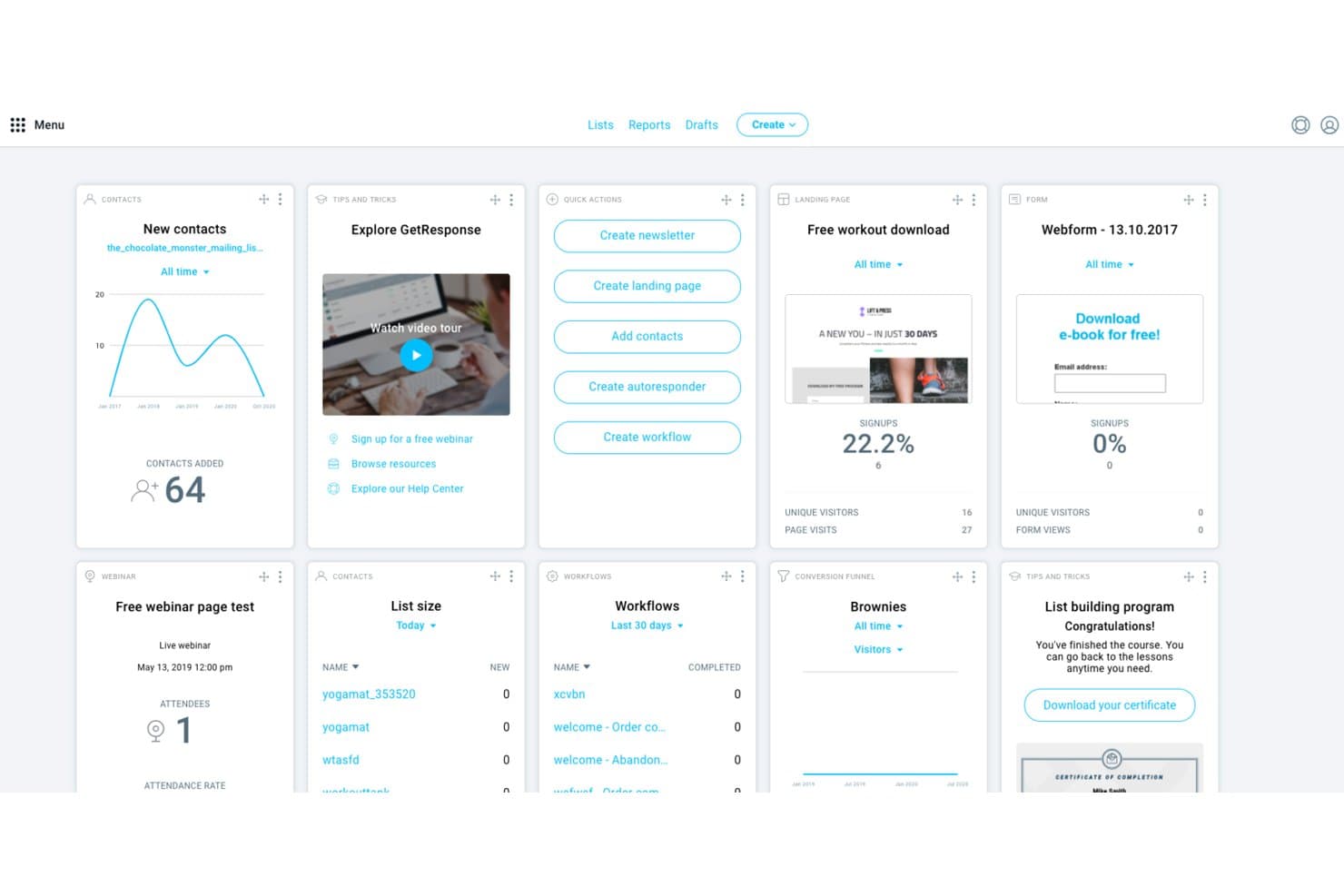
GetResponse centralizes email, automation, and contact management in one dashboard. GetResponse is an email marketing and automation platform that covers campaign creation, visual workflow automation, landing pages, conversion funnels, and ecommerce tools in one suite.
Who Is GetResponse Best For?
GetResponse suits small business owners who want email marketing, automation, landing pages, and funnels in one place without managing multiple tools.
Why I Picked GetResponse
I picked GetResponse as one of the best because its AI campaign generator genuinely speeds up smart campaign building in a way I haven't seen bundled this tightly elsewhere. Tell it your campaign goal and audience, and it generates a landing page, welcome email, and newsletter series together, so you're not building each piece from scratch. I also like that the visual automation builder lets you layer in behavioral triggers, like abandoned-cart follow-ups or purchase-based product recommendations, without needing a separate tool.
GetResponse Key Features
- Email A/B testing: Test subject lines, layouts, offers, and calls to action against audience response to identify what drives the most engagement.
- Advanced audience segmentation: Build dynamic segments using contact behavior, purchase history, tags, and scoring to target the right contacts with the right message.
- Conversion funnels: Combine landing pages, email follow-ups, product sales, and abandoned-order recovery into a single end-to-end funnel.
- Webinar hosting: Run live webinars with registration, reminder emails, engagement tools, and built-in follow-up campaigns from within the platform.
GetResponse Integrations
GetResponse documents integrations with Shopify, BigCommerce, Magento, WooCommerce, PrestaShop, Etsy, Stripe, and PayPal. It also provides a REST API for custom integrations; the vendor cites 125+, 150+, and 170+ integrations across different pages.
Pros and Cons
Pros:
- Landing pages and funnels pair with email
- Visual workflows support behavior-based follow-up
- AI builds coordinated campaign assets
Cons:
- SMS marketing requires the Enterprise offer
- No sales pipeline or deal tracking
Learn more about GetResponse: Best for free online workspace with CRM
- Free plan + 15-day cloud trial + 30-day On-Premise trial + free demo available
- From $69/month
Visit WebsiteCustomer Rating:4.2/5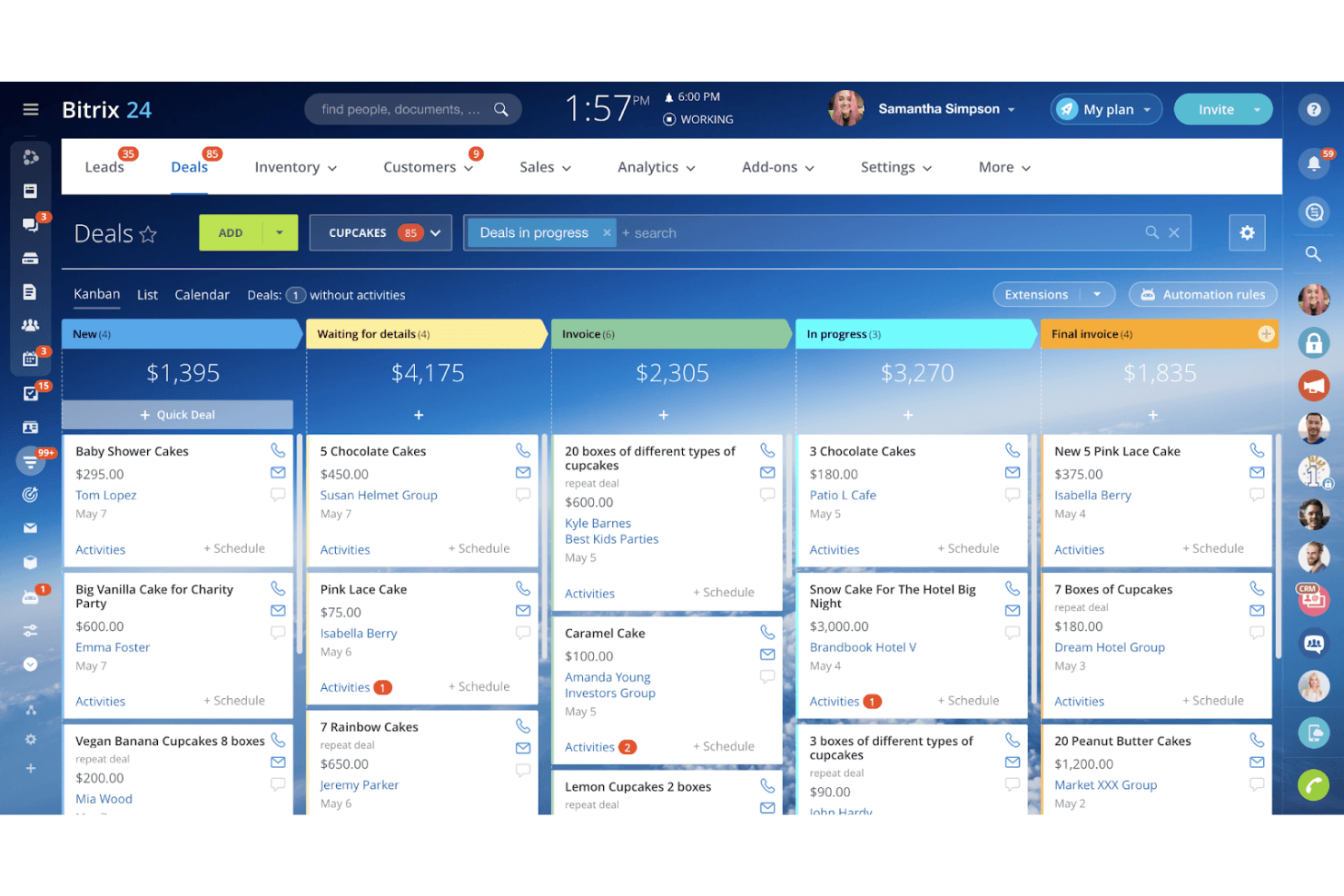
Bitrix24 organizes sales deals visually using a Kanban board. Bitrix24 is an all-in-one online workspace that combines CRM, marketing automation, sales pipelines, project management, and team collaboration tools in a single platform.
Who Is Bitrix24 Best For?
Bitrix24 is a strong fit for small businesses that want CRM, project management, and team collaboration in one place without paying for separate tools.
Why I Picked Bitrix24
Bitrix24 earns its spot on my shortlist because it genuinely replaces several tools at once, bundling CRM pipelines, email campaigns, project management, and team chat into one free workspace. I particularly like how dynamic CRM segments refresh automatically before each campaign send, pulling contacts by deal stage, pipeline, or purchase date without manual list maintenance. The free plan also includes basic deal and contact management, which I think is a rare starting point for teams replacing Ontraport on a tight budget.
Bitrix24 Key Features
- CRM automation rules: Set conditions using AND/OR logic to trigger actions like status changes, task creation, or message sends at set times or delays.
- Multi-pipeline management: Run multiple deal pipelines simultaneously with automation triggers and CRM-integrated reminders at each stage.
- CRM form builder: Create lead-capture forms with conditional fields, duplicate handling, and direct deal creation in a chosen pipeline.
- Online store with CRM sync: Build a product catalog with cart and checkout, with orders and customer records saved automatically to CRM.
Bitrix24 Integrations
Bitrix24 Market lists 840+ marketplace apps, including Mailchimp, Twilio SMS, QuickBooks, Shopify, PayPal, Xero, Google Analytics, and Zapier. Native Google and Facebook connections support marketing campaigns, while the REST API enables custom integrations.
Pros and Cons
Pros:
- CRM forms connect lead capture to deal pipelines
- Dynamic segments update from pipeline and purchase data
- Free CRM sits beside team collaboration tools
Cons:
- Users report unreliable automation and slow support
- Reviewers report crowded screens and lengthy setup
Learn more about Bitrix24: Best for B2B marketing automation
- Free plan available
- From $1,250/month (billed annually)
Visit WebsiteCustomer Rating:4/5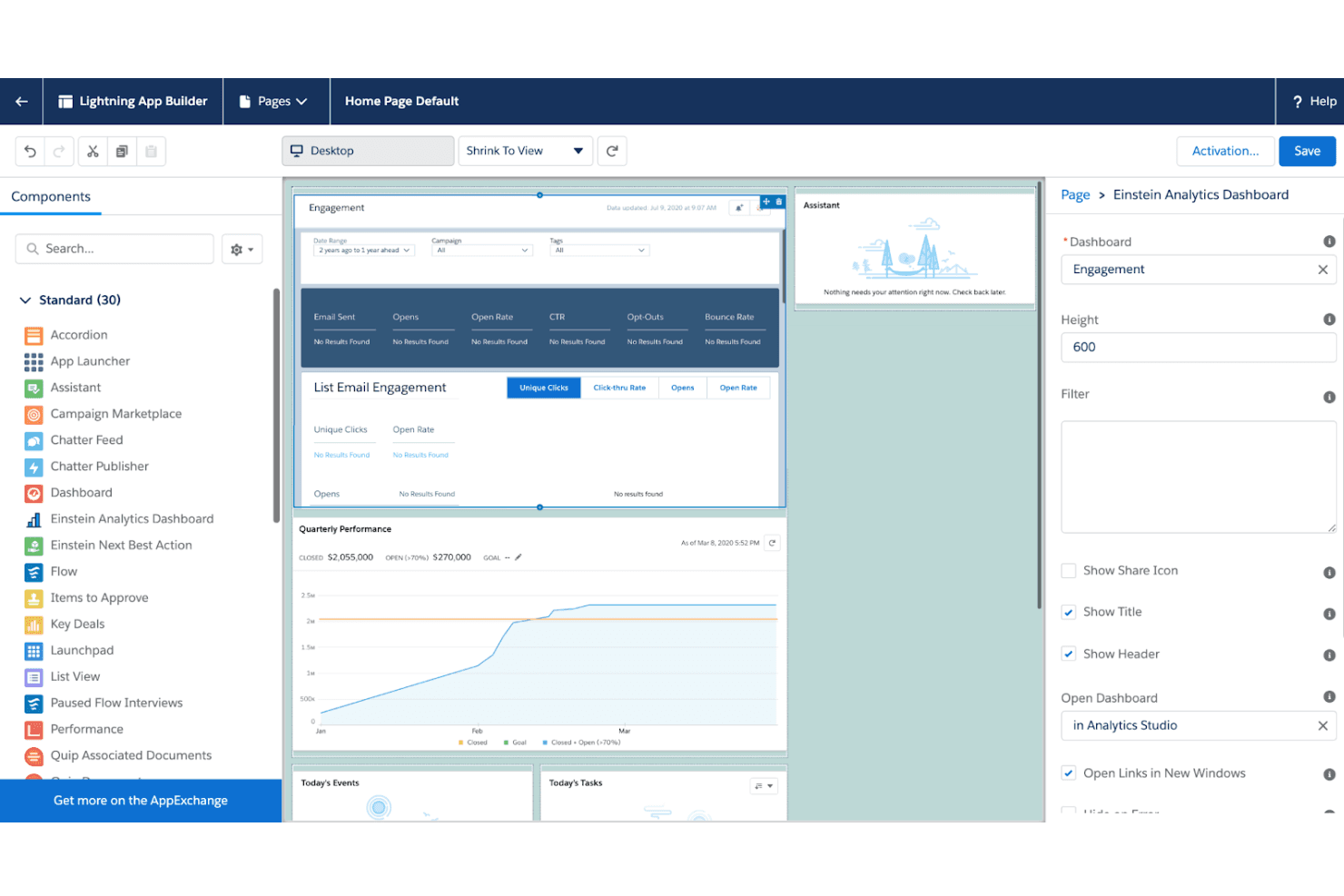
Pardot embeds Einstein Analytics dashboards directly into Salesforce home pages. Pardot (now officially called Marketing Cloud Account Engagement) is Salesforce's B2B marketing automation platform, offering lead nurturing, prospect scoring, Engagement Studio workflows, email marketing, and native Salesforce CRM sync.
Who Is Pardot Best For?
Pardot (Marketing Cloud Account Engagement) is built for B2B marketing teams already running Salesforce who need to connect lead nurturing, scoring, and campaign reporting directly to their CRM pipeline.
Why I Picked Pardot
I've included Pardot (now Marketing Cloud Account Engagement) in my top picks because it's the most tightly integrated B2B marketing automation option for teams already in the Salesforce ecosystem. Engagement Studio's trigger-rule-action programs let you build multi-step nurture sequences that respond to real prospect behavior, while lead scoring and grading sync back to Salesforce every 15 minutes to keep sales prioritizing the right accounts. I especially like that scoring categories increment automatically on form submissions, email clicks, and file downloads, so your scoring model reflects actual engagement without manual input.
Pardot Key Features
- Engagement Studio programs: Build multi-step nurture sequences using trigger, rule, and action steps that branch based on prospect behavior and criteria.
- Multivariate landing page testing: Test multiple landing page variations simultaneously to identify which version drives the most prospect conversions.
- B2B Marketing Analytics: Access built-in reporting dashboards that connect campaign activity to pipeline and revenue data within Salesforce.
- Business units: Partition prospects, marketing assets, and data across separate business units, each with its own Salesforce connector sync settings.
Pardot Integrations
Pardot has seven documented native integrations, including Salesforce, Google Ads, Eventbrite, bit.ly Pro, Olark, and Data Cloud. It also offers REST, Object, Export, and Import APIs for custom integrations.
Pros and Cons
Pros:
- Campaign reporting connects activity with pipeline outcomes
- Conditional nurture programs respond to prospect actions
- Behavior-based scoring supports sales prioritization
Cons:
- Pipeline stages and forecasting aren't native
- Checkout and payment workflows aren't documented
Learn more about Pardot: Best for comprehensive email marketing
- Free plan + 14-day free trial + free demo available
- From $13/month
Visit WebsiteCustomer Rating:4.3/5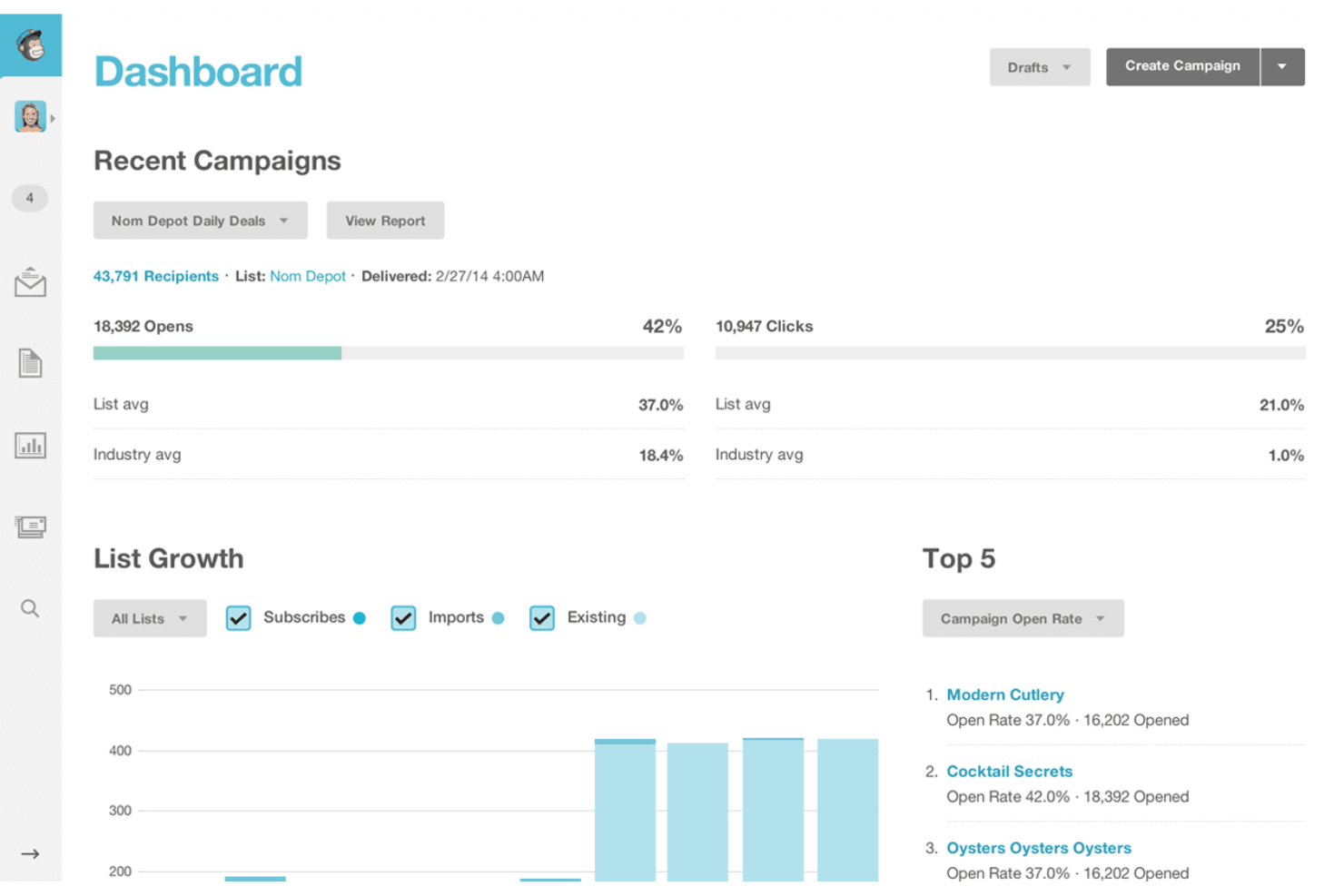
Mailchimp tracks campaign opens, clicks, and list growth in one dashboard. Mailchimp is an email marketing platform that covers campaign creation, audience segmentation, marketing automation flows, landing pages, and signup forms, with optional SMS and ecommerce integrations.
Who Is Mailchimp Best For?
Mailchimp is a strong fit for marketing teams and agencies that prioritize email campaign creation, audience segmentation, and automated nurture flows over sales pipeline management.
Why I Picked Mailchimp
I picked Mailchimp as one of the best because its email campaign creation is genuinely a cut above, with 130+ templates, a drag-and-drop builder, and send-time optimization that uses your audience's engagement data to recommend the right delivery window. I also love how predictive segmentation lets you target contacts by purchase likelihood or predicted customer lifetime value, so you're not just blasting lists but reaching the right people at the right moment. If your team runs email-heavy campaigns and needs strong automation flows for things like abandoned-cart sequences or welcome journeys, Mailchimp handles those with ease.
Mailchimp Key Features
- Predictive segmentation: Target contacts using AI-generated attributes like purchase likelihood, churn risk, and predicted customer lifetime value.
- Mailchimp & Co multi-client access: Switch between connected client accounts without sharing login credentials, with tiered partner benefits based on paid client count.
- Contact import with field mapping: Import contacts via CSV, connected apps, or direct entry, with options to map fields, assign tags, and update existing records.
- Campaign Manager timeline: View all active and scheduled campaigns across a single timeline to coordinate sends.
Mailchimp Integrations
Mailchimp offers 300+ integrations, including Shopify, Salesforce, WooCommerce, QuickBooks Online, Google Analytics, Canva, and Squarespace Commerce. Its Marketing API supports REST-style access, webhooks, and OAuth for custom integrations, and Zapier is also available.
Pros and Cons
Pros:
- Agency account switching avoids shared credentials
- Predictive segments sharpen purchase-based targeting
- 130+ templates simplify polished campaign production
Cons:
- Complex nurture journeys hit automation limits
- No deal stages or sales pipeline
Learn more about Mailchimp:
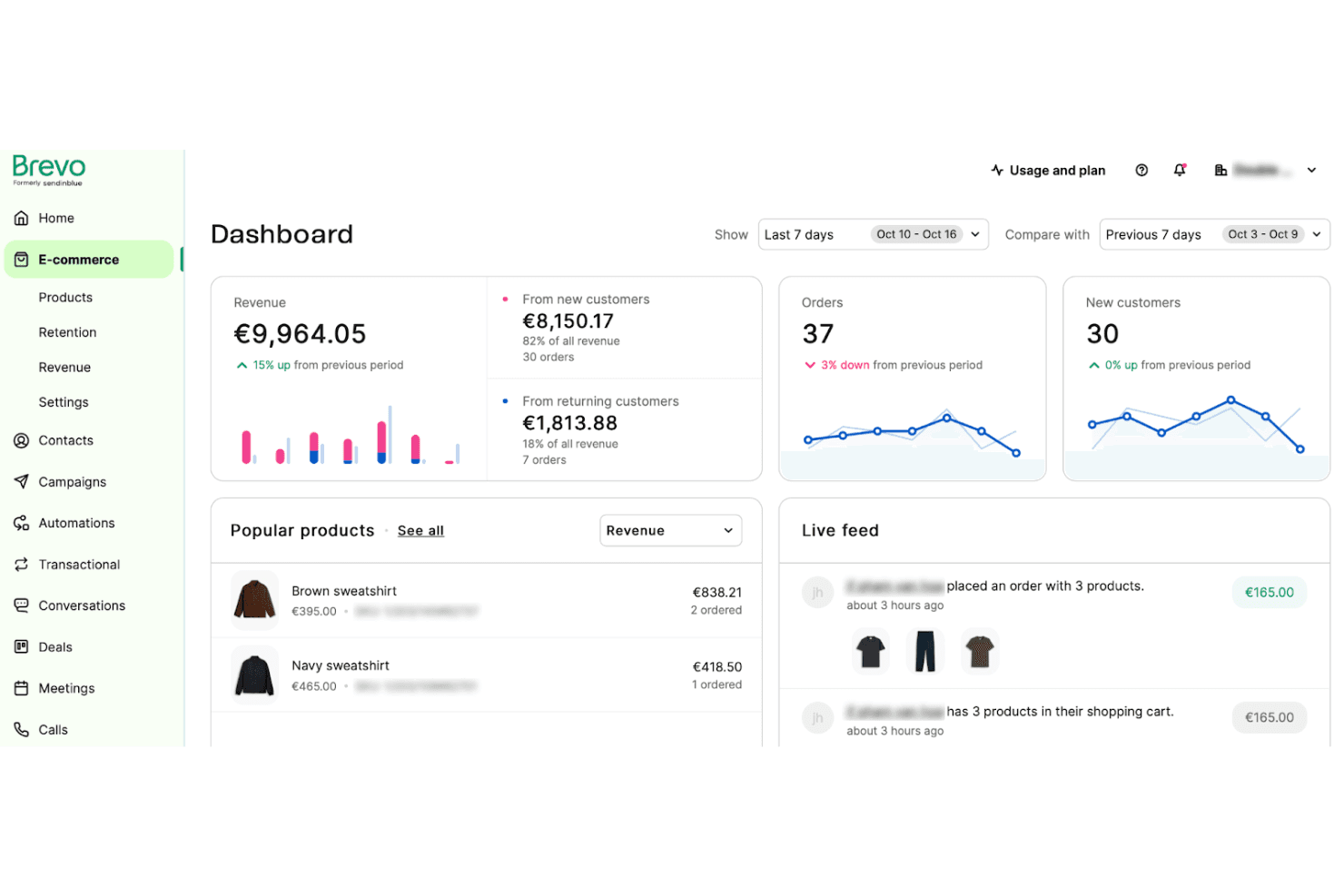
Brevo tracks e-commerce revenue, orders, and live customer activity. Brevo is a multi-channel marketing platform that combines email campaigns, SMS, marketing automation workflows, contact management, and segmentation tools in a single workspace.
Who Is Brevo Best For?
Brevo suits small to mid-sized marketing teams that want to manage email, SMS, and automation from a single platform without paying for separate tools.
Why I Picked Brevo
I've included Brevo in my top picks because it genuinely consolidates email, SMS, and WhatsApp into a single automation workflow, so I'm not stitching together separate tools to reach contacts across channels. I especially like its multi-step workflow builder, which lets me trigger SMS follow-ups off email engagement events or route contacts through conditional splits based on lead score.
Brevo Key Features
- Drag-and-drop email editor: Build responsive email campaigns using a visual editor with ready-made templates and an AI content generator for subject lines and copy.
- Advanced contact segmentation: Filter and segment contacts using AND/OR logic with up to 100 conditions per segment, including behavioral and activity-based filters.
- A/B testing: Test subject line and content variants against each other to identify which version drives higher opens and clicks.
- API and webhook access: Connect Brevo to external systems using a REST API, webhooks, and SDKs for Node.js, Python, and PHP with OAuth 2.0 authentication.
Brevo Integrations
Brevo has marketplace integrations for Shopify, WooCommerce, WordPress, and Claude, plus connections through Make and Zapier. Its REST API, webhooks, and Node.js, Python, and PHP SDKs support custom CRM and data integrations.
Pros and Cons
Pros:
- Contact segments stay close to campaigns
- Email and SMS share campaign workflows
- Behavior triggers support timely follow-ups
Cons:
- Landing-page editor needs extra polish
- No deal pipeline in the Marketing Platform
Learn more about Brevo:
Outras alternativas ao Ontraport
Segue-se uma lista de alternativas adicionais ao Ontraport que selecionámos, mas que não chegaram à lista principal. Vale a pena conhecê-las.
- 11WishpondBest for all-in-one marketing campaigns
- 12OmnisendBest for e-commerce email marketing
- 13Zoho CampaignsBest for budget-friendly email campaigns
- 14PipedriveBest for sales pipeline management
- 15NutshellBest for user-friendly CRM
- 16KartraBest for all-in-one marketing platform
- 17InsightlyBest for project management integration
- 18ConverKitBest for creators and bloggers
Avaliações de software relacionadas
Se ainda não encontrou aqui aquilo que procura, consulte estas ferramentas estreitamente relacionadas com as alternativas ao Ontraport e com outros softwares de automação empresarial que testámos e avaliámos.
- Software de CRM
- Software de vendas
- Software de gestão de potenciais clientes
- Software de inteligência empresarial
- Software de gestão de contratos
- Sistema de gestão de receitas
How I Evaluate Ontraport Alternatives
I evaluate Ontraport alternatives across two layers: the baseline must-haves—CRM, email automation, and built-in payments—and the differentiators that separate a true fit from a near-miss.
Core Functionality (Table Stakes For This List)
When I'm selecting tools for my list, I rank each one on a scale from 0 (does not offer the functionality) to 5 (excels in this area) for each core functionality listed below. Then, I calculate the tool's total score into a percentage. Each tool needs to achieve a minimum total score of 75% to be considered for inclusion.
- CRM & Contact Management: I look for a central contact database with custom fields, tags, and segmentation—enough to track a lead from first touch through renewal without jumping between systems.
- Marketing Automation: Each tool needs visual or logic-based workflows that trigger based on contact behavior, like re-engagement sequences when a prospect goes cold after a demo request.
- Sales Pipeline Management: I evaluate how deal stages, task assignments, and opportunity tracking work together so a sales team can move leads forward without manual handoffs.
- Email & Landing Pages: The platform should let you build branded emails and lead capture pages natively—think webinar registration pages that feed directly into nurture sequences.
- Payments & E-commerce: Platforms like Keap and Ontraport built their reputations on tying payments to CRM records, so I check for native order forms, subscription billing, and gateway support.
- Reporting & Analytics: I look for dashboards that connect campaign performance to pipeline and revenue data, giving RevOps teams a single view of what's driving conversions.
Once I have a list of tools that meet this criteria, I consider what sets each platform apart.
Differentiating Factors (What Sets Vendors Apart)
Here's how I compare and contrast different vendors:
Standout Features
Lead scoring is one of the first things I check. Platforms that let you weight behavioral signals—email clicks, page visits—alongside demographic data make it much easier to prioritize sales handoffs. Visual campaign mapping is another differentiator. Tools like ActiveCampaign and HubSpot let you see an entire lifecycle journey on one canvas, so spotting gaps in your funnel becomes intuitive. I also evaluate membership and course delivery tools, since many Ontraport users rely on gated content tied directly to payment records.
Beyond Features
Migration support matters a lot when you're switching from Ontraport. I look for platforms that offer guided data imports for contacts, tags, and purchase history—losing campaign logic during a move can set a team back weeks. Integration depth is equally important. Your CRM needs to connect with Stripe, Zapier, or your analytics stack without workarounds. Pricing transparency also weighs heavily in my evaluation, especially whether a vendor's plans scale predictably as your contact list grows without gating core automation features behind premium tiers.
Por que procurar uma alternativa ao Ontraport
Poderá estar à procura de uma alternativa ao Ontraport se:
- Custo: A estrutura de preços do Ontraport pode ser um desafio para pequenas empresas ou empresas em fase de arranque com orçamentos limitados. Explorar alternativas poderá ajudá-lo a encontrar uma solução mais económica.
- Complexidade: O conjunto abrangente de funcionalidades do Ontraport pode sobrecarregar os utilizadores que procuram uma plataforma fácil de utilizar, levando-os a procurar uma alternativa que exija menos tempo e esforço para aprender a utilizar.
- Personalização: O Ontraport não oferece o nível de personalização de que a sua empresa necessita. Poderá precisar de uma alternativa que lhe permita adaptar o sistema e os fluxos de trabalho às suas necessidades.
- Integração: As capacidades de integração da plataforma são limitadas. Procurar uma alternativa que se integre com as ferramentas e plataformas necessárias pode tornar as operações da sua empresa mais eficientes.
- Apoio ao cliente: Alguns utilizadores relataram que o apoio ao cliente do Ontraport pode não responder, levando-os novamente a considerar alternativas com um serviço de apoio ao cliente positivo e muito bem avaliado. Um bom sistema de apoio ao cliente pode ajudá-lo a tirar o máximo partido das funcionalidades da plataforma e a melhorar a sua experiência geral.
As alternativas ao Ontraport oferecem funcionalidades e benefícios que o Ontraport poderá não disponibilizar, tais como preços mais acessíveis, interfaces mais simples e melhores opções de personalização. Estas alternativas podem estar mais alinhadas com necessidades e preferências empresariais específicas, resolvendo alguns dos problemas comuns associados ao Ontraport.
Principais funcionalidades das alternativas ao Ontraport
Eis algumas das principais funcionalidades do Ontraport que o seu software alternativo deverá conseguir replicar ou melhorar para se adequar às suas necessidades.
- Segmentação e organização: As funcionalidades de segmentação e organização permitem às empresas centralizar a gestão de conteúdos e os dados dos clientes numa única plataforma. Isto garante que todas as informações, desde os dados de contacto até ao histórico de interações, estão facilmente acessíveis e bem organizadas.
- Funis inteligentes: Os funis inteligentes permitem aos utilizadores criar funis personalizáveis para diferentes fases do marketing digital e das operações empresariais, simplificando a gestão de vendas e os processos de marketing. Esta abordagem facilita o acompanhamento do progresso e a identificação de estrangulamentos.
- Histórico unificado de contactos: Um histórico unificado de contactos oferece uma visão do percurso de cada comprador. Esta funcionalidade consolida todas as interações numa única linha cronológica, permitindo às equipas de vendas e marketing compreender o comportamento, as preferências e os problemas dos clientes.
- Automatização de tarefas: As funcionalidades de automatização de tarefas simplificam a colaboração entre equipas ao automatizarem tarefas e lembretes de rotina e ao criarem fluxos de trabalho automatizados, poupando tempo e garantindo que as tarefas são concluídas atempadamente e pelas pessoas certas.
- Autoagendamento e calendário: Estas funcionalidades permitem aos contactos agendar compromissos e eventos diretamente através do calendário da plataforma. Esta integração facilita campanhas de acompanhamento eficientes, acionando automaticamente lembretes e confirmações. É também uma excelente solução para a gestão das redes sociais, garantindo atualizações e publicações regulares com semanas de antecedência.
- Captação, pontuação e encaminhamento de potenciais clientes: As capacidades de pontuação e encaminhamento de potenciais clientes ajudam as empresas a identificar e dar prioridade a potenciais clientes com elevado potencial, com base no comportamento e no envolvimento. Isto permite às equipas de vendas concentrarem-se nos potenciais clientes e nas oportunidades mais promissores. Além disso, uma rotina automatizada de potenciais clientes garante que estes são encaminhados para os representantes de vendas adequados, com o objetivo de aumentar a captação e as conversões.
- Aplicação móvel: Uma aplicação móvel proporciona flexibilidade aos utilizadores para gerirem as operações da sua empresa a partir de qualquer lugar. A aplicação oferece acesso na nuvem aos dados essenciais, garantindo que os utilizadores se mantêm produtivos em movimento.
- Pagamentos: Uma funcionalidade de gestão de pagamentos simplifica o processo de tratamento de transações, facilitando a conclusão segura das compras pelos clientes.
- Automatização de marketing: Este tipo de solução de marketing permite às empresas criar e executar campanhas multicanal que envolvem os clientes em cada ponto de contacto, possibilitando aos utilizadores automatizar e-mails, SMS e conversas e fornecer conteúdos e ofertas personalizados aos clientes.