

Recensione HoneyBook: Vantaggi, Svantaggi, Funzionalità e Prezzi Spiegati
HoneyBook si distingue come un CRM facile da usare pensato per i professionisti creativi, offrendo flussi di lavoro semplificati e gestione dei clienti, ma potrebbe mancare di funzionalità avanzate per team di grandi dimensioni.

Recensiamo gli strumenti in modo indipendente e le commissioni aiutano a finanziare i nostri test. Consulta la nostra politica sulla trasparenza, la nostra metodologia o suggerisci uno strumento.
HoneyBook is a CRM software built for independent business owners and freelancers who need to manage client relationships, contracts, invoices, and payments from one place. If you run a service-based business—photographers, designers, consultants—and want a client management system you can get running fast, HoneyBook is easier to configure than Dubsado while still covering the core client workflows you need.
HoneyBook Evaluation Summary
4.6/5
- From $36/month
- 30-day free trial
Perché fidarsi dei nostri consigli sui software
6,700+
Reviews
20
Industry experts
16+
Evaluation factors
14
Years
Le nostre recensioni riflettono il nostro giudizio indipendente, non un discorso di vendita. Scopri come manteniamo la trasparenza.
Per questa guida, abbiamo valutato gli strumenti attraverso test pratici e ricerche indipendenti, assegnando un punteggio agli strumenti in base ai nostri criteri di selezione.
Le nostre recensioni riflettono il nostro giudizio editoriale umano, non un discorso di vendita.
HoneyBook Overview
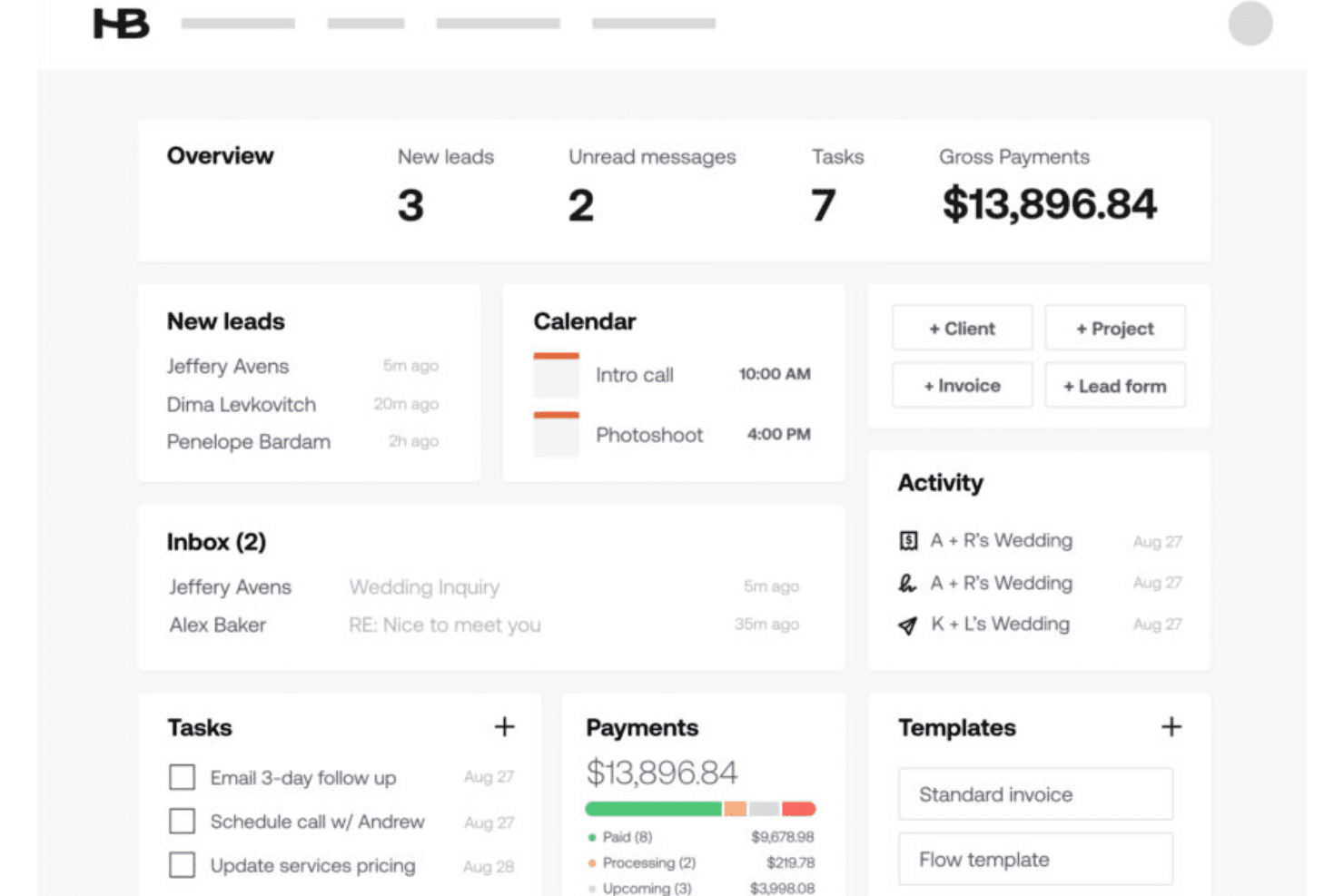
HoneyBook offers a clean interface, easy onboarding, and strong client-facing features, making it a top pick for small teams and service-based businesses. Its pricing is straightforward, and support is responsive, but integration options and advanced automation are limited compared to some competitors. If you’re judging CRMs for creative agencies or solo professionals who value branded proposals, contracts, and payment tools in one place, then you might feel inclined to use HoneyBook. However, if you need deep customization or complex sales pipelines, you may find its functionality less flexible than others.
Pros
- Built-in proposals, contracts, and invoicing in one platform.
- Automated follow-up reminders for client inquiries.
- Mobile app supports project management on the go.
Cons
- Lead management lacks advanced scoring and nurturing.
- Limited flexibility for complex sales processes.
- Pricing increases quickly for larger teams.
Is HoneyBook Right For Your Needs?
Who Would be a Good Fit for HoneyBook?
HoneyBook is best suited for small business owners, freelancers, and independent professionals who need to manage client projects, contracts, and payments in one place. Its workflow automation, branded proposals, and mobile app make it especially useful for service-based industries and teams that value client-facing tools over complex sales pipelines. If your work relies on project-based billing, client communication, and streamlined onboarding, HoneyBook’s feature set aligns well with your needs.
- Event PlannersHoneyBook’s templates and scheduling tools simplify event coordination and client approvals.
- Creative AgenciesBranded proposals and contract management support project-based creative work.
- Freelance PhotographersAutomated invoicing and payment tracking fit session-based billing.
- ConsultantsCentralized client communication and document sharing streamline project delivery.
- Wedding ProfessionalsIntegrated contracts, payments, and timelines suit multi-stage event planning.
- Small Marketing TeamsProject tracking and client collaboration tools help manage multiple campaigns.
Who Would be a Bad Fit for HoneyBook?
HoneyBook is less effective for large organizations, product-based businesses, or teams that require advanced sales automation and deep CRM customization. Its limited lead scoring, reporting, and integration options can restrict teams with complex sales cycles or those needing granular data analysis. If your business depends on high-volume sales, inventory management, or multi-department collaboration, HoneyBook may not meet your operational requirements.
- Enterprise Sales TeamsHoneyBook lacks advanced pipeline management and territory controls.
- SaaS CompaniesNo support for subscription billing or product usage tracking.
- Manufacturing FirmsMissing inventory management and order processing features.
- Customer Support DepartmentsNo ticketing or case management for ongoing support needs.
- Real Estate BrokeragesLimited MLS integration and property tracking capabilities.
- Large NonprofitsInsufficient donor management and grant tracking tools.
Come Testiamo e Valutiamo gli Strumenti
Abbiamo trascorso anni a costruire, perfezionare e migliorare il nostro sistema di valutazione e test dei software. Il nostro metodo è pensato per cogliere le sfumature della selezione software e ciò che rende uno strumento efficace, concentrandosi sugli aspetti critici del processo decisionale. Qui sotto puoi vedere esattamente come funzionano i nostri test e la valutazione sui sette criteri. Ci permette di fornire una valutazione imparziale del software in base alla funzionalità principale, alle caratteristiche distintive, facilità d’uso, onboarding, assistenza clienti, integrazioni, recensioni degli utenti e rapporto qualità-prezzo.
Funzionalità Principali (25% del punteggio finale)
Il punto di partenza per la nostra valutazione è sempre la funzionalità di base dello strumento. Possiede le caratteristiche e le funzioni che un utente si aspetterebbe di trovare? Alcune di queste funzioni di base sono limitate ai piani tariffari più costosi? Per noi uno strumento deve almeno essere alla pari con le capacità minime offerte dai concorrenti.
Caratteristiche Distintive (25% del punteggio finale)
Successivamente, valutiamo le funzionalità insolite o esclusive che vanno oltre le funzioni core normalmente presenti in strumenti simili. Un punteggio elevato riflette una presenza di caratteristiche particolari o uniche che rendono il prodotto più veloce, efficace o danno un valore aggiunto all’utente. Valutiamo anche la facilità di integrazione con altri strumenti tipici del tech stack per espanderne funzionalità e utilità. Gli strumenti che offrono numerose integrazioni native, connessioni di terze parti e accesso API per costruire integrazioni personalizzate ottengono i punteggi migliori.
Facilità d’Uso (10% del punteggio finale)
Consideriamo quanto sia rapido e intuitivo svolgere le attività fondamentali tramite lo strumento. I software con i punteggi più alti hanno un design ben pensato, sono intuitivi, offrono app mobili, forniscono modelli predefiniti e semplificano anche le attività più complesse.
Onboarding (10% del punteggio finale)
Sappiamo quanto sia importante che un nuovo strumento venga rapidamente adottato dal team, quindi valutiamo la facilità di apprendimento con un minimo di formazione. Valutiamo quanto velocemente un membro del team può iniziare a usare lo strumento senza esperienza. Le soluzioni con i punteggi più alti richiedono poco o nessun supporto iniziale.
Assistenza Clienti (10% del punteggio finale)
Analizziamo quanto sia facile e veloce risolvere problemi e ricevere assistenza tramite telefono, chat dal vivo o knowledge base. Gli strumenti e le aziende che offrono supporto in tempo reale ottengono i punteggi migliori, mentre i chatbot ottengono i peggiori.
Recensioni dei Clienti (10% del punteggio finale)
Oltre ai nostri test, consideriamo il net promoter score da clienti attuali e passati. Valutiamo la probabilità che gli utenti sceglierebbero nuovamente lo strumento per le funzionalità principali. Un punteggio elevato riflette un alto net promoter score da parte dei clienti.
Rapporto Qualità-Prezzo (10% del punteggio finale)
Infine, considerando tutti gli altri criteri, esaminiamo il prezzo medio dei piani base rispetto alle funzionalità principali e agli altri fattori valutativi. I software che offrono di più a un costo inferiore ottengono un punteggio più alto.
Core Features
Client Pipeline Management
Track leads, active projects, and client information in a visual pipeline from a centralized dashboard in real-time. Move clients through custom stages to match your workflow.
Proposals and Contracts
Create branded proposals and legally binding contracts using customizable templates directly in the platform. Clients can review and sign documents online for faster turnaround.
Invoicing and Payments
Send invoices, accept online payments, and automate payment reminders. Payment tracking is built in, so you always know what’s outstanding.
Scheduling
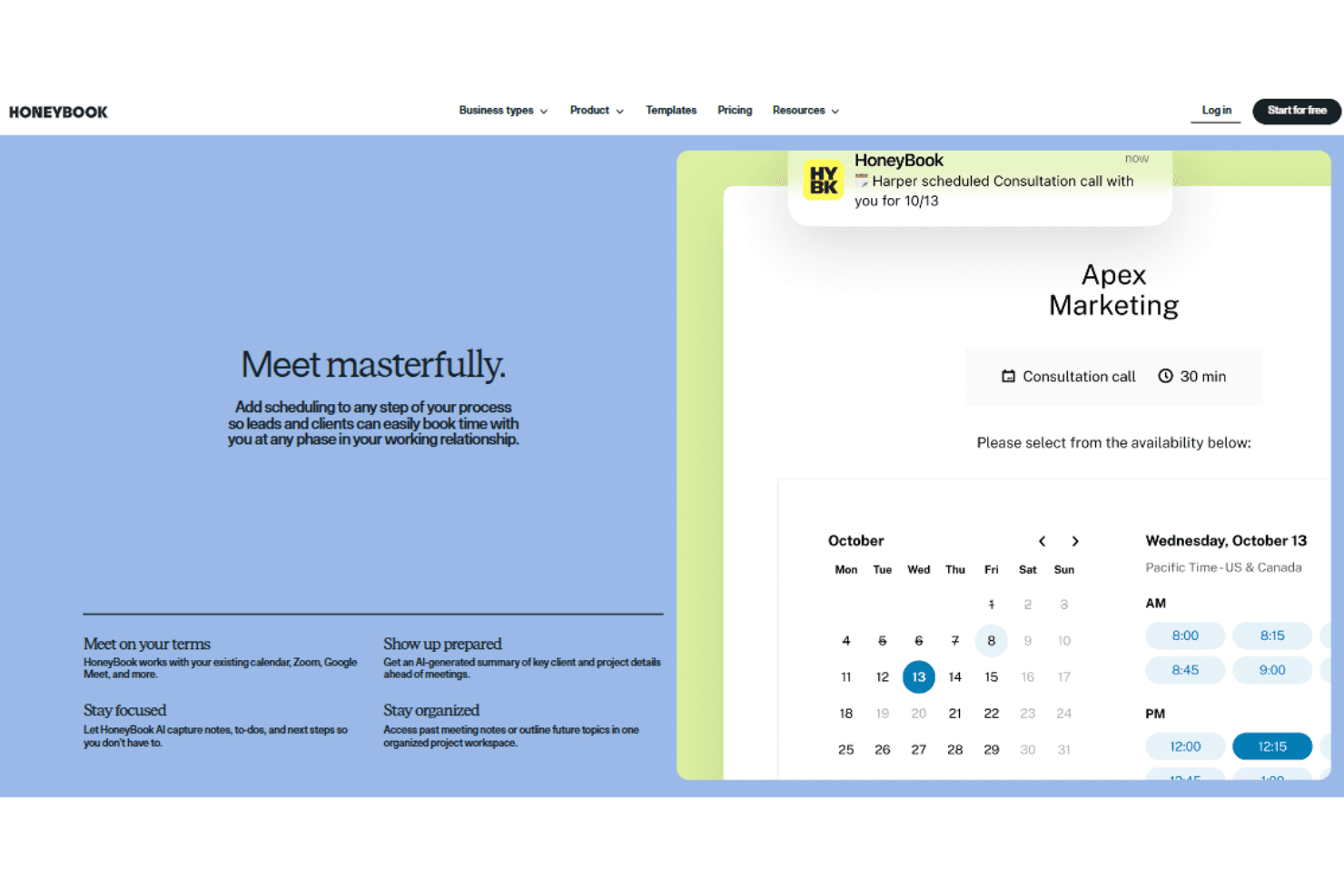
Share your availability and let clients book meetings or sessions online. Integrated calendar sync helps avoid double-booking.
Automated Workflows
Set up task automations for follow-ups, reminders, and onboarding steps. Trigger actions based on client interactions or project milestones.
Mobile App
Manage projects, send invoices, and communicate with clients from your phone. The app supports notifications and document sharing on the go.
Ease of Use
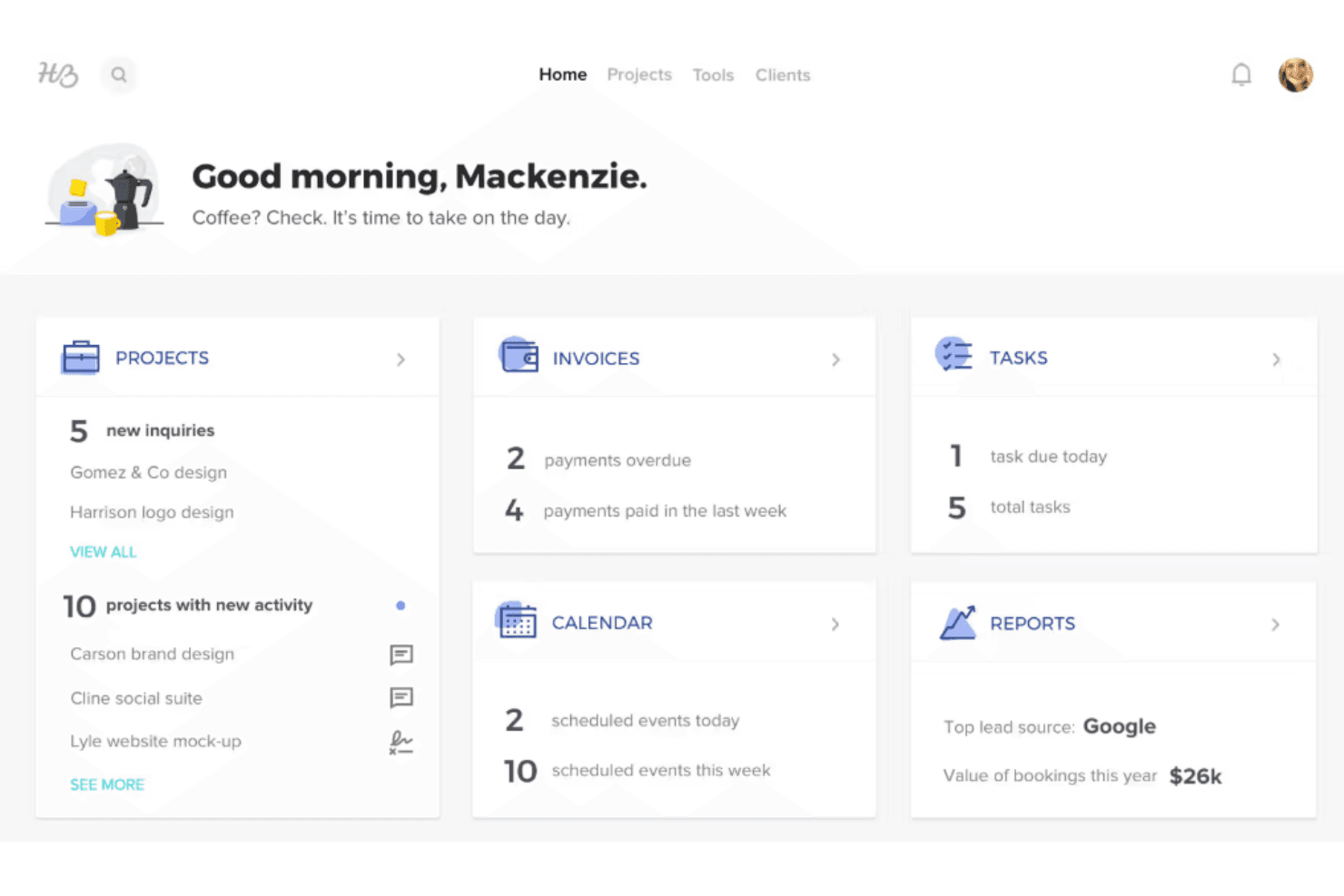
HoneyBook is widely recognized for its intuitive interface and simple navigation, making it accessible even for users new to CRM software. The drag-and-drop pipeline, pre-built templates, and guided onboarding help users get started quickly. Many Honeybook users highlight how easy it is to manage projects, send documents, and track payments without a significant learning curve. Its mobile app also mirrors the desktop experience, allowing for seamless project management on the go.
Integrations
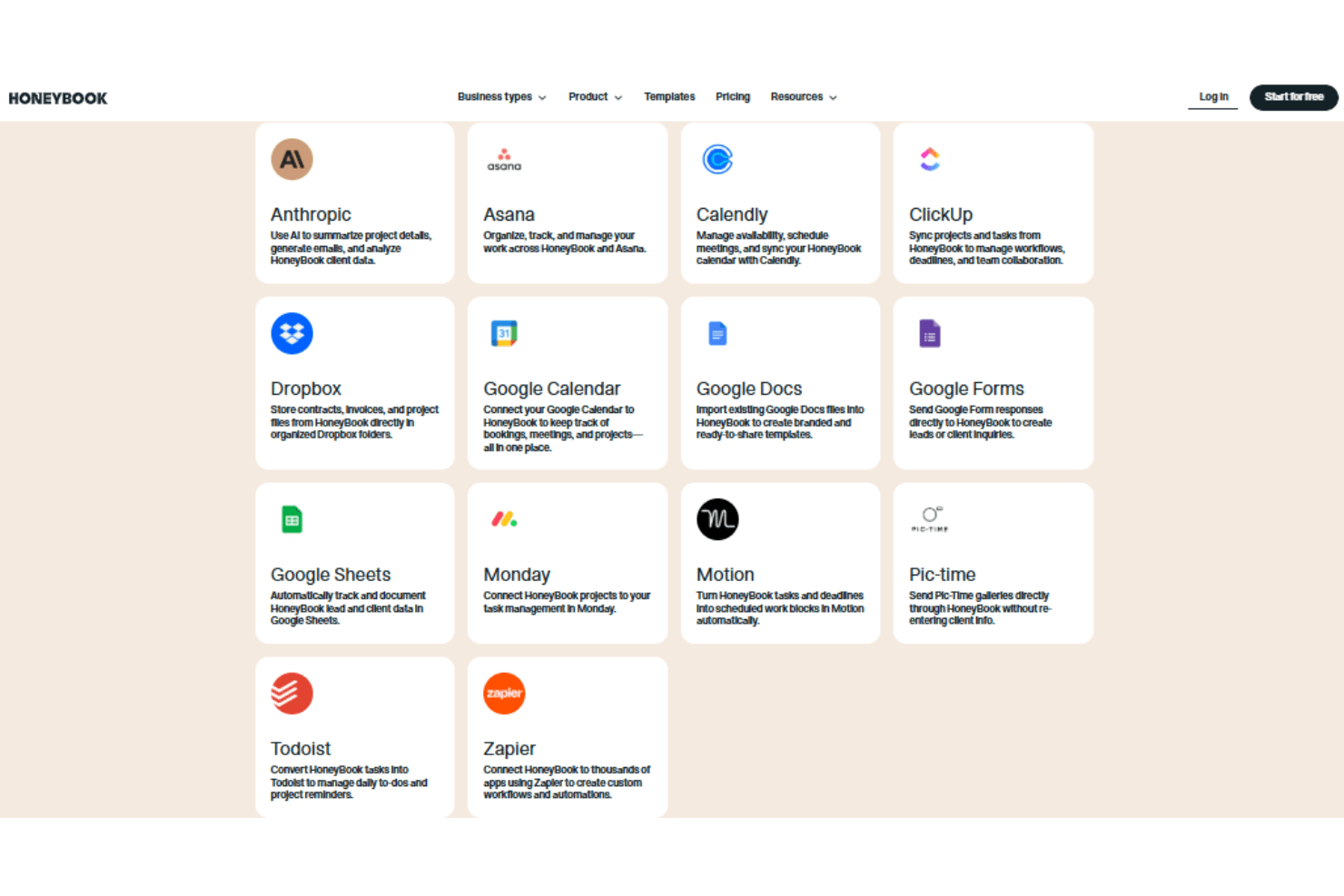
HoneyBook integrates with QuickBooks Online, Google Calendar, Zapier, Calendly, Gmail, Zoom, Stripe, among others.
HoneyBook does not offer a public API but connects with third-party integration tools like Zapier to extend its functionality.
HoneyBook Specs
- 2-Factor Authentication: Yes
- API: No
- Calendar Management: Yes
- Call Tracking: No
- Campaign Management: No
- Click-to-Dial: No
- Contact Management: Yes
- Contact Sharing: No
- Custom Data Forms: No
- Customer Management: Yes
- Dashboard: Yes
- Data Export: Yes
- Data Import: No
- Data Visualization: No
- Email Integration: Yes
- External Integrations: Yes
- File Sharing: Yes
- File Transfer: Yes
- Google Apps Integration: Yes
- Lead Management: Yes
- Lead Scoring: No
- Marketing Automation: No
- Mobile App: No
- Multi-User: Yes
- Notifications: Yes
- Pipeline Management: Yes
- Sales Automation: No
- Scheduling: Yes
- Social-Media Integration: Yes
- Task Scheduling/Tracking: Yes
- Third-Party Plugins/Add-Ons: Yes


