

Recensione CallPage 2026: Pro, Contro, Caratteristiche e Prezzi
Ho testato CallPage per vedere come i suoi strumenti di tracciamento delle chiamate aiutano le aziende a catturare lead, monitorare l’attività dei chiamanti e migliorare le conversazioni di vendita. Ecco dove si comporta bene, dove invece manca e se è il software giusto di tracciamento chiamate per il tuo team.

Recensiamo gli strumenti in modo indipendente e le commissioni aiutano a finanziare i nostri test. Consulta la nostra politica sulla trasparenza, la nostra metodologia o suggerisci uno strumento.
CallPage is a call tracking software built around callback automation. It lets website visitors request an instant call from your team, typically within 28 seconds. I'd consider it when your team is losing website leads and needs a proactive way to connect with high-intent visitors. Compared to CallRail, CallPage is the stronger pick when callback conversion matters as much as call attribution.
CallPage Evaluation Summary

4.7/5
- From $31/month (billed annnually)
- 14-day free trial
Perché fidarsi dei nostri consigli sui software
6,700+
Reviews
20
Industry experts
16+
Evaluation factors
14
Years
Le nostre recensioni riflettono il nostro giudizio indipendente, non un discorso di vendita. Scopri come manteniamo la trasparenza.
Per questa guida, abbiamo valutato gli strumenti attraverso test pratici e ricerche indipendenti, assegnando un punteggio agli strumenti in base ai nostri criteri di selezione.
Le nostre recensioni riflettono il nostro giudizio editoriale umano, non un discorso di vendita.
CallPage Overview
When judging CallPage, I find its live call tracking, callback automation, and user-friendly setup stack up well against most options. Pricing feels fair given the real-time analytics and straightforward onboarding. If having quick integrations and responsive support matter most in your selection, CallPage stands out.
I do think some advanced integrations are less flexible than others, but for sales teams wanting actionable insights without complexity, CallPage is an easy pick. You’ll get the most value if you want instant lead capture and visible rep performance, especially in fast-paced B2B sales environments.
Pros
- Real-time callback triggers increase lead engagement rates
- Call routing options help distribute inbound leads efficiently
- Tracking dashboard surfaces clear rep performance metrics
Cons
- Limited options for custom reporting beyond predefined templates
- No built-in SMS or text tracking features available
- Some users report lag on high-volume call days
Is CallPage Right For Your Needs?
Who Would be a Good Fit for CallPage?
CallPage is a strong fit for sales-driven teams that need to capture leads in real time and track every call from website visits. Companies with inside sales, agencies handling high-volume campaigns, and B2C businesses will benefit from its simple setup and rapid callback options. It’s well suited to organizations that want actionable analytics, quick implementation, and responsive support for accelerating lead response.
- Real Estate AgenciesReal estate teams can instantly engage online prospects through immediate callback, helping convert web leads when interest peaks.
- Automotive DealershipsSales departments can use CallPage’s routing and tracking features to ensure no test-drive or inquiry opportunity is missed.
- Small E-commerce StoresSmaller online retailers can enable fast customer callbacks, building trust and handling purchase questions before shoppers abandon carts.
- SaaS Trial TeamsSaaS businesses can capture inbound demo requests quickly and route them to available sales specialists for timely follow-up.
- Marketing AgenciesAgencies running campaigns for clients can showcase call conversion impact using CallPage’s analytics and dashboard tools.
- Inside Sales TeamsTeams focused on qualifying and closing web leads will see value in CallPage’s real-time lead alerts and call management.
Who Would be a Bad Fit for CallPage?
CallPage isn’t the best fit if your team needs deep phone system customization, handles complex inbound call routing scenarios, or requires advanced call scripting. It isn’t built for companies that depend on SMS, text-based engagement, or heavy outbound calling workflows. Organizations with enterprise-scale telephony demands or highly specialized requirements will likely need a more customizable call center solution.
- Large Call CentersContact centers needing detailed IVR, advanced call scripting, or multi-channel routing will find CallPage’s features too limited.
- Enterprise IT SupportIT helpdesks that rely on deep system integrations and custom telephony workflows won’t get the flexibility required.
- Healthcare ProvidersMedical practices needing HIPAA-compliant call systems and secure patient communication should seek industry-specialized solutions.
- Multilingual Support CentersTeams requiring complex, multi-language interactive voice response setup won’t have the customization tools needed in CallPage.
- Outbound Sales TeamsSales teams making high volumes of outbound cold calls will miss automated dialer or SMS outreach features.
- Field Service OrganizationsCompanies coordinating on-site teams by phone may need task scheduling and dispatching integrations beyond CallPage’s scope.
Come Testiamo e Valutiamo gli Strumenti
Abbiamo trascorso anni a costruire, perfezionare e migliorare il nostro sistema di valutazione e test dei software. Il nostro metodo è pensato per cogliere le sfumature della selezione software e ciò che rende uno strumento efficace, concentrandosi sugli aspetti critici del processo decisionale. Qui sotto puoi vedere esattamente come funzionano i nostri test e la valutazione sui sette criteri. Ci permette di fornire una valutazione imparziale del software in base alla funzionalità principale, alle caratteristiche distintive, facilità d’uso, onboarding, assistenza clienti, integrazioni, recensioni degli utenti e rapporto qualità-prezzo.
Funzionalità Principali (25% del punteggio finale)
Il punto di partenza per la nostra valutazione è sempre la funzionalità di base dello strumento. Possiede le caratteristiche e le funzioni che un utente si aspetterebbe di trovare? Alcune di queste funzioni di base sono limitate ai piani tariffari più costosi? Per noi uno strumento deve almeno essere alla pari con le capacità minime offerte dai concorrenti.
Caratteristiche Distintive (25% del punteggio finale)
Successivamente, valutiamo le funzionalità insolite o esclusive che vanno oltre le funzioni core normalmente presenti in strumenti simili. Un punteggio elevato riflette una presenza di caratteristiche particolari o uniche che rendono il prodotto più veloce, efficace o danno un valore aggiunto all’utente. Valutiamo anche la facilità di integrazione con altri strumenti tipici del tech stack per espanderne funzionalità e utilità. Gli strumenti che offrono numerose integrazioni native, connessioni di terze parti e accesso API per costruire integrazioni personalizzate ottengono i punteggi migliori.
Facilità d’Uso (10% del punteggio finale)
Consideriamo quanto sia rapido e intuitivo svolgere le attività fondamentali tramite lo strumento. I software con i punteggi più alti hanno un design ben pensato, sono intuitivi, offrono app mobili, forniscono modelli predefiniti e semplificano anche le attività più complesse.
Onboarding (10% del punteggio finale)
Sappiamo quanto sia importante che un nuovo strumento venga rapidamente adottato dal team, quindi valutiamo la facilità di apprendimento con un minimo di formazione. Valutiamo quanto velocemente un membro del team può iniziare a usare lo strumento senza esperienza. Le soluzioni con i punteggi più alti richiedono poco o nessun supporto iniziale.
Assistenza Clienti (10% del punteggio finale)
Analizziamo quanto sia facile e veloce risolvere problemi e ricevere assistenza tramite telefono, chat dal vivo o knowledge base. Gli strumenti e le aziende che offrono supporto in tempo reale ottengono i punteggi migliori, mentre i chatbot ottengono i peggiori.
Recensioni dei Clienti (10% del punteggio finale)
Oltre ai nostri test, consideriamo il net promoter score da clienti attuali e passati. Valutiamo la probabilità che gli utenti sceglierebbero nuovamente lo strumento per le funzionalità principali. Un punteggio elevato riflette un alto net promoter score da parte dei clienti.
Rapporto Qualità-Prezzo (10% del punteggio finale)
Infine, considerando tutti gli altri criteri, esaminiamo il prezzo medio dei piani base rispetto alle funzionalità principali e agli altri fattori valutativi. I software che offrono di più a un costo inferiore ottengono un punteggio più alto.
Core Features
Callback Widget
Automatically prompts website visitors to schedule a phone call in seconds. This boosts immediate lead conversion right from your site.
Call Tracking Analytics
Tracks and records details of every inbound and outbound call. Users can quickly see performance data, lead sources, and conversion rates.
Call Routing
Distributes incoming leads to the most available or best-suited rep. You can configure routing rules by geography, time, or skill set.
Call Recording
Records all calls for quality assurance and training. Managers can review conversations for feedback or compliance checks.
Real-Time Notifications
Alerts your team the instant a lead requests a call or interacts with the widget. This ensures your sales reps respond right when prospects are most engaged.
Lead Management Panel
Lets you view, filter, and organize calls and leads in one dashboard. You streamline follow-ups by tracking responses and outcomes in real time.
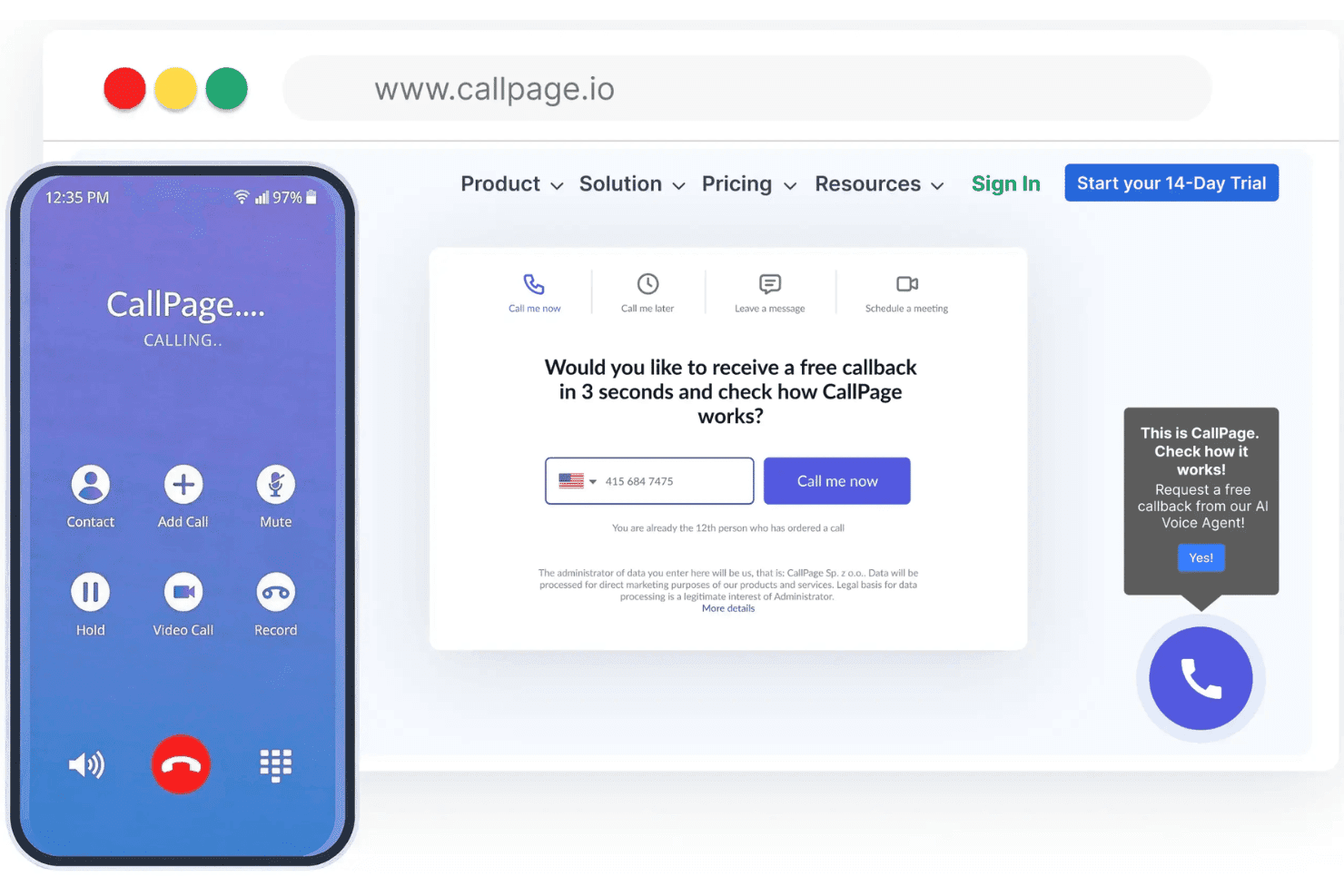
Ease of Use
I think CallPage stands out for its intuitive dashboard, quick setup, and simple call tracking workflows, making it easy for new users to get started. The visual widget editor and real-time analytics provide clear value without unnecessary clutter, and most users report a smooth onboarding experience thanks to clear in-app guidance.

Integrations
CallPage integrates with HubSpot, Google Analytics, Salesforce, Pipedrive, Zoho CRM, Slack, Bitrix24, LiveChat, Facebook, and Zapier, among others.
CallPage also offers a public API and supports third-party connections via Zapier.

CallPage Specs
- A/B Testing: No
- API: Yes
- Audience Targeting: Yes
- Calendar Management: Yes
- Call Disposition: Yes
- Call Recording: Yes
- Call Tracking: Yes
- Click-to-Dial: Yes
- Contact Management: Yes
- Contact Sharing: No
- Customer Management: No
- Dashboard: Yes
- Data Export: No
- Data Import: No
- Data Visualization: Yes
- Email Integration: No
- External Integrations: Yes
- Forecasting: No
- Google Apps Integration: Yes
- Inventory Tracking: No
- Lead Management: Yes
- Lead Scoring: Yes
- Marketing Automation: No
- Multi-User: Yes
- Notifications: Yes
- Referral Tracking: No
- Sales Motivator: No
- Scheduling: Yes
- Social-Media Integration: No
- Softphone: No
- Third-Party Plugins/Add-Ons: No
- Travel Management: No


