
Streak Bewertung 2026: Vorteile, Nachteile, Funktionen und Preise
Streak zeichnet sich als CRM aus, das direkt in Gmail integriert ist und eine nahtlose E-Mail-Integration sowie eine einfache Verwaltung von Pipelines ermöglicht, ohne das Postfach zu verlassen.

Wir bewerten Tools unabhängig, und Provisionen helfen, unsere Tests zu finanzieren. Sehen Sie unsere transparente Richtlinie, unsere Methodik oder schlagen Sie ein Tool vor.
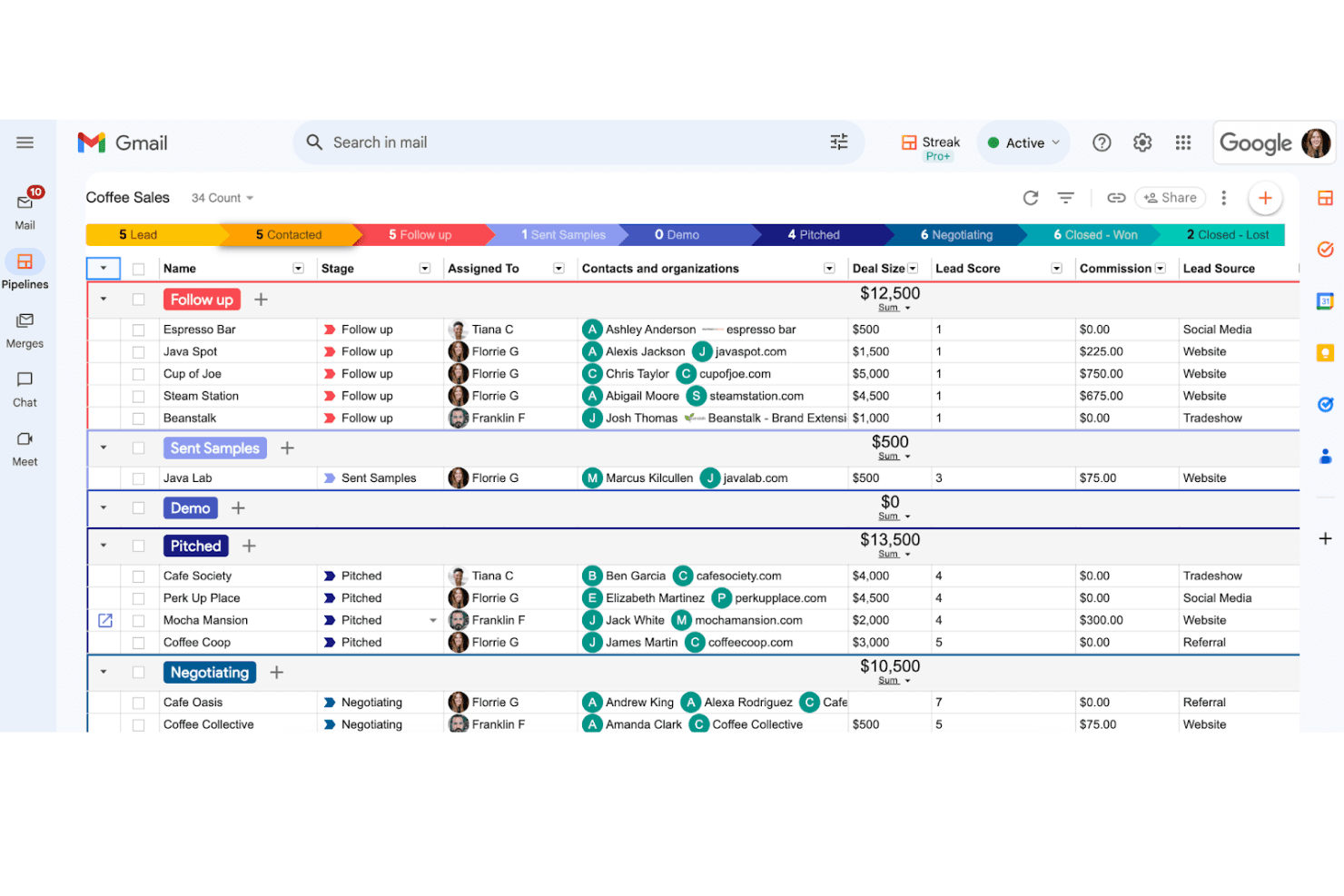
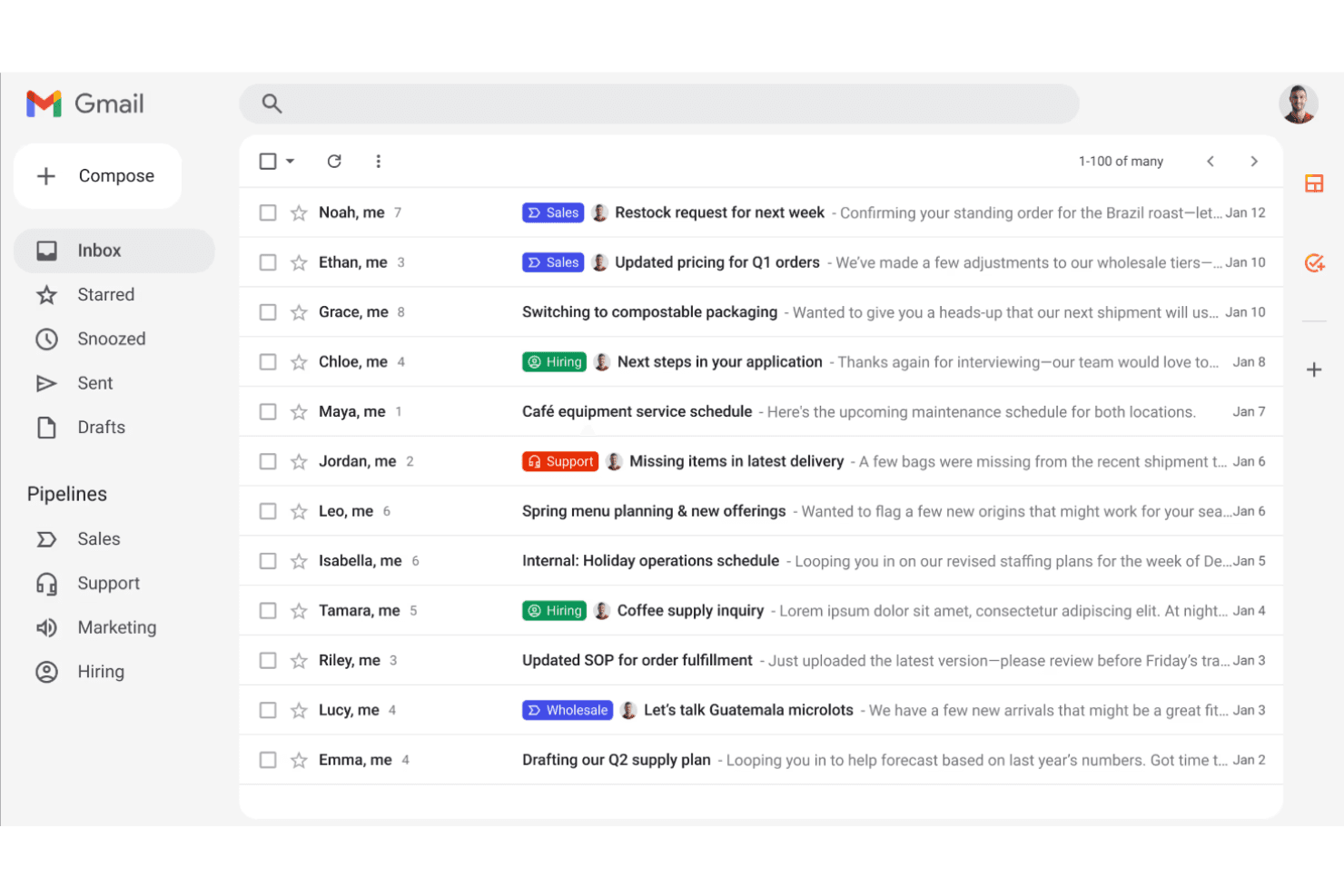
Streak is a CRM software built directly inside Gmail, so you manage pipelines, contacts, and deals without ever leaving your inbox. It's designed for small teams and solo operators who run on Google Workspace and don't want to maintain a separate platform. I'd consider it over something like HubSpot CRM if your team's work happens mostly in email. Streak keeps your pipeline and conversations in the same place—HubSpot simply can't match that from inside Gmail.
Streak Evaluation Summary
4.5/5
- From $59/user/month
- 14-day free trial
Warum Sie unseren Software-Empfehlungen vertrauen können
6,700+
Reviews
20
Industry experts
16+
Evaluation factors
14
Years
Unsere Bewertungen spiegeln unser unabhängiges Urteilsvermögen wider – keine Verkaufsstrategie. Erfahren Sie, wie wir transparent bleiben.
Für diesen Leitfaden haben wir Tools mithilfe von praktischen Tests und unabhängiger Recherche bewertet und dabei unsere Bewertungskriterien angewendet.
Unsere Bewertungen spiegeln unser menschliches redaktionelles Urteilsvermögen wider, keine Verkaufsstrategie.
Streak Overview
If you’re judging CRM software by how well it integrates with Gmail, Streak is hard to beat. I think its pipeline tracking, email-powered automation, and simple onboarding make it a top pick for teams who live in their inbox. Pricing is competitive, and the interface feels natural for anyone used to Google Workspace. However, if you’re comparing advanced reporting, customization, or integrations, Streak can fall short of more feature-rich platforms.
I’d suggest Streak for small to midsize teams who want a CRM that feels like an extension of their email, not a separate tool.
Pros
- AI-powered data entry reduces manual updates and errors.
- Fast, responsive customer support with live help options.
- Fully embedded in Gmail for true inbox-based CRM.
Cons
- Advanced features require higher-tier paid plans.
- Pipelines can get cluttered as lead volume grows.
- Reporting and analytics are basic compared to other CRMs.
Is Streak Right For Your Needs?
Who Would be a Good Fit for Streak?
Streak is a strong choice for teams who spend most of their day in Gmail and want CRM features without leaving their inbox. It’s especially useful for small businesses, agencies, and departments that value quick setup, pipeline visibility, and email-driven workflows. Streak’s automation, collaboration, and AI-powered data entry make it a practical fit for roles that rely on fast communication and deal tracking.
- Freelance ConsultantsStreak’s Gmail integration lets solo consultants manage leads and clients directly from their inbox.
- Real Estate AgentsPipeline tracking and email templates help agents manage listings and client communications.
- Small AgenciesTeams can collaborate on deals and projects without switching tools.
- StartupsStartups get affordable CRM features with minimal onboarding or IT support.
- Customer Success TeamsShared pipelines and email tracking support follow-ups and renewals.
- Recruiting TeamsPipeline stages and email merge make candidate tracking simple and organized.
Who Would be a Bad Fit for Streak?
Streak isn’t ideal for large enterprises, teams needing deep analytics, or organizations with complex sales processes. If your business relies on advanced reporting, custom integrations, or operates outside the Google Workspace ecosystem, you’ll likely find Streak’s feature set limiting. It’s best for teams who want simplicity over depth.
- Enterprise SalesStreak lacks advanced forecasting and territory management for large sales teams.
- Healthcare OrganizationsHIPAA compliance and industry-specific integrations are not supported.
- Manufacturing CompaniesComplex workflows and ERP integrations aren’t available in Streak.
- Field Service TeamsMobile app limitations and offline access make it less practical.
- Finance DepartmentsAdvanced reporting and compliance features are missing for financial workflows.
- Non-Google Workspace UsersStreak only works inside Gmail, so it’s unusable elsewhere.
Wie wir Tools testen & bewerten
Wir haben Jahre damit verbracht, unser System zur Softwarebewertung und -prüfung aufzubauen, zu verfeinern und kontinuierlich zu verbessern. Der Bewertungsmaßstab ist darauf ausgelegt, die Feinheiten der Software-Auswahl und die Effektivität eines Tools abzubilden, wobei der Fokus auf entscheidende Aspekte des Auswahlprozesses gelegt wird. Nachfolgend können Sie genau sehen, wie unser Test- und Bewertungssystem anhand von sieben Kriterien funktioniert. Dadurch sind wir in der Lage, eine objektive Einschätzung der Software auf Basis von Kernfunktionalität, besonderen Merkmalen, Benutzerfreundlichkeit, Onboarding, Kundensupport, Integrationen, Kundenbewertungen und Preis-Leistungs-Verhältnis zu geben.
Kernfunktionalität (25% der Gesamtnote)
Unser Bewertungsprozess beginnt immer mit der Kernfunktionalität eines Tools. Verfügt es über die grundlegenden Funktionen und Merkmale, die ein Nutzer erwarten würde? Sind einige dieser Kernfunktionen nur in teureren Tarifen verfügbar? Grundsätzlich erwarten wir, dass ein Tool mit den Grundfunktionen seiner Wettbewerber mithalten kann.
Besondere Merkmale (25% der Gesamtnote)
Im nächsten Schritt bewerten wir außergewöhnliche Zusatzfunktionen, die über den üblichen Funktionsumfang hinausgehen. Eine hohe Bewertung spiegelt spezialisierte oder einzigartige Eigenschaften wider, welche das Produkt schneller, effizienter oder für den Nutzer wertvoller machen. Wir bewerten außerdem, wie einfach sich andere typische Tools zur Erweiterung der Funktionalität und des Nutzens integrieren lassen. Lösungen mit zahlreichen nativen Integrationen, Drittanbieter-Anbindungen und API-Zugängen für eigene Anpassungen schneiden am besten ab.
Benutzerfreundlichkeit (10% der Gesamtnote)
Wir berücksichtigen, wie schnell und einfach sich Aufgaben mit der Kernfunktionalität durch das Tool erledigen lassen. Hoch bewertete Software ist gut gestaltet, intuitiv bedienbar, bietet mobile Apps, Vorlagen und gestaltet sogar komplexe Aufgaben einfach.
Onboarding (10% der Gesamtnote)
Uns ist wichtig, wie schnell Teams eine neue Plattform übernehmen, daher bewerten wir, wie leicht ein Tool ohne umfangreiche Schulungen erlernbar und nutzbar ist. Wir betrachten, wie schnell Teammitglieder ohne Vorerfahrung loslegen können. Hoch bewertete Lösungen zeichnen sich dadurch aus, dass nur wenig oder keine Unterstützung notwendig ist.
Kundensupport (10% der Gesamtnote)
Wir prüfen, wie schnell und einfach es ist, Unterstützung per Telefon, Live-Chat oder Wissensdatenbank zu erhalten. Anbieter, die Echtzeit-Support bieten, erzielen die besten Noten, während Chatbots am schlechtesten abschneiden.
Kundenbewertungen (10% der Gesamtnote)
Zusätzlich zu unseren eigenen Tests berücksichtigen wir den Net Promoter Score von aktuellen und früheren Kunden. Wir prüfen, ob Nutzer das Tool für die Kernfunktionalitäten erneut wählen würden. Eine hohe Softwarebewertung spiegelt einen hohen Weiterempfehlungswert aktueller oder früherer Kunden wider.
Preis-Leistungs-Verhältnis (10% der Gesamtnote)
Abschließend bewerten wir unter Berücksichtigung aller Kriterien den durchschnittlichen Preis für Einstiegs-Tarife im Verhältnis zu den Kernfunktionen und dem Wert der übrigen Kriterien. Software, die mehr Leistung für weniger Geld bietet, erzielt eine höhere Bewertung.
Core Features
Pipeline Management
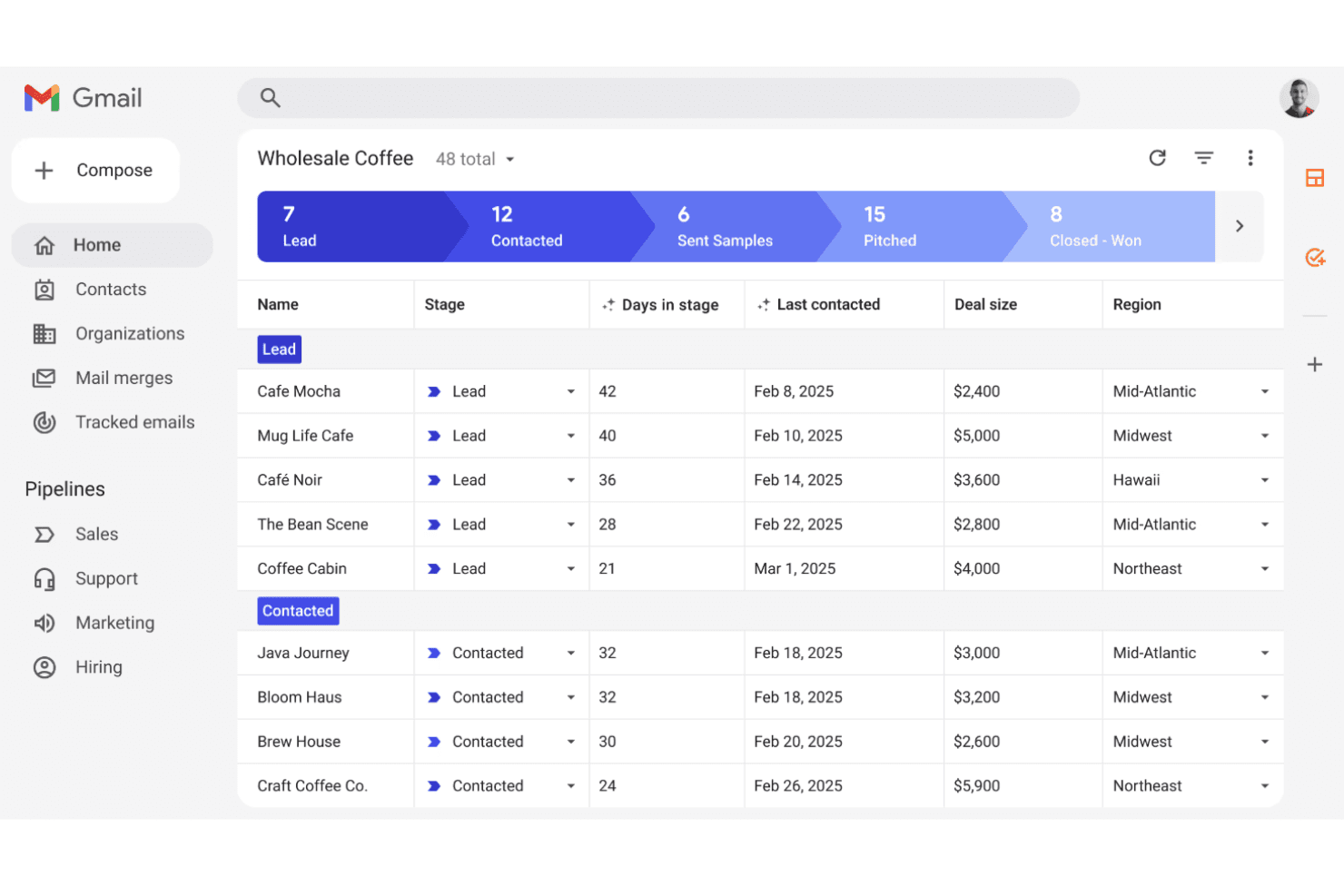
Track deals, projects, or support tickets in customizable pipelines directly inside Gmail. Drag-and-drop stages make it easy to update progress.
Email Tracking
See when recipients open emails and which messages get engagement. This helps prioritize follow-ups and gauge interest.
Mail Merge
Send personalized bulk emails to multiple contacts from Gmail. Track responses and automate outreach for campaigns or updates.
Task and Reminder System
Set tasks and reminders linked to specific deals or contacts. Get notified in your inbox so nothing slips through the cracks.
Shared Pipelines
Collaborate with your team by sharing pipelines, notes, and contact history. Everyone stays updated on deal status and next steps.
AI-Powered Data Entry
Automatically extract and update contact details from emails using AI. This reduces manual entry and keeps records accurate.
Ease of Use
Streak is one of the most user-friendly CRM options for anyone already comfortable with Gmail. You can manage pipelines, track emails, and update deals without ever leaving your inbox, which cuts down on training and onboarding time.
Users often mention how natural it feels to use Streak’s features alongside their daily email workflow. The interface is clean, and most actions are just a click or drag away, making adoption quick for new team members.
Integrations
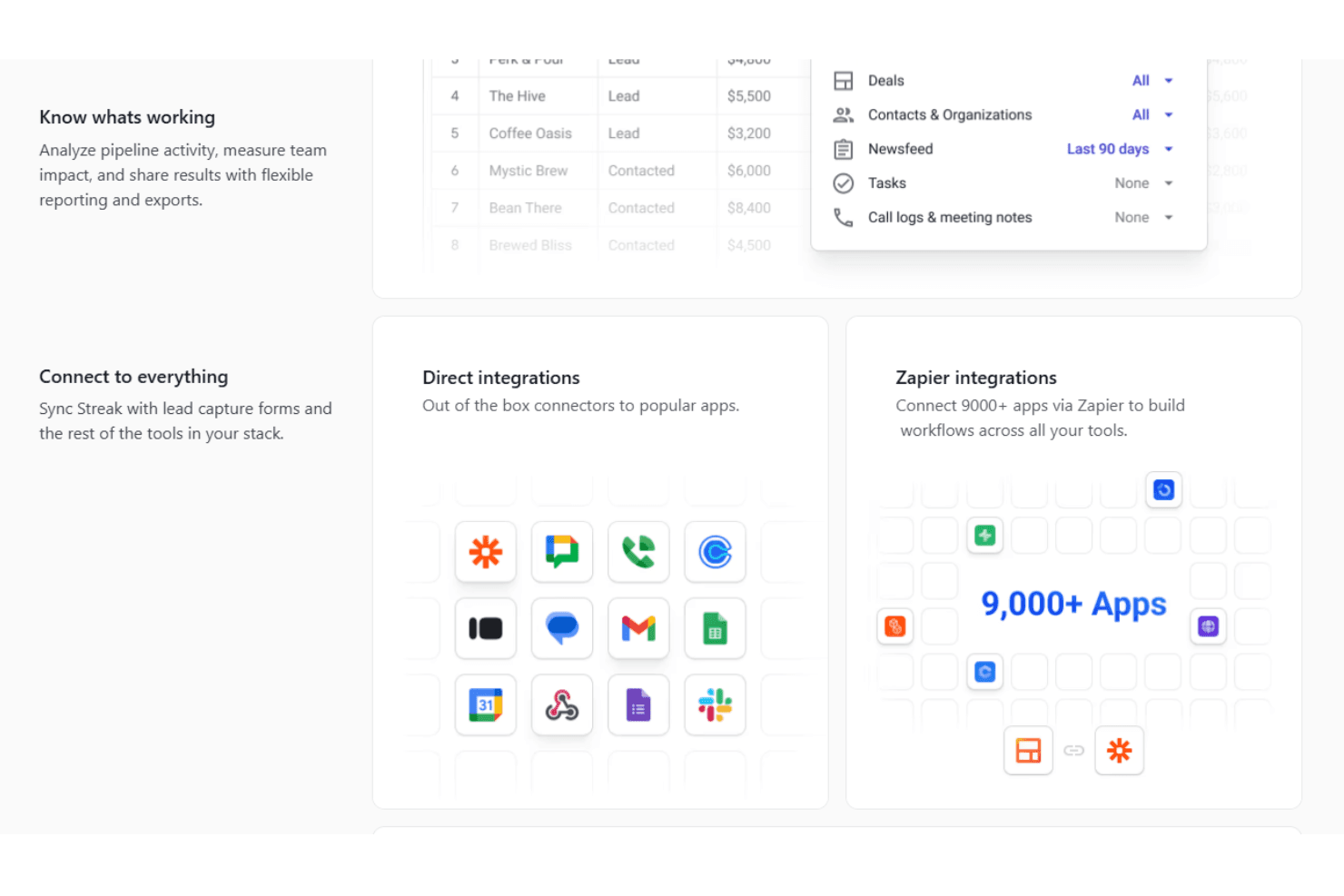
Streak integrates with Google Sheets, Slack, LinkedIn, Google Forms, Zapier, Gmail, Google Calendar, Microsoft Edge, Google Chrome, Safari, and the Gmail mobile app, among others.
Streak also offers a developer-friendly API and connects with thousands of third-party tools through Zapier.
Streak Specs
- 2-Factor Authentication: No
- API: Yes
- Calendar Management: No
- Call Tracking: No
- Campaign Management: No
- Click-to-Dial: No
- Contact Management: Yes
- Contact Sharing: Yes
- Custom Data Forms: No
- Customer Management: Yes
- Dashboard: Yes
- Data Export: Yes
- Data Import: Yes
- Data Visualization: Yes
- Email Integration: Yes
- External Integrations: Yes
- File Sharing: Yes
- File Transfer: No
- Google Apps Integration: Yes
- Lead Management: Yes
- Lead Scoring: No
- Marketing Automation: Yes
- Mobile App: Yes
- Multi-User: Yes
- Notifications: Yes
- Pipeline Management: Yes
- Sales Automation: Yes
- Scheduling: Yes
- Social-Media Integration: No
- Task Scheduling/Tracking: Yes
- Third-Party Plugins/Add-Ons: No


