

QuotaPath Test 2026: Vorteile, Nachteile, Funktionen & Preise
QuotaPath schafft Vertrauen in Ihren Vertriebsprozess, indem klare, faire und leicht nachvollziehbare Provisionen bereitgestellt werden, die die Teamleistung stärken.

Wir bewerten Tools unabhängig, und Provisionen helfen, unsere Tests zu finanzieren. Sehen Sie unsere transparente Richtlinie, unsere Methodik oder schlagen Sie ein Tool vor.
QuotaPath is a sales commission software built to bring accuracy and transparency to commission tracking. It’s especially valuable for revenue leaders, sales managers, and operations teams in fast-growing SaaS companies and high-performance sales organizations. By removing confusion around payouts, QuotaPath helps you build trust, motivate your team, and drive consistent results.
In this article, you'll find a detailed look at QuotaPath's features, pros and cons, use cases, and pricing to help you decide if this software delivers the transparency and confidence you need in your commission process.
QuotaPath Evaluation Summary
4.6/5
- From $30/month (billed annually)
- Free 14-day trial
Warum Sie unseren Software-Empfehlungen vertrauen können
6,700+
Reviews
20
Industry experts
16+
Evaluation factors
14
Years
Unsere Bewertungen spiegeln unser unabhängiges Urteilsvermögen wider – keine Verkaufsstrategie. Erfahren Sie, wie wir transparent bleiben.
Für diesen Leitfaden haben wir Tools mithilfe von praktischen Tests und unabhängiger Recherche bewertet und dabei unsere Bewertungskriterien angewendet.
Unsere Bewertungen spiegeln unser menschliches redaktionelles Urteilsvermögen wider, keine Verkaufsstrategie.
QuotaPath Overview
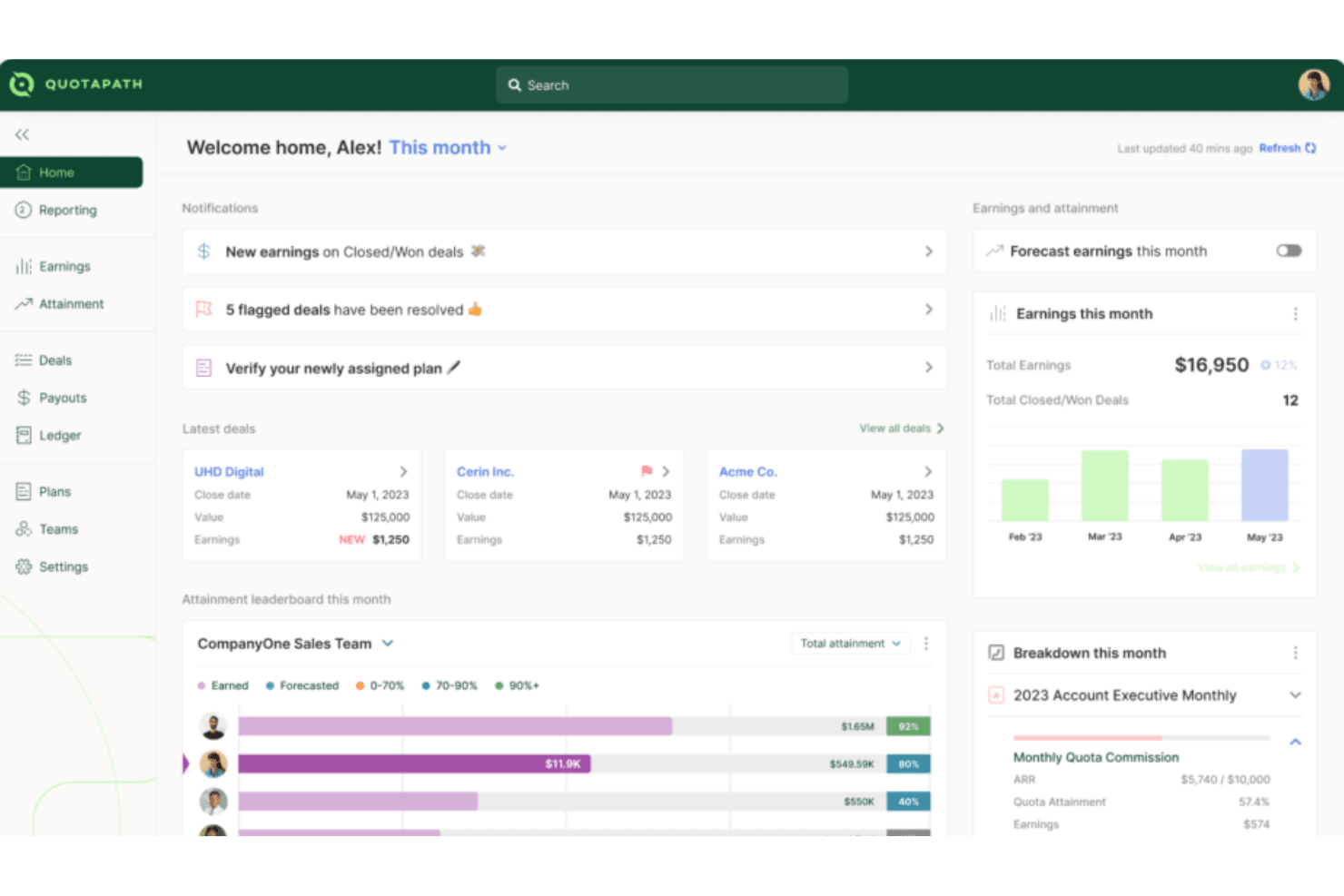
QuotaPath is designed to make commission tracking simple, accurate, and easy for both leaders and reps. It brings visibility into earnings, goals, and team performance without the confusion of spreadsheets. While it may not have the most advanced customization, most teams find it straightforward and intuitive to use. The result is a tool that builds trust in payouts and keeps everyone motivated to hit their targets.
Pros
- You can track commissions in real time and see exactly where you stand.
- Your team gets clear, easy-to-read dashboards that build trust in payouts.
- You can set goals that keep everyone aligned and motivated to hit targets.
Cons
- Lacks financial-related features like budget management, which might require you to use additional tools.
- Fewer advanced forecasting tools compared to bigger platforms.
- It has limited customization options, which could be a drawback if your team needs more tailored solutions.
Is QuotaPath Right For Your Needs?
Who Would be a Good Fit for QuotaPath?
QuotaPath works best for sales teams, revenue leaders, and ops managers in fast-growing companies who need simple, reliable commission tracking. If you’re scaling a SaaS business, running a high-volume sales org, or managing multiple reps with complex goals, you’ll find value in its clear dashboards and real-time visibility. It’s designed for teams that want trust in their payouts without relying on spreadsheets or manual tracking.
- SaaS CompaniesQuotaPath helps you manage fast-changing comp plans and keep reps motivated with transparent payouts that build trust, reduce confusion, and support rapid growth.
- Mid-Sized TeamsIt gives you just enough structure without the heavy lift of a large enterprise system, making adoption smooth, affordable, and practical for everyday use.
- Revenue OperationsYou can track goals across reps and tie them back to broader revenue targets with accurate data, automated tracking, and clear performance visibility.
- Sales ManagersIt lets you see performance clearly so you can coach and motivate with confidence while cutting back disputes, saving time, and boosting team morale.
- Remote TeamsIts dashboards keep everyone aligned on payouts, no matter where they’re working, ensuring visibility, accountability, and shared trust across distributed sales teams.
- StartupsYou can get rid of messy spreadsheets and use a simple system that grows with your team, scales as you hire, and adapts quickly.
Who Would be a Bad Fit for QuotaPath?
QuotaPath isn’t the best choice if you’re a very large enterprise with highly complex, custom commission rules. If you need deep analytics, heavy forecasting, or extremely tailored workflows, you’ll likely find it limiting. Companies with complex integration needs may also find its offerings insufficient for their operations.
- Large EnterprisesQuotaPath's limited customization options may not meet the complex needs of large-scale operations.
- Complex Finance TeamsYou won’t get the deep financial analytics some finance departments rely on.
- Highly-Customized SolutionsIf your team requires highly tailored commission structures, QuotaPath's standard offerings may fall short.
- ManufacturingAn industry with complex, multi-tiered commission systems that might need more flexibility than QuotaPath provides.
- Niche IndustriesIf your industry has very unusual payout rules, you may not find the flexibility you need.
- Highly Regulated IndustriesIndustries needing specialized compliance features could find QuotaPath insufficient for their specific needs.
Wie wir Tools testen & bewerten
Wir haben Jahre damit verbracht, unser System zur Softwarebewertung und -prüfung aufzubauen, zu verfeinern und kontinuierlich zu verbessern. Der Bewertungsmaßstab ist darauf ausgelegt, die Feinheiten der Software-Auswahl und die Effektivität eines Tools abzubilden, wobei der Fokus auf entscheidende Aspekte des Auswahlprozesses gelegt wird. Nachfolgend können Sie genau sehen, wie unser Test- und Bewertungssystem anhand von sieben Kriterien funktioniert. Dadurch sind wir in der Lage, eine objektive Einschätzung der Software auf Basis von Kernfunktionalität, besonderen Merkmalen, Benutzerfreundlichkeit, Onboarding, Kundensupport, Integrationen, Kundenbewertungen und Preis-Leistungs-Verhältnis zu geben.
Kernfunktionalität (25% der Gesamtnote)
Unser Bewertungsprozess beginnt immer mit der Kernfunktionalität eines Tools. Verfügt es über die grundlegenden Funktionen und Merkmale, die ein Nutzer erwarten würde? Sind einige dieser Kernfunktionen nur in teureren Tarifen verfügbar? Grundsätzlich erwarten wir, dass ein Tool mit den Grundfunktionen seiner Wettbewerber mithalten kann.
Besondere Merkmale (25% der Gesamtnote)
Im nächsten Schritt bewerten wir außergewöhnliche Zusatzfunktionen, die über den üblichen Funktionsumfang hinausgehen. Eine hohe Bewertung spiegelt spezialisierte oder einzigartige Eigenschaften wider, welche das Produkt schneller, effizienter oder für den Nutzer wertvoller machen. Wir bewerten außerdem, wie einfach sich andere typische Tools zur Erweiterung der Funktionalität und des Nutzens integrieren lassen. Lösungen mit zahlreichen nativen Integrationen, Drittanbieter-Anbindungen und API-Zugängen für eigene Anpassungen schneiden am besten ab.
Benutzerfreundlichkeit (10% der Gesamtnote)
Wir berücksichtigen, wie schnell und einfach sich Aufgaben mit der Kernfunktionalität durch das Tool erledigen lassen. Hoch bewertete Software ist gut gestaltet, intuitiv bedienbar, bietet mobile Apps, Vorlagen und gestaltet sogar komplexe Aufgaben einfach.
Onboarding (10% der Gesamtnote)
Uns ist wichtig, wie schnell Teams eine neue Plattform übernehmen, daher bewerten wir, wie leicht ein Tool ohne umfangreiche Schulungen erlernbar und nutzbar ist. Wir betrachten, wie schnell Teammitglieder ohne Vorerfahrung loslegen können. Hoch bewertete Lösungen zeichnen sich dadurch aus, dass nur wenig oder keine Unterstützung notwendig ist.
Kundensupport (10% der Gesamtnote)
Wir prüfen, wie schnell und einfach es ist, Unterstützung per Telefon, Live-Chat oder Wissensdatenbank zu erhalten. Anbieter, die Echtzeit-Support bieten, erzielen die besten Noten, während Chatbots am schlechtesten abschneiden.
Kundenbewertungen (10% der Gesamtnote)
Zusätzlich zu unseren eigenen Tests berücksichtigen wir den Net Promoter Score von aktuellen und früheren Kunden. Wir prüfen, ob Nutzer das Tool für die Kernfunktionalitäten erneut wählen würden. Eine hohe Softwarebewertung spiegelt einen hohen Weiterempfehlungswert aktueller oder früherer Kunden wider.
Preis-Leistungs-Verhältnis (10% der Gesamtnote)
Abschließend bewerten wir unter Berücksichtigung aller Kriterien den durchschnittlichen Preis für Einstiegs-Tarife im Verhältnis zu den Kernfunktionen und dem Wert der übrigen Kriterien. Software, die mehr Leistung für weniger Geld bietet, erzielt eine höhere Bewertung.
Core Features
Commission Tracking
QuotaPath allows you to easily track sales commissions in real time, offering transparency for your team. You can quickly see how commissions are calculated, reducing confusion and errors.
Performance Analytics
This feature provides insights into sales performance, helping you make informed decisions. With clear data visualization, you can identify trends and adjust strategies accordingly.
Customizable Dashboards
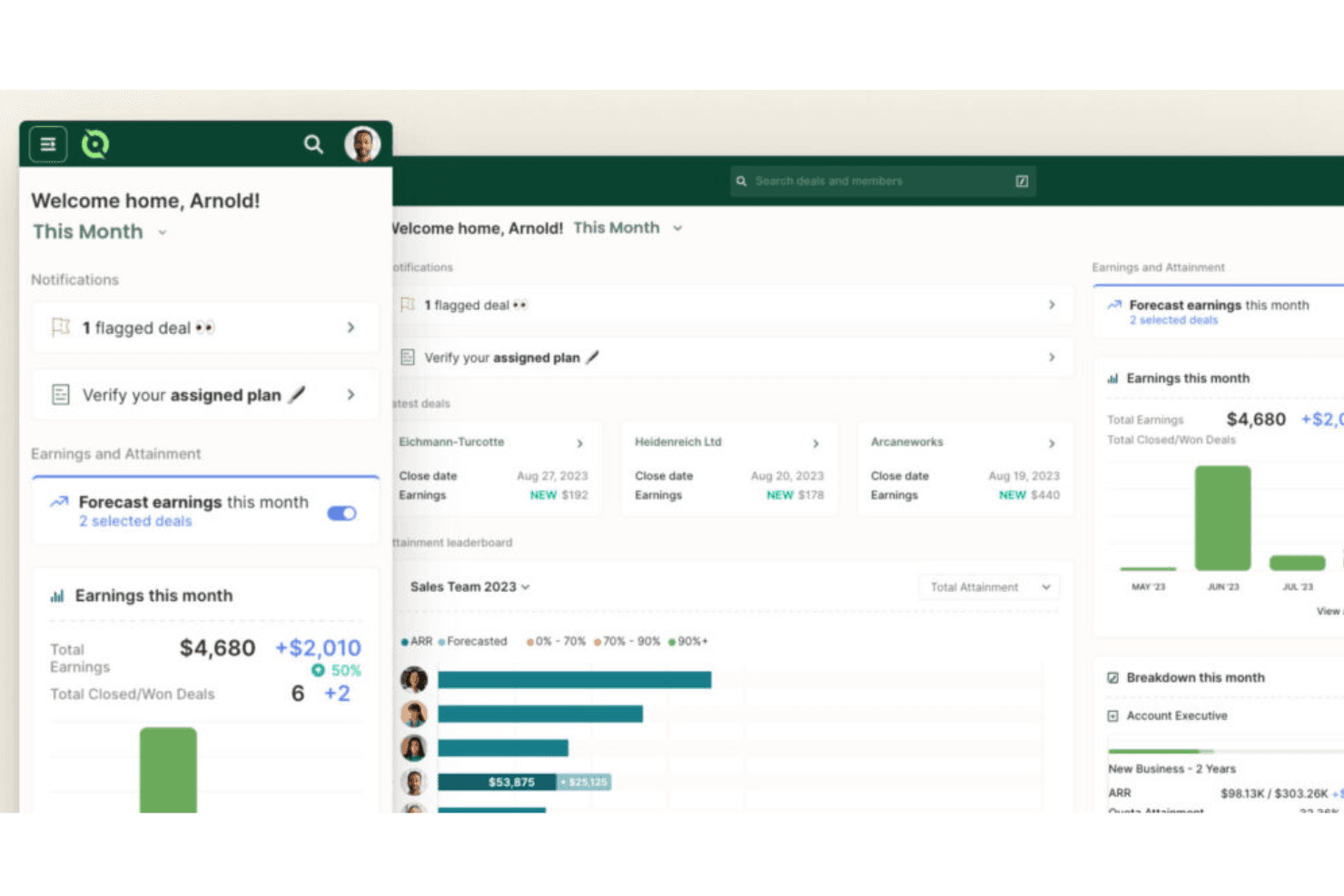
QuotaPath's dashboards let you tailor views to match your team's needs, offering a personalized experience. You can focus on the metrics that matter most to your work.
Automated Calculations
The software automates commission calculations, saving you time and minimizing mistakes. It ensures accuracy, so you can trust the numbers without manual checks.
Goal Setting
You can set and track sales goals within QuotaPath, aligning your team's efforts with company objectives. This feature keeps everyone on the same page and motivated.
Compensation Transparency
QuotaPath offers clear visibility into compensation structures, so your team knows exactly how they earn. This transparency boosts trust and morale among your sales staff.
Ease of Use
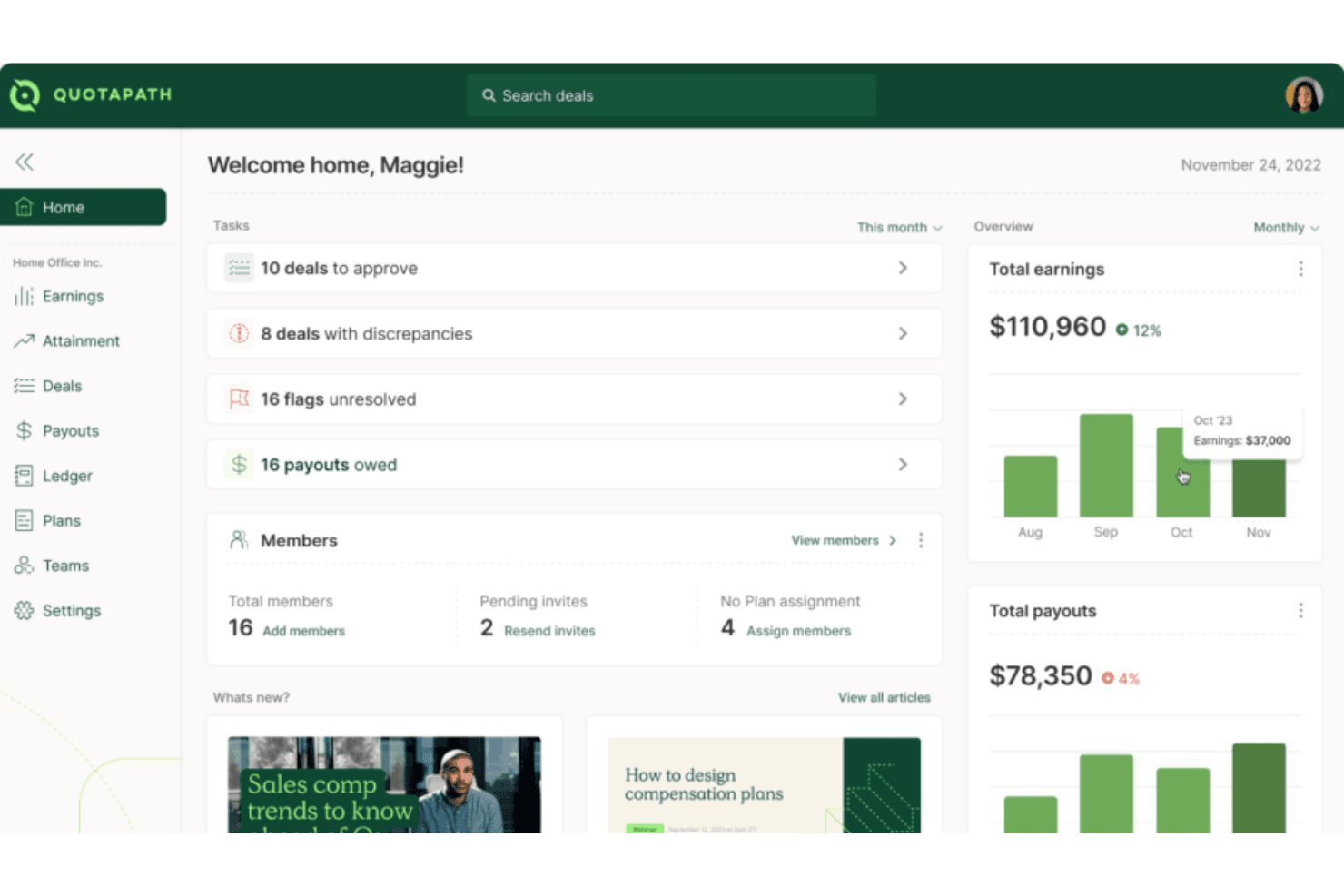
QuotaPath stands out for its user-friendly design, making it easy for your team to get up and running quickly. You can set up plans, track payouts, and view dashboards without needing deep training. Your team gets clear visuals and straightforward workflows that cut through the usual complexity of commission tracking. Even if you’re not tech-savvy, you’ll find it intuitive and reliable for keeping commissions accurate and transparent.
Integrations
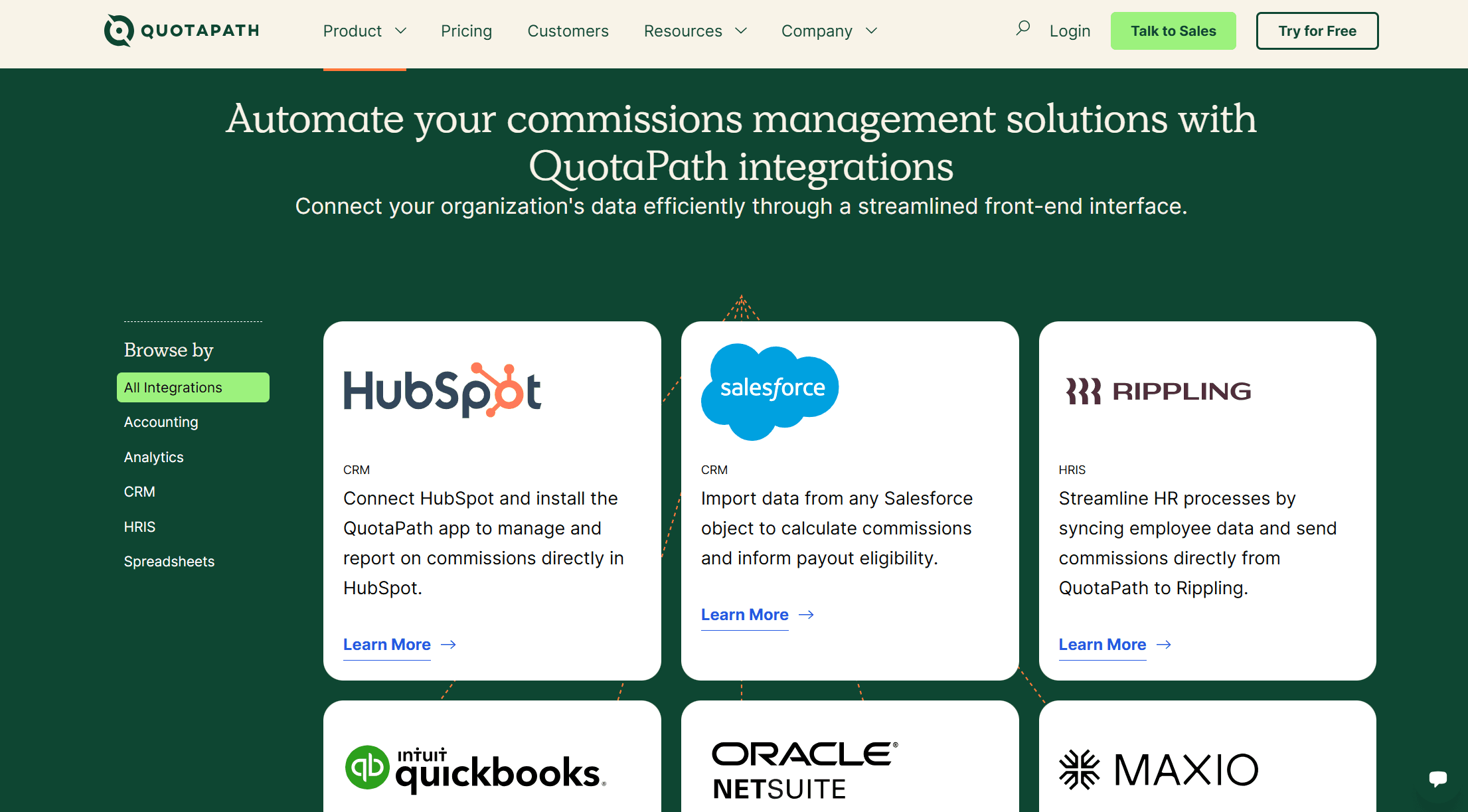
QuotaPath integrates natively with HubSpot, Salesforce, Rippling, QuickBooks, Oracle NetSuite, Maxio, and offers Single Sign-On (SSO) for secure access.
QuotaPath also features an open API for custom integrations and connects with third-party integration tools.
QuotaPath Specs
- 2-Factor Authentication: No
- API: Yes
- Audience Targeting: No
- Budgeting: No
- Calendar Management: No
- Call Recording: No
- Click-to-Dial: No
- Contact Management: No
- Contact Sharing: No
- Conversion Tracking: No
- Customer Management: No
- Dashboard: Yes
- Data Export: Yes
- Data Import: Yes
- Data Visualization: Yes
- Email Integration: No
- Expense Tracking: No
- External Integrations: No
- Forecasting: Yes
- Google Apps Integration: Yes
- Inventory Tracking: No
- Lead Management: No
- Lead Scoring: No
- Marketing Automation: No
- Multi-User: Yes
- Notifications: Yes
- Payroll: No
- Project Management: No
- Referral Tracking: No
- Sales Motivator: Yes
- Scheduling: No
- Social-Media Integration: No
- Supplier Management: No
- Tax Management: No
- Third-Party Plugins/Add-Ons: Yes
- Travel Management: No


