

Reklam satışları dünyasında yol almak zor olabilir. Birden fazla kampanyayı yönetiyor, müşteri beklentilerini karşılıyor ve gelir hedeflerine ulaşmaya çalışıyorsunuz. İşlerin bunaltıcı hâle gelmesi hiç şaşırtıcı değil.
İşte reklam satış yönetimi yazılımı bu noktada devreye giriyor. Satış sürecinizi takip etmenize, müşteri ilişkilerini yönetmenize ve ekibinizin verimliliğini artırmanıza yardımcı oluyor. Deneyimlerime göre doğru aracı bulmak büyük bir fark yaratabilir.
Bu makalede, piyasadaki en iyi çözümler için seçtiklerimi paylaşacağım. Özelliklerini açıklayacak ve her birini diğerlerinden ayıran noktaları öne çıkaracağım. Amacım, ekibinizin ihtiyaçlarına en uygun çözümü bulmanıza yardımcı olmak.
Why Trust Our Software Recommendations
6,700+
Reviews
20
Industry experts
16+
Evaluation factors
14
Years
Our reviews reflect our independent judgment—not a sales pitch. Learn how we stay transparent.
For this guide, we evaluated tools using hands-on testing and independent research, scoring tools using our selection criteria.
Our reviews reflect our human editorial judgment, not a sales pitch.
Karşılaştırma Tablosu: Reklam Satış Yönetimi Yazılımları
Bu karşılaştırma tablosu, en iyi reklam satış yönetimi yazılımı seçimlerimdeki fiyatlandırma ayrıntılarını özetlemektedir.
Score legend (out of 5)
- Excellent4.5–5
- Good4–4.4
- Average3–3.9
- Below average2–2.9
- Poor1–1.9
Sorted by: Default
| Tool | Starting Price | Website | |||||||
|---|---|---|---|---|---|---|---|---|---|
Best for magazine ad sales and production | 3.8 out of 5 | 4 | 3 | 4 | 4 | 4 | 4 | Pricing upon request Free demo available | Website |
Best for newspaper ad sales teams | 3.8 out of 5 | 4 | 3 | 4 | 4 | 4 | 4 | Pricing upon request Free demo available | Website |
Best for campaign tracking | 3.7 out of 5 | 4 | 3 | 4 | 4 | 3 | 4 | Pricing upon request Free demo available | Website |
Best for publishers | 3.8 out of 5 | 4 | 4 | 4 | 4 | 3 | 4 | Pricing upon request Free demo available | Website |
Best for CTV and streaming ad order management | 4.5 out of 5 | 5 | 5 | 3 | 5 | 5 | 4 | Pricing upon request Not available | Website |
Best for AI-powered CRM insights | 5.0 out of 5 | 5 | 5 | 5 | 5 | 5 | 5 | $25/user/month 30-day free trial | Website |
Best for end-to-end ad sales quote-to-cash | 4.8 out of 5 | 5 | 5 | 5 | 5 | 4 | 5 | Pricing upon request Free demo available | Website |
Best for global ad sales | 4.8 out of 5 | 5 | 4 | 5 | 5 | 5 | 5 | Pricing upon request Free demo available | Website |
Best for media ad sales on Salesforce | 4.8 out of 5 | 5 | 5 | 5 | 5 | 4 | 5 | Pricing upon request Free demo available | Website |
Best for direct and programmatic unified OMS | 4.8 out of 5 | 5 | 5 | 5 | 5 | 5 | 4 | Pricing upon request Free demo available | Website |





En İyi Reklam Satış Yönetimi Yazılımları İncelemesi
Aşağıda, kısa listeme giren en iyi reklam satış yönetimi yazılımlarına ilişkin ayrıntılı özetlerimi bulabilirsiniz. İncelemelerim, her aracın temel özelliklerine, artılarına ve eksilerine, entegrasyonlarına ve ideal kullanım alanlarına ayrıntılı bir bakış sunarak sizin için en iyi seçeneği bulmanıza yardımcı olur.
 Best for magazine ad sales and production
- Free demo available
- Pricing upon request
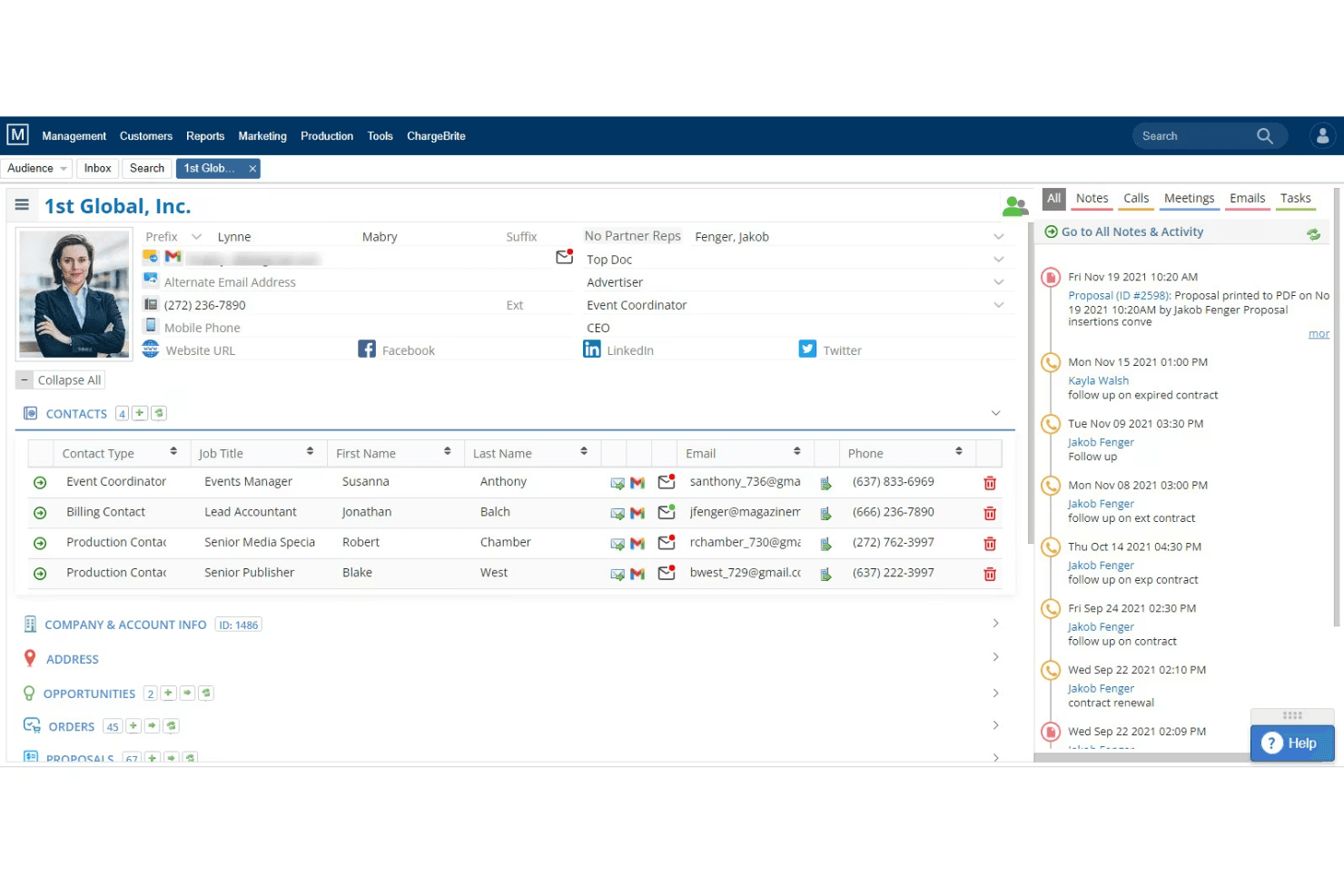
The Magazine Manager organizes ad deals and production for publishers. The Magazine Manager is a publishing-specific advertising sales management platform that combines a purpose-built CRM, insertion order management, live flat planning, and billing automation for print and digital magazine publishers.
Who Is The Magazine Manager Best For?
The Magazine Manager is built for print and digital magazine publishers whose ad sales teams need one platform to manage the full cycle from proposal to payment.
Why I Picked The Magazine Manager
I picked The Magazine Manager because no generic CRM comes close to replicating what it does for magazine ad sales, specifically the live flat plan that updates available print positions in real time the moment a sale is made. I also love that multi-issue contracts auto-generate every insertion order across an entire contract term on signing, which cuts out a significant amount of manual scheduling. Add in automated tearsheet delivery triggered by issue close, and the full production cycle runs without chasing anyone.
The Magazine Manager Key Features
- Multi-issue contract scheduling: When a contract is signed, the system auto-generates every insertion order across the full contract term without manual entry.
- Client self-service portal: Advertisers can upload creative materials, view their ad schedule, and pay invoices through a 24/7 online portal.
- Google Ad Manager two-way sync: Order data flows between The Magazine Manager and GAM in both directions, with real-time impression reconciliation for digital campaigns.
- Media Mate AI: An AI assistant that supports lead prioritization, sales forecasting, and communication drafting directly within the platform.
The Magazine Manager Integrations
The Magazine Manager supports 20 documented integrations, including Google Ad Manager, QuickBooks, Xero, Stripe, Adobe InDesign, and Citrix RightSignature. An API supports custom business intelligence and data warehouse integrations.
Pros and Cons
Pros:
- Self-service portal for creative uploads and payments
- Multi-issue contracts auto-generate insertion orders
- Built-in live flat plan for ad inventory
Cons:
- Mobile app lacks order entry functionality
- No native support for broadcast or OOH
Learn more about The Magazine Manager: Best for newspaper ad sales teams
- Free demo available
- Pricing upon request
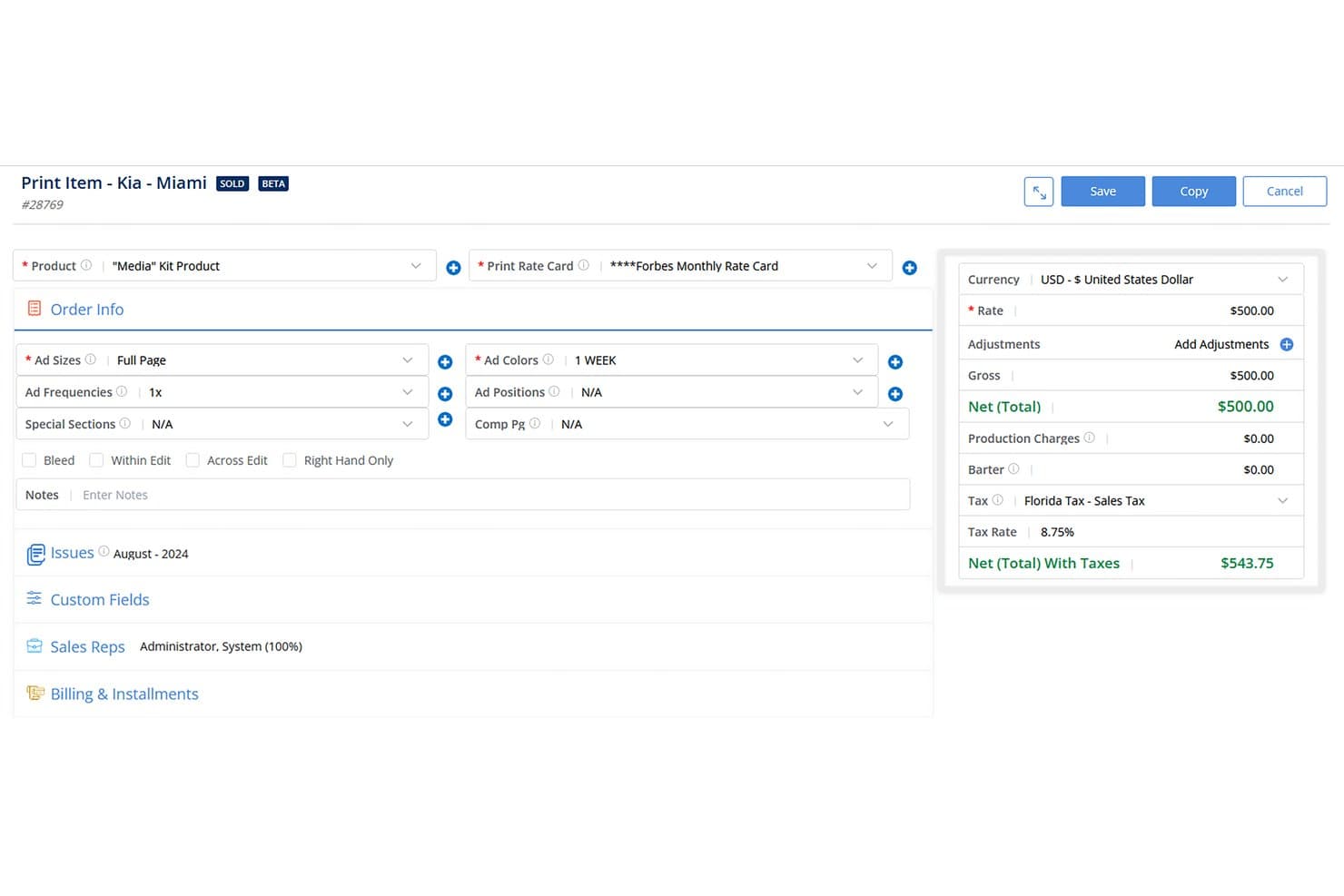
The Newspaper Manager streamlines print ad order entry with pricing and tax. The Newspaper Manager is a publishing-native advertising sales management platform built for newspaper and community publishers, combining a purpose-built ad sales CRM, insertion order management, multimedia proposal generation, billing and invoicing, and revenue reporting in one system.
Who Is The Newspaper Manager Best For?
Newspaper and community publishers managing print-first ad sales workflows will get the most out of this platform, especially those running multiple publications with dedicated field sales reps.
Why I Picked The Newspaper Manager
The Newspaper Manager earns its spot on my shortlist because no other platform treats newspaper ad sales as a first-class workflow. I love how the Multi-Media Proposal Generator auto-populates 100 line items in seconds once you enter dates, which is a real advantage when reps are closing bundled print, classified, and newsletter packages on the same call. The built-in insertion order-to-invoice pipeline, paired with digital tearsheet automation, means billing triggers the moment press is confirmed.
The Newspaper Manager Key Features
- Sales Sequencing: Automates sales tasks like sending emails, scheduling calls, and updating contact records based on preset triggers.
- Google Ad Manager two-way sync: Pushes and pulls order data between the CRM and GAM while reconciling billing against real-time digital ad impressions.
- Revenues & Goals Module: Generates custom sales reports by customer, product, or rep, with comparisons of current and previous sales against preset goals and budgets.
- Customer payment portal: Lets clients review and pay invoices online, supporting multiple payment gateways and currencies.
The Newspaper Manager Integrations
The Newspaper Manager offers documented integrations with Google Ad Manager, QuickBooks, Epicor, Sage, Microsoft Dynamics GP, Adobe InDesign, Stripe, and Gmail. It also connects with Adpay, Breeze, Mailchimp, Campaigner, and Kibana.
Pros and Cons
Pros:
- Automated tearsheet and invoice triggers
- Multi-media proposals generated in seconds
- Built for newspaper and community publishers
Cons:
- Annual contracts required for all plans
- No support for TV or OOH ads
Learn more about The Newspaper Manager:
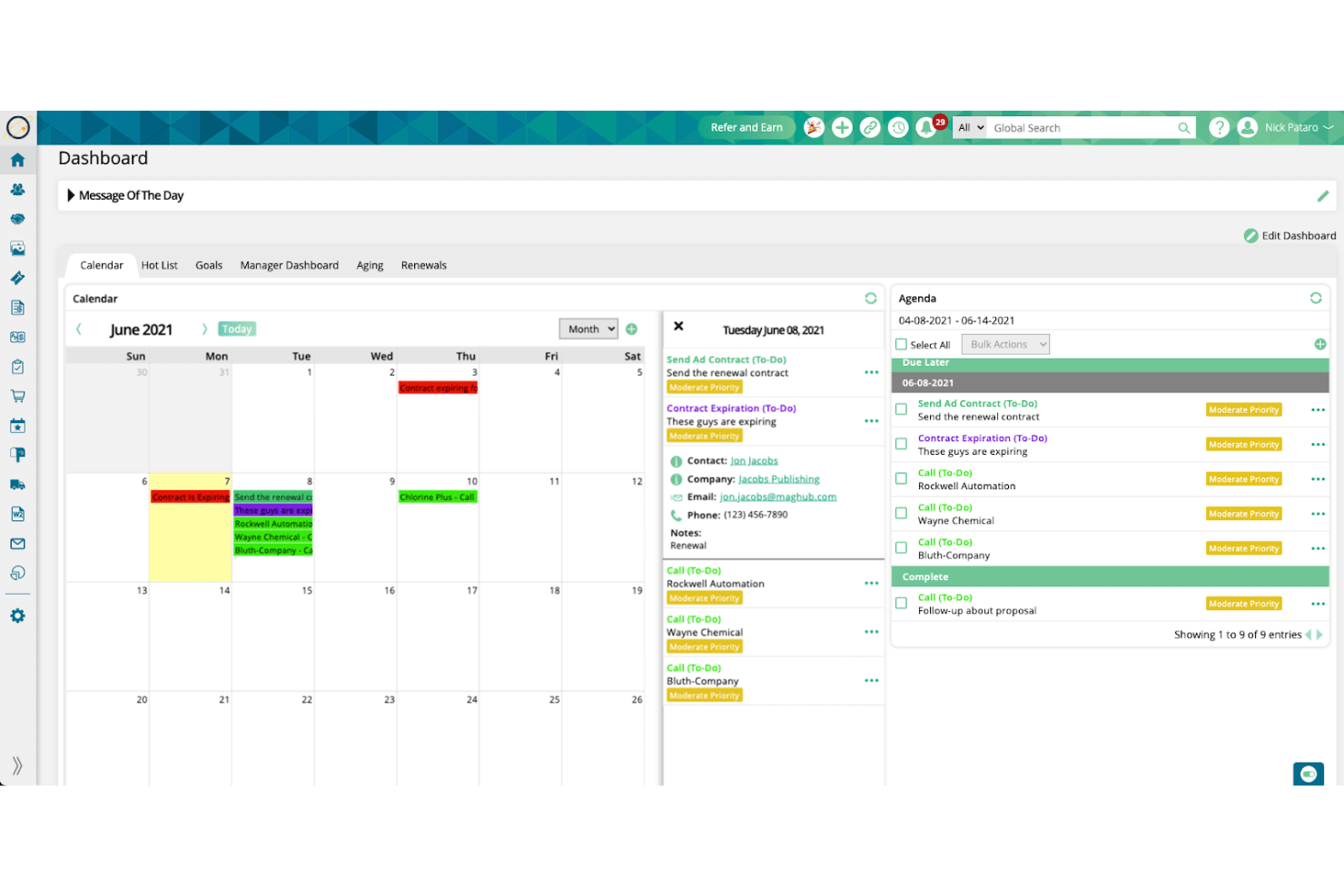
Ad Orbit aligns sales, billing, and reporting for efficient ad work. Ad Orbit is a purpose-built advertising sales management platform that connects CRM, order management, ad ops, and billing into a single contract-to-cash workflow for publishers, broadcasters, podcasters, and event operators.
Who Is Ad Orbit Best For?
Ad Orbit is a strong fit for mid-market publishers, broadcasters, and event operators who need one system to manage ad sales, campaign delivery, and billing together.
Why I Picked Ad Orbit
Ad Orbit earns its spot on my shortlist because its campaign tracking capabilities are built around real delivery data, not estimates. I particularly like how the GAM two-way sync pulls actual delivery figures directly back into the platform, feeding both billing and campaign status without any manual reconciliation. Pair that with rule-based ticket automation and a full revision audit trail per order, and you get a system that keeps campaign progress visible from signed IO to final delivery.
Ad Orbit Key Features
- Multi-product proposal builder: Create proposals with bundled product offerings checked against live inventory, then close deals with integrated e-signature directly in the platform.
- Advertiser self-service portal: A white-labeled client portal lets advertisers upload creative assets, approve proofs, and submit payments without rep involvement.
- Rule-based ticket automation: IFTTT-style automation rules create and assign ad ops tickets by brand, product type, or company the moment an order is approved.
- Delivery-tied invoicing: Invoices generate from actual GAM delivery data, so billing reflects what ran rather than what was booked.
Ad Orbit Integrations
Ad Orbit offers documented native integrations with Google Ad Manager, Salesforce, HubSpot, QuickBooks Online, Xero, Avalara, Stripe, Broadstreet, AdCellerant, and NetSuite (Beta). It also supports custom integrations through a direct API and Zapier.
Pros and Cons
Pros:
- Advertiser portal streamlines creative asset collection
- Delivery-based invoicing reduces billing headaches
- Built for ad sales from end to end
Cons:
- Reporting dashboards offer limited customization options
- NetSuite integration still in beta status
Learn more about Ad Orbit:
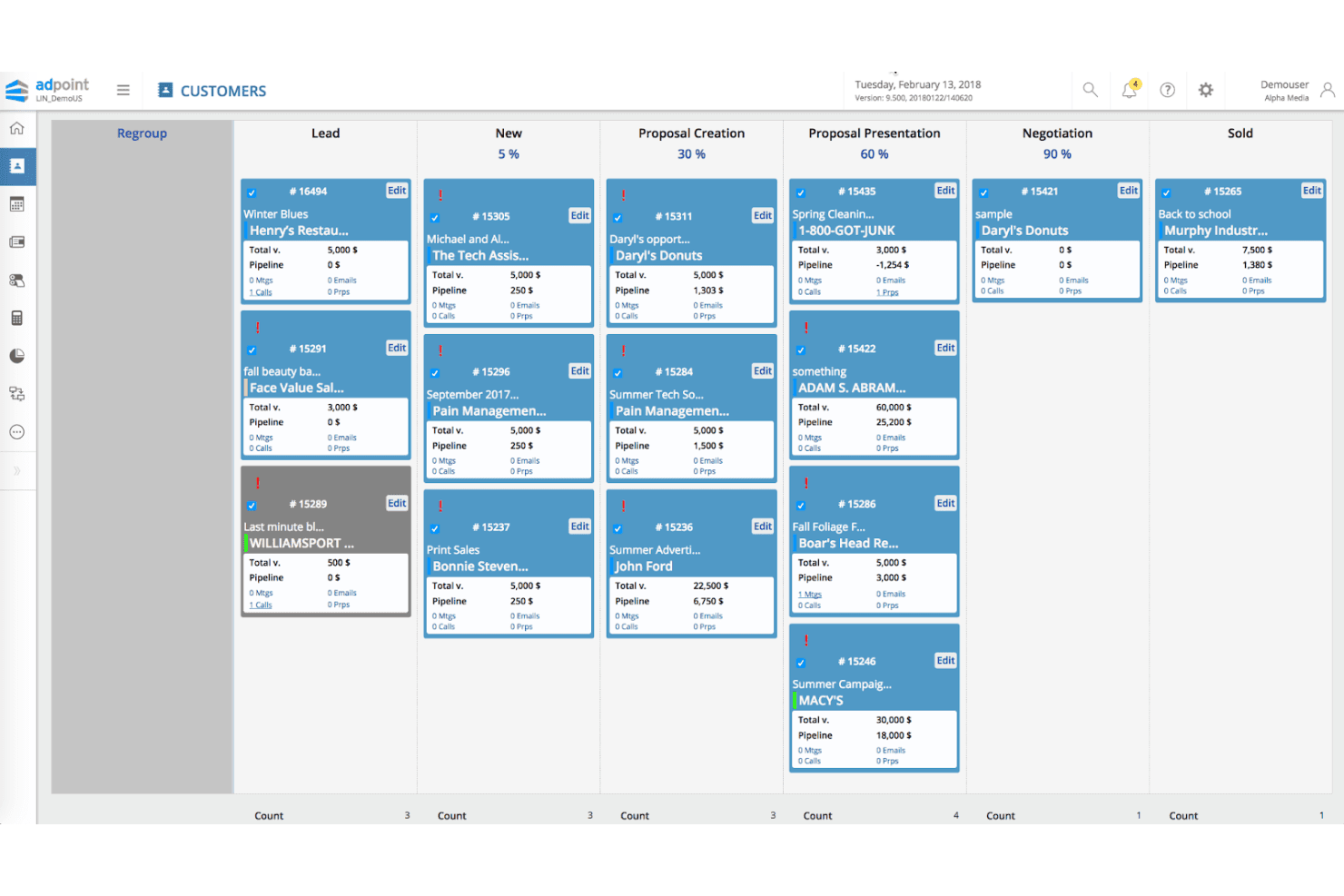
Adpoint charts ad sales and billing steps in one connected system. Adpoint by Lineup Systems is a media-specific advertising sales management platform that covers the full quote-to-cash lifecycle, including ad sales CRM, omnichannel order management, CPQ, billing, and revenue analytics.
Who Is Lineup Systems (Adpoint) Best For?
Adpoint is built for established multi-channel media publishers—think print, broadcast, and digital—that need a single platform to manage their entire ad sales operation.
Why I Picked Lineup Systems (Adpoint)
I picked Adpoint because it's built specifically for media publishers, not adapted from a generic sales tool. The omnichannel OMS handles print, broadcast, digital, OOH, audio, and classified bookings in a single workflow, which is exactly what a multi-channel publisher needs. I also like the Adpoint CPQ module, which supports complex multi-channel pricing, discount tiers, and multi-tiered approval queues so your team can move from proposal to signed insertion order without jumping between systems.
Lineup Systems (Adpoint) Key Features
- Adpoint Assistant: An email connector for Gmail and Outlook that lets reps update CRM records directly from their inbox.
- Pay4Media portal: A self-service advertiser payment hub where clients can view invoices and schedule payments independently.
- Bi-directional ad server reconciliation: Syncs delivery data from Google Ad Manager, Xandr, and Smart AdServer back into Adpoint for invoice accuracy.
- Spend dip detection: An analytics feature that flags drops in advertiser spend to surface at-risk accounts before revenue is lost.
Lineup Systems (Adpoint) Integrations
Adpoint supports 100+ integration partners, including Google Ad Manager, Xandr, Smart AdServer, Adswizz, HubSpot, Salesforce via AppExchange, SAP, Oracle, and Tableau. SOAP and REST APIs support custom integrations.
Pros and Cons
Pros:
- Automated revenue recognition and ad server reconciliation
- Covers print, broadcast, digital, and OOH channels
- Purpose-built workflows for publishers' ad sales teams
Cons:
- CTV and OTT campaign management not fully documented
- No native AI-powered forecasting or deal insights
Learn more about Lineup Systems (Adpoint): Best for CTV and streaming ad order management
- Not available
- Pricing upon request
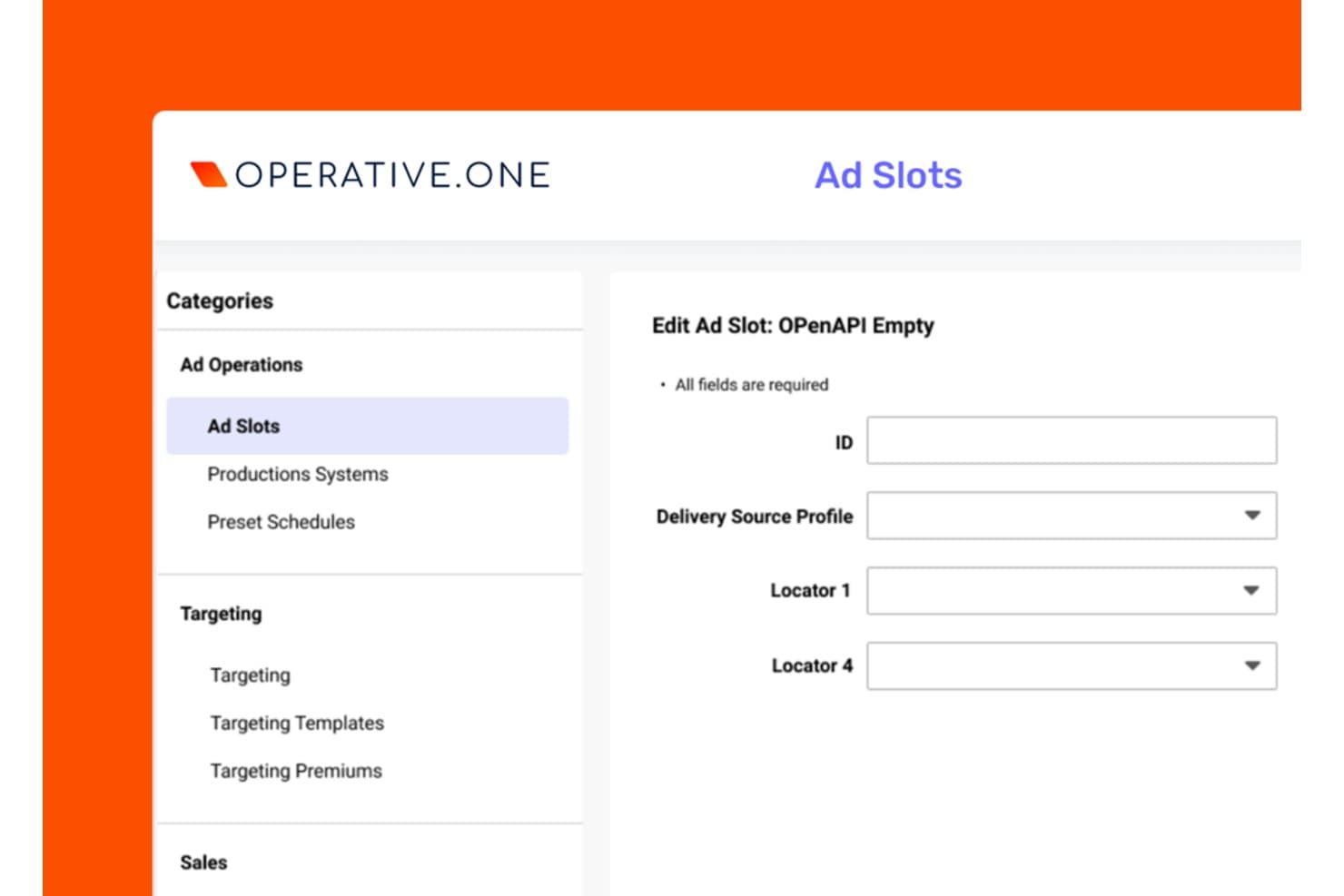
Operative.One lets users configure ad slots with delivery and locator settings. Operative.One is an enterprise ad sales management platform built around order management, covering quote-to-cash workflows, inventory control, AI-powered proposal generation, and revenue analytics across CTV, digital, linear, DOOH, and audio channels.
Who Is Operative.One Best For?
Operative.One is built for enterprise media companies managing high-volume ad sales across CTV, streaming, and linear TV from a single order management system.
Why I Picked Operative.One
Operative.One earns its spot on my shortlist because no other platform comes close to its dominance in CTV and streaming ad order management, powering more than half of global streaming ad revenue across 100+ services. I'm particularly impressed by the Adeline AI proposal generator, which converts RFP inputs into optimized campaign plans near-instantly, cutting what used to take days into seconds. On top of that, AOS Insights delivers real-time revenue metrics and ML-powered forecasting built on Google Cloud, giving ops teams the pipeline visibility they actually need.
Operative.One Key Features
- Converged linear and digital order management: Manages insertion orders, campaign flighting, and revisions across linear TV and digital channels from a single system.
- Programmatic management module: Combines direct-sold and programmatic workflows in one platform, giving sellers a unified view of guaranteed and non-guaranteed demand.
- STAQ data consolidation: Automatically pulls reporting data from 400+ ad tech sources, including ad servers, DSPs, and SSPs, into a single analytics layer.
- Google Ad Manager 360 native integration: Bi-directional trafficking between Operative.One and GAM 360 keeps order data and delivery data in sync without manual handoffs.
Operative.One Integrations
Operative.One has native integrations with Google Ad Manager 360, FreeWheel, and Salesforce Media Cloud, plus integrations with Oracle PeopleSoft and PubMatic. It also offers an API layer and AOS CloudCore for custom data exchange.
Pros and Cons
Pros:
- Real-time revenue analytics with ML forecasting
- Supports converged linear and CTV ad management
- AI proposal generator reduces manual campaign planning
Cons:
- Requires supplemental CRM for advanced tracking
- User interface described as outdated
Learn more about Operative.One: Best for AI-powered CRM insights
- 30-day free trial
- From $25/user/month
Visit WebsiteCustomer Rating:4.4/5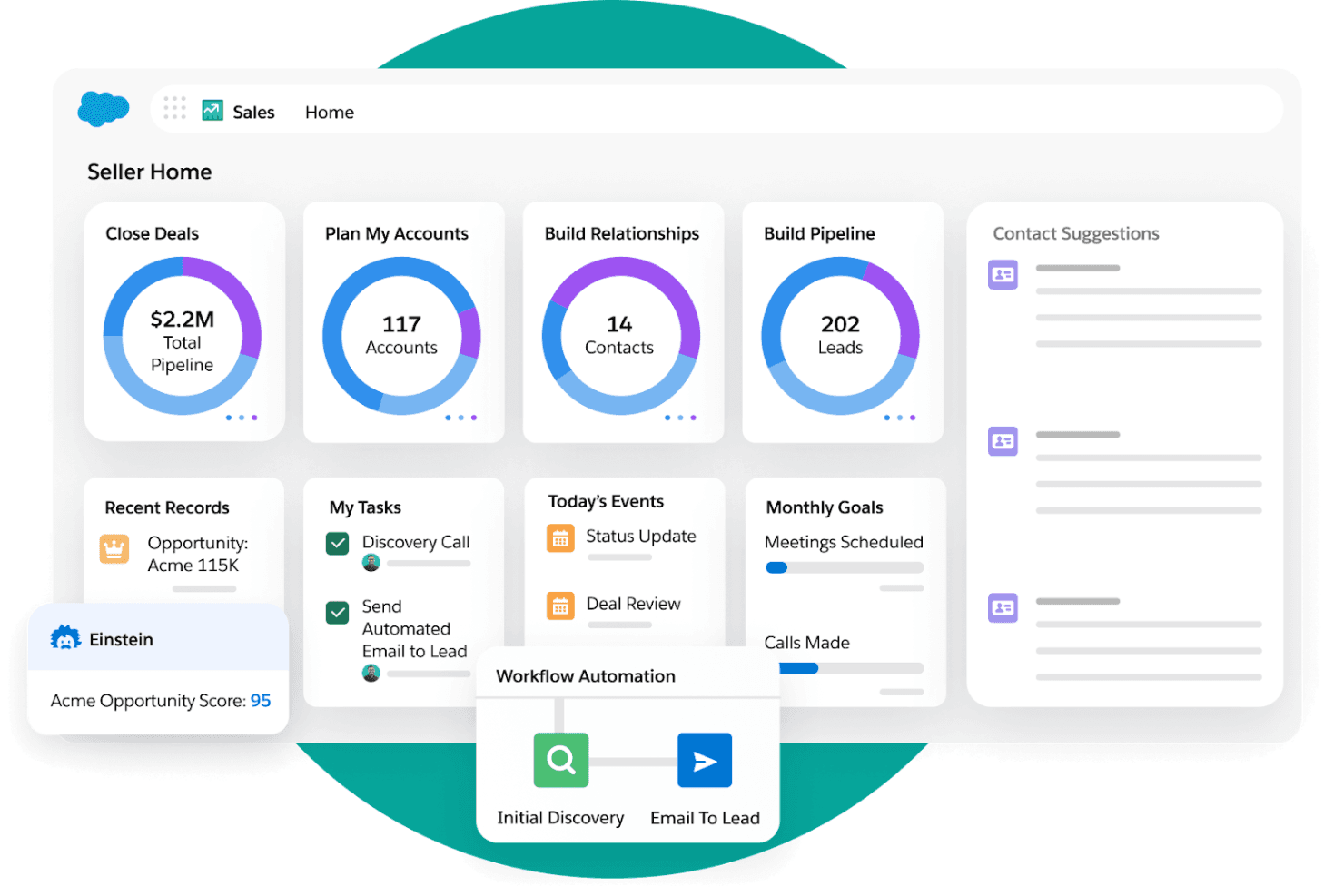
Salesforce supervises sales activity alongside marketing actions. Salesforce Media Cloud is an enterprise ad sales management platform with a purpose-built advertising sales module that covers multi-party CRM, AI-powered proposal generation, cross-channel inventory management, CPQ, order trafficking, and billing in one system.
Who Is Salesforce Best For?
Salesforce Media Cloud is a strong fit for mid-market to enterprise media companies that need AI-driven ad sales pipeline management, cross-channel inventory control, and end-to-end quote-to-cash in one platform.
Why I Picked Salesforce
Salesforce earns its spot on my shortlist because the Agentforce Ad Proposal Agent does something I haven't seen replicated elsewhere: it auto-generates full media plans and pitch decks directly from an RFP brief, cutting processing time by 83% in Uber's production deployment. I also rate its Actionable Relationship Center highly, since it natively models multi-tier advertiser, agency, and holding company structures that generic CRMs simply can't handle.
Salesforce Key Features
- Cross-channel inventory calendar: A centralized view of ad placements across linear TV, CTV, digital, audio, print, and OOH that automatically updates availability network-wide when inventory is reserved.
- Revenue Cloud Advanced billing: Automates invoicing, supports delivery-based and consumption billing models, and handles reconciliation with ASC 606/IFRS 15 revenue recognition compliance.
- AdOpportunity pipeline tracking: Ad-sales-specific opportunity objects with deal stages, split-credit support, and at-risk deal identification built directly into the CRM.
- Google Ad Manager integration: A pre-built native integration that connects order trafficking and campaign setup directly between Salesforce ASM and Google Ad Manager.
Salesforce Integrations
Salesforce has documented integrations with Google Ad Manager and FreeWheel, plus integrations with Slack, Tableau, Data 360, and Marketing Cloud. MuleSoft APIs connect Salesforce with additional ad servers, ERPs such as SAP and NetSuite, and other systems.
Pros and Cons
Pros:
- Unified inventory calendar spans all ad channels
- Multi-tier agency structures modeled natively
- AI proposal agent cuts RFP turnaround time
Cons:
- Full implementation demands significant time and resources
- Advanced features require expensive top-tier plan
Learn more about Salesforce : Best for end-to-end ad sales quote-to-cash
- Free demo available
- Pricing upon request
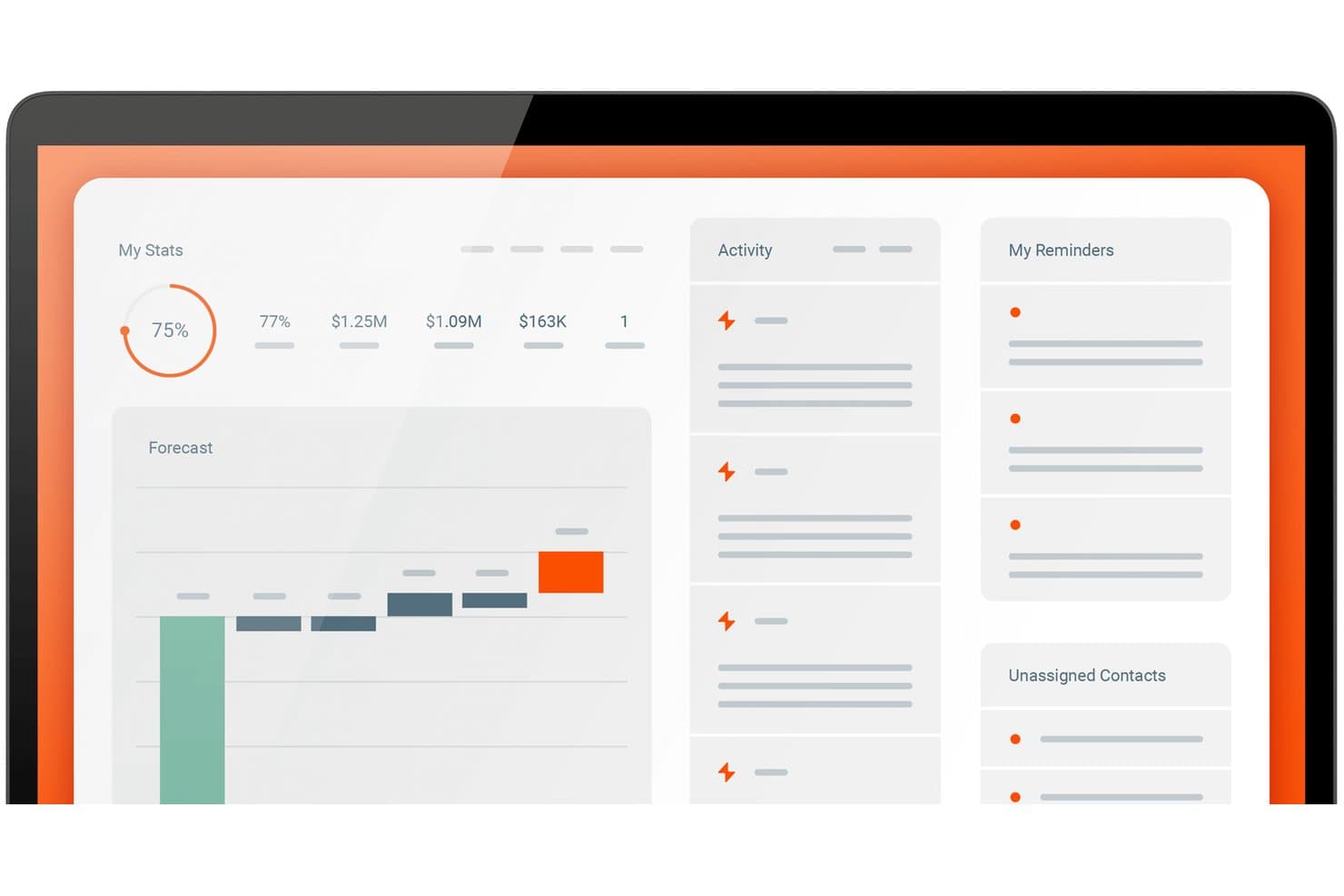
boostr centralizes sales stats, forecasts, and reminders in one dashboard. Boostr is a purpose-built ad sales management platform that unifies CRM, order management, media proposal and CPQ, inventory tracking, trafficking, delivery reconciliation, and billing in a single system designed specifically for media publishers.
Who Is Boostr Best For?
Boostr is a strong fit for media publishers running multi-format ad sales operations across digital, audio, CTV, OOH, or linear TV who need one system to handle everything from RFP to invoice.
Why I Picked Boostr
Boostr earns its spot on my shortlist because it's the only platform I've found that handles the full ad sales lifecycle, from RFP to invoice, without stitching together separate tools. I particularly like Proposal IQ, which uses historical win data and live inventory to generate optimized proposals in minutes rather than hours. The EIO-MediaOcean integration is equally impressive, automating RFP receipt, IO processing, and third-party delivery reconciliation directly with Mediaocean Prisma.
Boostr Key Features
- Omnichannel revenue forecasting: Unifies direct-sold IO and programmatic revenue streams (PG, PMP) into a single forecast view accessible from seller level to CFO.
- Seller priorities dashboard: Surfaces each seller's pipeline progress, quota attainment, and commission data in a single consolidated view.
- 50+ automated workflows: Pre-built automations cover approval routing, rate card enforcement, pacing alerts, oversold inventory checks, and IO processing.
- ERP integration: Syncs billing and invoicing data with NetSuite, Oracle Fusion, Sage Intacct, and QuickBooks for revenue recognition and month-end close.
Boostr Integrations
Integrations include Google Ad Manager, FreeWheel, Mediaocean Prisma, Megaphone, Adswizz, Salesforce, Microsoft Dynamics, NetSuite, QuickBooks, and The Trade Desk. Boostr supports REST, SOAP, flat-file integrations, and custom APIs through its integration workbench.
Pros and Cons
Pros:
- Includes AI agents for campaign trafficking tasks
- Automates RFP response and media plan creation
- Handles every ad sales step in one platform
Cons:
- Reporting customization options may be constrained
- User reviews volume is still limited
Learn more about boostr:
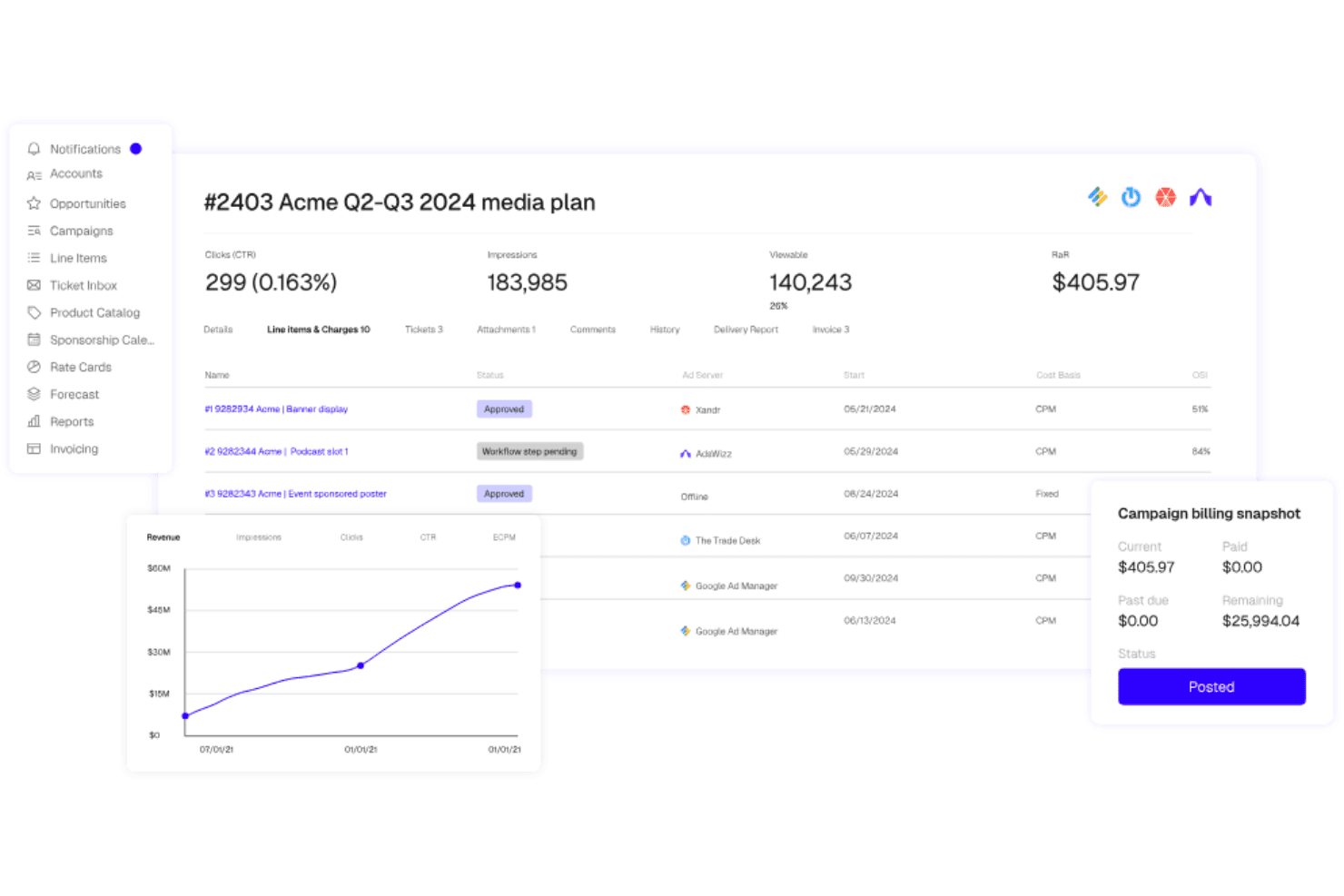
Placements.io directs digital ad workflows from inventory to delivery. Placements.io is an end-to-end advertising sales management platform that covers the full ad sales lifecycle—from CRM and media proposal building to automated ad trafficking, delivery reconciliation, and billing—across digital, CTV, retail media, audio, DOOH, and social channels.
Who Is Placements.io Best For?
Placements.io is a strong fit for mid-to-large media companies running ad sales across multiple channels and regions, from digital publishers to retail media networks and broadcasters.
Why I Picked Placements.io
Placements.io earns its spot as one of the best on my shortlist because no other platform I've evaluated covers as many channels and regions under one ad sales roof. I especially like how its inventory forecasting pulls real-time avails across CTV, audio, DOOH, retail media, and social simultaneously, so a global team managing campaigns across North America, EMEA, and APAC isn't toggling between disconnected systems. The AI Copilot and IO Parser are also standouts for global scale: teams can upload PDF insertion orders from international buyers and have them auto-converted into trafficking-ready media plans.
Placements.io Key Features
- IO Parser: Uploads PDF or image insertion orders and uses OCR and ML to automatically convert them into trafficking-ready media plans.
- Sponsorship Calendar: Manages exclusive and time-bound sponsorship inventory with a dedicated calendar view across all active campaigns.
- ASC 606-compliant billing: Generates invoices from delivery data with built-in accrual-based revenue recognition to meet GAAP standards.
- White-label Storefront: Gives buyers a branded, self-serve portal to book campaigns, manage creatives, and access performance reporting.
Placements.io Integrations
Placements.io offers 40+ pre-built, bi-directional integrations, including Salesforce, Google Ad Manager, Microsoft Invest (Xandr), FreeWheel, NetSuite, and DocuSign. Its open API suite supports custom integrations.
Pros and Cons
Pros:
- ASC 606/GAAP billing for finance compliance
- AI Copilot streamlines campaign and workflow management
- Automated trafficking spans all major ad channels
Cons:
- Limited number of peer user reviews
- No pricing or trial information publicly available
Learn more about Placements.io:
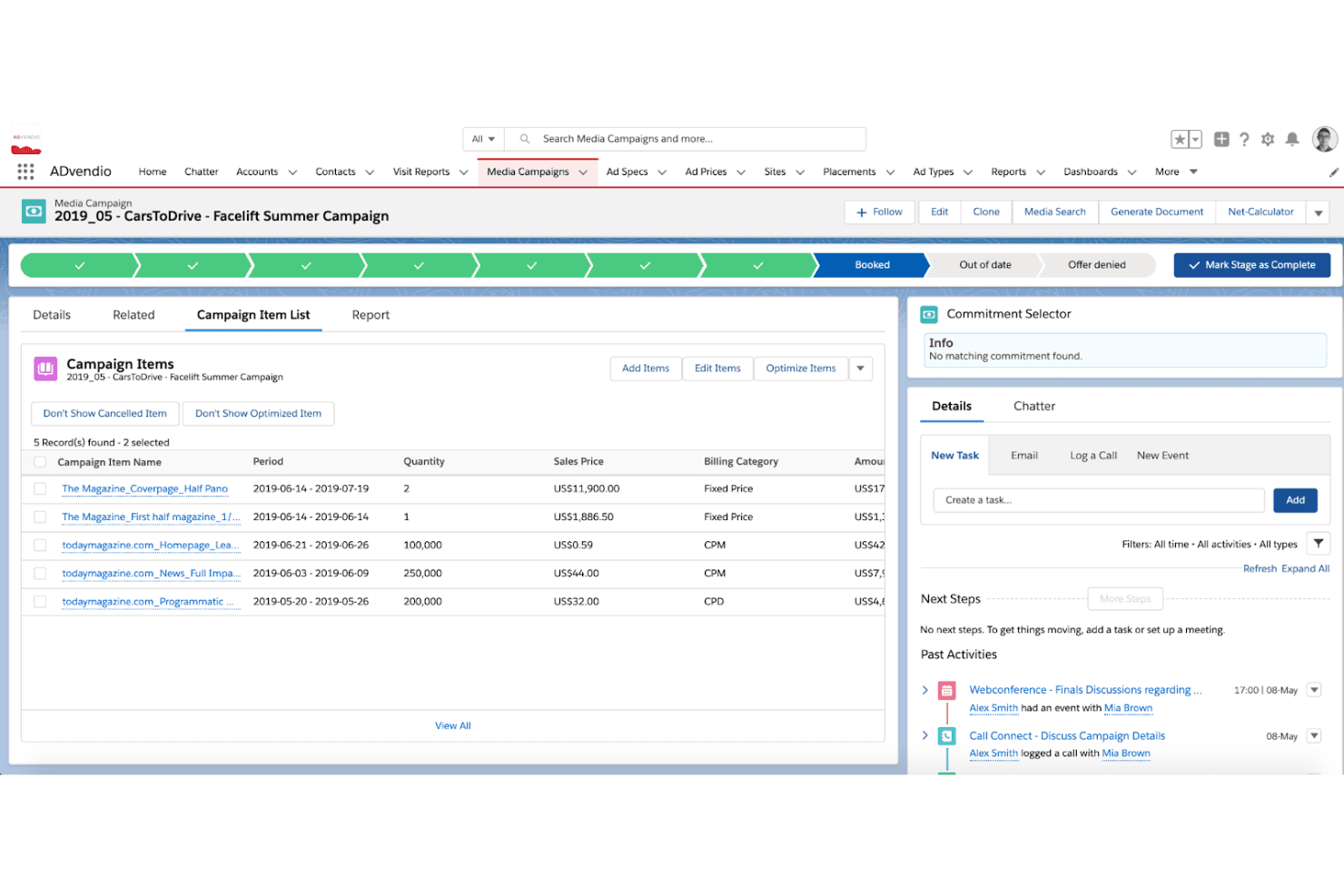
ADvendio processes ad sales and billing through a Salesforce backbone. ADvendio is a Salesforce-native advertising sales management platform that covers omnichannel media planning, CPQ, inventory management, order management, ad server trafficking, and billing across digital, print, OOH, audio, and linear TV.
Who Is ADvendio Best For?
ADvendio suits multi-platform media publishers and broadcaster sales teams that run their business on Salesforce and need a single system to manage direct and programmatic ad sales across digital, print, OOH, audio, and linear TV.
Why I Picked ADvendio
ADvendio earns its spot on my shortlist because it's built 100% natively on Salesforce, making it the clearest choice for media sales teams that already run their pipeline there. What I find most compelling is the Campaign Builder: it pulls Digital, Print, OOH, Audio, and Linear TV into a single quote with real-time inventory checks and dynamic pricing rules applied automatically. Add the AI-powered Seller Agent, which translates client briefs into ready-to-book proposals and enforces commercial guardrails like minimum margins autonomously, and you get a genuinely end-to-end ad sales engine without leaving Salesforce.
ADvendio Key Features
- AdFinance billing module: Generates and sends bulk invoices automatically, with delivery-based reconciliation pulled directly from connected ad servers.
- AdPortal self-serve platform: Lets advertisers and agencies book campaigns independently, reducing manual intake work for publisher sales teams.
- Guardrail Engine: Enforces credit limits, minimum margins, and framework agreement terms across every deal, including autonomous agent-negotiated transactions.
- Multi-entity and multi-currency support: Handles global ad sales operations across multiple companies, currencies, languages, and country-specific tax configurations in a single instance.
ADvendio Integrations
ADvendio offers native integrations with Salesforce, Google Ad Manager, Xandr Monetize, FreeWheel, Broadsign, AdsWizz, SAP, Sage, Microsoft Dynamics 365, and BURT Analytics. Standard APIs and custom connectors support additional ERP and finance integrations.
Pros and Cons
Pros:
- Handles complex ad finance and reconciliation
- Supports true omnichannel ad sales workflow
- Built entirely on Salesforce infrastructure
Cons:
- Booking calendar can be slow and confusing
- Requires ongoing Salesforce admin resources
Learn more about ADvendio:
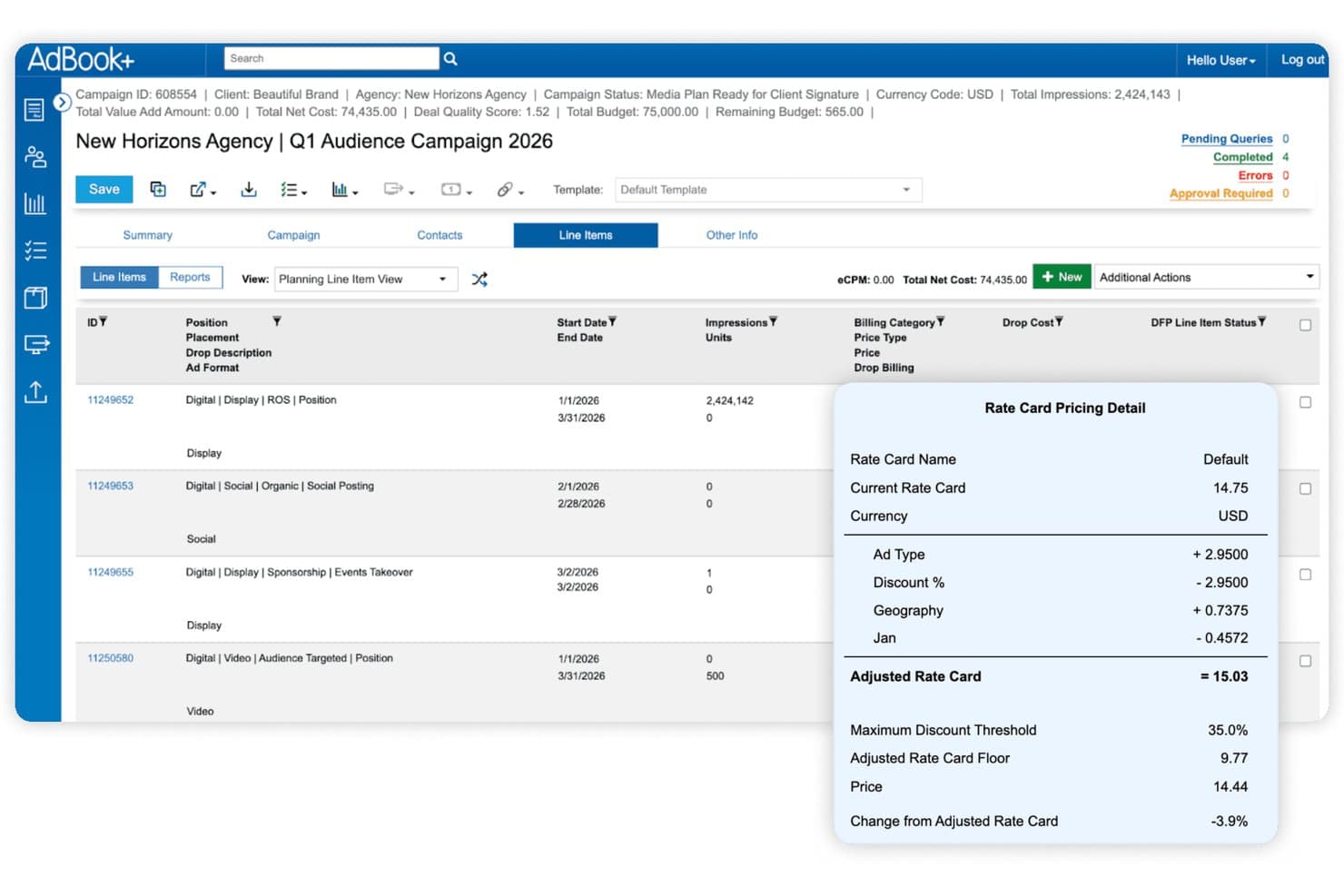
AdBook+ displays rate card pricing details per line item. AdBook+ is a publisher-focused order management system (OMS) that spans direct ad sales, media planning, inventory management, campaign trafficking, billing reconciliation, and programmatic deal management across digital, print, audio, DOOH, and event inventory.
Who Is AdBook+ Best For?
AdBook+ is built for multi-channel publishers—think media companies, B2B publishers, and retail media networks—that need to manage direct ad sales and programmatic deals in a single system.
Why I Picked AdBook+
I picked AdBook+ as one of the best because it's the only platform I've seen that genuinely unifies direct-sold and programmatic deal management inside a single OMS. Through AdBookPSP, private auction, preferred deals, and programmatic guaranteed all sit alongside direct campaigns in one workflow. Add AI-driven product recommendations in the proposal builder and real-time inventory avails via Google Ad Manager, and you've got a system that handles the full sales cycle without stitching together separate tools.
AdBook+ Key Features
- AdBook Portal: A self-serve hub where advertisers can upload creatives, view campaign status, access invoices, and pay via credit card or ACH.
- DQT report import: Exports scheduled revenue and delivery reports as custom Salesforce objects to trigger workflows or populate dashboards.
- Burt Intelligence forecasting: Real-time pacing and delivery insights surfaced directly inside AdBookOMS for in-platform revenue forecasting.
- Agency-holding-company hierarchy management: Structures advertiser, agency, and holding-company relationships across multiple publications with differentiated access controls.
AdBook+ Integrations
AdBook+ has five documented native integrations, including Salesforce, Google Ad Manager, FreeWheel, Vistar Media, and Burt Intelligence. It also connects with DV Publisher Suite, Google Display & Video 360, Snowflake, SFTP, and webhooks, with hundreds of API endpoints for custom integrations.
Pros and Cons
Pros:
- Real-time inventory and avails across channels
- Deep Salesforce-native sales and operations integration
- Unified dashboard for direct and programmatic deals
Cons:
- Limited independent user reviews and ratings
- Platform speed is frequently cited as slow
Learn more about AdBook+:
Diğer Reklam Satış Yönetimi Yazılımları
İşte kısa listeme girmeyen ancak yine de göz atmaya değer bazı ek reklam satış yönetimi yazılımı seçenekleri:
How I Evaluate Advertising Sales Management Software
I evaluate these tools in two layers: the baseline capabilities—ad sales pipeline management, inventory avails, IO workflows, and campaign pacing—any serious contender must have, and the differentiators that set the best apart.
Core Functionality (Table Stakes For This List)
When I'm selecting tools for my list, I rank each one on a scale from 0 (does not offer the functionality) to 5 (excels in this area) for each core functionality listed below. Then, I calculate the tool's total score into a percentage. Each tool needs to achieve a minimum total score of 65% to be considered for inclusion.
- Ad Sales CRM & Pipeline: I check whether a tool can manage advertiser and agency accounts, opportunities, and deal stages in a way that reflects media sales cycles rather than relying on a generic sales pipeline.
- Ad Inventory Tracking & Avails: I check whether a tool gives sales reps real-time visibility into available placements, dayparts, or impressions so they can confidently sell without overbooking.
- Proposal & IO Workflow: From building media plans and rate-card-based quotes to routing an IO for approval, I evaluate how well each platform handles the back-and-forth between reps, planners, and approvers.
- Campaign Order Lifecycle: I look for full order management from booking through delivery, including campaign flighting, revision handling, and makegood workflows that mirror how ad ops teams actually work.
- Revenue Forecasting & Pacing: A tool should let revenue leaders compare pipeline, booked, projected, and delivered revenue against targets—think pacing dashboards that flag underdelivery mid-flight.
- Ad Billing & Reconciliation: Reconciling delivered units against contracted terms is where revenue leakage hides, so I evaluate how each platform automates invoicing, reconciles booked versus delivered activity, and flags discrepancies.
Once I have a list of tools that meet this criteria, I consider what sets each platform apart.
Differentiating Factors (What Sets Vendors Apart)
Here's how I compare and contrast different vendors:
Standout Features
Cross-media sell support matters when your team sells across digital, linear, print, audio, CTV, or OOH—I evaluate whether a platform can manage those avails in one unified view. Rate card and discount governance is another area I look at closely, especially for teams where reps need approval-based discounting to protect margins. I also consider how well a tool unifies programmatic and direct-sold deals, optimizes pricing and inventory allocation, and identifies issues like underdelivery, unbilled campaigns, or revenue leakage.
Beyond Features
Ecosystem integrations are a big differentiator—I check whether a platform syncs with your existing ad server, CRM, finance, and reporting stack without heavy custom development. Vertical and media-type fit also matters; a tool built for broadcast sellers may not serve a digital-first publisher well. I consider the vendor's media-industry expertise and implementation support, particularly when migrating historical campaigns, IOs, and rate cards. Finally, I evaluate scalability, including whether the platform can support multiple brands, regions, currencies, and increasingly complex workflows as the media business grows.
Reklam Satış Yönetimi Yazılımı Nasıl Seçilir?
Uzun özellik listeleri ve karmaşık fiyatlandırma yapıları içinde kaybolmak kolaydır. Kendinize özgü yazılım seçimi sürecinizde ilerlerken odağınızı korumanıza yardımcı olmak için aklınızda bulundurmanız gereken faktörlerin bir kontrol listesini aşağıda bulabilirsiniz:
| Faktör | Dikkat Edilmesi Gerekenler |
|---|---|
| FaktörÖlçeklenebilirlik | Dikkat Edilmesi GerekenlerYazılım işletmenizle birlikte büyüyecek mi? Performans sorunları yaşamadan artan reklam hacmini ve kullanıcı sayısını yönetip yönetemediğini kontrol edin. Esnek fiyatlandırma planları arayın. |
| FaktörEntegrasyonlar | Dikkat Edilmesi GerekenlerMevcut araçlarınıza bağlanabiliyor mu? Veri silolarını ve manuel çalışmayı önlemek için CRM'niz, faturalandırma sistemleriniz ve reklam ağlarınızla entegre olup olmadığını doğrulayın. |
| FaktörÖzelleştirilebilirlik | Dikkat Edilmesi Gerekenlerİş akışlarınıza uyacak şekilde özelleştirebilir misiniz? Ekibinizin süreçlerine ve işletmenizin ihtiyaçlarına uygun özelleştirilebilir panolar ve alanlar arayın. |
| FaktörKullanım Kolaylığı | Dikkat Edilmesi GerekenlerEkibiniz için kullanıcı dostu mu? Eğitim süresini azaltmak ve benimsenmeyi artırmak için arayüzü sezgisellik ve basitlik açısından test edin. |
| FaktörUygulama ve Kullanıma Alma | Dikkat Edilmesi GerekenlerÇalışır duruma gelmesi ne kadar sürecek? Kurulum, veri aktarımı ve eğitim için gereken zamanı ve kaynakları göz önünde bulundurun. Destekleyici kullanıma alma kaynakları arayın. |
| FaktörMaliyet | Dikkat Edilmesi GerekenlerBütçeniz dahilinde mi? Fiyatlandırma kademelerini ve sunulan özellikleri karşılaştırın. Gizli ücretler ve gelecekteki yükseltmeler dahil olmak üzere toplam sahip olma maliyetini göz önünde bulundurun. |
| FaktörGüvenlik Önlemleri | Dikkat Edilmesi GerekenlerVerilerinizi nasıl koruyor? Hassas bilgileri güvence altına almak için şifreleme, erişim denetimleri ve veri koruma düzenlemelerine uyumluluk arayın. |
Reklam Satış Yönetimi Yazılımı Nedir?
Reklam satış yönetimi yazılımı, işletmelerin reklam satış süreçlerini yönetmesine ve optimize etmesine yardımcı olan bir araçtır. Medya satış profesyonelleri, müşteri yöneticileri ve reklam operasyon ekipleri bu araçları genellikle satışları takip etmek, müşteri ilişkilerini yönetmek ve geliri en üst düzeye çıkarmak için kullanır. Reklam envanteri yönetimi, otomatik faturalandırma ve satış raporlaması gibi özellikler verimliliğe ve verilere dayalı karar almaya yardımcı olur. Genel olarak bu araçlar, satış ekiplerinin üretkenliğini ve gelir potansiyelini artırır.
Özellikler
Reklam satış yönetimi yazılımı seçerken aşağıdaki temel özelliklere dikkat edin:
- Reklam envanteri yönetimi: Kanallar genelindeki mevcut reklam alanını izlemenize ve optimize etmenize yardımcı olur.
- Otomatik faturalandırma: Manuel faturalama işini ve hataları azaltır.
- Satış raporlaması: Satış hattının durumu ve gelir performansı hakkında eyleme geçirilebilir içgörüler sunar.
- Müşteri ilişkileri yönetimi: Daha güçlü ilişkiler kurmak ve sürdürmek için müşteri verilerini ve iletişimlerini düzenler.
- Özelleştirilebilir panolar: Ekiplerin görevleriyle en ilgili ölçümleri ve raporları görüntülemesini sağlar.
- Platformlar arası izleme: Dijital ve geleneksel envanter genelinde uçtan uca görünürlük sağlar.
- Potansiyel müşteri yönetimi: Satış temsilcilerinin potansiyel müşterileri yakalamasına, segmentlere ayırmasına ve geliştirmesine yardımcı olur.
- E-posta kampanyaları: Takipleri, yenilemeleri ve satış erişimini destekler.
- Görev otomasyonu: Tekrarlayan işleri azaltarak ekiplerin anlaşmaları sonuçlandırmaya odaklanmasını sağlar.
- İzinler ve güvenlik önlemleri: Hassas verileri şifreleme ve role dayalı erişimle korur.
- Entegrasyon olanakları: Veri silolarını azaltmak için mevcut teknoloji yığınınıza bağlanır.
Faydalar
Reklam satış yönetimi yazılımını uygulamak ekibiniz ve işletmeniz için çeşitli faydalar sağlar. Yararlanabileceğiniz birkaç fayda şunlardır:
- Artan verimlilik: Faturalandırma ve raporlama gibi tekrarlayan görevlerin otomasyonu, ekibinizin önemli girişimlere odaklanması için zaman kazandırır.
- Daha iyi karar alma: Ayrıntılı satış raporlaması ve müşteri verileri bilinçli planlama yapılmasını sağlar.
- Geliştirilmiş müşteri deneyimi: Düzenli iletişim, uzun vadeli ilişkileri destekler.
- Daha iyi gelir potansiyeli: Optimize edilmiş reklam envanteri ve segmentasyon yeni fırsatları ortaya çıkarır.
- Esnek iş akışları: Özelleştirilebilir panolar ve modüller farklı satış rollerine uyum sağlar.
- Kanallar arası yönetim: Ekipler kampanyalar ve envanter hakkında birleşik bir görünümü korur.
- Veri güvenliği: İzinler ve güvenlik önlemleri, sektörel düzenlemelere uyumluluğun sürdürülmesine yardımcı olur.
Maliyetler ve Fiyatlandırma
Reklam satış yönetimi yazılımı seçmek, mevcut çeşitli fiyatlandırma modellerinin ve planlarının anlaşılmasını gerektirir. Maliyetler özelliklere, ekip büyüklüğüne, eklentilere ve daha fazlasına göre değişir. Aşağıdaki tablo, reklam satış yönetimi yazılımı çözümlerinde yaygın planları, bunların ortalama fiyatlarını ve genellikle sunulan özellikleri özetlemektedir:
Reklam Satış Yönetimi Yazılımı için Plan Karşılaştırma Tablosu
| Plan Türü | Ortalama Fiyat | Yaygın Özellikler |
|---|---|---|
| Plan TürüÜcretsiz Plan | Ortalama Fiyat$0 | Yaygın ÖzelliklerTemel reklam takibi, sınırlı raporlama ve standart destek. |
| Plan TürüKişisel Plan | Ortalama Fiyat$10-$30/kullanıcı/ay | Yaygın ÖzelliklerGeliştirilmiş takip, temel CRM özellikleri, e-posta desteği ve özelleştirilebilir gösterge panelleri. |
| Plan Türüİşletme Planı | Ortalama Fiyat$40-$70/kullanıcı/ay | Yaygın ÖzelliklerGelişmiş analizler, görev otomasyonu araçları, segmentasyon, çok kanallı takip ve öncelikli destek. |
| Plan TürüKurumsal Plan | Ortalama Fiyat$100+/kullanıcı/ay | Yaygın ÖzelliklerTam özelleştirme, özel hesap yöneticisi, API erişimi ve gelişmiş güvenlik özellikleri. |
Reklam Satış Yönetimi Yazılımı Hakkında Sıkça Sorulan Sorular
Reklam satış yönetimi yazılımı hakkında sıkça sorulan bazı soruların yanıtlarını burada bulabilirsiniz:
Yazılımın hem dijital hem de geleneksel reklam envanterini işleyebileceğini nasıl anlayabilirim?
SaaS platformunun birleştirilmiş medya planlaması veya kanallar arası envanter takibi sunup sunmadığını, yani basılı yayın, dijital, yayıncılık ve diğer alanlardaki reklam yerleşimlerini destekleyip desteklemediğini kontrol etmelisiniz. Birçok araç, mevcut tüm envanterin birleşik bir görünümünü sunar. Ekibiniz farklı formatlarda çalışıyorsa envanter ve kampanya iş akışlarının her birini kapsadığını doğrulayın.
Sözleşmeleri ve faturalandırmayı bu yazılım üzerinden yönetebilir miyim?
Birçok reklam satış aracı, tek bir yerden teklif oluşturmanıza, fiyatlandırma belirlemenize, anlaşmaları onaylamanıza ve faturaları yönetmenize olanak tanıyan sözleşme yönetimi ve faturalandırma özellikleri içerir. Bazı platformlar ayrıca kredi kartı ödemelerini destekler veya ödeme işlemcileriyle entegre olur; böylece ekiplerin anlaşmaları daha hızlı tamamlamasına ve faturalandırma gecikmelerini azaltmasına yardımcı olur.
Reklam kampanyalarımın yayına alındıktan sonra sık sık ayarlanması gerekirse ne olur?
Çoğu platform, kampanya ayrıntılarını yayına alındıktan sonra güncellemenize olanak tanır. Performansa veya müşteri ihtiyaçlarına göre yerleşimleri, fiyatlandırmayı veya envanteri ayarlayabilirsiniz. Bu esneklik, satış temsilcilerinin hızlı yanıt vermesine yardımcı olur ve kampanyaları baştan oluşturma gereği olmadan anlaşmaların ilerlemesini sağlar.
Karmaşık reklam paketleri için fiyatlandırma ve teklif oluşturma ne kadar esnektir?
Birçok araç; boyut, yerleşim, kanal, zamanlama ve diğer unsurlar için farklı ücret modellerini destekleyen fiyatlandırma motorları içerir. Bazı sistemler geçmiş anlaşmaları ve envanter performansını analiz etmek için makine öğrenimi kullanır; bu da müşteriler için doğru ve rekabetçi paketler oluşturmayı kolaylaştırır.
Yazılım, geliri tahmin etmeme ve reklam envanterimdeki satış performansını takip etmeme yardımcı olur mu?
Evet, bu araçlar genellikle gelir tahminlerini, satış hattı durumunu ve envanter performansını gösteren raporlama panoları sunar. Bu sayede ekibiniz hangi fırsatların sonuçlanma olasılığının daha yüksek olduğunu ve satış çalışmalarını nereye odaklaması gerektiğini anlayabilir.
Ekibim için farklı reklam satış araçlarını değerlendirirken nelere dikkat etmeliyim?
Ekibinizin şu anda reklamları nasıl sattığını ve hangi alanlarda eksiklikler bulunduğunu düşünün. SaaS çözümünün iş akışınıza ve envanter türlerinize uygun olup olmadığını, hâlihazırda kullandığınız araçlarla entegre olup olmadığını ve müşteri yolculuğunun tamamını destekleyip desteklemediğini değerlendirin. Demoları veya deneme sürümlerini test etmek, çözümün günlük ihtiyaçlarınızla ne kadar örtüştüğünü görmenize yardımcı olabilir.