

HoneyBook Review: Pros, Cons, Features, and Pricing Explained
HoneyBook stands out as a user-friendly CRM tailored for creative professionals, offering streamlined workflows and client management, but may lack advanced features for larger teams.

We review tools independently, and commissions help fund our testing. See our transparency policy, our methodology, or suggest a tool.
HoneyBook is a CRM software built for independent business owners and freelancers who need to manage client relationships, contracts, invoices, and payments from one place. If you run a service-based business—photographers, designers, consultants—and want a client management system you can get running fast, HoneyBook is easier to configure than Dubsado while still covering the core client workflows you need.
HoneyBook Evaluation Summary
4.6/5
- From $29/month (billed annually)
- 30-day free trial
Why Trust Our Software Recommendations
6,700+
Reviews
20
Industry experts
16+
Evaluation factors
14
Years
Our reviews reflect our independent judgment—not a sales pitch. Learn how we stay transparent.
For this guide, we evaluated tools using hands-on testing and independent research, scoring tools using our selection criteria.
Our reviews reflect our human editorial judgment, not a sales pitch.
HoneyBook Overview
HoneyBook offers a clean interface, easy onboarding, and strong client-facing features, making it a top pick for small teams and service-based businesses. Its pricing is straightforward, and support is responsive, but integration options and advanced automation are limited compared to some competitors. If you’re judging CRMs for creative agencies or solo professionals who value branded proposals, contracts, and payment tools in one place, then you might feel inclined to use HoneyBook. However, if you need deep customization or complex sales pipelines, you may find its functionality less flexible than others.
Pros
- Built-in proposals, contracts, and invoicing in one platform.
- Automated follow-up reminders for client inquiries.
- Mobile app supports project management on the go.
Cons
- Lead management lacks advanced scoring and nurturing.
- Limited flexibility for complex sales processes.
- Pricing increases quickly for larger teams.


How We Test & Score Tools
We’ve spent years building, refining, and improving our software testing and scoring system. The rubric is designed to capture the nuances of software selection and what makes a tool effective, focusing on critical aspects of the decision-making process.
Below, you can see exactly how our testing and scoring works across seven criteria. It allows us to provide an unbiased evaluation of the software based on core functionality, standout features, ease of use, onboarding, customer support, integrations, customer reviews, and value for money.
Core Functionality (25% of final scoring)
The starting point of our evaluation is always the core functionality of the tool. Does it have the basic features and functions that a user would expect to see? Are any of those core features locked to higher-tiered pricing plans? At its core, we expect a tool to stand up against the baseline capabilities of its competitors.
Standout Features (25% of final scoring)
Next, we evaluate uncommon standout features that go above and beyond the core functionality typically found in tools of its kind. A high score reflects specialized or unique features that make the product faster, more efficient, or offer additional value to the user.
We also evaluate how easy it is to integrate with other tools typically found in the tech stack to expand the functionality and utility of the software. Tools offering plentiful native integrations, 3rd party connections, and API access to build custom integrations score best.
Ease of Use (10% of final scoring)
We consider how quick and easy it is to execute the tasks defined in the core functionality using the tool. High scoring software is well designed, intuitive to use, offers mobile apps, provides templates, and makes relatively complex tasks seem simple.
Onboarding (10% of final scoring)
We know how important rapid team adoption is for a new platform, so we evaluate how easy it is to learn and use a tool with minimal training. We evaluate how quickly a team member can get set up and start using the tool with no experience. High scoring solutions indicate little or no support is required.
Customer Support (10% of final scoring)
We review how quick and easy it is to get unstuck and find help by phone, live chat, or knowledge base. Tools and companies that provide real-time support score best, while chatbots score worst.
Customer Reviews (10% of final scoring)
Beyond our own testing and evaluation, we consider the net promoter score from current and past customers. We review their likelihood, given the option, to choose the tool again for the core functionality. A high scoring software reflects a high net promoter score from current or past customers.
Value for Money (10% of final scoring)
Lastly, in consideration of all the other criteria, we review the average price of entry level plans against the core features and consider the value of the other evaluation criteria. Software that delivers more, for less, will score higher.
Core Features
Client Pipeline Management
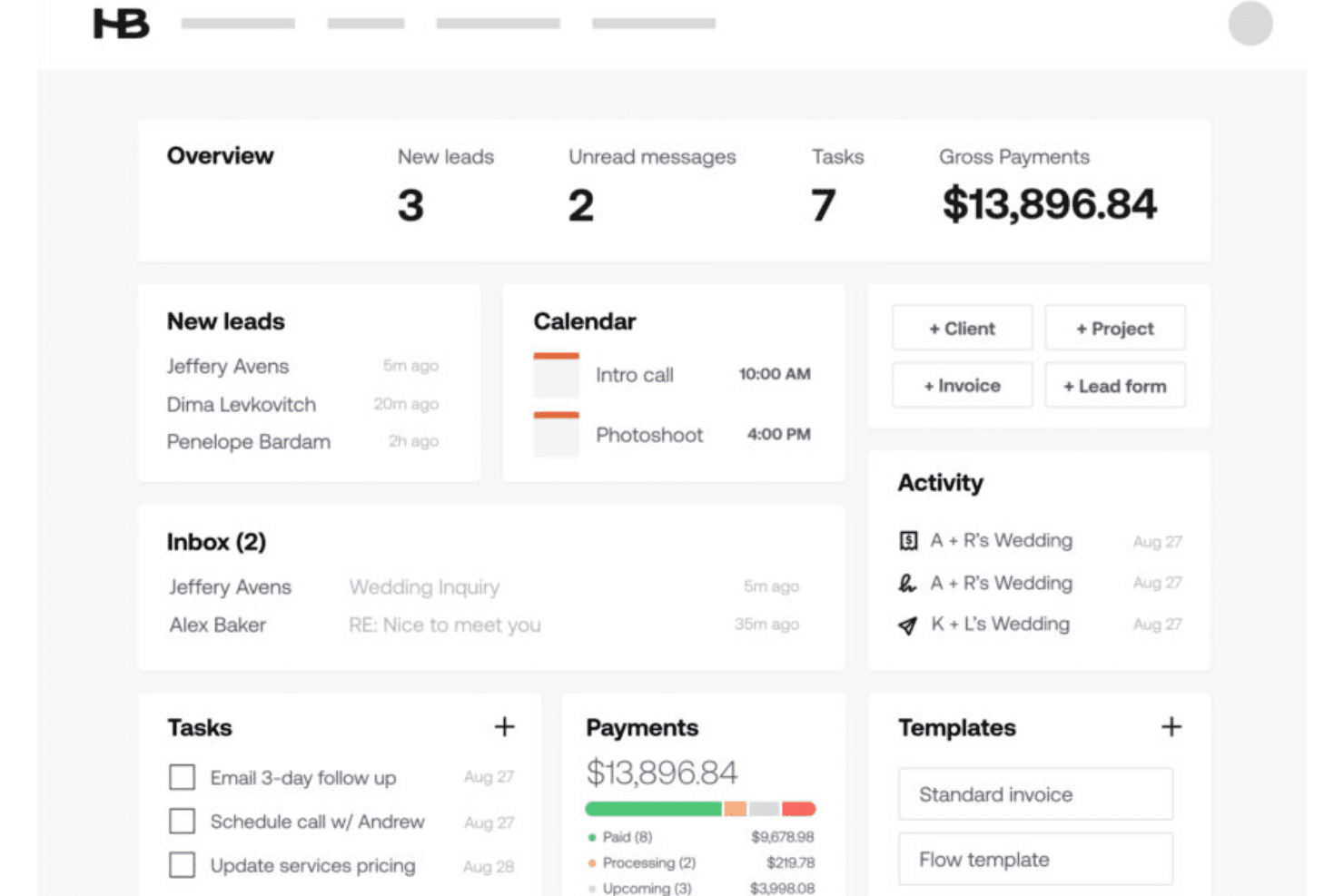
Track leads, active projects, and client information in a visual pipeline from a centralized dashboard in real-time. Move clients through custom stages to match your workflow.
Proposals and Contracts
Create branded proposals and legally binding contracts using customizable templates directly in the platform. Clients can review and sign documents online for faster turnaround.
Invoicing and Payments
Send invoices, accept online payments, and automate payment reminders. Payment tracking is built in, so you always know what’s outstanding.
Scheduling
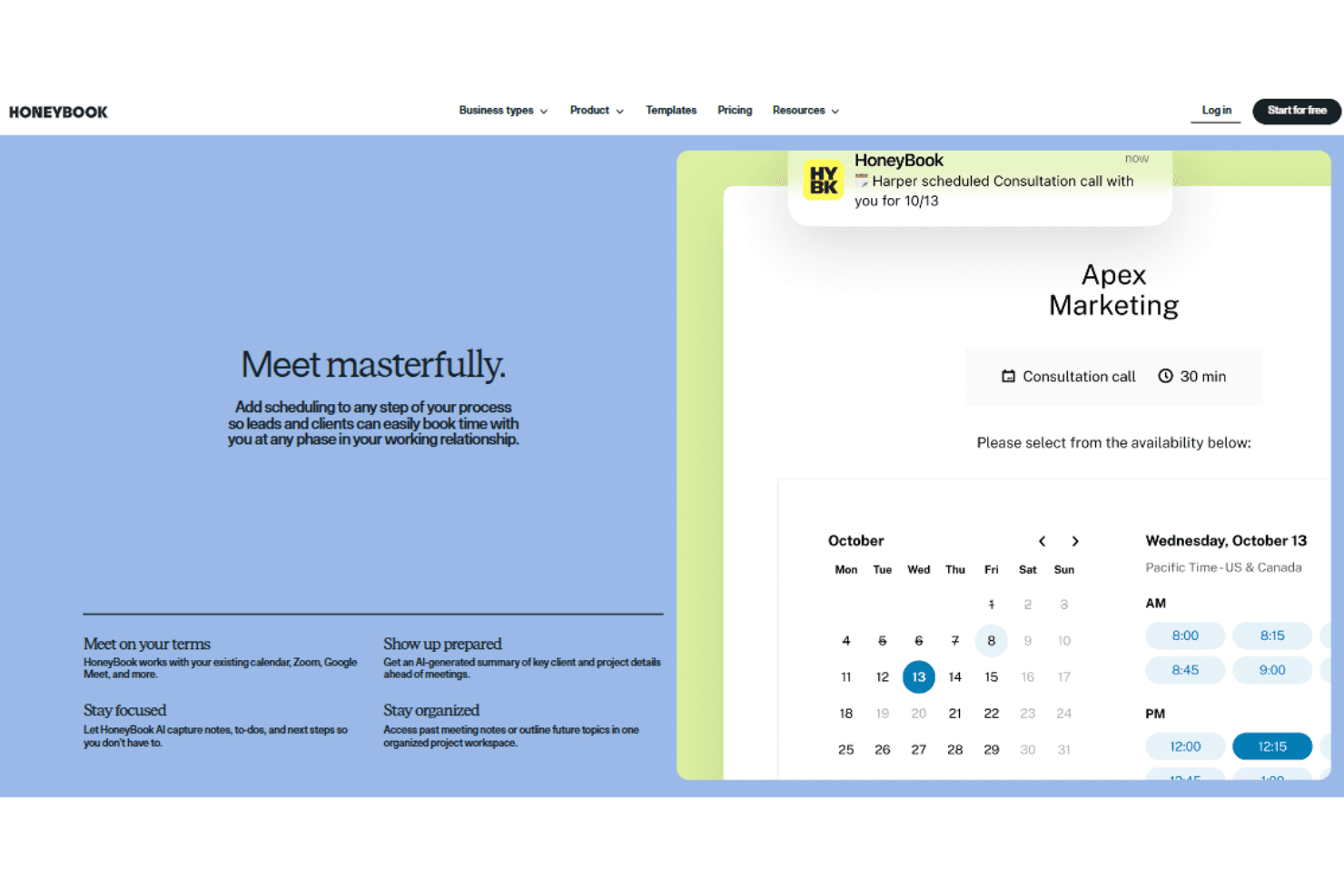
Share your availability and let clients book meetings or sessions online. Integrated calendar sync helps avoid double-booking.
Automated Workflows
Set up task automations for follow-ups, reminders, and onboarding steps. Trigger actions based on client interactions or project milestones.
Mobile App
Manage projects, send invoices, and communicate with clients from your phone. The app supports notifications and document sharing on the go.
Ease of Use
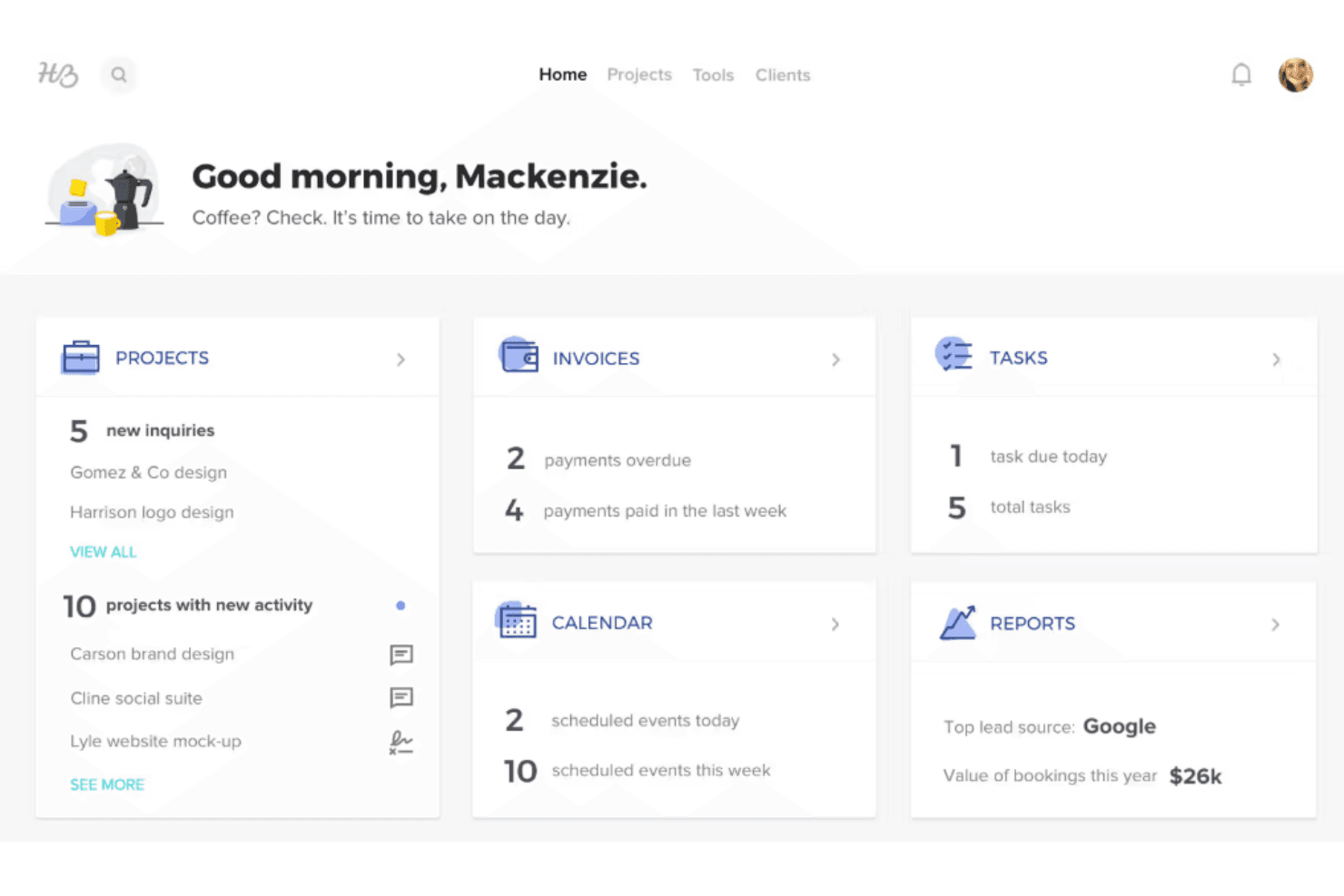
HoneyBook is widely recognized for its intuitive interface and simple navigation, making it accessible even for users new to CRM software. The drag-and-drop pipeline, pre-built templates, and guided onboarding help users get started quickly. Many Honeybook users highlight how easy it is to manage projects, send documents, and track payments without a significant learning curve. Its mobile app also mirrors the desktop experience, allowing for seamless project management on the go.
Integrations
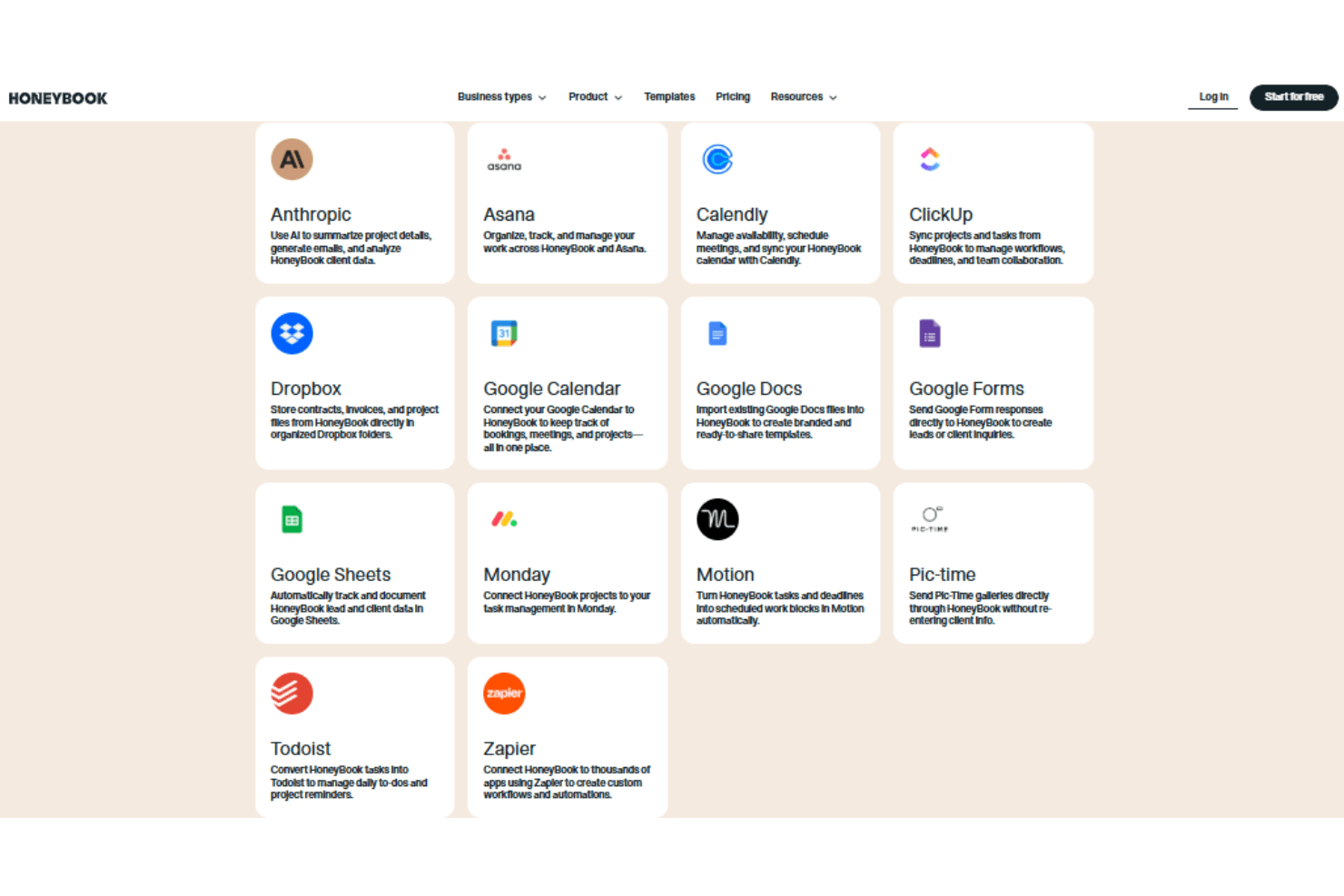
HoneyBook integrates with QuickBooks Online, Google Calendar, Zapier, Calendly, Gmail, Zoom, Stripe, among others.
HoneyBook does not offer a public API but connects with third-party integration tools like Zapier to extend its functionality.
HoneyBook Specs
- 2-Factor Authentication: Yes
- API: No
- Calendar Management: Yes
- Call Tracking: No
- Campaign Management: No
- Click-to-Dial: No
- Contact Management: Yes
- Contact Sharing: No
- Custom Data Forms: No
- Customer Management: Yes
- Dashboard: Yes
- Data Export: Yes
- Data Import: No
- Data Visualization: No
- Email Integration: Yes
- External Integrations: Yes
- File Sharing: Yes
- File Transfer: Yes
- Google Apps Integration: Yes
- Lead Management: Yes
- Lead Scoring: No
- Marketing Automation: No
- Mobile App: No
- Multi-User: Yes
- Notifications: Yes
- Pipeline Management: Yes
- Sales Automation: No
- Scheduling: Yes
- Social-Media Integration: Yes
- Task Scheduling/Tracking: Yes
- Third-Party Plugins/Add-Ons: Yes


