

Salesforce CRM Review: Pros, Cons, Features, and Pricing
Salesforce CRM excels with its customizable features and integration capabilities, positioning it as a versatile choice for diverse business needs.

We review tools independently, and commissions help fund our testing. See our transparency policy, our methodology, or suggest a tool.
Salesforce CRM is a crm software built for sales teams that need to manage complex pipelines, automate workflows, and track revenue across large or fast-scaling organizations. I'd consider it when your team needs deeper customization, more advanced reporting, and a broader integration ecosystem than something like HubSpot can support at scale.
Salesforce CRM Evaluation Summary
4.2/5
- From $25/user/month
- 30-day free trial
Why Trust Our Software Recommendations
6,700+
Reviews
20
Industry experts
16+
Evaluation factors
14
Years
Our reviews reflect our independent judgment—not a sales pitch. Learn how we stay transparent.
For this guide, we evaluated tools using hands-on testing and independent research, scoring tools using our selection criteria.
Our reviews reflect our human editorial judgment, not a sales pitch.
Salesforce CRM Overview
In my opinion, Salesforce CRM is among the best CRM software for businesses needing advanced customization and integration. Its standout features, such as reporting and sales automation, make it a strong contender in the CRM market. However, its complexity can be a hurdle for smaller teams without dedicated resources. Its pricing may seem steep, but its extensive feature set justifies the cost for larger enterprises. If your team values flexibility and extensive third-party integrations, Salesforce CRM is a great option.
Pros
- Customizable dashboards let your team tailor views to fit specific needs.
- The advanced reporting tools help you analyze customer data and other key metrics to make informed decisions.
- Its automation features save you time by reducing repetitive tasks.
Cons
- The interface can be overwhelming for new users.
- Setup and customization have a learning curve.
- Some users find navigation less intuitive compared to other CRM systems, such as HubSpot.


How We Test & Score Tools
We’ve spent years building, refining, and improving our software testing and scoring system. The rubric is designed to capture the nuances of software selection and what makes a tool effective, focusing on critical aspects of the decision-making process.
Below, you can see exactly how our testing and scoring works across seven criteria. It allows us to provide an unbiased evaluation of the software based on core functionality, standout features, ease of use, onboarding, customer support, integrations, customer reviews, and value for money.
Core Functionality (25% of final scoring)
The starting point of our evaluation is always the core functionality of the tool. Does it have the basic features and functions that a user would expect to see? Are any of those core features locked to higher-tiered pricing plans? At its core, we expect a tool to stand up against the baseline capabilities of its competitors.
Standout Features (25% of final scoring)
Next, we evaluate uncommon standout features that go above and beyond the core functionality typically found in tools of its kind. A high score reflects specialized or unique features that make the product faster, more efficient, or offer additional value to the user.
We also evaluate how easy it is to integrate with other tools typically found in the tech stack to expand the functionality and utility of the software. Tools offering plentiful native integrations, 3rd party connections, and API access to build custom integrations score best.
Ease of Use (10% of final scoring)
We consider how quick and easy it is to execute the tasks defined in the core functionality using the tool. High scoring software is well designed, intuitive to use, offers mobile apps, provides templates, and makes relatively complex tasks seem simple.
Onboarding (10% of final scoring)
We know how important rapid team adoption is for a new platform, so we evaluate how easy it is to learn and use a tool with minimal training. We evaluate how quickly a team member can get set up and start using the tool with no experience. High scoring solutions indicate little or no support is required.
Customer Support (10% of final scoring)
We review how quick and easy it is to get unstuck and find help by phone, live chat, or knowledge base. Tools and companies that provide real-time support score best, while chatbots score worst.
Customer Reviews (10% of final scoring)
Beyond our own testing and evaluation, we consider the net promoter score from current and past customers. We review their likelihood, given the option, to choose the tool again for the core functionality. A high scoring software reflects a high net promoter score from current or past customers.
Value for Money (10% of final scoring)
Lastly, in consideration of all the other criteria, we review the average price of entry level plans against the core features and consider the value of the other evaluation criteria. Software that delivers more, for less, will score higher.
Core Features
Contact Management: Salesforce CRM lets you store and organize detailed customer information in one place. Your team can access contact history and interactions.
Lead Management: Track and follow up on your leads, from acquisition to conversion, with Salesforce's lead management tools. You can assign and prioritize leads to boost your sales efforts.
Opportunity Tracking: Keep an eye on your sales pipeline with real-time opportunity tracking. This helps you manage deals and forecast sales effectively.
Task Automation: Automate repetitive tasks to save time and increase productivity. Set up workflows to handle routine processes without manual intervention.
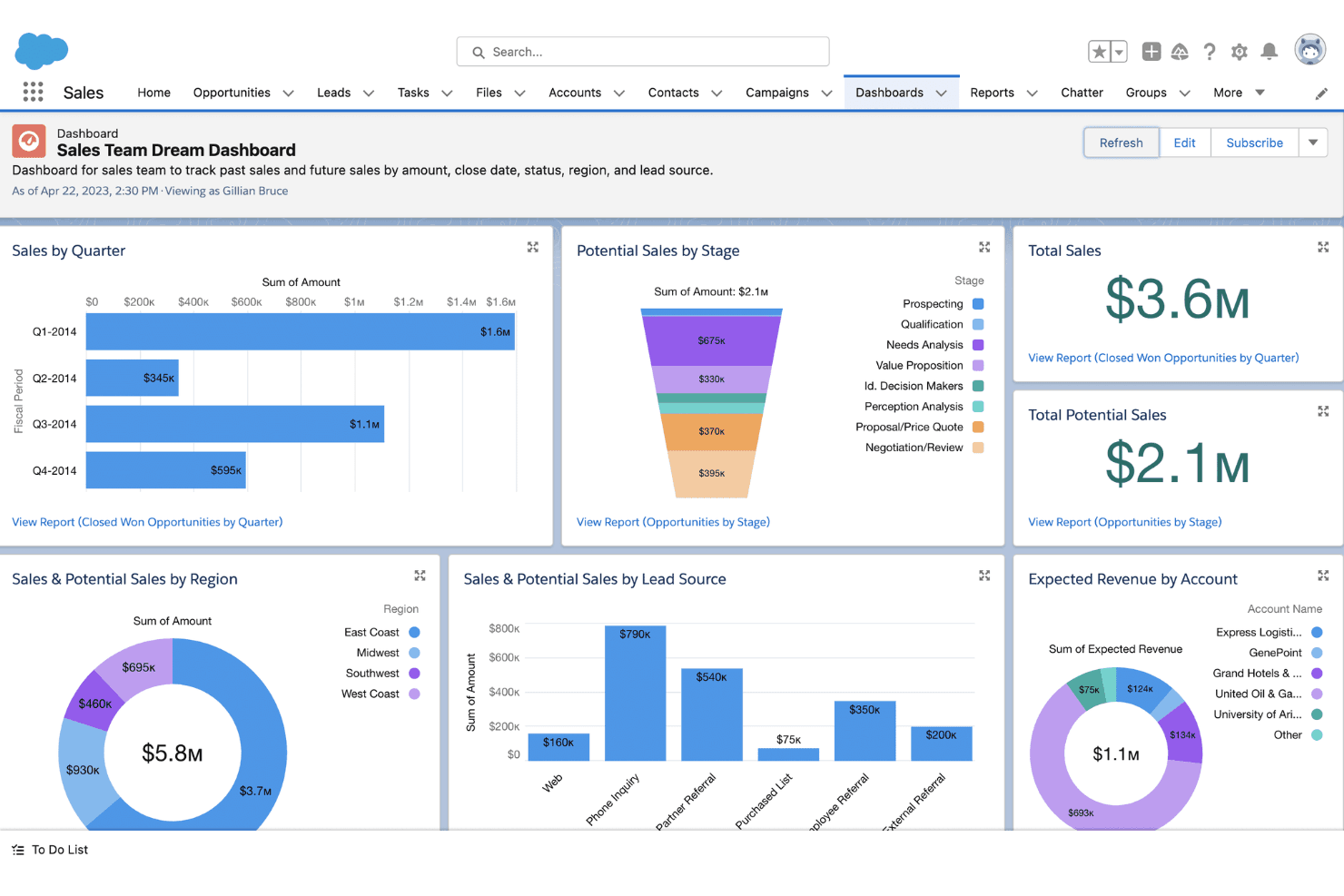
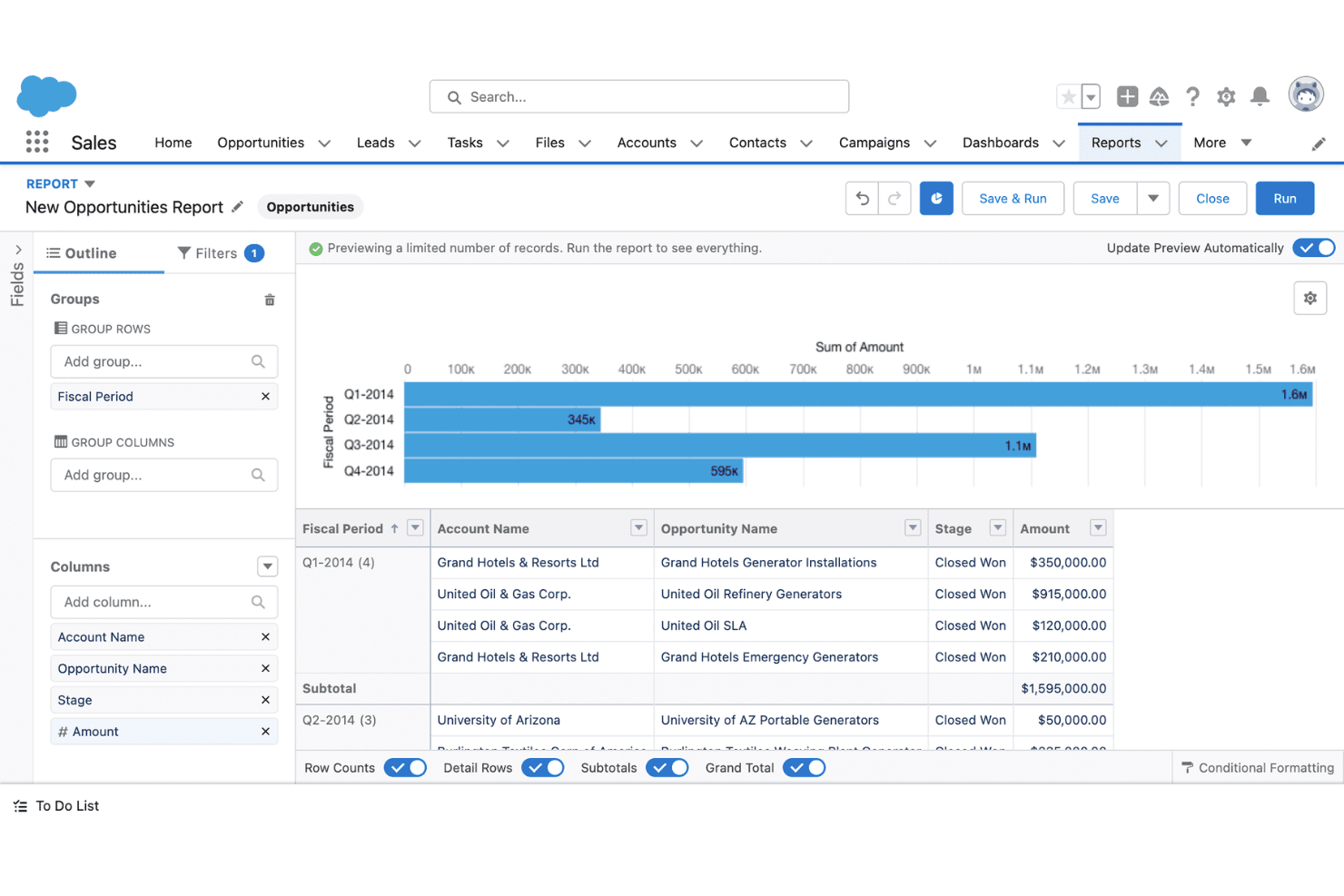
Reporting and Analytics: Use customizable reports and dashboards to gain in-depth insights into your sales performance and make data-driven decisions with ease.
Mobile Access: Access Salesforce CRM on the go with its mobile app. This ensures your team stays connected, no matter where they are.
Ease of Use
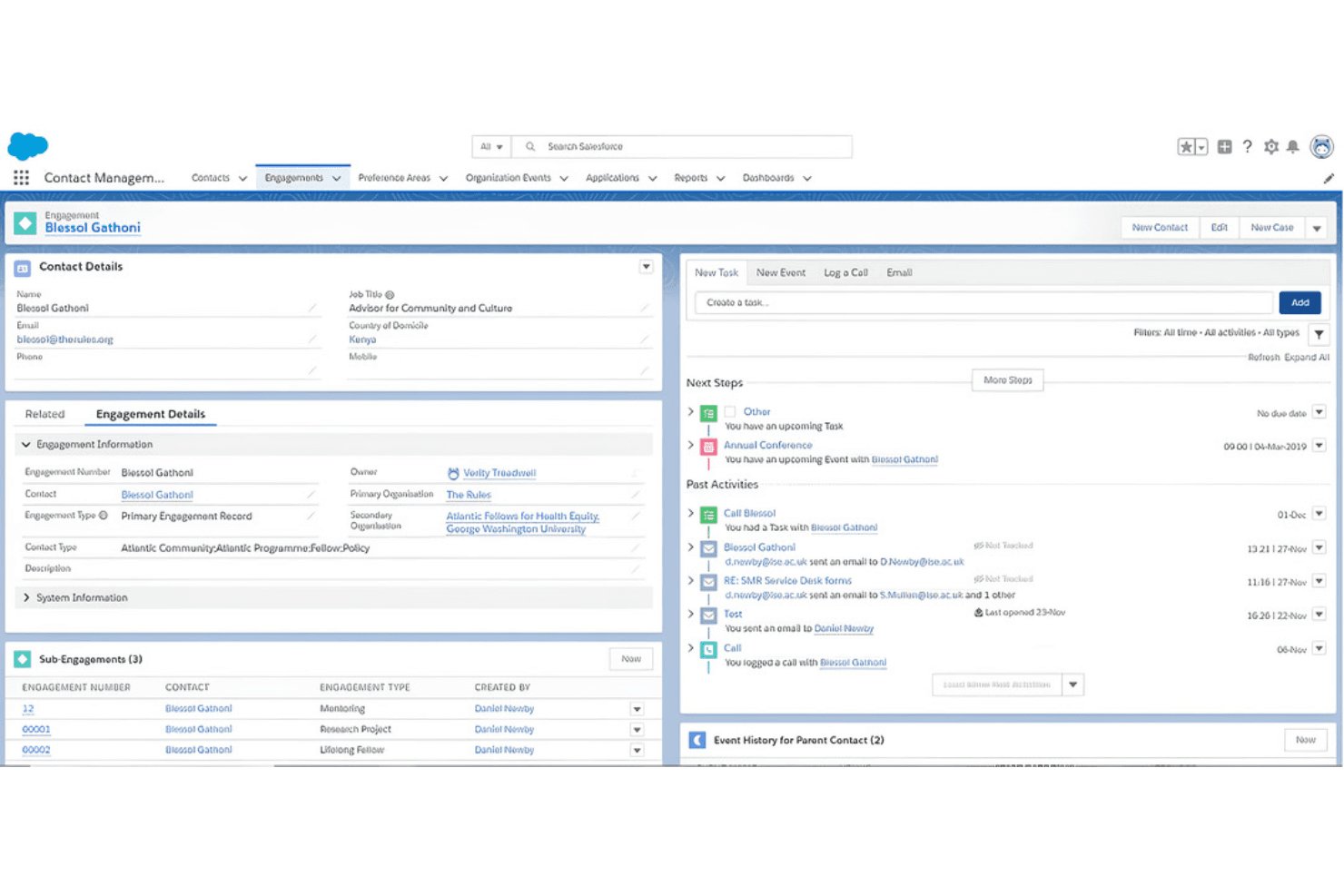
Salesforce CRM can be challenging for new users due to its complex interface and extensive features. While its customization options offer flexibility, they also add a learning curve that might overwhelm smaller teams. However, once you get the hang of it, the platform's powerful tools make managing customer relationships more efficient. With time and resources, your team can unlock its full potential, but be prepared for an initial adjustment period.
Integrations
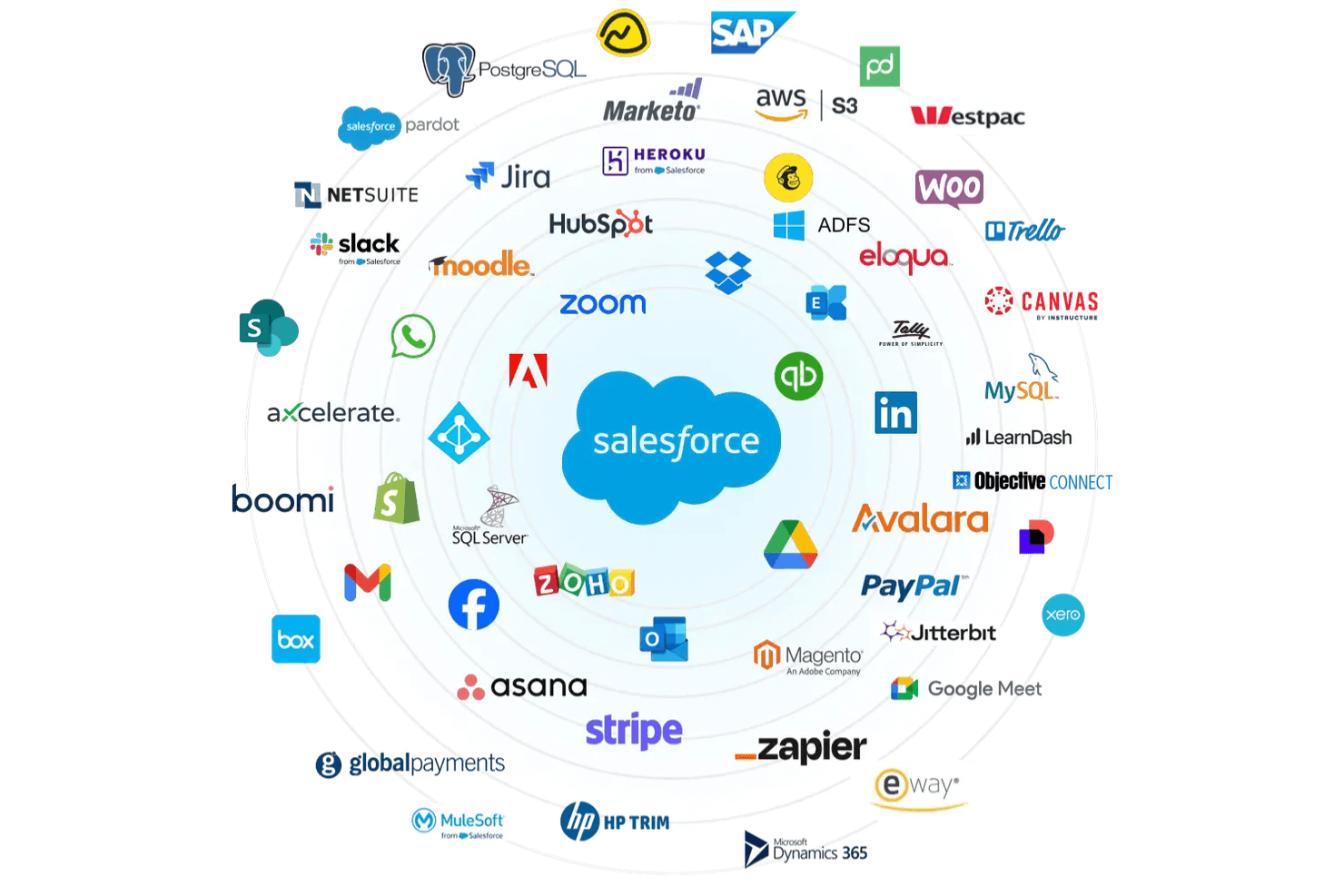
Salesforce CRM integrates with platforms such as Slack, Microsoft Outlook, Google Workspace, Mailchimp, QuickBooks, Dropbox, Docusign, LinkedIn, and Jira.
Salesforce CRM also offers an API for custom integrations and connects with third-party integration tools.
New Product Updates from Salesforce CRM
 Opens new window
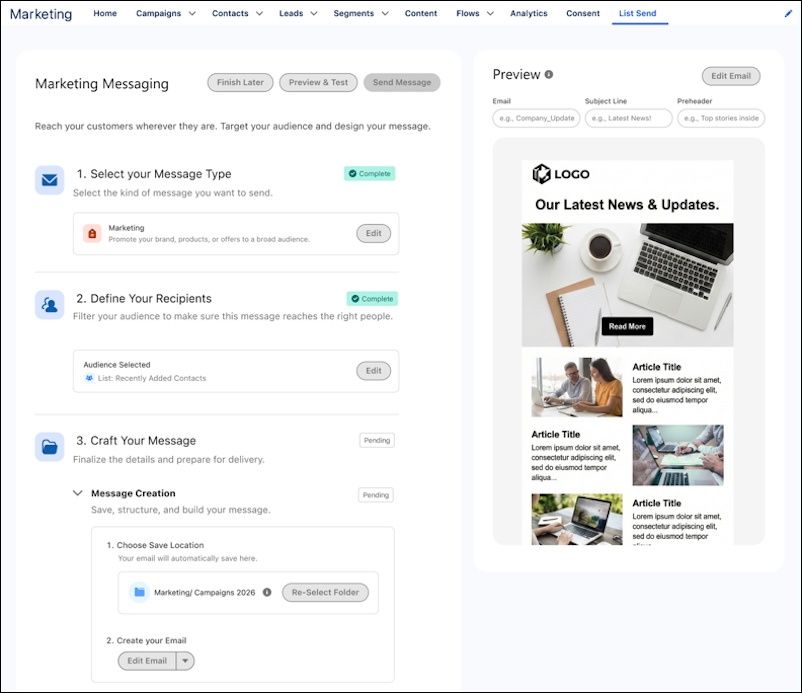
Salesforce CRM Simplifies Email Sends From Contact and Lead Lists
Salesforce CRM now lets users send emails directly from filtered Contact or Lead lists using Actionable Lists instead of creating a Data 360 segment first. The redesigned List Sends experience also combines audience selection, message type, and save location on one page. Highlights include:
- Direct List Sends: Send emails from Contact or Lead lists without creating a Data 360 segment.
- Actionable Lists: Process selected audiences directly from list views.
- Single-Page Setup: Configure audience, message type, and save location in one place.
- Faster Sends: Reduce delays tied to segment processing.
- Scheduled Sending: Schedule sends for later in supported Salesforce editions.
Visit Salesforce’s official site for more details.
Salesforce CRM Adds Currency Controls to Data Processing Engine
Salesforce CRM’s Data 360 now lets teams control how Data Processing Engine handles currency during processing. This helps maintain more consistent currency treatment across data pipelines. Highlights include:
- Currency Controls: Configure how currency is handled during data processing.
- Data Processing Engine: Apply currency handling within Data 360 processing workflows.
- Consistent Processing: Keep currency treatment aligned across data pipelines.
Visit Salesforce CRM’s official site for more details.
Salesforce CRM Redesigns Inbox Meeting Scheduling
Salesforce CRM’s Inbox now opens availability links in a redesigned scheduling interface when prospects book meetings with sales teams. The new experience works with links generated through Insert Availability in Lightning Experience, the Gmail extension, and the Outlook add-in. Highlights include:
- Redesigned Scheduling: Give prospects a simpler interface for booking meetings.
- Availability Links: Open shared availability links directly in the new scheduling experience.
- Lightning Experience: Generate scheduling links from the Lightning Experience Email Composer.
- Gmail Extension: Use the redesigned booking experience with links shared through Gmail.
- Outlook Add-In: Use the same scheduling experience with links shared through Outlook.
Visit Salesforce CRM’s official site for more details.
 Opens new window
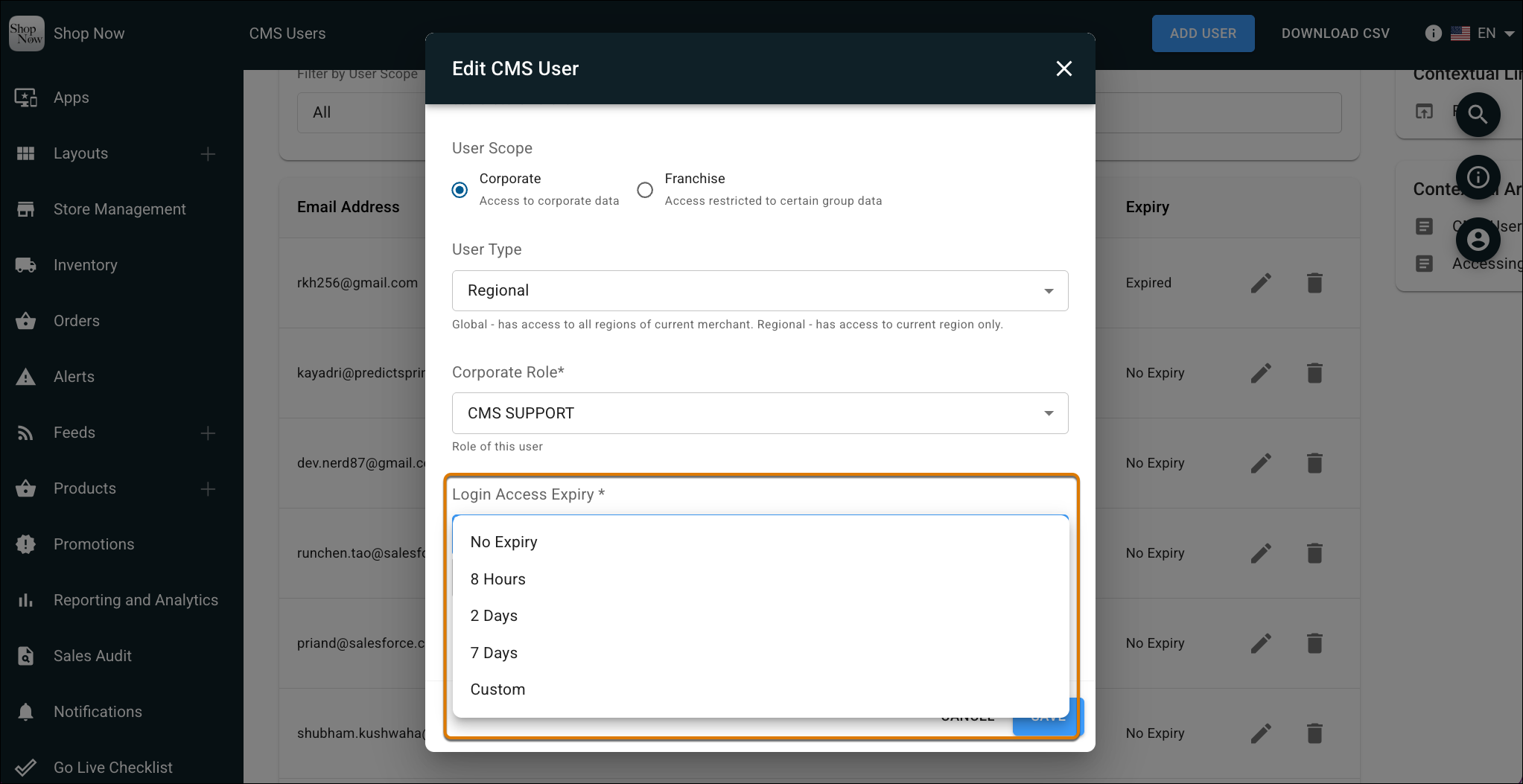
Salesforce CRM Adds Automated CMS Access Expiration
Salesforce CRM lets admins set a Login Access Expiry period for Point of Sale CMS users so access is revoked automatically after a set time. The update also adds a view-only CMS support role for troubleshooting without granting full access. Highlights include:
- Automated Access Expiration: Revoke CMS access automatically after a defined period.
- View-Only Support Role: Give support users troubleshooting access without full permissions.
- Reduced Manual Cleanup: Avoid manually tracking and removing temporary CMS accounts.
Visit Salesforce CRM’s official site for more details.
Salesforce CRM Adds WhatsApp Read Receipts
Salesforce CRM has added visibility into WhatsApp message read receipts so service teams can tell when a customer has viewed a message. This helps agents time follow-ups better and manage conversations with more confidence. Highlights include:
- Read Status: See when customers have viewed WhatsApp messages in the Service Console.
- Customer Confirmation: Show customers the standard double blue check when reps read their messages.
- Optional Setup: Enable read receipts for supported Enhanced WhatsApp channels when needed.
Visit Salesforce’s official site for more details.
Salesforce CRM Form Builder Adds Conditional Fields
Salesforce CRM Form Builder can now display fields only when specific conditions are met and remove dependent data when answers change. Forms support up to 50 visibility rules with dependencies nested two levels deep. Highlights include:
- Conditional Fields: Shows or hides fields based on user responses.
- Visibility Rules: Supports up to 50 rules per form.
- Nested Dependencies: Allows conditional logic up to two levels deep.
- Dynamic Updates: Removes dependent data when earlier answers change.
- Flexible Forms: Reduces the need to maintain separate forms for different audiences.
Visit Salesforce CRM’s official site for more details.
Salesforce CRM Adds Agentforce Vibes Analytics to DevOps Center
Salesforce CRM adds Agentic Development analytics for Agentforce Vibes in DevOps Center, including granular model usage data. Developer-Level Insights can also show individual user analytics during the Developer Preview. Highlights include:
- Agentic Development Dashboard: Tracks Agentforce Vibes activity across connected orgs.
- Model Usage Analytics: Provides more detailed visibility into model usage.
- Developer-Level Insights: Shows individual user analytics when enabled.
- DevOps Center Analytics: Makes usage data available from the Analytics page.
- Developer Preview: Agentic Development and Developer-Level Insights remain in preview.
Visit Salesforce CRM’s official site for more details.
 Opens new window
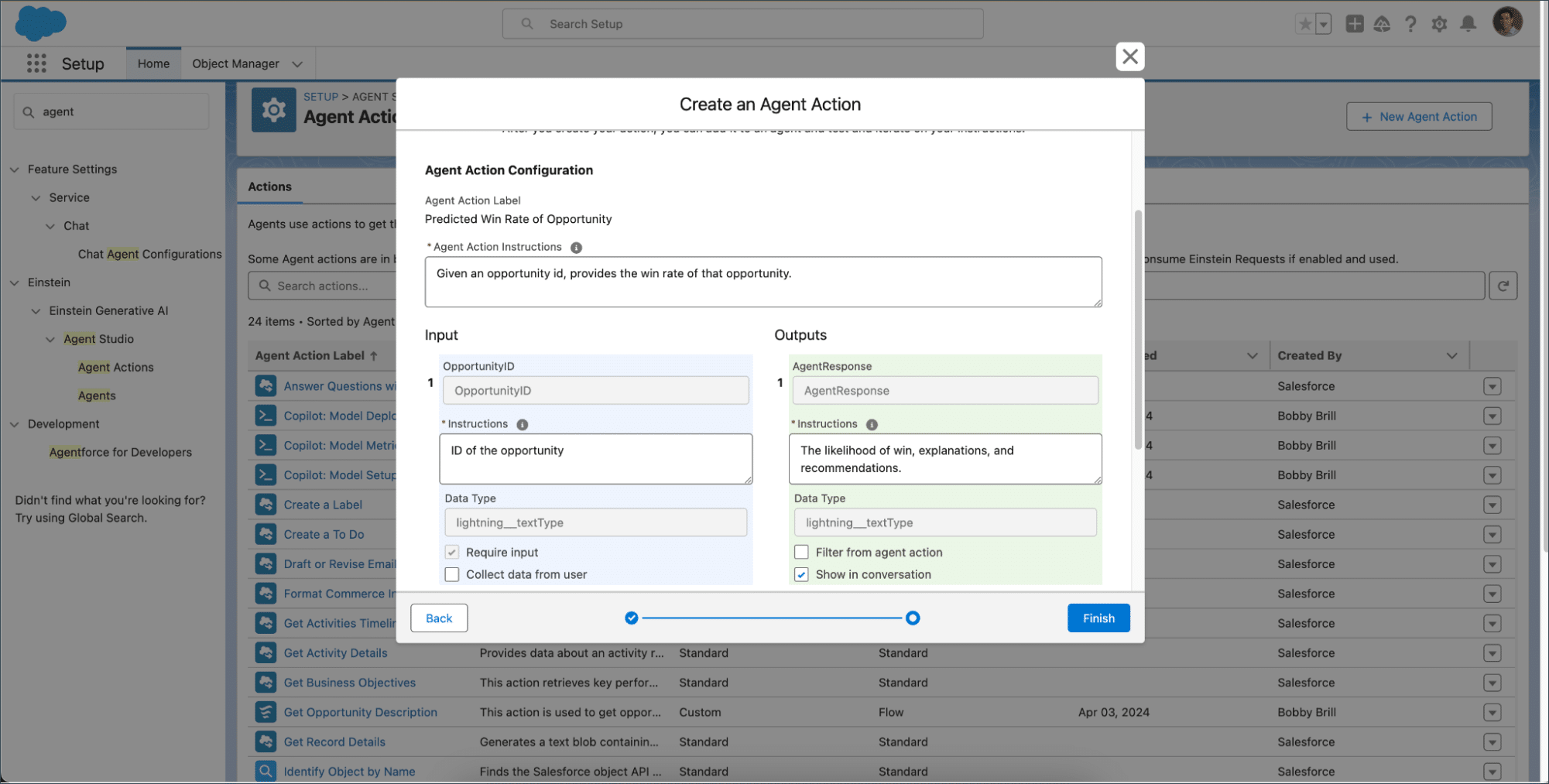
Salesforce CRM Adds Connection-Based Agent Action Formatting
Salesforce lets Agentforce format action outputs differently for each connection using Agent Script. Teams can also return structured JSON or end reasoning after an action with show_and_return. Highlights include:
- Connection-Based Formatting: Applies specific output formats to individual Agentforce connections.
- Adaptive Responses: Uses predefined response formats for supported channels.
- JSON Output: Returns structured action data directly to connected systems.
- Channel Consistency: Keeps action responses predictable across messaging and web experiences.
- Show and Return: Lets an agent send a response and stop reasoning after an action.
Visit Salesforce CRM’s official site for more details.
Salesforce CRM Adds Agent Access Controls in Agentforce Builder
Salesforce CRM adds an Agent Access page in Agentforce Builder for managing permissions and record access. This helps admins control Employee agent availability and Service agent access from one settings area. Highlights include:
- Employee Agent Access: Lets admins manage permission sets and profiles that determine who can use an Employee agent.
- Service Agent Permissions: Allows admins to control what a Service agent user can access.
- Record Access Controls: Manages the records available to Service agents.
Visit Salesforce’s official site for more details.
Manage the Sales Data Kit Independently in Marketing Cloud Next
Salesforce CRM adds a dedicated Sales Data Kit section in Marketing Cloud Next with on-demand deployment and independent update controls. This gives admins more flexibility to manage the Sales Data Kit separately from required marketing data kits. Highlights include:
- Optional Deployment: Lets admins choose if and when to deploy the Sales Data Kit.
- Independent Updates: Allows Sales Data Kit updates to be managed separately from other data kits.
- Dedicated Management: Provides a separate setup section to deploy the kit, check its status, and apply updates.
Visit Salesforce’s official site for more details.
Salesforce CRM Specs
- 2-Factor Authentication: Yes
- API: Yes
- Calendar Management: Yes
- Call Tracking: Yes
- Campaign Management: Yes
- Click-to-Dial: Yes
- Contact Management: Yes
- Contact Sharing: Yes
- Custom Data Forms: Yes
- Customer Management: Yes
- Dashboard: Yes
- Data Export: Yes
- Data Import: Yes
- Data Visualization: Yes
- Email Integration: Yes
- External Integrations: Yes
- File Sharing: Yes
- File Transfer: Yes
- Google Apps Integration: Yes
- Lead Management: Yes
- Lead Scoring: Yes
- Marketing Automation: No
- Mobile App: Yes
- Multi-User: Yes
- Notifications: Yes
- Pipeline Management: Yes
- Sales Automation: Yes
- Scheduling: Yes
- Social-Media Integration: No
- Task Scheduling/Tracking: Yes
- Third-Party Plugins/Add-Ons: Yes


