

Creatio CRM vs. Salesforce CRM: Comparison and Reviews for 2026
Creatio CRM and Salesforce CRM both support complex revenue operations, but they take different approaches to AI, automation, and customization. See which CRM better fits your teams, workflows, and growth plans.

We review tools independently, and commissions help fund our testing. See our transparency policy, our methodology, or suggest a tool.
CRM complexity tends to creep in as revenue teams grow. Sales, marketing, and service processes become harder to coordinate, automation gets more complicated, and teams need more than a system that simply stores customer data.
That makes choosing between Creatio CRM and Salesforce CRM less straightforward. Both are CRM software options, but Creatio positions itself as an AI CRM and workflow platform for marketing, sales, and service, while Salesforce CRM takes an Agentic CRM approach centered on AI agents, customer data, and automation.
In this comparison, I’ll break down Creatio CRM vs. Salesforce CRM across features, pricing, usability, security, and best use cases.
Creatio CRM
4.7/5
- Free demo available
- From $40/user/month (billed annually)
Salesforce CRM
4.2/5
- 30-day free trial
- From $25/user/month
Why Trust Our Software Recommendations
6,700+
Reviews
20
Industry experts
16+
Evaluation factors
14
Years
Our reviews reflect our independent judgment—not a sales pitch. Learn how we stay transparent.
For this guide, we evaluated tools using hands-on testing and independent research, scoring tools using our selection criteria.
Our reviews reflect our human editorial judgment, not a sales pitch.
| Creatio CRM | Salesforce CRM | |
|---|---|---|
| Free Trial | Free demo available | 30-day free trial |
| Pricing | From $40/user/month (billed annually) | From $25/user/month |
Creatio CRM vs. Salesforce CRM Pricing & Hidden Costs
Creatio CRM uses a modular pricing model that lets organizations combine platform and CRM capabilities around their needs, while Salesforce CRM follows a tiered structure with additional products, AI capabilities, and support layered on as requirements grow. Creatio’s costs can increase with implementation, integrations, migration, and support, and it also carries an annual minimum commitment and standard three-year contract. Salesforce CRM may become more expensive as teams add advanced AI, premium support, integrations, and other enterprise capabilities.
Choosing between the two largely comes down to whether you prefer Creatio CRM’s more composable approach or Salesforce CRM’s tiered ecosystem—and how much complexity, customization, and AI usage you expect as the deployment scales.
| Creatio CRM | Salesforce CRM | |
|---|---|---|
| 2-Factor Authentication | Yes | Yes |
| API | Yes | Yes |
| Calendar Management | Yes | Yes |
| Call Tracking | Yes | Yes |
| Campaign Management | Yes | Yes |
| Click-to-Dial | Yes | Yes |
| Contact Management | Yes | Yes |
| Contact Sharing | Yes | Yes |
| Custom Data Forms | Yes | Yes |
| Customer Management | Yes | Yes |
| Dashboard | Yes | Yes |
| Data Export | Yes | Yes |
| Data Import | Yes | Yes |
| Data Visualization | Yes | Yes |
| Email Integration | Yes | Yes |
| External Integrations | Yes | Yes |
| File Sharing | Yes | Yes |
| File Transfer | Yes | Yes |
| Google Apps Integration | Yes | Yes |
| Lead Management | Yes | Yes |
| Lead Scoring | Yes | Yes |
| Marketing Automation | Yes | No |
| Mobile App | Yes | Yes |
| Multi-User | Yes | Yes |
| Notifications | Yes | Yes |
| Pipeline Management | Yes | Yes |
| Sales Automation | Yes | Yes |
| Scheduling | Yes | Yes |
| Social-Media Integration | Yes | No |
| Task Scheduling/Tracking | Yes | Yes |
| Third-Party Plugins/Add-Ons | Yes | Yes |
| Integration | Creatio CRM | Salesforce CRM |
|---|---|---|
| IntegrationMicrosoft Outlook | Creatio CRM✅ | Salesforce CRM✅ |
| IntegrationGmail | Creatio CRM✅ | Salesforce CRM✅ |
| IntegrationMailchimp | Creatio CRM✅ | Salesforce CRM✅ |
| IntegrationDocuSign | Creatio CRM✅ | Salesforce CRM✅ |
| IntegrationMicrosoft Teams | Creatio CRM✅ | Salesforce CRM✅ |
| IntegrationHubSpot | Creatio CRM✅ | Salesforce CRM✅ |
| IntegrationQuickBooks | Creatio CRM✅ | Salesforce CRM✅ |
| IntegrationShopify | Creatio CRM✅ | Salesforce CRM✅ |
| IntegrationMicrosoft Exchange | Creatio CRM✅ | Salesforce CRM✅ |
| IntegrationZoom | Creatio CRM✅ | Salesforce CRM✅ |
| IntegrationAPI | Creatio CRM✅ | Salesforce CRM✅ |
| IntegrationZapier | Creatio CRM✅ | Salesforce CRM✅ |
Both Creatio CRM and Salesforce CRM support broad integration ecosystems, but they approach extensibility differently. Creatio emphasizes connecting CRM, workflow automation, and external systems through native integrations, APIs, and Marketplace apps, while Salesforce CRM relies on its large AppExchange ecosystem and extensive platform connectivity. Overall, Creatio is well suited to teams that want integrations tied closely to configurable business workflows, while Salesforce offers broad compatibility for organizations already operating across a large enterprise tech stack.
| Factor | Creatio CRM | Salesforce CRM |
|---|---|---|
| FactorData Encryption | Creatio CRMEncrypts data in transit and at rest, with controls supporting secure cloud and on-premises deployments. | Salesforce CRMEncrypts data in transit and offers advanced encryption options for sensitive data. |
| FactorRegulatory Compliance | Creatio CRMMaintains SOC 2 Type II and ISO/IEC 27001 certifications, with controls that support GDPR requirements. | Salesforce CRMSupports a broad range of enterprise compliance frameworks and certifications. |
| FactorAccess Controls | Creatio CRMSupports SAML 2.0 SSO, MFA, and granular RBAC at the object, record, and operation levels. | Salesforce CRMSupports SSO, MFA, roles, permission sets, and granular sharing controls. |
| FactorAudit & Governance | Creatio CRMLogs administrative and data activity and includes an AI Trust and Governance framework for access, auditability, and explainability. | Salesforce CRMProvides audit logging and additional monitoring through its enterprise security tools. |
| FactorData Residency & Reliability | Creatio CRMOffers multiple AWS and Microsoft Azure regions, on-premises deployment, and enterprise-grade cloud SLAs. | Salesforce CRMOperates across Salesforce’s global cloud infrastructure with service monitoring through Salesforce Trust. |
Overall, Creatio CRM emphasizes granular access controls, flexible deployment, and AI governance, backed by SOC 2 Type II and ISO/IEC 27001 certifications. Meanwhile, Salesforce CRM emphasizes cloud-based security, compliance controls, and centralized service monitoring. While both provide strong enterprise security foundations, Creatio offers more flexibility around data residency and on-premises deployment.
| Factor | Creatio CRM | Salesforce CRM |
|---|---|---|
| FactorUser Interface | Creatio CRMConfigurable interface with visual, no-code tools that let teams tailor pages, workflows, and workspaces to different roles. | Salesforce CRMFeature-rich interface with extensive customization, though it can feel denser as implementations grow. |
| FactorOnboarding | Creatio CRMTypically uses guided implementation, with Creatio Academy providing documentation, courses, and learning paths for ongoing training. | Salesforce CRMOffers extensive self-service learning through Trailhead, along with implementation and support resources. |
| FactorInitial Setup | Creatio CRMNo-code configuration reduces development work, though complex workflows, integrations, and migrations still require planning. | Salesforce CRMBasic configurations can use declarative tools, while larger implementations often need more specialized admin or technical expertise. |
| FactorOngoing Support | Creatio CRMCombines direct technical support with Creatio Academy and its user Community, with coverage varying by support level. | Salesforce CRMProvides documentation, community resources, and enhanced support through higher-tier Success Plans. |
| FactorMobile Experience | Creatio CRMProvides mobile access to CRM data and workflows through configurable iOS and Android apps. | Salesforce CRMOffers a full-featured mobile CRM app with access to customer data, workflows, and AI capabilities. |
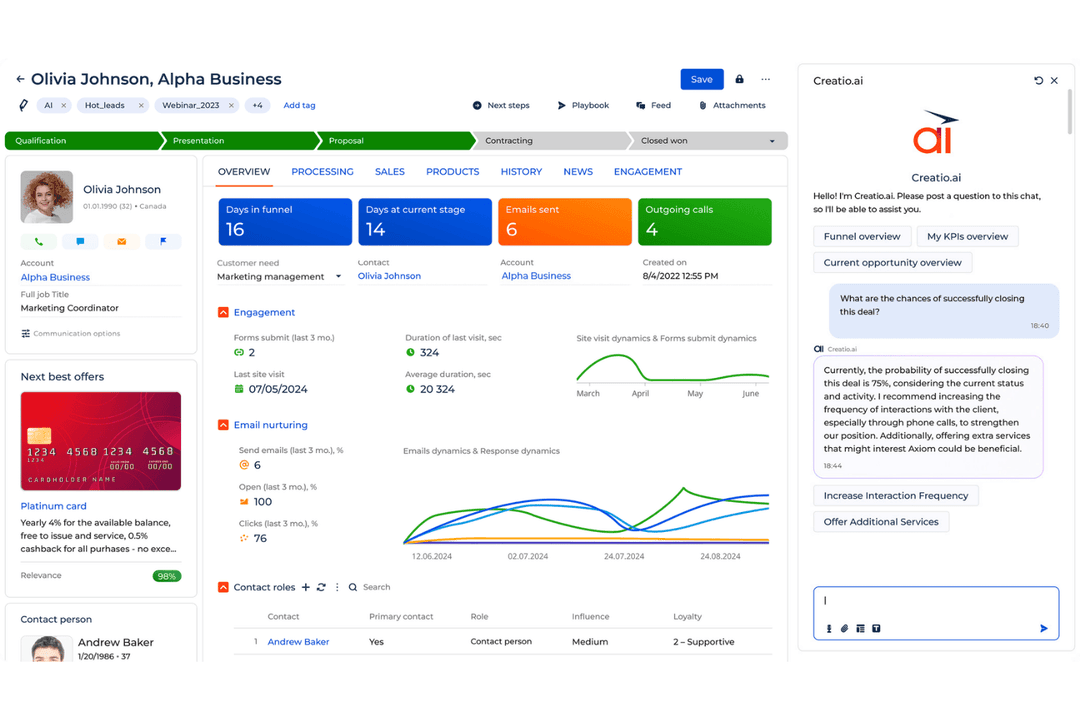
From an ease-of-use perspective, Creatio CRM focuses on no-code configuration, visual workflows, and guided implementation to make complex CRM processes more manageable for business teams. Salesforce CRM provides extensive configuration options, training resources, and administrative tools, which can require more setup and ongoing management as deployments expand. Teams that want to adapt workflows with less developer involvement may find Creatio easier to manage day to day, while organizations already invested in Salesforce may benefit from familiarity with its existing tools and processes.
Creatio CRM
- No-code tools let revenue teams adapt sales, marketing, and service workflows without relying on developers for every change.
- Predictive, generative, and agentic AI can assist with lead response, recommendations, forecasting, and routine CRM work.
- Flexible workflows, custom objects, applications, and integrations make Creatio well suited to complex enterprise CRM environments.
- Highly configurable implementations require more upfront planning around workflows, data models, integrations, and user experiences.
- Administrators and power users may need time to learn Creatio’s no-code development and process automation capabilities.
- Smaller teams with basic contact management or pipeline needs may find the platform broader than necessary.
Salesforce CRM
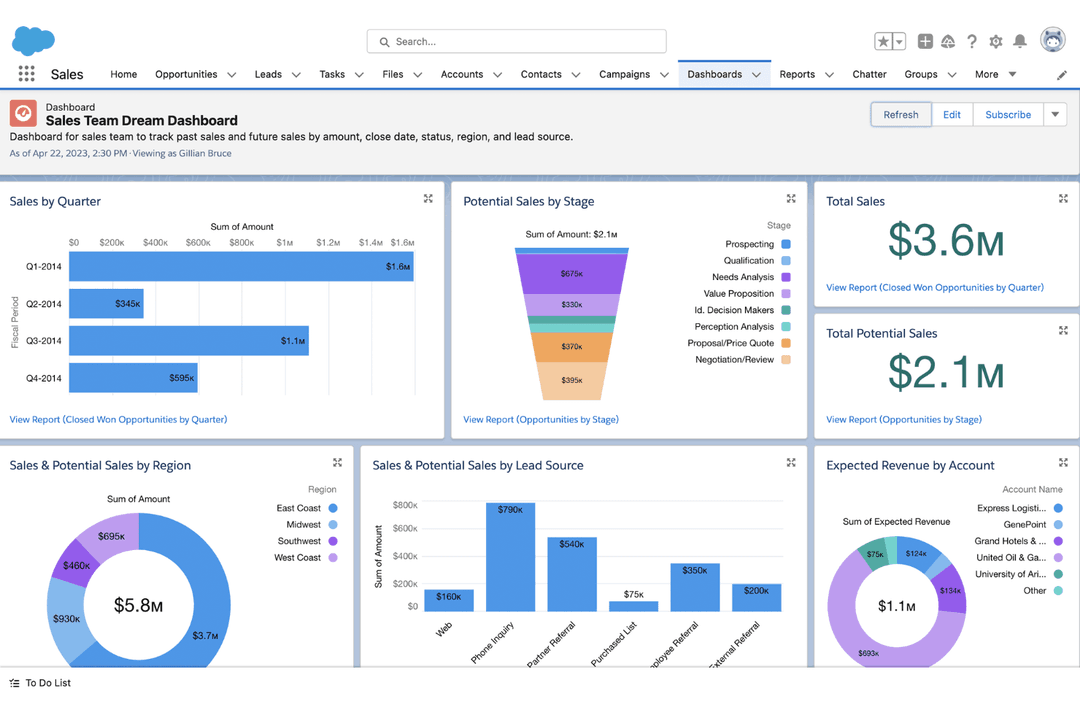
- Customizable dashboards let your team tailor views to fit specific needs.
- The advanced reporting tools help you analyze customer data and other key metrics to make informed decisions.
- Its automation features save you time by reducing repetitive tasks.
- The interface can be overwhelming for new users.
- Setup and customization have a learning curve.
- Some users find navigation less intuitive compared to other CRM systems, such as HubSpot.
Creatio CRM
- Banking and Financial ServicesBanks, credit unions, insurers, and mortgage providers can use Creatio to automate customer-facing workflows across sales, marketing, and service.
- Manufacturing and DistributionManufacturers and distributors can use Creatio to manage complex account relationships and automate sales and service processes across teams.
- Telecom CompaniesTelecom organizations can use Creatio to manage high-volume customer interactions and coordinate sales and service workflows across channels.
- Retail and Consumer GoodsRetail and CPG teams can use Creatio for customer segmentation, campaign management, engagement, and service workflows across brands and markets.
- High-Tech and Business ServicesB2B teams with longer sales cycles can use Creatio to manage opportunities, automate handoffs, and maintain visibility across revenue functions.
- Large Multi-Team EnterprisesEnterprises can use Creatio to connect sales, marketing, and service teams through shared customer data, configurable workflows, and AI automation.
Salesforce CRM
- Large EnterprisesSalesforce CRM's advanced customization and data management capabilities are ideal for large companies needing detailed analytics and reporting.
- Health Care IndustryIts ability to handle complex data and compliance needs makes Salesforce CRM a strong choice for health care organizations.
- Finance SectorWith detailed reporting tools, Salesforce CRM helps finance teams track and analyze transactions effectively.
- Sales TeamsAutomation features in Salesforce CRM save time by reducing repetitive tasks, boosting sales productivity.
- Marketing DepartmentsSalesforce CRM's analytics tools and pre-built email templates can assist teams with marketing campaigns.
- Tech StartupsFor tech startups needing flexibility and scalability, Salesforce CRM offers extensive customization options to grow with your business.
Who Should Use Creatio CRM, and Who Should Use Salesforce CRM?
Creatio CRM is a strong fit for midsize and large organizations that need configurable sales, marketing, and service workflows without relying heavily on custom development. Its combination of AI, no-code automation, and flexible process design works well for teams managing complex or evolving revenue operations.
Meanwhile, Salesforce CRM suits large enterprises in industries such as finance, healthcare, and technology that need advanced customization, reporting, and complex data integrations. It makes the most sense for organizations with dedicated Salesforce administrators or technical resources to manage setup and ongoing configuration.
| Creatio CRM | Salesforce CRM | |
|---|---|---|
| AI Workflow Model | Creatio CRM Orchestrates people and AI agents in the same workflows, with agents able to assist users or execute defined processes autonomously. | Salesforce CRM Uses Agentforce to connect AI agents with CRM data, workflows, and business logic. |
| Customization | Creatio CRM Combines CRM, AI, workflow automation, and no-code development, letting teams adapt apps, data models, and processes visually. | Salesforce CRM Supports extensive configuration through tools like Flow, with complex requirements sometimes involving Apex or specialist admins. |
| Deployment Options | Creatio CRM Supports cloud deployment across multiple regions as well as on-premises deployment. | Salesforce CRM Delivered as a cloud-based CRM platform. |
| Industry Approach | Creatio CRM Uses one CRM platform with industry-specific workflows and solutions that can be further customized with no-code tools. | Salesforce CRM Offers dedicated industry clouds with prebuilt data models, workflows, and specialized functionality. |
| Scaling Model | Creatio CRM Emphasizes an Unlimited model with no caps on users, agents, workflows, applications, custom objects, or API calls. | Salesforce CRM Primarily scales through product editions, user licenses, add-ons, and usage-based services. |
| Core CRM Coverage | Both support sales, marketing, and service processes, including customer data, lead and opportunity management, and service workflows. |
|---|---|
| Mobile Access | Both provide mobile CRM apps so users can access customer data and workflows away from their desks. |
| Reporting & Analytics | Both provide dashboards, reporting, forecasting, and analytics for monitoring pipeline and customer-facing performance. |
| Security & Compliance | Both include enterprise security controls such as encryption, access management, audit capabilities, and support for major compliance requirements. |
| Training & Support | Both offer documentation, learning resources, user communities, and additional support options for implementation and ongoing use. |