

Recensione di SuiteCRM: Vantaggi, Svantaggi, Caratteristiche e Prezzi
SuiteCRM eccelle nella personalizzazione e nel rapporto qualità-prezzo, diventando la scelta preferita dei team che cercano soluzioni CRM open source flessibili.

Recensiamo gli strumenti in modo indipendente e le commissioni aiutano a finanziare i nostri test. Consulta la nostra politica sulla trasparenza, la nostra metodologia o suggerisci uno strumento.
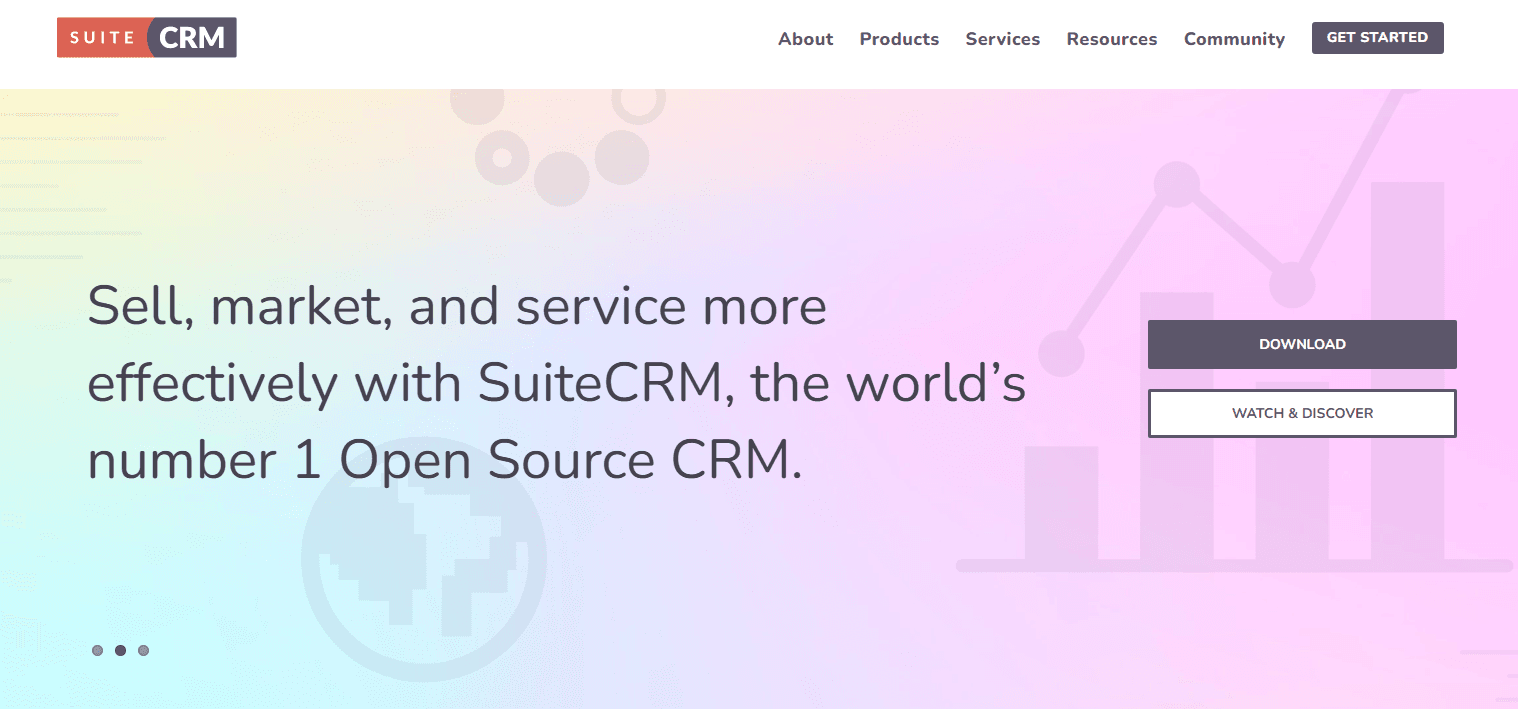
SuiteCRM is an open source crm software built for teams that need full control over their sales pipeline, contact data, and customer workflows without paying per-seat licensing fees. I'd mainly consider it if your team has the technical capacity to self-host and configure a CRM, but wants to avoid the recurring subscription costs that come with tools like Salesforce—while still getting a feature set that goes well beyond lightweight free-tier options.
SuiteCRM Evaluation Summary
4.2/5
- Pricing upon request
- 30-day free trial + free demo available
Perché fidarsi dei nostri consigli sui software
6,700+
Reviews
20
Industry experts
16+
Evaluation factors
14
Years
Le nostre recensioni riflettono il nostro giudizio indipendente, non un discorso di vendita. Scopri come manteniamo la trasparenza.
Per questa guida, abbiamo valutato gli strumenti attraverso test pratici e ricerche indipendenti, assegnando un punteggio agli strumenti in base ai nostri criteri di selezione.
Le nostre recensioni riflettono il nostro giudizio editoriale umano, non un discorso di vendita.
SuiteCRM Overview
In my opinion, SuiteCRM is a solid choice for businesses that need a customizable and cost-effective CRM solution. Its standout features allow for great flexibility, but its ease of use might be a hurdle for some, especially those without technical expertise. Compared to other open source CRMs, SuiteCRM offers a good balance of features and affordability, making it a good fit for small to medium-sized businesses and non-profits.
However, its interface is less user friendly than some competitors, and onboarding can be complex without proper guidance. If you prioritize customization and don't mind a learning curve, SuiteCRM could be the right choice for your team.
Pros
- You can customize SuiteCRM to fit your team's unique needs.
- It offers a wide range of features without extra costs.
- It has strong community support for troubleshooting and advice.
Cons
- The user interface feels outdated compared to others.
- Your team might face a steep learning curve initially.
- It requires regular maintenance and updates to function smoothly.
Is SuiteCRM Right For Your Needs?
Who Would be a Good Fit for SuiteCRM?
SuiteCRM is great for small to mid-sized businesses that need a customizable CRM without hefty costs. If you're in tech startups or non-profits, you can use SuiteCRM since its innate flexibility can help tailor solutions to your unique processes. Its strong feature set, like sales automation and customer support tools, makes it ideal for teams focusing on customer relationship management. You can benefit from the active community support and extensive documentation, which help you solve issues quickly.
- Tech StartupsSuiteCRM's customization helps your team adapt quickly to changing business needs.
- Non-ProfitsIts cost-effective solution allows you to manage donor relationships efficiently.
- Healthcare ProvidersYou can manage patient interactions and streamline communication with its robust contact management.
- Educational InstitutionsSuiteCRM helps you track student interactions and improve recruitment processes.
- Sales TeamsWith its sales automation, you can streamline lead management and close deals faster.
- Marketing DepartmentsSuiteCRM's campaign management tools let you run targeted marketing campaigns effectively.
Who Would be a Bad Fit for SuiteCRM?
SuiteCRM isn't the best choice for large enterprises needing highly scalable solutions with advanced analytics and reporting. If your team requires a modern, intuitive interface, SuiteCRM might feel outdated. Industries like finance or legal, which demand top-tier security and compliance features, may find SuiteCRM lacking. Its steep learning curve can also be a barrier if you don't have dedicated IT support to manage the system.
- Large EnterpriseSuiteCRM struggles with scalability and lacks advanced analytics for big data needs.
- Financial ServicesYou might find its security features insufficient for stringent compliance requirements.
- Legal FirmsWithout specialized legal case management tools, SuiteCRM won't meet your specific needs.
- Retail ChainsSuiteCRM's inventory and supply chain management features are limited for large-scale retail operations.
- FreelancersIts complexity and feature set are overkill for simple client management tasks.
- Government AgenciesSuiteCRM doesn't offer the high-level security and compliance features you need for sensitive data.
Come Testiamo e Valutiamo gli Strumenti
Abbiamo trascorso anni a costruire, perfezionare e migliorare il nostro sistema di valutazione e test dei software. Il nostro metodo è pensato per cogliere le sfumature della selezione software e ciò che rende uno strumento efficace, concentrandosi sugli aspetti critici del processo decisionale. Qui sotto puoi vedere esattamente come funzionano i nostri test e la valutazione sui sette criteri. Ci permette di fornire una valutazione imparziale del software in base alla funzionalità principale, alle caratteristiche distintive, facilità d’uso, onboarding, assistenza clienti, integrazioni, recensioni degli utenti e rapporto qualità-prezzo.
Funzionalità Principali (25% del punteggio finale)
Il punto di partenza per la nostra valutazione è sempre la funzionalità di base dello strumento. Possiede le caratteristiche e le funzioni che un utente si aspetterebbe di trovare? Alcune di queste funzioni di base sono limitate ai piani tariffari più costosi? Per noi uno strumento deve almeno essere alla pari con le capacità minime offerte dai concorrenti.
Caratteristiche Distintive (25% del punteggio finale)
Successivamente, valutiamo le funzionalità insolite o esclusive che vanno oltre le funzioni core normalmente presenti in strumenti simili. Un punteggio elevato riflette una presenza di caratteristiche particolari o uniche che rendono il prodotto più veloce, efficace o danno un valore aggiunto all’utente. Valutiamo anche la facilità di integrazione con altri strumenti tipici del tech stack per espanderne funzionalità e utilità. Gli strumenti che offrono numerose integrazioni native, connessioni di terze parti e accesso API per costruire integrazioni personalizzate ottengono i punteggi migliori.
Facilità d’Uso (10% del punteggio finale)
Consideriamo quanto sia rapido e intuitivo svolgere le attività fondamentali tramite lo strumento. I software con i punteggi più alti hanno un design ben pensato, sono intuitivi, offrono app mobili, forniscono modelli predefiniti e semplificano anche le attività più complesse.
Onboarding (10% del punteggio finale)
Sappiamo quanto sia importante che un nuovo strumento venga rapidamente adottato dal team, quindi valutiamo la facilità di apprendimento con un minimo di formazione. Valutiamo quanto velocemente un membro del team può iniziare a usare lo strumento senza esperienza. Le soluzioni con i punteggi più alti richiedono poco o nessun supporto iniziale.
Assistenza Clienti (10% del punteggio finale)
Analizziamo quanto sia facile e veloce risolvere problemi e ricevere assistenza tramite telefono, chat dal vivo o knowledge base. Gli strumenti e le aziende che offrono supporto in tempo reale ottengono i punteggi migliori, mentre i chatbot ottengono i peggiori.
Recensioni dei Clienti (10% del punteggio finale)
Oltre ai nostri test, consideriamo il net promoter score da clienti attuali e passati. Valutiamo la probabilità che gli utenti sceglierebbero nuovamente lo strumento per le funzionalità principali. Un punteggio elevato riflette un alto net promoter score da parte dei clienti.
Rapporto Qualità-Prezzo (10% del punteggio finale)
Infine, considerando tutti gli altri criteri, esaminiamo il prezzo medio dei piani base rispetto alle funzionalità principali e agli altri fattori valutativi. I software che offrono di più a un costo inferiore ottengono un punteggio più alto.
Core Features
Contact Management
Manage your contacts easily with SuiteCRM's centralized database. Track interactions and build stronger relationships with clients.
Lead & Opportunity Management
Capture leads, qualify them, and move deals through a clear pipeline. Helps sales teams stay organized from first touch to closed deal.
Quotes & Sales Tracking
Create and manage quotes and sales-related records inside the CRM. Useful for keeping deal details tied to the customer record.
Campaign Management
Plan and run email marketing campaigns directly in SuiteCRM using reusable templates, then track responses and results. This helps you measure what’s working and what’s not.
Case Management
Log customer issues as cases, assign them to the right people, and track progress to resolution. Keeps support work from getting messy.
Reporting Dashboards
Generate reports to monitor pipeline activities, forecasting, and support performance. This makes it easier to spot trends and improve decisions.
Knowledge Base
Build a self-serve help library so customers and agents can find answers faster. Helps reduce repetitive support questions.
Ease of Use
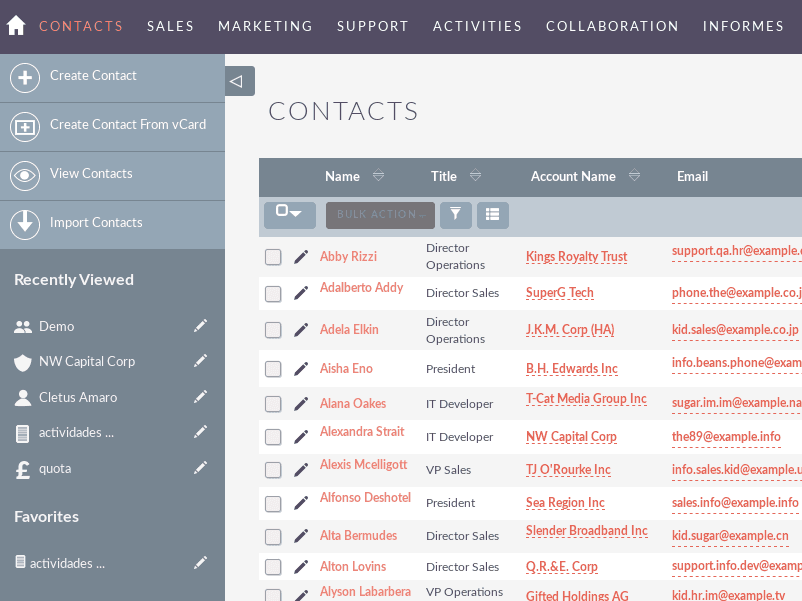
SuiteCRM's user interface can feel clunky and outdated, which makes navigation less intuitive for some users. You might find the learning curve steep, especially if your team lacks technical expertise. However, once you get the hang of it, the customization options offer flexibility that can be worth the initial effort. Compared to other open source CRMs, SuiteCRM requires more time to master but rewards you with tailored solutions for your business needs.
Integrations
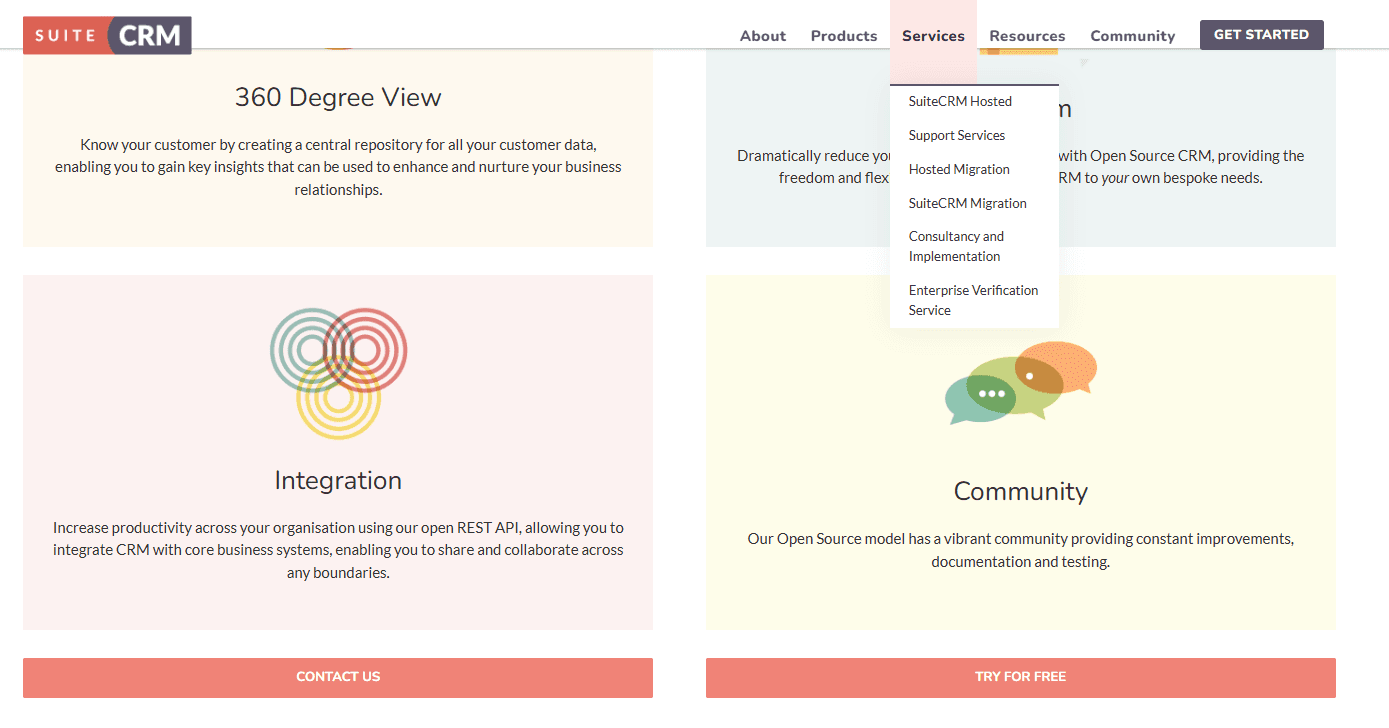
SuiteCRM integrates with QuickBooks, WhatsApp, Slack, Google Drive, Twilio, Mailchimp, Zoom, E-Signature Solutions, Customer Portal, and AI-Powered Tools. You can also extend functionality through community-built add-ons and plugins.
SuiteCRM also offers an API for custom integrations, and connects with third-party integration tools to expand its functionality.
SuiteCRM Specs
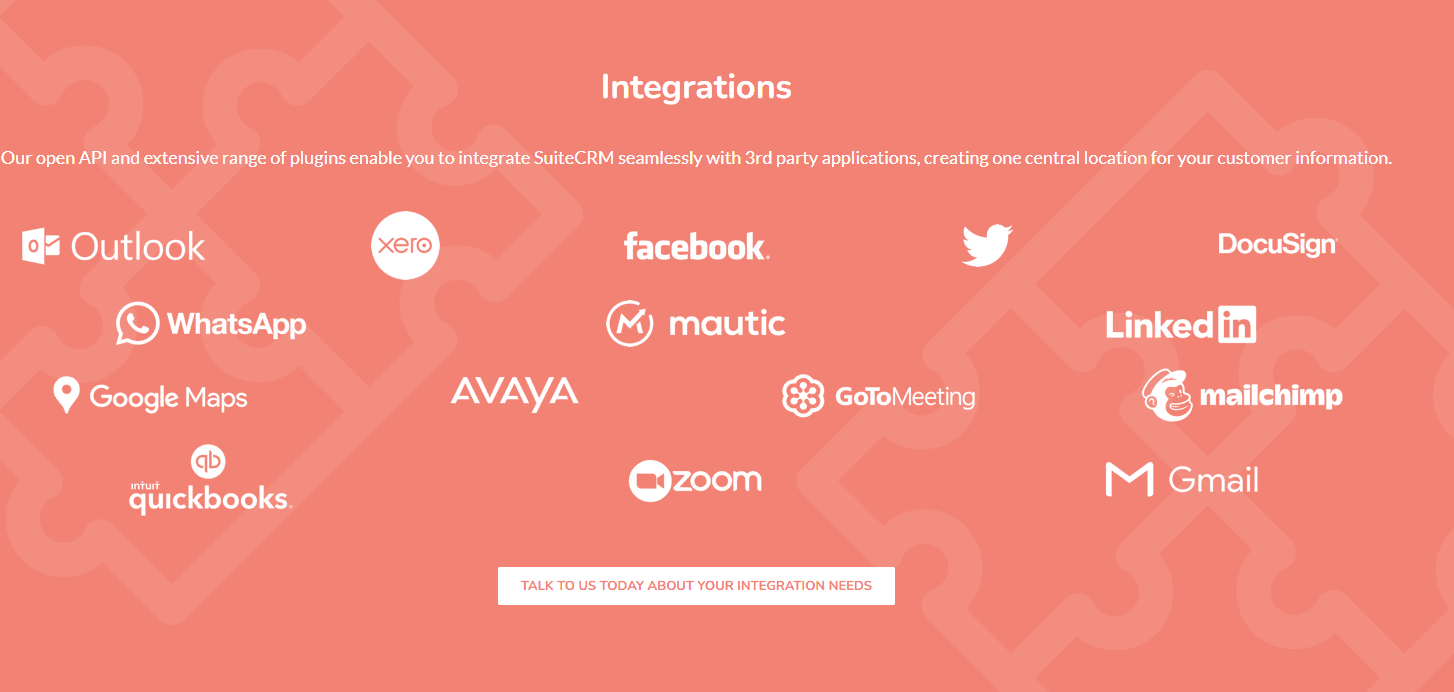
- 2-Factor Authentication: No
- API: Yes
- Calendar Management: Yes
- Call Tracking: Yes
- Campaign Management: No
- Click-to-Dial: No
- Contact Management: Yes
- Contact Sharing: Yes
- Custom Data Forms: No
- Customer Management: Yes
- Dashboard: Yes
- Data Export: Yes
- Data Import: Yes
- Data Visualization: Yes
- Email Integration: Yes
- External Integrations: Yes
- File Sharing: Yes
- File Transfer: No
- Google Apps Integration: Yes
- Lead Management: Yes
- Lead Scoring: Yes
- Marketing Automation: Yes
- Mobile App: No
- Multi-User: Yes
- Notifications: No
- Pipeline Management: No
- Sales Automation: Yes
- Scheduling: Yes
- Social-Media Integration: Yes
- Task Scheduling/Tracking: Yes
- Third-Party Plugins/Add-Ons: Yes


