

Recensione di Salesforce CRM: Pro, Contro, Caratteristiche e Prezzi
Salesforce CRM eccelle per le sue funzionalità personalizzabili e le capacità di integrazione, rendendolo una scelta versatile per esigenze aziendali diversificate.

Recensiamo gli strumenti in modo indipendente e le commissioni aiutano a finanziare i nostri test. Consulta la nostra politica sulla trasparenza, la nostra metodologia o suggerisci uno strumento.
Salesforce CRM is a crm software built for sales teams that need to manage complex pipelines, automate workflows, and track revenue across large or fast-scaling organizations. I'd consider it when your team needs deeper customization, more advanced reporting, and a broader integration ecosystem than something like HubSpot can support at scale.
Salesforce CRM Evaluation Summary
4.2/5
- From $25/user/month
- 30-day free trial
Perché fidarsi dei nostri consigli sui software
6,700+
Reviews
20
Industry experts
16+
Evaluation factors
14
Years
Le nostre recensioni riflettono il nostro giudizio indipendente, non un discorso di vendita. Scopri come manteniamo la trasparenza.
Per questa guida, abbiamo valutato gli strumenti attraverso test pratici e ricerche indipendenti, assegnando un punteggio agli strumenti in base ai nostri criteri di selezione.
Le nostre recensioni riflettono il nostro giudizio editoriale umano, non un discorso di vendita.
Salesforce CRM Overview
In my opinion, Salesforce CRM is among the best CRM software for businesses needing advanced customization and integration. Its standout features, such as reporting and sales automation, make it a strong contender in the CRM market. However, its complexity can be a hurdle for smaller teams without dedicated resources. Its pricing may seem steep, but its extensive feature set justifies the cost for larger enterprises. If your team values flexibility and extensive third-party integrations, Salesforce CRM is a great option.
Pros
- Customizable dashboards let your team tailor views to fit specific needs.
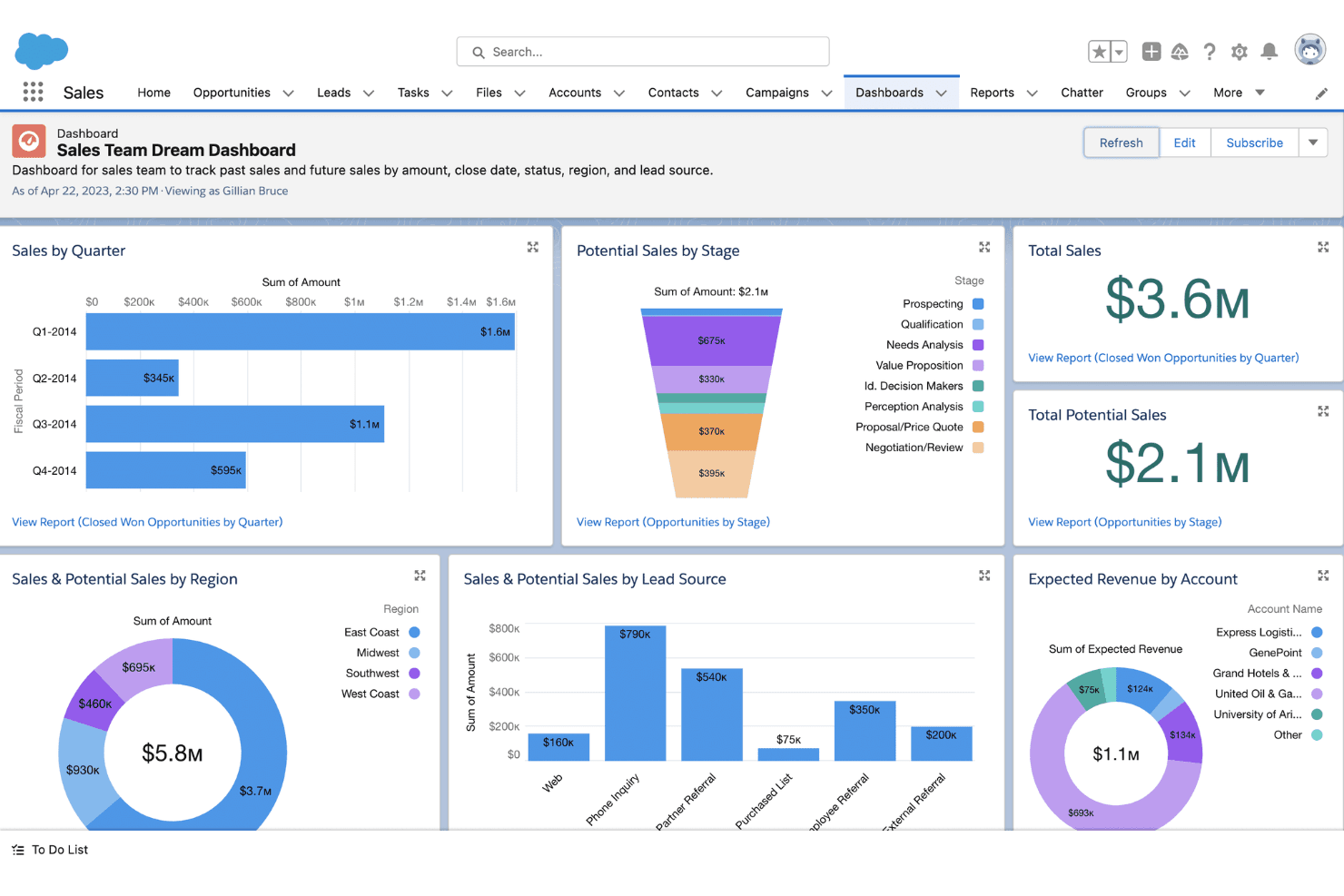
- The advanced reporting tools help you analyze customer data and other key metrics to make informed decisions.
- Its automation features save you time by reducing repetitive tasks.
Cons
- The interface can be overwhelming for new users.
- Setup and customization have a learning curve.
- Some users find navigation less intuitive compared to other CRM systems, such as HubSpot.
Is Salesforce CRM Right For Your Needs?
Who Would be a Good Fit for Salesforce CRM?
Salesforce CRM is suitable for large enterprises in industries such as finance, health care, and tech, where complex data integration is vital. If your team needs advanced customization and powerful analytics, Salesforce CRM delivers with its strong reporting and automation features. It's especially beneficial for organizations with dedicated resources to handle its setup and learning curve, maximizing its potential.
- Large EnterprisesSalesforce CRM's advanced customization and data management capabilities are ideal for large companies needing detailed analytics and reporting.
- Health Care IndustryIts ability to handle complex data and compliance needs makes Salesforce CRM a strong choice for health care organizations.
- Finance SectorWith detailed reporting tools, Salesforce CRM helps finance teams track and analyze transactions effectively.
- Sales TeamsAutomation features in Salesforce CRM save time by reducing repetitive tasks, boosting sales productivity.
- Marketing DepartmentsSalesforce CRM's analytics tools and pre-built email templates can assist teams with marketing campaigns.
- Tech StartupsFor tech startups needing flexibility and scalability, Salesforce CRM offers extensive customization options to grow with your business.
Who Would be a Bad Fit for Salesforce CRM?
Salesforce CRM isn't ideal for small businesses or startups with limited budgets and resources. Its complex setup and learning curve can overwhelm smaller teams that lack dedicated IT support. If your business needs a simple, quick-to-deploy CRM without extensive customization, Salesforce might not meet your needs. Organizations prioritizing ease of use and straightforward navigation might find Salesforce's interface cumbersome.
- Small BusinessesThe complexity and cost of Salesforce CRM can be overwhelming for small businesses with fewer resources.
- Non-Tech StartupsStartups without tech expertise may struggle with Salesforce CRM's setup and customization requirements, preferring a more user-friendly platform.
- FreelancersFreelancers needing simple client management may find Salesforce CRM's features excessive and costly.
- Nonprofit OrganizationsNonprofits with tight budgets might find Salesforce CRM's pricing and complexity prohibitive.
- Retail StoresRetail stores looking for quick and easy CRM solutions may not need Salesforce CRM's extensive capabilities.
- Solo EntrepreneursSolo entrepreneurs often don't require the advanced features Salesforce CRM offers, making it an impractical choice.
Come Testiamo e Valutiamo gli Strumenti
Abbiamo trascorso anni a costruire, perfezionare e migliorare il nostro sistema di valutazione e test dei software. Il nostro metodo è pensato per cogliere le sfumature della selezione software e ciò che rende uno strumento efficace, concentrandosi sugli aspetti critici del processo decisionale. Qui sotto puoi vedere esattamente come funzionano i nostri test e la valutazione sui sette criteri. Ci permette di fornire una valutazione imparziale del software in base alla funzionalità principale, alle caratteristiche distintive, facilità d’uso, onboarding, assistenza clienti, integrazioni, recensioni degli utenti e rapporto qualità-prezzo.
Funzionalità Principali (25% del punteggio finale)
Il punto di partenza per la nostra valutazione è sempre la funzionalità di base dello strumento. Possiede le caratteristiche e le funzioni che un utente si aspetterebbe di trovare? Alcune di queste funzioni di base sono limitate ai piani tariffari più costosi? Per noi uno strumento deve almeno essere alla pari con le capacità minime offerte dai concorrenti.
Caratteristiche Distintive (25% del punteggio finale)
Successivamente, valutiamo le funzionalità insolite o esclusive che vanno oltre le funzioni core normalmente presenti in strumenti simili. Un punteggio elevato riflette una presenza di caratteristiche particolari o uniche che rendono il prodotto più veloce, efficace o danno un valore aggiunto all’utente. Valutiamo anche la facilità di integrazione con altri strumenti tipici del tech stack per espanderne funzionalità e utilità. Gli strumenti che offrono numerose integrazioni native, connessioni di terze parti e accesso API per costruire integrazioni personalizzate ottengono i punteggi migliori.
Facilità d’Uso (10% del punteggio finale)
Consideriamo quanto sia rapido e intuitivo svolgere le attività fondamentali tramite lo strumento. I software con i punteggi più alti hanno un design ben pensato, sono intuitivi, offrono app mobili, forniscono modelli predefiniti e semplificano anche le attività più complesse.
Onboarding (10% del punteggio finale)
Sappiamo quanto sia importante che un nuovo strumento venga rapidamente adottato dal team, quindi valutiamo la facilità di apprendimento con un minimo di formazione. Valutiamo quanto velocemente un membro del team può iniziare a usare lo strumento senza esperienza. Le soluzioni con i punteggi più alti richiedono poco o nessun supporto iniziale.
Assistenza Clienti (10% del punteggio finale)
Analizziamo quanto sia facile e veloce risolvere problemi e ricevere assistenza tramite telefono, chat dal vivo o knowledge base. Gli strumenti e le aziende che offrono supporto in tempo reale ottengono i punteggi migliori, mentre i chatbot ottengono i peggiori.
Recensioni dei Clienti (10% del punteggio finale)
Oltre ai nostri test, consideriamo il net promoter score da clienti attuali e passati. Valutiamo la probabilità che gli utenti sceglierebbero nuovamente lo strumento per le funzionalità principali. Un punteggio elevato riflette un alto net promoter score da parte dei clienti.
Rapporto Qualità-Prezzo (10% del punteggio finale)
Infine, considerando tutti gli altri criteri, esaminiamo il prezzo medio dei piani base rispetto alle funzionalità principali e agli altri fattori valutativi. I software che offrono di più a un costo inferiore ottengono un punteggio più alto.
Core Features
Contact Management: Salesforce CRM lets you store and organize detailed customer information in one place. Your team can access contact history and interactions.
Lead Management: Track and follow up on your leads, from acquisition to conversion, with Salesforce's lead management tools. You can assign and prioritize leads to boost your sales efforts.
Opportunity Tracking: Keep an eye on your sales pipeline with real-time opportunity tracking. This helps you manage deals and forecast sales effectively.
Task Automation: Automate repetitive tasks to save time and increase productivity. Set up workflows to handle routine processes without manual intervention.
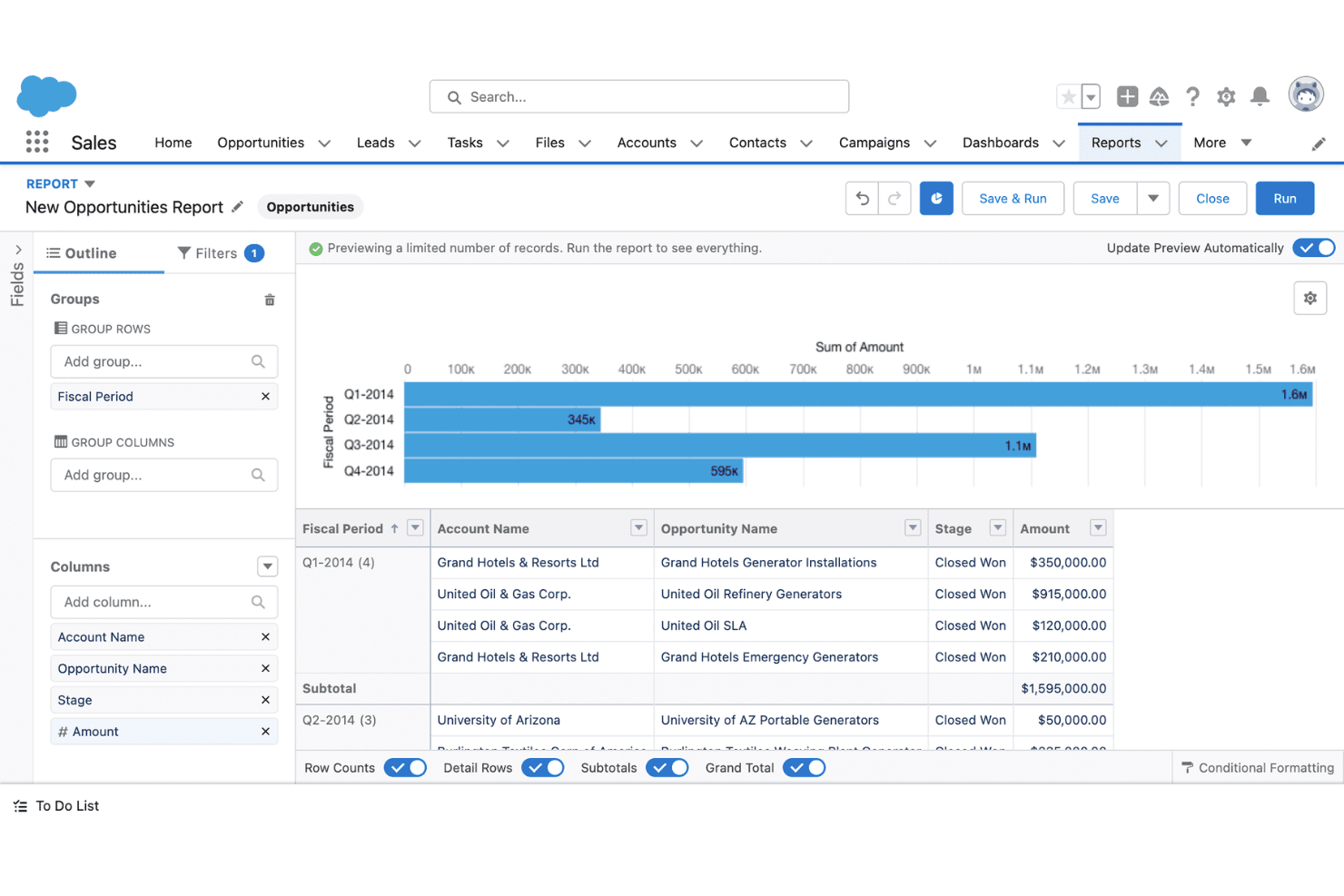
Reporting and Analytics: Use customizable reports and dashboards to gain in-depth insights into your sales performance and make data-driven decisions with ease.
Mobile Access: Access Salesforce CRM on the go with its mobile app. This ensures your team stays connected, no matter where they are.
Ease of Use
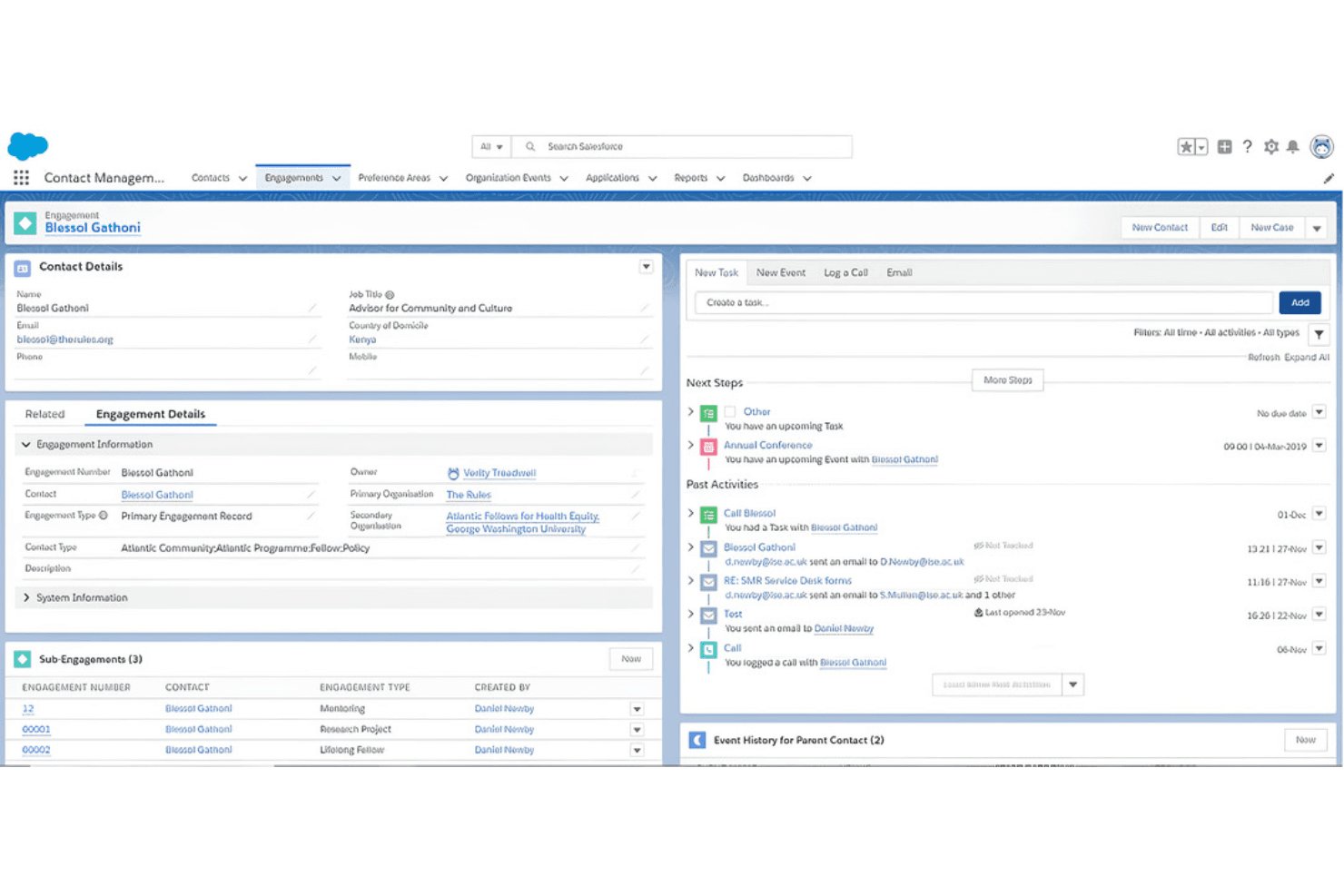
Salesforce CRM can be challenging for new users due to its complex interface and extensive features. While its customization options offer flexibility, they also add a learning curve that might overwhelm smaller teams. However, once you get the hang of it, the platform's powerful tools make managing customer relationships more efficient. With time and resources, your team can unlock its full potential, but be prepared for an initial adjustment period.
Integrations
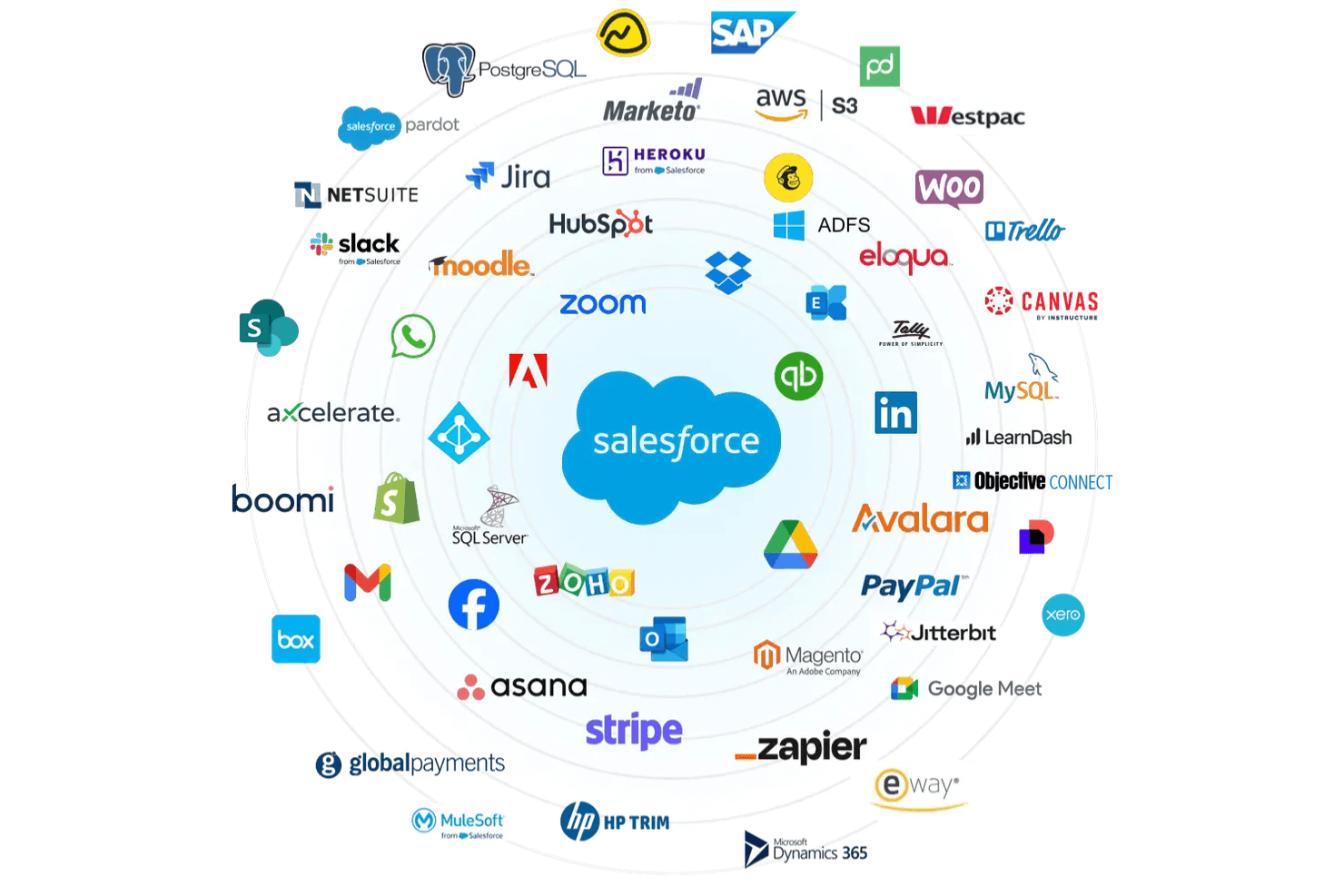
Salesforce CRM integrates with platforms such as Slack, Microsoft Outlook, Google Workspace, Mailchimp, QuickBooks, Dropbox, Docusign, LinkedIn, and Jira.
Salesforce CRM also offers an API for custom integrations and connects with third-party integration tools.
Salesforce CRM Specs
- 2-Factor Authentication: Yes
- API: Yes
- Calendar Management: Yes
- Call Tracking: Yes
- Campaign Management: Yes
- Click-to-Dial: Yes
- Contact Management: Yes
- Contact Sharing: Yes
- Custom Data Forms: Yes
- Customer Management: Yes
- Dashboard: Yes
- Data Export: Yes
- Data Import: Yes
- Data Visualization: Yes
- Email Integration: Yes
- External Integrations: Yes
- File Sharing: Yes
- File Transfer: Yes
- Google Apps Integration: Yes
- Lead Management: Yes
- Lead Scoring: Yes
- Marketing Automation: No
- Mobile App: Yes
- Multi-User: Yes
- Notifications: Yes
- Pipeline Management: Yes
- Sales Automation: Yes
- Scheduling: Yes
- Social-Media Integration: No
- Task Scheduling/Tracking: Yes
- Third-Party Plugins/Add-Ons: Yes


