

Recensione Oracle NetSuite: Pro, Contro, Funzionalità e Prezzi Spiegati
Avendo testato Oracle NetSuite per la gestione dei ricavi, ho scoperto che la sua vera forza è nell'unificare finanza e automazione—offrendo chiarezza quando la complessità minaccia la crescita.

Recensiamo gli strumenti in modo indipendente e le commissioni aiutano a finanziare i nostri test. Consulta la nostra politica sulla trasparenza, la nostra metodologia o suggerisci uno strumento.
Oracle NetSuite is a revenue management system built into a full cloud ERP, covering revenue recognition, billing, financial close, and compliance reporting in one platform. It's worth considering if your team needs to manage complex revenue schedules and multi-element arrangements alongside core financials. If you're weighing it against something like Zuora, NetSuite is the stronger choice when revenue management is part of a broader operational and financial picture—not just a standalone subscription billing problem.
Oracle NetSuite Evaluation Summary
4.2/5
- Pricing upon request
- Free demo available
Perché fidarsi dei nostri consigli sui software
6,700+
Reviews
20
Industry experts
16+
Evaluation factors
14
Years
Le nostre recensioni riflettono il nostro giudizio indipendente, non un discorso di vendita. Scopri come manteniamo la trasparenza.
Per questa guida, abbiamo valutato gli strumenti attraverso test pratici e ricerche indipendenti, assegnando un punteggio agli strumenti in base ai nostri criteri di selezione.
Le nostre recensioni riflettono il nostro giudizio editoriale umano, non un discorso di vendita.
Oracle NetSuite Overview
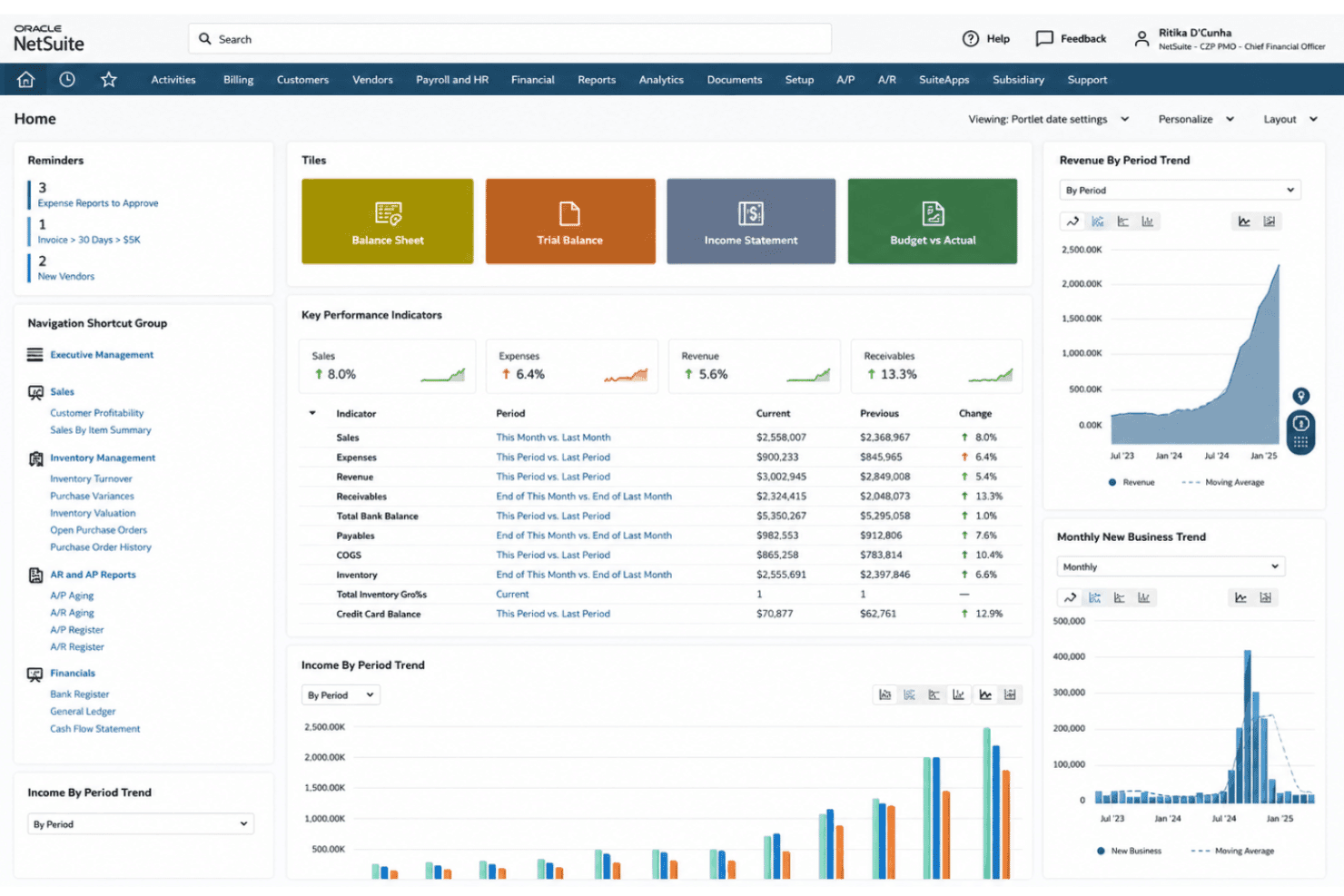
In my experience, Oracle NetSuite stands out for its deep automation, customizable revenue recognition, and reliable integrations, especially for businesses juggling global entities or shifting pricing models. Pricing is on the higher side and onboarding takes time—so I’d recommend choosing it if you need unified workflows and a complete view of financial performance versus the fastest setup or the lowest entry cost. I think finance-driven teams and growing companies seeking enterprise resource planning and revenue management in one platform will get the most value, especially if they already work with multiple business units or have complex compliance requirements.
Pros
- Automates multi-element revenue recognition for diverse contract types
- Provides real-time dashboards for compliance and revenue visibility
- Supports advanced audit trails and complex regulatory standards
Cons
- Pricing is higher than most similar solutions
- Customization and reporting often require expert configuration
- Initial setup is lengthy for most growing businesses
Is Oracle NetSuite Right For Your Needs?
Who Would be a Good Fit for Oracle NetSuite?
Oracle NetSuite is a great option for companies with complex requirements, multi-entity structures, or global operations that need unified workflows, automated compliance, and custom rule engines. The solution really shines for finance, accounting, project management, and RevOps teams in industries where regulatory demands, advanced analytics, or consolidated reporting are essential. Businesses planning for rapid growth and teams needing Oracle NetSuite ERP as a full-suite revenue management platform are going to get the most value.
- Multi-Subsidiary EnterprisesNetSuite’s global entity management makes it easy to consolidate revenue and comply with local rules worldwide.
- SaaS ProvidersAutomated subscription billing, usage-based revenue tracking, and audit-ready compliance suit software and recurring revenue models.
- Manufacturing FirmsAdvanced inventory, order management, and contract revenue scheduling work together for true end-to-end finance operations.
- Large Retail ChainsRetailers can handle complex billing, point-of-sale integration, and unified reporting across multiple storefronts and fulfillment types.
- Finance DepartmentsAccounting and finance teams, including CFOs, benefit from real-time dashboards, KPIs, compliance workflows, and advanced audit tracking.
- Publicly Traded CompaniesBuilt-in controls for ASC 606 and IFRS 15 help meet strict reporting deadlines and regulatory scrutiny.
Who Would be a Bad Fit for Oracle NetSuite?
Oracle NetSuite can be overkill for smaller businesses, teams with simple needs, or industries that don’t require detailed revenue controls or compliance management. The time and expertise needed for setup often outweigh the benefits for lean teams or those without a technical background. If you don’t need consolidated financials, advanced rule engines, or audit-level workflows, simpler or less expensive tools might fit better.
- Small StartupsStartups with a single revenue stream and basic invoicing don’t need NetSuite’s extensive automation and complexity.
- FreelancersSolo operators face long onboarding times and pay for features far beyond their needs.
- Nonprofit OrganizationsUnless they require global consolidation or complex grants, most nonprofits don’t need advanced revenue scheduling or compliance tools.
- Local Service FirmsPlumbers, small agencies, or local shops gain little from functions designed for high volume, multi-entity, or regulated industries.
- Teams with Limited ITTeams lacking tech resources or ERP experience are going to struggle with setup and configuration demands.
- Simple Project TeamsDepartments needing only basic billing or project financials might find NetSuite’s multi-layered controls and dashboards excessive.
Come Testiamo e Valutiamo gli Strumenti
Abbiamo trascorso anni a costruire, perfezionare e migliorare il nostro sistema di valutazione e test dei software. Il nostro metodo è pensato per cogliere le sfumature della selezione software e ciò che rende uno strumento efficace, concentrandosi sugli aspetti critici del processo decisionale. Qui sotto puoi vedere esattamente come funzionano i nostri test e la valutazione sui sette criteri. Ci permette di fornire una valutazione imparziale del software in base alla funzionalità principale, alle caratteristiche distintive, facilità d’uso, onboarding, assistenza clienti, integrazioni, recensioni degli utenti e rapporto qualità-prezzo.
Funzionalità Principali (25% del punteggio finale)
Il punto di partenza per la nostra valutazione è sempre la funzionalità di base dello strumento. Possiede le caratteristiche e le funzioni che un utente si aspetterebbe di trovare? Alcune di queste funzioni di base sono limitate ai piani tariffari più costosi? Per noi uno strumento deve almeno essere alla pari con le capacità minime offerte dai concorrenti.
Caratteristiche Distintive (25% del punteggio finale)
Successivamente, valutiamo le funzionalità insolite o esclusive che vanno oltre le funzioni core normalmente presenti in strumenti simili. Un punteggio elevato riflette una presenza di caratteristiche particolari o uniche che rendono il prodotto più veloce, efficace o danno un valore aggiunto all’utente. Valutiamo anche la facilità di integrazione con altri strumenti tipici del tech stack per espanderne funzionalità e utilità. Gli strumenti che offrono numerose integrazioni native, connessioni di terze parti e accesso API per costruire integrazioni personalizzate ottengono i punteggi migliori.
Facilità d’Uso (10% del punteggio finale)
Consideriamo quanto sia rapido e intuitivo svolgere le attività fondamentali tramite lo strumento. I software con i punteggi più alti hanno un design ben pensato, sono intuitivi, offrono app mobili, forniscono modelli predefiniti e semplificano anche le attività più complesse.
Onboarding (10% del punteggio finale)
Sappiamo quanto sia importante che un nuovo strumento venga rapidamente adottato dal team, quindi valutiamo la facilità di apprendimento con un minimo di formazione. Valutiamo quanto velocemente un membro del team può iniziare a usare lo strumento senza esperienza. Le soluzioni con i punteggi più alti richiedono poco o nessun supporto iniziale.
Assistenza Clienti (10% del punteggio finale)
Analizziamo quanto sia facile e veloce risolvere problemi e ricevere assistenza tramite telefono, chat dal vivo o knowledge base. Gli strumenti e le aziende che offrono supporto in tempo reale ottengono i punteggi migliori, mentre i chatbot ottengono i peggiori.
Recensioni dei Clienti (10% del punteggio finale)
Oltre ai nostri test, consideriamo il net promoter score da clienti attuali e passati. Valutiamo la probabilità che gli utenti sceglierebbero nuovamente lo strumento per le funzionalità principali. Un punteggio elevato riflette un alto net promoter score da parte dei clienti.
Rapporto Qualità-Prezzo (10% del punteggio finale)
Infine, considerando tutti gli altri criteri, esaminiamo il prezzo medio dei piani base rispetto alle funzionalità principali e agli altri fattori valutativi. I software che offrono di più a un costo inferiore ottengono un punteggio più alto.
Core Features
Automated Revenue Recognition
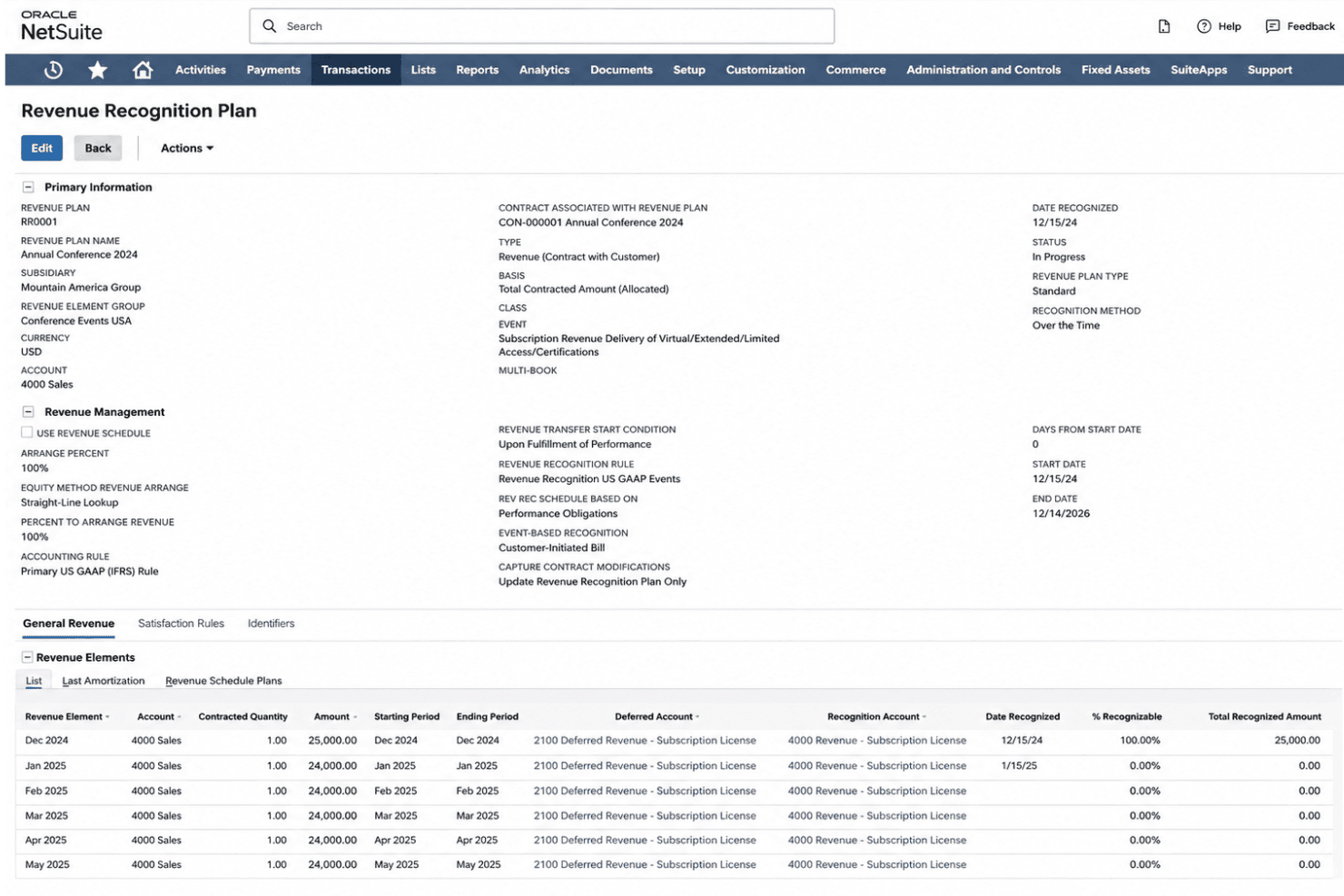
NetSuite recognizes revenue automatically based on contract terms and events. You can manage subscription billing, usage charges, and multi-element arrangements without spreadsheets.
Real-Time Revenue Reporting
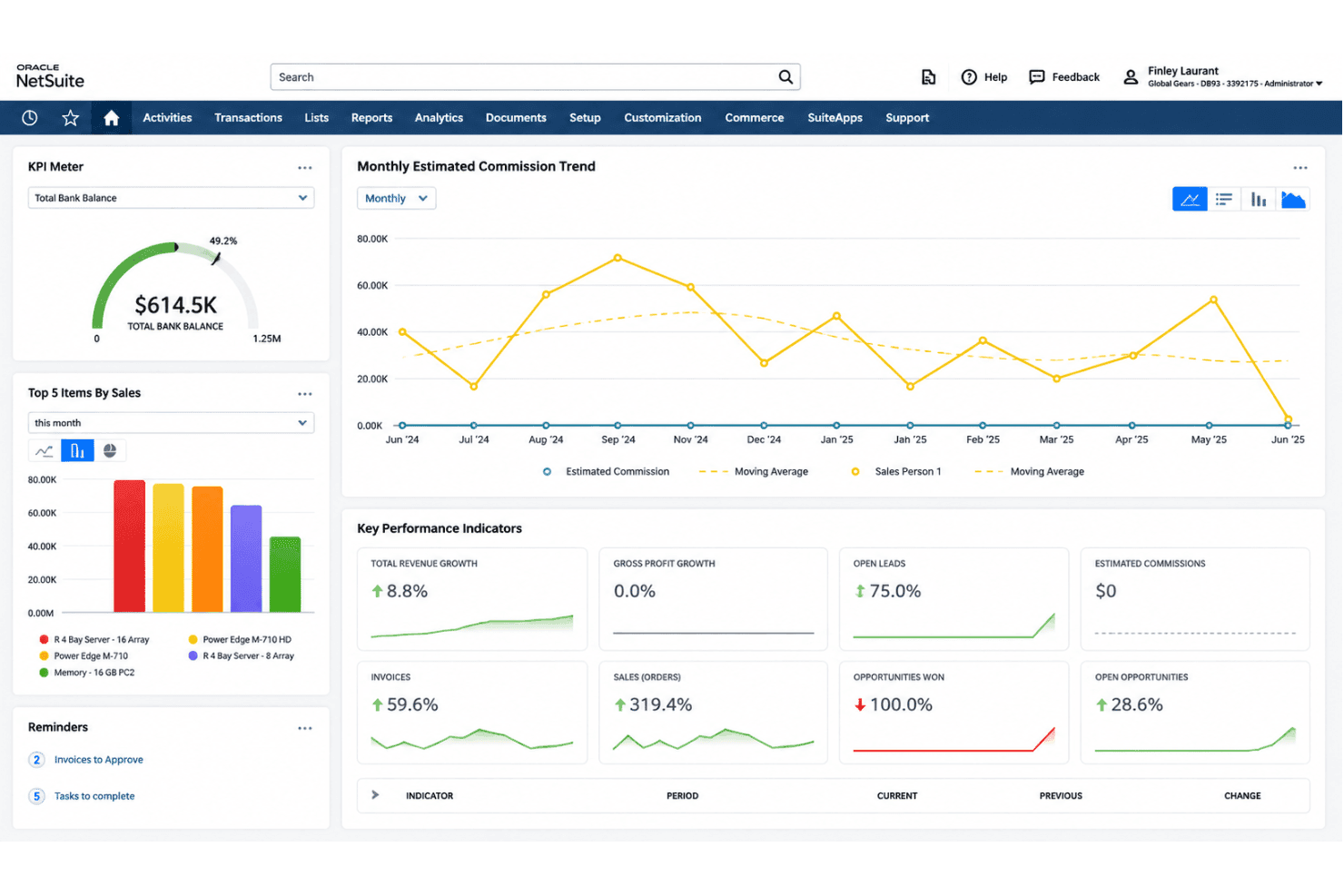
This feature delivers real-time reporting dashboards with drill-down analytics. Finance teams can track actuals, liabilities, and forecasts side by side.
Compliance Management
NetSuite includes built-in controls for ASC 606 and IFRS 15 compliance. Regulatory changes, tax management, and audit requests are managed through fully tracked processes.
Contract Management
Manage contract creation, amendments, renewals, and terminations all in one place. This keeps your billing, accounts payable, and revenue schedules accurate even with frequent contract changes.
Revenue Forecasting
Generate projectable revenue models and budgeting frameworks based on open deals, current contracts, and deferred revenue. You get clear pipeline-to-cashflow visibility for leadership reviews.
Automated Billing
The system supports flexible billing cycles, usage ratings, and milestone-based invoicing. This minimizes manual intervention and errors during complex billing periods, keeping accounts receivable current.
Ease of Use
Oracle NetSuite is packed with options, but users often say the interface feels dense and takes real effort to master. Once set up, I think the customizable dashboards, powerful rule engines, and audit trails justify the initial learning curve, especially for teams handling complex or global revenue processes. Still, expect onboarding to take time, especially for teams at the start of their digital transformation journey who aren’t yet familiar with advanced finance software.
Integrations
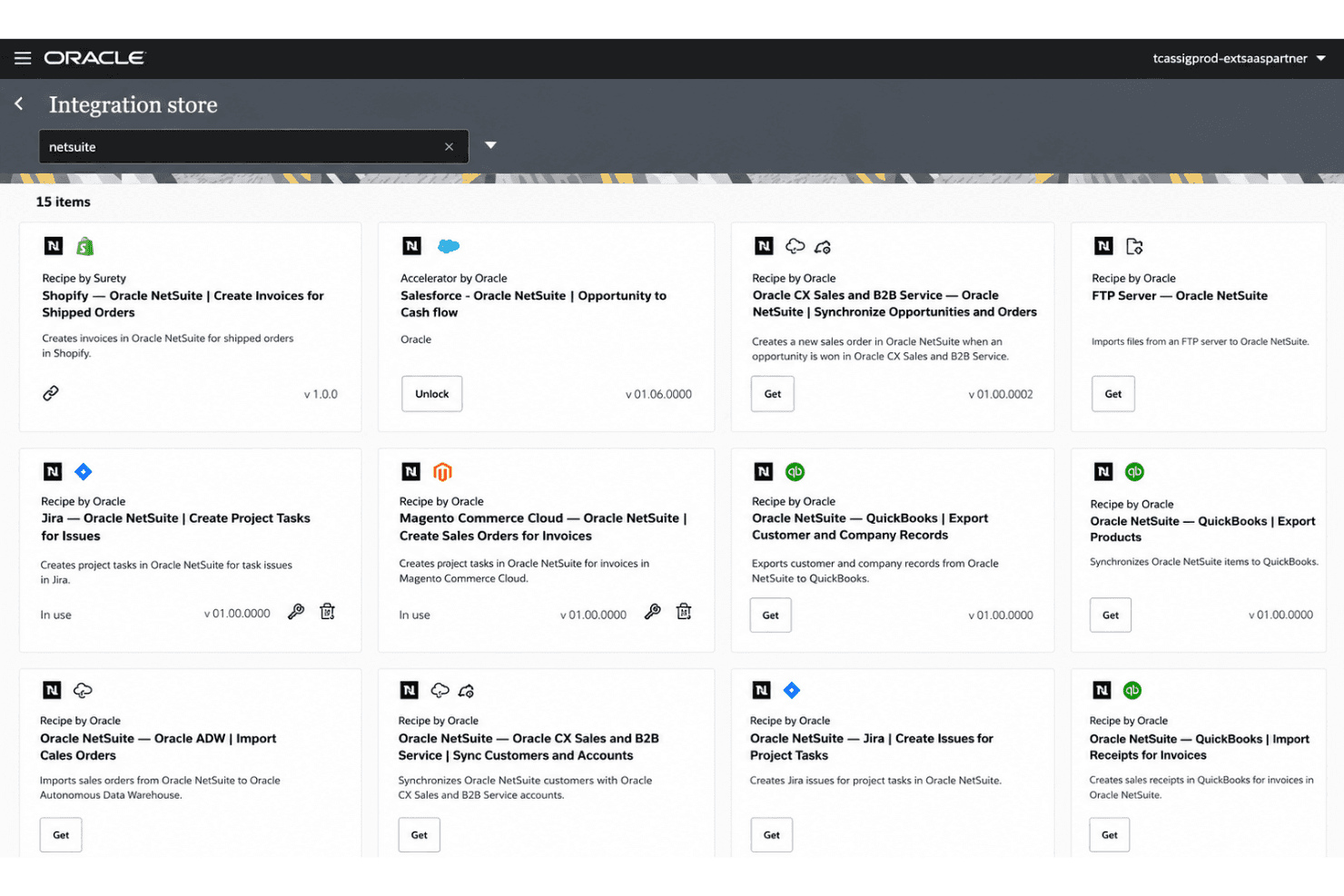
Oracle NetSuite integrates with Salesforce, Shopify, and Microsoft Office 365, among others.
NetSuite also offers a robust API and connects with third-party integration platforms—including Celigo and the NetSuite Connector—for extended connectivity. The SuiteApps marketplace further expands what’s possible, giving you access to a broad ecosystem of pre-built integrations across HR, finance, logistics, and more.
Notable commerce connections include Amazon, enabling unified order and inventory data across platforms. Teams migrating from QuickBooks or Xero will find dedicated migration tools and significantly deeper feature depth in the transition.
Oracle NetSuite Specs
- API: Yes
- Approval Workflows: Yes
- Audit Trail: Yes
- Budgeting: Yes
- Calendar Management: Yes
- Compliance Tracking: Yes
- Custom Reports: Yes
- Customer Management: Yes
- Dashboard: Yes
- Data Export: Yes
- Data Import: Yes
- Data Visualization: Yes
- Document Management: Yes
- Expense Tracking: Yes
- External Integrations: Yes
- Forecasting: Yes
- Inventory Tracking: Yes
- Multi-Currency: Yes
- Multi-User: Yes
- Notifications: Yes
- Prioritization: Yes
- Process Reporting: Yes
- Project Management: Yes
- Resource Management: Yes
- Risk Assessment: Yes
- Roadmapping: Yes
- Scheduling: Yes
- Supplier Management: Yes
- Third-Party Plugins/Add-Ons: Yes
- Workflow Management: Yes