

Recensione di LinkedIn Sales Navigator: Pro, Contro, Caratteristiche e Prezzi
LinkedIn Sales Navigator eccelle in modo unico nello sfruttare l'enorme rete di LinkedIn, rendendolo indispensabile per strategie di vendita B2B focalizzate sulle relazioni.

Recensiamo gli strumenti in modo indipendente e le commissioni aiutano a finanziare i nostri test. Consulta la nostra politica sulla trasparenza, la nostra metodologia o suggerisci uno strumento.
LinkedIn Sales Navigator is a sales software built for teams that need to identify, prioritize, and reach B2B prospects using LinkedIn's professional network data. I'd consider it over tools like ZoomInfo when contact data accuracy matters more than raw database size—since prospects maintain their own LinkedIn profiles, the information you're prospecting against tends to be more current than what you'd find in a third-party-enriched database.
LinkedIn Sales Navigator Evaluation Summary
4.4/5
- From $119.99/user/month
- Free trial available
Perché fidarsi dei nostri consigli sui software
6,700+
Reviews
20
Industry experts
16+
Evaluation factors
14
Years
Le nostre recensioni riflettono il nostro giudizio indipendente, non un discorso di vendita. Scopri come manteniamo la trasparenza.
Per questa guida, abbiamo valutato gli strumenti attraverso test pratici e ricerche indipendenti, assegnando un punteggio agli strumenti in base ai nostri criteri di selezione.
Le nostre recensioni riflettono il nostro giudizio editoriale umano, non un discorso di vendita.
LinkedIn Sales Navigator Overview
In my opinion, LinkedIn Sales Navigator is an excellent choice for teams focused on relationship-driven sales. Its integration with LinkedIn's vast network offers a unique advantage in sourcing and nurturing leads. While the interface can be a bit complex for beginners, the onboarding process helps ease the transition. Compared to other tools, it stands out in leveraging social connections, though it might not offer the same breadth of features as some CRM platforms. It's best for industries like tech and finance where connections are key. If your team values relationship building, this tool is worth considering.
Pros
- You can access a vast network of potential leads through LinkedIn's platform.
- It offers advanced search filters to help you find the right prospects.
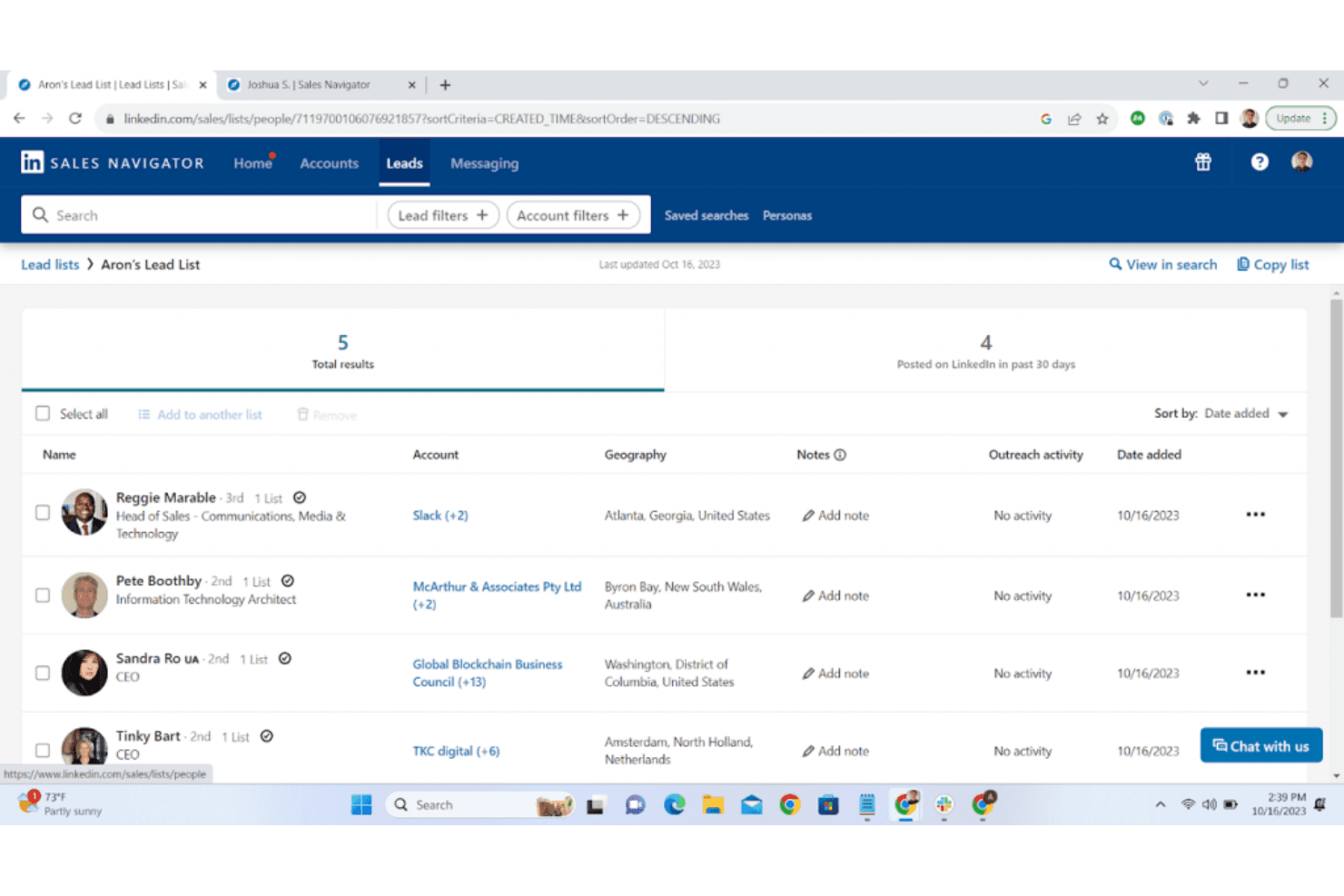
- Your team can save and organize leads efficiently with its lead management features.
Cons
- The interface can be complex and overwhelming for new users.
- It might not have all the CRM functionalities your team needs.
- You may find the learning curve steep if you're not familiar with LinkedIn.
Is LinkedIn Sales Navigator Right For Your Needs?
Who Would be a Good Fit for LinkedIn Sales Navigator?
LinkedIn Sales Navigator is great for sales teams in industries like technology and finance where networking is key. If your team focuses on relationship-driven sales processes, this tool helps you find and engage prospects using LinkedIn's extensive network. With features like advanced search filters and lead management, it's ideal for account managers and business development reps who need to target specific leads efficiently.
- Technology SalesLinkedIn Sales Navigator helps you connect with tech decision-makers through its advanced search and LinkedIn's vast network.
- Financial ServicesYou can leverage LinkedIn's connections to find high-value clients and stakeholders in the finance industry.
- Recruitment AgenciesThe tool's search filters help your recruiters find and engage top candidates quickly and effectively.
- Business DevelopmentFor those in business development, it offers lead management features to track and nurture potential partnerships.
- Enterprise Sales TeamsLarge sales teams benefit from its ability to organize and save numerous leads, helping sales reps streamline prospecting.
- Marketing ProfessionalsIf you're in marketing, its insights and data can help tailor campaigns to the right audience.
Who Would be a Bad Fit for LinkedIn Sales Navigator?
LinkedIn Sales Navigator might not be the best choice for small businesses or teams that don't rely heavily on networking. If your work doesn't involve relationship-driven sales or if you need a tool with comprehensive CRM features, this might not meet your needs. It's also not ideal for industries where LinkedIn's network isn't widely used or for teams with limited time to learn a complex interface.
- Retail ShopsRetail businesses typically focus on in-person sales and don't benefit much from LinkedIn's networking capabilities.
- Manufacturing CompaniesManufacturing teams often rely on supply chain management over networking, making this tool less relevant.
- Small Local BusinessesLocal businesses may not find value in LinkedIn's global reach if their customer base is local.
- Customer Service TeamsCustomer service roles focus on support rather than prospecting, so LinkedIn Sales Navigator isn't necessary.
- Healthcare ProvidersHealthcare providers usually don't use LinkedIn for patient engagement or lead generation.
- Non-Profit OrganizationsNon-profits might not need LinkedIn's sales features if their focus is more on community engagement than sales.
Come Testiamo e Valutiamo gli Strumenti
Abbiamo trascorso anni a costruire, perfezionare e migliorare il nostro sistema di valutazione e test dei software. Il nostro metodo è pensato per cogliere le sfumature della selezione software e ciò che rende uno strumento efficace, concentrandosi sugli aspetti critici del processo decisionale. Qui sotto puoi vedere esattamente come funzionano i nostri test e la valutazione sui sette criteri. Ci permette di fornire una valutazione imparziale del software in base alla funzionalità principale, alle caratteristiche distintive, facilità d’uso, onboarding, assistenza clienti, integrazioni, recensioni degli utenti e rapporto qualità-prezzo.
Funzionalità Principali (25% del punteggio finale)
Il punto di partenza per la nostra valutazione è sempre la funzionalità di base dello strumento. Possiede le caratteristiche e le funzioni che un utente si aspetterebbe di trovare? Alcune di queste funzioni di base sono limitate ai piani tariffari più costosi? Per noi uno strumento deve almeno essere alla pari con le capacità minime offerte dai concorrenti.
Caratteristiche Distintive (25% del punteggio finale)
Successivamente, valutiamo le funzionalità insolite o esclusive che vanno oltre le funzioni core normalmente presenti in strumenti simili. Un punteggio elevato riflette una presenza di caratteristiche particolari o uniche che rendono il prodotto più veloce, efficace o danno un valore aggiunto all’utente. Valutiamo anche la facilità di integrazione con altri strumenti tipici del tech stack per espanderne funzionalità e utilità. Gli strumenti che offrono numerose integrazioni native, connessioni di terze parti e accesso API per costruire integrazioni personalizzate ottengono i punteggi migliori.
Facilità d’Uso (10% del punteggio finale)
Consideriamo quanto sia rapido e intuitivo svolgere le attività fondamentali tramite lo strumento. I software con i punteggi più alti hanno un design ben pensato, sono intuitivi, offrono app mobili, forniscono modelli predefiniti e semplificano anche le attività più complesse.
Onboarding (10% del punteggio finale)
Sappiamo quanto sia importante che un nuovo strumento venga rapidamente adottato dal team, quindi valutiamo la facilità di apprendimento con un minimo di formazione. Valutiamo quanto velocemente un membro del team può iniziare a usare lo strumento senza esperienza. Le soluzioni con i punteggi più alti richiedono poco o nessun supporto iniziale.
Assistenza Clienti (10% del punteggio finale)
Analizziamo quanto sia facile e veloce risolvere problemi e ricevere assistenza tramite telefono, chat dal vivo o knowledge base. Gli strumenti e le aziende che offrono supporto in tempo reale ottengono i punteggi migliori, mentre i chatbot ottengono i peggiori.
Recensioni dei Clienti (10% del punteggio finale)
Oltre ai nostri test, consideriamo il net promoter score da clienti attuali e passati. Valutiamo la probabilità che gli utenti sceglierebbero nuovamente lo strumento per le funzionalità principali. Un punteggio elevato riflette un alto net promoter score da parte dei clienti.
Rapporto Qualità-Prezzo (10% del punteggio finale)
Infine, considerando tutti gli altri criteri, esaminiamo il prezzo medio dei piani base rispetto alle funzionalità principali e agli altri fattori valutativi. I software che offrono di più a un costo inferiore ottengono un punteggio più alto.
Core Features
Advanced Search Filters: You can zero in on the right prospects using detailed filters for industry, job title, company size, and advanced boolean search logic. This helps your team target leads that align with your goals.
Lead Recommendations: LinkedIn Sales Navigator suggests potential leads based on your preferences and past interactions. This saves time and helps your team focus on high-potential prospects.
Lead Management: Save and organize leads to keep track of your outreach efforts efficiently. This feature ensures your team doesn't miss any follow-ups.
InMail Messaging: You can contact prospects directly even if you're not connected on LinkedIn, reducing reliance on connection requests and can help improve response rates.
Account and Contact Insights: Get real-time updates, such as job changes, on your saved accounts and contacts. This keeps you informed about changes that could impact your sales approach.
CRM Sync: While not an integration, it syncs your leads and accounts with supported CRMs to keep your data up-to-date. This helps your team maintain consistent records.

Ease of Use
LinkedIn Sales Navigator can be a bit challenging for new users due to its complex interface. Navigating through its advanced features like search filters and lead management might take some getting used to. However, once you get the hang of it, the platform becomes a powerful tool for finding and managing prospects. Your team will appreciate the intuitive design of features like InMail messaging and account insights, which streamline communication and keep you informed.

Integrations
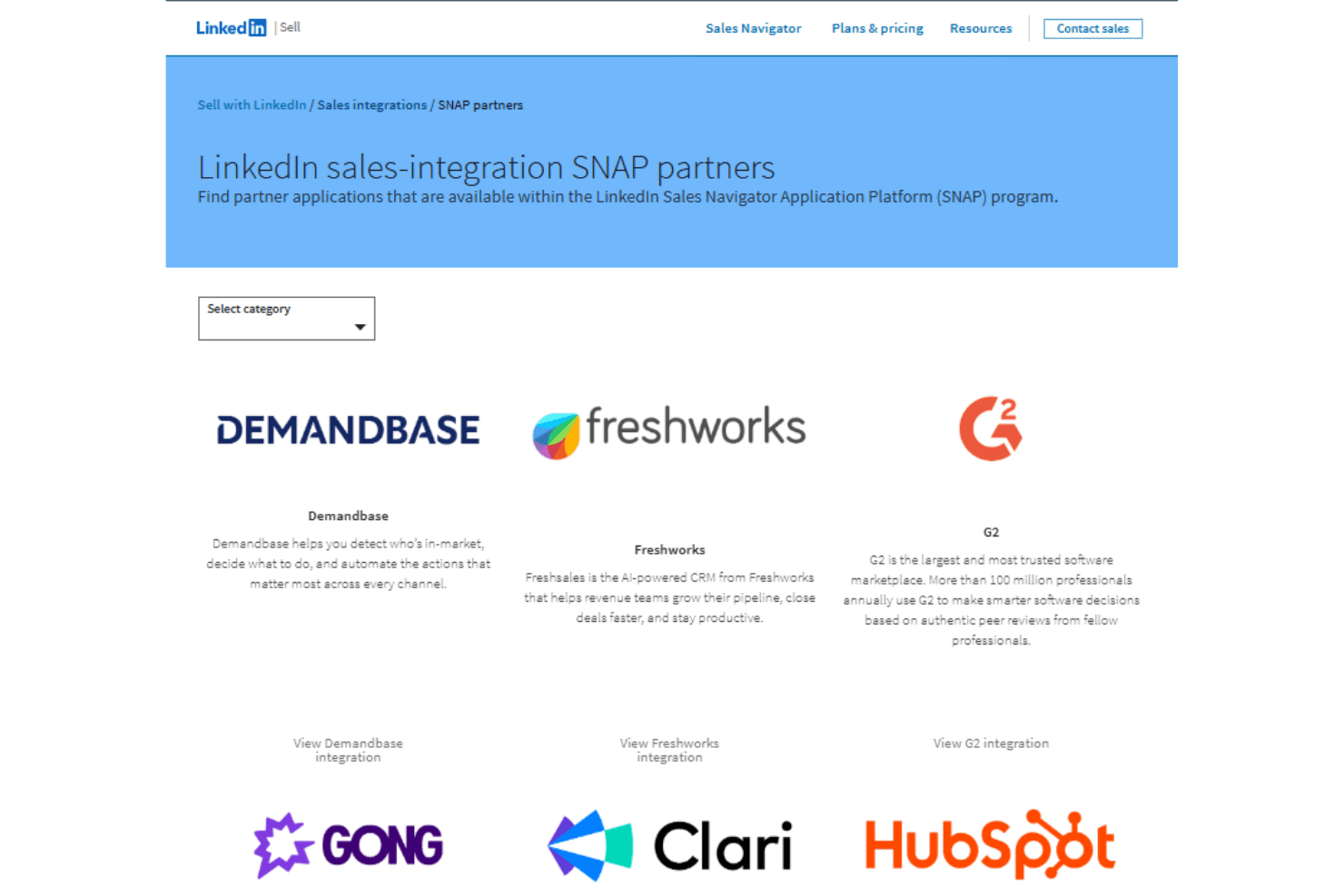
LinkedIn Sales Navigator integrates with HubSpot, Microsoft Dynamics 365, Salesforce, Outreach, SalesLoft, Gong, and Clari through LinkedIn’s SNAP partner ecosystem to sync leads, accounts, and sales activity.
It also provides API access via approved partner programs, enabling deeper third-party integrations and embedded workflows across supported sales tools.
LinkedIn Sales Navigator Specs
- 2-Factor Authentication: Yes
- Accounts Payable: Yes
- Accounts Receivable: Yes
- API: Yes
- Approval Workflows: Yes
- Balance Sheet: Yes
- Billing/Invoicing: Yes
- Budgeting: Yes
- Calendar Management: Yes
- Comparative Reporting: Yes
- CRM Integration: Yes
- Custom Reports: Yes
- Customer Management: Yes
- Dashboard: Yes
- Data Export: Yes
- Data Import: Yes
- Data Visualization: Yes
- Expense Tracking: Yes
- External Integrations: Yes
- Forecasting: Yes
- General Account Ledger: Yes
- Historical Data Analysis: Yes
- Inventory Tracking: Yes
- Multi-Currency: Yes
- Multi-User: Yes
- Notifications: Yes
- P&L: Yes
- Payroll: Yes
- Scenario Planning: Yes
- Scheduling: Yes
- Supplier Management: Yes
- Tax Management: Yes
- Time Management: Yes


