

Recensione Highspot 2026: Pro, Contro, Caratteristiche e Prezzi
Highspot è una piattaforma di sales enablement che aiuta i team a gestire i contenuti, formare i rappresentanti e coinvolgere i clienti. Scopri come supporta il tuo processo di vendita, migliora la produttività e dove potrebbe non essere all’altezza.

Recensiamo gli strumenti in modo indipendente e le commissioni aiutano a finanziare i nostri test. Consulta la nostra politica sulla trasparenza, la nostra metodologia o suggerisci uno strumento.
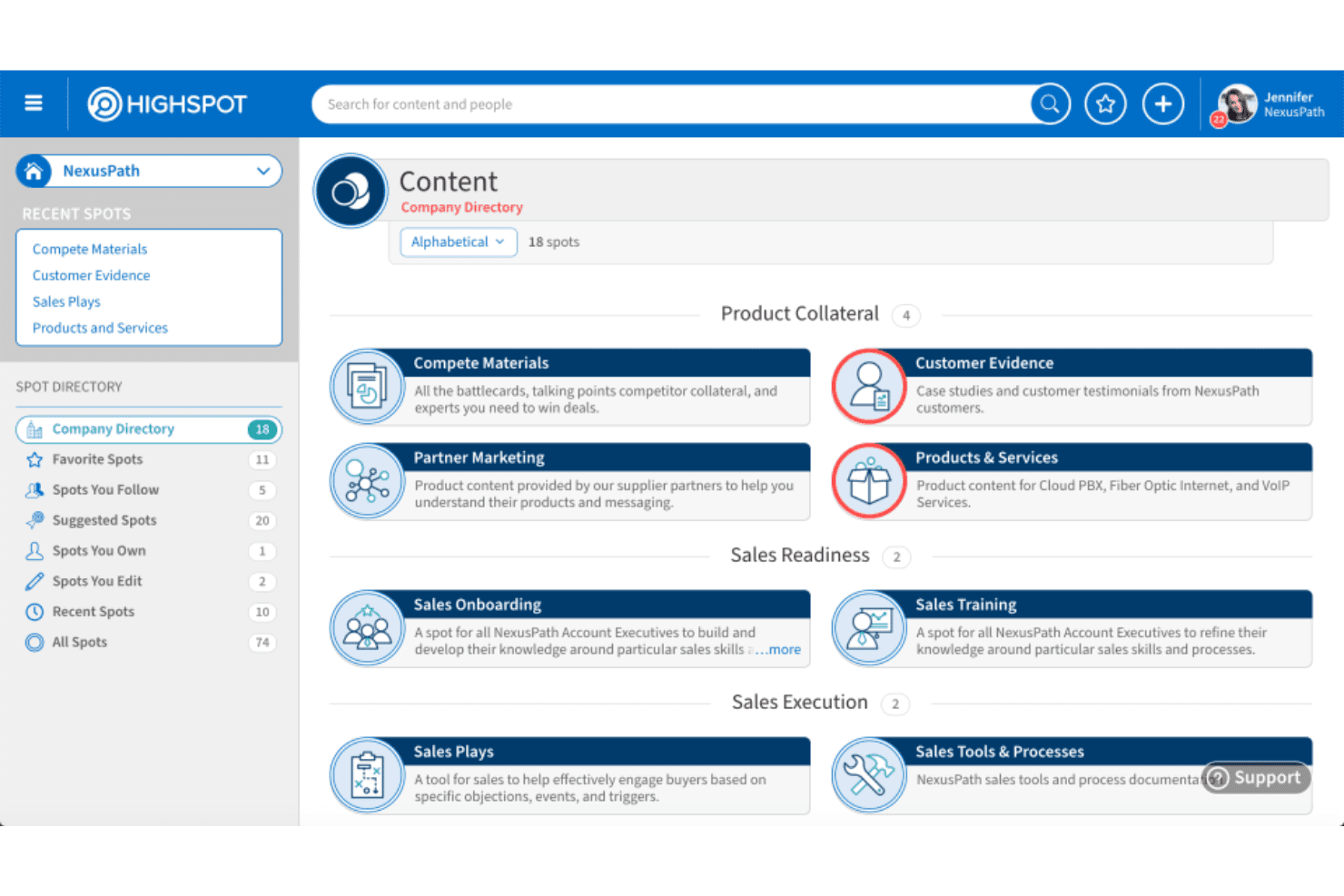
Highspot is a sales enablement software for go-to-market teams that need a single place to manage sales content, run onboarding and coaching programs, and track buyer engagement. I'd consider it over Seismic if your team wants tighter integration between content management and sales coaching without the administrative overhead Seismic typically requires to get both working well together.
Highspot Evaluation Summary
4.6/5
- Pricing upon request
- Free demo available
Perché fidarsi dei nostri consigli sui software
6,700+
Reviews
20
Industry experts
16+
Evaluation factors
14
Years
Le nostre recensioni riflettono il nostro giudizio indipendente, non un discorso di vendita. Scopri come manteniamo la trasparenza.
Per questa guida, abbiamo valutato gli strumenti attraverso test pratici e ricerche indipendenti, assegnando un punteggio agli strumenti in base ai nostri criteri di selezione.
Le nostre recensioni riflettono il nostro giudizio editoriale umano, non un discorso di vendita.
Highspot Overview
When I’m judging sales enablement tools, I see Highspot standing out for its polished interface, strong analytics, and top-notch onboarding resources. Its pricing isn’t the lowest, but you get advanced search, intuitive content management, and tight CRM integrations.
If you’re selecting for a large team with complex sales motions or global enablement needs, I think Highspot is a front-runner. Some competitors offer cheaper plans or broader native integrations, but Highspot’s training modules and support make adoption easier in my experience, especially if you’re determined to drive consistent seller performance at scale.
Pros
- Guided selling playbooks make onboarding and ramping faster.
- Deep analytics connect content usage to sales outcomes.
- In-app training modules help reinforce best practices.
Cons
- Search can return too many irrelevant results for users.
- Reporting customizations feel limited for advanced analytics needs.
- Bulk content uploads sometimes run into processing delays.
Is Highspot Right For Your Needs?
Who Would be a Good Fit for Highspot?
Highspot is especially well-suited for mid-to-large B2B companies, global organizations, or regulated industries needing a robust content and training hub. Revenue teams and enablement leaders will get the most value from Highspot’s powerful playbooks, content analytics, and enterprise-grade controls.
Teams rolling out new sales methodologies, hiring aggressively, or operating with large, distributed workforces are also likely to see fast results from Highspot’s focused onboarding and localization features.
- Large Sales TeamsHighspot’s scalable playbooks and content management keep big teams working from the same resources and best practices.
- Life Sciences IndustryStrict version control and content compliance help life sciences companies deliver only approved assets to reps.
- Global EnterprisesGlobal localization and region-specific content distribution make it easy to support sales in multiple languages.
- Technology CompaniesHighspot’s analytics and guided selling give tech sales leaders insight into content performance and rep activity at scale.
- High-Velocity OnboardingFast-moving organizations benefit from structured ramp-up paths and in-app training for new hires.
- Revenue OperationsRevOps teams appreciate detailed reporting, pipeline-linked engagement metrics, and seamless integration with CRM tools.
Who Would be a Bad Fit for Highspot?
If you’re running a small business, a simple sales process, or rarely update your content, Highspot’s advanced features will likely go underused and overpriced. Companies seeking deeply customized workflows, one-off marketing campaigns, or lightweight collaboration may find Highspot more complex and expensive than needed.
Teams with minimal regulatory risk or lacking a formal enablement function will not get full value from Highspot’s enterprise-grade capabilities.
- Small StartupsThe steep learning curve and advanced features are overkill for startups needing just basic content sharing.
- Solo ConsultantsIndividual sellers rarely need Highspot’s playbooks, coaching, or centralized analytics.
- Retail Sales TeamsFrontline retail staff tend to require hands-on, POS-focused enablement vs. formalized sales asset management.
- Creative AgenciesTeams needing a flexible, design-oriented platform may find Highspot’s sales workflows too rigid.
- Informal Sales ProcessesOrganizations without a defined sales process likely won’t benefit from Highspot’s structured playbooks or tracking.
- Minimal Compliance NeedsCompanies without content regulation or strict messaging guidelines will leave many Highspot features unused.
Come Testiamo e Valutiamo gli Strumenti
Abbiamo trascorso anni a costruire, perfezionare e migliorare il nostro sistema di valutazione e test dei software. Il nostro metodo è pensato per cogliere le sfumature della selezione software e ciò che rende uno strumento efficace, concentrandosi sugli aspetti critici del processo decisionale. Qui sotto puoi vedere esattamente come funzionano i nostri test e la valutazione sui sette criteri. Ci permette di fornire una valutazione imparziale del software in base alla funzionalità principale, alle caratteristiche distintive, facilità d’uso, onboarding, assistenza clienti, integrazioni, recensioni degli utenti e rapporto qualità-prezzo.
Funzionalità Principali (25% del punteggio finale)
Il punto di partenza per la nostra valutazione è sempre la funzionalità di base dello strumento. Possiede le caratteristiche e le funzioni che un utente si aspetterebbe di trovare? Alcune di queste funzioni di base sono limitate ai piani tariffari più costosi? Per noi uno strumento deve almeno essere alla pari con le capacità minime offerte dai concorrenti.
Caratteristiche Distintive (25% del punteggio finale)
Successivamente, valutiamo le funzionalità insolite o esclusive che vanno oltre le funzioni core normalmente presenti in strumenti simili. Un punteggio elevato riflette una presenza di caratteristiche particolari o uniche che rendono il prodotto più veloce, efficace o danno un valore aggiunto all’utente. Valutiamo anche la facilità di integrazione con altri strumenti tipici del tech stack per espanderne funzionalità e utilità. Gli strumenti che offrono numerose integrazioni native, connessioni di terze parti e accesso API per costruire integrazioni personalizzate ottengono i punteggi migliori.
Facilità d’Uso (10% del punteggio finale)
Consideriamo quanto sia rapido e intuitivo svolgere le attività fondamentali tramite lo strumento. I software con i punteggi più alti hanno un design ben pensato, sono intuitivi, offrono app mobili, forniscono modelli predefiniti e semplificano anche le attività più complesse.
Onboarding (10% del punteggio finale)
Sappiamo quanto sia importante che un nuovo strumento venga rapidamente adottato dal team, quindi valutiamo la facilità di apprendimento con un minimo di formazione. Valutiamo quanto velocemente un membro del team può iniziare a usare lo strumento senza esperienza. Le soluzioni con i punteggi più alti richiedono poco o nessun supporto iniziale.
Assistenza Clienti (10% del punteggio finale)
Analizziamo quanto sia facile e veloce risolvere problemi e ricevere assistenza tramite telefono, chat dal vivo o knowledge base. Gli strumenti e le aziende che offrono supporto in tempo reale ottengono i punteggi migliori, mentre i chatbot ottengono i peggiori.
Recensioni dei Clienti (10% del punteggio finale)
Oltre ai nostri test, consideriamo il net promoter score da clienti attuali e passati. Valutiamo la probabilità che gli utenti sceglierebbero nuovamente lo strumento per le funzionalità principali. Un punteggio elevato riflette un alto net promoter score da parte dei clienti.
Rapporto Qualità-Prezzo (10% del punteggio finale)
Infine, considerando tutti gli altri criteri, esaminiamo il prezzo medio dei piani base rispetto alle funzionalità principali e agli altri fattori valutativi. I software che offrono di più a un costo inferiore ottengono un punteggio più alto.
Core Features
Content Management
Organize, tag, and share sales content from a single library. Teams always find up-to-date assets for every stage of the funnel.
AI-Powered Search
Smart search surfaces the most relevant resources quickly. Sellers waste less time hunting for the right piece of content.
Guided Selling
Interactive playbooks deliver context-specific content and messaging tips. New reps follow consistent steps to match top performers.
Training and Coaching
In-app training lets managers assign learning modules and track completion. Reinforce best practices with quizzes and feedback loops built right in.
Engagement Analytics
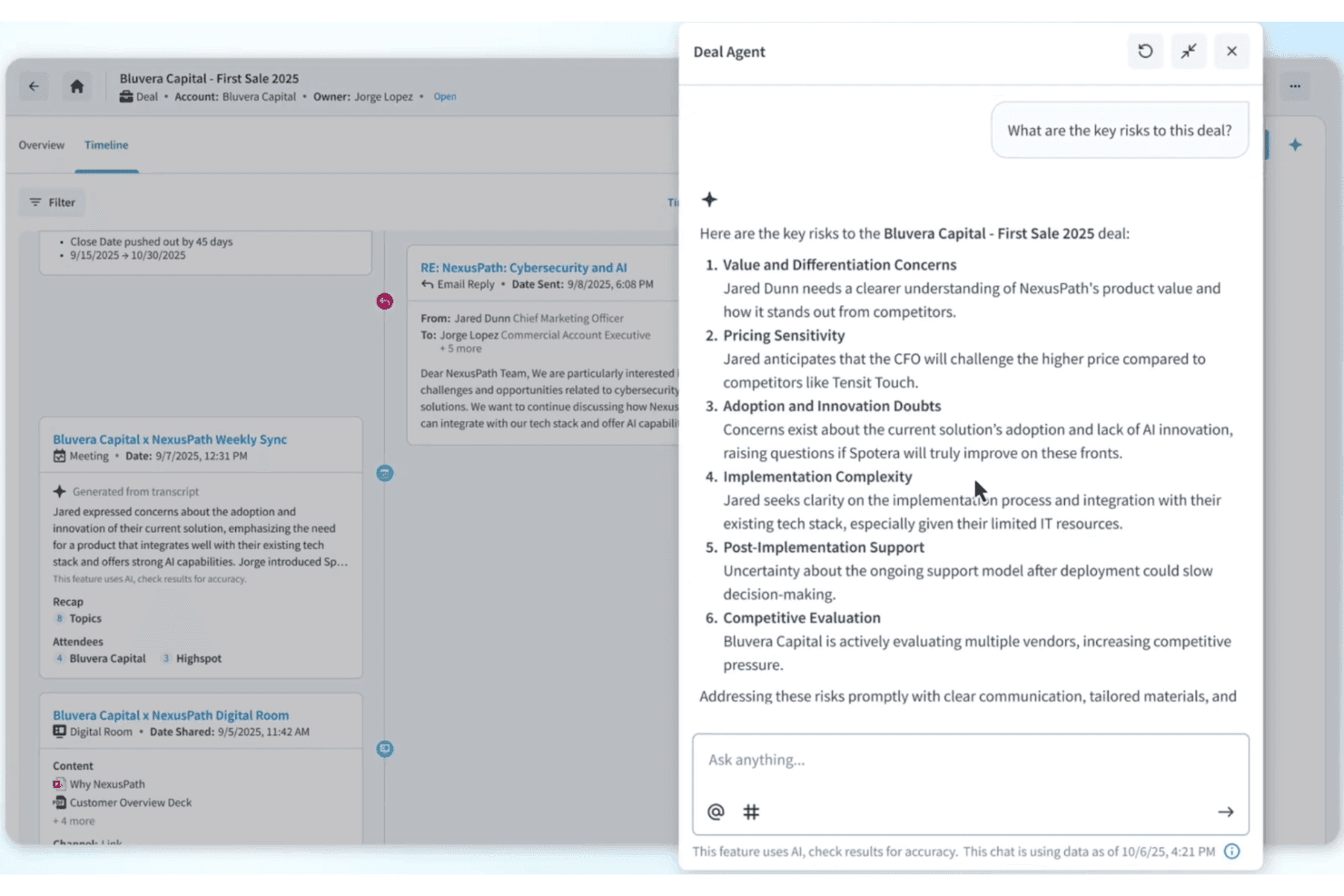
Track who views, shares, or interacts with every asset. Link content performance directly to deal activity and sales outcomes.
Pitch Tracking
Monitor how prospects engage with shared presentations and materials. Reps get real-time alerts when content is opened or forwarded.
Ease of Use
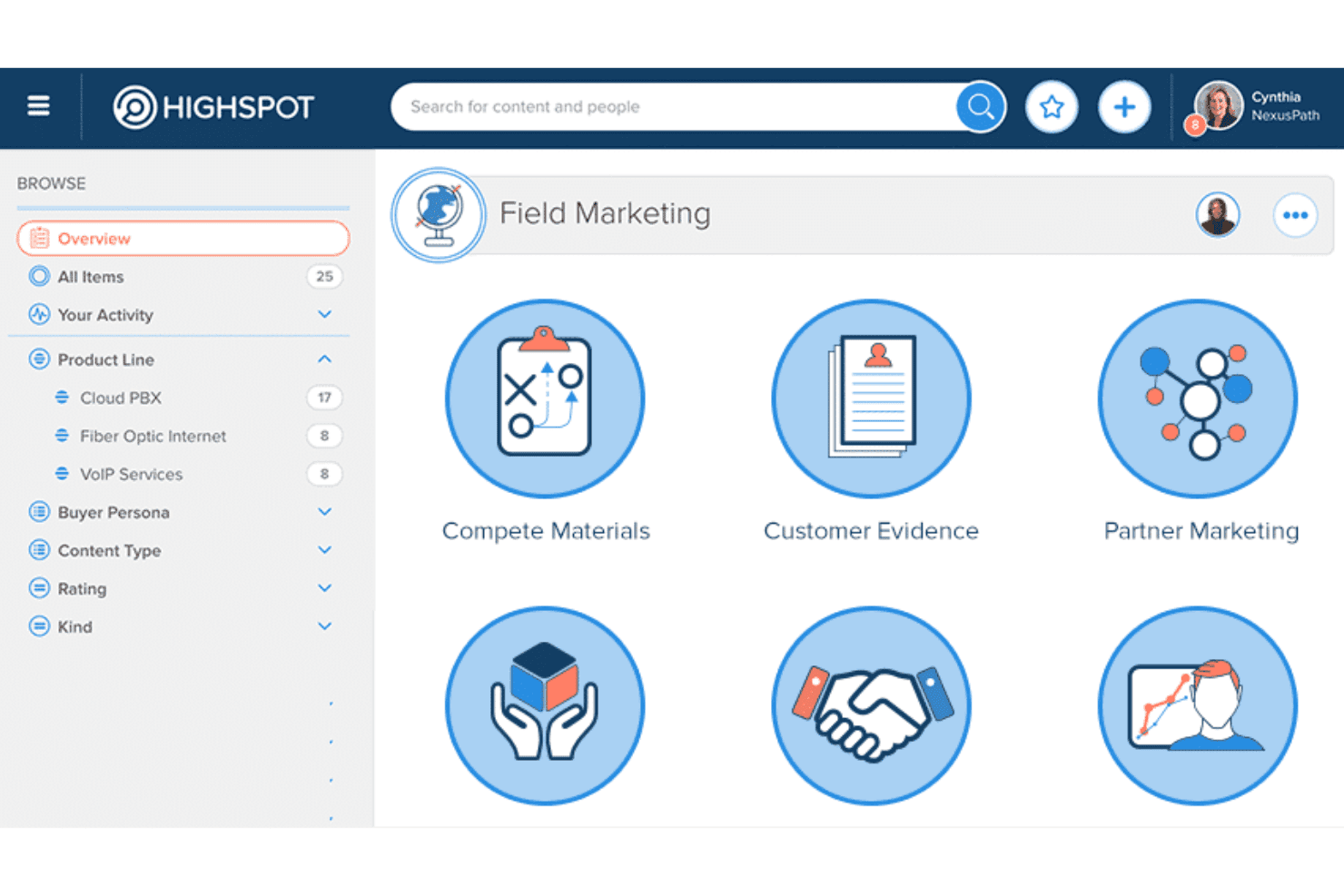
Highspot’s crisp interface and clear navigation make it easy for new users to get up and running fast. I think one of its big usability wins is intuitive content tagging and recommended resources—most reviewers agree reps quickly find what they need.
Guided playbooks and training modules are simple to assign or complete, keeping adoption high even for less tech-savvy teams.
Integrations
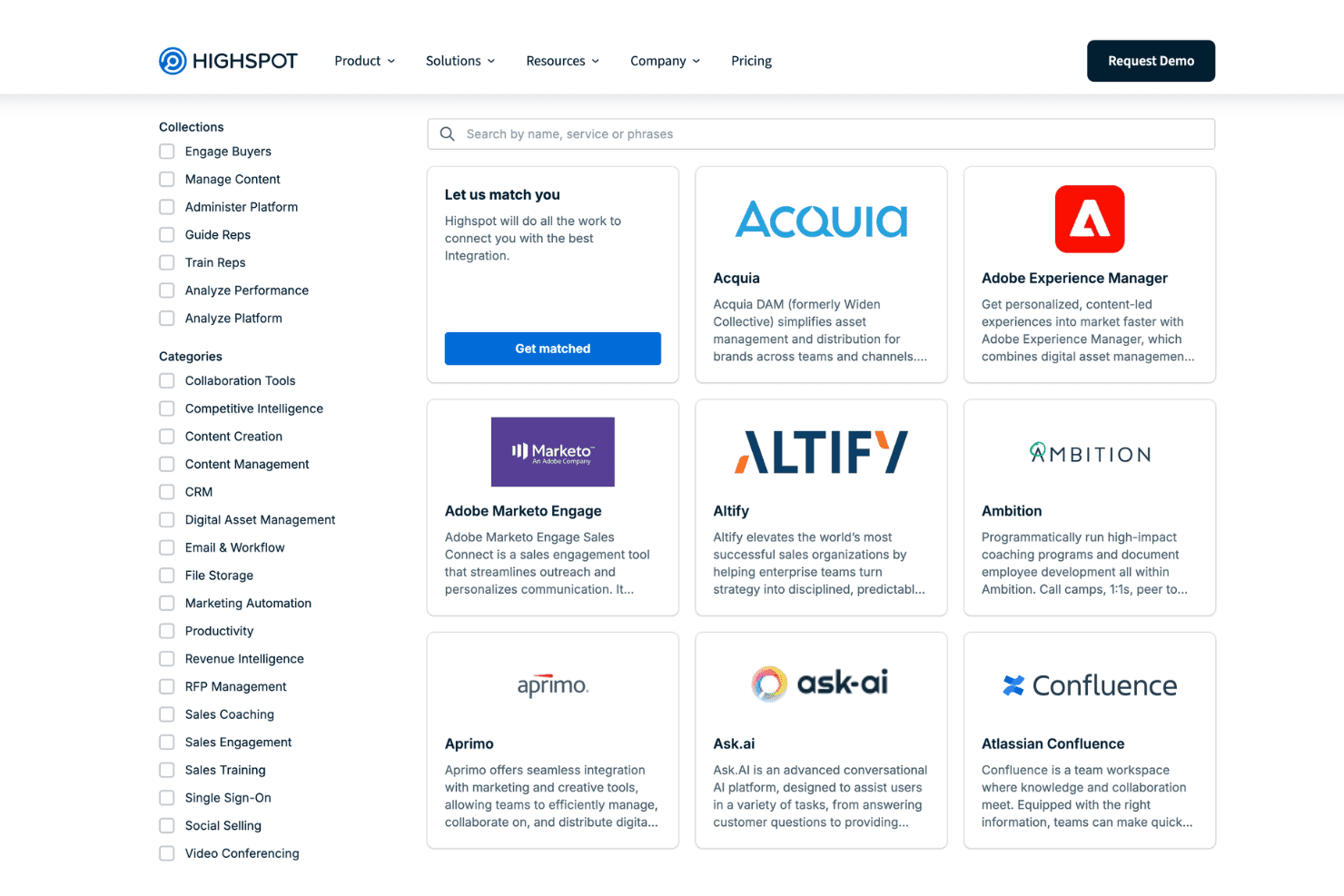
Highspot integrates with Salesforce, Microsoft Dynamics 365, Slack, Microsoft Teams, Outlook, Google Workspace, Zoom, DocuSign, Seismic, and Outreach, among others.
Highspot also offers a robust API for custom integrations and supports connections with third-party integration platforms.
Highspot Specs
- 2-Factor Authentication: Yes
- Accounts Payable: No
- Accounts Receivable: No
- API: Yes
- Approval Workflows: Yes
- Balance Sheet: No
- Billing/Invoicing: No
- Budgeting: No
- Calendar Management: No
- Comparative Reporting: Yes
- CRM Integration: Yes
- Custom Reports: Yes
- Customer Management: No
- Dashboard: Yes
- Data Export: Yes
- Data Import: Yes
- Data Visualization: Yes
- Expense Tracking: No
- External Integrations: Yes
- Forecasting: No
- General Account Ledger: No
- Historical Data Analysis: Yes
- Inventory Tracking: No
- Multi-Currency: No
- Multi-User: Yes
- Notifications: Yes
- P&L: No
- Payroll: No
- Scenario Planning: No
- Scheduling: No
- Supplier Management: No
- Tax Management: No
- Time Management: No


