

Recensione AeroLeads: Pro, Contro, Caratteristiche e Prezzi Spiegati
Aeroleads si distingue per la sua facilità d'uso e per l'efficiente generazione di lead, ma potrebbe mancare di funzionalità avanzate presenti negli strumenti di fascia alta—ideale per piccoli team che cercano soluzioni semplici.

Recensiamo gli strumenti in modo indipendente e le commissioni aiutano a finanziare i nostri test. Consulta la nostra politica sulla trasparenza, la nostra metodologia o suggerisci uno strumento.
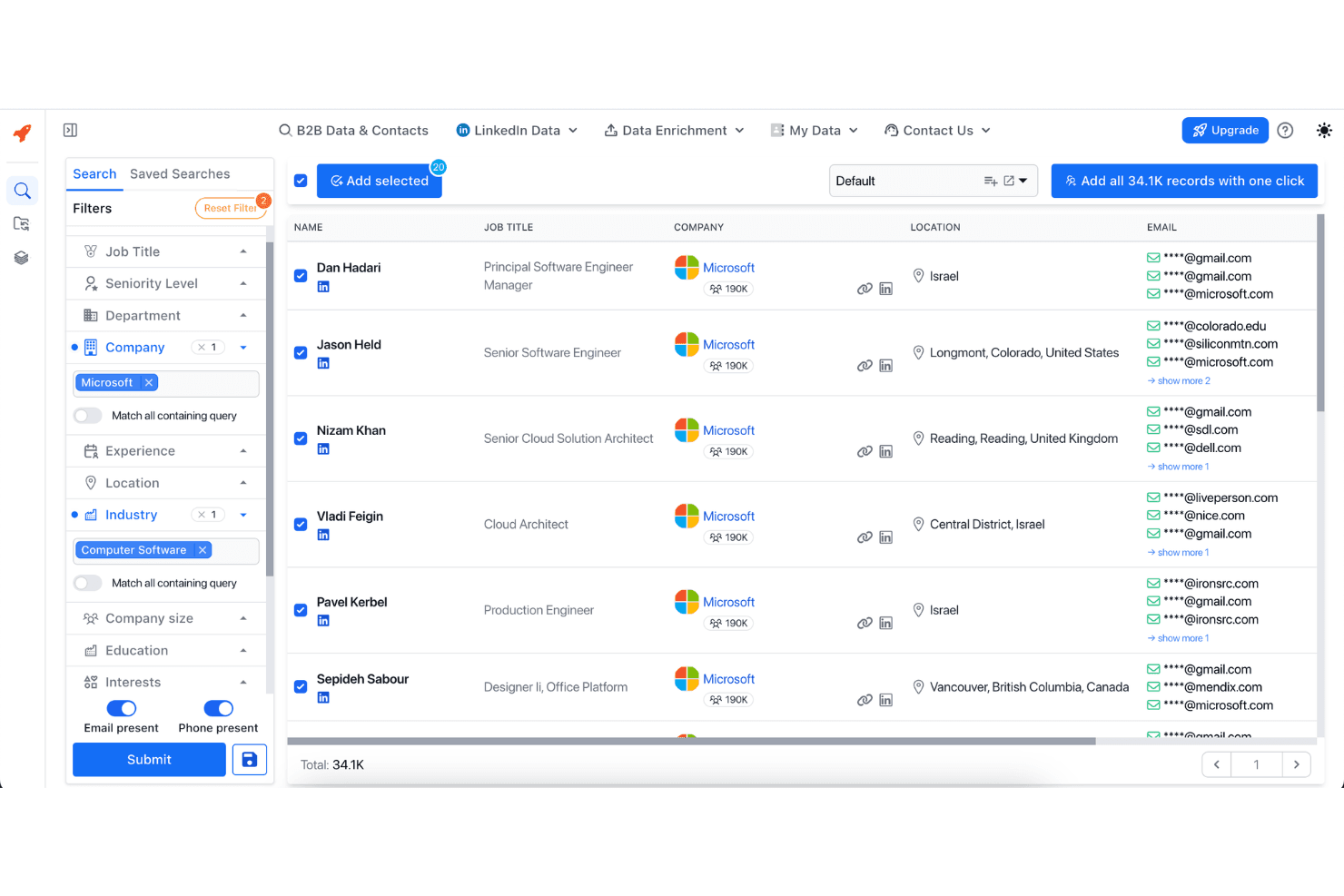
AeroLeads is a lead management software built for B2B sales and marketing teams that need to find, verify, and export prospect contact data at scale. I'd consider it most seriously if you're sourcing leads from LinkedIn and want more flexibility than a static database tool like ZoomInfo offers. AeroLeads pulls contact details from live web sources, so you're building lists in real time rather than querying a fixed database that may already be out of date.
AeroLeads Evaluation Summary
4.4/5
- From $49/month
- 14-day free trial
Perché fidarsi dei nostri consigli sui software
6,700+
Reviews
20
Industry experts
16+
Evaluation factors
14
Years
Le nostre recensioni riflettono il nostro giudizio indipendente, non un discorso di vendita. Scopri come manteniamo la trasparenza.
Per questa guida, abbiamo valutato gli strumenti attraverso test pratici e ricerche indipendenti, assegnando un punteggio agli strumenti in base ai nostri criteri di selezione.
Le nostre recensioni riflettono il nostro giudizio editoriale umano, non un discorso di vendita.
AeroLeads Overview
If you’re judging AeroLeads against other lead management tools, I think its Chrome extension and LinkedIn integration make prospecting fast and simple, especially for teams new to outbound. The interface is clean and onboarding is quick, so you can start building lists in minutes. Pricing is competitive for small businesses, but you’ll notice fewer advanced automation and CRM integrations than pricier options. Support is responsive, but you may outgrow the platform if you need deep workflow customization.
I’d suggest Aeroleads for sales teams or agencies who want a straightforward, no-fuss way to find and export leads.
Pros
- Responsive 24/7 customer support team.
- Fast LinkedIn integration with Chrome extension.
- Accurate B2B email and phone data for prospecting.
Cons
- No free plan beyond initial trial credits.
- Limited workflow automation compared to advanced tools.
- Credits are used even for inaccurate or outdated leads.
Is AeroLeads Right For Your Needs?
Who Would be a Good Fit for AeroLeads?
AeroLeads is a strong choice for small to midsize businesses, agencies, and sales-focused teams that need quick, accurate prospect data without complex setup. Its Chrome extension and LinkedIn integration make it especially useful for outbound prospecting and B2B lead generation. If your team values speed, simplicity, and responsive support over deep automation or CRM customization, AeroLeads is likely to fit your workflow.
- B2B Sales TeamsAeroLeads helps sales reps quickly build targeted prospect lists from LinkedIn.
- Recruitment AgenciesRecruiters can source candidate contact details directly from professional networks.
- Marketing AgenciesAgencies can gather verified leads for client campaigns with minimal manual effort.
- SMBsSmall businesses benefit from affordable pricing and straightforward lead capture.
- Freelance ConsultantsSolo consultants can find and export leads without investing in complex tools.
- Event OrganizersEvent teams can collect attendee or sponsor contacts from online directories.
Who Would be a Bad Fit for AeroLeads?
AeroLeads isn’t ideal for large enterprises, highly regulated industries, or teams needing deep workflow automation and CRM integration. If your process relies on advanced lead scoring, multi-channel engagement, or strict compliance, you’ll likely find Aeroleads too limited for your needs.
- Enterprise SalesLarge sales teams need more automation and CRM integration than AeroLeads offers.
- Financial ServicesStrict compliance requirements make AeroLeads's data sourcing risky for finance.
- Healthcare ProvidersHealthcare teams need HIPAA-compliant tools, which AeroLeads does not provide.
- Customer Success TeamsAeroLeads lacks features for managing post-sale customer relationships.
- Marketing OperationsOps teams needing advanced segmentation and nurture workflows will find it lacking.
- SaaS Companies at ScaleScaling SaaS businesses often require deeper integrations and workflow automation.
Come Testiamo e Valutiamo gli Strumenti
Abbiamo trascorso anni a costruire, perfezionare e migliorare il nostro sistema di valutazione e test dei software. Il nostro metodo è pensato per cogliere le sfumature della selezione software e ciò che rende uno strumento efficace, concentrandosi sugli aspetti critici del processo decisionale. Qui sotto puoi vedere esattamente come funzionano i nostri test e la valutazione sui sette criteri. Ci permette di fornire una valutazione imparziale del software in base alla funzionalità principale, alle caratteristiche distintive, facilità d’uso, onboarding, assistenza clienti, integrazioni, recensioni degli utenti e rapporto qualità-prezzo.
Funzionalità Principali (25% del punteggio finale)
Il punto di partenza per la nostra valutazione è sempre la funzionalità di base dello strumento. Possiede le caratteristiche e le funzioni che un utente si aspetterebbe di trovare? Alcune di queste funzioni di base sono limitate ai piani tariffari più costosi? Per noi uno strumento deve almeno essere alla pari con le capacità minime offerte dai concorrenti.
Caratteristiche Distintive (25% del punteggio finale)
Successivamente, valutiamo le funzionalità insolite o esclusive che vanno oltre le funzioni core normalmente presenti in strumenti simili. Un punteggio elevato riflette una presenza di caratteristiche particolari o uniche che rendono il prodotto più veloce, efficace o danno un valore aggiunto all’utente. Valutiamo anche la facilità di integrazione con altri strumenti tipici del tech stack per espanderne funzionalità e utilità. Gli strumenti che offrono numerose integrazioni native, connessioni di terze parti e accesso API per costruire integrazioni personalizzate ottengono i punteggi migliori.
Facilità d’Uso (10% del punteggio finale)
Consideriamo quanto sia rapido e intuitivo svolgere le attività fondamentali tramite lo strumento. I software con i punteggi più alti hanno un design ben pensato, sono intuitivi, offrono app mobili, forniscono modelli predefiniti e semplificano anche le attività più complesse.
Onboarding (10% del punteggio finale)
Sappiamo quanto sia importante che un nuovo strumento venga rapidamente adottato dal team, quindi valutiamo la facilità di apprendimento con un minimo di formazione. Valutiamo quanto velocemente un membro del team può iniziare a usare lo strumento senza esperienza. Le soluzioni con i punteggi più alti richiedono poco o nessun supporto iniziale.
Assistenza Clienti (10% del punteggio finale)
Analizziamo quanto sia facile e veloce risolvere problemi e ricevere assistenza tramite telefono, chat dal vivo o knowledge base. Gli strumenti e le aziende che offrono supporto in tempo reale ottengono i punteggi migliori, mentre i chatbot ottengono i peggiori.
Recensioni dei Clienti (10% del punteggio finale)
Oltre ai nostri test, consideriamo il net promoter score da clienti attuali e passati. Valutiamo la probabilità che gli utenti sceglierebbero nuovamente lo strumento per le funzionalità principali. Un punteggio elevato riflette un alto net promoter score da parte dei clienti.
Rapporto Qualità-Prezzo (10% del punteggio finale)
Infine, considerando tutti gli altri criteri, esaminiamo il prezzo medio dei piani base rispetto alle funzionalità principali e agli altri fattori valutativi. I software che offrono di più a un costo inferiore ottengono un punteggio più alto.
Core Features
Verified B2B Contact Database
AeroLeads provides access to over 750 million verified business contacts, including emails and phone numbers. This helps sales and marketing teams quickly build targeted prospect lists for outreach.
LinkedIn Chrome Extension
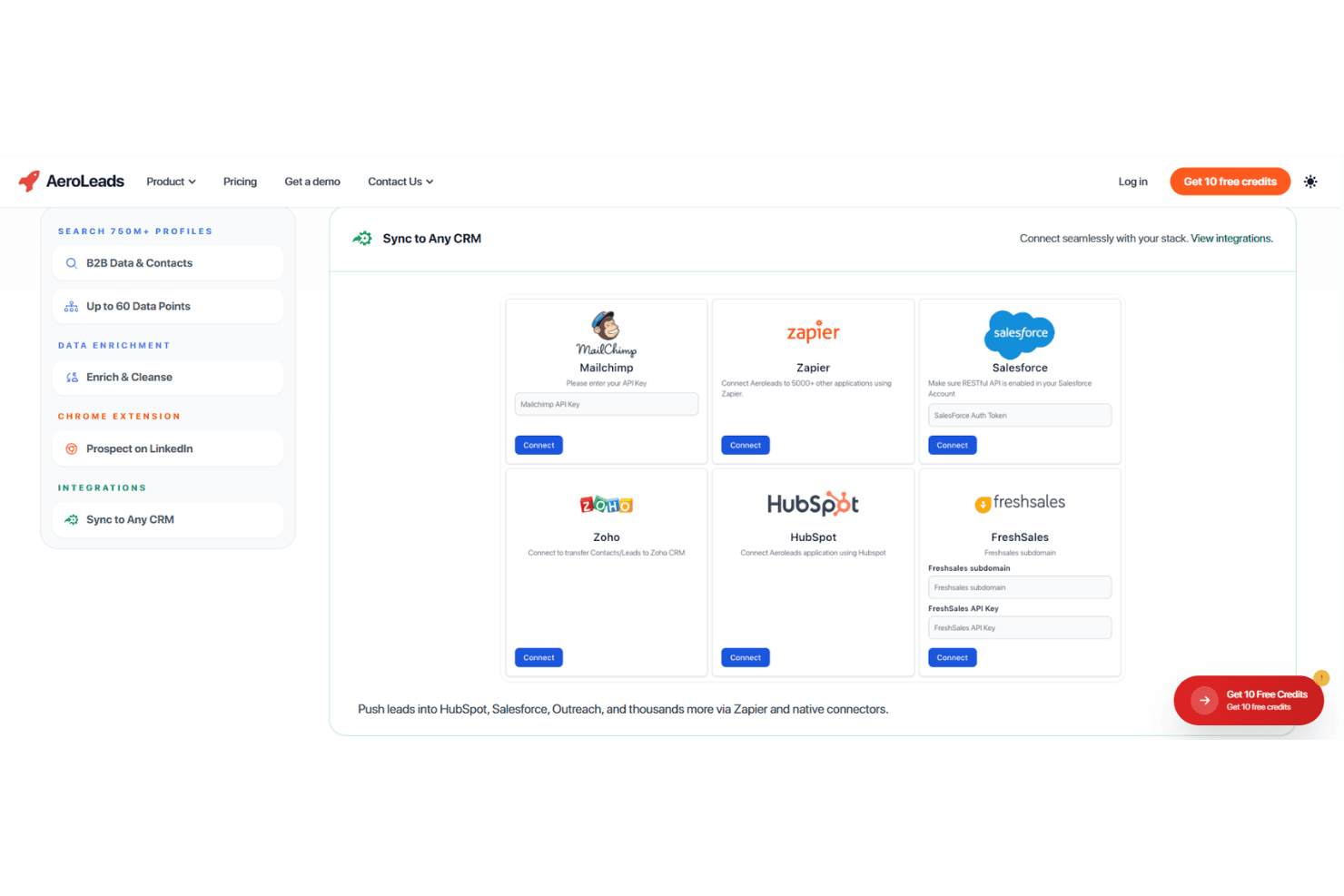
AeroLeads offers a Chrome extension that captures contact details directly from LinkedIn profiles and company pages. The captured leads are automatically saved and can be exported to CRM systems or CSV files.
Real-Time Email Validation
AeroLeads verifies email addresses in real time to ensure they are valid and deliverable. This helps reduce bounce rates and improve the effectiveness of outreach campaigns.
Bulk Data Enrichment
Users can upload CSV files to enrich existing contacts with missing emails, phone numbers, and company details. This allows teams to improve incomplete lead lists quickly and efficiently.
Up to 60 Data Points
AeroLeads provides detailed lead information such as job title, company data, and seniority level. These data points help teams better target and personalize their outreach.
Automated Data Cleansing
AeroLeads automatically cleans and updates contact lists to remove duplicates and incorrect data. This ensures lead data stays accurate and improves overall campaign performance.
Ease of Use
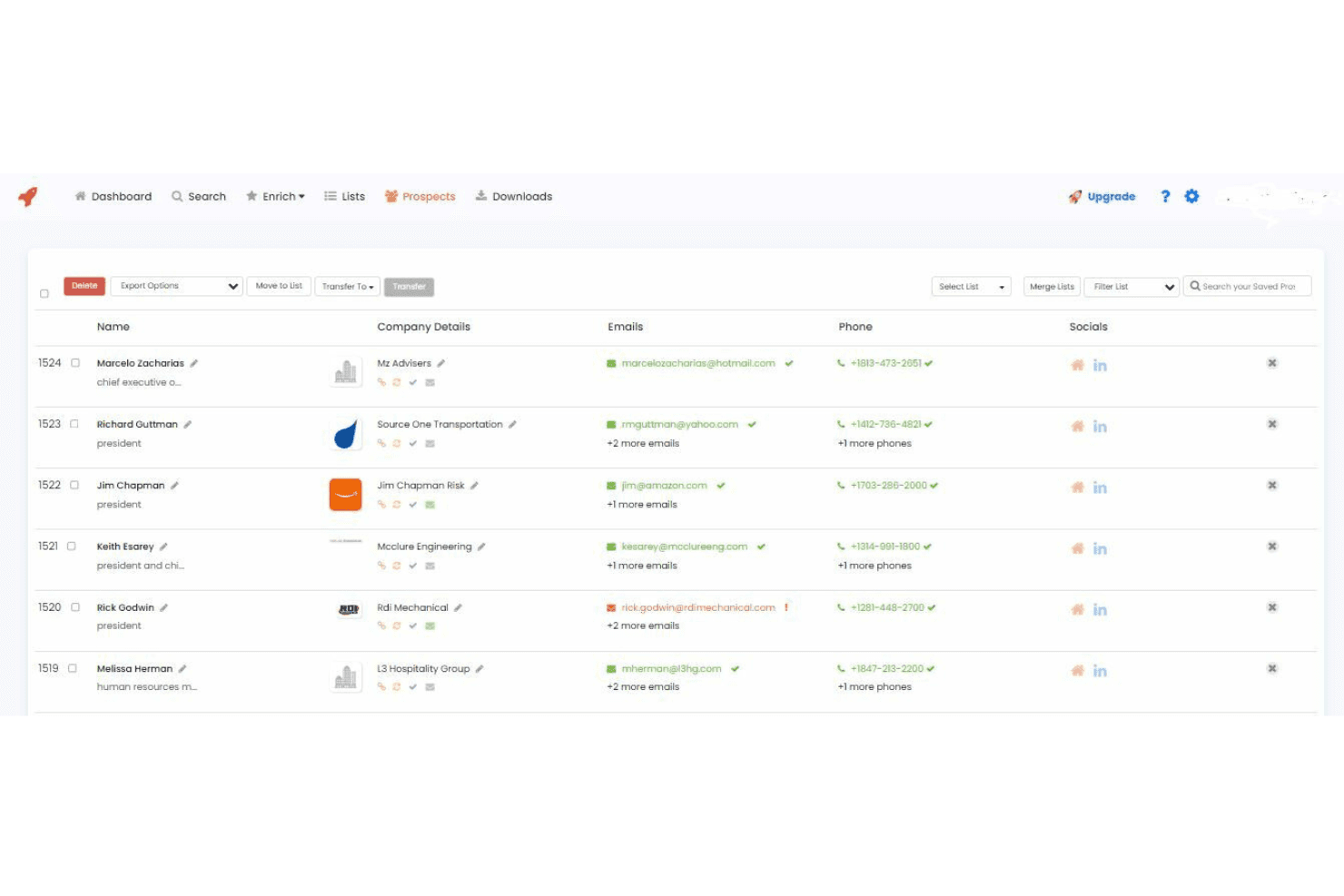
AeroLeads is straightforward to set up and navigate, with a clean interface and intuitive Chrome extension that lets you capture leads in just a few clicks. Users often mention how quickly they can start building lists without training or technical setup.
The platform’s simple workflow and real-time data validation make it easy for new users to get value fast, though advanced users may find the feature set basic for complex prospecting needs.
Integrations
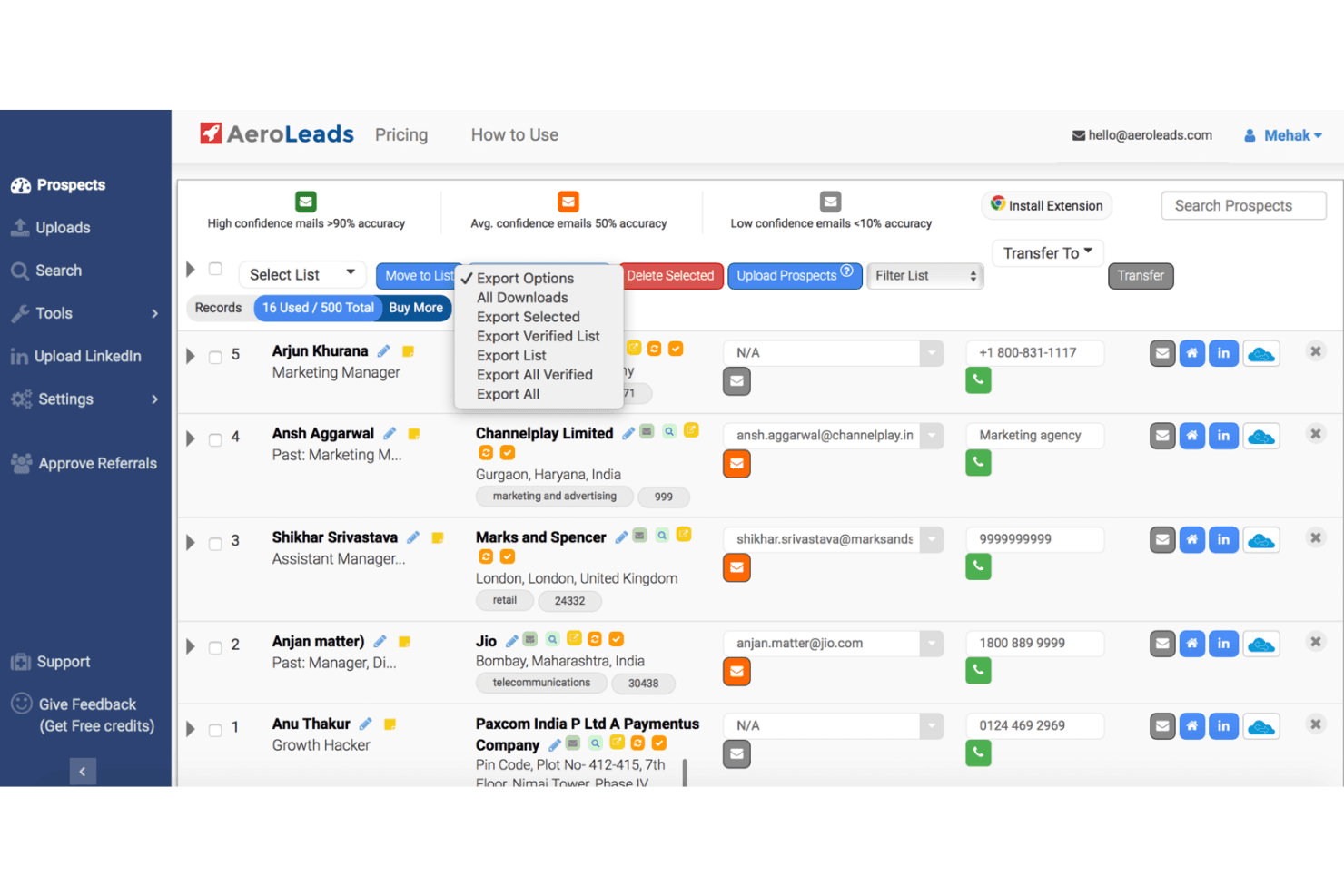
AeroLeads integrates with HubSpot, Salesforce, Zoho CRM, Pipedrive, Mailchimp, Insightly, FreshSales, Zapier, Mailshake, and G Suite, among others.
AeroLeads also offers an API and connects with third-party integration tools like Zapier for expanded workflow automation.
AeroLeads Specs
- A/B Testing: No
- API: Yes
- Audience Targeting: No
- Calendar Management: No
- Call Disposition: No
- Call Recording: No
- Call Tracking: No
- Click-to-Dial: No
- Contact Management: Yes
- Contact Sharing: No
- Customer Management: No
- Dashboard: Yes
- Data Export: Yes
- Data Import: Yes
- Data Visualization: No
- Email Integration: Yes
- External Integrations: No
- Forecasting: No
- Google Apps Integration: Yes
- Inventory Tracking: No
- Lead Management: Yes
- Lead Scoring: Yes
- Marketing Automation: Yes
- Multi-User: Yes
- Notifications: No
- Referral Tracking: No
- Sales Motivator: No
- Scheduling: No
- Social-Media Integration: No
- Softphone: No
- Third-Party Plugins/Add-Ons: Yes
- Travel Management: No


