
Recensione 3CX: Vantaggi, Svantaggi, Funzionalità e Prezzi
3CX eccelle nel monitoraggio delle chiamate grazie alla sua interfaccia intuitiva e prezzi trasparenti, distinguendosi dalla concorrenza.

Recensiamo gli strumenti in modo indipendente e le commissioni aiutano a finanziare i nostri test. Consulta la nostra politica sulla trasparenza, la nostra metodologia o suggerisci uno strumento.
3CX is a call tracking software built around a full business phone system, combining call reporting and analytics with VoIP, live chat, and video conferencing. It's worth considering if you need visibility into call activity without paying the per-user fees that tend to pile up with cloud-only tools. Compared to Aircall, 3CX gives you similar call tracking capabilities but adds the flexibility of self-hosted or cloud deployment and a pricing model that doesn't scale against your headcount.
3CX Evaluation Summary
4.4/5
- From €175/year (billed annually)
- Free plan available
Perché fidarsi dei nostri consigli sui software
6,700+
Reviews
20
Industry experts
16+
Evaluation factors
14
Years
Le nostre recensioni riflettono il nostro giudizio indipendente, non un discorso di vendita. Scopri come manteniamo la trasparenza.
Per questa guida, abbiamo valutato gli strumenti attraverso test pratici e ricerche indipendenti, assegnando un punteggio agli strumenti in base ai nostri criteri di selezione.
Le nostre recensioni riflettono il nostro giudizio editoriale umano, non un discorso di vendita.
3CX Overview
In my opinion, 3CX is a solid call tracking software with a user-friendly interface and responsive customer support. It stands out with its transparent pricing and ease of use, making it a great choice for small to mid-sized businesses. However, it may lack some advanced integrations that larger enterprises might need. Despite this, 3cx's straightforward setup and reliable features make it a strong contender for teams focused on improving customer interaction without the complexity of more extensive systems. If you're weighing options, consider 3CX for its balance of functionality and cost-effectiveness.
Pros
- You'll find the interface easy to navigate, making it accessible for all team members.
- Customer support is quick to respond and helpful with resolving issues.
- Call management features are reliable and efficient for daily operations.
Cons
- Advanced users might find it lacking some sophisticated features.
- You may experience occasional bugs that need troubleshooting.
- Some users report the mobile app isn't as robust as the desktop version.
Is 3CX Right For Your Needs?
Who Would be a Good Fit for 3CX?
3CX is a good fit for small to mid-sized businesses and customer service teams looking for efficient call management. If your team values straightforward setup and reliable customer support, 3CX can meet your needs effectively. Its user-friendly interface ensures that everyone on your team can manage calls without hassle. Sales departments can benefit from its call tracking features to improve customer interactions. If you want a tool that's easy to use without sacrificing functionality, 3CX could be the right choice.
- Small Businesses3CX offers a cost-effective solution with easy implementation for teams needing reliable call management.
- Customer SupportYour support team will appreciate the responsive interface and quick customer support for handling inquiries efficiently.
- Sales Teams3CX helps sales departments track calls and improve communication with potential clients, enhancing sales processes.
- Mid-Sized CompaniesFor growing companies, 3CX provides scalable call management without overwhelming features, keeping operations smooth.
- Remote Teams3CX simplifies communication for remote teams with its easy-to-use interface and reliable call tracking.
- Service IndustriesService-oriented businesses can improve client interactions with 3CX's efficient call management capabilities.
Who Would be a Bad Fit for 3CX?
3CX might not suit large enterprises or tech-heavy industries that need advanced integrations and custom features. If your team requires sophisticated analytics or highly customizable solutions, 3CX could fall short. Large IT departments might find its feature set too basic for complex operations. If you're in a field that demands cutting-edge technology or extensive reporting capabilities, you might want to look elsewhere for a more tailored solution.
- Large Enterprises3CX lacks the advanced features and integrations needed for large-scale operations and complex workflows.
- Tech-Heavy IndustriesIf your industry relies on cutting-edge technology, 3CX's basic features might not meet your high-tech demands.
- IT Departments3CX's simpler interface and capabilities may not provide the depth that IT teams require for technical management.
- Data-Driven TeamsTeams needing detailed analytics and reporting will find 3CX lacking in these areas.
- Custom Solution SeekersIf your team requires highly customizable software, 3CX might not offer the flexibility you need.
- High-Volume Call CentersCall centers requiring advanced call handling features might find 3CX's offerings too limited.
Come Testiamo e Valutiamo gli Strumenti
Abbiamo trascorso anni a costruire, perfezionare e migliorare il nostro sistema di valutazione e test dei software. Il nostro metodo è pensato per cogliere le sfumature della selezione software e ciò che rende uno strumento efficace, concentrandosi sugli aspetti critici del processo decisionale. Qui sotto puoi vedere esattamente come funzionano i nostri test e la valutazione sui sette criteri. Ci permette di fornire una valutazione imparziale del software in base alla funzionalità principale, alle caratteristiche distintive, facilità d’uso, onboarding, assistenza clienti, integrazioni, recensioni degli utenti e rapporto qualità-prezzo.
Funzionalità Principali (25% del punteggio finale)
Il punto di partenza per la nostra valutazione è sempre la funzionalità di base dello strumento. Possiede le caratteristiche e le funzioni che un utente si aspetterebbe di trovare? Alcune di queste funzioni di base sono limitate ai piani tariffari più costosi? Per noi uno strumento deve almeno essere alla pari con le capacità minime offerte dai concorrenti.
Caratteristiche Distintive (25% del punteggio finale)
Successivamente, valutiamo le funzionalità insolite o esclusive che vanno oltre le funzioni core normalmente presenti in strumenti simili. Un punteggio elevato riflette una presenza di caratteristiche particolari o uniche che rendono il prodotto più veloce, efficace o danno un valore aggiunto all’utente. Valutiamo anche la facilità di integrazione con altri strumenti tipici del tech stack per espanderne funzionalità e utilità. Gli strumenti che offrono numerose integrazioni native, connessioni di terze parti e accesso API per costruire integrazioni personalizzate ottengono i punteggi migliori.
Facilità d’Uso (10% del punteggio finale)
Consideriamo quanto sia rapido e intuitivo svolgere le attività fondamentali tramite lo strumento. I software con i punteggi più alti hanno un design ben pensato, sono intuitivi, offrono app mobili, forniscono modelli predefiniti e semplificano anche le attività più complesse.
Onboarding (10% del punteggio finale)
Sappiamo quanto sia importante che un nuovo strumento venga rapidamente adottato dal team, quindi valutiamo la facilità di apprendimento con un minimo di formazione. Valutiamo quanto velocemente un membro del team può iniziare a usare lo strumento senza esperienza. Le soluzioni con i punteggi più alti richiedono poco o nessun supporto iniziale.
Assistenza Clienti (10% del punteggio finale)
Analizziamo quanto sia facile e veloce risolvere problemi e ricevere assistenza tramite telefono, chat dal vivo o knowledge base. Gli strumenti e le aziende che offrono supporto in tempo reale ottengono i punteggi migliori, mentre i chatbot ottengono i peggiori.
Recensioni dei Clienti (10% del punteggio finale)
Oltre ai nostri test, consideriamo il net promoter score da clienti attuali e passati. Valutiamo la probabilità che gli utenti sceglierebbero nuovamente lo strumento per le funzionalità principali. Un punteggio elevato riflette un alto net promoter score da parte dei clienti.
Rapporto Qualità-Prezzo (10% del punteggio finale)
Infine, considerando tutti gli altri criteri, esaminiamo il prezzo medio dei piani base rispetto alle funzionalità principali e agli altri fattori valutativi. I software che offrono di più a un costo inferiore ottengono un punteggio più alto.
Core Features
Call Routing
Direct calls to the right team members, reducing wait times. Set rules based on time, location, or caller ID for efficient distribution.
Voicemail
Manage voicemails easily through email notifications. Stay updated on missed calls and respond promptly to end users.
Call Recording
Record phone calls for quality assurance and training. Review recordings to improve customer interactions and service delivery.
Interactive Voice Response (IVR)
Let customers navigate options using their keypad. This speeds up call handling and ensures proper routing.
Call Queuing
Organize incoming calls into call queues, keeping lines open. Provides real-time updates to callers about wait time.
Call Analytics
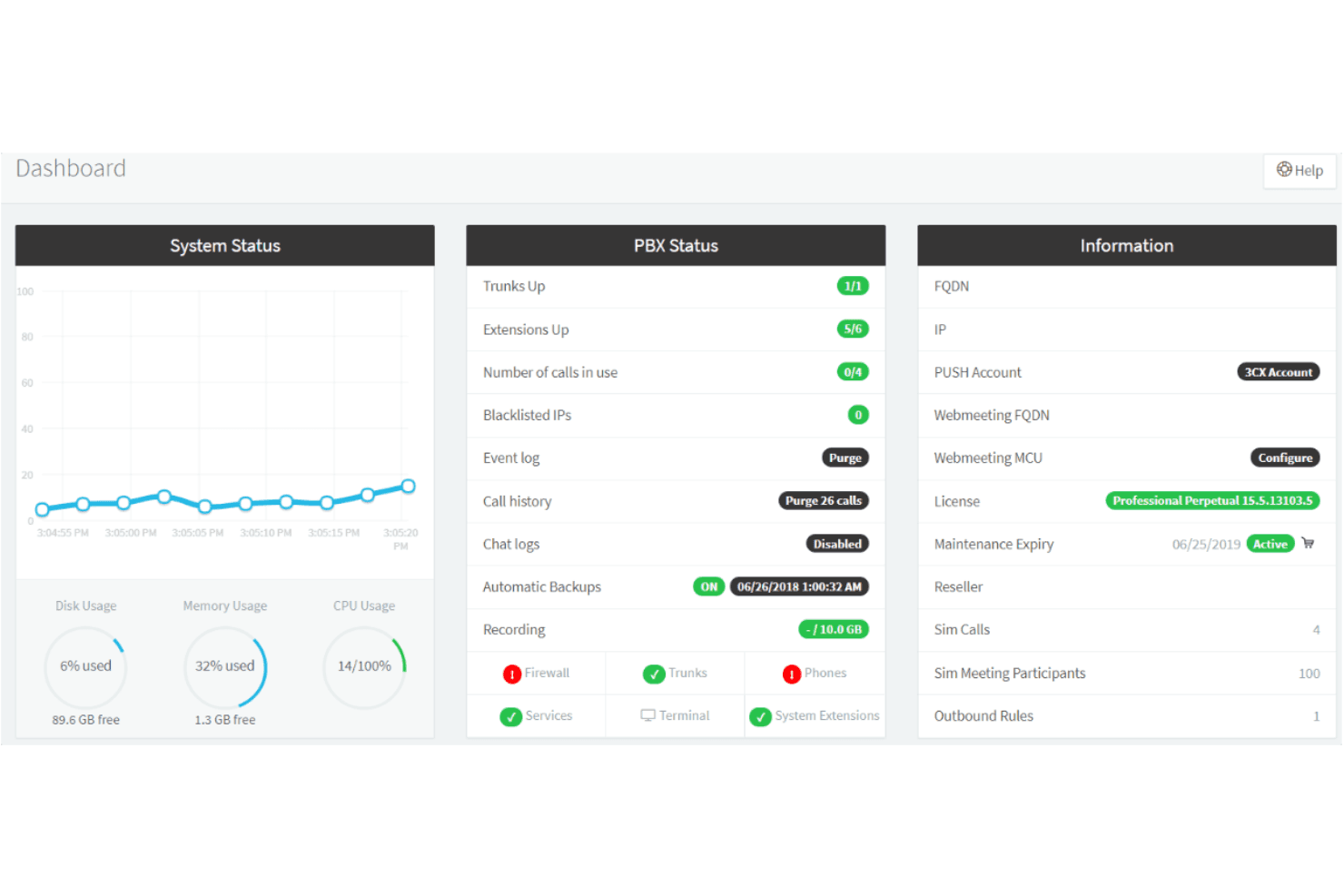
Get insights into call metrics like duration and frequency. Track performance and make data-driven decisions for your team.
Ease of Use
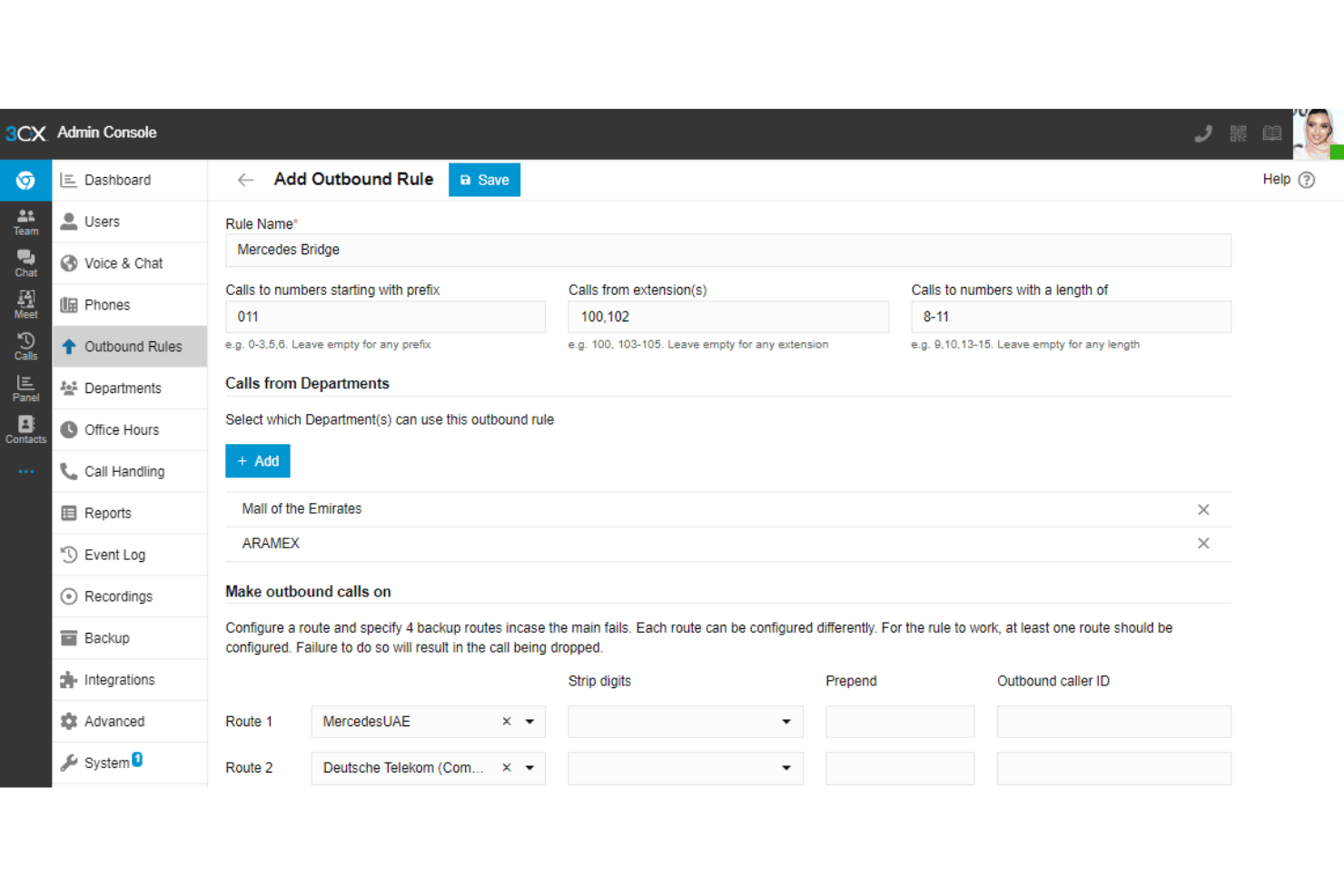
3CX is user-friendly, making it accessible for your entire team. Its intuitive interface means you can navigate features without a steep learning curve. Setting up call routing and managing voicemails is straightforward, saving you time and effort. User reviews praise the easy onboarding process, highlighting how quickly teams can start using the software. Compared to other call tracking solutions, 3CX stands out for its simplicity and efficiency, letting you focus on communication rather than technical hurdles.
Integrations
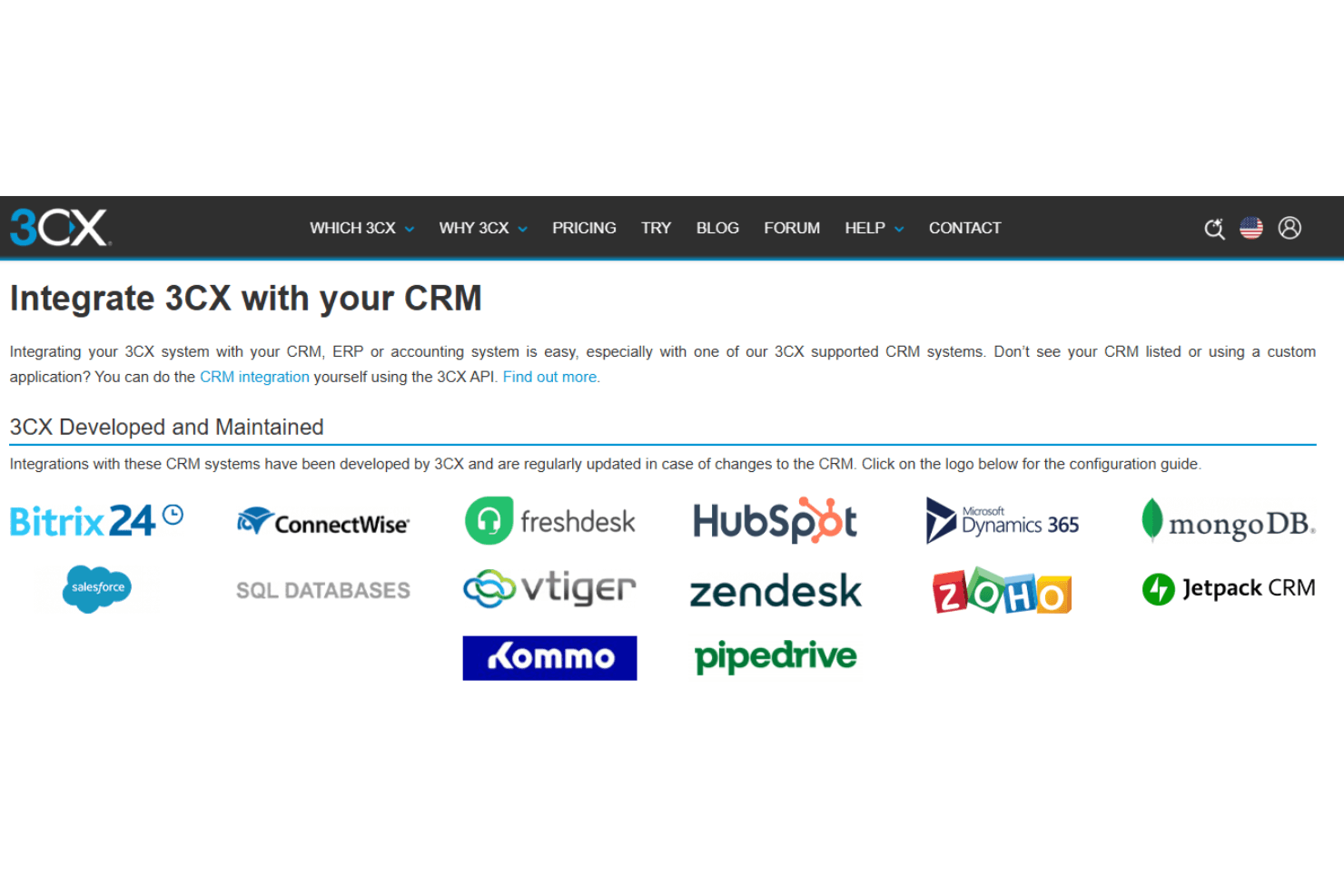
3CX integrates with tools like Zendesk, Freshdesk, Salesforce, HubSpot, Bitrix24, ConnectWise, mongoDB, and Microsoft Dynamics 365.
3CX also offers an API to extend your workflow with third-party apps.
3CX Specs
- 2-Factor Authentication: No
- API: Yes
- Audio Recording: No
- Auto Dialer: No
- Automatic Call Distribution: Yes
- Call Disposition: No
- Call Logging: Yes
- Call Monitoring: Yes
- Call Recording: Yes
- Call Scripting: Yes
- Call Tracking: Yes
- Chat: Yes
- Click-to-Dial: Yes
- Contact Management: No
- Contact Sharing: No
- CRM Integration: Yes
- Dashboard: Yes
- Data Export: No
- Data Import: No
- Data Visualization: Yes
- External Integrations: Yes
- File Transfer: Yes
- Hardware Integration: Yes
- Interactive Voice Response: No
- Mobile App: Yes
- Multi-User: Yes
- Notifications: Yes
- Report & Compliance: No
- Scheduling: No
- SMS: Yes
- Softphone: No
- Video: Yes


