


Nutshell vs. Pipedrive CRM: Confronto e Recensioni degli Esperti per il 2026
Scopri tutti i dettagli su come si confrontano Nutshell e Pipedrive—cosa li distingue, in cosa eccellono e quale CRM potrebbe essere la svolta per te in questo 2026.

Recensiamo gli strumenti in modo indipendente e le commissioni aiutano a finanziare i nostri test. Consulta la nostra politica sulla trasparenza, la nostra metodologia o suggerisci uno strumento.
Sales teams can only move so fast when their CRM is buried under confusing workflows, scattered customer data, and endless manual updates. What should be a tool for closing deals often turns into another obstacle slowing reps down at every stage of the pipeline.
Choosing between Nutshell and Pipedrive CRM can feel tough when you want CRM software that actually fits how your team works. Maybe you need smoother sales processes, better reporting, or just something that’s simple to roll out. You’re probably weighing flexibility, integrations, cost, and whether these platforms solve your everyday pain points.
In this article, you’ll find a clear, honest comparison of the two—including pros and cons, use cases, pricing details, security features, and how easy each platform is to use. I’ll break down what you need to know so you can pick the best fit for your team’s goals.
Nutshell
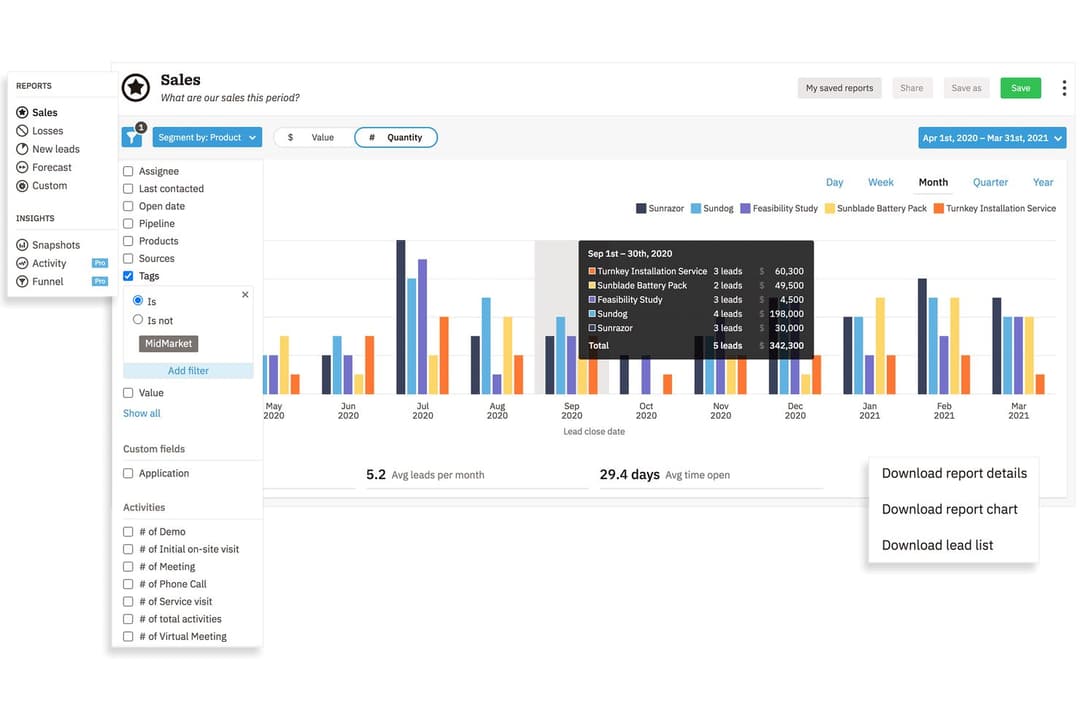
4.3/5
- 14-day free trial + free demo available
- From $13/user/month (billed annually)
Pipedrive CRM
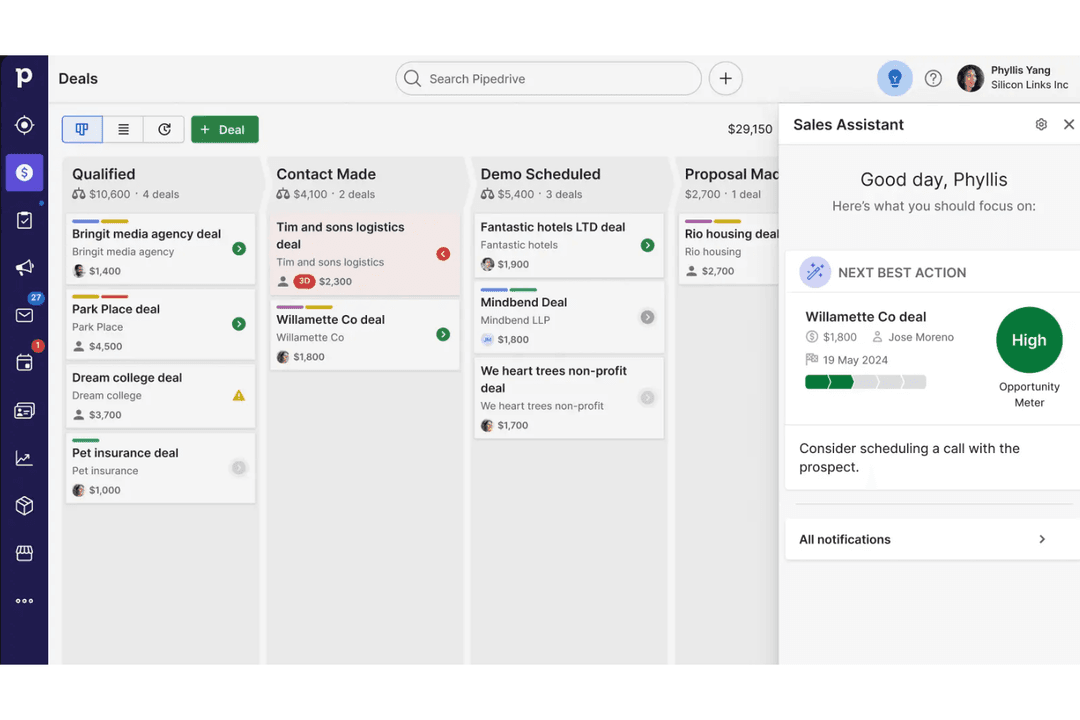
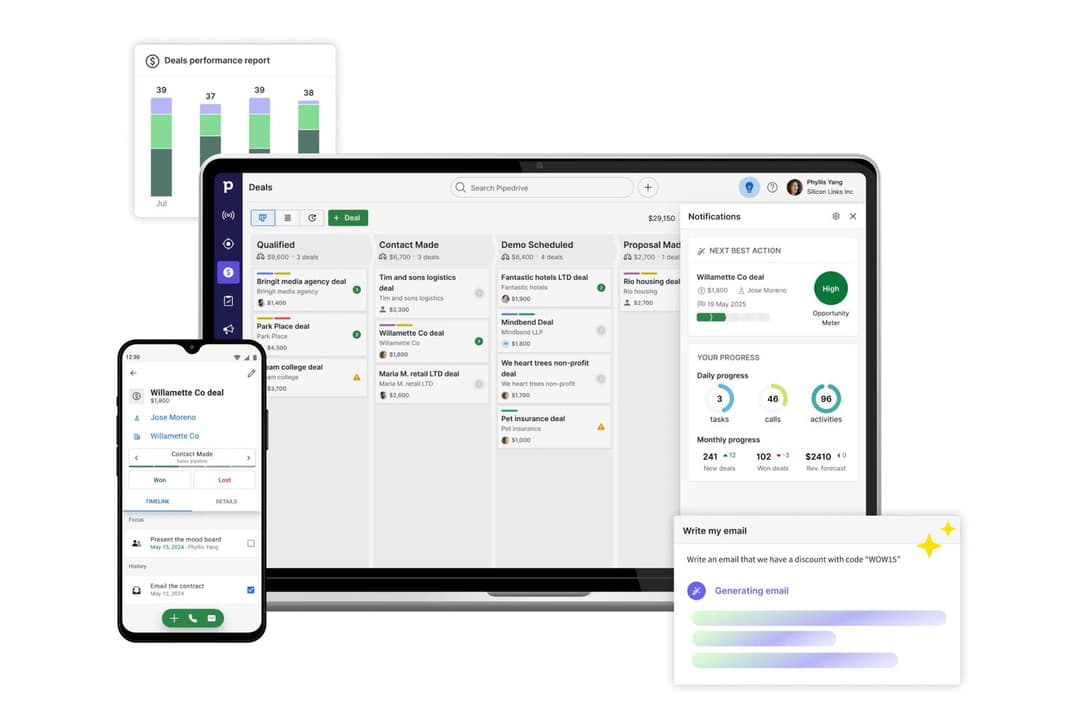
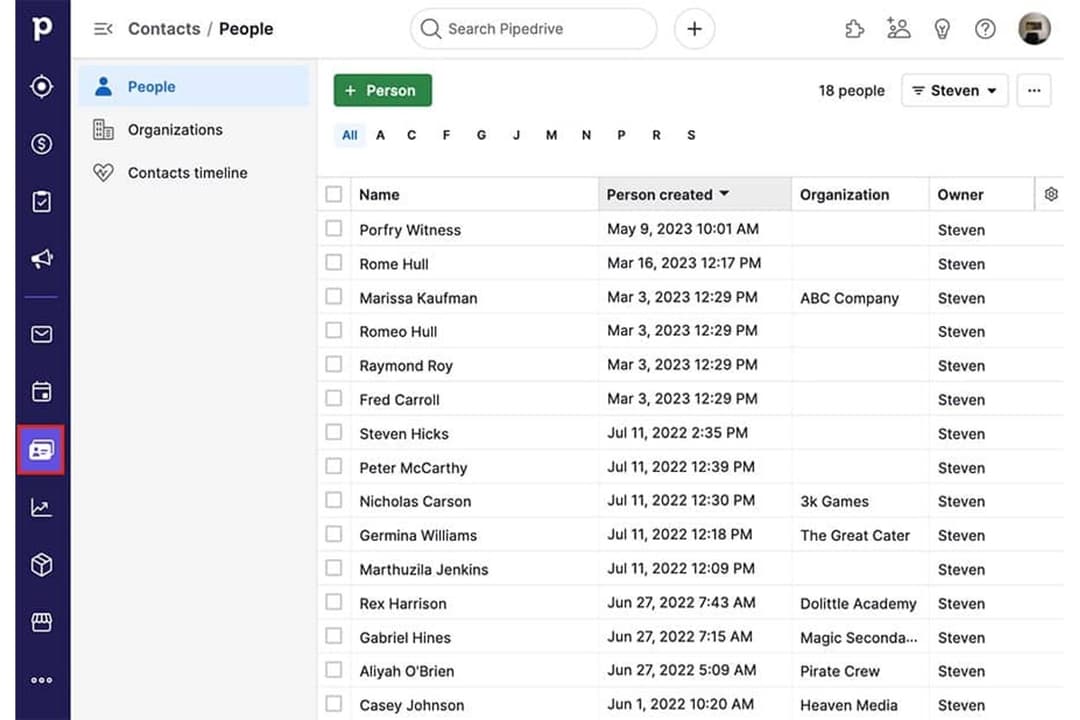
4.5/5
- 14-day free trial
- From $14/user/month (billed annually)
Perché fidarsi dei nostri consigli sui software
6,700+
Reviews
20
Industry experts
16+
Evaluation factors
14
Years
Le nostre recensioni riflettono il nostro giudizio indipendente, non un discorso di vendita. Scopri come manteniamo la trasparenza.
Per questa guida, abbiamo valutato gli strumenti attraverso test pratici e ricerche indipendenti, assegnando un punteggio agli strumenti in base ai nostri criteri di selezione.
Le nostre recensioni riflettono il nostro giudizio editoriale umano, non un discorso di vendita.
| Nutshell | Pipedrive CRM | |
|---|---|---|
| Free Trial | 14-day free trial + free demo available | 14-day free trial |
| Pricing | From $13/user/month (billed annually) | From $14/user/month (billed annually) |
Prezzi & Costi Nascosti di Nutshell vs. Pipedrive CRM
Nutshell e Pipedrive CRM offrono entrambi prezzi basati su abbonamento con diversi livelli a seconda delle funzionalità e della dimensione del team. Sebbene ciascuna piattaforma renda i piani base abbastanza semplici, potresti dover affrontare costi aggiuntivi per componenti extra, funzionalità avanzate o aumento degli utenti. Presta attenzione ai possibili costi legati alle integrazioni o all’assistenza premium, che possono far aumentare la spesa mensile nel tempo.
Per scegliere il fornitore più adatto, analizza cosa è realmente incluso in ogni fascia di prezzo e cosa invece è considerato un extra. Confronta le esigenze specifiche del tuo team—come automazioni di flussi di lavoro o reportistica—con ciò che viene offerto a ciascun livello. È consigliabile valutare non solo i costi di licenza, ma anche le spese per onboarding, migrazione dei dati e crescita a lungo termine. In questo modo potrai evitare sorprese e scegliere un CRM che soddisfi sia le necessità attuali che i tuoi piani di sviluppo.
<div class="slate-p" data-slate-node="element" data-block-id="9K1qFHulmL" data-slate-fragment="JTVCJTdCJTIyY2hpbGRyZW4lMjIlM0ElNUIlN0IlMjJ0ZXh0JTIyJTNBJTIyQm90aCUyME51dHNoZWxsJTIwYW5kJTIwUGlwZWRyaXZlJTIwQ1JNJTIwZ2l2ZSUyMHlvdSUyMGNvbnRhY3QlMjBtYW5hZ2VtZW50JTJDJTIwcGlwZWxpbmUlMjB0cmFja2luZyUyQyUyMGRlYWwlMjBtYW5hZ2VtZW50JTJDJTIwYmFzaWMlMjByZXBvcnRpbmclMkMlMjBhbmQlMjBuYXRpdmUlMjBpbnRlZ3JhdGlvbnMlMjB3aXRoJTIwcG9wdWxhciUyMGFwcHMuJTIwWW91JUUyJTgwJTk5bGwlMjBmaW5kJTIwdG9vbHMlMjBmb3IlMjBtYW5hZ2luZyUyMGxlYWRzJTJDJTIwZW1haWwlMjB0cmFja2luZyUyQyUyMGFuZCUyMHRhc2slMjBhdXRvbWF0aW9uJTJDJTIwc28lMjB5b3UlMjBjYW4lMjBrZWVwJTIweW91ciUyMHRlYW0lMjBvcmdhbml6ZWQlMjBhbmQlMjBzYWxlcyUyMG9uJTIwdHJhY2suJTIyJTdEJTVEJTJDJTIydHlwZSUyMiUzQSUyMnAlMjIlMkMlMjJpZCUyMiUzQSUyMlY2d21sZVJYNDElMjIlN0QlMkMlN0IlMjJjaGlsZHJlbiUyMiUzQSU1QiU3QiUyMnRleHQlMjIlM0ElMjJOdXRzaGVsbCUyMHN0YW5kcyUyMG91dCUyMHdpdGglMjBidWlsdC1pbiUyMGVtYWlsJTIwbWFya2V0aW5nJTIwY2FwYWJpbGl0aWVzJTIwYW5kJTIwYWR2YW5jZWQlMjBzYWxlcyUyMGF1dG9tYXRpb24lMjBmZWF0dXJlcyUyMHRoYXQlMjBsZXQlMjB5b3UlMjBtYW5hZ2UlMjBjYW1wYWlnbnMlMjB3aXRob3V0JTIwbGVhdmluZyUyMHRoZSUyMHBsYXRmb3JtLiUyMFBpcGVkcml2ZSUyMENSTSUyMHNldHMlMjBpdHNlbGYlMjBhcGFydCUyMHdpdGglMjBoaWdobHklMjBjdXN0b21pemFibGUlMjBwaXBlbGluZXMlMkMlMjBhJTIwbWFya2V0cGxhY2UlMjBwYWNrZWQlMjB3aXRoJTIwaW50ZWdyYXRpb25zJTJDJTIwYW5kJTIwYW4lMjBpbnR1aXRpdmUlMjBzYWxlcy1mb2N1c2VkJTIwaW50ZXJmYWNlJTIwdGhhdCUyMG1hbnklMjB0ZWFtcyUyMGZpbmQlMjBlYXN5JTIwdG8lMjBhZG9wdC4lMjIlN0QlNUQlMkMlMjJ0eXBlJTIyJTNBJTIycCUyMiUyQyUyMmlkJTIyJTNBJTIyOUsxcUZIdWxtTCUyMiU3RCU1RA==
| Nutshell | Pipedrive CRM | |
|---|---|---|
| 2-Factor Authentication | Yes | No |
| API | Yes | Yes |
| Calendar Management | Yes | Yes |
| Call Tracking | Yes | Yes |
| Campaign Management | Yes | No |
| Click-to-Dial | Yes | Yes |
| Contact Management | Yes | Yes |
| Contact Sharing | Yes | Yes |
| Custom Data Forms | Yes | No |
| Customer Management | Yes | Yes |
| Dashboard | Yes | Yes |
| Data Export | Yes | Yes |
| Data Import | Yes | Yes |
| Data Visualization | Yes | Yes |
| Email Integration | Yes | Yes |
| External Integrations | Yes | Yes |
| File Sharing | Yes | Yes |
| File Transfer | Yes | Yes |
| Google Apps Integration | Yes | Yes |
| Lead Management | Yes | Yes |
| Lead Scoring | Yes | Yes |
| Marketing Automation | Yes | No |
| Mobile App | Yes | Yes |
| Multi-User | Yes | Yes |
| Notifications | Yes | Yes |
| Pipeline Management | Yes | Yes |
| Sales Automation | Yes | Yes |
| Scheduling | Yes | Yes |
| Social-Media Integration | Yes | No |
| Task Scheduling/Tracking | Yes | Yes |
| Third-Party Plugins/Add-Ons | Yes | Yes |
| Integrazione | Nutshell | Pipedrive CRM |
| Google Workspace | ✅ | ✅ |
| Microsoft 365 | ✅ | ✅ |
| Slack | ✅ | ✅ |
| Mailchimp | ✅ | ✅ |
| QuickBooks Online | ✅ | ❌ |
| Trello | ❌ | ✅ |
| PandaDoc | ✅ | ✅ |
| Xero | ❌ | ✅ |
| API | ✅ | ✅ |
| Zapier | ✅ | ✅ |
Sia Nutshell che Pipedrive CRM includono le principali integrazioni di cui la maggior parte dei team ha bisogno, come Google Workspace, Slack, Mailchimp e Zapier. Pipedrive CRM si distingue per una gamma più ampia e soluzioni più di nicchia, ma grazie ad API e Zapier, entrambe le scelte coprono praticamente qualsiasi workflow necessario.
| Fattore | Nutshell | Pipedrive CRM |
| Crittografia dei dati | Utilizza TLS 1.2 per la crittografia in transito e AES-256 per la crittografia a riposo. | Utilizza TLS/SSL per i dati in transito e AES per i dati a riposo. |
| Conformità normativa | Segue GDPR, PCI DSS, SOC 2 Tipo 1 e le leggi sulla privacy degli Stati Uniti con chiari controlli per gli utenti. | Completamente conforme al GDPR con controlli aggiuntivi sulla privacy. |
| Garanzia di uptime | Garantisce un’alta disponibilità ma non pubblica una SLA. | Offre una SLA di uptime del 99,9% con trasparenza sullo stato. |
| Controlli di accesso | Permessi basati sui ruoli e autenticazione a due fattori. | Ruoli personalizzati, autenticazione a due fattori e registri di controllo. |
| Backup & Ripristino | Backup giornalieri con recupero dati integrato in caso di disastro. | Backup quotidiani automatici e recupero dati robusto. |
Nutshell offre controlli di sicurezza e amministrativi integrati più ampi, mentre Pipedrive CRM copre le principali protezioni attese dalla maggior parte dei team. Entrambe le piattaforme sono affidabili, ma Nutshell garantisce maggiore flessibilità ai team che danno priorità a una gestione degli accessi più solida e a funzioni avanzate di sicurezza degli account.
| Fattore | Nutshell | Pipedrive CRM |
|---|---|---|
| FattoreInterfaccia utente | NutshellDashboard chiaro e lineare con accesso rapido agli strumenti di vendita. | Pipedrive CRMPipeline visivo e intuitivo con gestione delle trattative tramite drag-and-drop. |
| FattoreOnboarding | NutshellTour di onboarding guidato e pratici tutorial in-app. | Pipedrive CRMConfigurazione semplificata con risorse di onboarding personalizzate. |
| FattorePersonalizzazione | NutshellCampi personalizzati semplici ed editing della pipeline. | Pipedrive CRMPersonalizzazione avanzata di pipeline e workflow. |
| FattoreAccesso all’assistenza | NutshellAssistenza via email e chat reattiva durante l’orario lavorativo. | Pipedrive CRMChat dal vivo 24/7 e ampie risorse self-service. |
| FattoreEsperienza mobile | NutshellApp mobile completa per Android e iOS. | Pipedrive CRMApp mobile molto apprezzate con sincronizzazione in tempo reale. |
Pipedrive CRM spicca per la sua interfaccia visiva e la curva di adozione più rapida, ma entrambe le piattaforme sono semplici da utilizzare fin dall’inizio, anche per chi usa un CRM per la prima volta. Direi che Nutshell mantiene tutto semplice per i team più piccoli, mentre Pipedrive CRM è ideale per chi cerca maggiore personalizzazione e flessibilità nei propri processi di lavoro.
Nutshell
- Sales automation workflows handle multi-step processes effectively
- Implementation and onboarding are streamlined for rapid deployment and adoption.
- Responsive support team resolves most issues promptly
- Nutshell isn’t as customizable as other enterprise solutions
- Marketing capabilities isn’t as robust as a dedicated marketing platform
- Limited native enterprise integrations
Pipedrive CRM
- You’ll find the visual sales pipeline easy to navigate and understand.
- The customization options let your team tailor the CRM to fit your workflow.
- Automated follow-up reminders help you stay on top of your sales tasks.
- You might need more advanced reporting features for detailed analytics.
- Limited email tracking could be a hurdle for teams heavily reliant on email campaigns.
- Few native options for generating new leads directly within the software.
Nutshell
- Small Sales TeamsSetup is fast, automation reduces manual work, and unlimited contacts keep costs predictable as you scale.
- B2B ServicesCustomizable pipelines and integrations with email and scheduling tools help manage leads from discovery through close.
- SaaS StartupsEasy-to-tweak workflows and email campaign features fit short sales cycles and lean teams.
- AgenciesPipeline views, contact segmentation, and shared activity histories help handle multiple client accounts.
- Distributed TeamsCloud access, mobile app, and straightforward collaboration features suit remote and hybrid work cultures.
- NonprofitsSimple donor management, bulk emailing, and custom fields support relationship-building without CRM complexity.
Pipedrive CRM
- Real EstatePipedrive’s visual pipeline helps you track leads and manage client interactions effectively.
- Tech StartupsYou’ll benefit from its customization options that adapt to fast-changing sales processes.
- Consulting FirmsThe CRM’s automated reminders keep your team on schedule with client follow-ups.
- Small BusinessesIts ease of use makes it accessible for teams without a dedicated IT department.
- Sales DepartmentsYou’ll find the focus on sales pipeline management boosts your team’s productivity.
- FreelancersThe straightforward interface allows you to manage client relationships without complexity.
Chi dovrebbe usare Nutshell e chi dovrebbe usare Pipedrive CRM?
Nutshell è l’opzione ideale per PMI e team di vendita in crescita che desiderano uno strumento intuitivo con onboarding rapido e funzionalità tutto-in-uno. Se il tuo team dà valore a semplicità, configurazione rapida e prezzi trasparenti, apprezzerai l’approccio concreto di Nutshell. Pipedrive CRM è più adatto a team che necessitano pipeline flessibili, un ampio ventaglio di integrazioni e possibilità di personalizzazione avanzata—soprattutto in settori con processi di vendita complessi o in rapida evoluzione. Consiglio Pipedrive CRM alle squadre commerciali in fase di scalabilità che si aspettano che il loro CRM possa adattarsi man mano che workflow ed esigenze aziendali crescono.
| Nutshell | Pipedrive CRM | |
|---|---|---|
| Communication Tools | Nutshell Built-in Engagement Suite allows you to connect with customers and leads at every touch point. | Pipedrive CRM Limited built-in and engagement tools. |
| Email Marketing | Nutshell Built-in email marketing and campaign tools included. | Pipedrive CRM No built-in email marketing; relies on integrations. |
| Integration Depth | Nutshell Covers core integrations, fewer advanced options. | Pipedrive CRM Wider selection of integrations. |
| Pipeline Flexibility | Nutshell Fewer customization options for pipeline stages. | Pipedrive CRM Highly customizable pipelines for multiple sales flows. |
| Contact Management | Both provide a unified space to organize, segment, and track contacts and communication history. |
|---|---|
| Deal Tracking | Each lets teams build and follow sales pipelines, moving deals through custom stages to close sales. |
| Mobile Access | Each offers a well-rated mobile app for managing sales, contacts, and deals on the go. |
| Reporting & Analytics | Both dashboards surface sales activity, deal progress, and pipeline insights to help teams improve. |
| Task Automation | Both automate repetitive follow-up and workflow tasks, reducing manual work and saving time. |