


Nutshell vs. Copper CRM: Confronto e Recensioni degli Esperti per il 2026
Analizzo a fondo Nutshell e Copper CRM, mettendoli a confronto diretto per mostrarti quale si adatta meglio al tuo flusso di lavoro—e individuando cosa li distingue davvero nel 2026.

Recensiamo gli strumenti in modo indipendente e le commissioni aiutano a finanziare i nostri test. Consulta la nostra politica sulla trasparenza, la nostra metodologia o suggerisci uno strumento.
When sales reps are stuck digging through cluttered pipelines, updating spreadsheets by hand, or bouncing between disconnected tools just to track a lead, deals start stalling fast. A CRM that’s supposed to organize your sales process can easily become the reason opportunities slip away in the first place.
If you’re feeling stuck between Nutshell and Copper CRM, you’re not alone. Maybe you want sales tools that don’t overwhelm your team, or you’re trying to make sense of which CRM software actually supports your sales process without adding friction. Both promise straightforward pipelines and integrations, but the experience and real value can look pretty different once you dig in.
In this article, you’ll get a side-by-side comparison—including pros and cons, use cases, pricing, security, and usability—so you can pick the right fit with confidence. I’ll help you see past the surface and decide which one deserves a spot in your tech stack.
Nutshell
4.3/5
- 14-day free trial + free demo available
- From $13/user/month (billed annually)
Copper CRM
4.5/5
- 14-day free trial
- From $12/user/month
Perché fidarsi dei nostri consigli sui software
6,700+
Reviews
20
Industry experts
16+
Evaluation factors
14
Years
Le nostre recensioni riflettono il nostro giudizio indipendente, non un discorso di vendita. Scopri come manteniamo la trasparenza.
Per questa guida, abbiamo valutato gli strumenti attraverso test pratici e ricerche indipendenti, assegnando un punteggio agli strumenti in base ai nostri criteri di selezione.
Le nostre recensioni riflettono il nostro giudizio editoriale umano, non un discorso di vendita.
| Nutshell | Copper CRM | |
|---|---|---|
| Free Trial | 14-day free trial + free demo available | 14-day free trial |
| Pricing | From $13/user/month (billed annually) | From $12/user/month |
Prezzi e Costi Nascosti di Nutshell vs. Copper CRM
Nutshell utilizza un modello di abbonamento a livelli, con funzionalità che aumentano ai piani superiori, mentre anche Copper CRM si basa su livelli ma si focalizza su ruoli utente e profondità delle integrazioni. Entrambi offrono fatturazione mensile o annuale, e potresti incontrare costi extra per componenti aggiuntivi, implementazione o integrazioni avanzate—specialmente se il tuo team necessita di maggiore automazione o supporto.
Per scegliere l'opzione con il miglior rapporto qualità-prezzo, mappa i bisogni attuali e futuri dei tuoi processi sulle funzionalità a livelli di ciascun fornitore, verificando dove si trovano gli strumenti o le integrazioni di cui non puoi fare a meno. Consiglio di esaminare attentamente le note in piccolo riguardo ai minimi di licenze, costi di configurazione o limiti all'assistenza, perché quei dettagli possono avere un impatto reale man mano che il tuo team cresce o cambia.
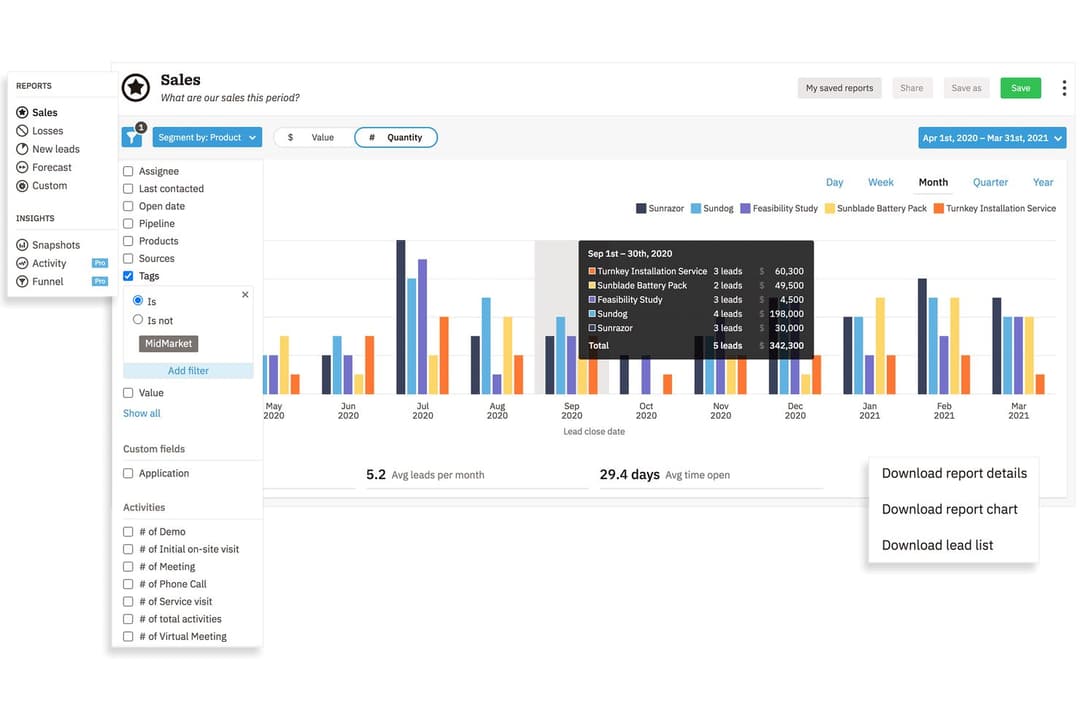
<div class="slate-p" data-slate-node="element" data-block-id="VN05wKggYa" data-slate-fragment="JTVCJTdCJTIyY2hpbGRyZW4lMjIlM0ElNUIlN0IlMjJ0ZXh0JTIyJTNBJTIyQm90aCUyME51dHNoZWxsJTIwYW5kJTIwQ29wcGVyJTIwQ1JNJTIwb2ZmZXIlMjBwaXBlbGluZSUyMG1hbmFnZW1lbnQlMkMlMjBjb250YWN0JTIwdHJhY2tpbmclMkMlMjByZXBvcnRpbmclMkMlMjBzYWxlcyUyMGF1dG9tYXRpb24lMkMlMjBhbmQlMjBpbnRlZ3JhdGlvbiUyMHdpdGglMjBlbWFpbCUyMGFuZCUyMGNhbGVuZGFycy4lMjBZb3UlRTIlODAlOTlsbCUyMGZpbmQlMjB0YXNrJTIwYXNzaWdubWVudCUyQyUyMGJhc2ljJTIwd29ya2Zsb3clMjBhdXRvbWF0aW9ucyUyQyUyMGFuZCUyMG1vYmlsZSUyMGFjY2VzcyUyMGJ1aWx0JTIwaW4lMkMlMjBtYWtpbmclMjBpdCUyMGVhc3klMjB0byUyMHN1cHBvcnQlMjBldmVyeWRheSUyMHNhbGVzJTIwd29yayUyMG5vJTIwbWF0dGVyJTIwd2hpY2glMjBDUk0lMjB5b3UlMjBjaG9vc2UuJTIyJTdEJTVEJTJDJTIydHlwZSUyMiUzQSUyMnAlMjIlMkMlMjJpZCUyMiUzQSUyMmtoNHNWZGN0czUlMjIlN0QlMkMlN0IlMjJjaGlsZHJlbiUyMiUzQSU1QiU3QiUyMnRleHQlMjIlM0ElMjJDaCiCd differenzia Nutshell è la sua personalizzazione flessibile dei report e l'ampia gamma di suite che permettono una gestione fluida di vendite, marketing e coinvolgimento — tutto senza lasciare la piattaforma. Nutshell è ideale per team che vogliono una soluzione completa, capace di supportare l'intera pipeline di vendita e i workflow correlati. Copper CRM si distingue per l'integrazione profonda con Google Workspace e la cattura automatica dei dati, perfetta per i team che vivono su Gmail o Google Calendar e desiderano che il CRM sia "invisibile".
| Nutshell | Copper CRM | |
|---|---|---|
| API | Yes | Yes |
| Data Export | Yes | Yes |
| Data Import | Yes | Yes |
| External Integrations | Yes | Yes |
| Multi-User | Yes | Yes |
| Notifications | Yes | Yes |
| Third-Party Plugins/Add-Ons | Yes | Yes |
| Integrazione | Nutshell | Copper CRM |
| Google Workspace | ✅ | ✅ |
| Microsoft 365 | ✅ | ❌ |
| QuickBooks Online | ✅ | ✅ |
| Slack | ✅ | ✅ |
| Mailchimp | ✅ | ✅ |
| HubSpot | ❌ | ✅ |
| ❌ | ✅ | |
| Xero | ❌ | ✅ |
| API | ✅ | ✅ |
| Zapier | ✅ | ✅ |
Entrambi gli strumenti coprono le integrazioni essenziali come Google Workspace, QuickBooks, Mailchimp, Zapier, e offrono accesso tramite API, rendendoli scelte solide per i flussi di lavoro più comuni. Copper CRM si distingue per le integrazioni più specializzate per utenti Google-first e Xero, mentre Nutshell si fa notare per Microsoft 365 e collegamenti personalizzati tramite il suo marketplace e API.
| Fattore | Nutshell | Copper CRM |
| Crittografia dei dati | Utilizza TLS 1.2 per la crittografia dei dati in transito e AES-256 a riposo. | Crittografa i dati in transito e a riposo utilizzando standard industriali. |
| Conformità normativa | Rispetta GDPR, PCI DSS, SOC 2 Tipo 1 e le leggi sulla privacy degli Stati Uniti, offrendo controlli chiari agli utenti. | Conforme al GDPR con ulteriore certificazione SOC 2 per una garanzia aggiuntiva. |
| Controlli di accesso | Offre ruoli utente e permessi personalizzabili. | Fornisce impostazioni granulari dei permessi e controlli di condivisione del team. |
| Backup e recupero | Backup automatici giornalieri con ridondanza multi-regione. | Backup regolari dei dati con processi di disaster recovery robusti. |
| Registrazione delle attività | Traccia l'attività degli utenti e i log di accesso per fini di audit. | Mantiene registri dettagliati delle attività degli utenti per audit di sistema. |
Nutshell e Copper CRM sono sostanzialmente comparabili in termini di sicurezza, affidabilità e controlli amministrativi, offrendo entrambi le protezioni che la maggior parte delle aziende si aspetta da una piattaforma CRM moderna. L'esperienza complessiva e il livello di controllo sono molto simili in entrambi i sistemi.
| Fattore | Nutshell | Copper CRM |
|---|---|---|
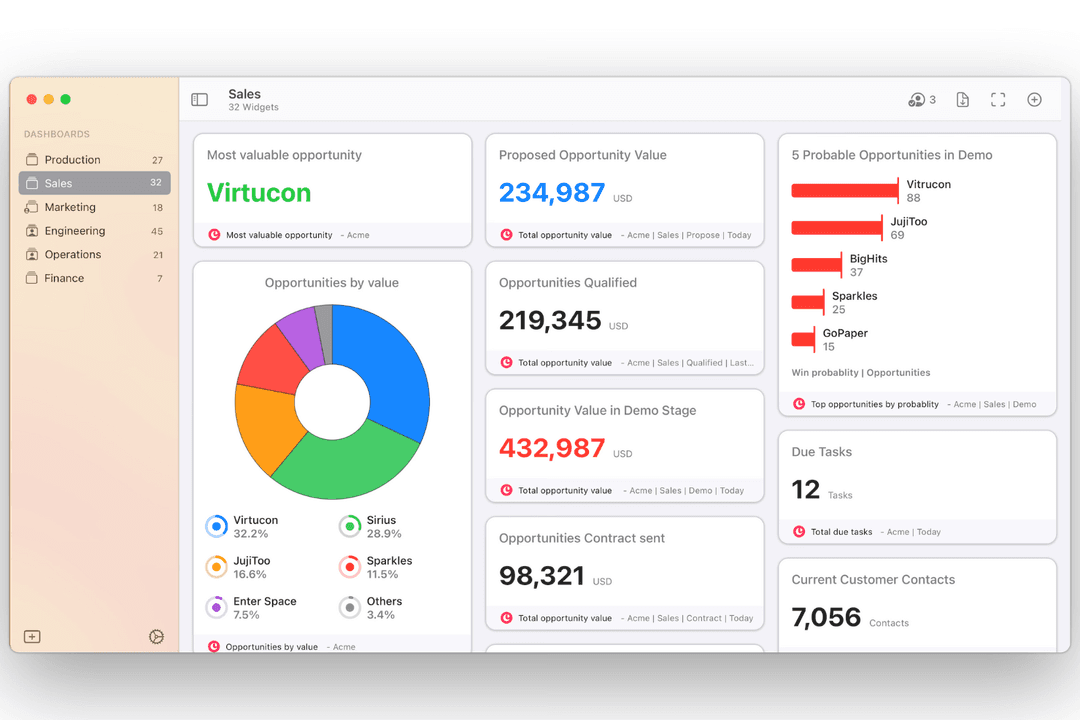
| FattoreInterfaccia Utente | NutshellDashboard pulita e intuitiva con pipeline drag-and-drop. | Copper CRMDesign minimale in stile Google che sembra nativo su Workspace. |
| FattoreOnboarding | NutshellConfigurazione guidata, opzioni di importazione semplici e utili suggerimenti. | Copper CRMSi integra facilmente con Gmail, oltre a guide in-app per la configurazione. |
| FattorePersonalizzazione | NutshellPipeline e campi flessibili senza curva di apprendimento ripida. | Copper CRMPersonalizzazione semplice con forte focus sulle integrazioni Google. |
| FattoreEsperienza Mobile | NutshellApp complete per iOS e Android. | Copper CRMApp mobile fortemente integrata con gli strumenti Google. |
| FattoreSupporto Clienti | NutshellSupporto rapido via email/chat e un centro assistenza dettagliato. | Copper CRMSupporto reattivo con risorse aggiuntive per utenti Workspace. |
Entrambi gli strumenti sono facili da configurare, ma Copper CRM conquista gli utenti che vogliono un'esperienza nativa per Google, mentre Nutshell si distingue per la sua accessibilità e la personalizzazione intuitiva. Consiglio Copper CRM se il vostro team lavora esclusivamente con Gmail, mentre Nutshell è più adatto a squadre che cercano risultati rapidi e poca complessità tecnica.
Nutshell
- Sales automation workflows handle multi-step processes effectively
- Implementation and onboarding are streamlined for rapid deployment and adoption.
- Responsive support team resolves most issues promptly
- Nutshell isn’t as customizable as other enterprise solutions
- Marketing capabilities isn’t as robust as a dedicated marketing platform
- Limited native enterprise integrations
Copper CRM
- It integrates seamlessly with Google Workspace, making it easy for your team to manage communication.
- The user interface is intuitive, reducing the learning curve for your team.
- It offers strong automation features that can simplify your workflow.
- Customization options are limited compared to other CRMs.
- Reporting capabilities might not meet the needs of data-driven teams.
- It lacks some advanced features that larger organizations might require.
Nutshell
- Small Sales TeamsSetup is fast, automation reduces manual work, and unlimited contacts keep costs predictable as you scale.
- B2B ServicesCustomizable pipelines and integrations with email and scheduling tools help manage leads from discovery through close.
- SaaS StartupsEasy-to-tweak workflows and email campaign features fit short sales cycles and lean teams.
- AgenciesPipeline views, contact segmentation, and shared activity histories help handle multiple client accounts.
- Distributed TeamsCloud access, mobile app, and straightforward collaboration features suit remote and hybrid work cultures.
- NonprofitsSimple donor management, bulk emailing, and custom fields support relationship-building without CRM complexity.
Copper CRM
- Tech StartupsCopper CRM is ideal for tech startups using Google Workspace, providing seamless integration with Google tools.
- Small BusinessesFor small businesses, Copper CRM simplifies customer management with an easy-to-use interface and strong automation features.
- Sales TeamsSales teams benefit from Copper CRM's automation, reducing manual data entry and improving communication.
- Marketing DepartmentsMarketing departments find value in Copper CRM's ability to integrate with Google tools, enhancing collaboration and efficiency.
- Remote TeamsRemote teams thrive with Copper CRM's cloud-based access and integration with Google Workspace, enabling seamless collaboration.
- Project ManagementProject management teams use Copper CRM to streamline tasks with its intuitive interface and Google Drive integration.
Chi dovrebbe usare Nutshell e chi Copper CRM?
Nutshell è perfetto per PMI e team di vendita in crescita che necessitano di pipeline flessibili, funzionalità all-in-one e una configurazione veloce da apprendere. Copper CRM è la scelta indiscussa per i team centrati su Google Workspace—soprattutto agenzie, consulenze e startup—che vogliono un CRM perfettamente integrato con Gmail e Google Calendar. Scegli Nutshell se cerchi prezzi accessibili e funzionalità solide, oppure Copper CRM se la tua azienda utilizza quotidianamente gli strumenti Google.
| Nutshell | Copper CRM | |
|---|---|---|
| Automation | Nutshell Robust workflow automation with sales triggers. | Copper CRM Automated data entry and updates via Google tool integration. |
| Email Marketing | Nutshell Built-in email marketing tools for campaigns. | Copper CRM No integrated marketing, relies on third-party apps. |
| Google Integration | Nutshell Limited to basic sync features. | Copper CRM Deep, native integration with Gmail and Google Calendar. |
| Pricing Flexibility | Nutshell Straightforward, feature-based tier options. | Copper CRM Role-based tiers, pricing varies by integration depth. |
| Reporting | Nutshell Flexible, customizable reports suitable for sales ops. | Copper CRM Streamlined, automated reports focused on Google-centric data. |
| API Access | Each allows users and developers to build custom integrations or connect to additional tools via API. |
|---|---|
| Email Integration | Both sync with major email platforms to log conversations and trigger follow-ups right from the CRM dashboard. |
| Mobile Apps | Each provides mobile apps for iOS and Android, so sales teams can manage leads and updates on the go. |
| Pipeline Management | Both tools offer visual sales pipelines with drag-and-drop stage management, helping teams track deals easily. |
| User Permissions | Both include robust role-based permissions, letting admins control who sees and edits different records. |