
Close CRM -arvostelu: hyvät ja huonot puolet, ominaisuudet ja hinnoittelu
Raivasin Close CRM:n ympäriltä turhan melun pois – tässä kerrotaan, kuinka sen suoraviivainen työnkulku ja myyntiin keskittyvät ominaisuudet voivat viimein auttaa muuttamaan keskustelut todelliseksi liikevaihdoksi vuonna 2026.

We review tools independently, and commissions help fund our testing. See our transparency policy, our methodology, or suggest a tool.
Close CRM is a CRM software built for inside sales teams that need built-in calling, email sequencing, and SMS without stitching together third-party tools. I'd consider it a strong fit if your team's day-to-day revolves around outbound sales activity and pipeline execution. If you're deciding between Close CRM and HubSpot, Close CRM gives you a tighter, more sales-focused experience out of the box, whereas HubSpot wraps its CRM inside a broader marketing platform that can feel like more than you need if closing deals is your primary goal.
Close CRM Evaluation Summary
4.7/5
- From $35/user/month (billed annually)
- 14-day free trial
Why Trust Our Software Recommendations
6,700+
Reviews
20
Industry experts
16+
Evaluation factors
14
Years
Our reviews reflect our independent judgment—not a sales pitch. Learn how we stay transparent.
For this guide, we evaluated tools using hands-on testing and independent research, scoring tools using our selection criteria.
Our reviews reflect our human editorial judgment, not a sales pitch.
Close CRM Overview
If you’re judging CRM software for high-velocity sales teams, Close CRM stands out for its built-in calling, automated workflows, clear interface, and email automation. I think onboarding is quicker here than with many platforms, and pricing is straightforward. You may find the integration marketplace less extensive, and deeper customization options limited compared to some competitors. Still, if your team prioritizes activity tracking, follow-ups, and fast access to pipeline data, Close CRM is an excellent pick. I’d suggest it’s ideal for small to mid-sized inside sales teams focused on outbound or remote workflows.
Pros
- Built-in calling and SMS keep sales activity centralized.
- Automated follow-up sequences boost rep efficiency.
- Pipeline dashboard offers real-time visibility for teams.
Cons
- Reporting features are less advanced than some competitors.
- No built-in marketing automation for campaigns.
- Limited native mobile app compared to peers.
Is Close CRM Right For Your Needs?
Who Would be a Good Fit for Close CRM?
Close CRM is ideal for fast-moving sales teams and founder-led businesses that rely on phone and email outreach, especially inside sales departments, startup SaaS companies, remote or distributed teams, B2B services, agencies, and high-velocity lead generation campaigns.
- Inside Sales TeamsClose CRM’s calling tools, automatic logging, and sales pipeline make it ideal for teams relying on high-volume outreach.
- Startup SaaS CompaniesThe quick onboarding, automation, and transparent pricing appeal to fast-growing tech startups needing fast go-to-market execution.
- AgenciesAgencies managing multiple client pipelines benefit from simple lead management and customizable pipelines.
- Remote-First TeamsBuilt-in calling, SMS, and real-time collaboration fit well for distributed sales teams working across locations.
- B2B Service ProvidersTrack every deal stage and communication in one place, supporting service businesses that rely on diligent follow-ups.
- Founder-Led SalesNon-technical founders running outreach can ramp quickly with minimal setup and clear workflows.
Who Would be a Bad Fit for Close CRM?
Close CRM is not suited for teams requiring deep marketing automation, custom apps, or field sales tools. Large enterprises with complex needs, product-led growth companies, service-heavy businesses, or non-sales departments may find its feature set lacking.
- Field SalesLocation tracking, route planning, or offline mobile access are limited, so outside sales teams may find it lacking.
- Large EnterprisesHighly complex reporting, deep customization, or multi-division support isn’t as strong as enterprise-focused platforms.
- EcommerceClose CRM doesn’t offer direct integrations with shopping carts or marketing automation for high-volume online shops.
- Product-Led TeamsIf your focus is onboarding users through in-app actions, Close CRM won’t automate user journey tracking.
- Customer Support CentersIt lacks ticketing, case management, and omnichannel support features needed by service-heavy teams.
- Non-Sales DepartmentsHR, finance, and operations may find Close CRM too sales-centric, with limited relevant automation or workflow options.
How We Test & Score Tools
We’ve spent years building, refining, and improving our software testing and scoring system. The rubric is designed to capture the nuances of software selection and what makes a tool effective, focusing on critical aspects of the decision-making process.
Below, you can see exactly how our testing and scoring works across seven criteria. It allows us to provide an unbiased evaluation of the software based on core functionality, standout features, ease of use, onboarding, customer support, integrations, customer reviews, and value for money.
Core Functionality (25% of final scoring)
The starting point of our evaluation is always the core functionality of the tool. Does it have the basic features and functions that a user would expect to see? Are any of those core features locked to higher-tiered pricing plans? At its core, we expect a tool to stand up against the baseline capabilities of its competitors.
Standout Features (25% of final scoring)
Next, we evaluate uncommon standout features that go above and beyond the core functionality typically found in tools of its kind. A high score reflects specialized or unique features that make the product faster, more efficient, or offer additional value to the user.
We also evaluate how easy it is to integrate with other tools typically found in the tech stack to expand the functionality and utility of the software. Tools offering plentiful native integrations, 3rd party connections, and API access to build custom integrations score best.
Ease of Use (10% of final scoring)
We consider how quick and easy it is to execute the tasks defined in the core functionality using the tool. High scoring software is well designed, intuitive to use, offers mobile apps, provides templates, and makes relatively complex tasks seem simple.
Onboarding (10% of final scoring)
We know how important rapid team adoption is for a new platform, so we evaluate how easy it is to learn and use a tool with minimal training. We evaluate how quickly a team member can get set up and start using the tool with no experience. High scoring solutions indicate little or no support is required.
Customer Support (10% of final scoring)
We review how quick and easy it is to get unstuck and find help by phone, live chat, or knowledge base. Tools and companies that provide real-time support score best, while chatbots score worst.
Customer Reviews (10% of final scoring)
Beyond our own testing and evaluation, we consider the net promoter score from current and past customers. We review their likelihood, given the option, to choose the tool again for the core functionality. A high scoring software reflects a high net promoter score from current or past customers.
Value for Money (10% of final scoring)
Lastly, in consideration of all the other criteria, we review the average price of entry level plans against the core features and consider the value of the other evaluation criteria. Software that delivers more, for less, will score higher.
Core Features
Built-In Calling and SMS
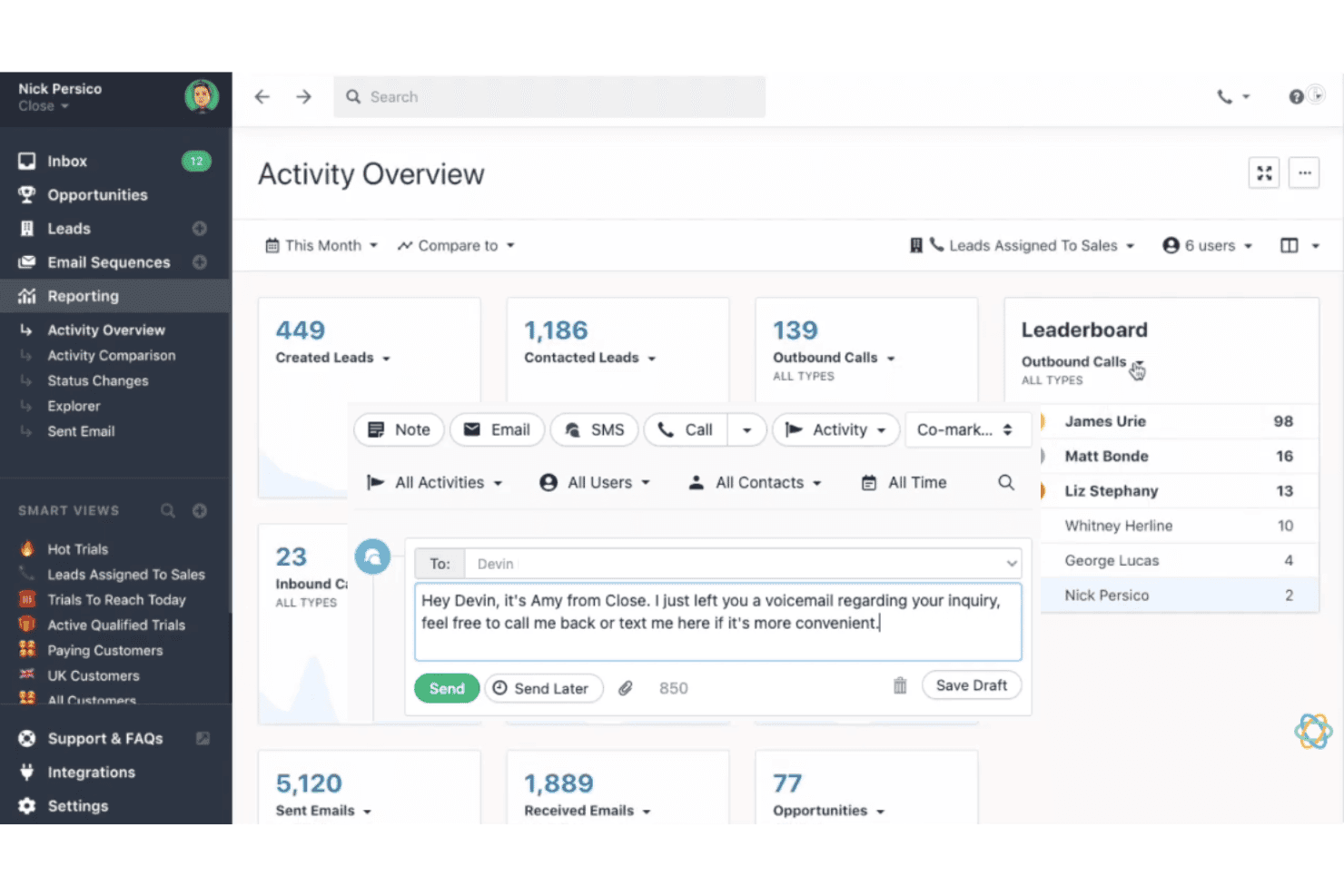
Make and log calls or texts directly from the CRM. Every interaction is tracked, so sales activity and notes stay in one place.
Email Automation
Create sequences for automated prospect follow-up and outreach. This keeps your pipeline moving without manual reminders.
Search and Filter
Quickly find leads, contacts, or deals using advanced search and filter tools. You can segment and target prospects based on nearly any criteria.
Sales Pipeline Management
Customizable pipelines let you track deals by stage with drag-and-drop ease. Get an instant view of what needs your team’s attention next.
Lead and Activity Tracking
Automatically record every sales activity, including calls, emails, and tasks. You always know who engaged last and what’s due next.
Reporting and Dashboard
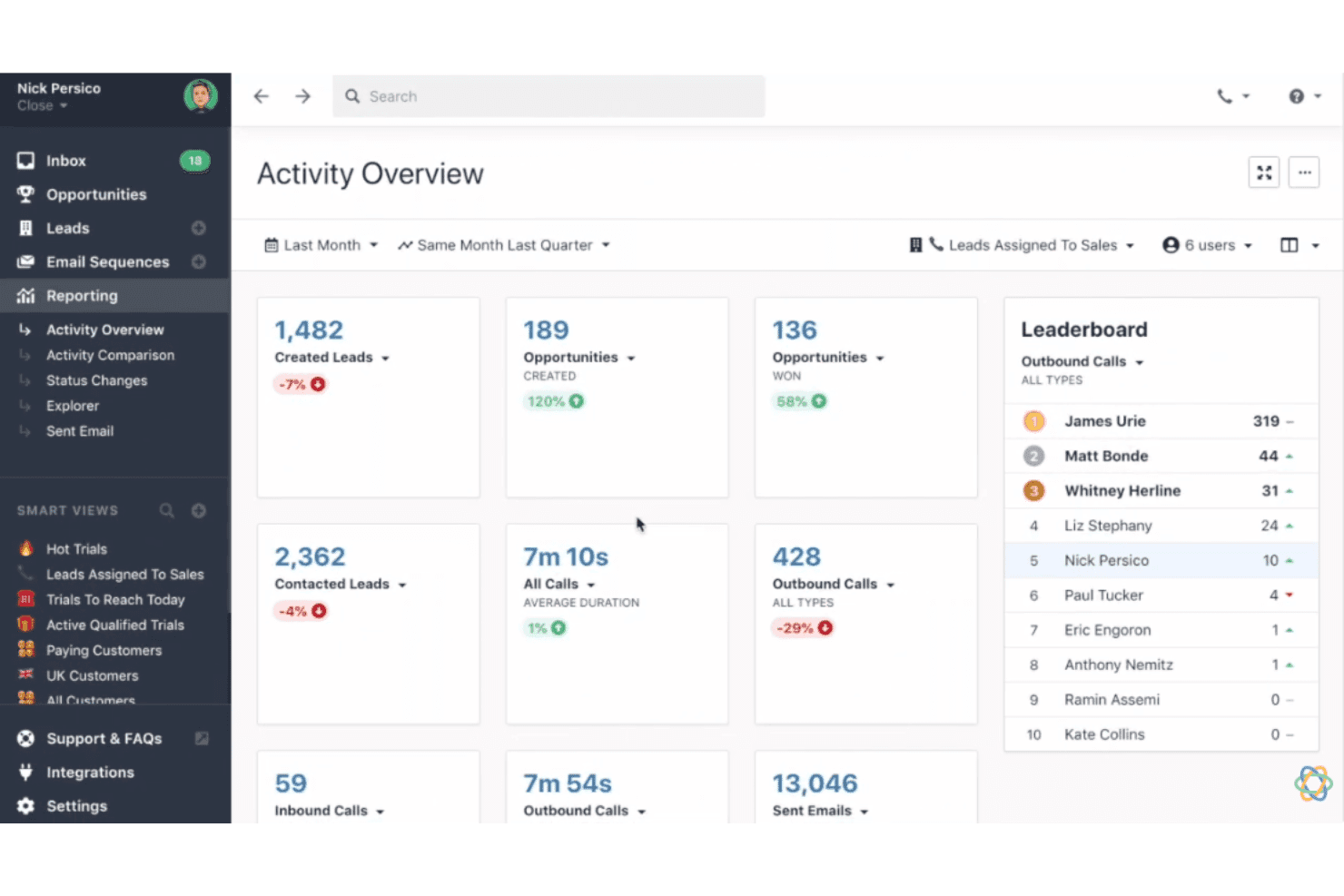
Visual dashboards show sales metrics and team performance in real time. Share insights across your team to improve forecasting and results.
Ease of Use
Close CRM feels refreshingly straightforward, thanks to its clean layout and focus on sales activities. You don’t waste time clicking through menus—core actions like calling, emailing, and updating deals are easily accessible. Most users say setup and daily workflows are intuitive, so their teams adopt it quickly with little formal training.
Integrations
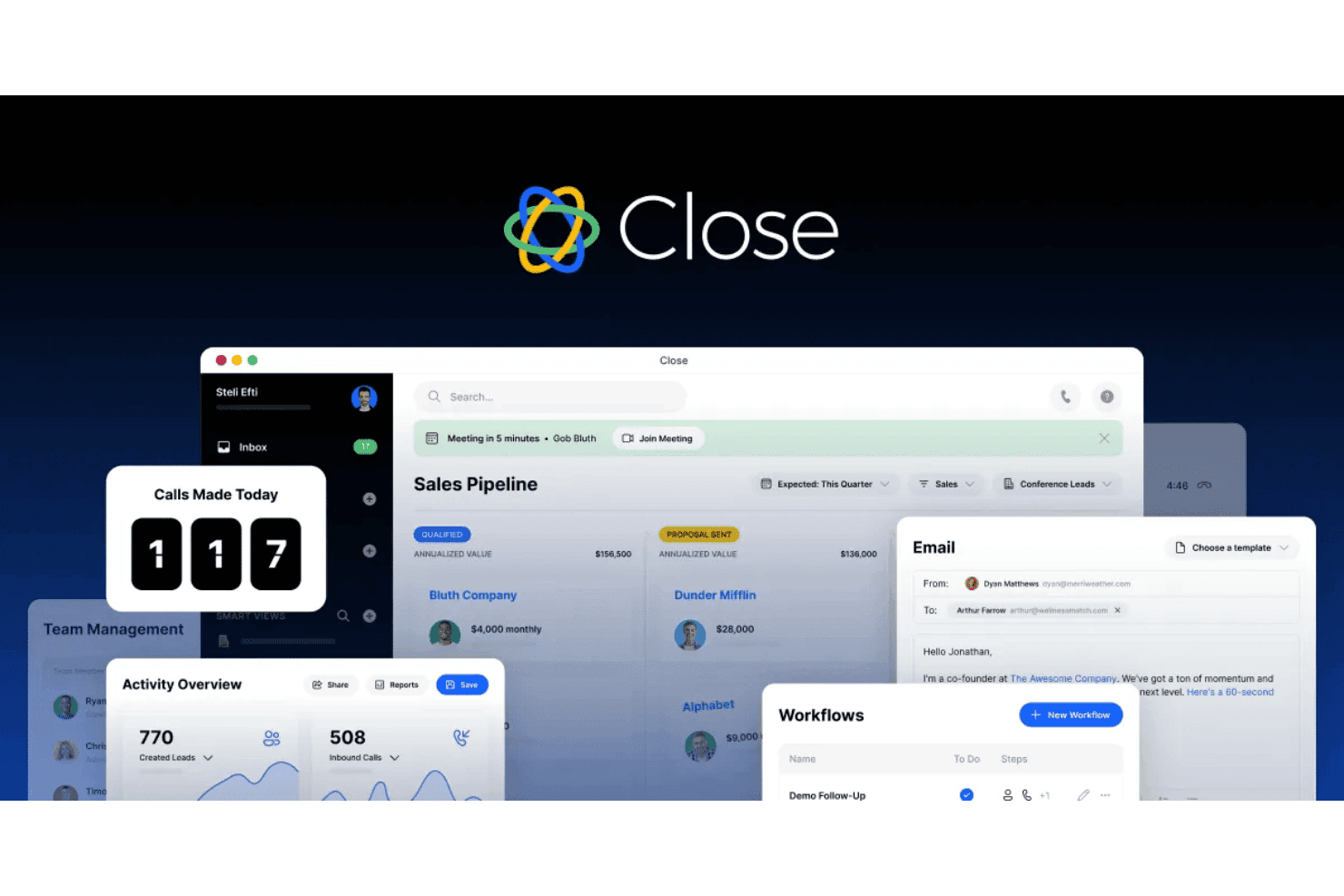
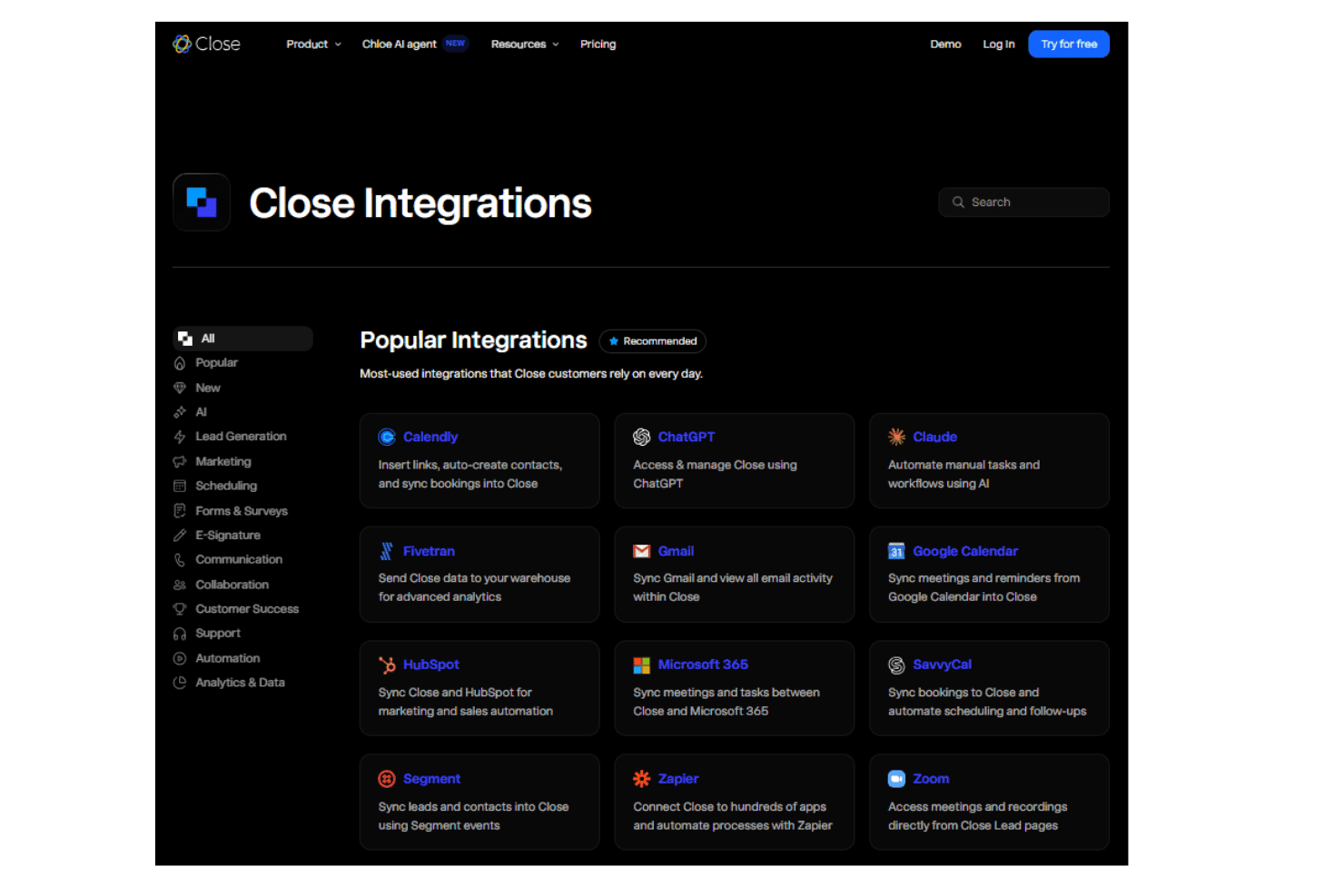
Close CRM integrates with Zoom, Slack, Mailchimp, Zapier, Google Workspace, Microsoft 365, Help Scout, Calendly, HubSpot, and ChatGPT, among others.
It also offers a public API and connects with popular third-party integration platforms.
Close CRM Specs
- 2-Factor Authentication: No
- Accounts Payable: No
- Accounts Receivable: No
- API: Yes
- Approval Workflows: No
- Balance Sheet: No
- Billing/Invoicing: No
- Budgeting: No
- Calendar Management: Yes
- Comparative Reporting: No
- CRM Integration: Yes
- Custom Reports: Yes
- Customer Management: Yes
- Dashboard: Yes
- Data Export: Yes
- Data Import: Yes
- Data Visualization: No
- Expense Tracking: No
- External Integrations: Yes
- Forecasting: No
- General Account Ledger: No
- Historical Data Analysis: No
- Inventory Tracking: No
- Multi-Currency: No
- Multi-User: No
- Notifications: Yes
- P&L: No
- Payroll: No
- Scenario Planning: No
- Scheduling: Yes
- Supplier Management: No
- Tax Management: No
- Time Management: Yes


