

Reseña de ZoomInfo: Ventajas, Desventajas, Características y Precios
Buscar entre infinitas opciones de software de ventas puede sentirse como un trabajo de tiempo completo — nosotros lo hemos vivido. Esta guía elimina el ruido para ayudarte a encontrar las herramientas adecuadas para automatizar tareas, escalar tu negocio y construir mejores relaciones con tus clientes.

Analizamos las herramientas de forma independiente, y las comisiones ayudan a financiar nuestras pruebas. Consulta nuestra política de transparencia, nuestra metodología, o sugiere una herramienta.
ZoomInfo is a sales intelligence software built for go-to-market teams that need accurate B2B contact and company data to support prospecting and account-based motions. I'd reach for it over Apollo.io when your team needs broader data coverage, richer buyer intent signals, and deeper CRM integrations at an enterprise scale. If you're evaluating both, this review breaks down what ZoomInfo actually delivers so you can decide whether it's the right fit for your revenue stack.
ZoomInfo Evaluation Summary
4.4/5
- Pricing upon request
- Free trial available
Por qué confiar en nuestras recomendaciones de software
6,700+
Reviews
20
Industry experts
16+
Evaluation factors
14
Years
Nuestras reseñas reflejan nuestro criterio independiente, no un discurso de ventas. Descubra cómo mantenemos la transparencia.
Para esta guía, evaluamos las herramientas mediante pruebas prácticas e investigación independiente, puntuando las herramientas según nuestros criterios de selección.
Nuestras reseñas reflejan nuestro criterio editorial humano, no un discurso de ventas.
ZoomInfo Overview
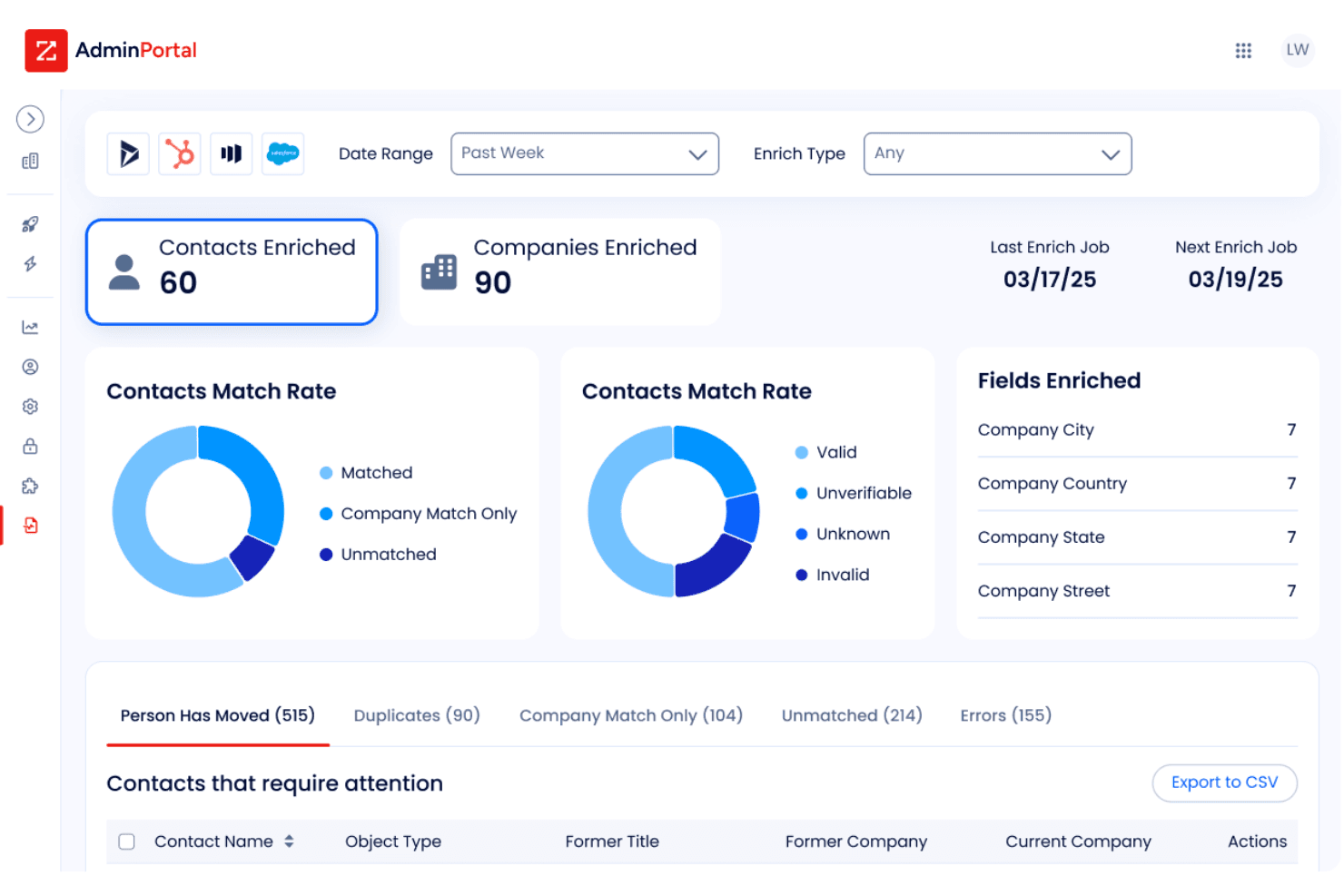
ZoomInfo provides your team with unmatched data accuracy and insights, setting it apart as the go-to choice for sales intelligence.
Pros
- ZoomInfo offers your team unparalleled data accuracy to improve targeting.
- It provides comprehensive insights that empower your sales strategy.
- You can easily access detailed company profiles and contact information.
Cons
- Some users find the learning curve steep at first.
- Data updates can occasionally be slow, affecting real-time accuracy.
- The interface might feel cluttered for those new to sales intelligence tools.
Is ZoomInfo Right For Your Needs?
Who Would be a Good Fit for ZoomInfo?
B2B companies, especially in tech and finance, would thrive using ZoomInfo due to its precise data and insights. Your sales and marketing teams can leverage detailed contact information and company profiles to target the right prospects effectively. If you’re in business development, you’ll find ZoomInfo’s lead generation capabilities invaluable for identifying potential clients and partners. It’s also ideal for recruitment teams that need to understand company structures and key decision-makers.
- Tech CompaniesZoomInfo provides your tech team with accurate data to identify and target key decision-makers effectively.
- Financial ServicesYour finance team can rely on ZoomInfo’s comprehensive insights for better prospecting and client engagement.
- Sales TeamsZoomInfo helps your sales team access detailed profiles and contact data to boost lead generation efforts.
- Marketing DepartmentsYour marketing team can use ZoomInfo to refine targeting strategies and improve campaign outcomes.
- Recruitment AgenciesRecruiters benefit from ZoomInfo’s detailed company insights and contact information for better talent acquisition.
- Business DevelopmentZoomInfo aids your business development efforts by identifying potential partners and expanding your network.
Who Would be a Bad Fit for ZoomInfo?
Small businesses and startups with limited budgets might find ZoomInfo overwhelming and costly, as its extensive data features could exceed your needs. If your team doesn’t require in-depth analysis or detailed contact information, simpler tools may suffice. Creative industries, like design or art, that don’t rely heavily on sales data might not maximize the value of ZoomInfo’s capabilities.
- Small StartupsYour startup might find ZoomInfo too complex and expensive for your basic needs.
- Creative AgenciesIf your agency is more focused on creative output than sales data, ZoomInfo offers more than you need.
- Local BusinessesZoomInfo’s extensive database might not be relevant if your focus is on a local market.
- FreelancersAs a freelancer, you might find ZoomInfo’s features unnecessary for your solo work.
- Non-Sales RolesNon-sales roles that don’t require data-driven insights would not benefit much from ZoomInfo.
- Retail CompaniesRetail companies focused on consumer sales might not find ZoomInfo’s B2B data relevant.
Cómo Probamos y Evaluamos Herramientas
Hemos pasado años construyendo, refinando y mejorando nuestro sistema de pruebas y evaluación de software. La rúbrica está diseñada para capturar las complejidades de la selección de software y lo que hace que una herramienta sea efectiva, centrándose en aspectos críticos del proceso de toma de decisiones. A continuación, puede ver exactamente cómo funcionan nuestras pruebas y evaluación a través de siete criterios. Esto nos permite ofrecer una evaluación imparcial del software basada en la funcionalidad principal, características destacadas, facilidad de uso, incorporación, soporte al cliente, integraciones, opiniones de los clientes y relación calidad-precio.
Funcionalidad Principal (25% de la puntuación final)
El punto de partida de nuestra evaluación es siempre la funcionalidad principal de la herramienta. ¿Tiene las características y funciones básicas que un usuario esperaría ver? ¿Alguna de esas funciones principales está restringida a planes de precios superiores? En esencia, esperamos que una herramienta cumpla con las capacidades básicas de sus competidores.
Características Destacadas (25% de la puntuación final)
A continuación, evaluamos características poco comunes que van más allá de la funcionalidad principal que suelen ofrecer herramientas similares. Una puntuación alta refleja funciones especializadas o únicas que hacen que el producto sea más rápido, eficiente o aporte un valor adicional al usuario. También evaluamos lo fácil que es integrar la herramienta con las demás del stack tecnológico para ampliar la utilidad y el alcance del software. Las herramientas que ofrecen integraciones nativas, conexiones de terceros y acceso API para crear integraciones personalizadas reciben las mejores puntuaciones.
Facilidad de Uso (10% de la puntuación final)
Consideramos qué tan rápido y fácil es realizar las tareas definidas en la funcionalidad principal usando la herramienta. El software que obtiene una alta puntuación está bien diseñado, es intuitivo de usar, ofrece aplicaciones móviles, proporciona plantillas y hace que tareas relativamente complejas parezcan sencillas.
Incorporación (10% de la puntuación final)
Sabemos lo importante que es la rápida adopción por parte del equipo de una nueva plataforma, por lo que evaluamos lo fácil que es aprender y utilizar una herramienta con una formación mínima. Evaluamos qué tan rápido un miembro del equipo puede configurarse y empezar a usar la herramienta sin experiencia previa. Las soluciones con puntuación alta indican que se requiere poco o ningún soporte.
Soporte al Cliente (10% de la puntuación final)
Revisamos cuán rápido y sencillo es encontrar ayuda y resolver problemas a través de teléfono, chat en vivo o base de conocimientos. Las herramientas y compañías que brindan soporte en tiempo real obtienen las mejores puntuaciones, mientras que los chatbots reciben las peores.
Opiniones de Clientes (10% de la puntuación final)
Además de nuestras propias pruebas y evaluaciones, consideramos el puntaje neto de promotores de los clientes actuales y anteriores. Revisamos su probabilidad, si tuvieran la opción, de volver a elegir la herramienta para la funcionalidad principal. Un software con puntuación alta refleja un puntaje neto de promotores elevado por parte de clientes actuales o anteriores.
Relación Calidad-Precio (10% de la puntuación final)
Por último, considerando todos los demás criterios, revisamos el precio promedio de los planes de nivel inicial frente a las funciones principales y consideramos el valor de los otros criterios de evaluación. El software que ofrece más, por menos, obtendrá una puntuación más alta.
Core Features
Contact Database
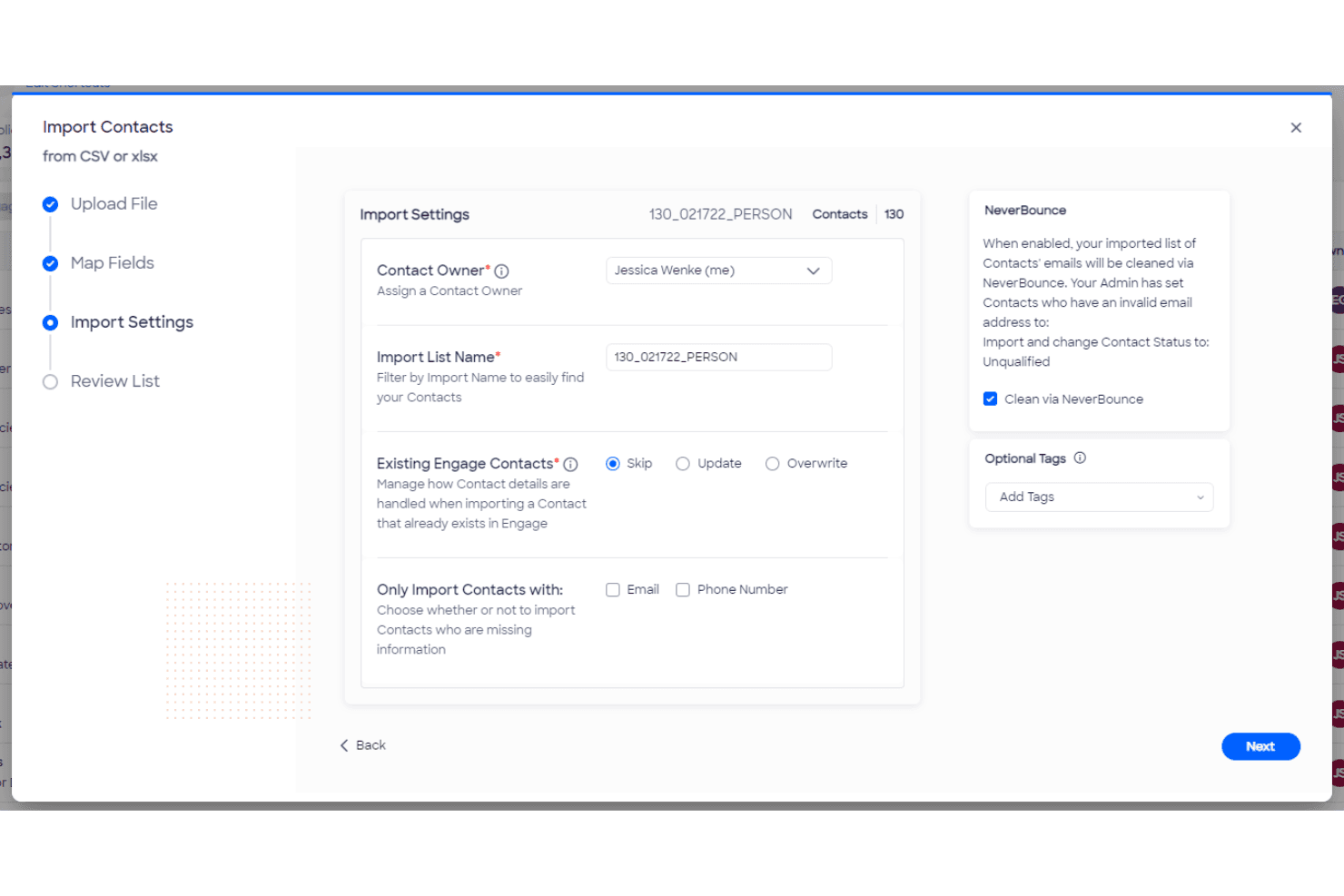
ZoomInfo offers a vast database of contact information, allowing your team to reach key decision-makers easily. You can access detailed profiles to enhance your outreach efforts.
Company Insights
Discover in-depth company insights to better understand potential clients and tailor your approach. This feature helps you see organizational structures and financial health.
Lead Scoring
ZoomInfo’s lead scoring system helps you prioritize prospects based on engagement and likelihood to convert. It saves your team time by focusing on high-potential leads.
Data Enrichment
Automatically enrich your existing data with ZoomInfo’s extensive information, ensuring you have the most accurate and complete records. This feature keeps your CRM up-to-date.
Email Verification
Verify email addresses in real-time to reduce bounce rates and improve campaign success. Your team will appreciate the increased efficiency in email outreach.
Sales Triggers
Set up sales triggers to alert you about significant changes or events at target companies. This keeps your team proactive and ready to seize opportunities.
Ease of Use
ZoomInfo offers a user-friendly interface, but some users find the initial learning curve a bit steep. Once you get the hang of it, navigating through its vast database and features becomes intuitive. The dashboard is well-organized, helping your team quickly access insights and data. Compared to other tools, it provides comprehensive training resources and support to ease the transition. This makes it a solid choice for sales teams willing to invest time in learning.
Integrations
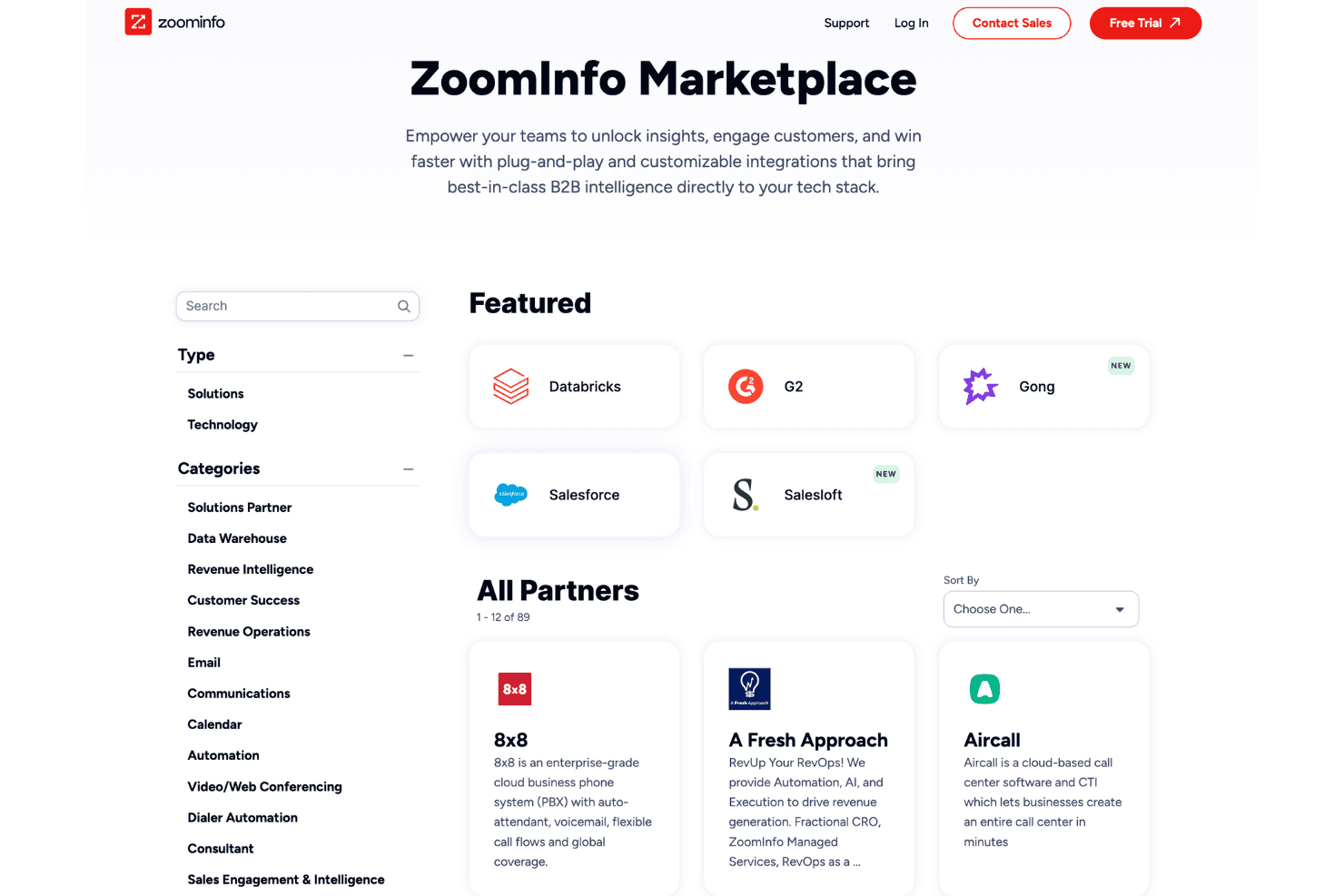
Integrations include Salesforce, Gong, Salesloft, Aircall, Amazon Chime, Amazon Connect, Avaya, ChurnZero, Bullhorn, BDO Digital, Databricks, and Clari.
ZoomInfo Specs
- A/B Testing: No
- Access Management: No
- Analytics: Yes
- API: Yes
- Conversion Tracking: No
- Custom Reports: No
- Customer Management: No
- Dashboards: Yes
- Data Export: Yes
- Data Import: Yes
- Data Mining: No
- Data Visualization: Yes
- External Integrations: Yes
- Forecasting: No
- Inventory Tracking: No
- Keyword Tracking: No
- Link Tracking: No
- Multi-User: Yes
- Notifications: Yes
- Project Management: No
- Reports: Yes
- Scenario Planning: No
- SEO: No
- Supplier Management: No
- Visualization: Yes
Alternatives to ZoomInfo


ZoomInfo FAQs
¿Qué sigue?
¿Quieres aprender más sobre las últimas ideas y tecnologías de ventas de expertos de la industria? Suscríbete al boletín de The CRO Club.