

Reseña de Pipedrive: Ventajas, Desventajas, Funciones y Precios
Los CRM deberían ayudarte a vender, no ralantizarte. Analicé Pipedrive para ver si logra el equilibrio adecuado—esto es lo que encontré.

Analizamos las herramientas de forma independiente, y las comisiones ayudan a financiar nuestras pruebas. Consulta nuestra política de transparencia, nuestra metodología, o sugiere una herramienta.
Pipedrive is a CRM software built around visual deal pipeline management, designed for sales teams that need to track opportunities, follow-up activity, and revenue forecasts without a heavy administrative overhead. I'd look at it seriously if your team needs more structure and visibility than a spreadsheet but wants something easier to configure and maintain than Salesforce—without needing a dedicated admin or months of onboarding to get value from it.
Pipedrive CRM Evaluation Summary
4.5/5
- From $14/user/month (billed annually)
- 14-day free trial
Por qué confiar en nuestras recomendaciones de software
6,700+
Reviews
20
Industry experts
16+
Evaluation factors
14
Years
Nuestras reseñas reflejan nuestro criterio independiente, no un discurso de ventas. Descubra cómo mantenemos la transparencia.
Para esta guía, evaluamos las herramientas mediante pruebas prácticas e investigación independiente, puntuando las herramientas según nuestros criterios de selección.
Nuestras reseñas reflejan nuestro criterio editorial humano, no un discurso de ventas.
Pipedrive CRM Overview
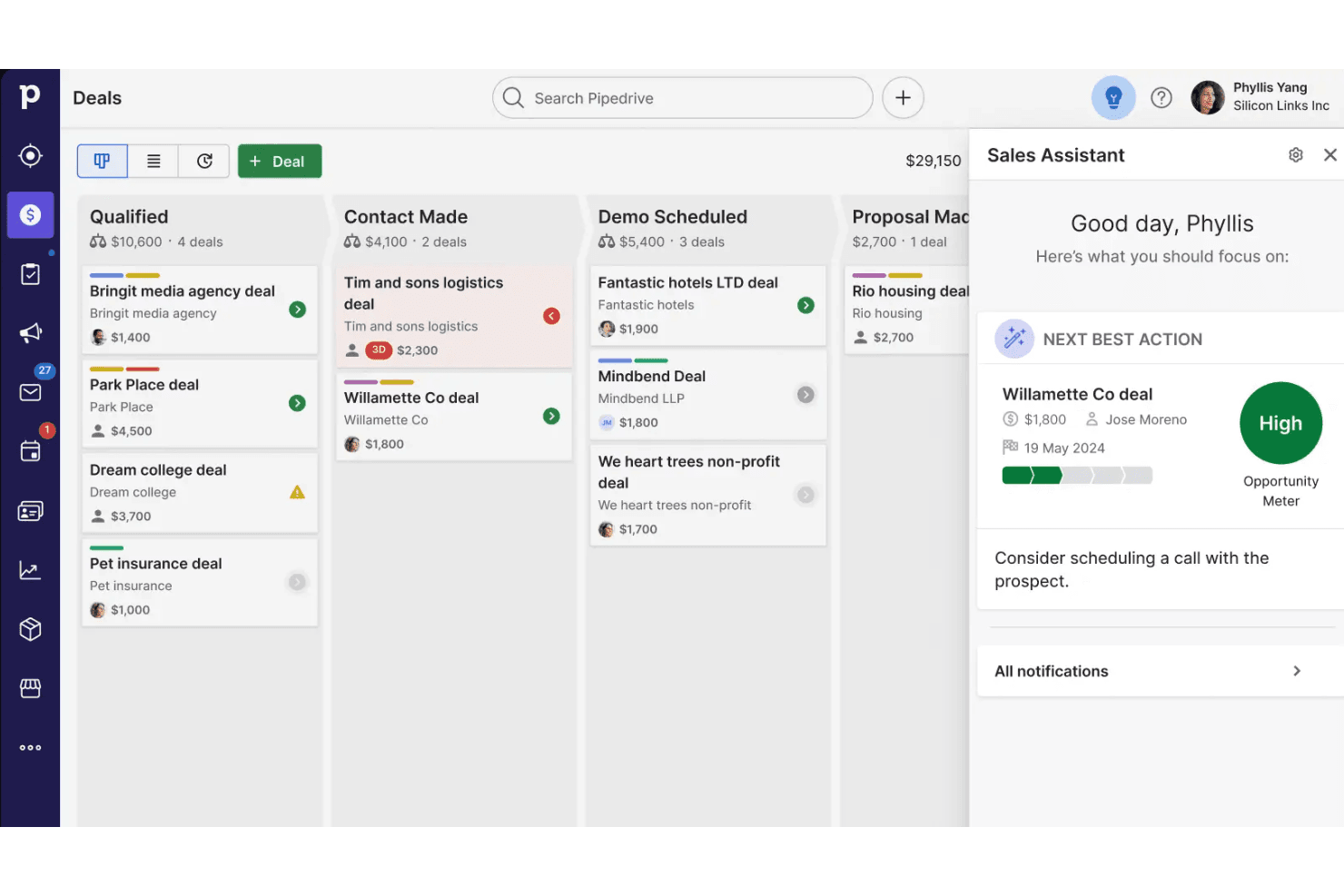
Pipedrive stands out for its highly visual, easy-to-use pipeline management that keeps sales teams focused on the right deals at the right time. Combined with a wide range of integrations—from email and calendar tools to marketing automation and lead gen platforms—it simplifies the entire sales process without overwhelming users.
Pros
- You’ll find the visual sales pipeline easy to navigate and understand.
- The customization options let your team tailor the CRM to fit your workflow.
- Automated follow-up reminders help you stay on top of your sales tasks.
Cons
- You might need more advanced reporting features for detailed analytics.
- Limited email tracking could be a hurdle for teams heavily reliant on email campaigns.
- Few native options for generating new leads directly within the software.
Is Pipedrive CRM Right For Your Needs?
Who Would be a Good Fit for Pipedrive CRM?
Sales teams in small to medium-sized businesses would thrive using Pipedrive. Its intuitive sales pipeline is perfect for teams that need clear visibility into their deal flow and prefer a straightforward approach to managing sales activities. If you’re in real estate, tech startups, or consulting, you’ll appreciate the customization options that let you tailor the CRM to your specific sales process. The automated follow-up reminders ensure you won’t miss any sales opportunities, keeping your team efficient and on track.
- Real EstatePipedrive’s visual pipeline helps you track leads and manage client interactions effectively.
- Tech StartupsYou’ll benefit from its customization options that adapt to fast-changing sales processes.
- Consulting FirmsThe CRM’s automated reminders keep your team on schedule with client follow-ups.
- Small BusinessesIts ease of use makes it accessible for teams without a dedicated IT department.
- Sales DepartmentsYou’ll find the focus on sales pipeline management boosts your team’s productivity.
- FreelancersThe straightforward interface allows you to manage client relationships without complexity.
Who Would be a Bad Fit for Pipedrive CRM?
Large enterprises with complex sales processes and extensive reporting needs might find Pipedrive lacking. If your team relies heavily on advanced analytics and detailed reporting, you might struggle with its limited capabilities in those areas. Industries like pharmaceuticals or large-scale manufacturing, which require intricate data analysis and robust email tracking, may not see Pipedrive as the best fit for their operations.
- Large EnterprisesPipedrive may not provide the advanced reporting tools you need for complex sales data.
- Pharmaceutical SalesYou’ll find the lack of detailed analytics a hurdle for meeting industry compliance requirements.
- Manufacturing CompaniesThe CRM’s limited email tracking can be a drawback for managing extensive client communications.
- Financial ServicesIts features might not cover the comprehensive data analysis crucial for financial forecasting.
- Marketing AgenciesYou might need more robust campaign tracking than Pipedrive offers.
- Government AgenciesThe CRM’s straightforward approach may not meet the complex requirements of public sector operations.
Cómo Probamos y Evaluamos Herramientas
Hemos pasado años construyendo, refinando y mejorando nuestro sistema de pruebas y evaluación de software. La rúbrica está diseñada para capturar las complejidades de la selección de software y lo que hace que una herramienta sea efectiva, centrándose en aspectos críticos del proceso de toma de decisiones. A continuación, puede ver exactamente cómo funcionan nuestras pruebas y evaluación a través de siete criterios. Esto nos permite ofrecer una evaluación imparcial del software basada en la funcionalidad principal, características destacadas, facilidad de uso, incorporación, soporte al cliente, integraciones, opiniones de los clientes y relación calidad-precio.
Funcionalidad Principal (25% de la puntuación final)
El punto de partida de nuestra evaluación es siempre la funcionalidad principal de la herramienta. ¿Tiene las características y funciones básicas que un usuario esperaría ver? ¿Alguna de esas funciones principales está restringida a planes de precios superiores? En esencia, esperamos que una herramienta cumpla con las capacidades básicas de sus competidores.
Características Destacadas (25% de la puntuación final)
A continuación, evaluamos características poco comunes que van más allá de la funcionalidad principal que suelen ofrecer herramientas similares. Una puntuación alta refleja funciones especializadas o únicas que hacen que el producto sea más rápido, eficiente o aporte un valor adicional al usuario. También evaluamos lo fácil que es integrar la herramienta con las demás del stack tecnológico para ampliar la utilidad y el alcance del software. Las herramientas que ofrecen integraciones nativas, conexiones de terceros y acceso API para crear integraciones personalizadas reciben las mejores puntuaciones.
Facilidad de Uso (10% de la puntuación final)
Consideramos qué tan rápido y fácil es realizar las tareas definidas en la funcionalidad principal usando la herramienta. El software que obtiene una alta puntuación está bien diseñado, es intuitivo de usar, ofrece aplicaciones móviles, proporciona plantillas y hace que tareas relativamente complejas parezcan sencillas.
Incorporación (10% de la puntuación final)
Sabemos lo importante que es la rápida adopción por parte del equipo de una nueva plataforma, por lo que evaluamos lo fácil que es aprender y utilizar una herramienta con una formación mínima. Evaluamos qué tan rápido un miembro del equipo puede configurarse y empezar a usar la herramienta sin experiencia previa. Las soluciones con puntuación alta indican que se requiere poco o ningún soporte.
Soporte al Cliente (10% de la puntuación final)
Revisamos cuán rápido y sencillo es encontrar ayuda y resolver problemas a través de teléfono, chat en vivo o base de conocimientos. Las herramientas y compañías que brindan soporte en tiempo real obtienen las mejores puntuaciones, mientras que los chatbots reciben las peores.
Opiniones de Clientes (10% de la puntuación final)
Además de nuestras propias pruebas y evaluaciones, consideramos el puntaje neto de promotores de los clientes actuales y anteriores. Revisamos su probabilidad, si tuvieran la opción, de volver a elegir la herramienta para la funcionalidad principal. Un software con puntuación alta refleja un puntaje neto de promotores elevado por parte de clientes actuales o anteriores.
Relación Calidad-Precio (10% de la puntuación final)
Por último, considerando todos los demás criterios, revisamos el precio promedio de los planes de nivel inicial frente a las funciones principales y consideramos el valor de los otros criterios de evaluación. El software que ofrece más, por menos, obtendrá una puntuación más alta.
Core Features
Visual Sales Pipeline
This feature lets you see your deals in a clear, visual format, helping you track progress easily. You’ll appreciate the drag-and-drop interface that makes managing your sales process straightforward.
Deal Management
With this, you can organize and prioritize your deals, ensuring nothing falls through the cracks. It provides a snapshot of your sales activities, helping you focus on the most promising opportunities.
Contact Management
Keep all your contacts' information in one place, so you’re always prepared for meetings. The feature allows you to track interactions and maintain a complete history with each contact.
Activity Reminders
Never miss a follow-up with automated reminders that keep your sales activities on schedule. This feature ensures you stay proactive and maintain momentum in your sales pipeline.
Email Integration
Connect your email to manage communications directly from the CRM, keeping everything centralized. You’ll save time by having all your emails linked to the relevant deals and contacts.
Reporting and Analytics
Get insights into your sales performance with customizable reports that show key metrics. You can identify trends and adjust your strategies based on real-time data.
Ease of Use
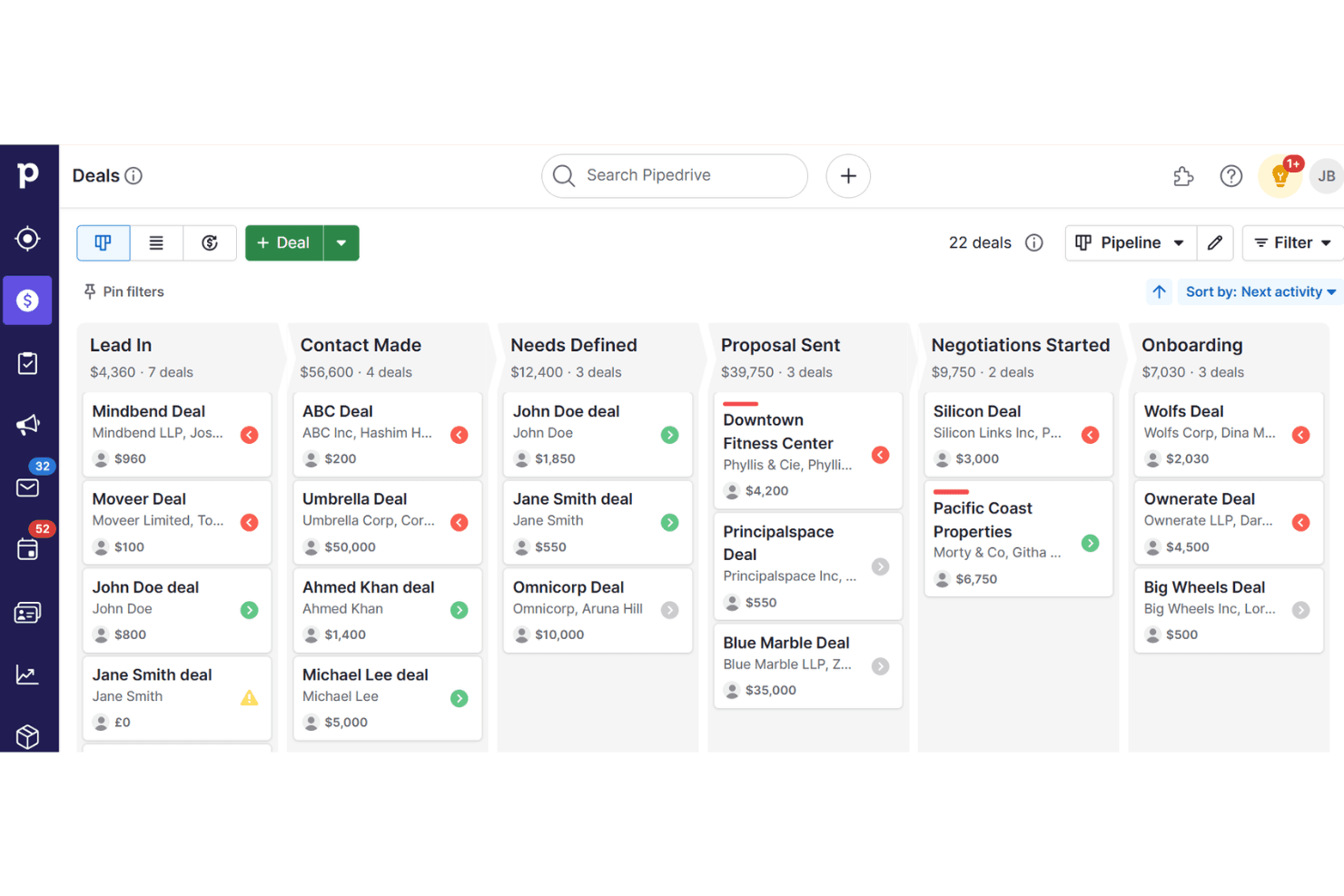
Pipedrive stands out for its user-friendly design, making it easy for your team to get started without a steep learning curve. The intuitive drag-and-drop sales pipeline and straightforward navigation ensure you can focus on selling rather than figuring out the software. You’ll find the customization options simple to adjust, allowing you to adapt the CRM to your specific needs quickly. Users often praise its clean interface, which keeps your work organized and efficient.
Integrations
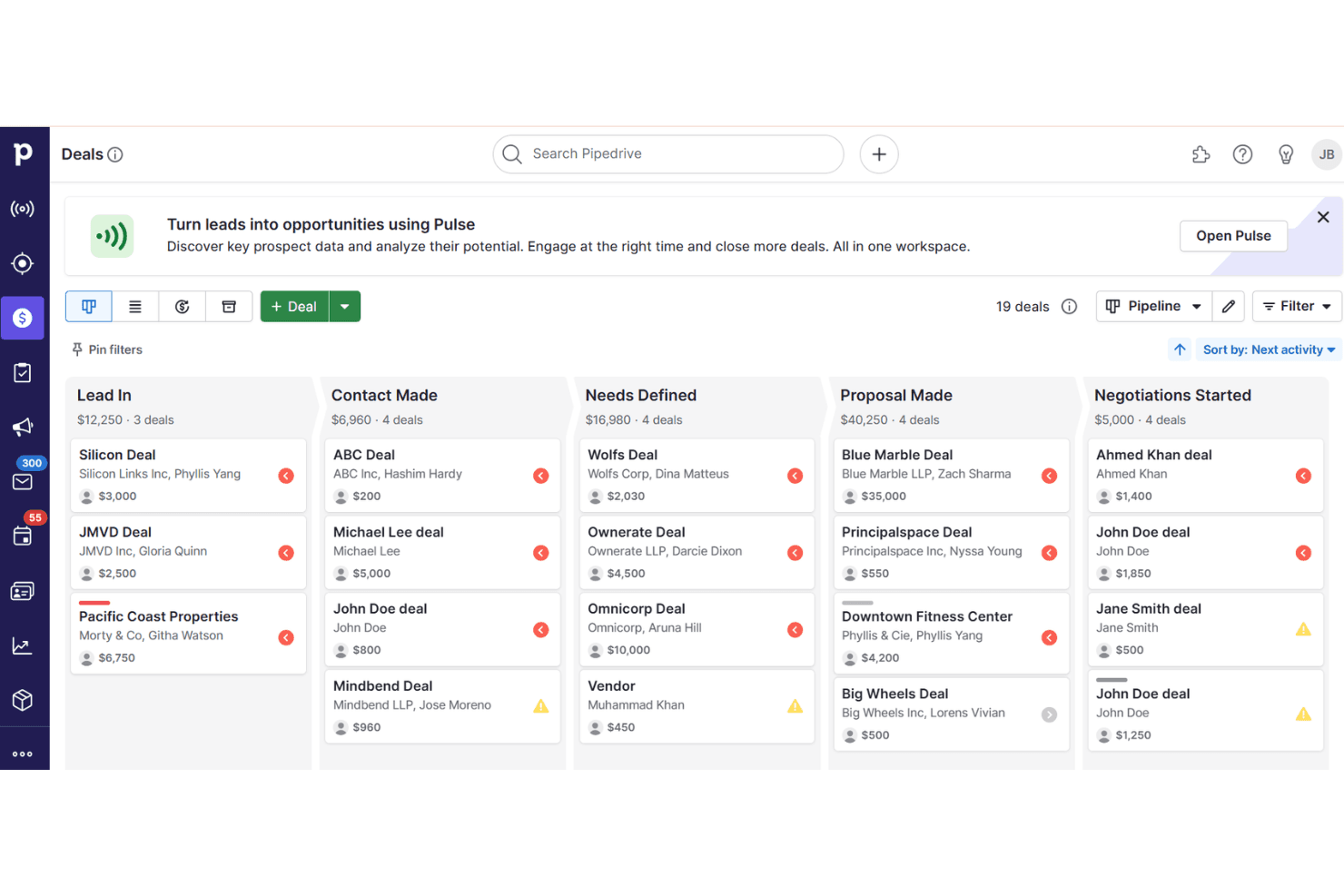
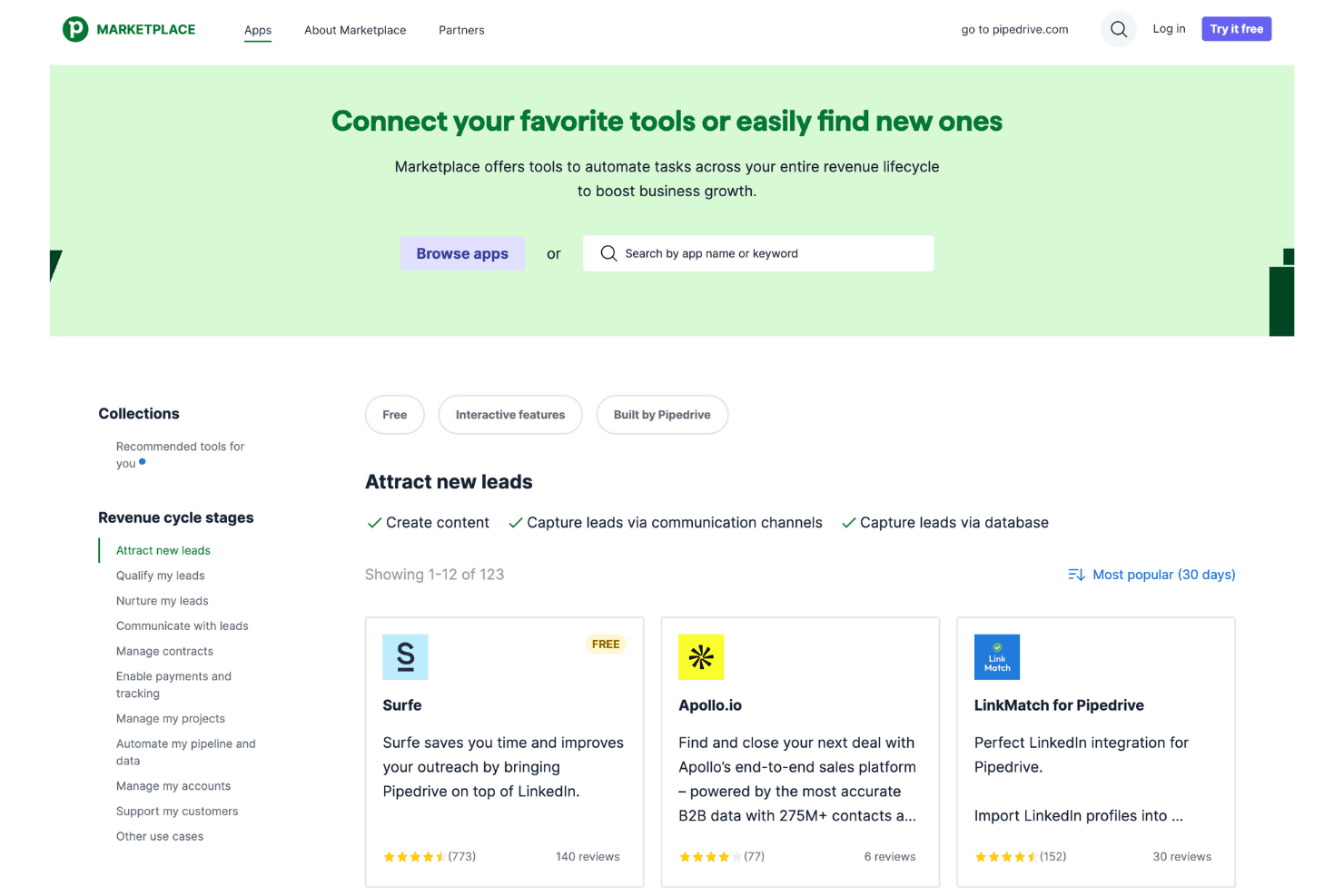
Integrations include Zapier, Surfe, PandaDoc, Slack, Microsoft Teams, Mailchimp, Google Apps, Outfunnel, Trello, and QuickBooks.
Pipedrive CRM Specs
- 2-Factor Authentication: No
- API: Yes
- Calendar Management: Yes
- Call Tracking: Yes
- Campaign Management: No
- Click-to-Dial: Yes
- Contact Management: Yes
- Contact Sharing: Yes
- Custom Data Forms: No
- Customer Management: Yes
- Dashboard: Yes
- Data Export: Yes
- Data Import: Yes
- Data Visualization: Yes
- Email Integration: Yes
- External Integrations: Yes
- File Sharing: Yes
- File Transfer: Yes
- Google Apps Integration: Yes
- Lead Management: Yes
- Lead Scoring: Yes
- Marketing Automation: No
- Mobile App: Yes
- Multi-User: Yes
- Notifications: Yes
- Pipeline Management: Yes
- Sales Automation: Yes
- Scheduling: Yes
- Social-Media Integration: No
- Task Scheduling/Tracking: Yes
- Third-Party Plugins/Add-Ons: Yes
Alternatives to Pipedrive CRM


Pipedrive CRM FAQs
¿Qué sigue?
No te pierdas las últimas ideas y tendencias en habilitación de ventas. Suscríbete a nuestro boletín y mantente al día con las mejores prácticas y estrategias de ventas.