


Pipedrive vs. Salesmate: Vergleich und Expertenbewertungen für 2026
Vergleichen Sie Pipedrive und Salesmate, um herauszufinden, welches CRM am besten zu Ihrem Unternehmen passt, mit Experteneinschätzungen zu Funktionen, Preisen und Benutzerfreundlichkeit.

Wir bewerten Tools unabhängig, und Provisionen helfen, unsere Tests zu finanzieren. Sehen Sie unsere transparente Richtlinie, unsere Methodik oder schlagen Sie ein Tool vor.
Haben Sie Schwierigkeiten, Ihren Vertriebsprozess übersichtlich zu halten, Ihr Team abzustimmen oder Ihre Geschäfte voranzutreiben? Die Wahl der richtigen CRM-Software kann über Erfolg oder Misserfolg Ihrer Umsatzstrategie entscheiden. Pipedrive überzeugt durch visuelle Vertriebspipelines und eine intuitive Automatisierung, während Salesmate flexible Anpassungsmöglichkeiten und multikanale Kommunikation bietet.
In diesem Artikel erhalten Sie einen direkten Vergleich, wie beide Plattformen Ihre täglichen Herausforderungen lösen – damit Sie das CRM finden, das zu Ihrem Team, Ihrem Workflow und Ihren Wachstumszielen passt.
Pipedrive CRM
4.5/5
- 14-day free trial
- From $14/user/month (billed annually)
Salesmate
4.7/5
- 15-day free trial
- From $23/user/month (billed annually)
Warum Sie unseren Software-Empfehlungen vertrauen können
6,700+
Reviews
20
Industry experts
16+
Evaluation factors
14
Years
Unsere Bewertungen spiegeln unser unabhängiges Urteilsvermögen wider – keine Verkaufsstrategie. Erfahren Sie, wie wir transparent bleiben.
Für diesen Leitfaden haben wir Tools mithilfe von praktischen Tests und unabhängiger Recherche bewertet und dabei unsere Bewertungskriterien angewendet.
Unsere Bewertungen spiegeln unser menschliches redaktionelles Urteilsvermögen wider, keine Verkaufsstrategie.
| Pipedrive CRM | Salesmate | |
|---|---|---|
| Free Trial | 14-day free trial | 15-day free trial |
| Pricing | From $14/user/month (billed annually) | From $23/user/month (billed annually) |
Pipedrive vs. Salesmate Preise & versteckte Kosten
Pipedrive verwendet ein gestuftes Abonnementmodell pro Nutzer, mit Tarifen von Einstiegs- bis zu erweiterten Stufen, die bei Wachstum Automatisierung, Berichte und KI-gestützte Werkzeuge freischalten. Die Core-CRM-Funktionen sind enthalten, doch einige Fähigkeiten – wie Lead-Generierung, Web-Besucher-Tracking und erweiterte Dokumentenverwaltung – sind nur als kostenpflichtige Add-ons verfügbar, was die Gesamtkosten im Laufe der Zeit erhöhen kann.
Auch Salesmate folgt einer gestaffelten Preisstruktur, bietet jedoch einen breiteren Funktionsumfang – darunter E-Mail-Synchronisierung, Automatisierung und integrierte Kommunikationstools – direkt in den Basistarifen. Integrationen sind in der Regel ohne Zusatzkosten enthalten, allerdings können nutzungsbasierte Elemente wie Telefonie, SMS und KI-Agenten-Guthaben abhängig vom Aktivitätsniveau variable Kosten verursachen.
Um den richtigen Anbieter zu wählen, ordnen Sie Ihre unverzichtbaren Funktionen und Wachstumspläne den enthaltenen Leistungen der einzelnen Tarifstufen zu – und achten Sie dabei nicht nur auf den Basispreis. Prüfen Sie genau, welche Fähigkeiten Add-ons erfordern und wo ein nutzungsabhängiges Wachstum die Kosten beeinflusst. Ein Verständnis, wie sich die Kosten mit wachsender Teamgröße oder Nutzung entwickeln, hilft Ihnen, Überraschungen zu vermeiden und Ihre CRM-Investition langfristig passend auszurichten.
Sowohl Pipedrive als auch Salesmate bieten eine solide Grundlage als vertriebsorientierte CRMs. Sie bieten Kernfunktionen wie visuelles Pipeline-Management, Kontakt- und Deal-Verfolgung, Workflow-Automatisierung, Berichte und Integrationen – damit Teams Leads verwalten und Geschäfte effizient vom Interessenten bis zum Abschluss bringen können.
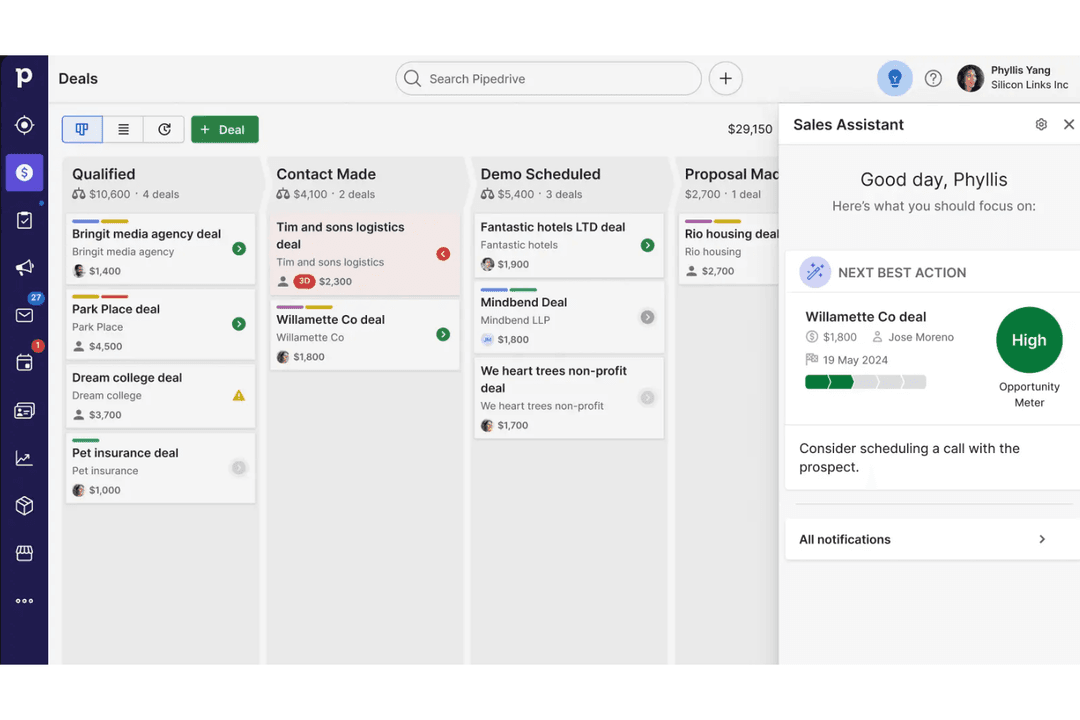
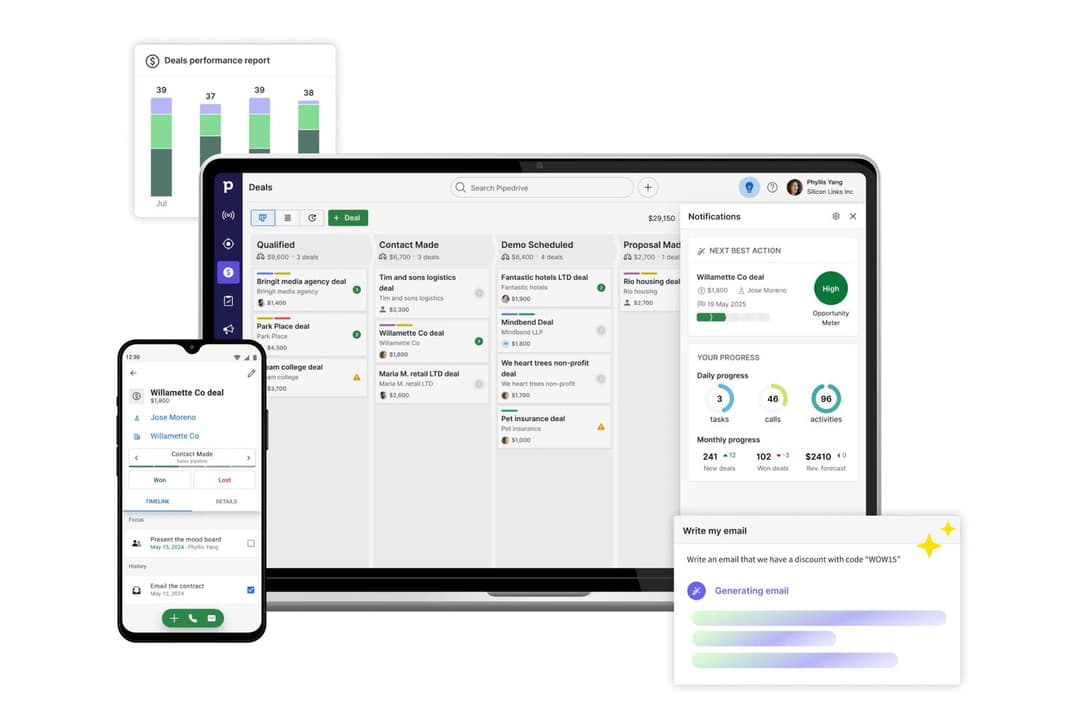
Pipedrive hebt sich durch seine besonders intuitive Drag-and-drop-Pipeline und Benutzerfreundlichkeit hervor – besonders geeignet für Teams, die ein einfaches, vertriebsorientiertes Erlebnis mit minimalem Einrichtungsaufwand möchten. Salesmate wiederum unterscheidet sich durch integrierte Kommunikationstools wie Anrufe und SMS sowie mehr native Marketing- und Automatisierungsfunktionen, sodass es eher wie eine umfassende Umsatzplattform als ein reines Vertriebs-CRM wirkt.
| Pipedrive CRM | Salesmate | |
|---|---|---|
| 2-Factor Authentication | No | No |
| API | Yes | Yes |
| Calendar Management | Yes | Yes |
| Call Tracking | Yes | Yes |
| Campaign Management | No | No |
| Click-to-Dial | Yes | Yes |
| Contact Management | Yes | Yes |
| Contact Sharing | Yes | Yes |
| Custom Data Forms | No | No |
| Customer Management | Yes | Yes |
| Dashboard | Yes | Yes |
| Data Export | Yes | Yes |
| Data Import | Yes | Yes |
| Data Visualization | Yes | Yes |
| Email Integration | Yes | Yes |
| External Integrations | Yes | Yes |
| File Sharing | Yes | Yes |
| File Transfer | Yes | No |
| Google Apps Integration | Yes | Yes |
| Lead Management | Yes | Yes |
| Lead Scoring | Yes | Yes |
| Marketing Automation | No | No |
| Mobile App | Yes | No |
| Multi-User | Yes | Yes |
| Notifications | Yes | Yes |
| Pipeline Management | Yes | Yes |
| Sales Automation | Yes | Yes |
| Scheduling | Yes | Yes |
| Social-Media Integration | No | No |
| Task Scheduling/Tracking | Yes | Yes |
| Third-Party Plugins/Add-Ons | Yes | Yes |
| Integration | Pipedrive | Salesmate |
|---|---|---|
| IntegrationGmail | Pipedrive✅ | Salesmate✅ |
| IntegrationMicrosoft Outlook | Pipedrive✅ | Salesmate✅ |
| IntegrationSlack | Pipedrive✅ | Salesmate✅ |
| IntegrationMailchimp | Pipedrive✅ | Salesmate✅ |
| IntegrationQuickBooks | Pipedrive✅ | Salesmate❌ |
| IntegrationXero | Pipedrive✅ | Salesmate❌ |
| IntegrationTwilio | Pipedrive❌ | Salesmate✅ |
| IntegrationIntercom | Pipedrive✅ | Salesmate❌ |
| IntegrationAPI | Pipedrive✅ | Salesmate✅ |
| IntegrationZapier | Pipedrive✅ | Salesmate✅ |
Beide, Pipedrive und Salesmate, bieten die wichtigsten Integrationen an, aber Pipedrive hat ein breiteres Spektrum, insbesondere bei Buchhaltungs- und Support-Tools. Über API- und Zapier-Zugänge auf beiden Plattformen können Sie nahezu jede App mit Ihrem Team verbinden.
| Faktor | Pipedrive | Salesmate |
|---|---|---|
| FaktorDatenverschlüsselung | PipedriveNutzt TLS-Verschlüsselung für Datenübertragungen und AES-256 für ruhende Daten. | SalesmateSchützt Daten mit SSL-Verschlüsselung und bietet verschlüsselte Datenspeicherung. |
| FaktorRegulatorische Compliance | PipedriveGDPR-konform mit speziellen Datenschutzressourcen und DPA-Unterstützung. | SalesmateGDPR-konform und stellt Tools zur Verwaltung von Betroffenenanfragen bereit. |
| FaktorBetriebszeit-Garantie | PipedriveMeldet Betriebszeiten öffentlich und hält eine Serviceverfügbarkeit von 99,9 % aufrecht. | SalesmateBietet hohe Betriebszeiten mit Echtzeit-Statusüberwachung zur Zuverlässigkeit. |
| FaktorZugriffskontrollen | PipedriveBietet granulare Benutzerrechte und Zwei-Faktor-Authentifizierung. | SalesmateUnterstützt rollenbasierte Zugriffe und Zwei-Faktor-Authentifizierung für alle Nutzer. |
| FaktorDatensicherungen | PipedriveFührt tägliche automatische Backups durch und verfolgt Notfallwiederherstellungsprotokolle. | SalesmateNimmt regelmäßige Sicherungen vor und ermöglicht bei Bedarf eine schnelle Datenwiederherstellung. |
Sowohl Pipedrive als auch Salesmate bieten starke Sicherheits- und Compliance-Standards, wobei Pipedrive mit transparenterer Betriebszeit-Berichterstattung und fortschrittlicher Verschlüsselung hervorsticht. Pipedrive überzeugt zudem durch hohe Zuverlässigkeit und detaillierte Zugriffskontrollen, während die unkomplizierten Compliance-Tools und Sicherungsoptionen von Salesmate eine sichere Wahl für wachsende Teams darstellen.
| Faktor | Pipedrive | Salesmate |
|---|---|---|
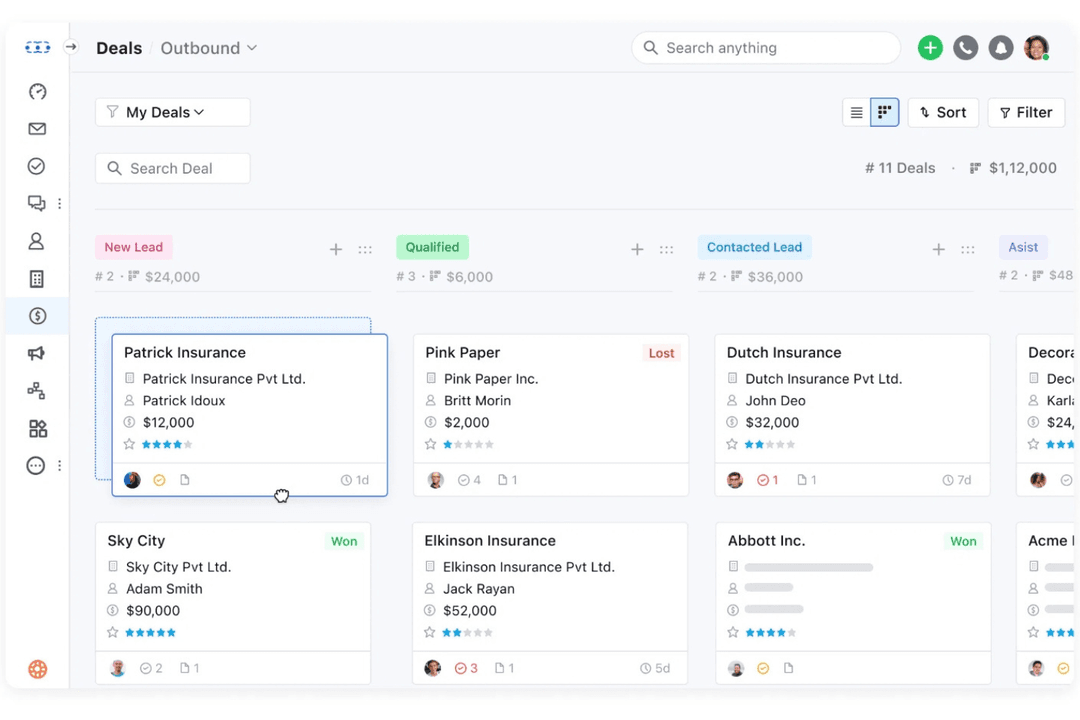
| FaktorBenutzeroberfläche | PipedriveBietet eine übersichtliche, visuelle Pipeline mit Drag-and-Drop-Dealverwaltung. | SalesmateBietet ein modernes Dashboard mit anpassbaren Widgets und schneller Navigation. |
| FaktorOnboarding | PipedriveStellt interaktive Tutorials und eine geführte Einrichtung für neue Nutzer bereit. | SalesmateBeinhaltet schrittweises Onboarding und Tipps innerhalb der App für schnellere Einführung. |
| FaktorAnpassung | PipedriveErmöglicht eine einfache Anpassung von Pipeline und Feldern ohne technische Kenntnisse. | SalesmateUnterstützt umfassende Anpassungen von Modulen, Feldern und Workflows. |
| FaktorMobile Nutzung | PipedriveMobile Apps spiegeln die Desktop-Erfahrung mit intuitiver Navigation wider. | SalesmateDie mobile App ist benutzerfreundlich und unterstützt Telefonate und Nachrichten unterwegs. |
| FaktorKundensupport | PipedriveLive-Chat und eine ausführliche Wissensdatenbank sind für schnelle Hilfe verfügbar. | Salesmate24/5 Live-Chat und E-Mail-Support mit schnellen Antwortzeiten. |
Beide, Pipedrive und Salesmate, sind benutzerfreundlich, doch machen das visuelle Pipeline-Design und das geführte Onboarding von Pipedrive den Einstieg besonders leicht. Salesmate punktet mit flexibler Anpassbarkeit und mobilen Funktionen und ist deshalb die optimale Wahl für Teams, die ihr CRM individuell gestalten möchten.
Pipedrive CRM
- You’ll find the visual sales pipeline easy to navigate and understand.
- The customization options let your team tailor the CRM to fit your workflow.
- Automated follow-up reminders help you stay on top of your sales tasks.
- You might need more advanced reporting features for detailed analytics.
- Limited email tracking could be a hurdle for teams heavily reliant on email campaigns.
- Few native options for generating new leads directly within the software.
Salesmate
- Responsive customer support with live chat and video options.
- Automation journeys simplify repetitive sales and marketing tasks.
- Built-in calling and texting features for sales outreach.
- Add-on costs can increase total price for growing teams.
- Some reporting features lack advanced customization.
- Email deliverability can be inconsistent for bulk campaigns.
Pipedrive CRM
- Real EstatePipedrive’s visual pipeline helps you track leads and manage client interactions effectively.
- Tech StartupsYou’ll benefit from its customization options that adapt to fast-changing sales processes.
- Consulting FirmsThe CRM’s automated reminders keep your team on schedule with client follow-ups.
- Small BusinessesIts ease of use makes it accessible for teams without a dedicated IT department.
- Sales DepartmentsYou’ll find the focus on sales pipeline management boosts your team’s productivity.
- FreelancersThe straightforward interface allows you to manage client relationships without complexity.
Salesmate
- Small Business OwnersAffordable pricing and simple setup make it accessible for small business needs.
- Insurance BrokersIntegrated calling and reminders help brokers stay on top of renewals and outreach.
- AgenciesShared pipelines and activity tracking make it easy for agencies to manage multiple clients.
- B2B Sales TeamsPipeline management and deal tracking are tailored for multi-stage B2B sales cycles.
- SaaS StartupsAutomation journeys help SaaS teams nurture leads and onboard users efficiently.
- Real Estate TeamsSalesmate’s built-in calling and texting streamline client follow-ups and property updates.
Wer sollte Pipedrive nutzen und wer Salesmate?
Pipedrive eignet sich besonders für Vertriebsteams, die ein einfaches, visuelles CRM zur Dealverwaltung ohne Komplexität suchen. Kleine bis mittlere Unternehmen mit unkomplizierten Vertriebsprozessen profitieren am meisten von der intuitiven Pipeline und der leichten Einführung. Es ist ideal für Teams, die Benutzerfreundlichkeit und schnelle Einrichtung höher bewerten als ein umfassendes All-in-one-System.
Salesmate ist die bessere Wahl für Teams, die eine All-in-one-Lösung mit Vertriebs-, Marketing- und Kommunikationstools suchen. Wachsende Unternehmen, die auf integrierte Anruf-, Nachrichten- und Automatisierungsfunktionen setzen, profitieren von den umfangreicheren Features. Besonders geeignet ist es für Firmen, die Kundeninteraktion zentralisieren und ihr Wachstum ohne viele Drittanbieter-Erweiterungen unterstützen wollen.
| Pipedrive CRM | Salesmate | |
|---|---|---|
| All-in-One Capabilities | Pipedrive CRM Primarily a sales CRM; marketing and other tools often require add-ons. | Salesmate Designed as an all-in-one platform combining sales, marketing, and support features. |
| Automation | Pipedrive CRM Automation features are available, but more advanced workflows are limited to higher tiers or add-ons. | Salesmate Automation (Smart Flows) is included across plans and extends to sales, marketing, and support. |
| Communication Tools | Pipedrive CRM Focuses mainly on email sync, tracking, and add-ons for advanced communication. | Salesmate Includes built-in calling, texting, and multichannel messaging natively. |
| Customization | Pipedrive CRM Supports customization of pipelines, fields, and reports, but within a structured framework. | Salesmate Offers deeper customization, including custom modules (objects), workflows, and layouts. |
| Visual Pipeline | Pipedrive CRM Offers a highly visual, drag-and-drop sales pipeline. | Salesmate Also includes pipeline management, but with less emphasis on visual simplicity compared to Pipedrive. |
| Cloud-Based Access | Both are fully cloud-based CRMs, letting you manage deals and contacts from anywhere with web and mobile apps. |
|---|---|
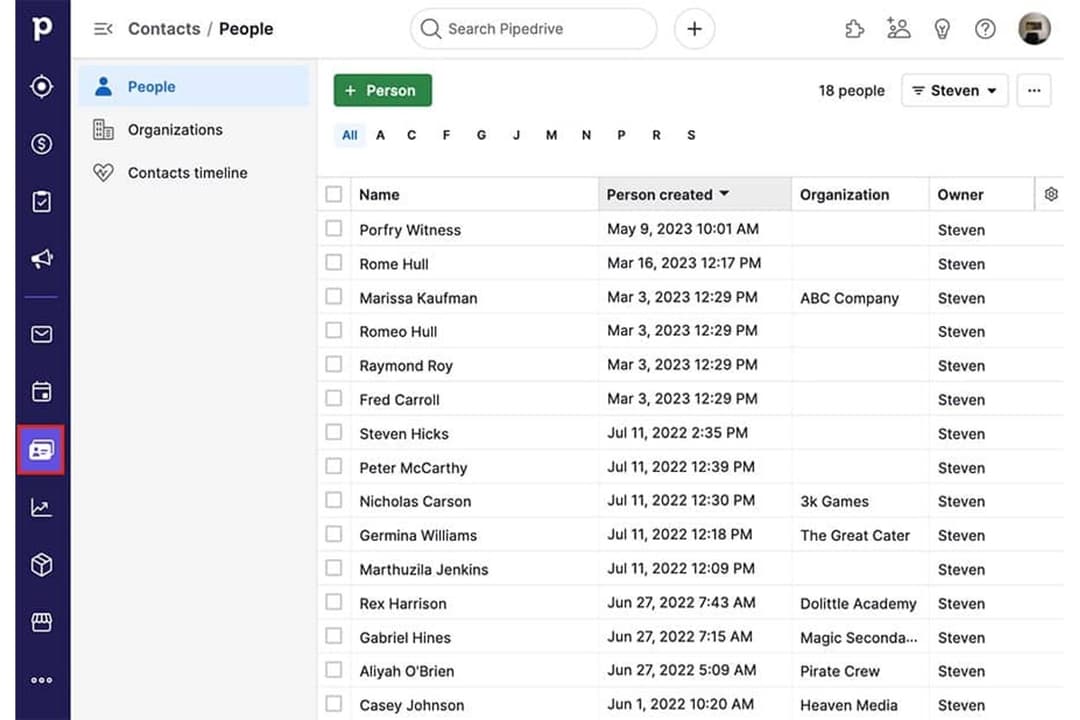
| Contact Management | Both allow users to store, organize, and manage contacts, companies, and deal records in a centralized system. |
| Integration Options | Each offers a wide range of integrations with popular tools like Gmail, Outlook, Slack, and Zapier for workflow connectivity. |
| Pipeline Management | Both provide customizable sales pipelines to track deals and stages, helping teams visualize and manage sales progress. |
| Reporting & Analytics | Each includes reporting dashboards and sales metrics to track performance, forecast revenue, and monitor KPIs. |