


Pipedrive vs. monday CRM: Vergleich und Expertenbewertungen für 2026
Erfahren Sie, wie Pipedrive und monday CRM hinsichtlich Funktionen, Preisgestaltung und Benutzerfreundlichkeit abschneiden, um Ihnen die Wahl des richtigen CRM für Ihr Unternehmen zu erleichtern.

Wir bewerten Tools unabhängig, und Provisionen helfen, unsere Tests zu finanzieren. Sehen Sie unsere transparente Richtlinie, unsere Methodik oder schlagen Sie ein Tool vor.
Die Entscheidung zwischen Pipedrive und monday CRM hängt oft davon ab, ob Ihr Team eine vertriebsorientierte CRM-Software mit ausgefeiltem Pipeline-Management oder eine hochgradig anpassbare, workflowbasierte CRM-Lösung benötigt, die sich an breitere Geschäftsprozesse anpasst. Wenn Sie diese beiden Optionen abwägen, versuchen Sie wahrscheinlich, Vertriebsstruktur mit abteilungsübergreifender Flexibilität in Einklang zu bringen – und das, ohne Einbußen bei Datenqualität oder Benutzerfreundlichkeit. In diesem Artikel erhalten Sie einen direkten Vergleich, wie die CRM-Software beider Anbieter in Bezug auf Funktionen, Preise, Integrationen und Benutzererlebnis abschneidet, damit Sie sicher entscheiden können, welche Plattform am besten zu Ihren Zielsetzungen im Revenue Operations passt.
Pipedrive CRM
4.5/5
- 14-day free trial
- From $14/user/month (billed annually)
monday CRM
4.6/5
- 14-day free trial + free demo available
- From $12/seat/month (billed annually)
Warum Sie unseren Software-Empfehlungen vertrauen können
6,700+
Reviews
20
Industry experts
16+
Evaluation factors
14
Years
Unsere Bewertungen spiegeln unser unabhängiges Urteilsvermögen wider – keine Verkaufsstrategie. Erfahren Sie, wie wir transparent bleiben.
Für diesen Leitfaden haben wir Tools mithilfe von praktischen Tests und unabhängiger Recherche bewertet und dabei unsere Bewertungskriterien angewendet.
Unsere Bewertungen spiegeln unser menschliches redaktionelles Urteilsvermögen wider, keine Verkaufsstrategie.
| Pipedrive CRM | monday CRM | |
|---|---|---|
| Free Trial | 14-day free trial | 14-day free trial + free demo available |
| Pricing | From $14/user/month (billed annually) | From $12/seat/month (billed annually) |
Pipedrive vs. monday CRM: Preise & versteckte Kosten
Pipedrive nutzt ein gestaffeltes Abonnement-Modell basierend auf Benutzerlizenzen. Mit jedem Tarif werden fortschrittlichere Vertriebs- und Automatisierungsfunktionen freigeschaltet. Auch monday CRM verfolgt eine stufenweise Preisstruktur: Die Tarife bauen hierbei sowohl auf Benutzerplätzen als auch auf Funktionspaketen auf, mit Zusatzoptionen für erweiterte Automatisierungen, Integrationen und Speicherplatz. Beide Plattformen können Zusatzkosten für Premium-Support, API-Zugänge oder erhöhte Nutzungslimits verursachen. Es ist daher wichtig, genau zu prüfen, was in jeder Stufe enthalten ist.
Um das richtige Preismodell zu wählen, sollten Sie die gewünschten Funktionen und die erwartete Nutzerzahl Ihres Teams mit den Tarifdetails jedes Anbieters abgleichen. Gehen Sie über den Grundpreis hinaus und berücksichtigen Sie auch mögliche Zusatzoptionen, Integrationsanforderungen sowie etwaige Begrenzungen bei Automatisierung oder Berichterstattung. Fordern Sie ein detailliertes Angebot an oder nutzen Sie eine Testversion, um Ihren realen Bedarf zu simulieren. So erkennen Sie versteckte Kosten, bevor Sie sich festlegen. Dieser Ansatz schützt Sie vor bösen Überraschungen und stellt sicher, dass Ihre CRM-Investition zu Ihren operativen Anforderungen passt.
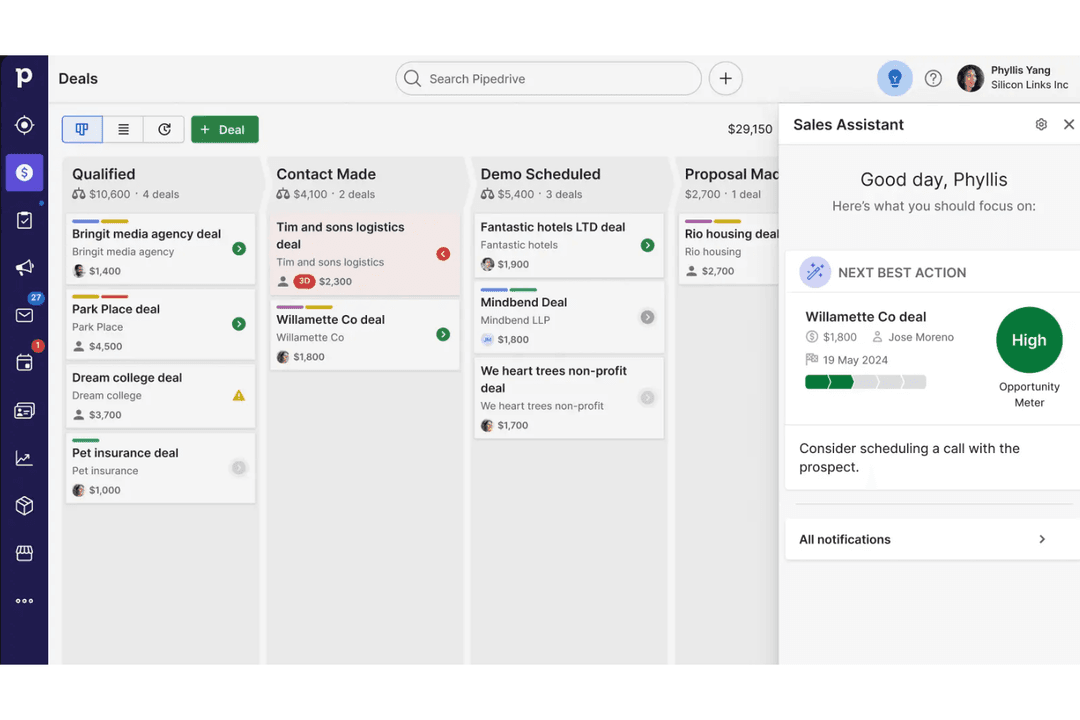
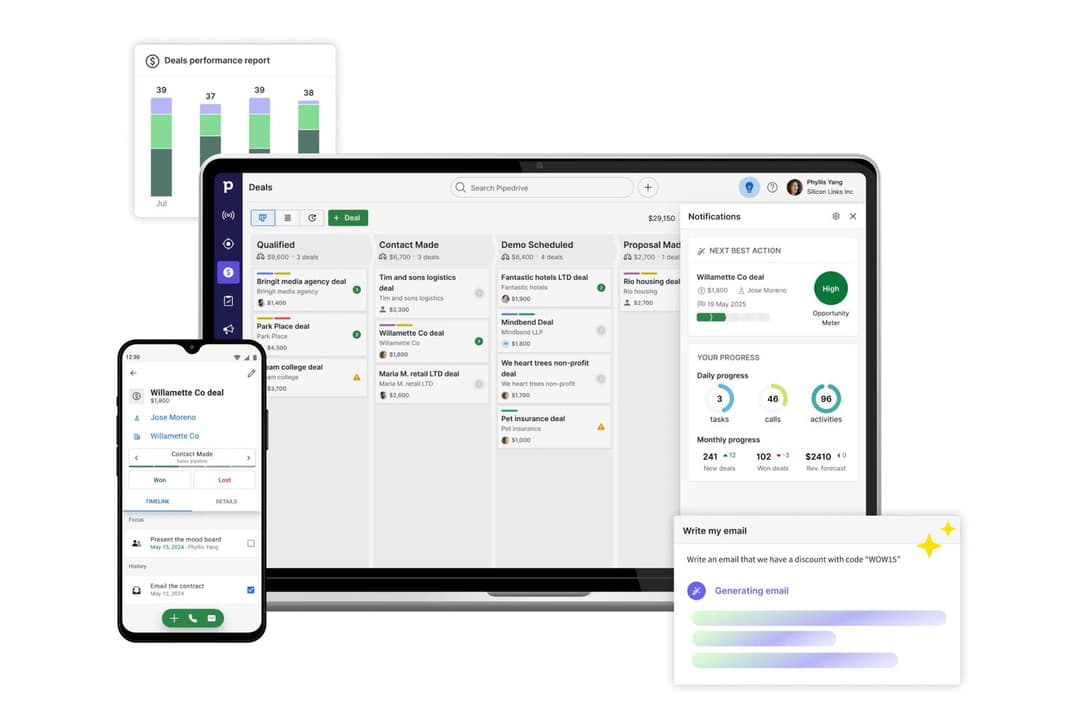
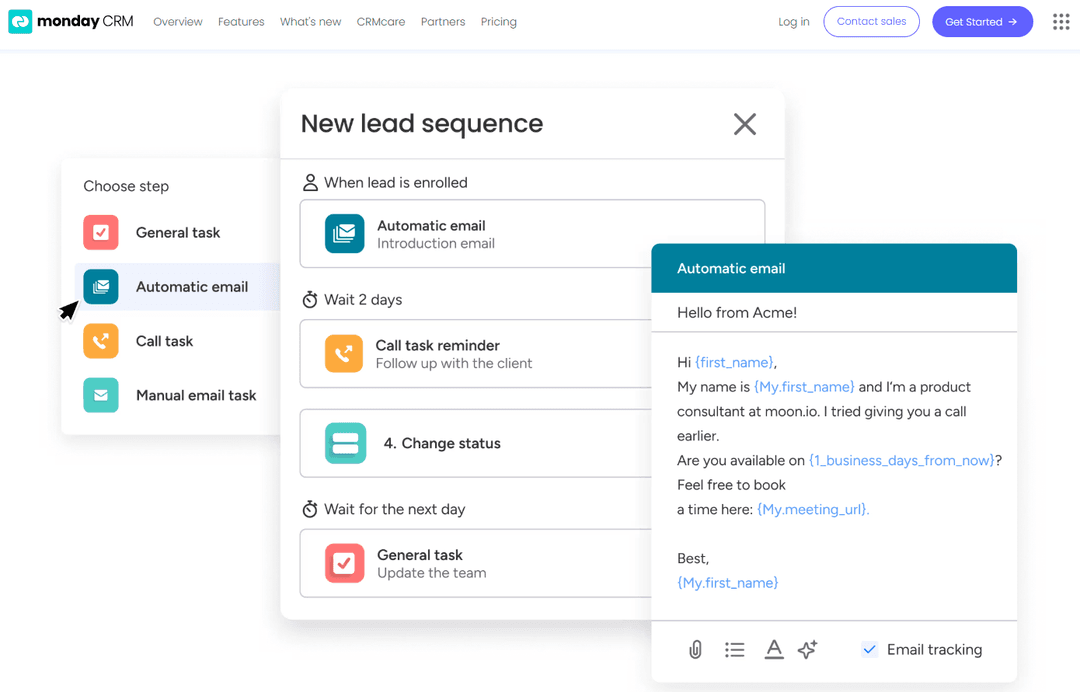
Die visuellen Vertriebspipelines von Pipedrive und automatisierte Aufgaben-Erinnerungen helfen Nutzern, sich auf Abschlüsse und tägliche Follow-ups zu konzentrieren – Fortschritte lassen sich so leicht nachverfolgen und Prioritäten setzen. Im Gegensatz dazu ermöglichen die anpassbaren Boards und Workflow-Automatisierungen von monday CRM, den Arbeitsbereich flexibel auf alles von Vertriebs- bis zu Projektaufgaben zuzuschneiden. Das unterstützt Teams, die mehr Flexibilität als bei klassischem Pipeline-Management benötigen.
| Pipedrive CRM | monday CRM | |
|---|---|---|
| 2-Factor Authentication | No | No |
| API | Yes | Yes |
| Calendar Management | Yes | Yes |
| Call Tracking | Yes | No |
| Campaign Management | No | No |
| Click-to-Dial | Yes | No |
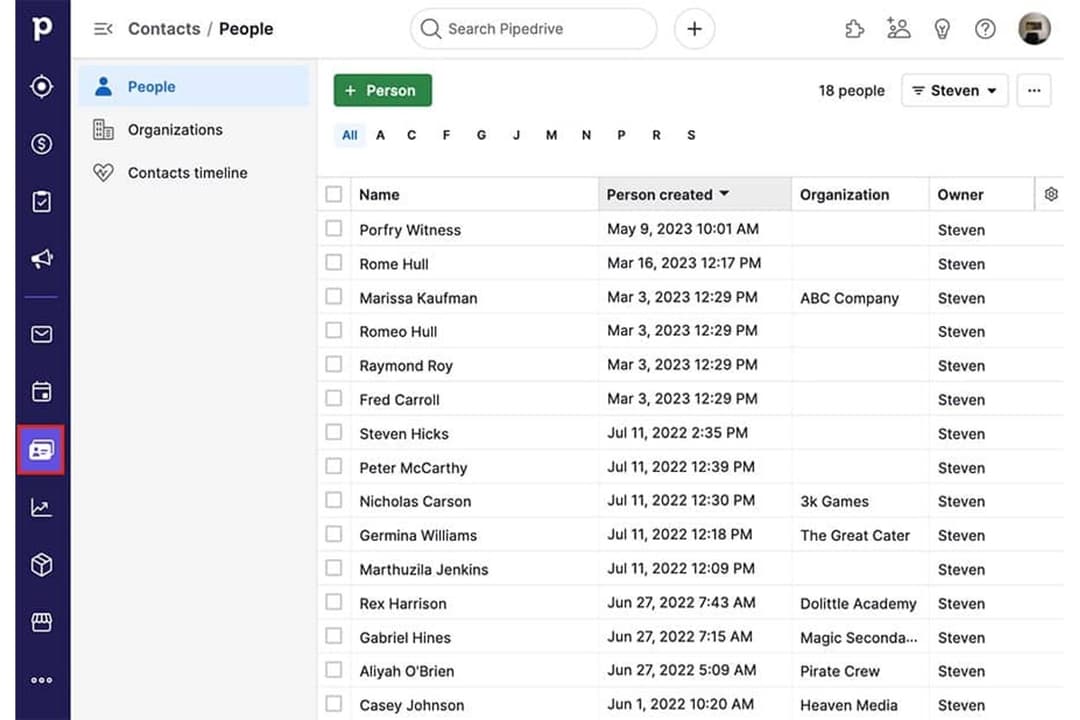
| Contact Management | Yes | Yes |
| Contact Sharing | Yes | No |
| Custom Data Forms | No | Yes |
| Customer Management | Yes | Yes |
| Dashboard | Yes | Yes |
| Data Export | Yes | Yes |
| Data Import | Yes | Yes |
| Data Visualization | Yes | Yes |
| Email Integration | Yes | Yes |
| External Integrations | Yes | Yes |
| File Sharing | Yes | Yes |
| File Transfer | Yes | Yes |
| Google Apps Integration | Yes | Yes |
| Lead Management | Yes | Yes |
| Lead Scoring | Yes | Yes |
| Marketing Automation | No | Yes |
| Mobile App | Yes | No |
| Multi-User | Yes | Yes |
| Notifications | Yes | Yes |
| Pipeline Management | Yes | Yes |
| Sales Automation | Yes | Yes |
| Scheduling | Yes | Yes |
| Social-Media Integration | No | Yes |
| Task Scheduling/Tracking | Yes | Yes |
| Third-Party Plugins/Add-Ons | Yes | Yes |
| Integration | Pipedrive | monday CRM |
|---|---|---|
| IntegrationGmail | Pipedrive✅ | monday CRM✅ |
| IntegrationOutlook | Pipedrive✅ | monday CRM✅ |
| IntegrationSlack | Pipedrive✅ | monday CRM✅ |
| IntegrationMailchimp | Pipedrive✅ | monday CRM✅ |
| IntegrationQuickBooks | Pipedrive✅ | monday CRM✅ |
| IntegrationXero | Pipedrive✅ | monday CRM✅ |
| IntegrationHubSpot | Pipedrive✅ | monday CRM✅ |
| IntegrationShopify | Pipedrive✅ | monday CRM✅ |
| IntegrationAPI | Pipedrive✅ | monday CRM✅ |
| IntegrationZapier | Pipedrive✅ | monday CRM✅ |
Pipedrive und monday CRM ähneln sich sehr in Bezug auf Integrationen und unterstützen Schlüsseltools wie Gmail, Outlook, Slack, Mailchimp, API-Anbindungen und Zapier. Zwar setzt jede Lösung eigene Akzente, doch bieten beide die zentralen Schnittstellen, auf die die meisten Vertriebsteams angewiesen sind – sowie die Flexibilität, bei Bedarf weitere Tools anzubinden.
| Faktor | Pipedrive | monday CRM |
|---|---|---|
| FaktorDatenverschlüsselung | PipedriveVerwendet TLS 1.2-Verschlüsselung für Datenübertragungen und AES-256 für ruhende Daten. | monday CRMVerwendet TLS 1.2, FIPS 140-2 und AES-256-Verschlüsselung für Datenübertragungen und ruhende Daten. |
| FaktorRegulatorische Compliance | PipedriveGDPR- und CCPA-konform mit dedizierten Datenverarbeitungsvereinbarungen und Prüfprotokollen. | monday CRMGDPR, UK GDPR, CCPA und HIPAA-konform mit erweiterten Prüfprotokollen und Datenresidenz. |
| FaktorBetriebszeit-Garantie | PipedriveBerichtet öffentlich die Betriebszeit mit einem 99,9%-SLA und einer Statusseite in Echtzeit. | monday CRMBietet eine hohe Betriebszeit und veröffentlicht Echtzeit-Systemstatus. |
| FaktorZugriffskontrollen | PipedriveRollenbasierte Berechtigungen und Zwei-Faktor-Authentifizierung für alle Nutzer. | monday CRMAnpassbare Berechtigungen, SSO und Zwei-Faktor-Authentifizierung verfügbar. |
Beide, Pipedrive und monday CRM, bieten starke Sicherheits- und Compliance-Standards, wobei monday CRM mit HIPAA-Compliance und noch gezielteren Zugriffskontrollen punktet. Die Zuverlässigkeit sowie das transparente Uptime-Reporting sprechen für Pipedrive, während monday CRM sich insbesondere für Teams mit strengen regulatorischen Anforderungen durch fortgeschrittene Compliance-Optionen und flexible Rechteverwaltung empfiehlt.
| Faktor | Pipedrive | monday CRM |
|---|---|---|
| FaktorBenutzeroberfläche | PipedriveÜbersichtliche, verkaufsorientierte Oberfläche mit Drag-and-Drop-Pipelines und Schnellaktionen. | monday CRMSehr visuelle, anpassbare Boards mit farbcodierten Status und Widgets. |
| FaktorOnboarding | PipedriveGeführte Einrichtung mit In-App-Tutorials und Beispieldaten für einen schnellen Einstieg. | monday CRMInteraktive Einführungen, Vorlagen und ein hilferessourcenreiches Help Center. |
| FaktorAnpassung | PipedriveEinfache Anpassung von Feldern und Pipelines, jedoch begrenzte Möglichkeiten außerhalb der Vertriebsworkflows. | monday CRMUmfassende Anpassung für Boards, Felder und Automatisierungen für verschiedene Workflows. |
| FaktorSupport | PipedriveLive-Chat, E-Mail und eine durchsuchbare Wissensdatenbank. | monday CRM24/7-Support, Live-Webinare und eine große Online-Community. |
Pipedrive lässt sich von Vertriebsteams aufgrund seiner hohen Benutzerfreundlichkeit schneller erlernen, während monday CRM mehr Flexibilität für Teams bietet, die ihren Arbeitsplatz individuell gestalten wollen. Die fokussierte, benutzerfreundliche Oberfläche und das schnelle Onboarding sind Stärken von Pipedrive, aber die visuellen Boards und die umfassenden Anpassungsmöglichkeiten machen monday CRM zur besseren Wahl für Teams mit vielfältigen oder sich entwickelnden Prozessen.
Pipedrive CRM
- You’ll find the visual sales pipeline easy to navigate and understand.
- The customization options let your team tailor the CRM to fit your workflow.
- Automated follow-up reminders help you stay on top of your sales tasks.
- You might need more advanced reporting features for detailed analytics.
- Limited email tracking could be a hurdle for teams heavily reliant on email campaigns.
- Few native options for generating new leads directly within the software.
monday CRM
- You can easily create automations without any coding.
- Its integrated proofing feature lets you add comments to files.
- You can create forms that live within your project as a view.
- The Gantt view isn't useful for building projects.
- Subtask columns don't replicate task structure, needing extra customization.
- Training videos use the old UI, which can confuse new users.
Pipedrive CRM
- Real EstatePipedrive’s visual pipeline helps you track leads and manage client interactions effectively.
- Tech StartupsYou’ll benefit from its customization options that adapt to fast-changing sales processes.
- Consulting FirmsThe CRM’s automated reminders keep your team on schedule with client follow-ups.
- Small BusinessesIts ease of use makes it accessible for teams without a dedicated IT department.
- Sales DepartmentsYou’ll find the focus on sales pipeline management boosts your team’s productivity.
- FreelancersThe straightforward interface allows you to manage client relationships without complexity.
monday CRM
- Tech Startupsmonday sales CRM is perfect for tech startups needing agile workflows and automation.
- Marketing AgenciesYour agency will benefit from its collaborative tools and proofing features for client work.
- Small BusinessesIf you’re a small business, you’ll find its ease of use and customization options invaluable.
- Project ManagersYou can streamline tasks and track progress easily with monday sales CRM’s visual tools.
- Sales TeamsIt helps your team manage leads and sales pipelines with integrated tracking features.
- Creative TeamsYour team can collaborate effectively using its integrated comments and file sharing.
Wer sollte Pipedrive nutzen und wer monday CRM?
Pipedrive eignet sich am besten für vertriebsorientierte Teams, die eine unkomplizierte, pipeline-zentrierte CRM-Lösung mit minimalem Aufwand und Fokus auf den Verkaufsabschluss suchen. Es ist ideal für kleine bis mittelgroße Unternehmen in Branchen wie Immobilien, Beratung oder SaaS, in denen Konsistenz im Verkaufsprozess entscheidend ist. monday CRM ist die bessere Wahl für Teams, die eine flexible, anpassbare Plattform benötigen, um nicht nur den Vertrieb, sondern auch Projekte, Marketing oder Support-Workflows zu steuern. Wenn Ihre Organisation Wert auf abteilungsübergreifende Zusammenarbeit, individuelle Workflows oder die flexible Skalierung und Anpassung von Prozessen legt, ist monday CRM wahrscheinlich die bessere Lösung für Sie.
| Pipedrive CRM | monday CRM | |
|---|---|---|
| Automation | Pipedrive CRM Prebuilt sales automations and activity reminders. | monday CRM Advanced, flexible automations for tasks, notifications, and more. |
| Core Focus | Pipedrive CRM Sales pipeline management with deal tracking and forecasting. | monday CRM Comprehensive workflow customization across sales, projects, and operations. |
| Customization | Pipedrive CRM Limited to sales fields, pipelines, and activities. | monday CRM Deep board, field, and automation customization for any workflow. |
| Data Compliance | Pipedrive CRM Is only GDPR and CCPA-compliant. | monday CRM Offers more regional and industry-specific data compliance like HIPAA. |
| User Interface | Pipedrive CRM Simple, sales-focused with drag-and-drop pipelines. | monday CRM Visual, modular boards with color coding and widgets. |
| Cloud-Based Access | Both are fully cloud-based, allowing users to access data and workflows from anywhere with an internet connection. |
|---|---|
| Integration Options | Each platform offers integrations with popular tools like Gmail, Outlook, Slack, Mailchimp, Zapier, and offers an API. |
| Mobile Apps | Both provide mobile apps for iOS and Android, enabling users to manage deals, tasks, and updates on the go. |
| Reporting & Analytics | Each offers customizable dashboards and reporting tools to track sales performance, pipeline health, and team activity. |
| Role-Based Permissions | Both support user roles and permissions, letting admins control access to sensitive data and features. |