


Nutshell vs. Pipedrive CRM: Vergleich & Expertenbewertungen für 2026
Erhalten Sie exklusive Einblicke, wie Nutshell und Pipedrive im Vergleich abschneiden – was sie unterscheidet, wo ihre Stärken liegen und welches CRM in diesem 2026 Ihr Game-Changer sein könnte.

Wir bewerten Tools unabhängig, und Provisionen helfen, unsere Tests zu finanzieren. Sehen Sie unsere transparente Richtlinie, unsere Methodik oder schlagen Sie ein Tool vor.
Sales teams can only move so fast when their CRM is buried under confusing workflows, scattered customer data, and endless manual updates. What should be a tool for closing deals often turns into another obstacle slowing reps down at every stage of the pipeline.
Choosing between Nutshell and Pipedrive CRM can feel tough when you want CRM software that actually fits how your team works. Maybe you need smoother sales processes, better reporting, or just something that’s simple to roll out. You’re probably weighing flexibility, integrations, cost, and whether these platforms solve your everyday pain points.
In this article, you’ll find a clear, honest comparison of the two—including pros and cons, use cases, pricing details, security features, and how easy each platform is to use. I’ll break down what you need to know so you can pick the best fit for your team’s goals.
Nutshell
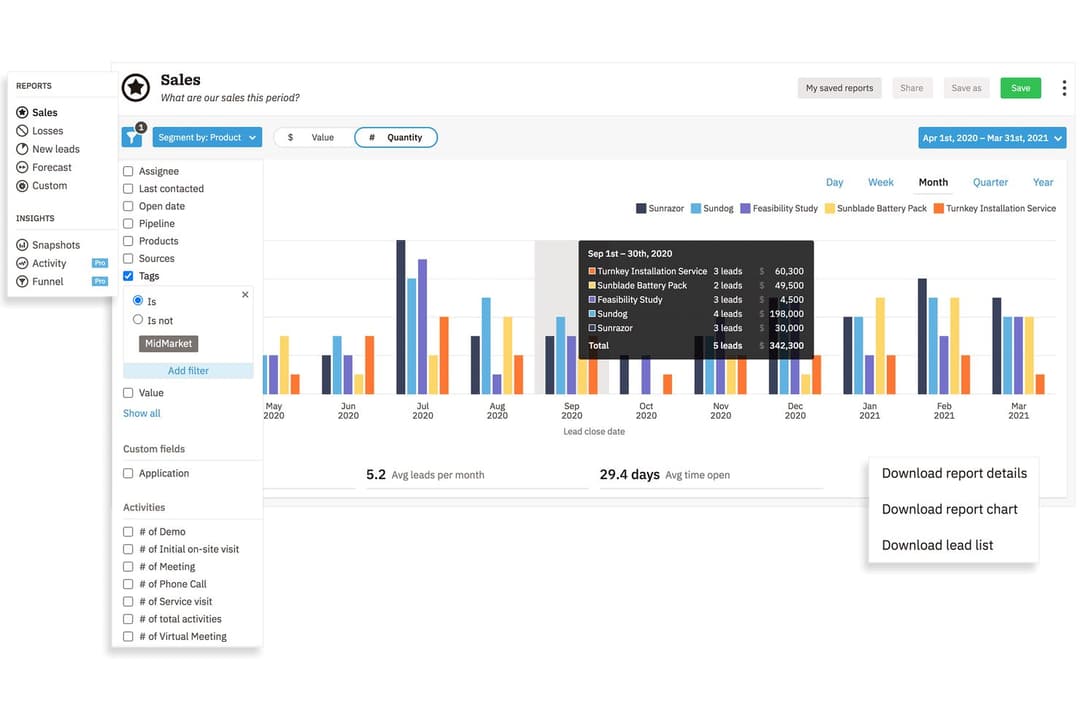
4.3/5
- 14-day free trial + free demo available
- From $13/user/month (billed annually)
Pipedrive CRM
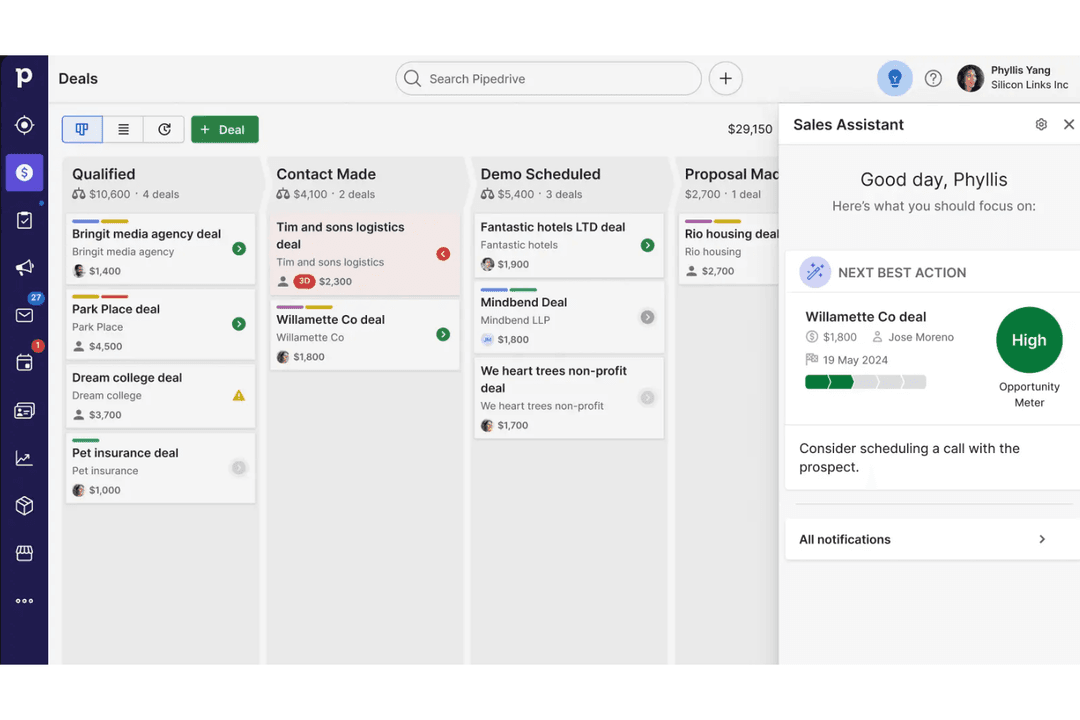
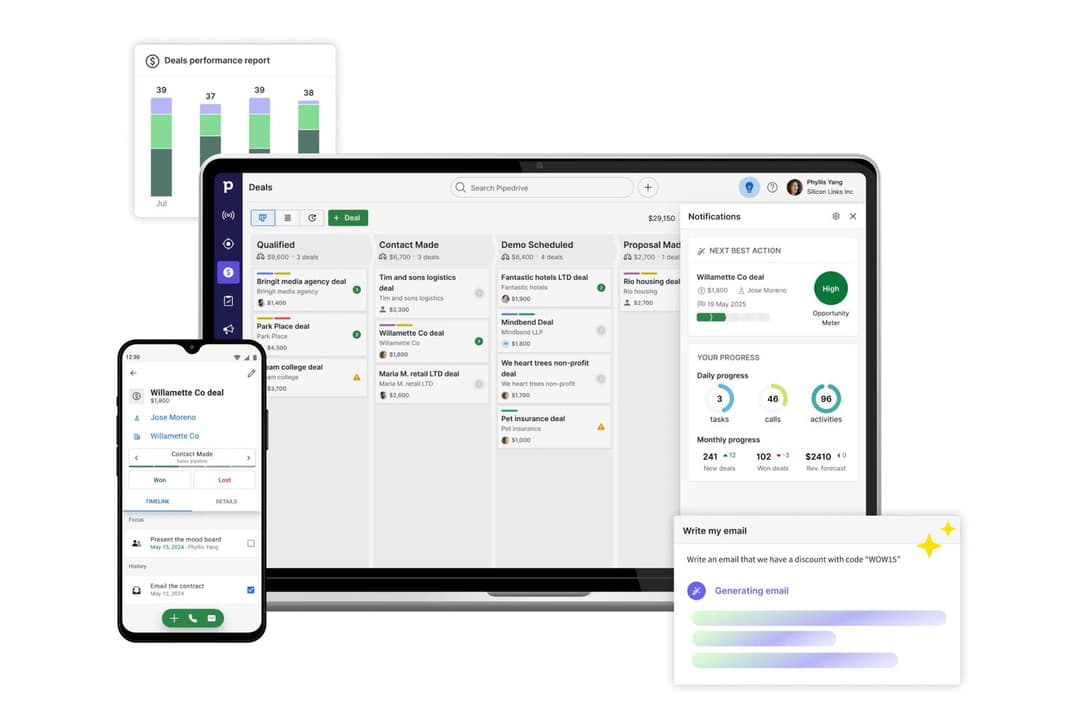
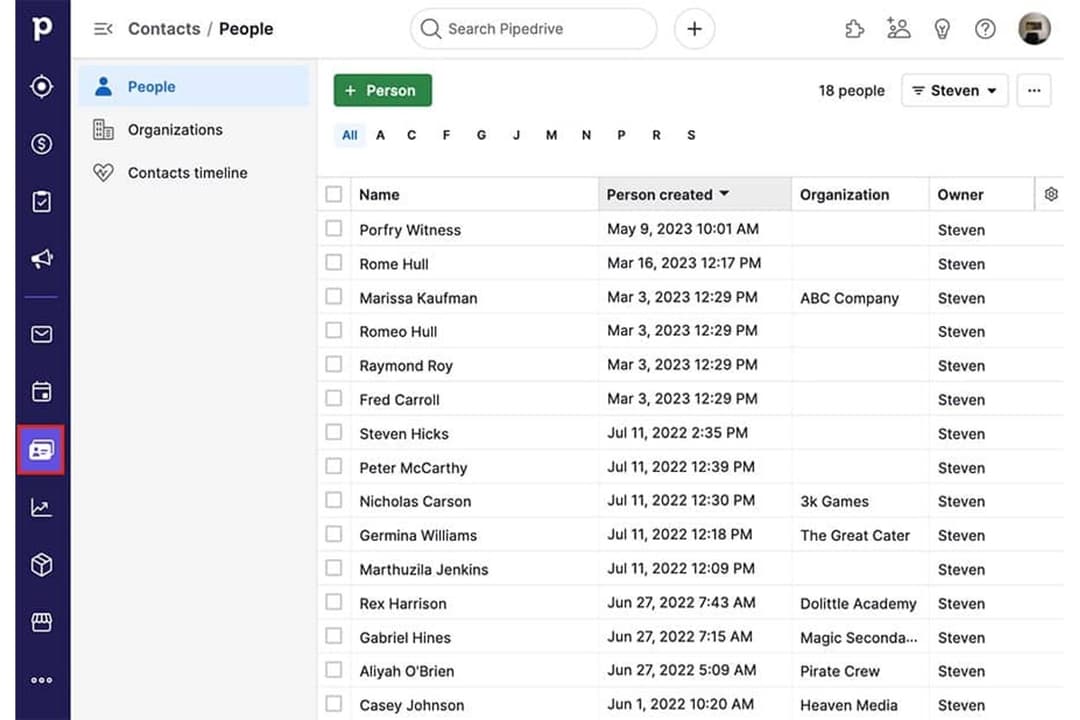
4.5/5
- 14-day free trial
- From $14/user/month (billed annually)
Warum Sie unseren Software-Empfehlungen vertrauen können
6,700+
Reviews
20
Industry experts
16+
Evaluation factors
14
Years
Unsere Bewertungen spiegeln unser unabhängiges Urteilsvermögen wider – keine Verkaufsstrategie. Erfahren Sie, wie wir transparent bleiben.
Für diesen Leitfaden haben wir Tools mithilfe von praktischen Tests und unabhängiger Recherche bewertet und dabei unsere Bewertungskriterien angewendet.
Unsere Bewertungen spiegeln unser menschliches redaktionelles Urteilsvermögen wider, keine Verkaufsstrategie.
| Nutshell | Pipedrive CRM | |
|---|---|---|
| Free Trial | 14-day free trial + free demo available | 14-day free trial |
| Pricing | From $13/user/month (billed annually) | From $14/user/month (billed annually) |
Nutshell vs. Pipedrive CRM Preise & Versteckte Kosten
Nutshell und Pipedrive CRM bieten beide ein abonnementbasiertes Preismodell mit mehreren Stufen, die sich nach Funktionsumfang und Teamgröße richten. Obwohl beide Plattformen ihre Basis-Tarife übersichtlich gestalten, kommen zusätzliche Gebühren für Add-ons, erweiterte Funktionen oder weitere Nutzerplätze hinzu. Achten Sie auf mögliche Kosten im Zusammenhang mit Integrationen oder Premium-Support, denn diese können Ihre monatlichen Ausgaben dauerhaft erhöhen.
Um den richtigen Anbieter zu wählen, sollten Sie genau prüfen, was in jedem Preismodell enthalten ist und was als Zusatzmodul gilt. Legen Sie die spezifischen Bedürfnisse Ihres Teams – beispielsweise Prozessautomatisierungen oder Berichte – mit dem Leistungsumfang der jeweiligen Stufe ab. Berücksichtigen Sie dabei nicht nur Lizenzgebühren, sondern auch Aufwände für Onboarding, Datenmigration und zukünftige Skalierung. So vermeiden Sie böse Überraschungen und wählen ein CRM, das sowohl zu Ihren aktuellen Anforderungen als auch zu Ihren Wachstumsplänen passt.
<div class="slate-p" data-slate-node="element" data-block-id="9K1qFHulmL" data-slate-fragment="JTVCJTdCJTIyY2hpbGRyZW4lMjIlM0ElNUIlN0IlMjJ0ZXh0JTIyJTNBJTIyQm90aCUyME51dHNoZWxsJTIwYW5kJTIwUGlwZWRyaXZlJTIwQ1JNJTIwZ2l2ZSUyMHlvdSUyMGNvbnRhY3QlMjBtYW5hZ2VtZW50JTJDJTIwcGlwZWxpbmUlMjB0cmFja2luZyUyQyUyMGRlYWwlMjBtYW5hZ2VtZW50JTJDJTIwYmFzaWMlMjByZXBvcnRpbmclMkMlMjBhbmQlMjBuYXRpdmUlMjBpbnRlZ3JhdGlvbnMlMjB3aXRoJTIwcG9wdWxhciUyMGFwcHMuJTIwWW91JUUyJTgwJTk5bGwlMjBmaW5kJTIwdG9vbHMlMjBmb3IlMjBtYW5hZ2luZyUyMGxlYWRzJTJDJTIwZW1haWwlMjB0cmFja2luZyUyQyUyMGFuZCUyMHRhc2slMjBhdXRvbWF0aW9uJTJDJTIwc28lMjB5b3UlMjBjYW4lMjBrZWVwJTIweW91ciUyMHRlYW0lMjBvcmdhbml6ZWQlMjBhbmQlMjBzYWxlcyUyMG9uJTIwdHJhY2suJTIyJTdEJTVEJTJDJTIydHlwZSUyMiUzQSUyMnAlMjIlMkMlMjJpZCUyMiUzQSUyMlY2d21sZVJYNDElMjIlN0QlMkMlN0IlMjJjaGlsZHJlbiUyMiUzQSU1QiU3QiUyMnRleHQlMjIlM0ElMjJOdXRzaGVsbCUyMHN0YW5kcyUyMG91dCUyMHdpdGglMjBidWlsdC1pbiUyMGVtYWlsJTIwbWFya2V0aW5nJTIwY2FwYWJpbGl0aWVzJTIwYW5kJTIwYWR2YW5jZWQlMjBzYWxlcyUyMGF1dG9tYXRpb24lMjBmZWF0dXJlcyUyMHRoYXQlMjBsZXQlMjB5b3UlMjBtYW5hZ2UlMjBjYW1wYWlnbnMlMjB3aXRob3V0JTIwbGVhdmluZyUyMHRoZSBwbGF0Zm9ybS4lMjBQaXBlZHJpdmUlMjBDUk0lMjBzZXRzJTIwaXRzZWxmJTIwYXBhcnQlMjB3aXRoJTIwaGlnaGx5JTIwY3VzdG9taXphYmxlJTIwcGlwZWxpbmVzJTJDJTIwYSUyMG1hcmtldHBsYWNlJTIwcGFja2VkJTIwd2l0aCUyMGludGVncmF0aW9ucyUyQyUyMGFuZCUyMGFuJTIwaW50dWl0aXZlJTIwc2FsZXMtZm9jdXNlZCUyMGludGVyZmFjZSUyMHRoYXQlMjBtYW55JTIwdGVhbXMlMjBmaW5kJTIwZWFzeSUyMHRvJTIwYWRvcHQuJTIyJTdEJTVEJTJDJTIydHlwZSUyMiUzQSUyMnAlMjIlMkMlMjJpZCUyMiUzQSUyMjlLMXFGSHVsbUwlMjIlN0QlN0Q=
| Nutshell | Pipedrive CRM | |
|---|---|---|
| 2-Factor Authentication | Yes | No |
| API | Yes | Yes |
| Calendar Management | Yes | Yes |
| Call Tracking | Yes | Yes |
| Campaign Management | Yes | No |
| Click-to-Dial | Yes | Yes |
| Contact Management | Yes | Yes |
| Contact Sharing | Yes | Yes |
| Custom Data Forms | Yes | No |
| Customer Management | Yes | Yes |
| Dashboard | Yes | Yes |
| Data Export | Yes | Yes |
| Data Import | Yes | Yes |
| Data Visualization | Yes | Yes |
| Email Integration | Yes | Yes |
| External Integrations | Yes | Yes |
| File Sharing | Yes | Yes |
| File Transfer | Yes | Yes |
| Google Apps Integration | Yes | Yes |
| Lead Management | Yes | Yes |
| Lead Scoring | Yes | Yes |
| Marketing Automation | Yes | No |
| Mobile App | Yes | Yes |
| Multi-User | Yes | Yes |
| Notifications | Yes | Yes |
| Pipeline Management | Yes | Yes |
| Sales Automation | Yes | Yes |
| Scheduling | Yes | Yes |
| Social-Media Integration | Yes | No |
| Task Scheduling/Tracking | Yes | Yes |
| Third-Party Plugins/Add-Ons | Yes | Yes |
| Integration | Nutshell | Pipedrive CRM |
| Google Workspace | ✅ | ✅ |
| Microsoft 365 | ✅ | ✅ |
| Slack | ✅ | ✅ |
| Mailchimp | ✅ | ✅ |
| QuickBooks Online | ✅ | ❌ |
| Trello | ❌ | ✅ |
| PandaDoc | ✅ | ✅ |
| Xero | ❌ | ✅ |
| API | ✅ | ✅ |
| Zapier | ✅ | ✅ |
Sowohl Nutshell als auch Pipedrive CRM bieten die wichtigsten Integrationen, auf die sich die meisten Teams verlassen, wie etwa Google Workspace, Slack, Mailchimp und Zapier. Pipedrive CRM überzeugt durch eine größere Auswahl und mehr spezialisierte Optionen, aber mit APIs und Zapier decken beide Lösungen nahezu jeden gewünschten Workflow ab.
| Faktor | Nutshell | Pipedrive CRM |
| Datenverschlüsselung | Nutzt TLS 1.2 für Verschlüsselung während der Übertragung und AES-256-Verschlüsselung im Ruhezustand. | Nutzt TLS/SSL für Datenübertragung und AES für ruhende Daten. |
| Regulatorische Compliance | Erfüllt DSGVO, PCI DSS, SOC 2 Type 1 und US-Datenschutzgesetze mit klaren Benutzerkontrollen. | Vollständig DSGVO-konform mit zusätzlichen Datenschutzoptionen. |
| Verfügbarkeitsgarantie | Bietet hohe Verfügbarkeit, listet aber keine öffentliche SLA auf. | Bietet eine 99,9% SLA mit transparenter Statusanzeige. |
| Zugriffskontrollen | Rollenbasierte Berechtigungen und Zwei-Faktor-Authentifizierung. | Individuelle Rollen, Zwei-Faktor-Authentifizierung und Prüfprotokolle. |
| Backup & Wiederherstellung | Tägliche Backups mit integriertem Notfallwiederherstellungssystem. | Automatisierte tägliche Backups und zuverlässige Datenwiederherstellung. |
Nutshell bietet umfangreichere integrierte Sicherheits- und Administrationskontrollen, während Pipedrive CRM die wichtigsten Kernschutzmaßnahmen bereitstellt, die die meisten Teams erwarten. Beide Plattformen sind zuverlässig, aber Nutshell gewährt mehr Flexibilität für Teams, die Wert auf ein stärkeres Zugriffsmanagement und umfangreiche Kontosicherheitsfunktionen legen.
| Faktor | Nutshell | Pipedrive CRM |
|---|---|---|
| FaktorBenutzeroberfläche | NutshellAufgeräumtes, übersichtliches Dashboard mit schnellem Zugriff auf Vertriebstools. | Pipedrive CRMIntuitive, visuelle Pipeline mit Drag-and-Drop-Angeboten. |
| FaktorOnboarding | NutshellGeführte Einführungs-Tour und hilfreiche In-App-Tutorials. | Pipedrive CRMVereinfachte Einrichtung mit personalisierten Onboarding-Ressourcen. |
| FaktorAnpassung | NutshellEinfache benutzerdefinierte Felder und Pipeline-Bearbeitung. | Pipedrive CRMSehr flexible Pipeline- und Workflow-Anpassung. |
| FaktorSupport-Zugang | NutshellSchneller E-Mail- und Chatsupport während der Geschäftszeiten. | Pipedrive CRM24/7 Live-Chat und umfangreiche Self-Service-Ressourcen. |
| FaktorMobile Erfahrung | NutshellVollwertige App für Android und iOS. | Pipedrive CRMSehr gut bewertete mobile Apps mit Echtzeit-Synchronisation. |
Pipedrive CRM zeichnet sich durch seine visuelle Oberfläche und die schnelle Eingewöhnung aus, aber beide Plattformen sind auch für CRM-Einsteiger leicht verständlich. Meiner Meinung nach bleibt Nutshell besonders für kleinere Teams einfach und übersichtlich, während Pipedrive CRM für Nutzer mit höherem Anspruch an Anpassbarkeit und Flexibilität in den Abläufen geeignet ist.
Nutshell
- Sales automation workflows handle multi-step processes effectively
- Implementation and onboarding are streamlined for rapid deployment and adoption.
- Responsive support team resolves most issues promptly
- Nutshell isn’t as customizable as other enterprise solutions
- Marketing capabilities isn’t as robust as a dedicated marketing platform
- Limited native enterprise integrations
Pipedrive CRM
- You’ll find the visual sales pipeline easy to navigate and understand.
- The customization options let your team tailor the CRM to fit your workflow.
- Automated follow-up reminders help you stay on top of your sales tasks.
- You might need more advanced reporting features for detailed analytics.
- Limited email tracking could be a hurdle for teams heavily reliant on email campaigns.
- Few native options for generating new leads directly within the software.
Nutshell
- Small Sales TeamsSetup is fast, automation reduces manual work, and unlimited contacts keep costs predictable as you scale.
- B2B ServicesCustomizable pipelines and integrations with email and scheduling tools help manage leads from discovery through close.
- SaaS StartupsEasy-to-tweak workflows and email campaign features fit short sales cycles and lean teams.
- AgenciesPipeline views, contact segmentation, and shared activity histories help handle multiple client accounts.
- Distributed TeamsCloud access, mobile app, and straightforward collaboration features suit remote and hybrid work cultures.
- NonprofitsSimple donor management, bulk emailing, and custom fields support relationship-building without CRM complexity.
Pipedrive CRM
- Real EstatePipedrive’s visual pipeline helps you track leads and manage client interactions effectively.
- Tech StartupsYou’ll benefit from its customization options that adapt to fast-changing sales processes.
- Consulting FirmsThe CRM’s automated reminders keep your team on schedule with client follow-ups.
- Small BusinessesIts ease of use makes it accessible for teams without a dedicated IT department.
- Sales DepartmentsYou’ll find the focus on sales pipeline management boosts your team’s productivity.
- FreelancersThe straightforward interface allows you to manage client relationships without complexity.
Wer sollte Nutshell nutzen und wer sollte Pipedrive CRM verwenden?
Nutshell ist eine gute Wahl für kleine und mittlere Unternehmen sowie wachsende Vertriebsteams, die ein unkompliziertes Tool mit schneller Einführung und leistungsstarker All-in-One-Funktionalität suchen. Wenn Ihr Team Wert auf Einfachheit, schnellen Einstieg und transparente Preisgestaltung legt, werden Sie den pragmatischen Ansatz von Nutshell zu schätzen wissen. Pipedrive CRM ist besser geeignet für Teams, die flexible Pipelines, eine große Bandbreite an Integrationen und tiefgreifende Anpassungen benötigen – besonders in Branchen mit komplexen oder sich schnell ändernden Vertriebsprozessen. Ich empfehle Pipedrive CRM für wachsende Umsatzteams, die erwarten, dass sich ihr CRM an veränderte Arbeitsabläufe und Geschäftsanforderungen anpassen kann.
| Nutshell | Pipedrive CRM | |
|---|---|---|
| Communication Tools | Nutshell Built-in Engagement Suite allows you to connect with customers and leads at every touch point. | Pipedrive CRM Limited built-in and engagement tools. |
| Email Marketing | Nutshell Built-in email marketing and campaign tools included. | Pipedrive CRM No built-in email marketing; relies on integrations. |
| Integration Depth | Nutshell Covers core integrations, fewer advanced options. | Pipedrive CRM Wider selection of integrations. |
| Pipeline Flexibility | Nutshell Fewer customization options for pipeline stages. | Pipedrive CRM Highly customizable pipelines for multiple sales flows. |
| Contact Management | Both provide a unified space to organize, segment, and track contacts and communication history. |
|---|---|
| Deal Tracking | Each lets teams build and follow sales pipelines, moving deals through custom stages to close sales. |
| Mobile Access | Each offers a well-rated mobile app for managing sales, contacts, and deals on the go. |
| Reporting & Analytics | Both dashboards surface sales activity, deal progress, and pipeline insights to help teams improve. |
| Task Automation | Both automate repetitive follow-up and workflow tasks, reducing manual work and saving time. |