


Nutshell vs. HubSpot CRM: Vergleich und Expertenbewertungen für 2026
Ich zeige auf, worin sich Nutshell und HubSpot CRM wirklich unterscheiden – damit Sie endlich Klarheit haben und das passende CRM mit Selbstvertrauen auswählen können.

Wir bewerten Tools unabhängig, und Provisionen helfen, unsere Tests zu finanzieren. Sehen Sie unsere transparente Richtlinie, unsere Methodik oder schlagen Sie ein Tool vor.
Sales teams fall apart fast when reps are buried in disconnected tools, scrambling for missing customer data, and manually patching together workflows just to keep deals alive. A CRM that’s supposed to drive revenue can quietly become the reason opportunities stall, prospects go cold, and pipelines start leaking at every stage.
Choosing the right CRM software can tie your team in knots—especially when you’re weighing tools like Nutshell and HubSpot CRM. Maybe you’re wrestling with integrations, needing something easy for your reps, or trying to stretch your budget without losing essential features. You want a platform that grows with you, keeps your data secure, and actually gets used.
In this article, you’ll get a point-by-point comparison of both tools, including pros and cons, use cases, pricing, security, and usability. I’ll give you the practical details you need to decide which CRM software is truly right for your team.
Nutshell
4.3/5
- 14-day free trial + free demo available
- From $13/user/month (billed annually)
HubSpot CRM


4.4/5
- Free plan available
- From $7/user/month
Warum Sie unseren Software-Empfehlungen vertrauen können
6,700+
Reviews
20
Industry experts
16+
Evaluation factors
14
Years
Unsere Bewertungen spiegeln unser unabhängiges Urteilsvermögen wider – keine Verkaufsstrategie. Erfahren Sie, wie wir transparent bleiben.
Für diesen Leitfaden haben wir Tools mithilfe von praktischen Tests und unabhängiger Recherche bewertet und dabei unsere Bewertungskriterien angewendet.
Unsere Bewertungen spiegeln unser menschliches redaktionelles Urteilsvermögen wider, keine Verkaufsstrategie.
| Nutshell | HubSpot CRM | |
|---|---|---|
| Free Trial | 14-day free trial + free demo available | Free plan available |
| Pricing | From $13/user/month (billed annually) | From $7/user/month |
Nutshell vs. HubSpot CRM Preise & versteckte Kosten
Nutshell bietet eine übersichtliche Preisstruktur, bei der die meisten Kernfunktionen bereits in einfachen Plänen enthalten sind. Zusätzlich können Add-ons wie SMS hinzugebucht werden. HubSpot CRM startet kostenlos mit Basisfunktionen, doch für erweiterte Funktionen müssen kostenpflichtige „Hubs“ und Premium-Add-ons hinzugefügt werden – dadurch können die Kosten mit wachsendem Bedarf oder höheren Ansprüchen schnell steigen. Beide Systeme bieten kostenpflichtige Upgrades etwa für zusätzliche Nutzer, Automatisierung oder Integrationen an; diese sind bei Nutshell jedoch typischerweise vorhersehbarer strukturiert.
Um den passenden Anbieter zu wählen, sollten Sie die unverzichtbaren Funktionen Ihres Teams auflisten und auf dieser Basis berechnen, welche Kosten bei Ihrem Wachstum über 12–24 Monate entstehen würden. Simulieren Sie reale Szenarien – wie die Erhöhung der Nutzerzahl, zusätzliche Integrationen oder Marketing-Automatisierung –, um zu sehen, wie sich die Preise verändern. Sie erhalten so mehr Gegenwert und vermeiden Überraschungen, indem Sie verstehen, ab wann sich ein Tool von „enthalten“ auf „Upgrade nötig“ verlagert, wenn Ihr Bedarf wächst.
| Integration | Nutshell | HubSpot CRM |
| Google Workspace | ✅ | ✅ |
| Microsoft 365 | ✅ | ✅ |
| Slack | ✅ | ✅ |
| QuickBooks Online | ✅ | ✅ |
| Mailchimp | ✅ | ✅ |
| Shopify | ✅ | ✅ |
| Zendesk | ✅ | ✅ |
| PandaDoc | ✅ | ✅ |
| Constant Contact | ❌ | ✅ |
| Intercom | ✅ | ✅ |
| API | ✅ | ✅ |
| Zapier | ✅ | ✅ |
Sowohl Nutshell als auch HubSpot CRM bieten eine solide Auswahl an beliebten Integrationen, sodass Sie wahrscheinlich Unterstützung für die wichtigsten Tools finden, die Sie bereits verwenden. HubSpot punktet bei den nativen Optionen für Support- und Marketing-Tools, doch beide Plattformen stellen APIs und Zapier-Integrationen bereit, mit denen Ihr Team eventuelle Lücken flexibel schließen kann.
| Faktor | Nutshell | HubSpot CRM |
|---|---|---|
| FaktorDatenschutz | NutshellErfüllt DSGVO, PCI DSS, SOC 2 Typ 1 und US-Datenschutzgesetze mit klaren Benutzerkontrollen. | HubSpot CRMDSGVO- und CCPA-konform, mit globalen Rechenzentren und detaillierten Datenschutzkontrollen. |
| FaktorVerschlüsselung | NutshellVerwendet TLS 1.2 für die Verschlüsselung während der Übertragung und AES-256 zur Verschlüsselung gespeicherter Daten. | HubSpot CRMSetzt TLS/SSL-Verschlüsselung für Daten in Übertragung und im Ruhezustand ein. |
| FaktorZugriffskontrollen | NutshellAnpassbare Benutzerrollen und Berechtigungen für fein abgestimmten Datenzugriff. | HubSpot CRMUmfassende Berechtigungen, rollenbasierter Zugriff und fortschrittliche Benutzerverwaltung. |
| FaktorBetriebszeit | NutshellVeröffentlicht öffentlich Status- und Zuverlässigkeitsberichte. | HubSpot CRMVerfügbarkeit auf Enterprise-Niveau und eine eigene Statusseite. |
| FaktorVorfallreaktion | NutshellVeröffentlicht Vorfallbenachrichtigungen und verpflichtet sich zu schneller Problemlösung. | HubSpot CRM24/7-Überwachung, Sicherheitsteam im Bereitschaftsdienst und dokumentierte Reaktionsprozesse. |
Beide Plattformen erfüllen die grundlegenden Anforderungen an Sicherheit und Compliance, aber HubSpot CRM bietet ausgereiftere Kontrollmöglichkeiten und eine größere globale Abdeckung. Meiner Erfahrung nach ist Nutshell für die meisten Anforderungen kleiner und mittlerer Unternehmen zuverlässig und unkompliziert, während HubSpot CRM besonders für größere Teams hervorsticht, die Wert auf Datenaufbewahrung, erweiterte Zugriffskontrolle und professionelle Vorfallbehandlung legen.
| Faktor | Nutshell | HubSpot CRM |
|---|---|---|
| FaktorBenutzeroberfläche | NutshellÜbersichtliches, minimalistisches Dashboard für schnellen Zugriff und Klarheit. | HubSpot CRMModern, visuell ansprechend mit anpassbaren Dashboards. |
| FaktorEinarbeitung | NutshellAngeleitete Rundgänge und praktische Setup-Assistenten für einen schnellen Start. | HubSpot CRMUmfangreiche Lernressourcen, In-App-Anleitungen und Community-Foren. |
| FaktorAnpassung | NutshellEinfache Pipeline- und Workflow-Anpassung per Drag-and-drop. | HubSpot CRMFlexible Felder und Ansichten; tiefere Anpassungen, aber mehr Menüebenen. |
| FaktorSupport | NutshellSchneller Live-Chat und persönlicher Support, bekannt für zügige Rückmeldungen. | HubSpot CRMUmfassendes Hilfezentrum, Live-Chat und Wissensdatenbank. |
| FaktorLernkurve | NutshellLeicht zu erlernen, für Basisaufgaben kaum Schulung notwendig. | HubSpot CRMMehr Funktionen bedeuten eine gewisse Anfangskomplexität für neue Nutzer. |
Nutshell überzeugt mit einer schnellen, einfachen Einführung, während HubSpot CRM punktet, wenn Sie Flexibilität möchten und eine steilere Lernkurve nicht scheuen. Aus meiner Sicht ist Nutshell ideal für Teams, die schnell starten möchten, während HubSpot CRM diejenigen belohnt, die gerne alles individuell einstellen und anpassen.
Nutshell
- Sales automation workflows handle multi-step processes effectively
- Implementation and onboarding are streamlined for rapid deployment and adoption.
- Responsive support team resolves most issues promptly
- Nutshell isn’t as customizable as other enterprise solutions
- Marketing capabilities isn’t as robust as a dedicated marketing platform
- Limited native enterprise integrations
HubSpot CRM
- Fast onboarding with helpful templates and guides.
- AI features for reporting, forecasting, and content generation.
- Built-in marketing automation and sales tools in one platform.
- Pricing increases quickly as you add premium features.
- Workflow automation can be restrictive for complex processes.
- Advanced reporting features require higher-tier plans.
Nutshell
- Small Sales TeamsSetup is fast, automation reduces manual work, and unlimited contacts keep costs predictable as you scale.
- B2B ServicesCustomizable pipelines and integrations with email and scheduling tools help manage leads from discovery through close.
- SaaS StartupsEasy-to-tweak workflows and email campaign features fit short sales cycles and lean teams.
- AgenciesPipeline views, contact segmentation, and shared activity histories help handle multiple client accounts.
- Distributed TeamsCloud access, mobile app, and straightforward collaboration features suit remote and hybrid work cultures.
- NonprofitsSimple donor management, bulk emailing, and custom fields support relationship-building without CRM complexity.
HubSpot CRM
- SaaS StartupsHubSpot’s automation and lead tracking help SaaS teams scale quickly.
- Marketing AgenciesThe platform’s campaign management and client reporting tools are built-in.
- B2B Sales TeamsPipeline management and deal tracking are easy to set up and use.
- Small BusinessesTemplates and guided onboarding reduce the need for technical resources.
- Customer Success TeamsShared inboxes and ticketing streamline support and follow-up.
- NonprofitsFree and low-cost plans offer core CRM features for limited budgets.
Wer sollte Nutshell und wer HubSpot CRM nutzen?
Nutshell ist ideal für kleine und mittlere Unternehmen sowie vertriebsorientierte Teams, die eine leistungsstarke, leicht zu erlernende Plattform suchen und Wert auf Übersichtlichkeit ohne versteckte Kosten legen. HubSpot CRM hingegen eignet sich hervorragend für wachsende Unternehmen mit komplexeren Vertriebs- und Marketinganforderungen, weitreichenden Integrationswünschen oder für Teams, die international skalieren möchten. Wenn Sie Einfachheit und schnelle Einführung schätzen, empfehle ich Nutshell; wenn Sie ein All-in-One-CRM mit umfangreichen Marketing- und Anpassungsmöglichkeiten suchen, ist HubSpot CRM die beste Wahl.
| Nutshell | HubSpot CRM | |
|---|---|---|
| Automation | Nutshell Built-in email automation and basic workflow tools. | HubSpot CRM Advanced automation including marketing and sales sequences. |
| Customization | Nutshell Simple drag-and-drop pipelines, less granular options. | HubSpot CRM Highly customizable fields, dashboards, and automation. |
| Pricing Model | Nutshell Simplified plans with predictable costs and included features with optional paid add-ons. | HubSpot CRM Free tier plus paid add-ons; costs increase as you add functionality. |
| User Onboarding | Nutshell Quick, guided setup in days. | HubSpot CRM Comprehensive onboarding resources, but more initial complexity. |
| Contact Management | Both platforms offer robust contact management, letting users store details, track touchpoints, and segment lists for sales outreach and follow-up. |
|---|---|
| Integration Options | Nutshell and HubSpot CRM support integration with major email, calendar, and workflow tools, plus offer Zapier/API for custom connections. |
| Mobile Access | Each provides fully featured mobile apps for iOS and Android, keeping sales reps productive and connected on the go. |
| Pipeline Tracking | Each delivers visual pipeline tracking with drag-and-drop deal management, clear stage visibility, and customizable views for sales teams. |
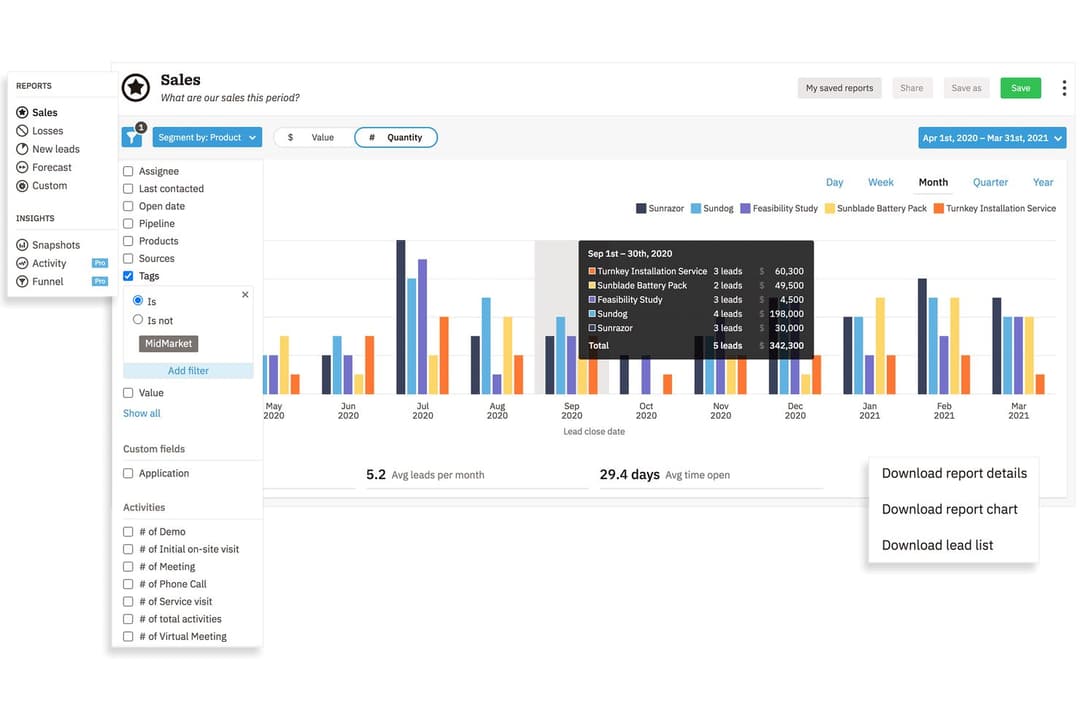
| Reporting Tools | Both provide built-in analytics and reporting dashboards, allowing teams to track performance, sales forecasts, and conversion rates. |