


Nutshell vs. HubSpot CRM: Comparison and Expert Reviews for 2026
I break down where Nutshell and HubSpot CRM truly differ—so you can stop second-guessing and find your CRM fit with confidence.

We review tools independently, and commissions help fund our testing. See our transparency policy, our methodology, or suggest a tool.
Sales teams fall apart fast when reps are buried in disconnected tools, scrambling for missing customer data, and manually patching together workflows just to keep deals alive. A CRM that’s supposed to drive revenue can quietly become the reason opportunities stall, prospects go cold, and pipelines start leaking at every stage.
Choosing the right CRM software can tie your team in knots—especially when you’re weighing tools like Nutshell and HubSpot CRM. Maybe you’re wrestling with integrations, needing something easy for your reps, or trying to stretch your budget without losing essential features. You want a platform that grows with you, keeps your data secure, and actually gets used.
In this article, you’ll get a point-by-point comparison of both tools, including pros and cons, use cases, pricing, security, and usability. I’ll give you the practical details you need to decide which CRM software is truly right for your team.
Nutshell
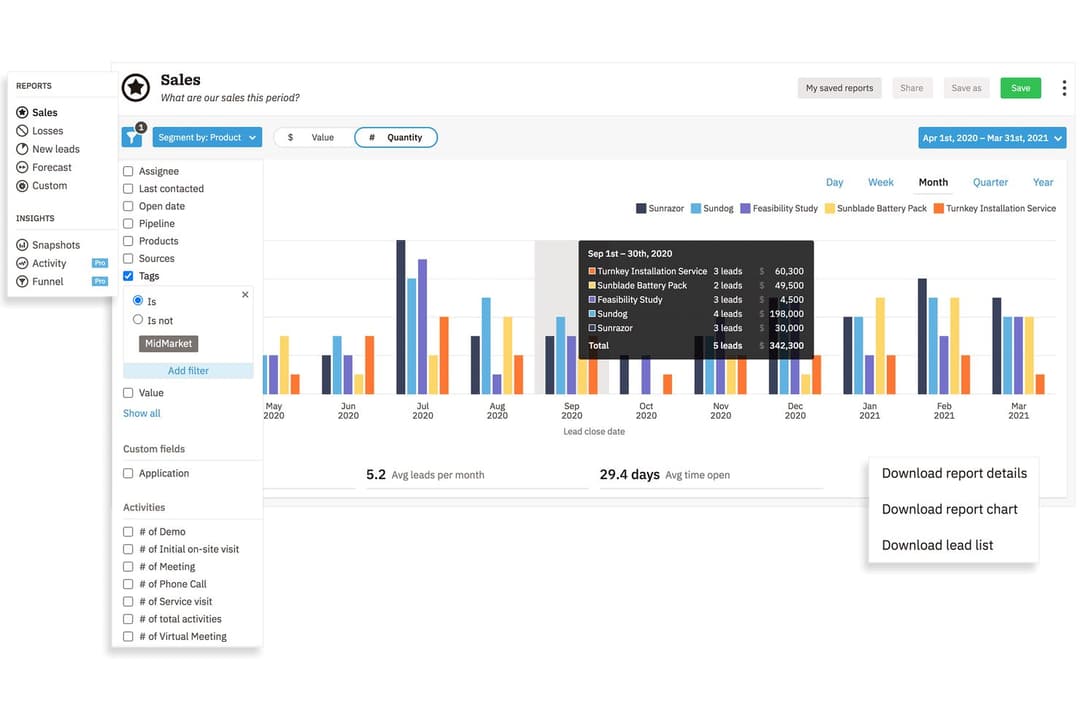
4.3/5
- 14-day free trial + free demo available
- From $13/user/month (billed annually)
HubSpot CRM


4.4/5
- Free plan available
- From $7/user/month
Why Trust Our Software Recommendations
6,700+
Reviews
20
Industry experts
16+
Evaluation factors
14
Years
Our reviews reflect our independent judgment—not a sales pitch. Learn how we stay transparent.
For this guide, we evaluated tools using hands-on testing and independent research, scoring tools using our selection criteria.
Our reviews reflect our human editorial judgment, not a sales pitch.
| Nutshell | HubSpot CRM | |
|---|---|---|
| Free Trial | 14-day free trial + free demo available | Free plan available |
| Pricing | From $13/user/month (billed annually) | From $7/user/month |
Nutshell vs. HubSpot CRM Pricing & Hidden Costs
Nutshell offers straightforward pricing that bundles most core features into simple plans, with additional options for add-ons like SMS. HubSpot CRM starts free with basic features, but you’ll need to stack paid “hubs” and premium add-ons to unlock advanced capabilities—so costs can climb as you grow or need more granular controls. Expect upsell paths on both platforms for things like extra seats, automation, and integrations, but these tend to be more predictable with Nutshell’s structure.
To pick the right vendor, line up your team’s must-have features and map out what those would cost for your growth over 12–24 months. Run through real-world scenarios—like scaling your user count, syncing extra integrations, or adding marketing automation—to see how pricing shifts. You’ll get better value, and avoid surprises, when you understand where each tool moves from “included” to “upgrade” as your needs change.
| Nutshell | HubSpot CRM | |
|---|---|---|
| 2-Factor Authentication | Yes | Yes |
| API | Yes | Yes |
| Calendar Management | Yes | Yes |
| Call Tracking | Yes | Yes |
| Campaign Management | Yes | Yes |
| Click-to-Dial | Yes | Yes |
| Contact Management | Yes | Yes |
| Contact Sharing | Yes | Yes |
| Custom Data Forms | Yes | Yes |
| Customer Management | Yes | Yes |
| Dashboard | Yes | Yes |
| Data Export | Yes | Yes |
| Data Import | Yes | Yes |
| Data Visualization | Yes | Yes |
| Email Integration | Yes | Yes |
| External Integrations | Yes | Yes |
| File Sharing | Yes | Yes |
| File Transfer | Yes | Yes |
| Google Apps Integration | Yes | Yes |
| Lead Management | Yes | Yes |
| Lead Scoring | Yes | Yes |
| Marketing Automation | Yes | Yes |
| Mobile App | Yes | Yes |
| Multi-User | Yes | Yes |
| Notifications | Yes | Yes |
| Pipeline Management | Yes | Yes |
| Sales Automation | Yes | Yes |
| Scheduling | Yes | Yes |
| Social-Media Integration | Yes | Yes |
| Task Scheduling/Tracking | Yes | Yes |
| Third-Party Plugins/Add-Ons | Yes | Yes |
| Integration | Nutshell | HubSpot CRM |
| Google Workspace | ✅ | ✅ |
| Microsoft 365 | ✅ | ✅ |
| Slack | ✅ | ✅ |
| QuickBooks Online | ✅ | ✅ |
| Mailchimp | ✅ | ✅ |
| Shopify | ✅ | ✅ |
| Zendesk | ✅ | ✅ |
| PandaDoc | ✅ | ✅ |
| Constant Contact | ❌ | ✅ |
| Intercom | ✅ | ✅ |
| API | ✅ | ✅ |
| Zapier | ✅ | ✅ |
Both Nutshell and HubSpot CRM offer a solid core of popular integrations, so you’ll likely find support for the major tools you already use. HubSpot pulls ahead when it comes to native options for support and marketing tools, but both platforms offer APIs and Zapier connections that let your team fill in any gaps.
| Factor | Nutshell | HubSpot CRM |
|---|---|---|
| FactorData Privacy | NutshellFollows GDPR, PCI DSS, SOC 2 Type 1, and U.S. privacy laws with clear user controls. | HubSpot CRMGDPR and CCPA compliant, with global data centers and detailed privacy controls. |
| FactorEncryption | NutshellUses TLS 1.2 for in-transit encryption and AES-256 encryption at rest. | HubSpot CRMEmploys TLS/SSL encryption for data in transit and at rest. |
| FactorAccess Controls | NutshellCustomizable user roles and permissions for granular data access. | HubSpot CRMExtensive permissions, role-based access, and advanced user management. |
| FactorUptime | NutshellPublicly posts uptime status with historical reliability reports. | HubSpot CRMEnterprise-grade uptime guarantees and a dedicated status page. |
| FactorIncident Response | NutshellPosts incident notifications and commits to prompt resolution. | HubSpot CRM24/7 monitoring, on-call security team, and documented response procedures. |
Both platforms check the must-have boxes for security and compliance, but HubSpot CRM offers more mature controls and wider global coverage. I’ve found Nutshell reliable and straightforward for most SMB needs, while HubSpot CRM stands out for bigger teams that want assurance around data residency, advanced access, and incident handling.
| Factor | Nutshell | HubSpot CRM |
|---|---|---|
| FactorUser Interface | NutshellClean, minimal dashboard designed for quick access and clarity. | HubSpot CRMModern, visually engaging with customizable dashboards. |
| FactorOnboarding | NutshellGuided walkthrough and helpful setup wizards for a quick start. | HubSpot CRMDeep learning resources, in-app guides, and community forums. |
| FactorCustomization | NutshellSimple, drag-and-drop pipeline and workflow customization. | HubSpot CRMFlexible fields and views; deeper customization but more menu layers. |
| FactorSupport | NutshellLive chat and human support known for prompt responses. | HubSpot CRMExtensive help center, live chat, and knowledge base. |
| FactorLearning Curve | NutshellEasy to pick up with minimal training needed for basic tasks. | HubSpot CRMMore features mean some initial complexity for new users. |
Nutshell nails the basics for rapid adoption, while HubSpot CRM wins if you want flexibility but don’t mind a steeper learning curve. In my experience, Nutshell is great for teams who need to get up and running fast, while HubSpot CRM rewards those who want to tinker and tailor every detail.
Nutshell
- Sales automation workflows handle multi-step processes effectively
- Implementation and onboarding are streamlined for rapid deployment and adoption.
- Responsive support team resolves most issues promptly
- Nutshell isn’t as customizable as other enterprise solutions
- Marketing capabilities isn’t as robust as a dedicated marketing platform
- Limited native enterprise integrations
HubSpot CRM
- Fast onboarding with helpful templates and guides.
- AI features for reporting, forecasting, and content generation.
- Built-in marketing automation and sales tools in one platform.
- Pricing increases quickly as you add premium features.
- Workflow automation can be restrictive for complex processes.
- Advanced reporting features require higher-tier plans.
Nutshell
- Small Sales TeamsSetup is fast, automation reduces manual work, and unlimited contacts keep costs predictable as you scale.
- B2B ServicesCustomizable pipelines and integrations with email and scheduling tools help manage leads from discovery through close.
- SaaS StartupsEasy-to-tweak workflows and email campaign features fit short sales cycles and lean teams.
- AgenciesPipeline views, contact segmentation, and shared activity histories help handle multiple client accounts.
- Distributed TeamsCloud access, mobile app, and straightforward collaboration features suit remote and hybrid work cultures.
- NonprofitsSimple donor management, bulk emailing, and custom fields support relationship-building without CRM complexity.
HubSpot CRM
- SaaS StartupsHubSpot’s automation and lead tracking help SaaS teams scale quickly.
- Marketing AgenciesThe platform’s campaign management and client reporting tools are built-in.
- B2B Sales TeamsPipeline management and deal tracking are easy to set up and use.
- Small BusinessesTemplates and guided onboarding reduce the need for technical resources.
- Customer Success TeamsShared inboxes and ticketing streamline support and follow-up.
- NonprofitsFree and low-cost plans offer core CRM features for limited budgets.
Who Should Use Nutshell, and Who Should Use HubSpot CRM?
Nutshell is a great fit for SMBs and sales-driven teams who want a robust, fast-to-learn platform that keeps everyone organized without hidden fees. HubSpot CRM, on the other hand, is perfect for growing companies with layered sales and marketing needs, deeper integration requirements, or teams planning to scale across global markets. If you value simplicity and quick adoption, I’d point you to Nutshell; if you want a do-it-all CRM with rich marketing and customization, HubSpot CRM is the way to go.
| Nutshell | HubSpot CRM | |
|---|---|---|
| Automation | Nutshell Built-in email automation and basic workflow tools. | HubSpot CRM Advanced automation including marketing and sales sequences. |
| Customization | Nutshell Simple drag-and-drop pipelines, less granular options. | HubSpot CRM Highly customizable fields, dashboards, and automation. |
| Pricing Model | Nutshell Simplified plans with predictable costs and included features with optional paid add-ons. | HubSpot CRM Free tier plus paid add-ons; costs increase as you add functionality. |
| User Onboarding | Nutshell Quick, guided setup in days. | HubSpot CRM Comprehensive onboarding resources, but more initial complexity. |
| Contact Management | Both platforms offer robust contact management, letting users store details, track touchpoints, and segment lists for sales outreach and follow-up. |
|---|---|
| Integration Options | Nutshell and HubSpot CRM support integration with major email, calendar, and workflow tools, plus offer Zapier/API for custom connections. |
| Mobile Access | Each provides fully featured mobile apps for iOS and Android, keeping sales reps productive and connected on the go. |
| Pipeline Tracking | Each delivers visual pipeline tracking with drag-and-drop deal management, clear stage visibility, and customizable views for sales teams. |
| Reporting Tools | Both provide built-in analytics and reporting dashboards, allowing teams to track performance, sales forecasts, and conversion rates. |