

D&B Hoovers Review: Pros, Cons, Core Features, and Pricing
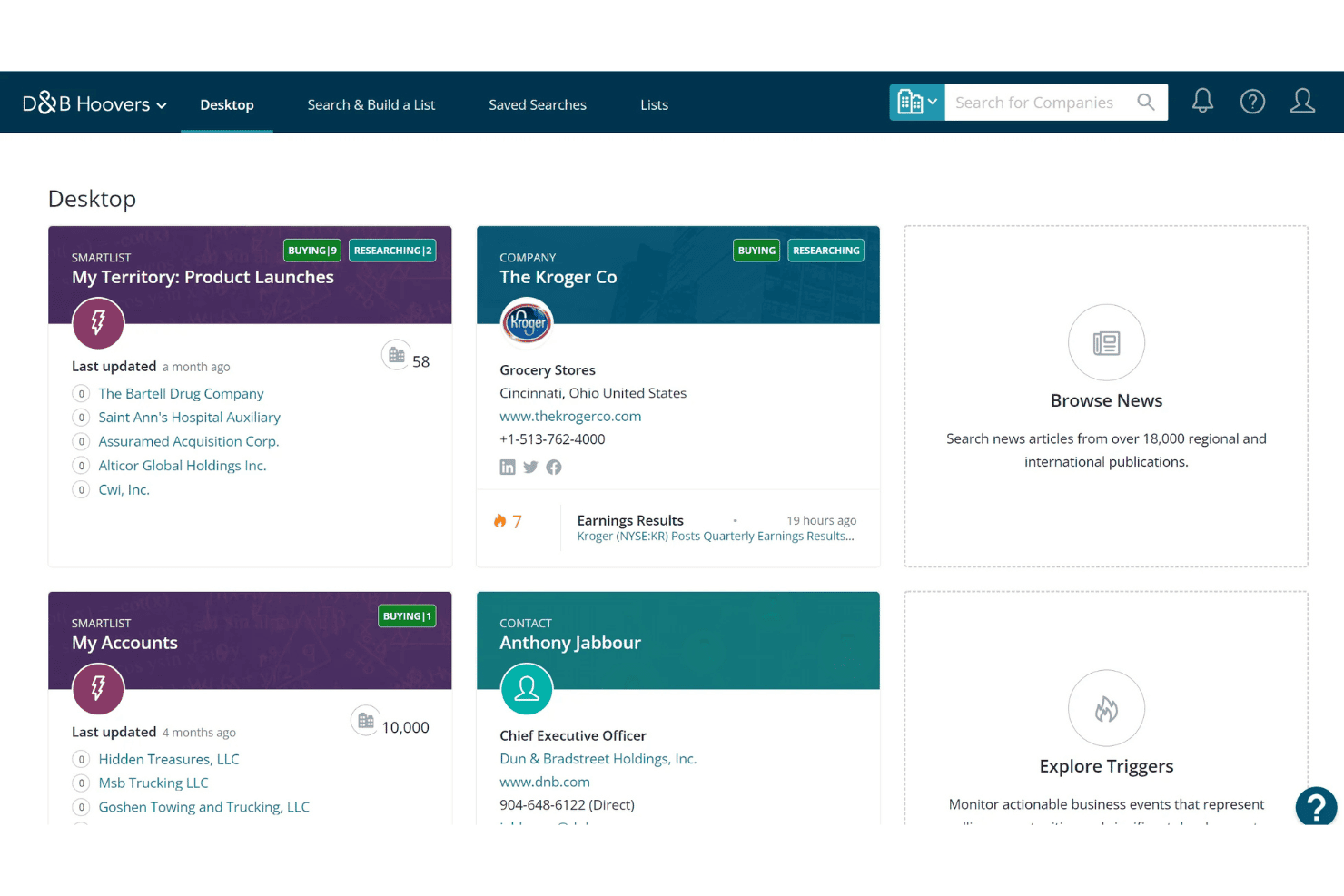
D&B Hoovers helps sales teams uncover company insights, identify prospects, and access business intelligence data for lead generation, research, and sales outreach.

We review tools independently, and commissions help fund our testing. See our transparency policy, our methodology, or suggest a tool.
D&B Hoovers is a sales intelligence software built on Dun & Bradstreet's proprietary business data, covering hundreds of millions of companies worldwide. It's great if your team needs deep firmographic, financial, and corporate hierarchy data to support B2B prospecting and enterprise account targeting. Additionally, D&B Hoovers tends to win when global company coverage and verified financial data matter more than contact-level depth, unlike tools like ZoomInfo.
D&B Hoovers Evaluation Summary
4.1/5
- Pricing upon request
- 7-day free trial
Why Trust Our Software Recommendations
6,700+
Reviews
20
Industry experts
16+
Evaluation factors
14
Years
Our reviews reflect our independent judgment—not a sales pitch. Learn how we stay transparent.
For this guide, we evaluated tools using hands-on testing and independent research, scoring tools using our selection criteria.
Our reviews reflect our human editorial judgment, not a sales pitch.
D&B Hoovers Overview
When judging D&B Hoovers, I think its industry coverage, deep contact data, and company hierarchies give it an edge, especially if accurate prospect lists and firmographic segmentation matter most in your selection. Its integrations and workflow tools are solid, though not as customizable as some competitors, and pricing is usually on the higher end. I’ve found support and onboarding smooth if your team is committed.
If your environment demands reliable data for account-based strategies or large-scale targeting, I’d suggest D&B Hoovers over lighter, more basic tools.
Pros
- Global business database covers millions of companies
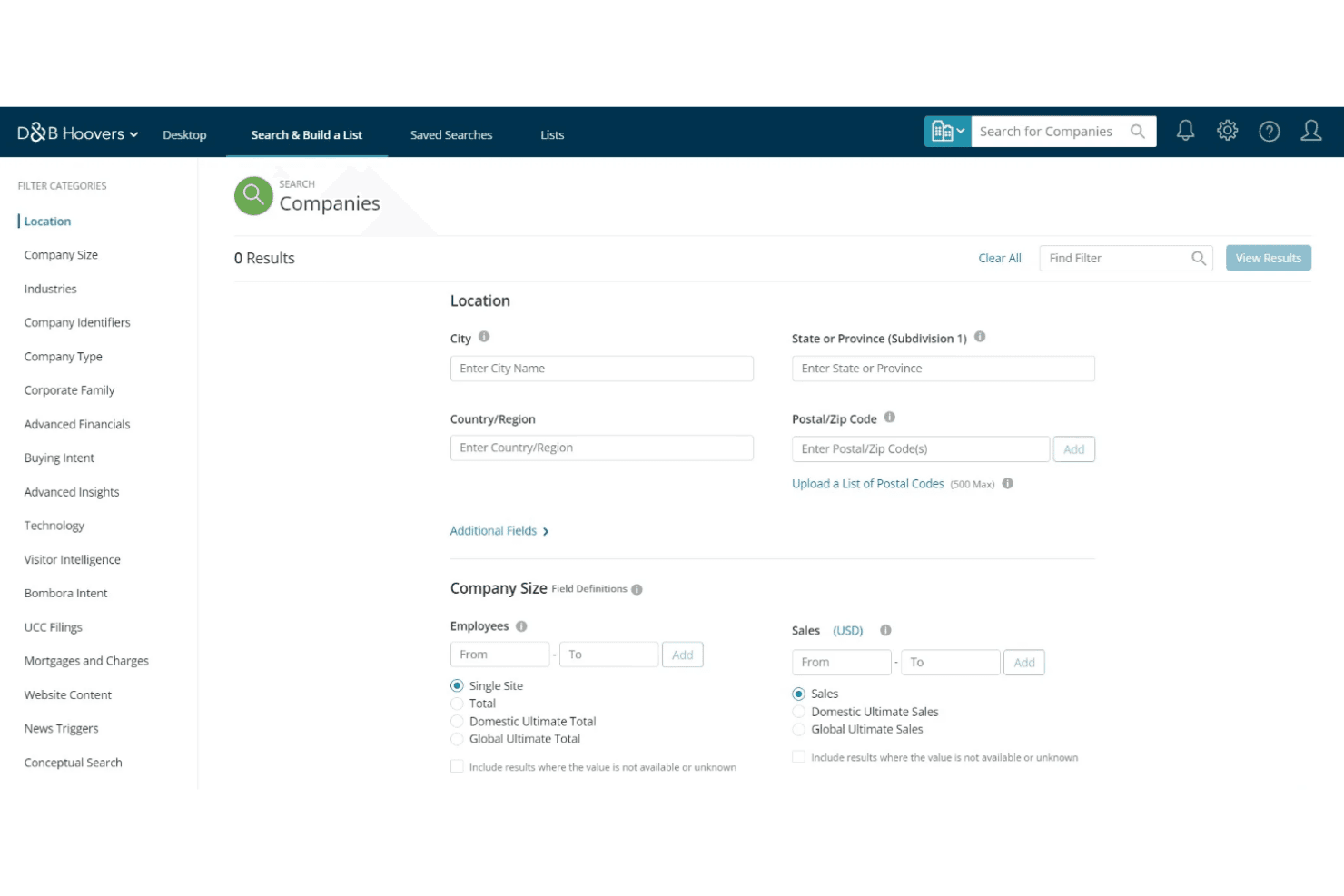
- Advanced filtering enables highly targeted prospect lists
- Real-time data updates improve lead quality and accuracy
Cons
- Pricing is higher than many direct competitors
- Some industry segments lack deep, verified contacts
- Bulk export tools have row limits and restrictions
Is D&B Hoovers Right For Your Needs?
Who Would be a Good Fit for D&B Hoovers?
D&B Hoovers is best suited for teams that need deep, accurate company intelligence, advanced prospecting tools, and granular targeting at scale. Large B2B sales organizations, enterprise marketing departments, and financial services teams will appreciate its massive database, workflow features, and real-time alerts. If your business relies on high-volume, data-driven outreach or wants AI-driven lead recommendations, D&B Hoovers delivers real value.
- Enterprise Sales TeamsSpecialized features like complex filtering, advanced company hierarchies, and trusted data help large sales teams build targeted pipelines efficiently.
- B2B Marketing DepartmentsMarketing teams can segment, score, and prioritize accounts based on real-time firmographics and buyer intent signals.
- Financial Services FirmsFinancial institutions benefit from D&B’s industry-leading risk scores, company linkages, and up-to-date business information.
- Corporate DevelopmentCorporate strategy teams use company linkages and org charts to research acquisition targets or partnership opportunities.
- Compliance DepartmentsCompliance teams leverage in-depth business profiles and risk insights for third-party vetting and due diligence.
- Lead Generation ProvidersList-building agencies or outsourced SDR teams get continuous access to massive, accurate data exports for outbound prospecting.
Who Would be a Bad Fit for D&B Hoovers?
Teams with simple needs, budget constraints, or limited outbound activity might find D&B Hoovers too powerful and expensive for everyday use. Small businesses, niche industry players, and anyone focused on B2C sales won’t get enough value from its B2B-first features and pricing. If your team just needs basic lead info or targets consumer markets, lighter alternatives make more sense.
- Small StartupsNew or tiny businesses might find the pricing and learning curve too high for their lean budgets and short sales cycles.
- B2C-Focused TeamsD&B Hoovers’s data and features cater specifically to B2B sales, leaving consumer-focused teams with few relevant contacts.
- Creative AgenciesAgencies needing contacts in creative, entertainment, or influencer spaces won’t find much value since coverage skews toward traditional industries.
- Nonprofit OrganizationsNonprofits seldom need advanced sales intelligence or huge business databases, limiting value for donor or partner research.
- Field Retail TeamsRetail teams looking for local consumer data and market trends will find D&B Hoovers overly complex and costly for store-level insights.
- Freelancer ConsultantsSolo consultants or freelancers may find the feature set and data depth unnecessary for managing a handful of business relationships.
How We Test & Score Tools
We’ve spent years building, refining, and improving our software testing and scoring system. The rubric is designed to capture the nuances of software selection and what makes a tool effective, focusing on critical aspects of the decision-making process.
Below, you can see exactly how our testing and scoring works across seven criteria. It allows us to provide an unbiased evaluation of the software based on core functionality, standout features, ease of use, onboarding, customer support, integrations, customer reviews, and value for money.
Core Functionality (25% of final scoring)
The starting point of our evaluation is always the core functionality of the tool. Does it have the basic features and functions that a user would expect to see? Are any of those core features locked to higher-tiered pricing plans? At its core, we expect a tool to stand up against the baseline capabilities of its competitors.
Standout Features (25% of final scoring)
Next, we evaluate uncommon standout features that go above and beyond the core functionality typically found in tools of its kind. A high score reflects specialized or unique features that make the product faster, more efficient, or offer additional value to the user.
We also evaluate how easy it is to integrate with other tools typically found in the tech stack to expand the functionality and utility of the software. Tools offering plentiful native integrations, 3rd party connections, and API access to build custom integrations score best.
Ease of Use (10% of final scoring)
We consider how quick and easy it is to execute the tasks defined in the core functionality using the tool. High scoring software is well designed, intuitive to use, offers mobile apps, provides templates, and makes relatively complex tasks seem simple.
Onboarding (10% of final scoring)
We know how important rapid team adoption is for a new platform, so we evaluate how easy it is to learn and use a tool with minimal training. We evaluate how quickly a team member can get set up and start using the tool with no experience. High scoring solutions indicate little or no support is required.
Customer Support (10% of final scoring)
We review how quick and easy it is to get unstuck and find help by phone, live chat, or knowledge base. Tools and companies that provide real-time support score best, while chatbots score worst.
Customer Reviews (10% of final scoring)
Beyond our own testing and evaluation, we consider the net promoter score from current and past customers. We review their likelihood, given the option, to choose the tool again for the core functionality. A high scoring software reflects a high net promoter score from current or past customers.
Value for Money (10% of final scoring)
Lastly, in consideration of all the other criteria, we review the average price of entry level plans against the core features and consider the value of the other evaluation criteria. Software that delivers more, for less, will score higher.
Core Features
Company and Contact Search
Find detailed company and contact information using multi-layered filters like location, industry, or revenue. Build precise prospect lists aligned with your ICP in minutes.
Real-Time Data Updates
Get constantly refreshed company and contact records powered by D&B’s global database. Users receive immediate alerts on critical changes or new opportunities.
Org Charts and Company Hierarchies
Visualize parent, subsidiary, and branch relationships to identify the right decision-makers. Navigate complex organizations to uncover multi-site selling opportunities.
Lead Recommendation Engine
Surface new target accounts using AI-driven suggestions based on your criteria. Let D&B Hoovers recommend accounts that resemble your best-fit customers.
Workflow and List Building Tools
Segment, save, and export lists directly inside D&B Hoovers to streamline outbound prospecting. Share and collaborate on prospect lists with your team.
Trigger Alerts and News
Set up custom alerts to track company news, leadership changes, or funding events. Respond quickly to signals that indicate buying intent or risk.
Standout Features
Dun & Bradstreet Data Cloud Integration
Tap directly into the Dun & Bradstreet Data Cloud for unparalleled business data accuracy. Access financial health, corporate linkages, and risk scores not found in most sales intelligence tools.
Buyer Intent Insights
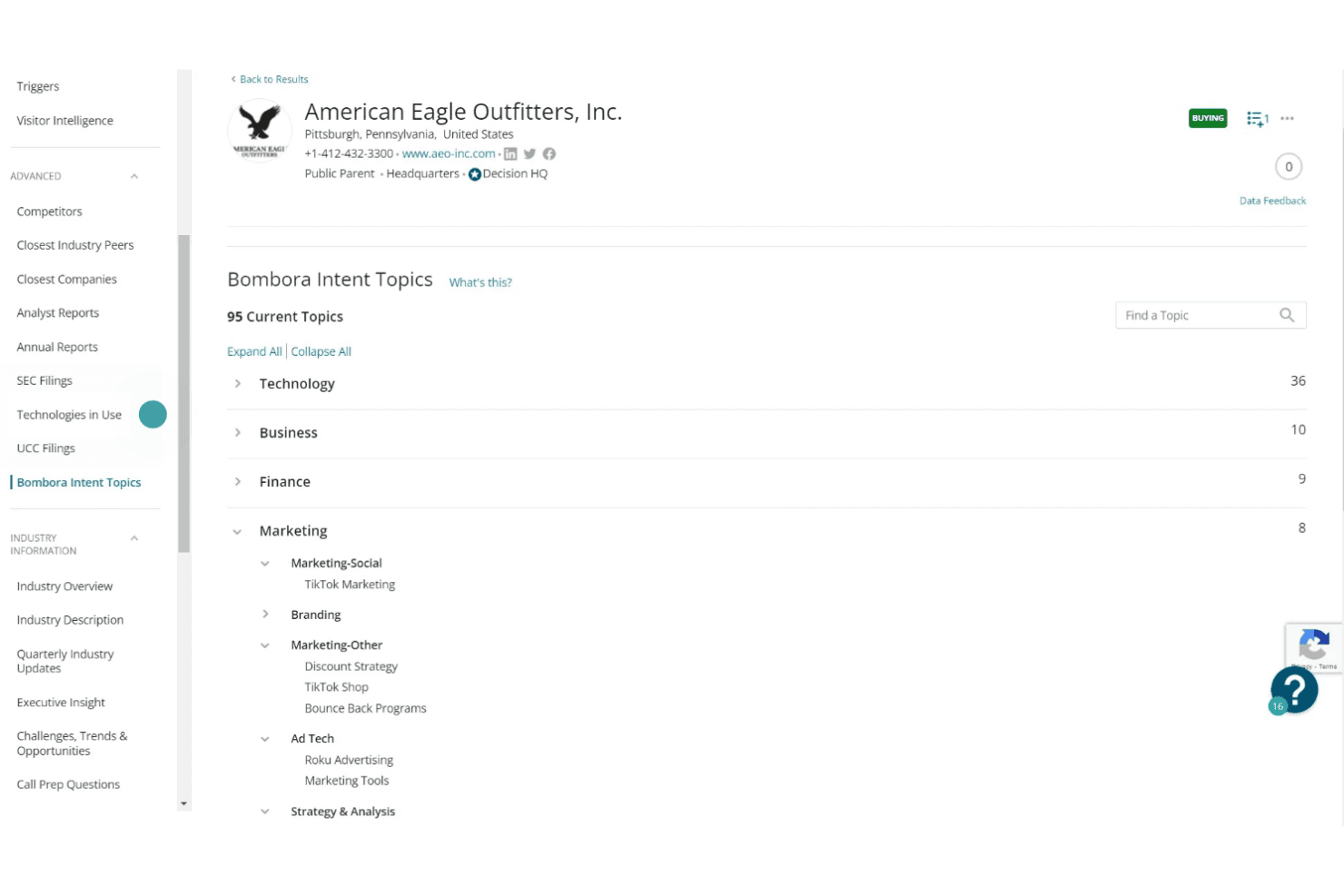
See buyer intent signals based on digital activity across the web. Prioritize organizations demonstrating active research or purchasing behavior relevant to your offerings.
Ease of Use
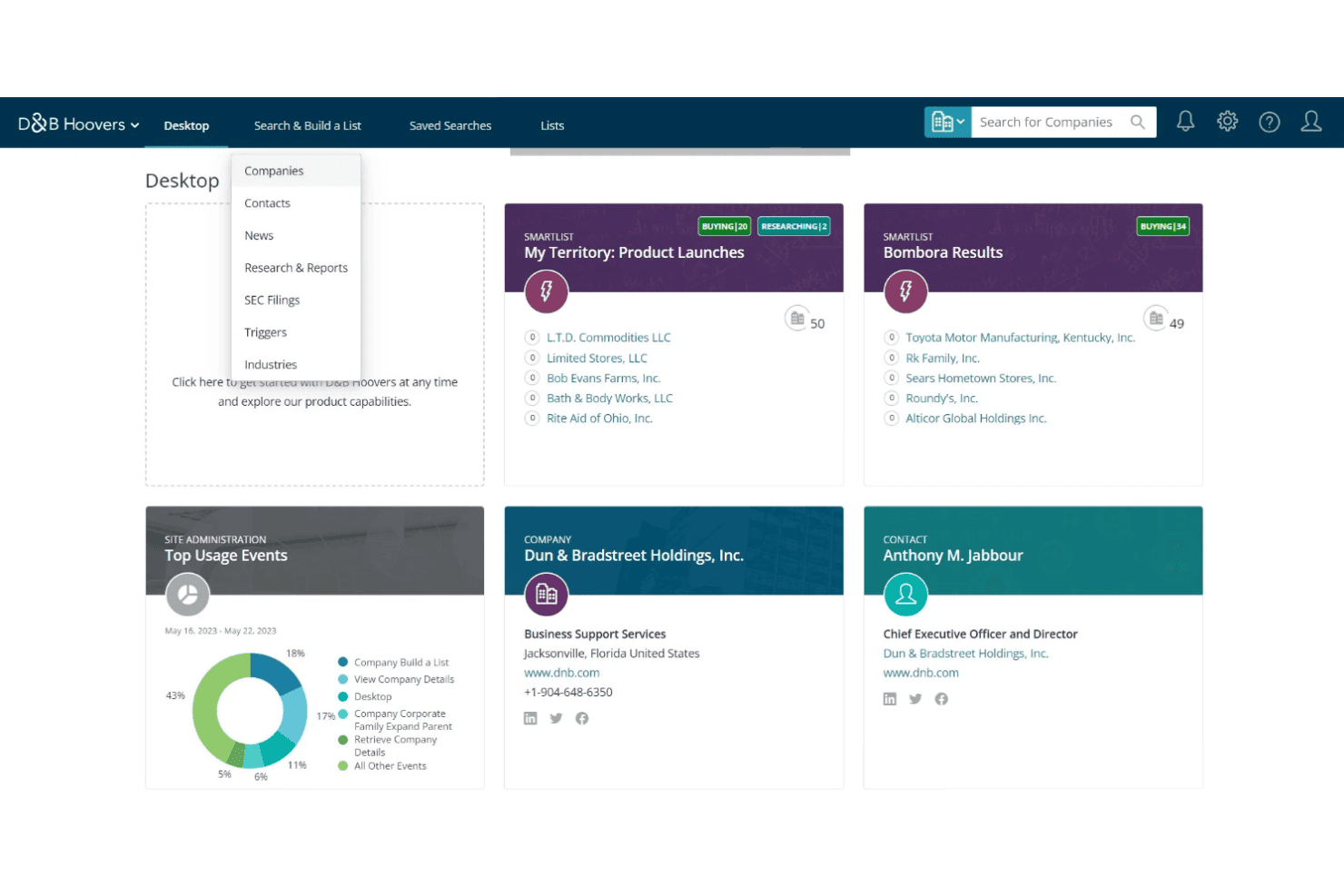
D&B Hoovers feels intuitive for users who need advanced business data, with straightforward list building and filtering that doesn’t require long onboarding. The navigation and company search tools are well organized, though some users report that report generation and data exports can be slow and clunky compared to the smooth browsing experience.
Overall, I think teams will find daily prospecting easy but might wish for faster access to more complex data exports.
Onboarding
D&B Hoovers offers guided onboarding with demos, a thorough knowledge base, and responsive live chat support, which I think helps new users start building lists quickly. Users mention that initial setup is clear, but mastering all the advanced features takes more time.
I’d say most teams will hit value within a week, as long as they engage with onboarding resources and reach out to support for deeper questions.
Customer Support
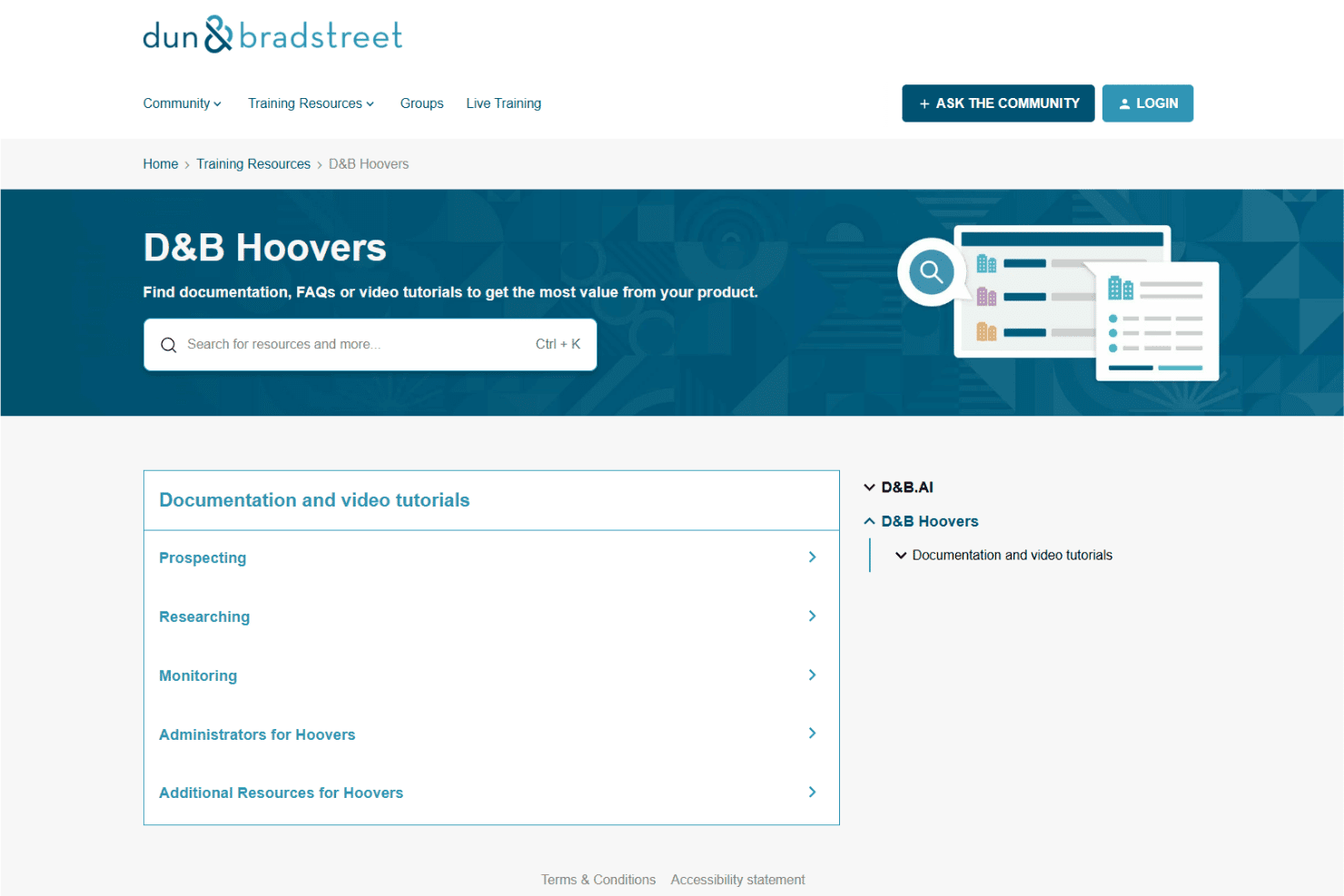
I’ve found D&B Hoovers’s customer support to be reliable, with live chat, email, and an in-depth help center covering most topics users care about. Many reviewers highlight timely responses and knowledgeable reps for onboarding issues or data questions, though resolution times for technical bugs can sometimes lag.
Overall, I think most users will feel supported, especially during setup or when troubleshooting prospecting workflows.
Integrations
D&B Hoovers integrates with Salesforce, Teamwork.com, HubSpot Operations Hub, Microsoft Dynamics 365, Procurence meercat, Workato, Bloomreach, Convertr, and Okta, among others.
D&B Hoovers also offers an API and can connect with integration platforms for third-party connections.
Value for Money
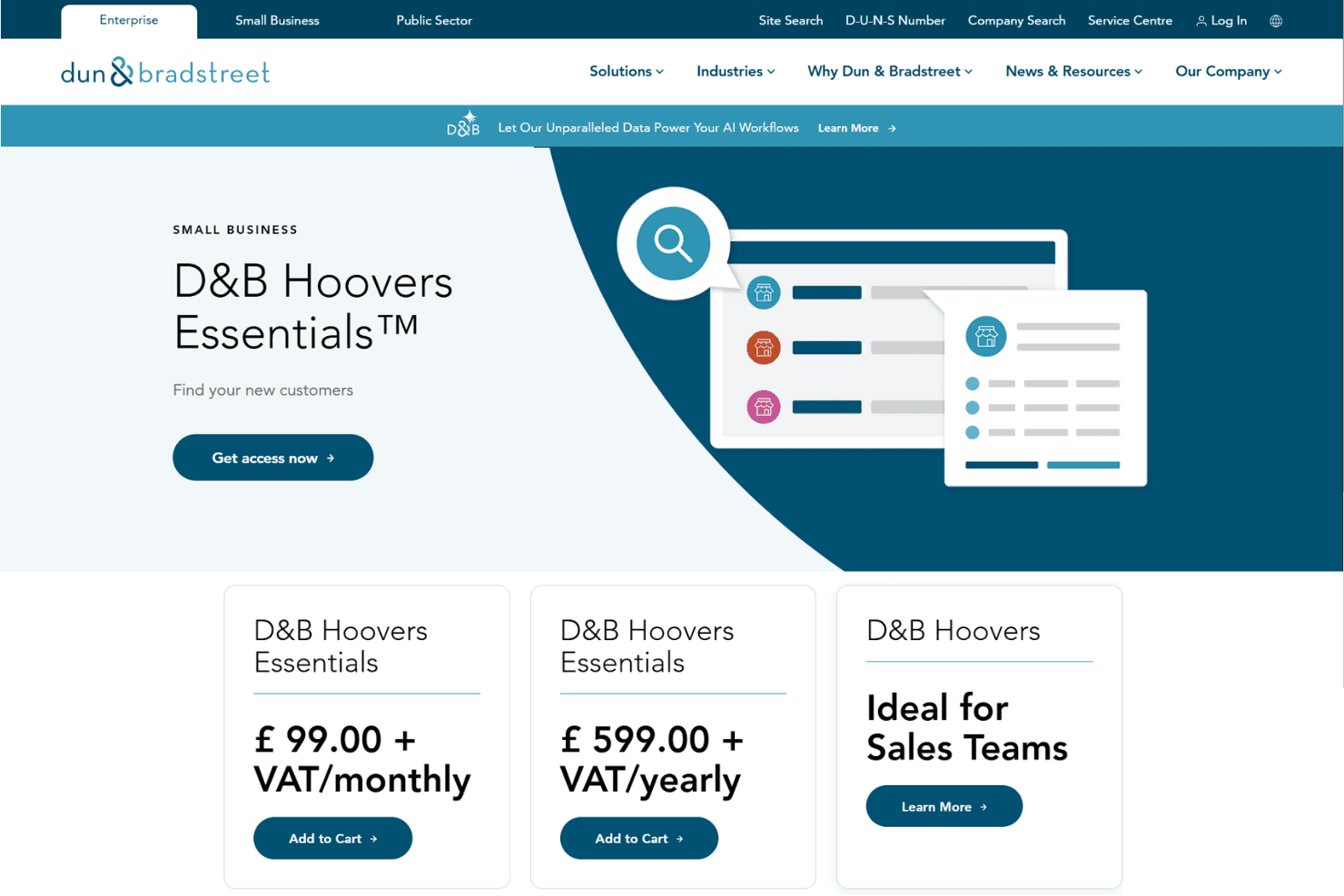
D&B Hoovers uses custom pricing that is available upon request, with costs varying based on users, data access, credits, integrations, and sales intelligence features. The platform is generally geared toward businesses that need advanced company data, prospecting tools, and large-scale sales research capabilities.
D&B Hoovers Specs
- 2-Factor Authentication: No
- Accounts Payable: No
- Accounts Receivable: No
- API: Yes
- Approval Workflows: No
- Balance Sheet: No
- Billing/Invoicing: No
- Budgeting: No
- Calendar Management: Yes
- Comparative Reporting: Yes
- CRM Integration: Yes
- Custom Reports: Yes
- Customer Management: Yes
- Dashboard: Yes
- Data Export: Yes
- Data Import: Yes
- Data Visualization: Yes
- Expense Tracking: No
- External Integrations: Yes
- Forecasting: Yes
- General Account Ledger: No
- Historical Data Analysis: Yes
- Inventory Tracking: No
- Multi-Currency: No
- Multi-User: Yes
- Notifications: Yes
- P&L: No
- Payroll: No
- Scenario Planning: No
- Scheduling: No
- Supplier Management: No
- Tax Management: No
- Time Management: No
D&B Hoovers FAQs
D&B Hoovers Company Overview & History
D&B Hoovers is a sales intelligence platform owned by Dun & Bradstreet, a global commercial data and analytics company headquartered in Jacksonville, Florida. Dun & Bradstreet employs over 6,000 people worldwide and provides a suite of data-driven products, including D&B Hoovers, D-U-N-S® Number, and Business Credit reports.
D&B Hoovers is widely used across enterprise sales, marketing, and risk teams, and Dun & Bradstreet is publicly traded on the NYSE under the ticker symbol DNB. The company’s client roster includes Fortune 500 companies and major financial institutions worldwide.
D&B Hoovers Major Milestones
- 1841: Dun & Bradstreet was founded as The Mercantile Agency.
- 2010: Dun & Bradstreet acquires Hoover’s, integrating it into their product suite.
- 2017: Launch of D&B Hoovers as a data-driven sales acceleration solution.
- 2020: Dun & Bradstreet returns to public markets with a listing on the NYSE.
- 2023: Expands data cloud capabilities and broadens global sales intelligence offerings