

With so many different quote-to-cash software available, figuring out which is right for you is tough. You know you want to optimize and automate the end-to-end sales cycle but need to figure out which tool is best.
I've got you! In this post I'll help make your choice easy, sharing my personal experiences using dozens of different quote-to-cash tools with various teams and accounts, with my picks of the best quote-to-cash software.
Why Trust Our Software Recommendations
6,700+
Reviews
20
Industry experts
16+
Evaluation factors
14
Years
Our reviews reflect our independent judgment—not a sales pitch. Learn how we stay transparent.
For this guide, we evaluated tools using hands-on testing and independent research, scoring tools using our selection criteria.
Our reviews reflect our human editorial judgment, not a sales pitch.
Quote-to-Cash Software Comparison Table
This comparison table summarizes pricing details for my top quote-to-cash software selections:
| Tool | Best For | Trial Info | Price | ||
|---|---|---|---|---|---|
| 1 | Best for accurate deal configuration | Free demo available | Pricing upon request | Website | |
| 2 | Best for cutting proposal time by 50-75% | Free demo available | From $39/user/month | Website | |
| 3 | Best for hybrid and usage-based pricing models | Free demo available | Pricing upon request | Website | |
| 4 | Best for integrated CRM and billing software | 14-day free trial | From $299/month | Website | |
| 5 | Best for automated sales processes | Free demo available | Pricing upon request | Website | |
| 6 | Best for commercial order management solutions | Free demo available | Pricing upon request | Website | |
| 7 | Best for building a better supply chain experience | Not available | From $2,800/year | Website | |
| 8 | Best cloud-based quote-to-cash software for enterprises | Free demo available | Pricing upon request | Website | |
| 9 | Best for low code and no-code administration | Free demo available | Pricing upon request | Website | |
| 10 | Best for shortening the sales cycle with pricing rules | Free demo available | Pricing upon request | Website |


Best Quote-to-Cash Software Review
Below are my detailed summaries of the best quote-to-cash software that made it onto my shortlist. My reviews offer a detailed look at the key features, pros & cons, integrations, and ideal use cases of each tool to help you find the best one for you.
 Best for accurate deal configuration
- Free demo available
- Pricing upon request
Visit WebsiteCustomer Rating:4.7/5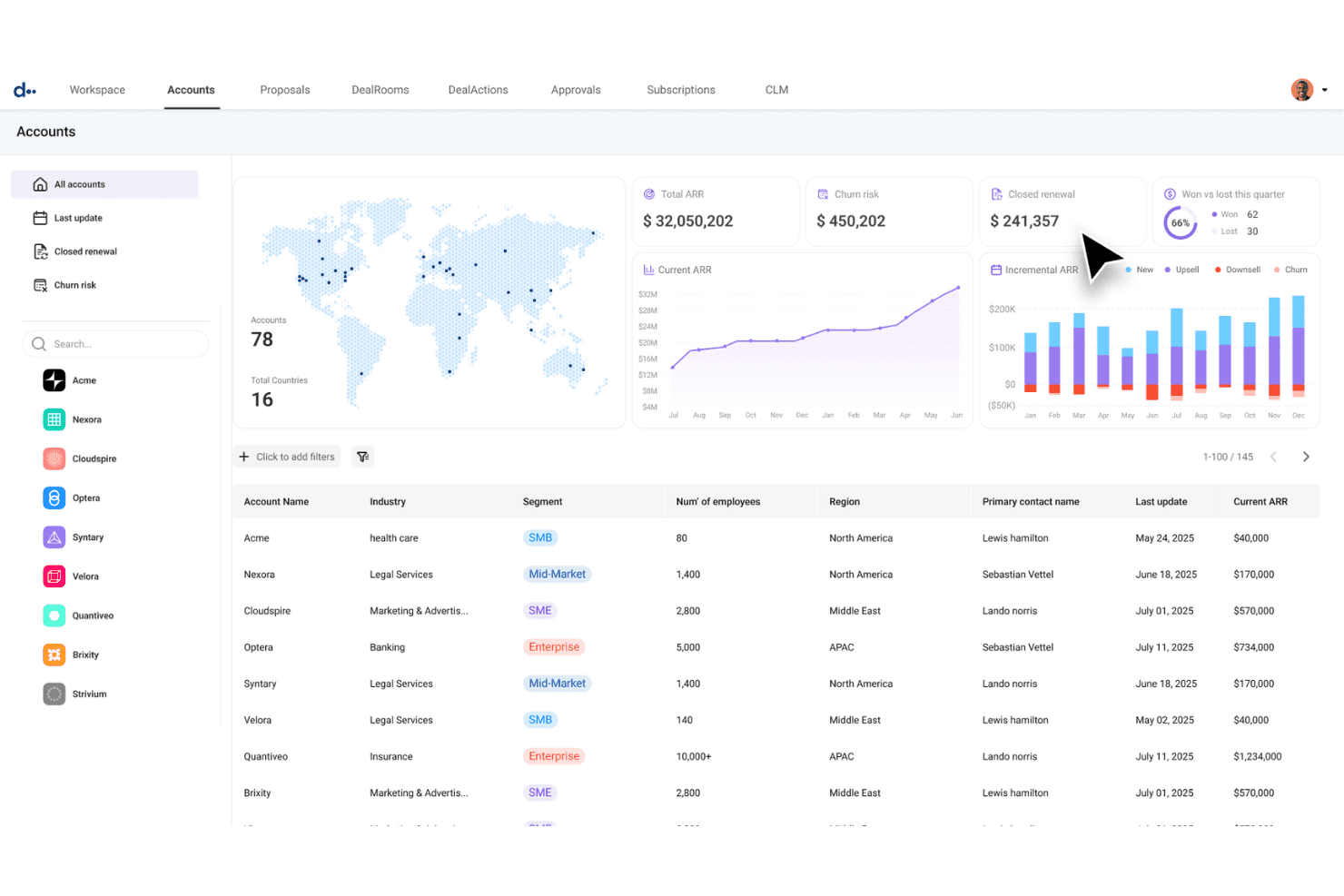
DealHub AI centralizes account health metrics and ARR data in one view. DealHub AI is a quote-to-revenue platform that unifies CPQ, contract lifecycle management, billing, and revenue recognition on a single shared data model.
Who Is DealHub AI Best For?
DealHub AI is a strong fit for B2B SaaS companies whose deal desk, sales ops, and RevOps teams need to manage complex, multi-product configurations without leaning on IT for every pricing or workflow change.
Why I Picked DealHub AI
I picked DealHub AI as one of the best because its guided selling playbooks are the most precise deal configuration tools I've seen in this category. When a rep is building a complex, multi-product quote, the playbook walks them through every configuration decision in sequence, enforcing pricing rules and approval guardrails before the quote ever leaves the desk. Paired with AI pricing optimization that pulls from historical deal data, DealHub actively catches discount patterns that erode margins before they become a problem.
DealHub AI Key Features
- Guided selling playbooks: Interactive decision trees that walk reps through product configuration in sequence, enforcing pricing rules before a quote is submitted.
- DealRoom digital sales room: A branded workspace where reps can centralize proposals, contracts, and deal content with real-time buyer engagement tracking.
- Multi-model billing engine: Supports recurring, usage-based, ramp, tiered, and hybrid billing on the same data model as CPQ.
- ASC 606/IFRS 15 revenue recognition: Automated recognition schedules that update when contracts are amended, with deferred revenue tracking and ERP journal sync.
DealHub AI Integrations
DealHub AI has native bi-directional integrations with Salesforce, Microsoft Dynamics 365, HubSpot, and Freshworks, plus integrations with NetSuite, Sage Intacct, QuickBooks, Xero, Priority, Stripe, Avalara, DocuSign, Slack, and Gong. Its open API supports custom integrations.
Pros and Cons
Pros:
- AI optimizes discounts and deal approvals
- Unified data model eliminates reconciliation issues
- Guided selling playbooks prevent pricing errors
Cons:
- No transparent or self-serve pricing options
- Billing and rev rec integration still maturing
Learn more about DealHub AI: Best for cutting proposal time by 50-75%
- Free demo available
- From $39/user/month
Visit WebsiteCustomer Rating:4.8/5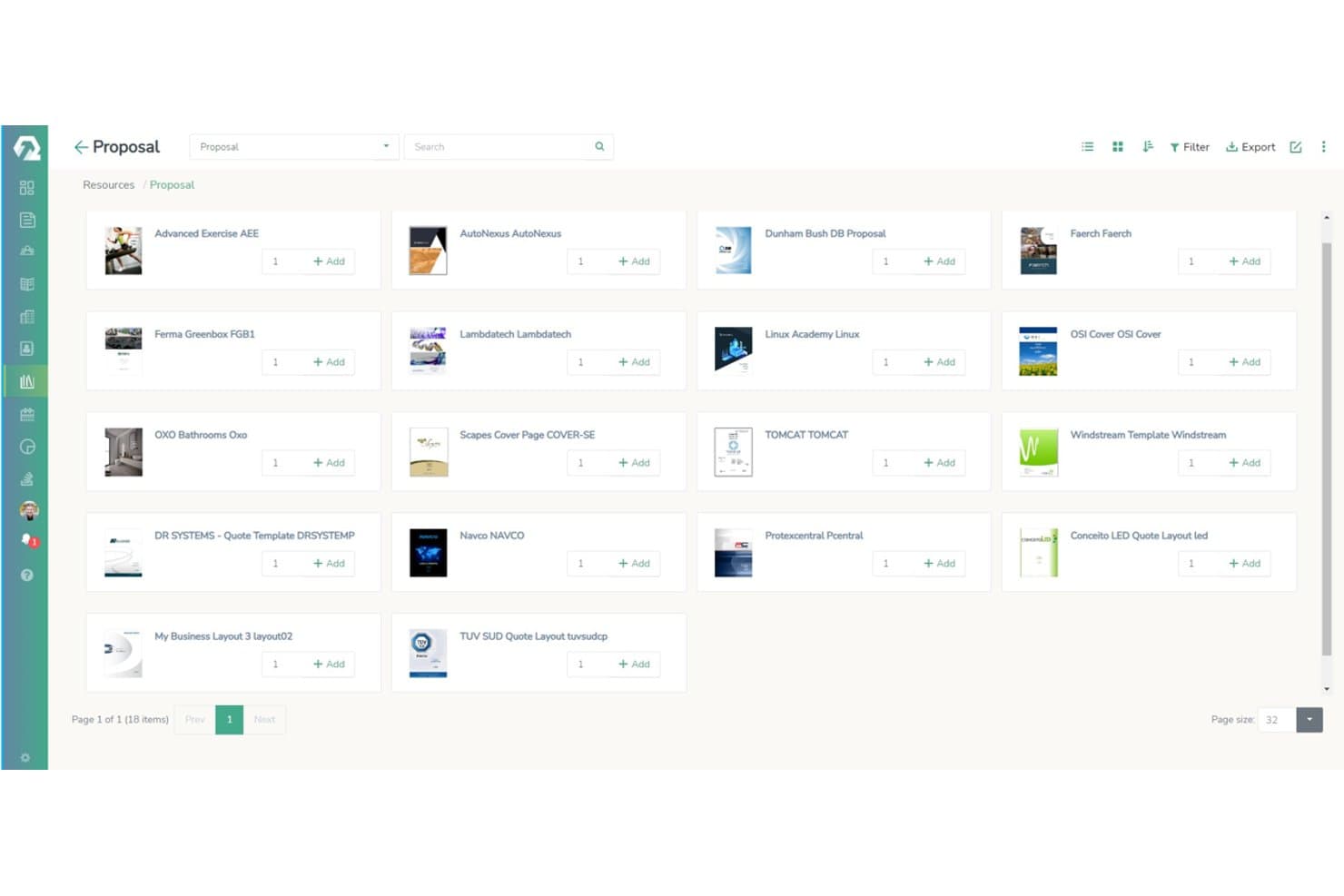
iQuoteXpress lets users browse and add proposal templates from a visual library. iQuoteXpress is a CPQ-focused platform that handles product configuration, pricing, guided selling, proposal generation, approval workflows, and CRM integrations across the quoting stage of the sales cycle.
Who Is iQuoteXpress Best For?
iQuoteXpress is a strong fit for SMB and mid-market sales teams that need to cut quoting time without the complexity or cost of a full quote-to-cash platform.
Why I Picked iQuoteXpress
I picked iQuoteXpress as one of the best because its custom-built product configurators eliminate the back-and-forth that bloats quote cycles. Each client gets a configurator built around their specific product rules, dependency logic, and pricing structures, so reps can't accidentally combine incompatible components. Paired with branded proposal templates that load automatically by deal category, teams routinely cut proposal time by 50–75% without sacrificing accuracy.
iQuoteXpress Key Features
- Approval workflows: Routes quotes through configurable approval rules with full audit trails when discount thresholds are breached.
- Multiple pricelists: Supports customer-specific and segment-specific pricing structures across different accounts or deal types.
- CRM integrations: Connects natively with Salesforce, HubSpot, Microsoft Dynamics 365, Zoho CRM, and Pipedrive, plus a REST API for custom setups.
- Document library: Stores and organizes proposals, contracts, spec sheets, and collateral, all attachable to quotes in one click.
iQuoteXpress Integrations
iQuoteXpress has 10 documented integrations, including Salesforce, HubSpot, Microsoft Dynamics 365, Zoho CRM, Pipedrive, Oracle CRM, Acumatica, SAP, Xero, and QuickBooks. Its REST API supports custom integrations.
Pros and Cons
Pros:
- Guided selling reduces onboarding time
- Custom configurators prevent quoting mistakes
- Proposal cycles cut by 50–75%
Cons:
- No end-to-end order management features
- No subscription billing or revenue recognition
Learn more about iQuoteXpress: Best for hybrid and usage-based pricing models
- Free demo available
- Pricing upon request
Visit WebsiteCustomer Rating:4.6/5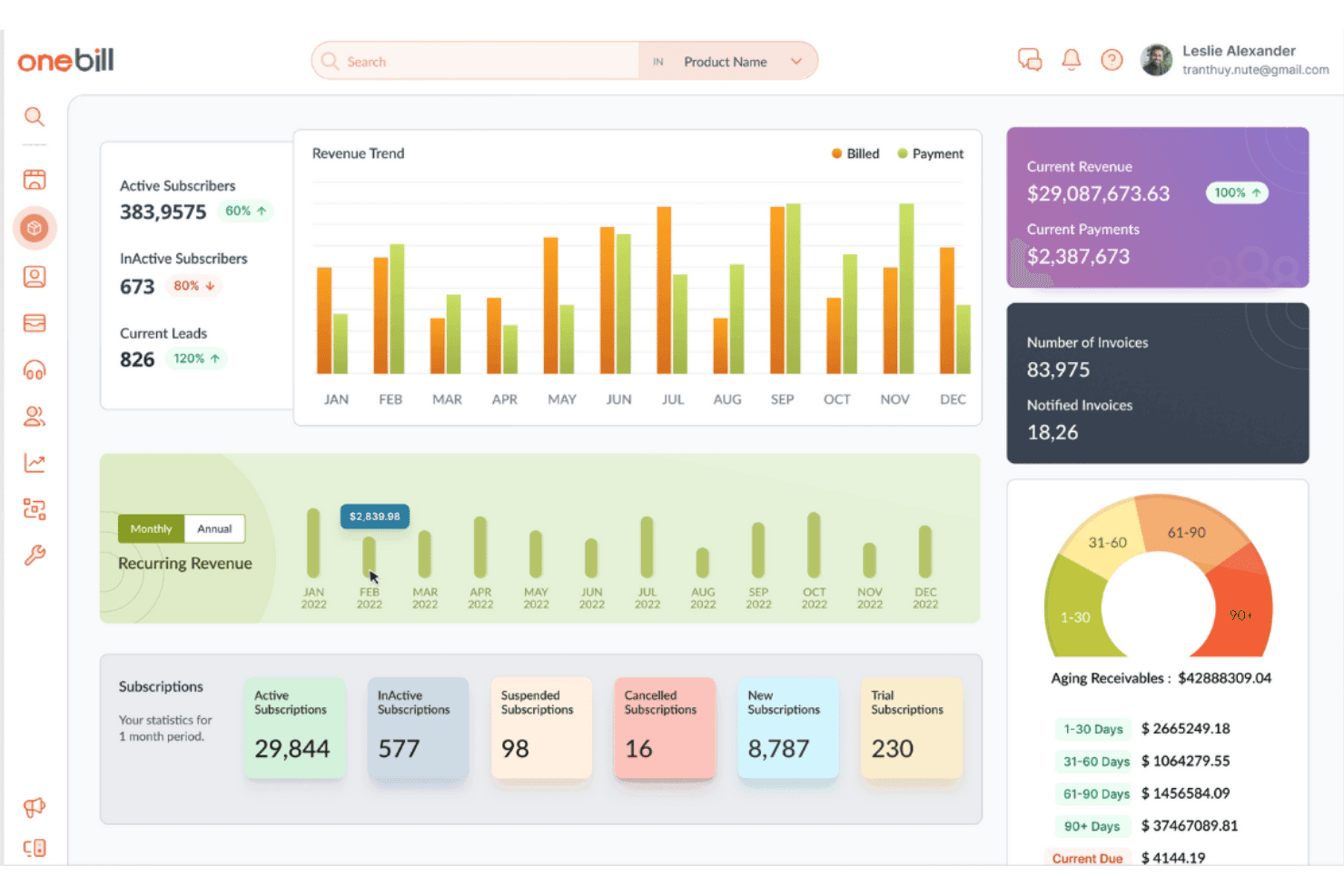
OneBill centralizes revenue, subscriptions, and invoicing on one dashboard. OneBill is a quote-to-cash platform that unifies CPQ, billing, revenue recognition, order management, and customer lifecycle management in a single system built for complex, high-volume subscription and usage-based business models.
Who Is OneBill Best For?
OneBill is a strong fit for telecom, SaaS, and IoT companies that need to support multiple pricing models—usage-based, tiered, hybrid, and outcome-based—within a single billing and revenue platform.
Why I Picked OneBill
OneBill earns its spot on my shortlist because of how far it goes to support sophisticated, mixed pricing models in a single platform. I'm particularly drawn to CPQ360™'s ability to configure contract-specific rate cards, tiered volumes, and outcome-based pricing side by side, so a single customer account can carry a subscription, metered usage, and a one-time fee without manual reconciliation. Billing360™ then ingests and rates those usage events in real time, processing 43+ million transactions daily with built-in anomaly detection to catch revenue leakage before invoices go out.
OneBill Key Features
- RevRec360™ revenue recognition: Automates the full ASC 606/IFRS 15 five-step process, decoupling billing schedules from revenue recognition schedules.
- RevAssure360™ revenue assurance: Detects missing usage events, duplicate charges, and billing anomalies before invoices go out.
- Channel360™ partner management: Automates multi-level partner commissions, settlements, and payouts across 1,300+ partners via white-label portals.
- Churn360™ churn prediction: Uses AI-driven behavioral signals to flag at-risk subscribers and trigger automated retention workflows.
OneBill Integrations
OneBill offers native integrations with Salesforce, HubSpot, NetSuite, QuickBooks, Xero, Sage, DocuSign, Zoho Sign, Avalara, and Vertex. Open REST APIs support custom integrations and real-time data synchronization.
Pros and Cons
Pros:
- AI guides quoting and churn reduction
- Real-time usage event mediation at scale
- Excels at hybrid and usage-based pricing
Cons:
- Setup and issue resolution can be complex
- Lacks advanced contract lifecycle features
Learn more about OneBill: 4Best for integrated CRM and billing software
Keap
- 14-day free trial
- From $299/month
Visit WebsiteCustomer Rating:4.2/5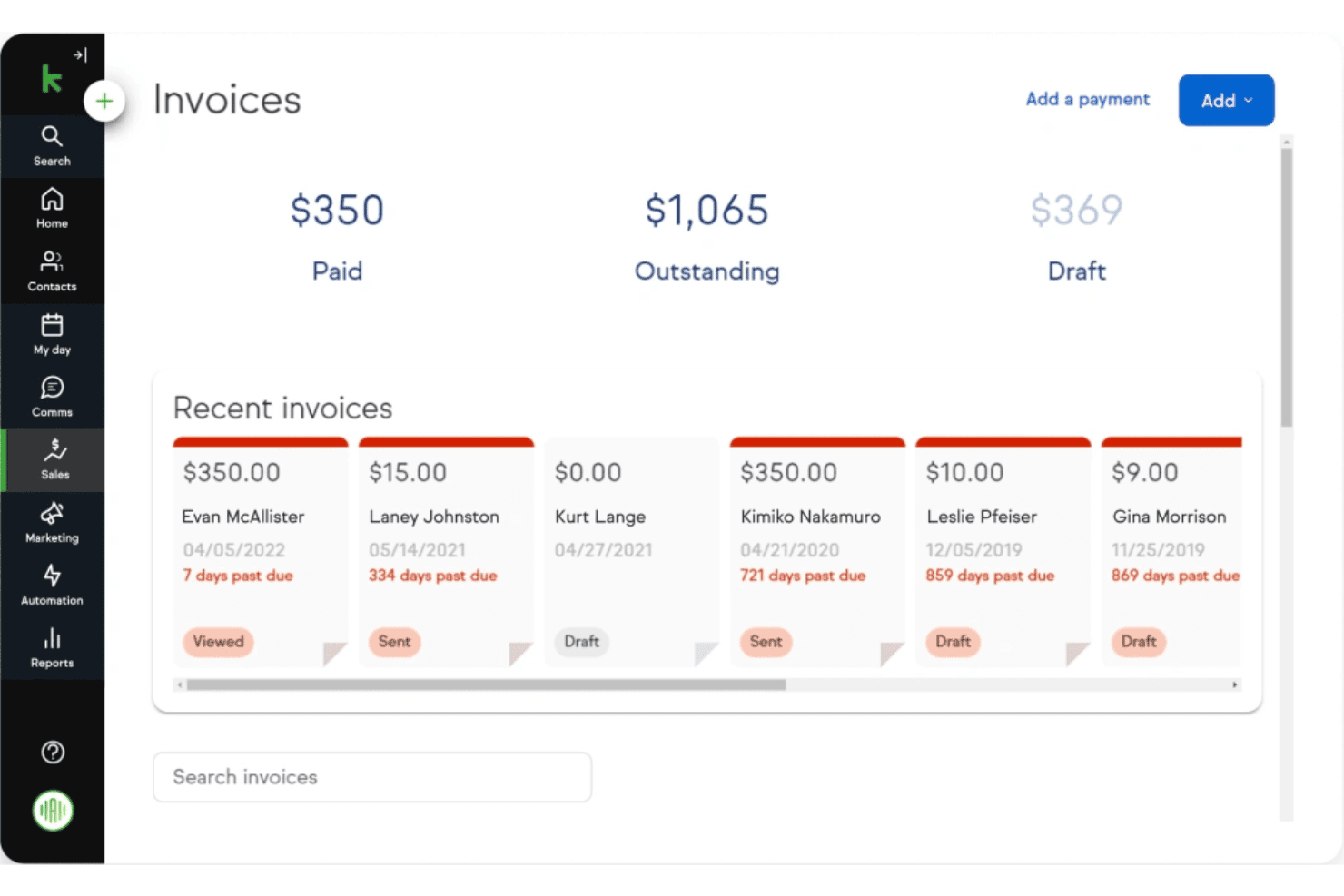
Keap lets users track paid, outstanding, and draft invoices in one view. Keap is a small business CRM and billing platform that combines quoting, invoicing, recurring payments, and marketing automation into a single tool.
Who Is Keap Best For?
Keap suits small service businesses that want quoting, invoicing, recurring payments, and CRM in one place without managing multiple tools.
Why I Picked Keap
I picked Keap as one of the best because it's one of the few tools that genuinely merges CRM and billing into a single workflow, without requiring a separate invoicing tool. I like how an accepted quote converts into an invoice in one click, and recurring billing sequences can trigger automatically based on CRM events. For small service businesses managing subscriptions alongside active client relationships, that tight loop between pipeline stages and payment collection is genuinely useful.
Keap Key Features
- Stage-based pipeline automation: Triggers automated follow-up workflows when a deal moves between pipeline stages, keeping deals from going cold without manual effort.
- Online checkout forms: Embeds payment-enabled forms with promo codes and one-click order bumps directly into your sales flow.
- Credit card expiration alerts: Automatically notifies contacts and queues payment retries before a card expires to reduce failed transactions.
- AI automation assistant: Suggests and builds automation sequences based on your goals, reducing the time needed to configure follow-up workflows from scratch.
Keap Integrations
Keap has approximately 230 native or supported integrations, including QuickBooks Online, Stripe, PayPal, Eway, HelloSign, Gmail, Outlook, Zoom, and Mailchimp. It also offers a REST API and Zapier integrations for custom connectivity.
Pros and Cons
Pros:
- Recurring payment reminders reduce missed invoices
- Automated follow-ups triggered by pipeline changes
- Combines CRM, quoting, and invoicing workflows
Cons:
- Lacks advanced CPQ and order management
- No contract lifecycle or revenue recognition features
 Best for automated sales processes
- Free demo available
- Pricing upon request
Visit WebsiteCustomer Rating:4.4/5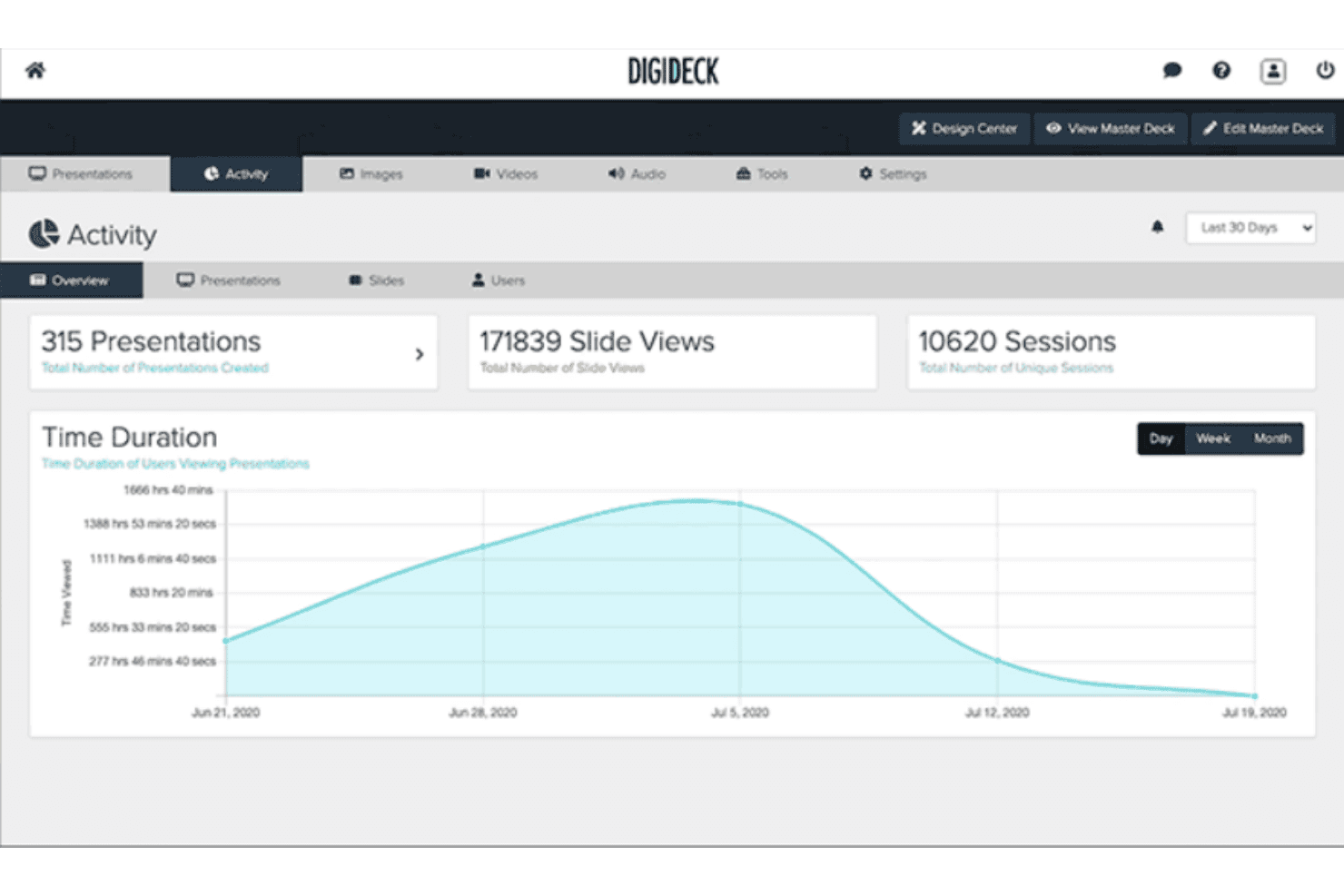
DIGIDECK tracks presentation views, slide engagement, and session data. DIGIDECK is an AI-powered sales presentation platform that automates deck personalization, enforces brand governance through a centralized content library, and delivers slide-level engagement analytics via CRM integrations with Salesforce, HubSpot, and Microsoft Dynamics 365.
Who Is DIGIDECK Best For?
DIGIDECK is a strong fit for enterprise sales teams in sports, entertainment, and sponsorship who need to automate and govern pitch presentations at scale.
Why I Picked DIGIDECK
I picked DIGIDECK as one of the best because its DIGI Builder genuinely removes one of the most time-consuming parts of the pre-deal process: figuring out what to show a prospect and in what order. The guided selling questionnaire auto-assembles the right slides based on buyer persona, industry, and deal stage. Pair that with DIGI Insights flagging stale pricing on live decks, and reps stay ahead of deals without manual upkeep.
DIGIDECK Key Features
- Master Deck Library: A centralized content repository where admins manage, lock, and update all approved slides, assets, and messaging across every active presentation.
- Presentation expiration dates: Reps can set automatic expiration dates on time-sensitive decks, removing them from circulation once the deadline passes.
- DIGI Connect: Embeds DIGIDECK's deck-building capabilities inside Salesforce, HubSpot, Claude, ChatGPT, and Microsoft Copilot so reps can create presentations without switching tools.
- Slide-level engagement analytics: Tracks viewer behavior at the individual slide level, including time spent, navigation paths, and session activity, and logs that data back to CRM deal records.
DIGIDECK Integrations
DIGIDECK has documented native integrations with Salesforce, HubSpot, Microsoft Dynamics 365, Marketo, KORE Software, and SponsorCX. It also offers an open REST API for custom connectivity, but no native ERP integrations are documented for quote-to-cash workflows.
Pros and Cons
Pros:
- CRM-embedded presentation creation workflow
- AI-guided deck personalization for pitches
- Centralized, branded sales content governance
Cons:
- Lacks contract management or order workflows
- No quoting, billing, or revenue tools
Learn more about DIGIDECK: Best for commercial order management solutions
- Free demo available
- Pricing upon request
Visit WebsiteCustomer Rating:4.3/5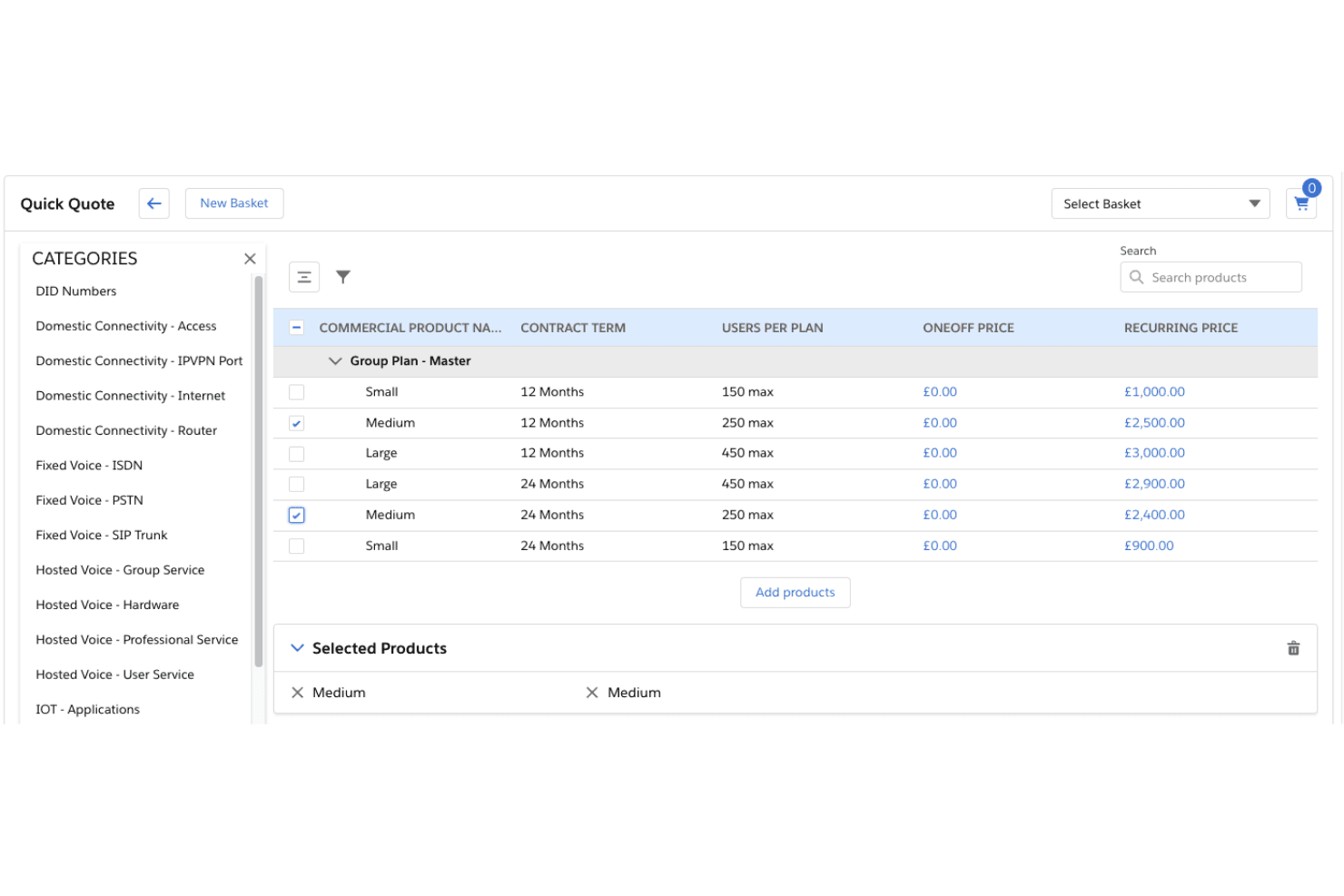
CloudSense lets users compare and select group service plans for quoting. CloudSense is a Salesforce-native CPQ and commercial order management platform built for telecommunications, media, and technology companies, offering AI-powered quoting, guided selling, product catalog management, and fulfillment orchestration.
Who Is CloudSense Best For?
CloudSense is built for telecommunications, media, and technology companies that run complex B2B or wholesale sales motions on Salesforce and need enterprise-grade CPQ with deep order management built in.
Why I Picked CloudSense
I've included CloudSense in my top picks because it's the strongest commercial order management solution I've seen built specifically for telecommunications, media, and technology operators running complex B2B sales on Salesforce. Its Deal Optimisation module enforces discount guardrails and approval workflows, while Dynamic Deal Scoring uses AI to evaluate profitability and conversion likelihood on every deal. I also love how its Compatibility Rules Service automatically validates product bundle combinations, eliminating configuration errors before they reach order fulfillment.
CloudSense Key Features
- QuickQuote: Generates indicative or budgetary quotes for early-stage deals without requiring a full product configuration.
- Unified product catalog: Centralizes products, services, pricing rules, and business logic for consistent multi-channel deployment.
- In-life subscription management: Handles amendments, upgrades, downgrades, and bulk subscriber updates within active subscriptions.
- TM Forum Open API compliance: Provides 13 certified TM Forum Open APIs for plug-and-play connectivity with BSS/OSS systems.
CloudSense Integrations
CloudSense has a native Salesforce integration, 13 certified TM Forum Open APIs, and integrations with CloudBlue Connect, Totogi Ontology, BSS and billing systems, and ad servers. REST API support enables custom connectivity.
Pros and Cons
Pros:
- Automates complex B2B and wholesale sales cycles
- Advanced AI-driven quoting and deal scoring
- Built specifically for telecom and media workflows
Cons:
- Only runs on Salesforce platform
- No native revenue recognition capabilities
Learn more about CloudSense: Best for building a better supply chain experience
- Not available
- From $2,800/year
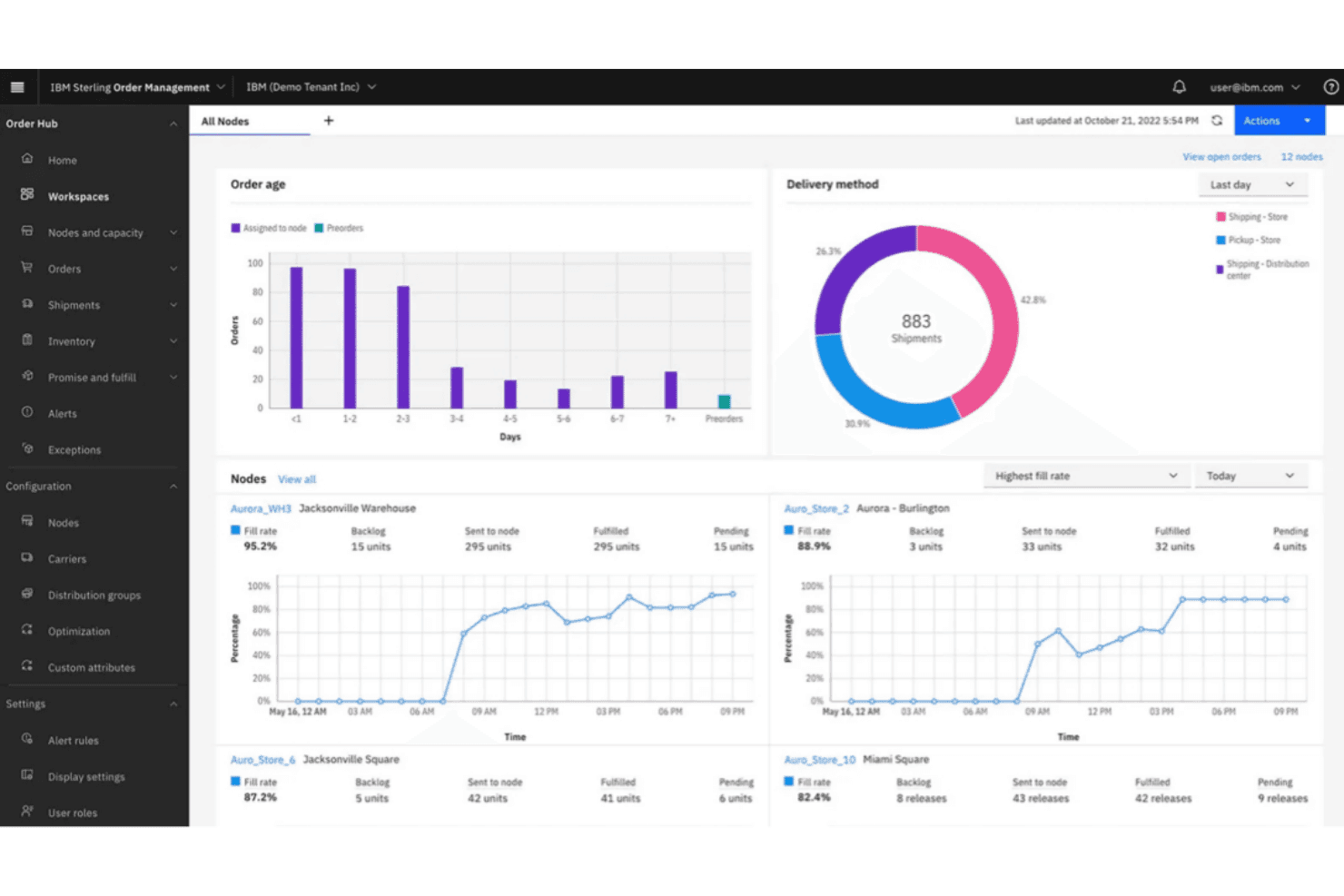
IBM Sterling provides real-time order fulfillment tracking across nodes. IBM Sterling is a supply chain and order management platform that combines CPQ, omnichannel order orchestration, guided selling, dynamic pricing, and B2B contract order management.
Who Is IBM Sterling Best For?
IBM Sterling suits enterprise teams in manufacturing, retail, or telecom that need a capable CPQ engine and omnichannel order management but already have separate billing and revenue recognition tools in place.
Why I Picked IBM Sterling
IBM Sterling earns its spot on my shortlist because its order management and CPQ capabilities are built specifically for supply chain-heavy businesses where quote complexity and fulfillment accuracy are tightly linked. I'm particularly impressed by the Omni-Configurator, which enforces product compatibility rules in real time, and the Intelligent Promising engine, which commits accurate delivery dates at the moment of quoting using live inventory data across every fulfillment node.
IBM Sterling Key Features
- Guided selling questionnaires: Interactive decision trees walk sales reps through customer needs to automatically surface best-fit products and bundles.
- Quote-to-order conversion: Accepted quotes convert directly into orders with all pricing, payment, and shipment terms carried over automatically.
- Native Salesforce integration: Sterling Field Sales runs as a native Salesforce application, letting reps manage opportunities and quotes without leaving their CRM.
- watsonx AI agents: Embedded AI agents handle order tasks like coupon enforcement, cancellations, and inventory segmentation across Order Hub and Call Center.
IBM Sterling Integrations
IBM Sterling has a native Salesforce integration for opportunities and quotes. It also connects through IBM App Connect, IBM MQ, Apache Kafka, REST APIs, and MCP, with ERP connectivity supported through SOA.
Pros and Cons
Pros:
- AI-powered delivery date and inventory accuracy
- Guided selling with real-time compatibility checks
- Handles complex omnichannel order management needs
Cons:
- Implementation is complex and time-intensive
- No contract, billing, or revenue recognition modules
Learn more about IBM Sterling: Best cloud-based quote-to-cash software for enterprises
- Free demo available
- Pricing upon request
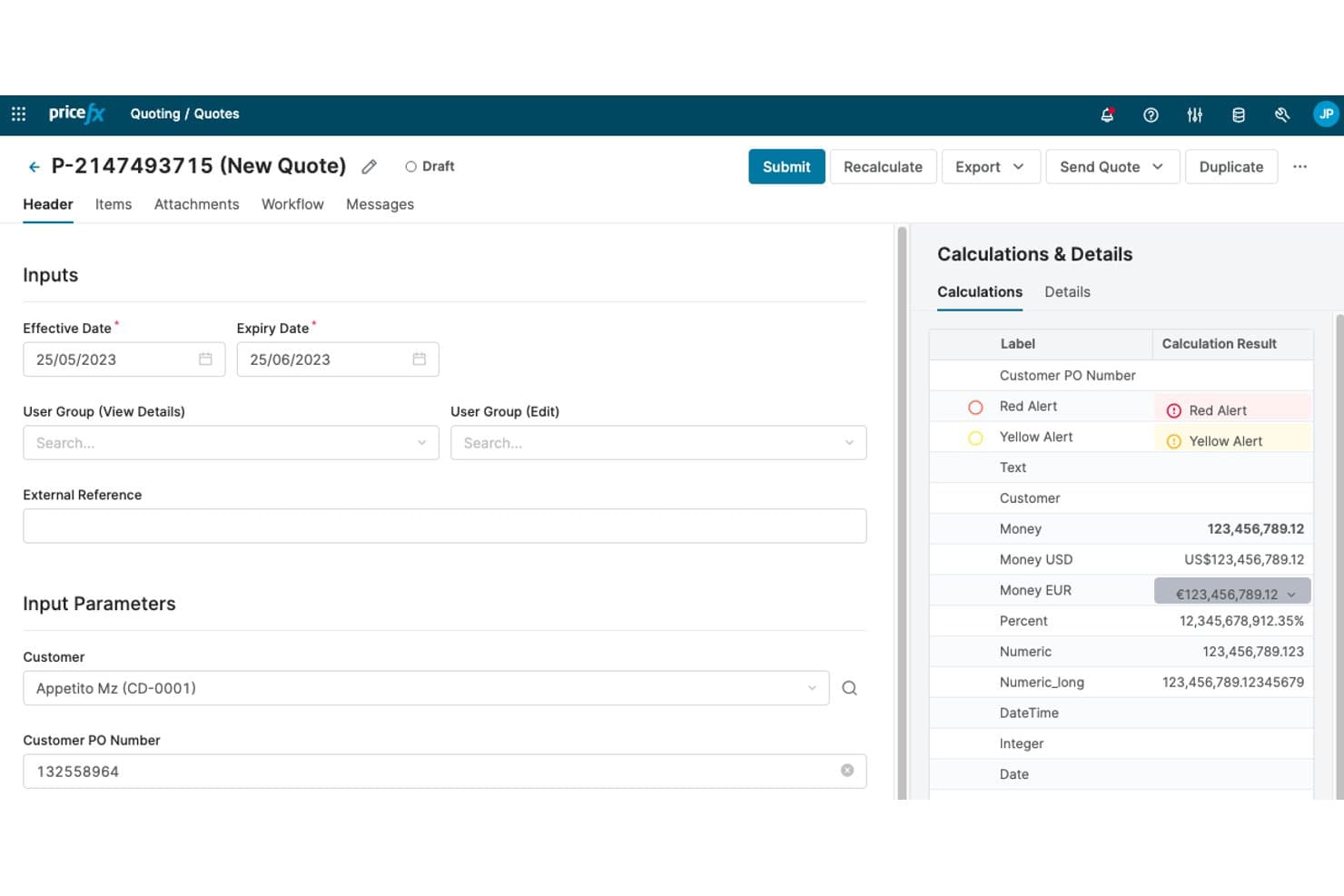
Pricefx lets users build and calculate quotes with real-time pricing details. Pricefx is a cloud-native pricing intelligence platform for enterprises that combines price management, CPQ-adjacent quoting, rebate management, and AI-driven deal optimization with deep SAP and Salesforce integrations.
Who Is Pricefx Best For?
Pricefx is a strong fit for enterprise sales and pricing ops teams in manufacturing, distribution, or chemicals that run on SAP and need AI-driven margin governance layered into their existing quote workflows.
Why I Picked Pricefx
I picked Pricefx as one of the best because its AI-driven margin governance sits directly inside the quoting workflow, not bolted on after the fact. I love how the price waterfall shows list price, discounts, rebates, and resulting margin before a quote ever leaves the building. The 125+ pre-built AI agents that flag margin leakage and off-guideline deals in real time are genuinely hard to replicate with a generalist platform.
Pricefx Key Features
- Configurable approval workflows: Routes quotes through tiered approval chains based on discount level, deal size, and margin thresholds, with full audit trails for every decision.
- 125+ AI agent templates: Pre-built agents monitor margin leakage, discount behavior, and off-guideline deals continuously, delivering findings ranked by financial impact.
- Formula-based agreement pricing: Encodes costs, indexes, and FX rates as live formulas inside pricing contracts so rates recalculate automatically as inputs change.
- Rebate program management: Automates rebate calculations across fixed, tiered, and growth structures using real transaction data, then syncs accruals and payouts with your ERP.
Pricefx Integrations
Pricefx offers native integrations with SAP S/4HANA, SAP Cloud for Customer, and Salesforce, plus ServiceNow connectivity. REST APIs and Integration Manager support custom integrations and scheduled data flows.
Pros and Cons
Pros:
- Largest pre-built library of pricing AI agents
- Price waterfall gives margin visibility pre-quote
- Margin leakage detection AI agents built in
Cons:
- CLM limited to pricing agreements only
- No native billing or revenue recognition
Learn more about Pricefx: Best for low code and no-code administration
- Free demo available
- Pricing upon request
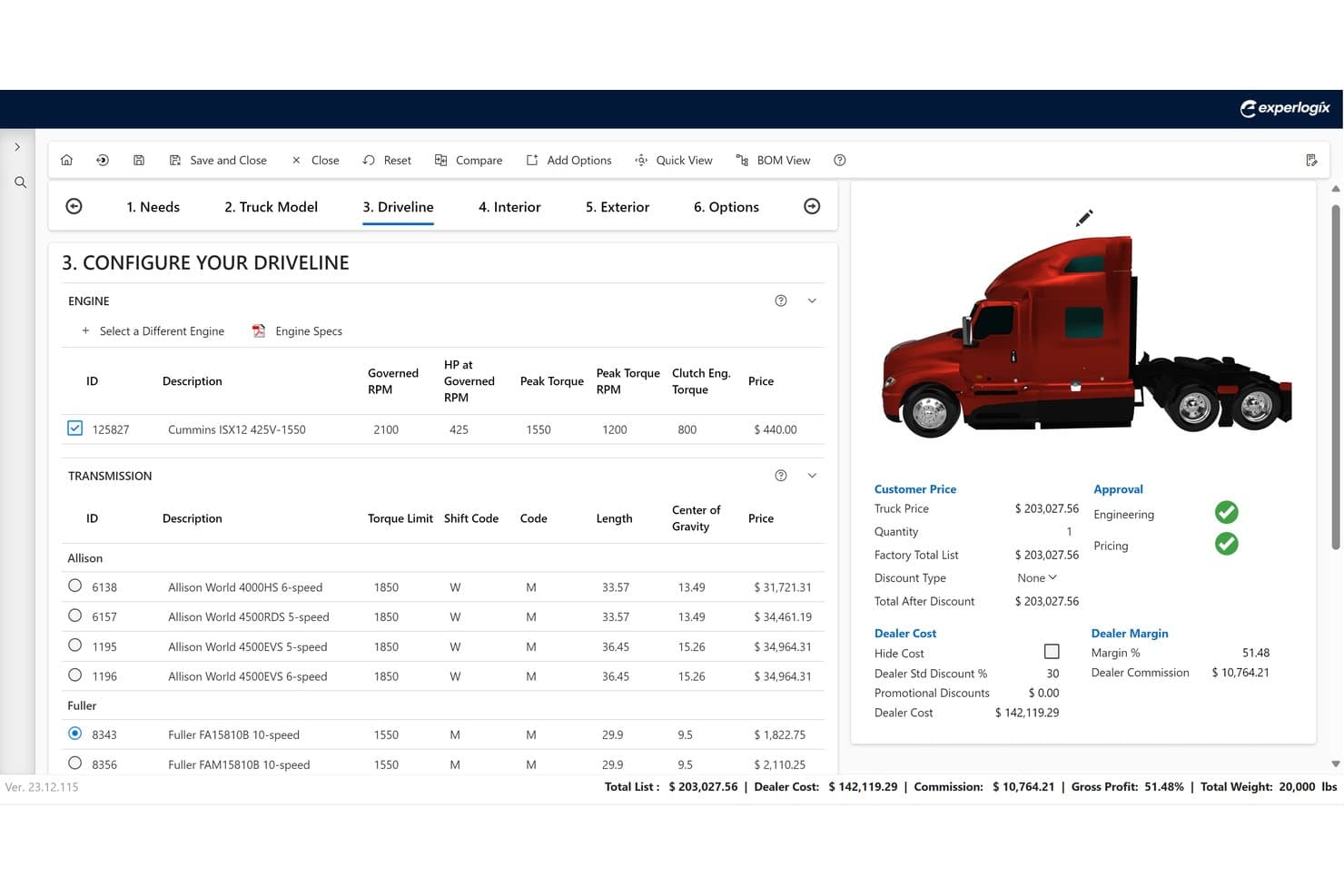
Experlogix CPQ lets users configure truck drivetrains with real-time pricing. Experlogix CPQ is a configure, price, quote platform built for complex product and service selling, offering a rules-based configuration engine, guided selling workflows, multi-model pricing, automated approvals, and ERP-ready order output.
Who Is Experlogix CPQ Best For?
Experlogix CPQ is a strong fit for sales operations and deal desk teams in manufacturing or industrial sectors that need to manage complex product configurations without relying on IT.
Why I Picked Experlogix CPQ
I've included Experlogix CPQ in my top picks because its Admin & Design Center lets business users build and maintain complex configuration rules and approval workflows without writing a single line of code. In practice, that means a sales ops admin can update discount thresholds or add new product constraints the same day a change is needed, with no IT ticket required. I also like how the rules engine generates ERP-ready BOMs and routings directly from the quote, keeping sales and manufacturing aligned without manual rework.
Experlogix CPQ Key Features
- Guided selling workflows: Step-by-step, decision-tree configuration flows that walk sales reps through complex product setups to reduce quoting errors.
- BOM and routing generation: Automatically produces ERP-ready bills of materials and routings directly from accepted quotes for manufacturing handoff.
- Multi-model pricing support: Handles one-time, recurring, usage-based, tiered, and contract pricing logic within a single quote line.
- Visualization: Interactive visual product configuration tool for industries where buyers need to see a configured product before committing.
Experlogix CPQ Integrations
Experlogix CPQ offers native integrations with Microsoft Dynamics 365 and NetSuite, plus a Salesforce Marketplace integration. SAP and Sage connect through Digital Commerce, while an open REST API supports custom integrations.
Pros and Cons
Pros:
- Generates ERP-ready BOMs and routings
- Low-code admin for business user control
- Handles complex product and pricing configurations
Cons:
- Lacks built-in contract management features
- No native billing or revenue recognition
Learn more about Experlogix CPQ: 10Best for shortening the sales cycle with pricing rules
Xait CPQ
- Free demo available
- Pricing upon request
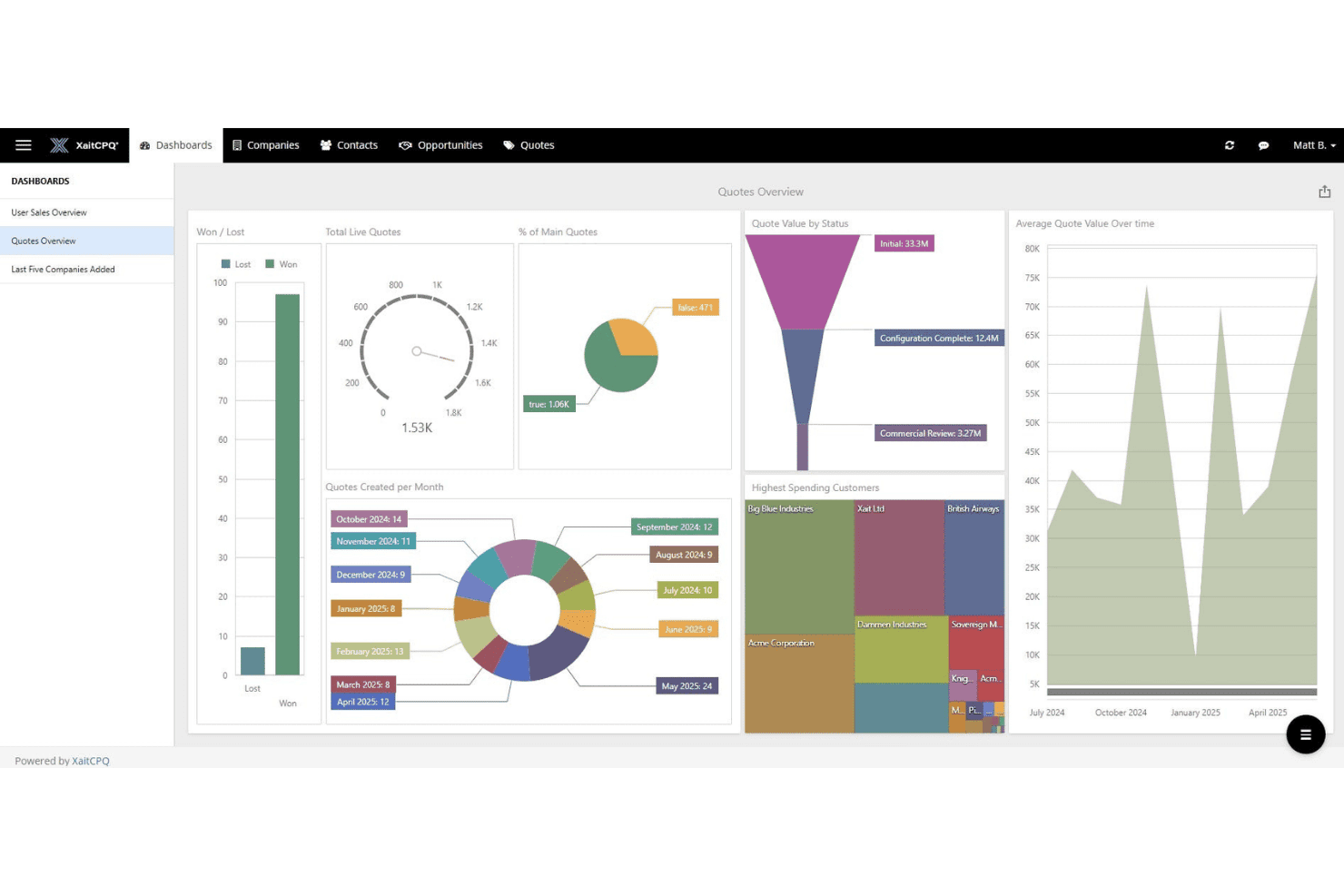
Xait CPQ displays a sales quotes overview dashboard with key metrics. XaitCPQ is a specialized CPQ platform that handles complex product configuration, dynamic pricing rules, guided selling workflows, and automated quote generation with native embeds into Salesforce, HubSpot, and Microsoft Dynamics 365.
Who Is Xait CPQ Best For?
Xait CPQ is a strong fit for sales operations teams managing complex product configurations and pricing rules across manufacturing, energy, or professional services.
Why I Picked Xait CPQ
I picked Xait CPQ as one of the best because its Visual Logic Builder lets sales ops teams build and update complex pricing rules without touching IT, which directly cuts the time between deal qualification and quote delivery. I also love the guided selling workflows: reps configure accurate quotes for even the most layered product catalogs without looping in engineering or pricing specialists. Customers report up to 70% faster quote creation, which is where real sales cycle compression happens.
Xait CPQ Key Features
- Native CRM embedding: XaitCPQ runs fully inside Salesforce, HubSpot, and Microsoft Dynamics 365, so reps never leave their CRM to build and send quotes.
- Multi-level approval workflows: Automated approval routing escalates quotes based on discount thresholds and margin rules, reducing bottlenecks in deal sign-off.
- Customer and partner self-service portals: External resellers and customers can configure, price, and reorder through branded portals without involving your sales team.
- 3D product visualization: Reps and buyers can interact with real-time 3D product models during configuration, supporting faster decisions on complex physical products.
Xait CPQ Integrations
Xait CPQ has native integrations with Salesforce, HubSpot, and Microsoft Dynamics 365, plus integrations with SAP, Oracle NetSuite, Vertex, and XaitPorter. An API supports custom integrations for connecting CRM, ERP, tax, and billing systems.
Pros and Cons
Pros:
- Real-time 3D product visualization supports selling
- Visual logic builder for no-code pricing rules
- Guided selling for complex product configurations
Cons:
- Limited contract management beyond approval workflows
- No native billing or revenue recognition features
Learn more about Xait CPQ:
Other Quote-to-Cash Software
Here are some additional quote-to-cash software options that didn’t make it onto my shortlist, but are still worth checking out:
- 11CacheflowBest for supporting SaaS deals
- 12NueBest for reinventing your revenue lifecycle
- 13ViiBE by VirtueBest for scaling your business with automation
- 14salesbricksBest comprehensive commerce platform for B2B SaaS
- 15Expedite CommerceBest for managing the buying journey end to end
- 16QuoteWerksBest for VAR quoting with live distributor pricing
- 17QuoterBest for MSP sales automation with distributor pricing
- 18Zoho CRMBest quote-to-cash platform with integrated CRM features
- 19HubSpot Sales HubBest for a free quote-to-cash process management system
- 20BlueSnap Accounts Receivable AutomationBest QTC tool with AR automation
- 21Conga CPQBest for pricing accuracy on complex proposals
- 22Infor CPQBest for visual product configuration at quote
- 23Salesforce Revenue CloudBest for the configure, price, quote process
How I Evaluate Quote-to-Cash Software
I split my evaluation into two layers: core requirements like CPQ, billing, and rev rec that every platform must cover, and the differentiators that reveal which tool fits your deal motion.
Core Functionality (Table Stakes For This List)
When I'm selecting tools for my list, I rank each one on a scale from 0 (does not offer the functionality) to 5 (excels in this area) for each core functionality listed below. Then, I calculate the tool's total score into a percentage. Each tool needs to achieve a minimum total score of 75% to be considered for inclusion.
- CPQ Capabilities: I evaluate how each platform handles product configuration, pricing rules, and discount approvals—especially for complex multi-line deals with bundled SKUs.
- Contract Lifecycle Management: Each tool's ability to generate contracts from quotes, manage redlines, route approvals, and trigger renewals tells me how well it closes the loop.
- Billing & Invoicing: I check whether a platform supports the billing models your revenue depends on, like subscription, usage-based, milestone, and hybrid arrangements.
- Revenue Recognition: Compliance with ASC 606 and IFRS 15 matters here, so I look at how each tool automates allocation, deferrals, and modification accounting across contracts.
- Order Management: Converting an approved quote into an active order with provisioning and amendment tracking is where many tools stumble, so I pay close attention to this handoff.
- CRM/ERP Integrations: I look for native, bi-directional connections to platforms like Salesforce, HubSpot, NetSuite, and SAP that keep deal data flowing without manual re-entry.
Once I have a list of tools that meet this criteria, I consider what sets each platform apart.
Differentiating Factors (What Sets Vendors Apart)
Here's how I compare and contrast different vendors:
Standout Features
AI-driven deal scoring is a big differentiator. I look for platforms that flag at-risk quotes and recommend pricing adjustments based on historical win rates. A self-service customer portal also matters, especially for teams managing high-volume renewals where customers can review quotes, sign contracts, and update billing on their own. I also evaluate the depth of RevOps dashboards, specifically whether they track metrics like quote-to-cash cycle time and revenue leakage without custom report builds.
Beyond Features
Implementation timelines vary widely in this space, so I check whether a vendor offers prebuilt templates, sandbox environments, and certified partners to accelerate deployment. Pricing structure is another factor I weigh carefully. Some platforms bundle CPQ, billing, and rev rec into one license, while others charge per module, which changes total cost of ownership fast. I also evaluate compliance posture, particularly SOC 2 Type II certification and audit trail depth, since finance teams need airtight controls around revenue data.
How to Choose Quote-to-Cash Software
It’s easy to get bogged down in long feature lists and complex pricing structures. To help you stay focused as you work through your unique software selection process, here’s a checklist of factors to keep in mind:
| Factor | What to Consider |
|---|---|
| FactorScalability | What to ConsiderWill the software grow with your business? Consider future needs and whether the tool can handle increased volume without sacrificing performance. |
| FactorIntegrations | What to ConsiderDoes it integrate with your existing systems like CRM or ERP? Check for seamless data flow to avoid double entry and errors. |
| FactorCustomizability | What to ConsiderCan you tailor the software to your processes? Look for flexible options to adapt workflows to your unique needs. |
| FactorEase of use | What to ConsiderIs the interface intuitive for your team? Evaluate the learning curve and whether you need extensive training to get started. |
| FactorImplementation and onboarding | What to ConsiderHow quickly can you get up and running? Consider time to deploy and support for training and migration. |
| FactorCost | What to ConsiderDo the pricing plans fit your budget? Compare total cost of ownership, including hidden fees and long-term contracts. |
| FactorSecurity safeguards | What to ConsiderHow does the software protect your data? Look for encryption, access controls, and compliance with data protection standards. |
| FactorSupport availability | What to ConsiderWhat support options are available? Check for 24/7 support, dedicated account managers, and reliable help resources. |
What Is Quote-to-Cash Software?
Quote-to-cash software is an integrated solution that manages the entire sales cycle from creating quotes to receiving payments. It automates and streamlines various stages including quoting, order management, invoicing, and payment processing.
This software encompasses tools for pricing configuration, contract management, revenue recognition, and analytics, aiming to optimize the sales process and financial transactions.
Features
When selecting quote-to-cash software, keep an eye out for the following key features:
- Automated quoting: Streamlines the creation of accurate quotes, saving time and reducing manual errors.
- Contract management: Simplifies the handling of contracts from creation to execution, ensuring compliance and efficiency.
- Billing automation: Automates invoicing and payment collection, improving cash flow and reducing administrative tasks.
- CRM integration: Ensures seamless data flow between sales and finance systems, enhancing collaboration and data accuracy.
- Customizable workflows: Allows tailoring of processes to fit unique business needs, providing flexibility and adaptability.
- Analytics and reporting: Offers insights into sales performance and revenue trends, aiding strategic decision-making.
- Mobile access: Provides on-the-go access to key functionalities, supporting remote work and quick decision-making.
- Security safeguards: Protects sensitive data with encryption and access controls, ensuring compliance with data protection standards.
Benefits
Implementing quote-to-cash software provides several benefits for your team and your business. Here are a few you can look forward to:
- Increased efficiency: Automating quoting and billing processes saves time and reduces manual errors, allowing your team to focus on more strategic tasks.
- Improved accuracy: With integrated systems and automated workflows, data consistency is maintained, minimizing discrepancies in sales and finance reports.
- Enhanced collaboration: CRM integration ensures that sales and finance teams work with the same data, fostering better communication and teamwork.
- Faster revenue recognition: Automated billing helps accelerate the payment cycle, improving cash flow and financial predictability.
- Scalability: Customizable workflows and scalable features support business growth, allowing your system to evolve as your needs change.
- Better decision-making: Analytics and reporting features provide insights into sales performance and revenue trends, aiding in strategic planning.
- Data security: Security safeguards protect sensitive information, ensuring compliance with data protection standards and building trust with clients.
Costs & Pricing
Selecting quote-to-cash software requires an understanding of the various pricing models and plans available. Costs vary based on features, team size, add-ons, and more. The table below summarizes common plans, their average prices, and typical features included in quote-to-cash software solutions:
Plan Comparison Table for Quote-to-Cash Software
| Plan Type | Average Price | Common Features |
|---|---|---|
| Plan TypeFree Plan | Average Price$0 | Common FeaturesBasic quoting, limited contract management, and minimal support. |
| Plan TypePersonal Plan | Average Price$10-$30/user/month | Common FeaturesAdvanced quoting, contract management, billing automation, and CRM integration. |
| Plan TypeBusiness Plan | Average Price$40-$70/user/month | Common FeaturesCustomizable workflows, analytics, enhanced support, and mobile access. |
| Plan TypeEnterprise Plan | Average Price$100+/user/month | Common FeaturesFull feature set, dedicated account manager, advanced security, and scalability. |
Quote-to-Cash Software FAQs
Here are some answers to common questions about quote-to-cash software:
What industries benefit most from quote-to-cash software?
Yes, industries with complex sales processes benefit greatly from quote-to-cash software. Sectors like manufacturing, telecommunications, and IT services often have intricate pricing models and lengthy sales cycles. These tools help streamline quoting, contract management, and billing, reducing errors and improving efficiency. Companies in these industries can better manage their revenue operations by automating routine tasks and integrating with existing systems.
Is quote-to-cash software suitable for small businesses?
Yes, quote-to-cash software can be suitable for small businesses, especially those looking to automate and simplify their sales processes. Many solutions offer scalable plans that fit smaller budgets and can grow with your business. Small teams benefit from time-saving features like automated quoting and billing, which free up resources for other tasks. Look for solutions offering flexible pricing and essential features that match your business needs.
How long does it take to implement quote-to-cash software?
Implementation time varies based on the complexity of your needs and the software chosen. For basic setups, it might take a few weeks, while more complex integrations can take several months. To speed up the process, ensure your team is prepared and allocate resources for training and data migration. Working closely with the vendor’s support team can also help streamline the transition.
Can quote-to-cash software integrate with existing tools?
Yes, most quote-to-cash software can integrate with existing tools like CRM and ERP systems. Integration is crucial for maintaining data consistency across platforms and improving workflow efficiency. Before purchasing, check compatibility with your current systems and evaluate the ease of integration. Many solutions offer APIs or pre-built connectors to facilitate this process, but it’s essential to confirm these features meet your specific requirements.