

Zoho CRM-recension: Fördelar, nackdelar, funktioner & priser
Under min karriär har jag använt många verktyg för kundrelationshantering, inklusive Zoho CRM. Låt mig guida dig genom verktygets funktioner, alternativ och mer.

We review tools independently, and commissions help fund our testing. See our transparency policy, our methodology, or suggest a tool.
Zoho CRM is a CRM software built for sales teams that need to track leads, manage pipelines, and automate follow-ups without the overhead of an enterprise platform. If you're weighing it against Salesforce, Zoho CRM gives you comparable pipeline visibility, workflow automation, and reporting depth at a fraction of the cost—making it a realistic option for growing teams that aren't ready to commit to Salesforce's pricing or implementation complexity.
Zoho CRM Evaluation Summary
4.2/5
- From $14/user/month (billed annually)
- Free plan available; 15-day free trial
Varför du kan lita på våra programvarurekommendationer
6,700+
Reviews
20
Industry experts
16+
Evaluation factors
14
Years
Våra recensioner speglar vårt oberoende omdöme — inte ett säljbudskap. Läs mer om hur vi förblir transparenta.
För den här guiden utvärderade vi verktyg genom praktisk testning och oberoende research, och betygsatte verktygen enligt våra urvalskriterier.
Våra recensioner speglar vårt mänskliga redaktionella omdöme, inte ett säljbudskap.
Zoho CRM Overview
Zoho CRM excels with robust automation and customization, making it a versatile choice for enhancing your team’s productivity.
Pros
- You can customize Zoho CRM to fit your team's specific needs.
- The automation features help your team save time on repetitive tasks.
- You get access to detailed analytics for better decision-making.
Cons
- Your team might find the initial setup a bit complex.
- The mobile app could be more intuitive for your on-the-go work.
- You might experience occasional delays in customer support response times.
Is Zoho CRM Right For Your Needs?
Who Would be a Good Fit for Zoho CRM?
Small to medium-sized businesses, especially in retail and real estate, would find Zoho CRM a great fit. Your team can benefit from its customizable features that align with specific sales and marketing needs. If you’re looking to automate tasks and analyze customer interactions effectively, Zoho CRM’s robust automation and analytics tools can significantly improve your workflow.
- Small BusinessesZoho CRM offers flexible pricing and customizable features that fit your unique needs.
- Sales TeamsYou can automate lead management and track your sales pipeline efficiently.
- Marketing DepartmentsThe platform provides tools to automate campaigns and analyze customer behavior.
- Real Estate AgentsYou can manage client interactions and property listings with ease.
- Retail BusinessesZoho CRM helps you track customer purchases and personalize marketing efforts.
- Customer Support TeamsYou can streamline ticket management and improve response times with integrated support tools.
Who Would be a Bad Fit for Zoho CRM?
Large enterprises with complex, multi-layered sales processes might find Zoho CRM lacking in advanced features needed for intricate operations. If your team requires extensive custom integrations or highly specialized functionalities, Zoho CRM’s out-of-the-box solutions may not meet your needs. Additionally, businesses heavily reliant on a seamless mobile experience may be disappointed with its current mobile app limitations.
- Large CorporationsYour complex sales processes might need more advanced features than Zoho CRM offers.
- Tech StartupsIf you rely on cutting-edge tech integrations, Zoho CRM’s standard offerings might not suffice.
- Financial InstitutionsYour need for specialized financial tools may not align with Zoho CRM’s generalist approach.
- Healthcare ProvidersYou might require industry-specific compliance features that aren’t available in Zoho CRM.
- Legal FirmsIf you need specialized case management tools, Zoho CRM might not support your work effectively.
- Field Sales TeamsYour on-the-go team may find the mobile app less intuitive and feature-rich than needed.
Core Features
Lead Management
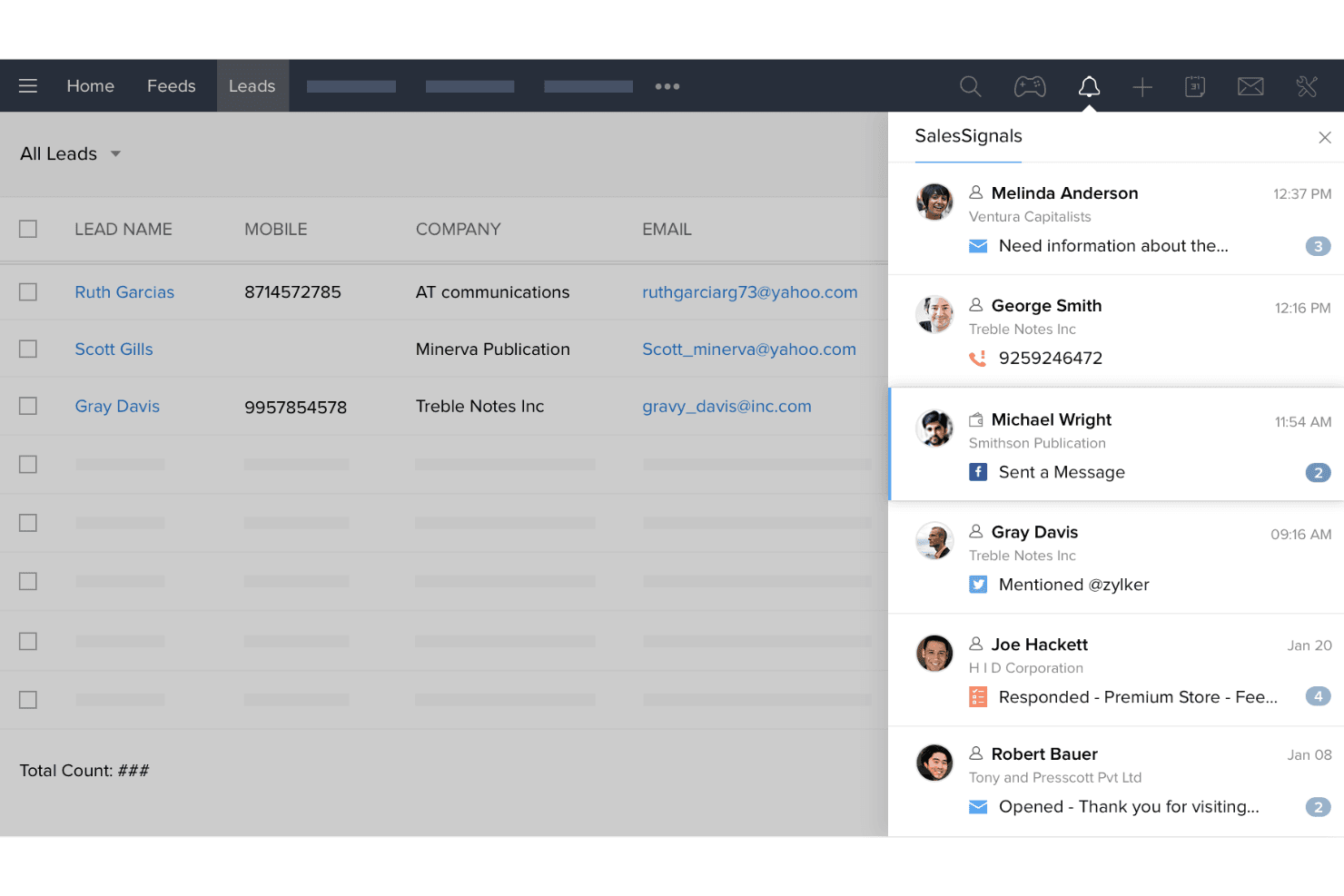
Zoho CRM helps you capture, track, and manage leads efficiently. You can score leads based on engagement, improving your sales focus.
Contact Management
Keep all customer information in one place, making it easy to access and update. Your team can view interaction history, ensuring personalized communication.
Sales Pipeline Management
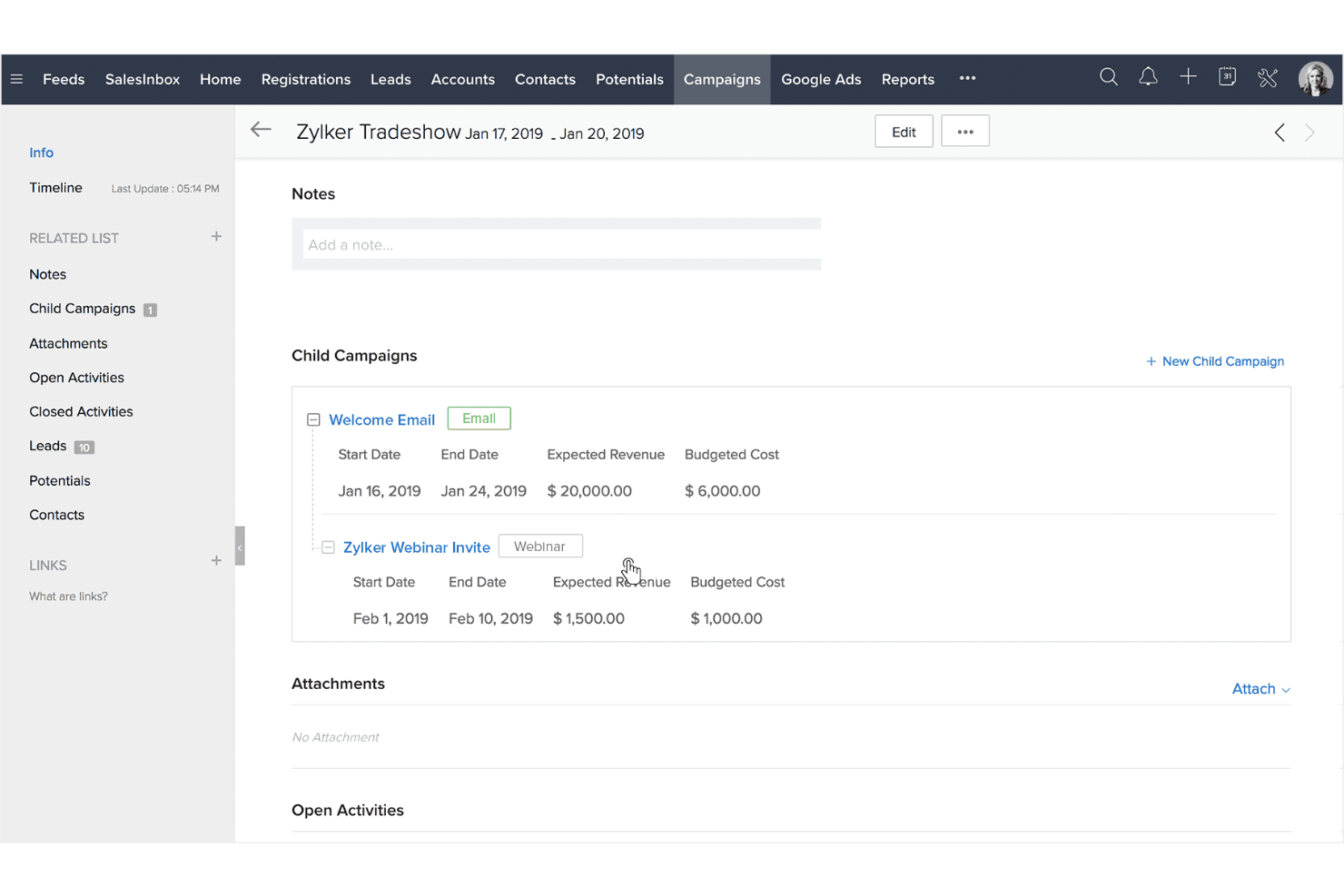
Visualize your sales process and track deals through various stages. You can identify bottlenecks and prioritize tasks to close deals faster.
Email Marketing
Integrate your email campaigns directly within Zoho CRM. You can automate follow-ups and track engagement to refine your messaging.
Workflow Automation
Automate repetitive tasks, like sending emails or updating records, to save time. This feature allows your team to focus on strategic activities.
Reporting and Analytics
Generate real-time reports to analyze sales performance and customer behavior. You gain insights to make informed business decisions.
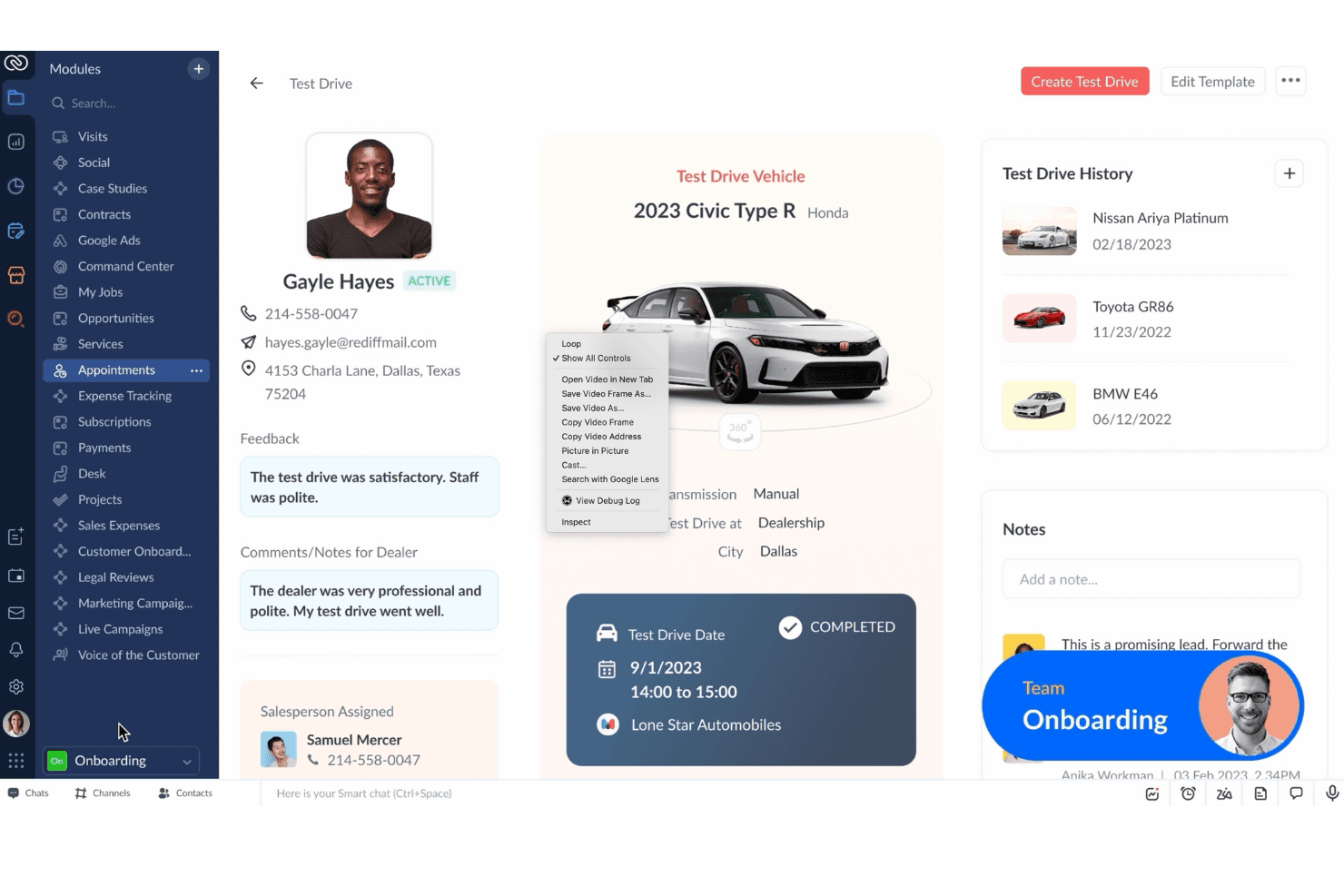
Ease of Use
Zoho CRM strikes a balance between functionality and user-friendliness, making it accessible for most teams. Its interface is intuitive, but the depth of features might require a learning curve for some users. You can easily navigate through modules, but setting up customizations might take extra time. Compared to others, Zoho CRM offers a solid experience, though your team might need initial guidance to unlock its full potential. Overall, it provides a smooth experience once you’re familiar with its layout.
Integrations
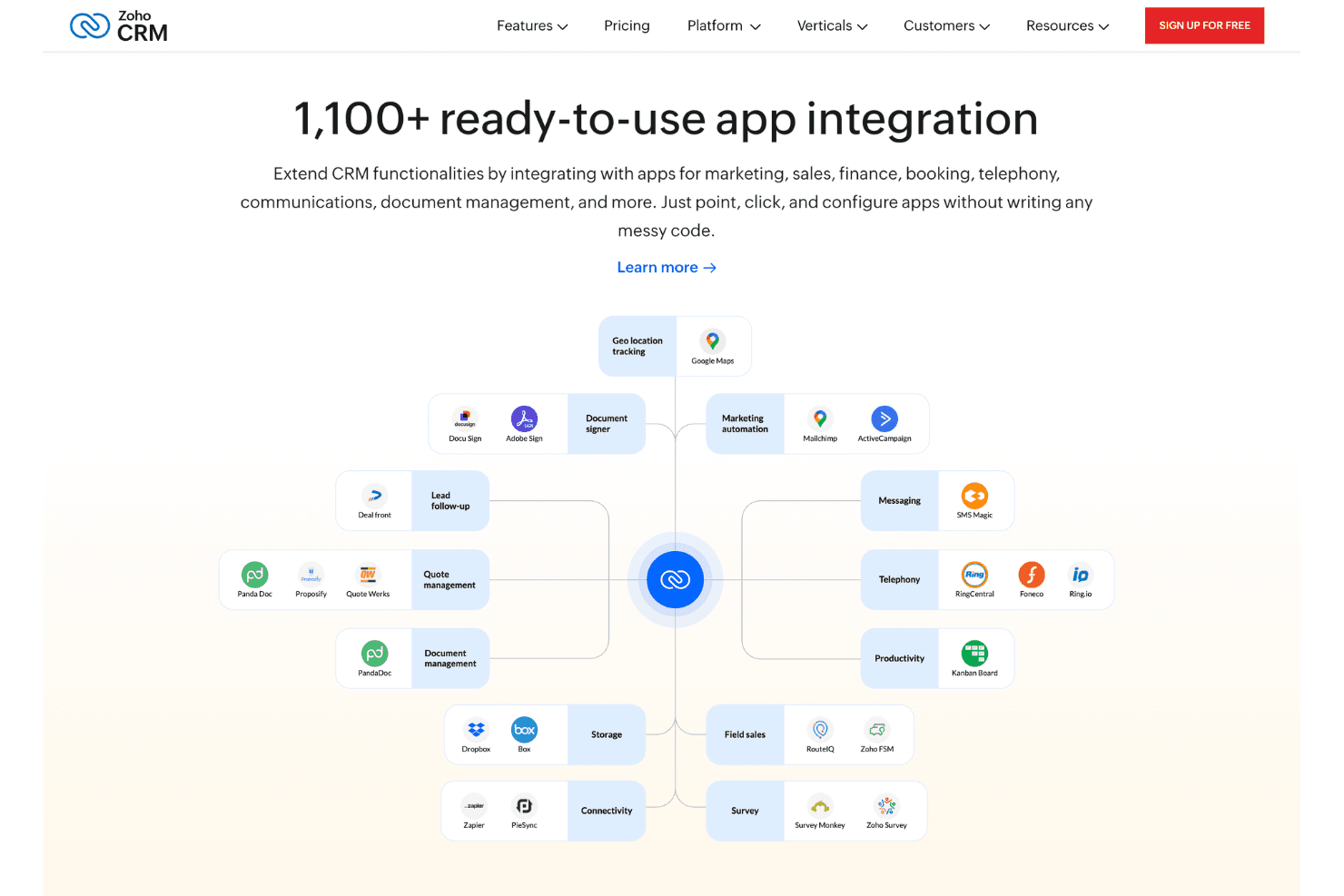
Integrations include Google Workspace, Office 365, Mailchimp, Slack, DocuSign, Adobe Sign, SalesIQ, Voice, Marketing Automation, Zoho Books, Zoho Projects, and Zoho Desk.
Zoho CRM Specs
- 2-Factor Authentication: Yes
- API: Yes
- Calendar Management: Yes
- Call Tracking: Yes
- Campaign Management: Yes
- Click-to-Dial: Yes
- Contact Management: Yes
- Contact Sharing: Yes
- Custom Data Forms: Yes
- Customer Management: Yes
- Dashboard: Yes
- Data Export: Yes
- Data Import: Yes
- Data Visualization: Yes
- Email Integration: Yes
- External Integrations: Yes
- File Sharing: Yes
- File Transfer: Yes
- Google Apps Integration: Yes
- Lead Management: Yes
- Lead Scoring: Yes
- Marketing Automation: Yes
- Mobile App: Yes
- Multi-User: Yes
- Notifications: Yes
- Pipeline Management: Yes
- Sales Automation: Yes
- Scheduling: Yes
- Social-Media Integration: Yes
- Task Scheduling/Tracking: Yes
- Third-Party Plugins/Add-Ons: Yes
Alternatives to Zoho CRM


Zoho CRM FAQs
Vad händer härnäst?
För att hålla dig uppdaterad om det senaste från våra ämnesexperter får du inte glömma att prenumerera på vårt nyhetsbrev.