

Recension av LinkedIn Sales Navigator: Fördelar, nackdelar, funktioner och priser
LinkedIn Sales Navigator utmärker sig genom att utnyttja LinkedIns omfattande nätverk, vilket gör verktyget oumbärligt för relationsfokuserade B2B-försäljningsstrategier.

We review tools independently, and commissions help fund our testing. See our transparency policy, our methodology, or suggest a tool.
LinkedIn Sales Navigator is a sales software built for teams that need to identify, prioritize, and reach B2B prospects using LinkedIn's professional network data. I'd consider it over tools like ZoomInfo when contact data accuracy matters more than raw database size—since prospects maintain their own LinkedIn profiles, the information you're prospecting against tends to be more current than what you'd find in a third-party-enriched database.
LinkedIn Sales Navigator Evaluation Summary
4.4/5
- From $119.99/user/month
- Free trial available
Varför du kan lita på våra programvarurekommendationer
6,700+
Reviews
20
Industry experts
16+
Evaluation factors
14
Years
Våra recensioner speglar vårt oberoende omdöme — inte ett säljbudskap. Läs mer om hur vi förblir transparenta.
För den här guiden utvärderade vi verktyg genom praktisk testning och oberoende research, och betygsatte verktygen enligt våra urvalskriterier.
Våra recensioner speglar vårt mänskliga redaktionella omdöme, inte ett säljbudskap.
LinkedIn Sales Navigator Overview
In my opinion, LinkedIn Sales Navigator is an excellent choice for teams focused on relationship-driven sales. Its integration with LinkedIn's vast network offers a unique advantage in sourcing and nurturing leads. While the interface can be a bit complex for beginners, the onboarding process helps ease the transition. Compared to other tools, it stands out in leveraging social connections, though it might not offer the same breadth of features as some CRM platforms. It's best for industries like tech and finance where connections are key. If your team values relationship building, this tool is worth considering.
Pros
- You can access a vast network of potential leads through LinkedIn's platform.
- It offers advanced search filters to help you find the right prospects.
- Your team can save and organize leads efficiently with its lead management features.
Cons
- The interface can be complex and overwhelming for new users.
- It might not have all the CRM functionalities your team needs.
- You may find the learning curve steep if you're not familiar with LinkedIn.
Is LinkedIn Sales Navigator Right For Your Needs?
Who Would be a Good Fit for LinkedIn Sales Navigator?
LinkedIn Sales Navigator is great for sales teams in industries like technology and finance where networking is key. If your team focuses on relationship-driven sales processes, this tool helps you find and engage prospects using LinkedIn's extensive network. With features like advanced search filters and lead management, it's ideal for account managers and business development reps who need to target specific leads efficiently.
- Technology SalesLinkedIn Sales Navigator helps you connect with tech decision-makers through its advanced search and LinkedIn's vast network.
- Financial ServicesYou can leverage LinkedIn's connections to find high-value clients and stakeholders in the finance industry.
- Recruitment AgenciesThe tool's search filters help your recruiters find and engage top candidates quickly and effectively.
- Business DevelopmentFor those in business development, it offers lead management features to track and nurture potential partnerships.
- Enterprise Sales TeamsLarge sales teams benefit from its ability to organize and save numerous leads, helping sales reps streamline prospecting.
- Marketing ProfessionalsIf you're in marketing, its insights and data can help tailor campaigns to the right audience.
Who Would be a Bad Fit for LinkedIn Sales Navigator?
LinkedIn Sales Navigator might not be the best choice for small businesses or teams that don't rely heavily on networking. If your work doesn't involve relationship-driven sales or if you need a tool with comprehensive CRM features, this might not meet your needs. It's also not ideal for industries where LinkedIn's network isn't widely used or for teams with limited time to learn a complex interface.
- Retail ShopsRetail businesses typically focus on in-person sales and don't benefit much from LinkedIn's networking capabilities.
- Manufacturing CompaniesManufacturing teams often rely on supply chain management over networking, making this tool less relevant.
- Small Local BusinessesLocal businesses may not find value in LinkedIn's global reach if their customer base is local.
- Customer Service TeamsCustomer service roles focus on support rather than prospecting, so LinkedIn Sales Navigator isn't necessary.
- Healthcare ProvidersHealthcare providers usually don't use LinkedIn for patient engagement or lead generation.
- Non-Profit OrganizationsNon-profits might not need LinkedIn's sales features if their focus is more on community engagement than sales.
How We Test & Score Tools
We’ve spent years building, refining, and improving our software testing and scoring system. The rubric is designed to capture the nuances of software selection and what makes a tool effective, focusing on critical aspects of the decision-making process.
Below, you can see exactly how our testing and scoring works across seven criteria. It allows us to provide an unbiased evaluation of the software based on core functionality, standout features, ease of use, onboarding, customer support, integrations, customer reviews, and value for money.
Core Functionality (25% of final scoring)
The starting point of our evaluation is always the core functionality of the tool. Does it have the basic features and functions that a user would expect to see? Are any of those core features locked to higher-tiered pricing plans? At its core, we expect a tool to stand up against the baseline capabilities of its competitors.
Standout Features (25% of final scoring)
Next, we evaluate uncommon standout features that go above and beyond the core functionality typically found in tools of its kind. A high score reflects specialized or unique features that make the product faster, more efficient, or offer additional value to the user.
We also evaluate how easy it is to integrate with other tools typically found in the tech stack to expand the functionality and utility of the software. Tools offering plentiful native integrations, 3rd party connections, and API access to build custom integrations score best.
Ease of Use (10% of final scoring)
We consider how quick and easy it is to execute the tasks defined in the core functionality using the tool. High scoring software is well designed, intuitive to use, offers mobile apps, provides templates, and makes relatively complex tasks seem simple.
Onboarding (10% of final scoring)
We know how important rapid team adoption is for a new platform, so we evaluate how easy it is to learn and use a tool with minimal training. We evaluate how quickly a team member can get set up and start using the tool with no experience. High scoring solutions indicate little or no support is required.
Customer Support (10% of final scoring)
We review how quick and easy it is to get unstuck and find help by phone, live chat, or knowledge base. Tools and companies that provide real-time support score best, while chatbots score worst.
Customer Reviews (10% of final scoring)
Beyond our own testing and evaluation, we consider the net promoter score from current and past customers. We review their likelihood, given the option, to choose the tool again for the core functionality. A high scoring software reflects a high net promoter score from current or past customers.
Value for Money (10% of final scoring)
Lastly, in consideration of all the other criteria, we review the average price of entry level plans against the core features and consider the value of the other evaluation criteria. Software that delivers more, for less, will score higher.
Core Features
Advanced Search Filters: You can zero in on the right prospects using detailed filters for industry, job title, company size, and advanced boolean search logic. This helps your team target leads that align with your goals.
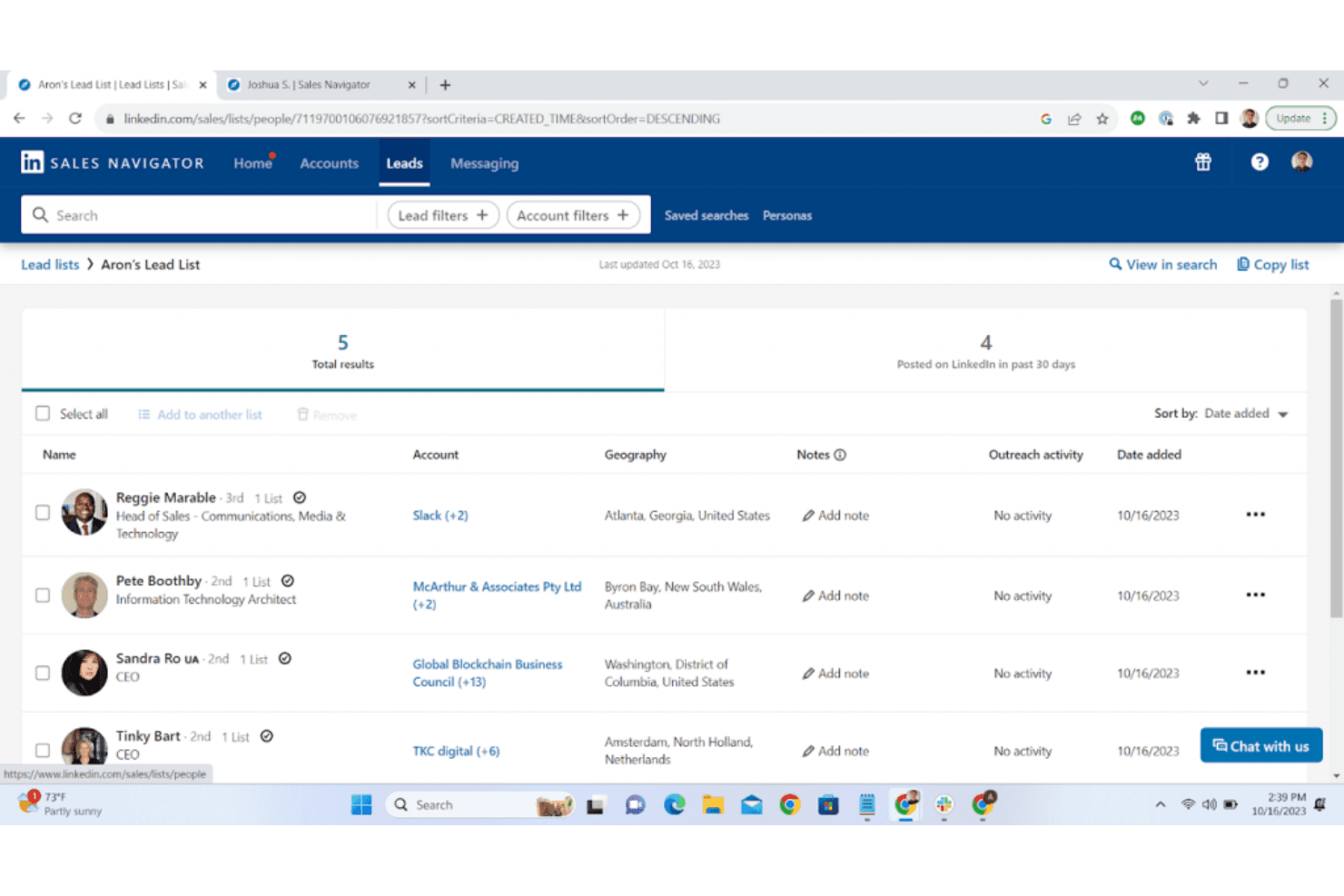
Lead Recommendations: LinkedIn Sales Navigator suggests potential leads based on your preferences and past interactions. This saves time and helps your team focus on high-potential prospects.
Lead Management: Save and organize leads to keep track of your outreach efforts efficiently. This feature ensures your team doesn't miss any follow-ups.
InMail Messaging: You can contact prospects directly even if you're not connected on LinkedIn, reducing reliance on connection requests and can help improve response rates.
Account and Contact Insights: Get real-time updates, such as job changes, on your saved accounts and contacts. This keeps you informed about changes that could impact your sales approach.
CRM Sync: While not an integration, it syncs your leads and accounts with supported CRMs to keep your data up-to-date. This helps your team maintain consistent records.

Ease of Use
LinkedIn Sales Navigator can be a bit challenging for new users due to its complex interface. Navigating through its advanced features like search filters and lead management might take some getting used to. However, once you get the hang of it, the platform becomes a powerful tool for finding and managing prospects. Your team will appreciate the intuitive design of features like InMail messaging and account insights, which streamline communication and keep you informed.

Integrations
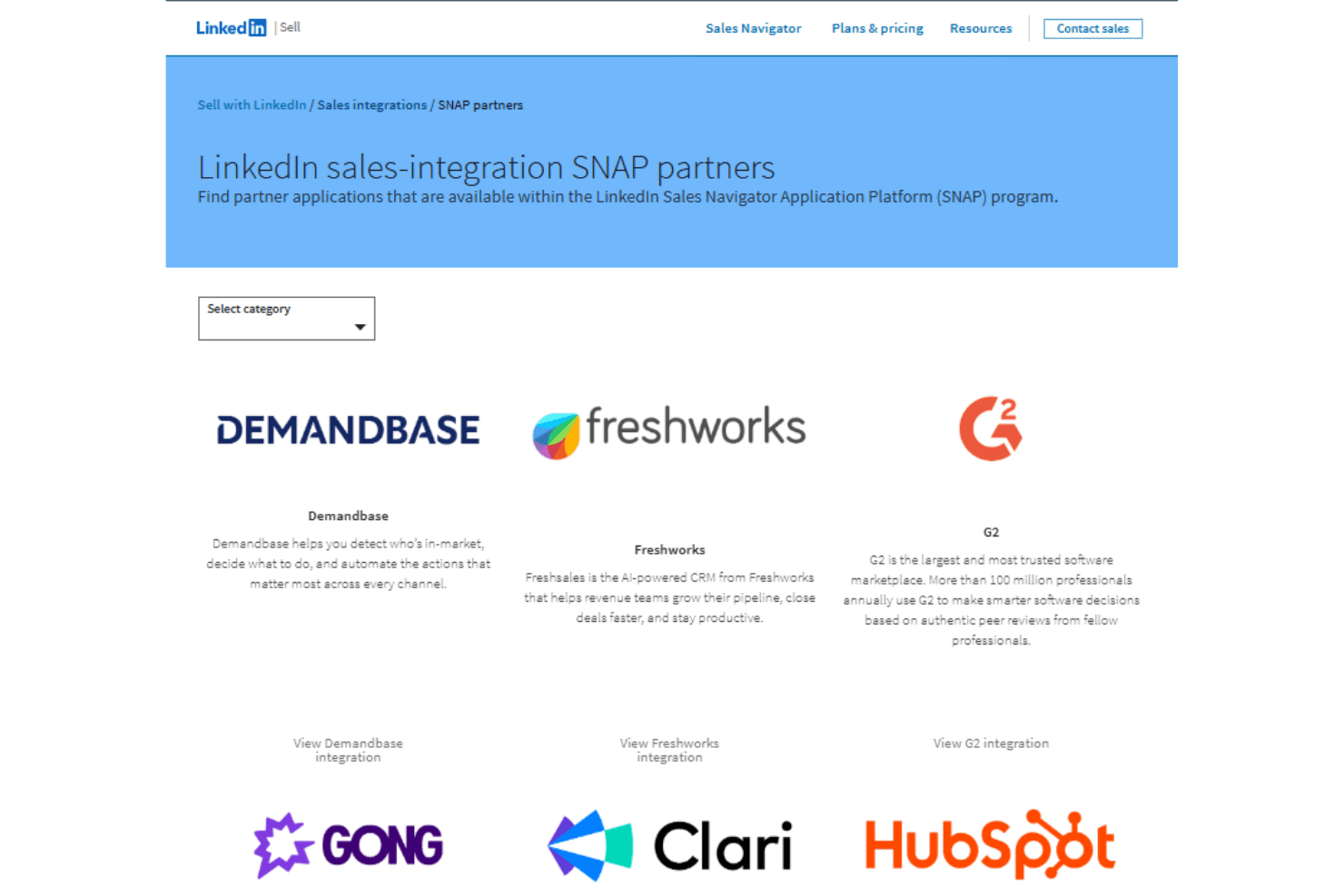
LinkedIn Sales Navigator integrates with HubSpot, Microsoft Dynamics 365, Salesforce, Outreach, SalesLoft, Gong, and Clari through LinkedIn’s SNAP partner ecosystem to sync leads, accounts, and sales activity.
It also provides API access via approved partner programs, enabling deeper third-party integrations and embedded workflows across supported sales tools.
LinkedIn Sales Navigator Specs
- 2-Factor Authentication: Yes
- Accounts Payable: Yes
- Accounts Receivable: Yes
- API: Yes
- Approval Workflows: Yes
- Balance Sheet: Yes
- Billing/Invoicing: Yes
- Budgeting: Yes
- Calendar Management: Yes
- Comparative Reporting: Yes
- CRM Integration: Yes
- Custom Reports: Yes
- Customer Management: Yes
- Dashboard: Yes
- Data Export: Yes
- Data Import: Yes
- Data Visualization: Yes
- Expense Tracking: Yes
- External Integrations: Yes
- Forecasting: Yes
- General Account Ledger: Yes
- Historical Data Analysis: Yes
- Inventory Tracking: Yes
- Multi-Currency: Yes
- Multi-User: Yes
- Notifications: Yes
- P&L: Yes
- Payroll: Yes
- Scenario Planning: Yes
- Scheduling: Yes
- Supplier Management: Yes
- Tax Management: Yes
- Time Management: Yes


