

Better Proposals -recension: Fördelar, nackdelar, funktioner och priser förklarade
Jag har testat Better Proposals – här är hur dess eleganta mallar, integrerade e-signaturer och automatisering står sig mot konkurrenterna för professionella förslagsmakare.

We review tools independently, and commissions help fund our testing. See our transparency policy, our methodology, or suggest a tool.
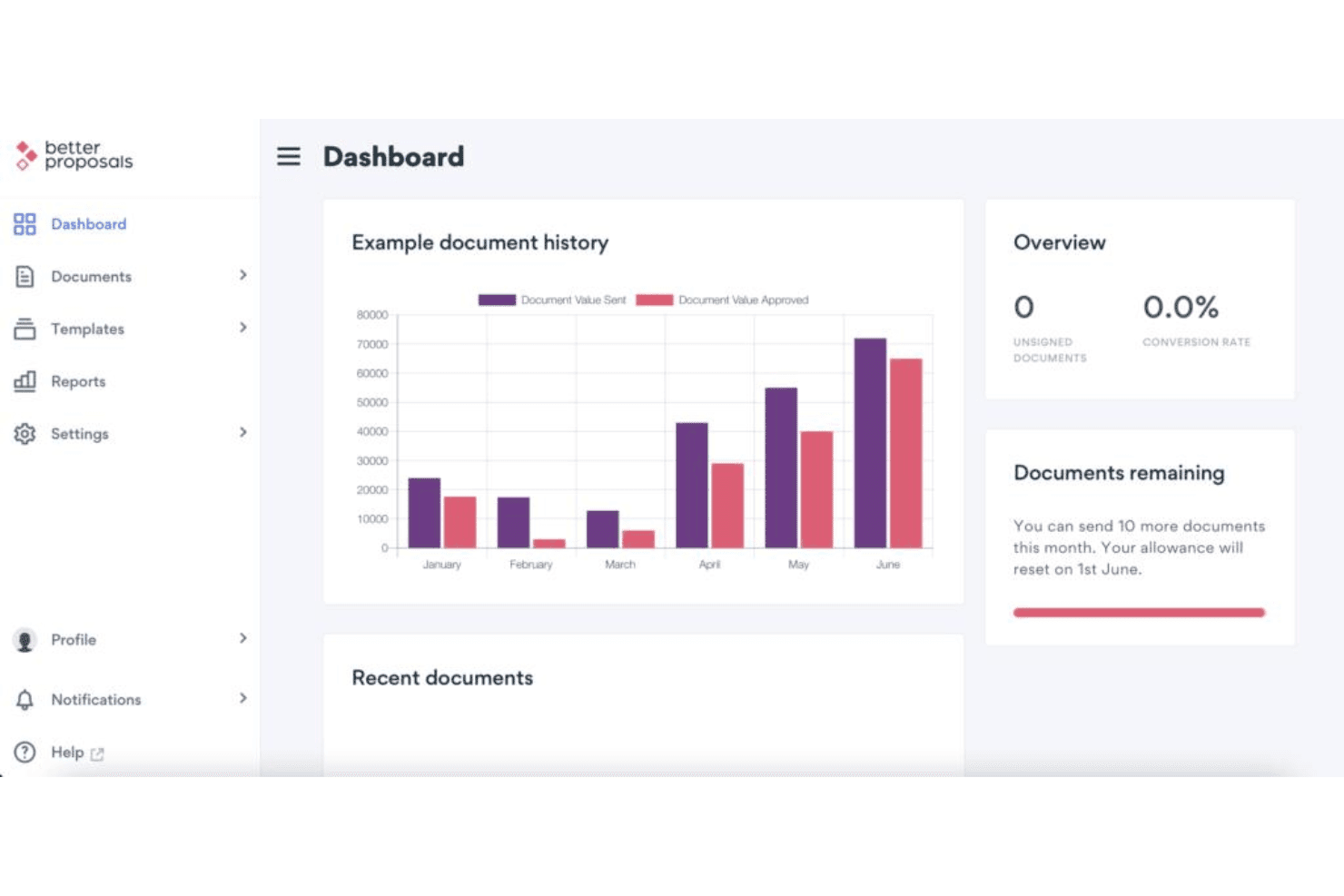
Better Proposals is a proposal software built for sales teams that need to send trackable, professionally designed proposals at volume. I'd lean toward it over Proposify when your priority is getting clean, on-brand proposals out the door fast, without the setup complexity that comes with more feature-heavy platforms.
Better Proposals Evaluation Summary
4.7/5
- From $13/user/month (billed annually)
- 14-day free trial
Varför du kan lita på våra programvarurekommendationer
6,700+
Reviews
20
Industry experts
16+
Evaluation factors
14
Years
Våra recensioner speglar vårt oberoende omdöme — inte ett säljbudskap. Läs mer om hur vi förblir transparenta.
För den här guiden utvärderade vi verktyg genom praktisk testning och oberoende research, och betygsatte verktygen enligt våra urvalskriterier.
Våra recensioner speglar vårt mänskliga redaktionella omdöme, inte ett säljbudskap.
Better Proposals Overview
If you’re judging proposal software by interface and onboarding ease, I think Better Proposals sets itself apart with its ready-to-use templates and quick setup—even non-technical teams can get started fast. Its pricing is competitive and the analytics make tracking a breeze, though integrations are more limited than some alternatives. I’d suggest it’s a strong fit for small to midsize revenue teams who want digital signing and modern branding without complex configuration. For users prioritizing design and simplicity over endless customization, Better Proposals is an easy pick.
Pros
- Built-in payment gateway for accepting deposits or full payments
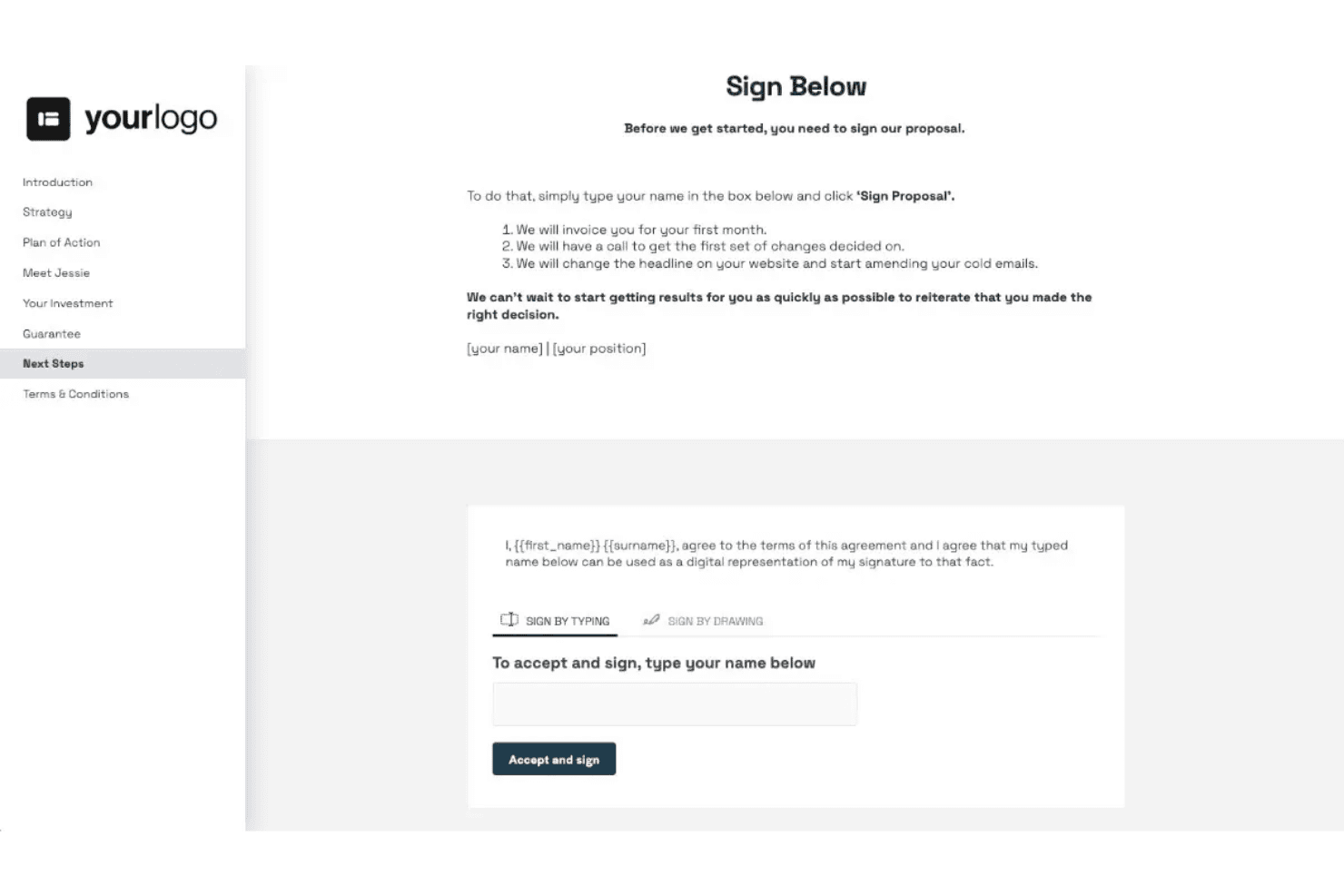
- Real-time proposal viewing and signing notifications
- Large library of pre-designed, mobile-friendly templates
Cons
- Limited white labeling capabilities on standard plans
- Proposal editing can feel restrictive due to block-style formatting
- No offline proposal creation or sending options
Is Better Proposals Right For Your Needs?
Who Would be a Good Fit for Better Proposals?
Teams that live on digital proposals and need fast, trackable client sign-off will get a lot from Better Proposals. Sales-driven agencies, consultancies, and creative firms see fast results thanks to pre-built templates, instant notifications, and built-in e-signatures. It’s also practical for small and mid-sized teams who want unlimited proposal sending, straightforward pricing, and branded documents without heavy IT involvement.
- Agencies and StudiosBetter Proposals simplifies the creation and sending of branded proposals for design, digital marketing, and creative projects.
- Consulting FirmsIntegrated e-signature and payment features allow consultants to close deals faster and keep project onboarding simple.
- SMB Sales TeamsSmaller sales teams benefit from unlimited proposals, easy analytics, and template libraries for repeatable sales processes.
- FreelancersAutomated notifications and quick-start templates help independent professionals get documents out and signed without tech headaches.
- Event PlannersThe interactive pricing tables and real-time analytics let planners quote, update, and finalize details with clients quickly.
- Managed Services ProvidersTechnology and IT service providers can showcase options, get approvals, and start new projects with minimal admin work.
Who Would be a Bad Fit for Better Proposals?
Heavily regulated industries or teams with complex approval chains may struggle with Better Proposals’s limited workflow customization and compliance controls. Companies requiring deep customization, offline document workflows, or highly bespoke branding might feel the platform is restrictive. Larger enterprises or procurement teams who need advanced document redlining, multi-step approvals, or extensive integrations should look to more specialized platforms.
- Financial ServicesStrict document retention, approval, and audit requirements often exceed what Better Proposals can provide out of the box.
- Legal DepartmentsLimited support for contract redlining, advanced permissions, and offline workflows makes it a weak fit for legal teams.
- Enterprises Over 500 EmployeesLarger organizations needing complex team management, custom user roles, and layered approval processes will likely find functionality lacking.
- Manufacturing FirmsBusinesses needing in-depth quoting tools, CAD/BOM support, or grunt work on technical specs may need a more tailored solution.
- Government ContractorsLow-code and compliance tools are limited, so government projects with regulatory mandates won’t find the controls required.
- Procurement TeamsProcurement departments who require detailed supplier onboarding, purchase order matching, and approval escalation should seek a more procurement-focused tool.
How We Test & Score Tools
We’ve spent years building, refining, and improving our software testing and scoring system. The rubric is designed to capture the nuances of software selection and what makes a tool effective, focusing on critical aspects of the decision-making process.
Below, you can see exactly how our testing and scoring works across seven criteria. It allows us to provide an unbiased evaluation of the software based on core functionality, standout features, ease of use, onboarding, customer support, integrations, customer reviews, and value for money.
Core Functionality (25% of final scoring)
The starting point of our evaluation is always the core functionality of the tool. Does it have the basic features and functions that a user would expect to see? Are any of those core features locked to higher-tiered pricing plans? At its core, we expect a tool to stand up against the baseline capabilities of its competitors.
Standout Features (25% of final scoring)
Next, we evaluate uncommon standout features that go above and beyond the core functionality typically found in tools of its kind. A high score reflects specialized or unique features that make the product faster, more efficient, or offer additional value to the user.
We also evaluate how easy it is to integrate with other tools typically found in the tech stack to expand the functionality and utility of the software. Tools offering plentiful native integrations, 3rd party connections, and API access to build custom integrations score best.
Ease of Use (10% of final scoring)
We consider how quick and easy it is to execute the tasks defined in the core functionality using the tool. High scoring software is well designed, intuitive to use, offers mobile apps, provides templates, and makes relatively complex tasks seem simple.
Onboarding (10% of final scoring)
We know how important rapid team adoption is for a new platform, so we evaluate how easy it is to learn and use a tool with minimal training. We evaluate how quickly a team member can get set up and start using the tool with no experience. High scoring solutions indicate little or no support is required.
Customer Support (10% of final scoring)
We review how quick and easy it is to get unstuck and find help by phone, live chat, or knowledge base. Tools and companies that provide real-time support score best, while chatbots score worst.
Customer Reviews (10% of final scoring)
Beyond our own testing and evaluation, we consider the net promoter score from current and past customers. We review their likelihood, given the option, to choose the tool again for the core functionality. A high scoring software reflects a high net promoter score from current or past customers.
Value for Money (10% of final scoring)
Lastly, in consideration of all the other criteria, we review the average price of entry level plans against the core features and consider the value of the other evaluation criteria. Software that delivers more, for less, will score higher.
Core Features
Digital Signatures
Clients can sign proposals instantly from any device. E-signatures are legally binding and tracked automatically.
Payment Integrations
Collect deposits or full payments directly in your proposals. Stripe and PayPal support speeds up deal execution.
Real-Time Analytics
Track when, where, and how often proposals are viewed. Get notified the moment a prospect opens or signs.
Proposal Templates
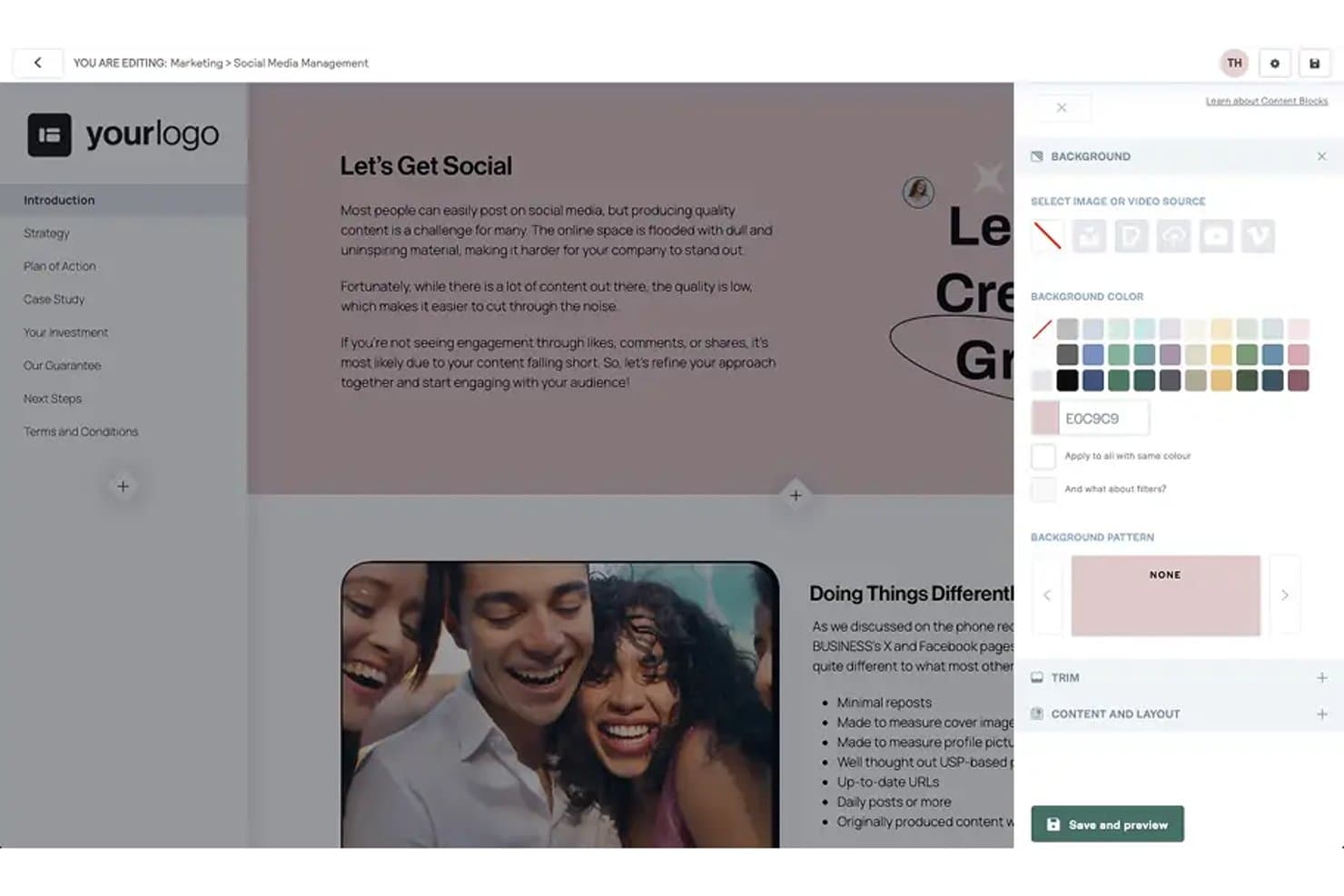
Choose from a library of modern, customizable templates. Every template is mobile-friendly and designed for digital delivery.
Content Library
Save commonly used sections and reuse them in new proposals. Insert pre-approved content with a click for faster creation.
PDF Export
Download or send proposals as professionally formatted PDFs. This ensures clients can view documents offline or archive them easily.
Ease of Use
Better Proposals stands out for user-friendly interface with its drag-and-drop editor, clear navigation, and quick-start templates. Most users say onboarding takes minutes, not hours, which speeds up adoption. I think even first-timers will find proposal creation straightforward, thanks to guided steps and instant previews of every change.
Integrations
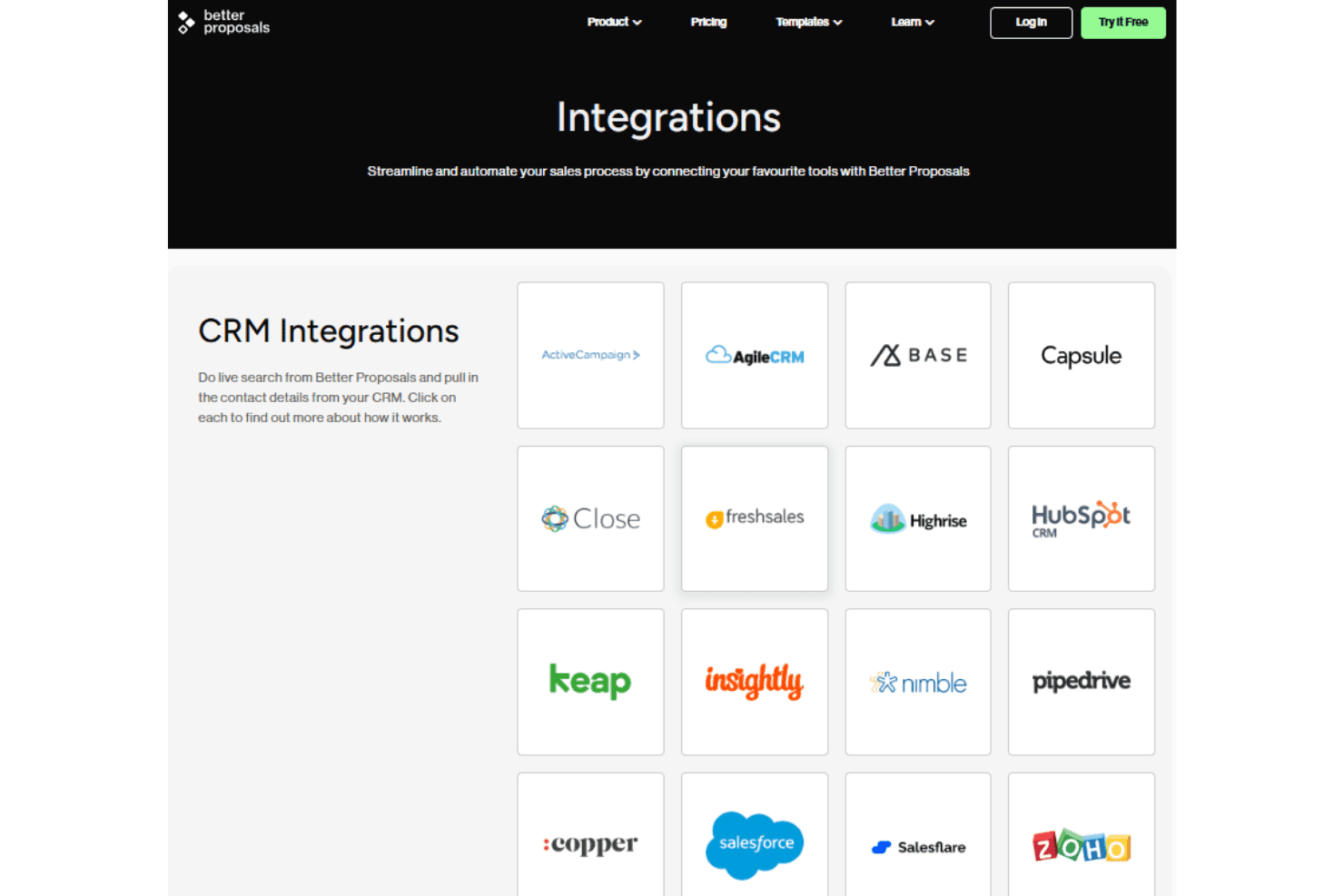
Better Proposals integrates with HubSpot, Salesforce, Pipedrive, Zoho CRM, Freshsales, Zapier, Stripe, PayPal, and Asana, among others.
It also offers a public API and connects with third-party integration tools for broader workflow automation.
Better Proposals Specs
- API: Yes
- Audience Targeting: Yes
- Contact Management: Yes
- Contact Sharing: Yes
- Conversion Tracking: Yes
- Customer Management: Yes
- Data Export: Yes
- Data Import: Yes
- Email Integration: Yes
- Expense Tracking: Yes
- External Integrations: Yes
- Inventory Tracking: Yes
- Lead Management: Yes
- Lead Scoring: Yes
- Multi-Currency: Yes
- Multi-User: Yes
- Notifications: Yes
- Project Management: Yes
- Supplier Management: Yes


