


Pipedrive vs. Salesmate: Comparison and Expert Reviews for 2026
Compare Pipedrive and Salesmate to find out which CRM best fits your business, with expert insights on features, pricing, and usability.

We review tools independently, and commissions help fund our testing. See our transparency policy, our methodology, or suggest a tool.
Struggling to keep your pipeline organized, your team aligned, or your deals moving forward? Choosing the right CRM software can make or break your revenue engine. Pipedrive stands out for its visual sales pipelines and intuitive automation, while Salesmate brings flexible customization and multichannel communication to the table.
In this article, you’ll get a side-by-side look at how each platform tackles the challenges you face every day—so you can confidently pick the CRM that fits your team, your workflow, and your growth goals.
Pipedrive CRM
4.5/5
- 14-day free trial
- From $14/user/month (billed annually)
Salesmate

4.7/5
- 15-day free trial
- From $23/user/month (billed annually)
Why Trust Our Software Recommendations
6,700+
Reviews
20
Industry experts
16+
Evaluation factors
14
Years
Our reviews reflect our independent judgment—not a sales pitch. Learn how we stay transparent.
For this guide, we evaluated tools using hands-on testing and independent research, scoring tools using our selection criteria.
Our reviews reflect our human editorial judgment, not a sales pitch.
| Pipedrive CRM | Salesmate | |
|---|---|---|
| Free Trial | 14-day free trial | 15-day free trial |
| Pricing | From $14/user/month (billed annually) | From $23/user/month (billed annually) |
Pipedrive vs. Salesmate Pricing & Hidden Costs
Pipedrive uses a tiered, per-seat subscription model, with plans ranging from entry-level to advanced tiers that unlock automation, reporting, and AI-powered tools as you scale. While core CRM functionality is included, several capabilities—such as lead generation, web visitor tracking, and advanced document management—are only available as paid add-ons, which can increase total costs over time.
Salesmate also follows a tiered pricing structure, but includes a broader set of features—like email sync, automation, and built-in communication tools—within its base plans. Integrations are generally included at no extra cost, though usage-based elements such as calling, texting, and AI agent credits may introduce variable expenses depending on your activity levels.
To choose the right vendor, map your must-have features and growth plans against what’s actually included in each tier—not just the headline pricing. Pay close attention to which capabilities require add-ons versus usage-based scaling. Understanding how costs evolve as your team grows or your usage increases will help you avoid surprises and ensure your CRM investment aligns with your long-term needs.
Both Pipedrive and Salesmate share a strong foundation as sales-focused CRMs. They offer core features like visual pipeline management, contact and deal tracking, workflow automation, reporting, and integrations—helping teams manage leads and move deals from prospect to close efficiently.
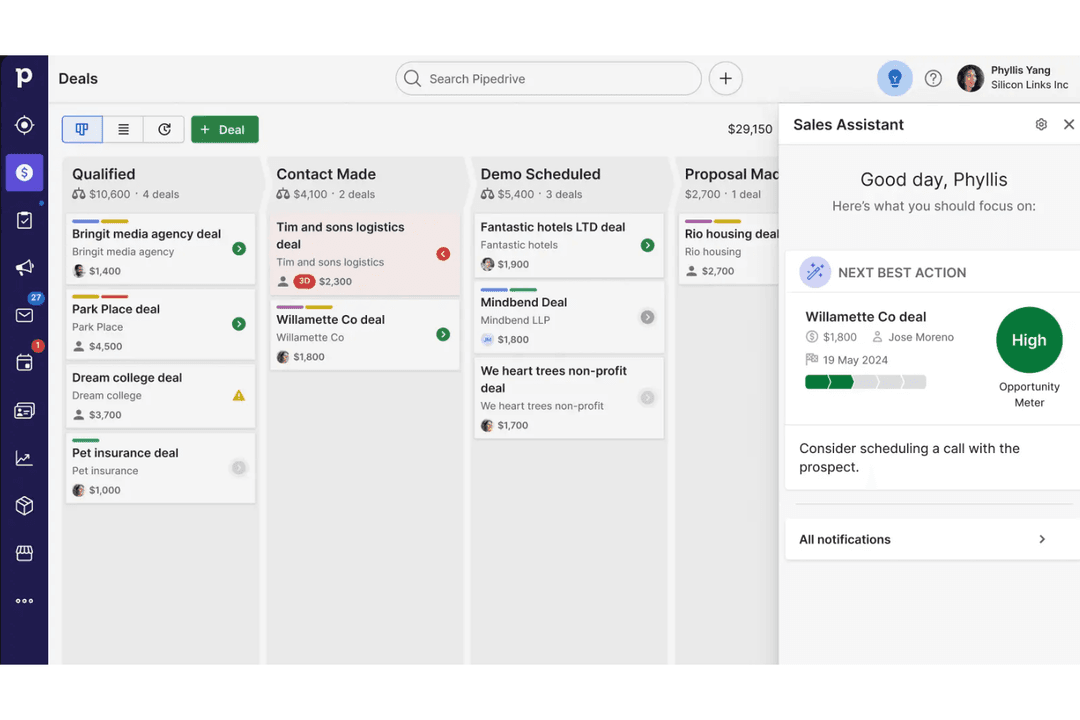
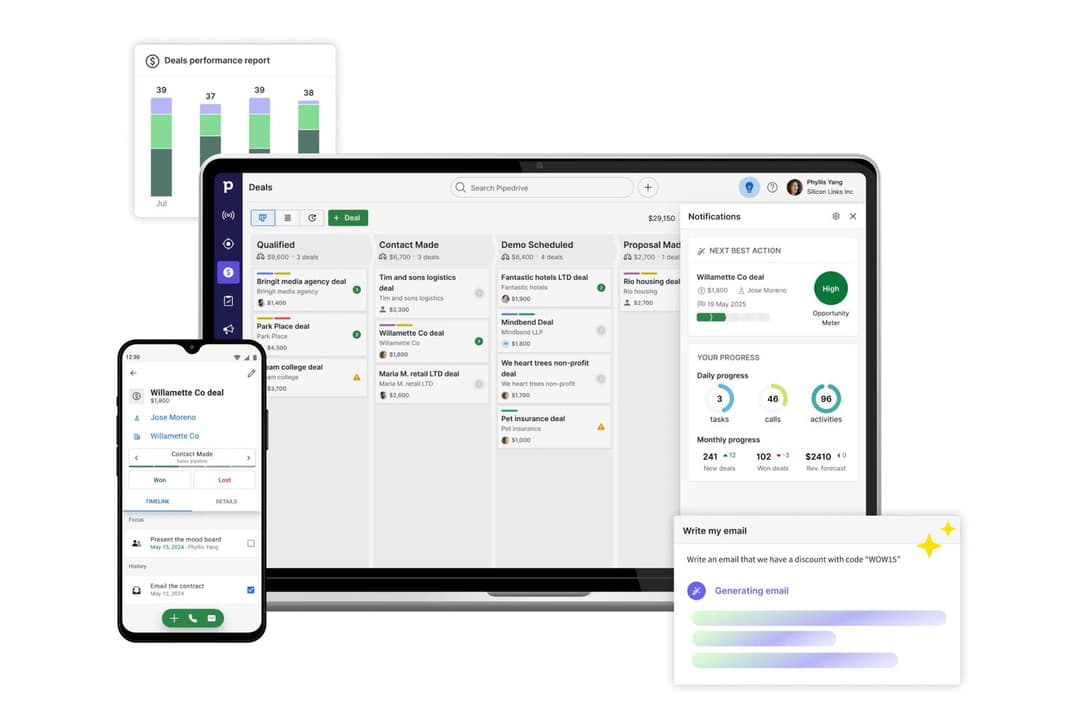
Pipedrive stands out for its highly intuitive, drag-and-drop pipeline and ease of use, making it especially strong for teams that want a simple, sales-first experience with minimal setup. Salesmate, on the other hand, differentiates itself with built-in communication tools like calling and SMS, plus more native marketing and automation capabilities—making it feel more like an all-in-one revenue platform than a pure sales CRM.
| Pipedrive CRM | Salesmate | |
|---|---|---|
| 2-Factor Authentication | No | No |
| API | Yes | Yes |
| Calendar Management | Yes | Yes |
| Call Tracking | Yes | Yes |
| Campaign Management | No | No |
| Click-to-Dial | Yes | Yes |
| Contact Management | Yes | Yes |
| Contact Sharing | Yes | Yes |
| Custom Data Forms | No | No |
| Customer Management | Yes | Yes |
| Dashboard | Yes | Yes |
| Data Export | Yes | Yes |
| Data Import | Yes | Yes |
| Data Visualization | Yes | Yes |
| Email Integration | Yes | Yes |
| External Integrations | Yes | Yes |
| File Sharing | Yes | Yes |
| File Transfer | Yes | No |
| Google Apps Integration | Yes | Yes |
| Lead Management | Yes | Yes |
| Lead Scoring | Yes | Yes |
| Marketing Automation | No | No |
| Mobile App | Yes | No |
| Multi-User | Yes | Yes |
| Notifications | Yes | Yes |
| Pipeline Management | Yes | Yes |
| Sales Automation | Yes | Yes |
| Scheduling | Yes | Yes |
| Social-Media Integration | No | No |
| Task Scheduling/Tracking | Yes | Yes |
| Third-Party Plugins/Add-Ons | Yes | Yes |
| Integration | Pipedrive | Salesmate |
|---|---|---|
| IntegrationGmail | Pipedrive✅ | Salesmate✅ |
| IntegrationMicrosoft Outlook | Pipedrive✅ | Salesmate✅ |
| IntegrationSlack | Pipedrive✅ | Salesmate✅ |
| IntegrationMailchimp | Pipedrive✅ | Salesmate✅ |
| IntegrationQuickBooks | Pipedrive✅ | Salesmate❌ |
| IntegrationXero | Pipedrive✅ | Salesmate❌ |
| IntegrationTwilio | Pipedrive❌ | Salesmate✅ |
| IntegrationIntercom | Pipedrive✅ | Salesmate❌ |
| IntegrationAPI | Pipedrive✅ | Salesmate✅ |
| IntegrationZapier | Pipedrive✅ | Salesmate✅ |
Both Pipedrive and Salesmate cover the most popular integrations, but Pipedrive offers a broader range, especially for accounting and support tools. With API and Zapier access on both platforms, you can connect to almost any app your team relies on.
| Factor | Pipedrive | Salesmate |
|---|---|---|
| FactorData Encryption | PipedriveUses TLS encryption for data in transit and AES-256 for data at rest. | SalesmateSecures data with SSL encryption and offers encrypted data storage. |
| FactorRegulatory Compliance | PipedriveGDPR-compliant with dedicated data protection resources and DPA support. | SalesmateGDPR-compliant and provides tools for managing data subject requests. |
| FactorUptime Guarantee | PipedrivePublicly reports uptime and maintains 99.9% service availability. | SalesmateOffers high uptime with real-time status monitoring for reliability. |
| FactorAccess Controls | PipedriveProvides granular user permissions and two-factor authentication. | SalesmateSupports role-based access and two-factor authentication for all users. |
| FactorData Backups | PipedrivePerforms daily automated backups with disaster recovery protocols. | SalesmateRuns regular backups and supports quick data restoration if needed. |
Both Pipedrive and Salesmate deliver strong security and compliance, but Pipedrive stands out with more transparent uptime reporting and advanced encryption. Pipedrive’s reliability and detailed access controls inspire confidence, while Salesmate’s straightforward compliance tools and backup options make it a safe choice for growing teams.
| Factor | Pipedrive | Salesmate |
|---|---|---|
| FactorUser Interface | PipedriveFeatures a clean, visual pipeline with drag-and-drop deal management. | SalesmateOffers a modern dashboard with customizable widgets and quick navigation. |
| FactorOnboarding | PipedriveProvides interactive tutorials and a guided setup for new users. | SalesmateIncludes step-by-step onboarding and in-app tips for faster adoption. |
| FactorCustomization | PipedriveAllows easy pipeline and field customization without technical skills. | SalesmateSupports deep customization of modules, fields, and workflows. |
| FactorMobile Experience | PipedriveMobile apps mirror desktop experience with intuitive navigation. | SalesmateThe mobile app is user-friendly and supports calling and messaging on the go. |
| FactorCustomer Support | PipedriveLive chat and a detailed knowledge base are available for quick help. | Salesmate24/5 live chat and email support with fast response times. |
Both Pipedrive and Salesmate are easy to use, but Pipedrive’s visual pipeline and guided onboarding make it especially approachable for new users. Salesmate shines with its flexible customization and mobile features, making it a strong fit for teams that want to tailor their CRM experience.
Pipedrive CRM
- You’ll find the visual sales pipeline easy to navigate and understand.
- The customization options let your team tailor the CRM to fit your workflow.
- Automated follow-up reminders help you stay on top of your sales tasks.
- You might need more advanced reporting features for detailed analytics.
- Limited email tracking could be a hurdle for teams heavily reliant on email campaigns.
- Few native options for generating new leads directly within the software.
Salesmate
- Responsive customer support with live chat and video options.
- Automation journeys simplify repetitive sales and marketing tasks.
- Built-in calling and texting features for sales outreach.
- Add-on costs can increase total price for growing teams.
- Some reporting features lack advanced customization.
- Email deliverability can be inconsistent for bulk campaigns.
Pipedrive CRM
- Real EstatePipedrive’s visual pipeline helps you track leads and manage client interactions effectively.
- Tech StartupsYou’ll benefit from its customization options that adapt to fast-changing sales processes.
- Consulting FirmsThe CRM’s automated reminders keep your team on schedule with client follow-ups.
- Small BusinessesIts ease of use makes it accessible for teams without a dedicated IT department.
- Sales DepartmentsYou’ll find the focus on sales pipeline management boosts your team’s productivity.
- FreelancersThe straightforward interface allows you to manage client relationships without complexity.
Salesmate
- Small Business OwnersAffordable pricing and simple setup make it accessible for small business needs.
- Insurance BrokersIntegrated calling and reminders help brokers stay on top of renewals and outreach.
- AgenciesShared pipelines and activity tracking make it easy for agencies to manage multiple clients.
- B2B Sales TeamsPipeline management and deal tracking are tailored for multi-stage B2B sales cycles.
- SaaS StartupsAutomation journeys help SaaS teams nurture leads and onboard users efficiently.
- Real Estate TeamsSalesmate’s built-in calling and texting streamline client follow-ups and property updates.
Who Should Use Pipedrive, And Who Should Use Salesmate?
Pipedrive is best suited for sales teams that want a simple, highly visual CRM to manage deals without complexity. Small to mid-sized businesses, especially those with straightforward sales processes, will benefit most from its intuitive pipeline and ease of adoption. It’s a strong fit for teams that prioritize usability and quick setup over having every tool built into one platform.
Salesmate is a better choice for teams that want a more all-in-one solution combining sales, marketing, and communication tools. Growing businesses that rely on built-in calling, texting, and automation will find more value in its broader feature set. It’s especially well-suited for companies looking to centralize customer engagement and scale operations without relying heavily on third-party add-ons.
| Pipedrive CRM | Salesmate | |
|---|---|---|
| All-in-One Capabilities | Pipedrive CRM Primarily a sales CRM; marketing and other tools often require add-ons. | Salesmate Designed as an all-in-one platform combining sales, marketing, and support features. |
| Automation | Pipedrive CRM Automation features are available, but more advanced workflows are limited to higher tiers or add-ons. | Salesmate Automation (Smart Flows) is included across plans and extends to sales, marketing, and support. |
| Communication Tools | Pipedrive CRM Focuses mainly on email sync, tracking, and add-ons for advanced communication. | Salesmate Includes built-in calling, texting, and multichannel messaging natively. |
| Customization | Pipedrive CRM Supports customization of pipelines, fields, and reports, but within a structured framework. | Salesmate Offers deeper customization, including custom modules (objects), workflows, and layouts. |
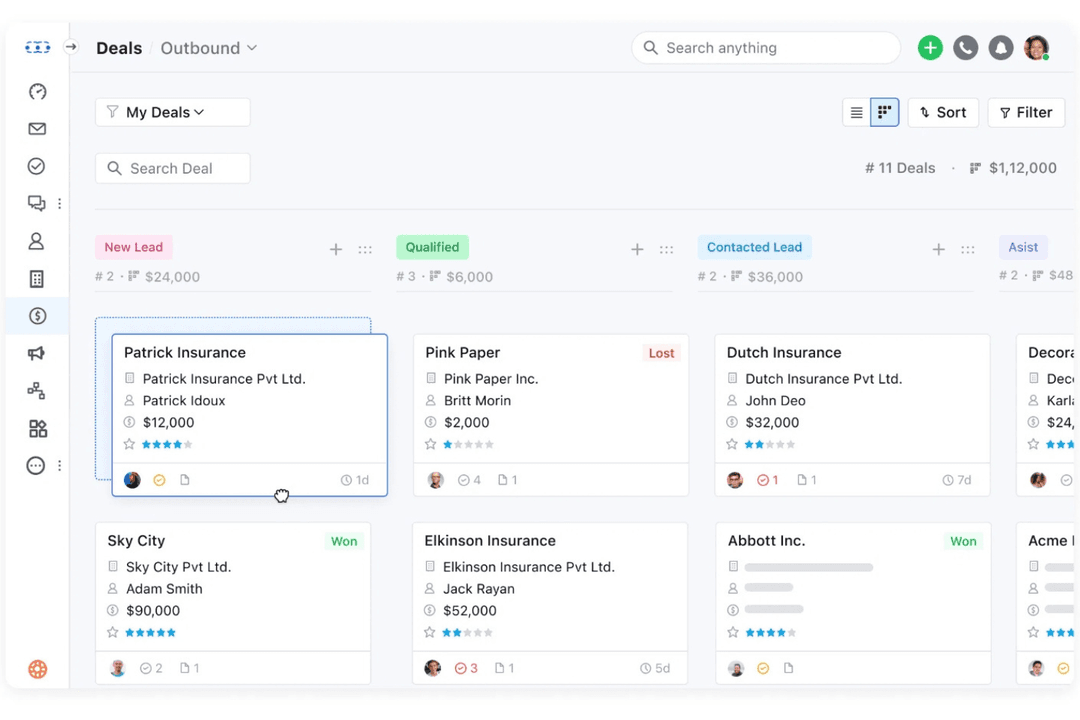
| Visual Pipeline | Pipedrive CRM Offers a highly visual, drag-and-drop sales pipeline. | Salesmate Also includes pipeline management, but with less emphasis on visual simplicity compared to Pipedrive. |
| Cloud-Based Access | Both are fully cloud-based CRMs, letting you manage deals and contacts from anywhere with web and mobile apps. |
|---|---|
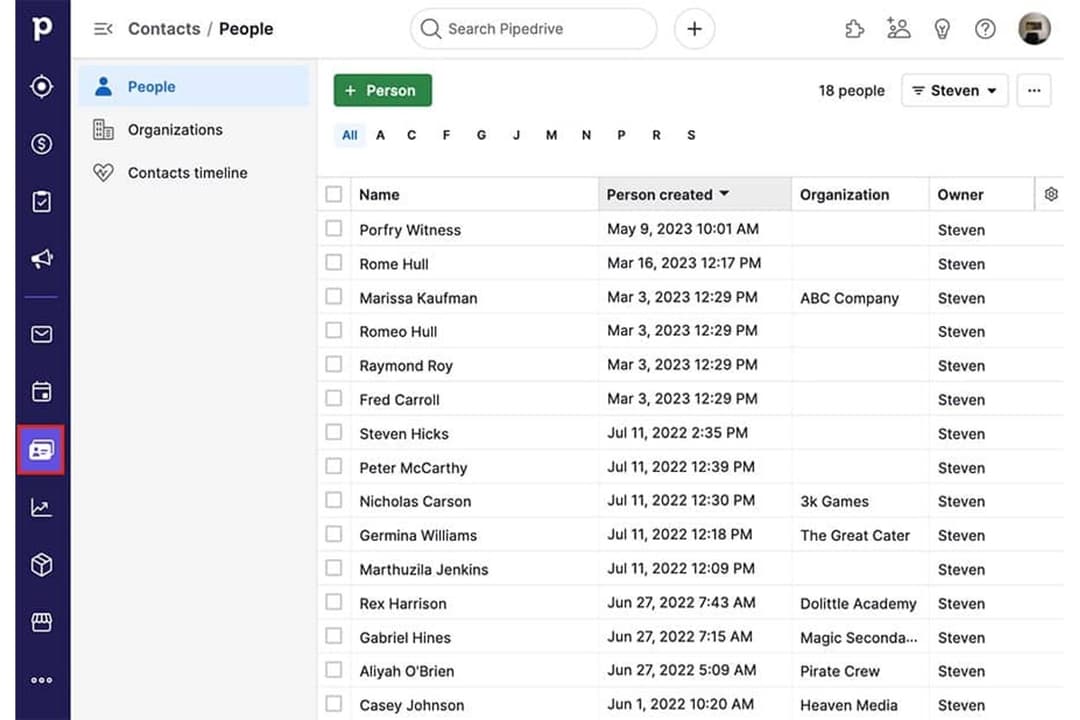
| Contact Management | Both allow users to store, organize, and manage contacts, companies, and deal records in a centralized system. |
| Integration Options | Each offers a wide range of integrations with popular tools like Gmail, Outlook, Slack, and Zapier for workflow connectivity. |
| Pipeline Management | Both provide customizable sales pipelines to track deals and stages, helping teams visualize and manage sales progress. |
| Reporting & Analytics | Each includes reporting dashboards and sales metrics to track performance, forecast revenue, and monitor KPIs. |