


Pipedrive vs. Salesforce: Comparison and Expert Reviews for 2026

We review tools independently, and commissions help fund our testing. See our transparency policy, our methodology, or suggest a tool.
Struggling to find CRM software that actually fits your team’s workflow, budget, and growth plans? Pipedrive and Salesforce both stand out in the CRM software world, but for very different reasons. Pipedrive wins fans with its intuitive design and sales-focused features, making it easy for you to get up and running fast. Salesforce, on the other hand, offers customization and scalability, giving you the power to build complex processes and integrations as your business evolves.
In this guide, you’ll get a clear, side-by-side look at how each platform stacks up—so you can confidently choose the right CRM for your revenue goals.
Pipedrive CRM
4.5/5
- 14-day free trial
- From $14/user/month (billed annually)
Salesforce
4.4/5
- 30-day free trial
- From $25/user/month
Why Trust Our Software Recommendations
6,700+
Reviews
20
Industry experts
16+
Evaluation factors
14
Years
Our reviews reflect our independent judgment—not a sales pitch. Learn how we stay transparent.
For this guide, we evaluated tools using hands-on testing and independent research, scoring tools using our selection criteria.
Our reviews reflect our human editorial judgment, not a sales pitch.
| Pipedrive CRM | Salesforce | |
|---|---|---|
| Free Trial | 14-day free trial | 30-day free trial |
| Pricing | From $14/user/month (billed annually) | From $25/user/month |
Pipedrive vs. Salesforce Pricing & Hidden Costs
Pipedrive uses a straightforward, tiered subscription model with clear feature sets at each level, making it easy to understand what you’re paying for. Salesforce, in contrast, offers a modular pricing structure where core CRM access comes with a base fee, but many advanced features, integrations, and add-ons require extra investment. With Salesforce, you may also encounter costs for customization, implementation, and ongoing support that aren’t always obvious upfront.
To choose the right vendor, map out your must-have features and estimate how your needs might grow over time. Look beyond the base subscription—factor in potential add-ons, integration costs, and the resources needed for setup and maintenance. Ask each vendor for a detailed quote based on your actual use case, and talk to peers or consultants who’ve managed similar CRM rollouts to uncover any hidden expenses before you commit.
Both Pipedrive and Salesforce are CRM platforms built around the same core foundation: helping businesses with customer relationship management and sales pipeline tracking. They both offer key features like contact and lead management, lead scoring, customizable sales pipelines, reporting dashboards, automation, and integrations with third-party tools, allowing teams to track deals from first touch to close. In practice, both tools aim to centralize customer data and streamline sales workflows, making them comparable at the core CRM level.
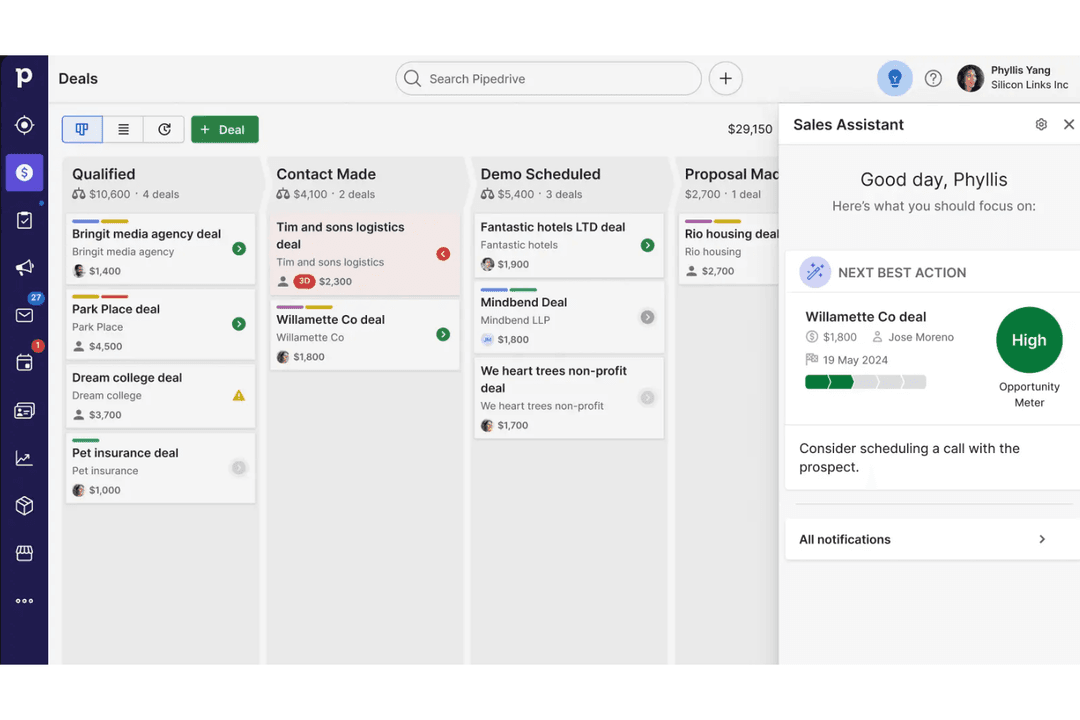
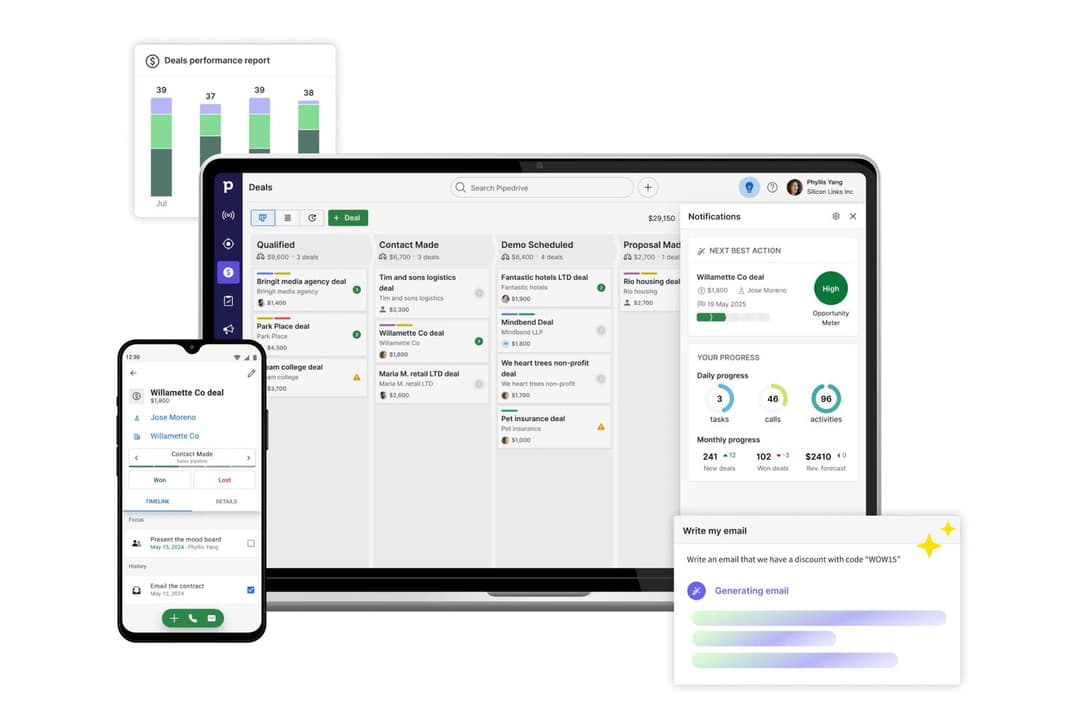
Where they diverge is in how they approach complexity and specialization. Pipedrive stands out for its highly intuitive, visual pipeline and ease of use, making it especially strong for sales teams that want a fast, focused system with minimal setup. Salesforce, on the other hand, differentiates itself with deep customization, a massive ecosystem of integrations, and an all-in-one platform that spans sales, marketing, and customer service—making it far more powerful (but also more complex) for enterprise-scale operations.
| Pipedrive CRM | Salesforce | |
|---|---|---|
| API | Yes | Yes |
| Contact Management | Yes | Yes |
| Contact Sharing | Yes | Yes |
| Customer Management | Yes | Yes |
| Data Export | Yes | Yes |
| Data Import | Yes | Yes |
| Email Integration | Yes | Yes |
| External Integrations | Yes | Yes |
| Google Apps Integration | Yes | Yes |
| Lead Management | Yes | Yes |
| Lead Scoring | Yes | Yes |
| Marketing Automation | No | Yes |
| Multi-User | Yes | Yes |
| Notifications | Yes | Yes |
| Integration | Pipedrive | Salesforce |
|---|---|---|
| IntegrationGmail | Pipedrive✅ | Salesforce✅ |
| IntegrationMicrosoft Outlook | Pipedrive✅ | Salesforce✅ |
| IntegrationSlack | Pipedrive✅ | Salesforce✅ |
| IntegrationMailchimp | Pipedrive✅ | Salesforce✅ |
| IntegrationQuickBooks | Pipedrive✅ | Salesforce✅ |
| IntegrationHubSpot | Pipedrive✅ | Salesforce✅ |
| IntegrationDocuSign | Pipedrive✅ | Salesforce✅ |
| IntegrationLinkedIn Sales Navigator | Pipedrive❌ | Salesforce✅ |
| IntegrationTableau | Pipedrive❌ | Salesforce✅ |
| IntegrationXero | Pipedrive✅ | Salesforce❌ |
| IntegrationAPI | Pipedrive✅ | Salesforce✅ |
| IntegrationZapier | Pipedrive✅ | Salesforce✅ |
Both Pipedrive and Salesforce cover the most popular integrations, from sales software and communication tools to email integration, but Salesforce offers a broader range. With API and Zapier support in both platforms, you can connect to almost any tool you need, so most teams will find their integration needs met.
| Factor | Pipedrive | Salesforce |
|---|---|---|
| FactorData Encryption | PipedriveEncrypts data in transit and at rest using industry-standard protocols. | SalesforceOffers advanced encryption options, including field-level and platform encryption. |
| FactorRegulatory Compliance | PipedriveComplies with GDPR and other major data protection regulations. | SalesforceMeets GDPR, HIPAA, SOC 2, and a wide range of global compliance standards. |
| FactorAccess Controls | PipedriveProvides role-based permissions and two-factor authentication. | SalesforceDelivers granular user permissions, SSO, and advanced identity management. |
| FactorUptime Guarantee | PipedriveMaintains high uptime with transparent status reporting. | SalesforceDelivers enterprise-grade uptime SLAs and real-time system status updates. |
| FactorAudit Logging | PipedriveOffers basic activity logs for user actions and changes. | SalesforceProvides detailed audit trails and monitoring for all user and system activity. |
Salesforce leads in security and compliance, especially for organizations with strict regulatory needs or complex access requirements. Pipedrive is reliable and secure for most small to midsize teams, while Salesforce’s advanced controls and certifications make it a top choice for enterprises.
| Factor | Pipedrive | Salesforce |
|---|---|---|
| FactorUser Interface | PipedriveFeatures a clean, intuitive layout with drag-and-drop pipelines. | SalesforceOffers a customizable interface but can feel overwhelming to new users. |
| FactorOnboarding | PipedriveProvides guided setup and in-app tips for a quick start. | SalesforceRequires more training and onboarding due to its depth and complexity. |
| FactorCustomization | PipedrivePipedrive offers simple custom fields and pipeline adjustments without coding. | SalesforceSupports deep customization, but setup often needs admin expertise. |
| FactorCustomer Support | PipedriveDelivers responsive chat and email support with helpful resources. | SalesforceOffers extensive documentation, community forums, and premium support tiers. |
| FactorLearning Curve | PipedriveEasy to master for most users within days. | SalesforceIt takes longer to learn, especially for non-technical users. |
Pipedrive is much easier to pick up and use day-to-day, while Salesforce’s flexibility comes with a steeper learning curve. Pipedrive shines for teams that want simplicity and speed, while Salesforce is best for those who need advanced customization and don’t mind investing time in training.
Pipedrive CRM
- You’ll find the visual sales pipeline easy to navigate and understand.
- The customization options let your team tailor the CRM to fit your workflow.
- Automated follow-up reminders help you stay on top of your sales tasks.
- You might need more advanced reporting features for detailed analytics.
- Limited email tracking could be a hurdle for teams heavily reliant on email campaigns.
- Few native options for generating new leads directly within the software.
Salesforce
- You can customize Salesforce Sales to fit your business needs perfectly.
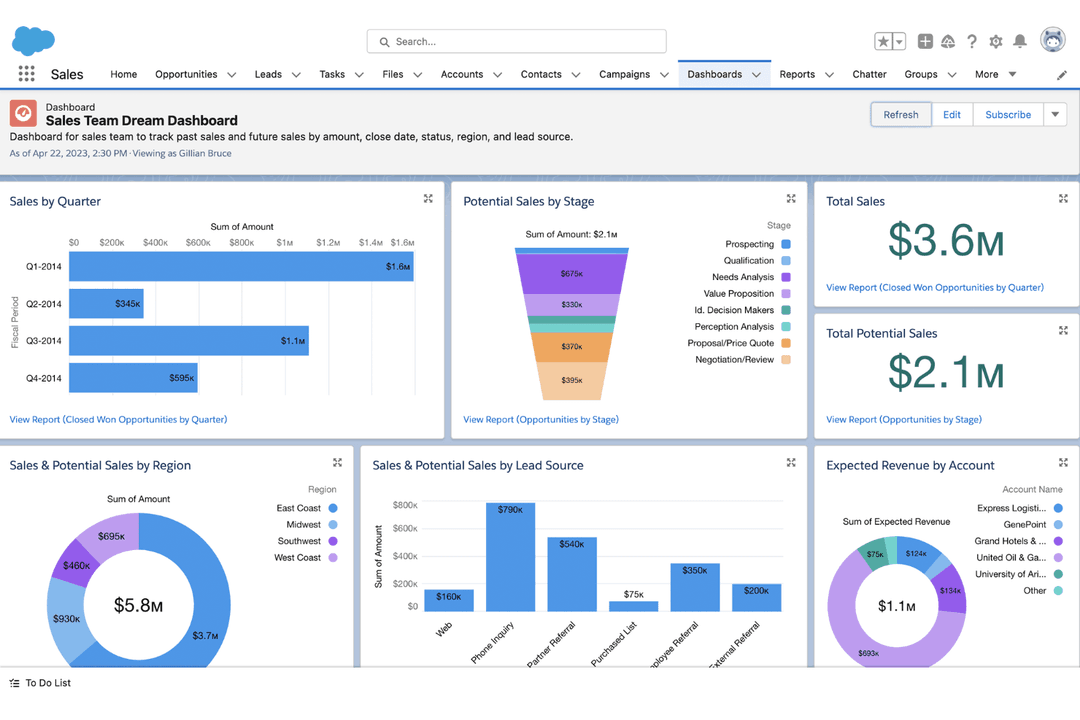
- It offers robust reporting tools that give your team valuable insights.
- The automation features save your team time on repetitive tasks.
- Your team might find the interface complex to navigate initially.
- It can be overwhelming with the numerous features available.
- The frequent updates can disrupt your team's workflow.
Pipedrive CRM
- Real EstatePipedrive’s visual pipeline helps you track leads and manage client interactions effectively.
- Tech StartupsYou’ll benefit from its customization options that adapt to fast-changing sales processes.
- Consulting FirmsThe CRM’s automated reminders keep your team on schedule with client follow-ups.
- Small BusinessesIts ease of use makes it accessible for teams without a dedicated IT department.
- Sales DepartmentsYou’ll find the focus on sales pipeline management boosts your team’s productivity.
- FreelancersThe straightforward interface allows you to manage client relationships without complexity.
Salesforce
- Financial ServicesSalesforce Sales provides tools to manage customer portfolios and track interactions, helping your team offer personalized financial advice.
- Healthcare ProvidersWith robust data management, Salesforce Sales helps your team maintain patient records and streamline appointment scheduling.
- Retail ChainsSalesforce’s automation tools enhance inventory management and customer service, ensuring your team meets customer demands efficiently.
- Large EnterprisesIts customization options allow your team to align Salesforce Sales with complex business processes and scale operations seamlessly.
- Sales TeamsSalesforce’s powerful CRM capabilities help your team manage leads and close deals more effectively.
- Marketing DepartmentsWith advanced analytics, Salesforce Sales enables your team to track campaign performance and optimize marketing strategies.
Who Should Use Pipedrive, And Who Should Use Salesforce?
Pipedrive is best suited for startups, small businesses, medium-sized organizations, and sales teams that want a user-friendly, visual way to manage deals without a steep learning curve. It works especially well for teams focused primarily on sales pipeline tracking and quick adoption, rather than complex customization or cross-department functionality. If ease of use and fast setup matter most, Pipedrive is usually the better fit.
Salesforce is ideal for larger organizations or growing companies that need a highly customizable, scalable CRM system that can support multiple departments like sales, marketing, and customer service. It’s a strong choice for teams with more complex processes, larger datasets, and the resources to manage and optimize a more advanced system. If you need deep functionality and long-term flexibility, Salesforce is the better option.
| Pipedrive CRM | Salesforce | |
|---|---|---|
| Customization | Pipedrive CRM More basic in terms of customizable pipelines. Includes field customization without coding. | Salesforce Deep customization for workflows, objects, and automation, often requiring admin skills. |
| Pricing Model | Pipedrive CRM Simple, transparent tiered plans with clear feature sets. | Salesforce Modular pricing with many add-ons and extra costs for advanced features. |
| Reporting & Analytics | Pipedrive CRM Provides simple, easy-to-understand sales reports and metrics. | Salesforce Advanced reporting, customizable reports, and predictive forecasting. |
| Scalability | Pipedrive CRM Best for small to midsize teams with straightforward needs. | Salesforce Built to scale for large enterprises with multi-department requirements. |
| Workflow Automation | Pipedrive CRM Offers straightforward sales automation for tasks and follow-ups. | Salesforce Provides advanced automation, AI-driven insights, and complex workflow rules. |
| Activity Tracking | Each lets you log calls, emails, meetings, and tasks to keep a complete history of interactions with prospects and customers. |
|---|---|
| Cloud-Based Access | Both Pipedrive CRM and Salesforce are fully cloud-based, letting you access your CRM from anywhere and on any device. |
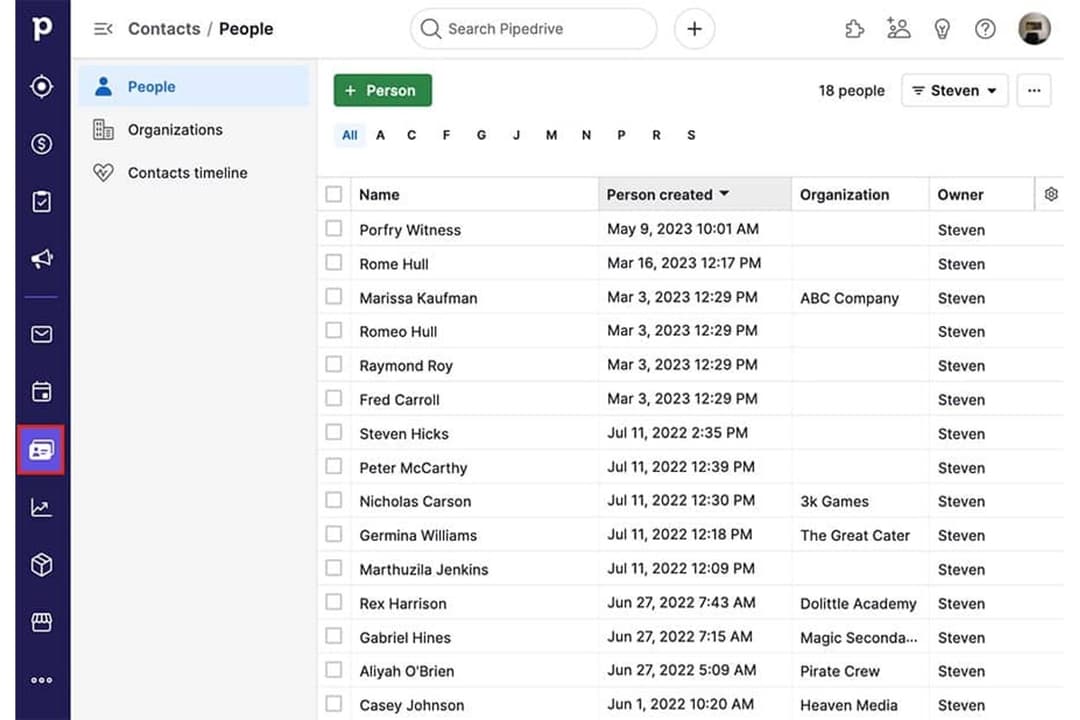
| Contact Management | Both platforms allow you to store, organize, and manage customer and lead information in a centralized database. |
| Mobile Apps | Each platform offers a dedicated mobile app, so you can manage contacts, deals, and tasks on the go. |
| Sales Pipeline | Each CRM solution offers customizable sales pipelines to track deals and stages, with visual tools for pipeline management. |