

CRM-programvare for bankvirksomhet gir finansinstitusjoner et sentralt sted for å administrere kundedata, transaksjonshistorikk, kommunikasjonspreferanser og relasjonsdetaljer. Med denne informasjonen kan teamene bedre forstå kundenes behov, administrere interaksjoner og levere mer relevante finansielle tjenester.
Det kan være vanskelig å velge riktig plattform når det finnes så mange CRM-alternativer for bankvirksomhet. Med utgangspunkt i min erfaring med å vurdere programvare for inntektsdrift testet og sammenlignet jeg flere ledende plattformer basert på funksjonene deres, brukervennlighet og hvor godt de egner seg for arbeidsflyter i bankvirksomhet.
Denne veiledningen dekker funnene og vurderingene mine for å gjøre det enklere å sammenligne alternativer og finne riktig CRM-programvare for bankvirksomhet for dine behov.
Why Trust Our Software Recommendations
6,700+
Reviews
20
Industry experts
16+
Evaluation factors
14
Years
Our reviews reflect our independent judgment—not a sales pitch. Learn how we stay transparent.
For this guide, we evaluated tools using hands-on testing and independent research, scoring tools using our selection criteria.
Our reviews reflect our human editorial judgment, not a sales pitch.
Sammenligningstabell for CRM-programvare for bankvirksomhet
Bruk denne sammenligningstabellen til å se gjennom prisdetaljene for mine beste utvalgte CRM-programvarer for bankvirksomhet.
| Tool | Best For | Trial Info | Price | ||
|---|---|---|---|---|---|
| 1 | Best for customizable workflows | 15-day free trial | From $23/user/month (billed annually) | Website | |
| 2 | Best for visual sales pipeline views | 14-day free trial | From $65/user/month (billed annually) | Website | |
| 3 | Best for sales productivity tools | 14-day free trial | From $19/user/month (billed annually) | Website | |
| 4 | Best for loan origination and borrower management | Free demo available | Pricing upon request | Website | |
| 5 | Best for integrated sales, marketing, and support | 15-day free trial + free demo available | From $12/user/month (billed annually) | Website | |
| 6 | Best for AI-powered lead scoring | 21-day free trial | From $9/user/month (billed annually) | Website | |
| 7 | Best for project management integration | 14-day free trial | From $29/user/month (billed annually) | Website | |
| 8 | Best for unified client financial insights | Free consultation available | Pricing upon request | Website | |
| 9 | Best for field force management | Free demo available | Pricing upon request | Website | |
| 10 | Best for agentic automation | Free demo available | From $40/user/month (billed annually) | Website |


Vurderinger av den beste CRM-programvaren for bankvirksomhet
Nedenfor finner du mine detaljerte sammendrag av den beste CRM-programvaren for bankvirksomhet på kortlisten min. I vurderingene mine undersøker jeg grundig hvert verktøys viktigste funksjoner, fordeler og ulemper, integrasjoner og ideelle bruksområder for å hjelpe deg med å finne det beste alternativet.
 Best for customizable workflows
- 15-day free trial
- From $23/user/month (billed annually)
Visit WebsiteCustomer Rating:4.7/5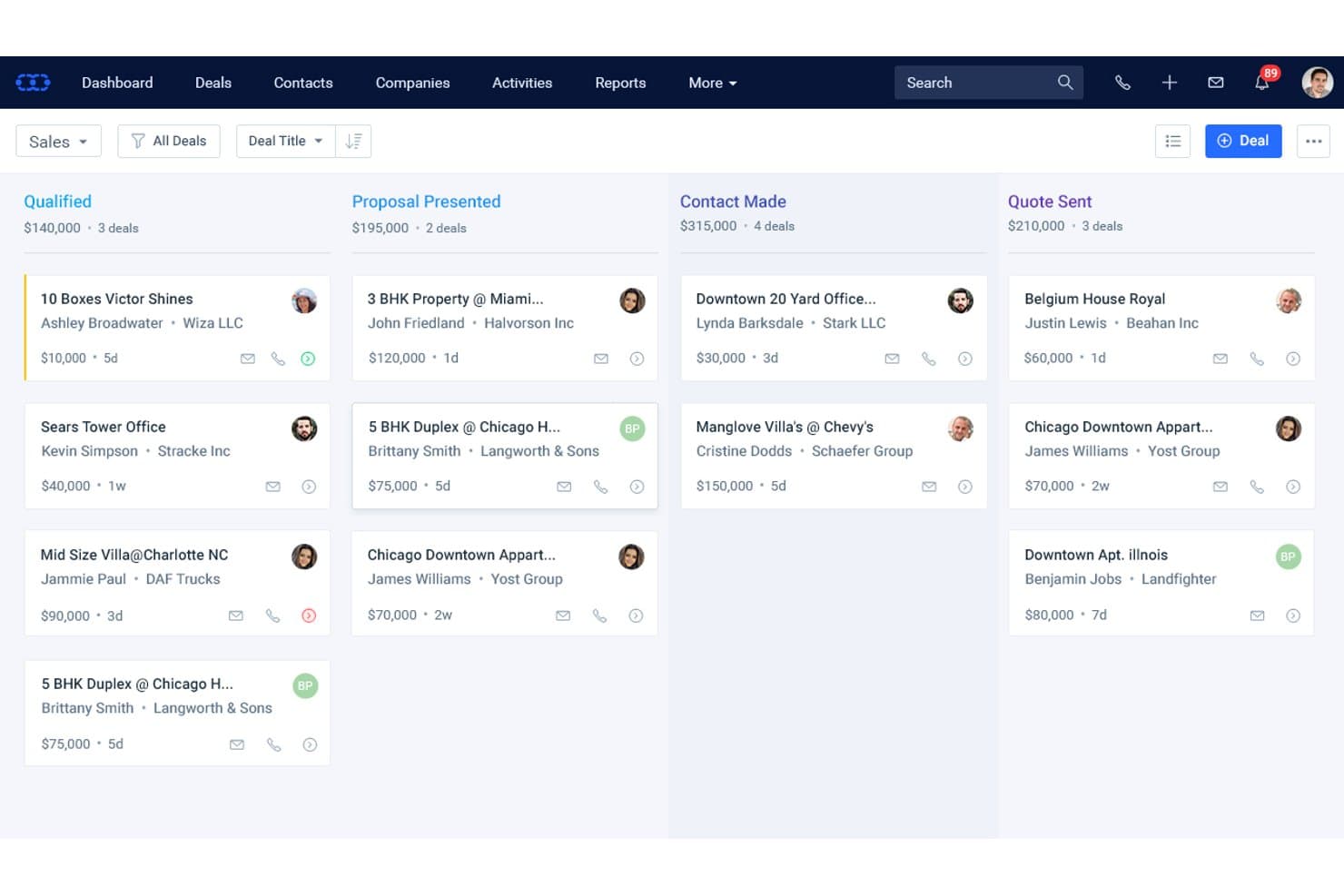
Salesmate CRM organizes banking deals across pipeline stages by value and contact. Salesmate CRM is a general-purpose sales CRM that offers customizable pipelines, built-in calling and SMS, AI-assisted contact insights, and no-code workflow automation through its Smart Flows engine.
Who Is Salesmate CRM Best For?
Salesmate is a good fit for smaller financial services teams that want to build custom sales workflows without relying on a developer or a purpose-built banking platform.
Why I Picked Salesmate CRM
I picked Salesmate CRM as one of the best because its Smart Flows engine lets smaller financial services teams build precisely the client workflows they need without writing a single line of code. I like that you can trigger multi-step automations off virtually any CRM event, like a deal stage change or an email open, then chain follow-ups, task creation, and SMS outreach automatically. Pair that with unlimited configurable pipelines, and you can map separate flows for different product lines from scratch.
Salesmate CRM Key Features
- Sandy AI contact insights: Sandy AI analyzes communication history and engagement data to surface next-best-action recommendations for each contact.
- Built-in VoIP and SMS: Native calling and texting tools let your team log, record, and track every client interaction directly within the CRM.
- Custom modules: Available on the Business plan and above, custom modules let you build out banking-specific data structures like loan records or treasury relationships.
- Revenue attribution tracking: Links revenue back to specific campaigns, workflows, and client interactions so you can see which activities are actually driving results.
Salesmate CRM Integrations
Salesmate CRM offers about 40 native integrations, including Microsoft 365, Google Workspace, DocuSign, Clearbit, QuickBooks Online, and Xero. It also provides a REST API, webhooks, and Zapier for custom connectivity, but no native integrations with core banking systems.
Pros and Cons
Pros:
- Built-in calling, texting, and AI insights
- Unlimited pipelines for different banking functions
- Highly customizable workflow automation engine
Cons:
- Audit trails restricted to Enterprise plan only
- No native banking data models or workflows
Learn more about Salesmate CRM: Best for visual sales pipeline views
- 14-day free trial
- From $65/user/month (billed annually)
Visit WebsiteCustomer Rating:4.6/5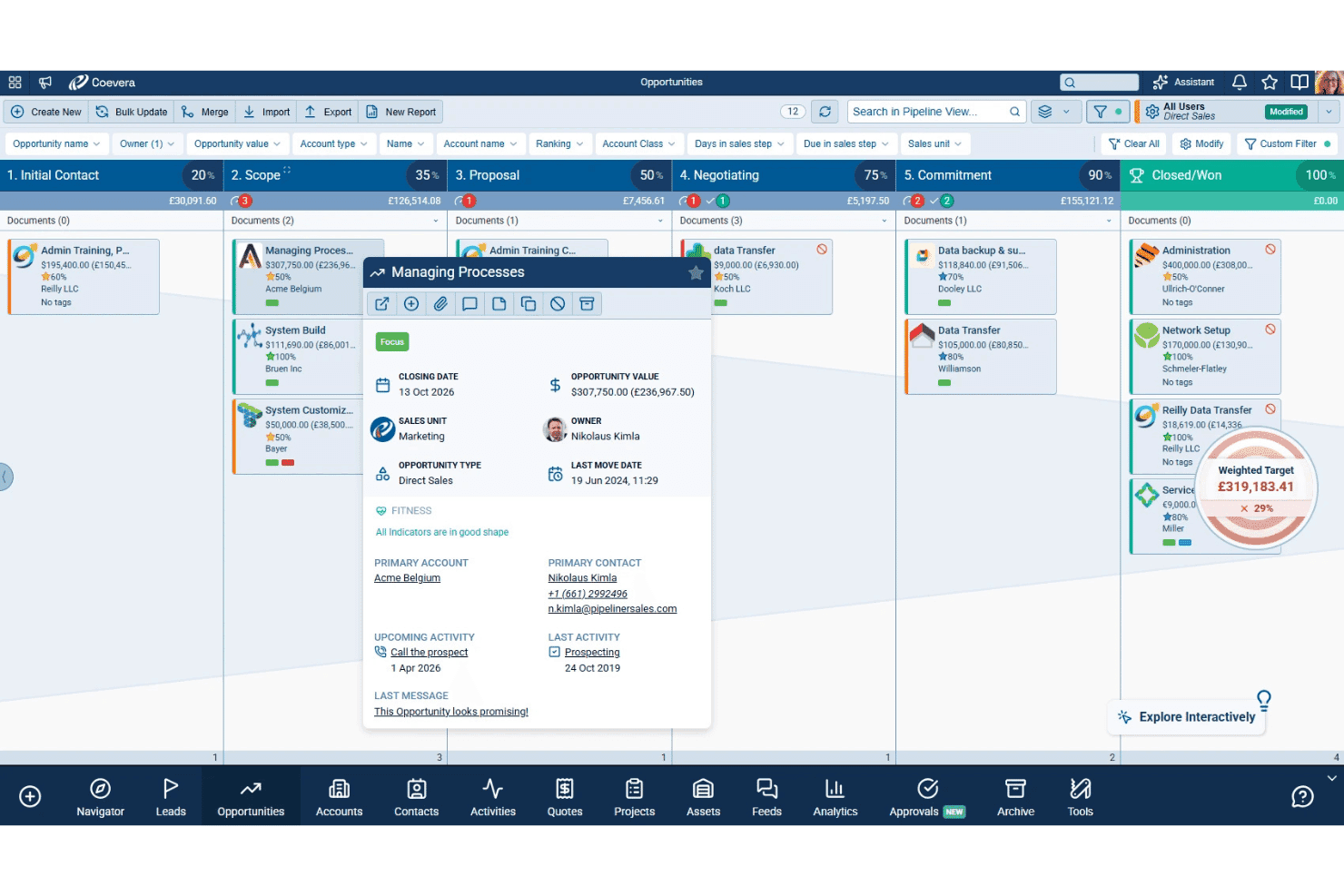
Coevera combines visual sales pipelines, AI tools, key account management, and no-code workflows. Coevera (formerly Pipeliner CRM) is a CRM platform built around visual pipeline management, offering multiple deal view types, AI-powered sales tools, key account management features, and no-code workflow automation.
Who Is Coevera Best For?
Coevera suits commercial banking teams and relationship managers who need a visually intuitive pipeline tool and don't require native core banking system integrations out of the box.
Why I Picked Coevera
I picked Coevera as one of the best because its visual pipeline engine is genuinely unlike anything else in the CRM space. You can switch between Kanban, bubble, chart, and map views on the fly, with a Dynamic Target tracker overlaid directly in the pipeline so your commercial banking team can see real-time performance without running a separate report. Voyager AI's relationship mapping also automatically builds org charts and identifies missing contacts within an account, which matters when you're managing complex stakeholder networks across a commercial lending deal.
Coevera Key Features
- Automatizer workflow builder: A no-code, drag-and-drop automation tool that lets you build trigger-based workflows for task assignments, notifications, and external app connections without developer support.
- Predictive forecasting: AI-powered revenue forecasting that scores deal risk and analyzes pipeline coverage to support more accurate revenue projections.
- Whitespace analysis: An account matrix overlay that maps your existing product catalog against current accounts to surface upsell and expansion opportunities.
- BI Feeder: A built-in data export tool that pushes CRM data to Tableau or Power BI on a daily refresh cycle for external reporting and analytics.
Coevera Integrations
Coevera offers native integrations with Microsoft 365, Google Workspace, Tableau, Power BI, SharePoint, OneDrive, Dropbox, PandaDoc, and RingCentral. Business-tier and higher plans include a REST API; Coevera also supports webhooks and Zapier.
Pros and Cons
Pros:
- No-code workflow automation for sales processes
- AI-driven relationship mapping for complex accounts
- Visual pipeline views simplify deal tracking
Cons:
- Lacks banking-specific compliance and data models
- No prebuilt banking product pipelines
Learn more about Coevera (formerly Pipeliner CRM): Best for sales productivity tools
- 14-day free trial
- From $19/user/month (billed annually)
Visit WebsiteCustomer Rating:4.4/5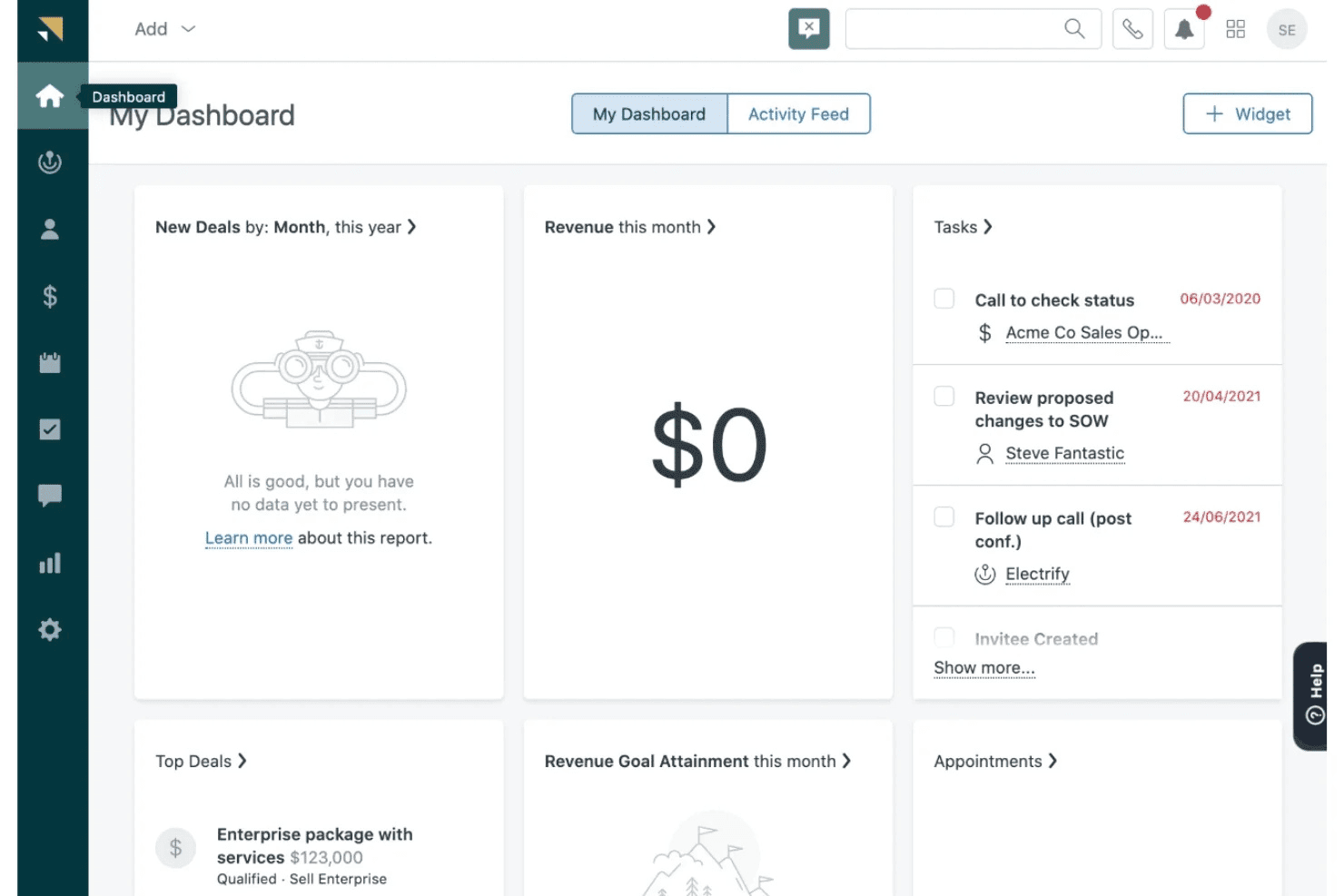
Zendesk Sell centralizes contacts, deals, pipeline tracking, sales engagement, and activity reporting. Zendesk Sell is a sales CRM that centralizes contact and deal management, pipeline tracking, sales engagement, and activity reporting in a single platform.
Who Is Zendesk Sell Best For?
Zendesk Sell suits small sales teams in financial services that already use Zendesk Support and want a shared sales-and-service customer view without a steep learning curve.
Why I Picked Zendesk Sell
I've included Zendesk Sell in my top picks because its sales productivity tools give client-facing banking teams a clear edge in managing daily outreach volume. The Power Dialer cycles through call lists automatically while logging outcomes directly to contact records, and the Task Player consolidates repetitive follow-up actions into a single screen so reps don't lose time context-switching. Bulk email sequences sent to Smart List segments let retail banking teams run targeted outreach across filtered lead groups without manual effort.
Zendesk Sell Key Features
- Smart Lists: Real-time, filterable views of leads and deals that let you segment contacts by custom criteria and act on targeted groups instantly.
- Sales triggers: Rule-based automation that fires follow-up tasks, notifications, or field updates when deals or contacts meet defined conditions.
- AI-powered lead and deal scoring: Available on Professional and above, this feature ranks leads and open deals by likelihood to convert using historical performance data.
- Built-in prospecting database: Access to 44M+ business records and 350M+ prospect profiles directly within the CRM for building targeted outreach lists.
Zendesk Sell Integrations
Zendesk Sell offers native integrations with Zendesk Support, Google Workspace, Microsoft 365, and WhatsApp, plus 85 marketplace apps. It provides an open API for custom core banking connections and supports Zapier.
Pros and Cons
Pros:
- Mobile app enables field relationship management
- Built-in business prospecting database included
- Short deployment time for sales teams
Cons:
- Official product retirement announced for 2027
- No banking product pipeline templates available
Learn more about Zendesk Sell: Best for loan origination and borrower management
- Free demo available
- Pricing upon request
Visit WebsiteCustomer Rating:4.4/5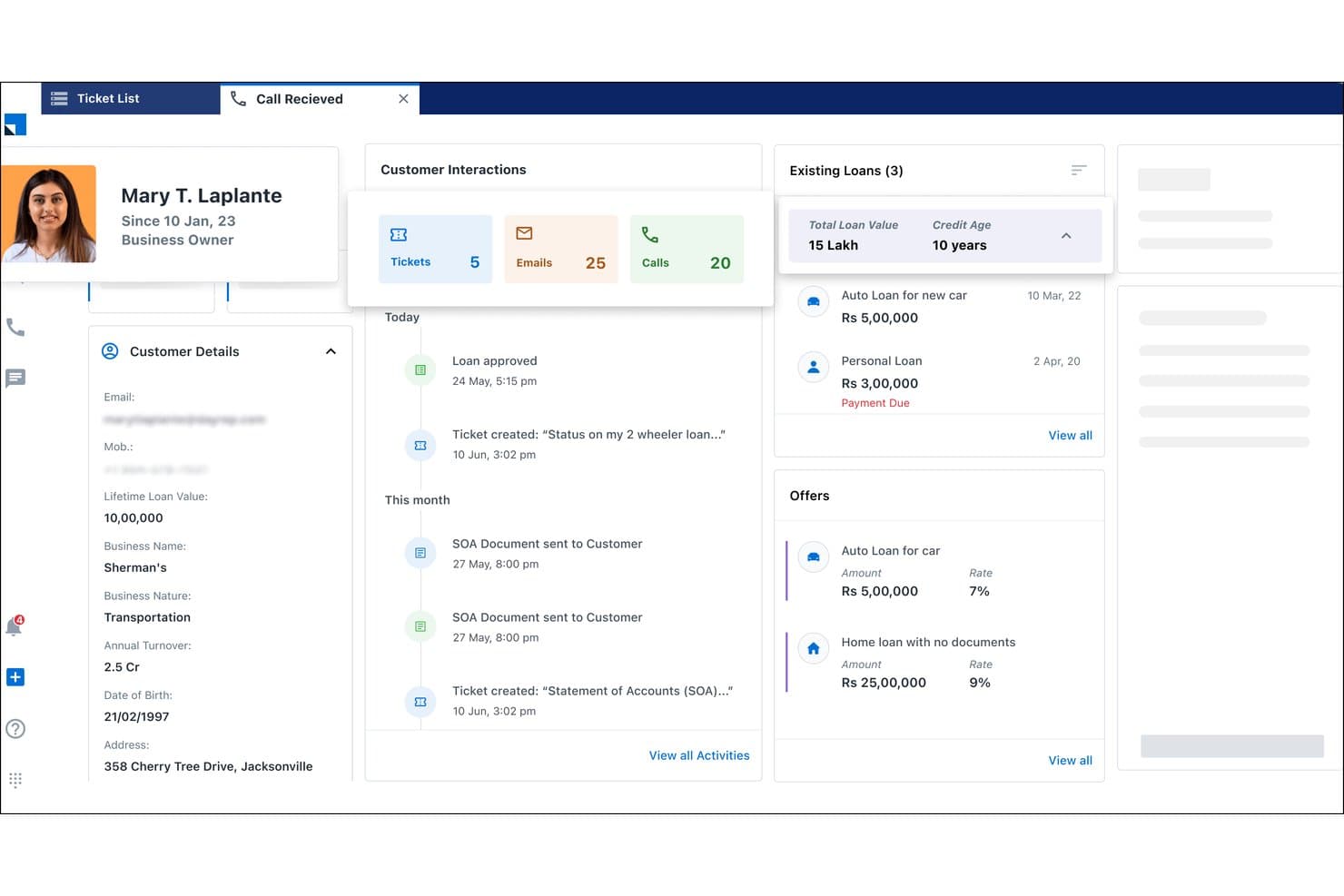
LeadSquared surfaces customer loans, offers, and history in one view. LeadSquared is a BFSI-focused CRM platform built around lead management automation, loan origination workflows, digital borrower onboarding, and retail banking sales operations.
Who Is LeadSquared Best For?
LeadSquared is a strong fit for retail banking and lending teams that need to manage high volumes of loan applications, automate borrower onboarding, and track field sales activity across large agent networks.
Why I Picked LeadSquared
I picked LeadSquared as one of the best because its loan origination and borrower management workflows go far deeper than a typical CRM pipeline. I'm particularly impressed by its automated lead distribution, which routes incoming loan inquiries to agents based on loan type, availability, and location in real time. Its behavior-based borrower scoring and digital onboarding portals, where applicants upload documents, track status, and verify identity via eKYC, make it genuinely built for high-volume retail lending operations.
LeadSquared Key Features
- Mobile CRM with geo-fencing: Relationship managers can only log field activities when physically present at a client location, with auto check-in/check-out and offline mode support.
- Collections CRM module: Tracks defaulters, prioritizes debt recovery cases, and segments borrowers by risk level to support banking collections teams.
- Behavior-based cross-sell automation: Identifies cross-sell opportunities from customer activity data and routes targeted product offers via email, SMS, or call center queues.
- Role-based access controls: Configurable permission templates restrict data access by role, supporting governance requirements across banking sales and operations teams.
LeadSquared Integrations
LeadSquared offers 162+ marketplace integrations, including Ameyo, WhatsApp, Google Ads, Acuity Scheduling, and Airtel Enterprise Messaging Manager. It connects to CBS, LOS/LMS, back-office, and trading systems through open APIs, though named FIS, Fiserv, and Jack Henry connectors aren’t documented.
Pros and Cons
Pros:
- Automated lead routing based on borrower behavior
- Mobile CRM supports geo-fenced field operations
- Advanced borrower onboarding and eKYC features
Cons:
- Lacks commercial and wealth management hierarchies
- No native integrations to major US core banking
Learn more about LeadSquared: Best for integrated sales, marketing, and support
- 15-day free trial + free demo available
- From $12/user/month (billed annually)
Visit WebsiteCustomer Rating:4.3/5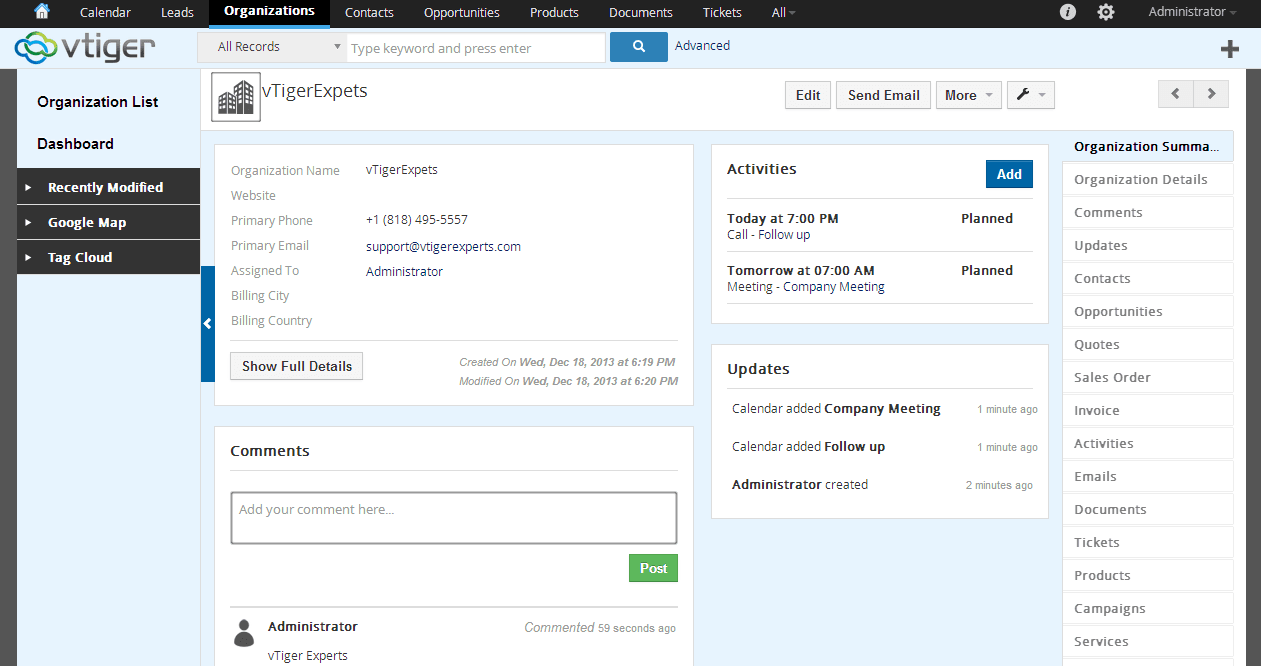
Vtiger is a cloud CRM for SMBs, enhancing collaboration in sales and support. Vtiger is an all-in-one CRM platform that combines sales pipeline management, marketing automation, and customer support tools in a unified interface.
Who Is Vtiger Best For?
Vtiger is a strong fit for smaller financial firms and community banks that want sales, marketing, and support tooling in one affordable platform without managing multiple vendors.
Why I Picked Vtiger
I picked Vtiger as one of the best because it pulls sales pipelines, marketing campaigns, and customer support cases into a single platform, which smaller financial firms rarely get without stitching multiple tools together. I like how the One View dashboard surfaces a client's full interaction history across all three functions in one place. The Process Designer also lets me build trigger-based workflows for things like KYC reminder sequences and renewal follow-ups without writing any code.
Vtiger Key Features
- Calculus AI deal scoring: Scores open deals using fit, engagement, and sentiment signals to help prioritize which opportunities need attention.
- Process Designer: A visual, trigger-based workflow builder that automates task assignments, approval chains, and follow-up sequences without writing code.
- Multi-pipeline management: Supports unlimited, independently configured sales pipelines so your team can track different product lines or client segments separately.
- Customer portal: A branded self-service portal where clients can submit requests, access documents, and track case status without contacting your team directly.
Vtiger Integrations
Vtiger offers native integrations with QuickBooks, Xero, Tally, Google Suite, Microsoft Office 365, Zoom, Microsoft Teams, Stripe, and Mailchimp, but no documented FIS, Fiserv, Jack Henry, or Temenos connectors. It supports custom connections through its REST API and VTAP, plus Zapier.
Pros and Cons
Pros:
- Built-in AI for deal scoring and forecasts
- Strong workflow automation and process designer
- All-in-one CRM for sales, marketing, support
Cons:
- No native core banking system integrations
- No purpose-built banking compliance modules
Learn more about Vtiger: Best for AI-powered lead scoring
- 21-day free trial
- From $9/user/month (billed annually)
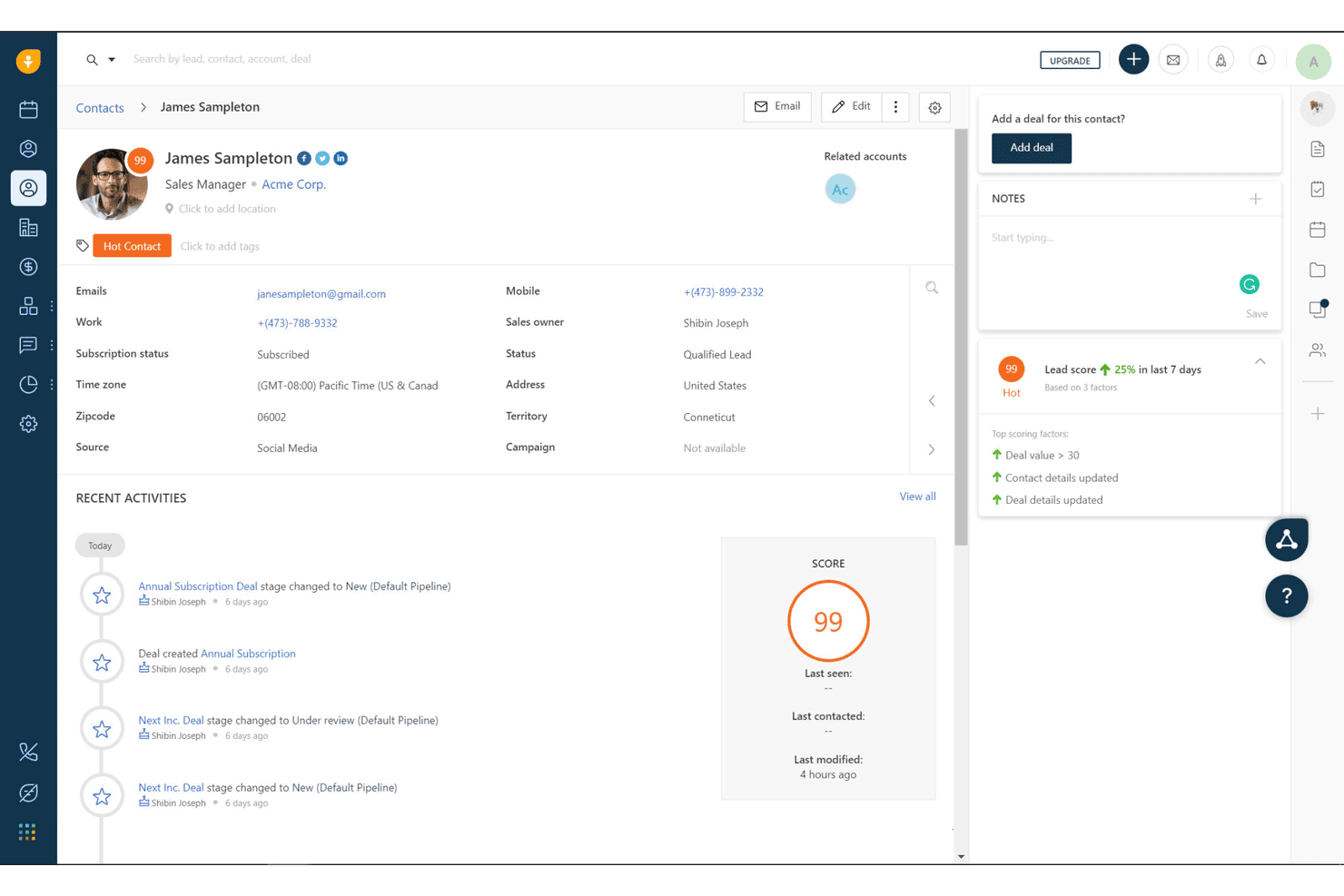
Freshworks CRM tracks lead scores and contact activity for banking clients. Freshworks CRM is a general-purpose sales CRM that combines AI-powered lead scoring, configurable pipelines, omnichannel communication, and workflow automation for banking sales teams.
Who Is Freshworks CRM Best For?
Freshworks CRM is a strong fit for community banks and credit unions that need AI-driven lead prioritization without the cost or complexity of enterprise banking platforms.
Why I Picked Freshworks CRM
I've included Freshworks CRM in my top picks because Freddy AI's contact scoring is one of the most practical lead prioritization tools I've seen at this price point. It assigns each contact a score from 0 to 99 based on real engagement signals like email opens, call activity, and web behavior, so bankers know exactly who to call first. Freddy also flags deals as "At Risk" or "Likely to Close," which helps retail banking teams act before opportunities go cold.
Freshworks CRM Key Features
- Multiple configurable pipelines: Build separate pipelines for loans, deposits, or wealth management products, each with custom stages and Kanban or table views.
- Built-in omnichannel dialer: Make and log calls directly in the CRM with call recording, voicemail drop, and automatic activity tracking across client profiles.
- Rule-based workflow automation: Set up "if-then" trigger rules with up to 10 conditions to automate task assignment, email alerts, and cross-sell prompts based on client activity.
- SOC 2 Type II and ISO 27001 security certifications: Access role-based permissions, audit logs, and a sandbox environment to meet baseline security and governance requirements for financial institutions.
Freshworks CRM Integrations
Freshworks CRM offers native integrations with Google Workspace, Microsoft 365, Slack, Zoom, DocuSign, QuickBooks, and Xero. It supports REST API, webhooks, marketplace integrations, and Zapier, but lacks native connectors for major core banking platforms.
Pros and Cons
Pros:
- Fast onboarding with minimal IT support needed
- Easy cross-sell workflows and pipeline customization
- Freddy AI lead scoring surfaces high-intent clients
Cons:
- No built-in KYC or AML workflows
- No native core banking system integrations
Learn more about Freshworks CRM: Best for project management integration
- 14-day free trial
- From $29/user/month (billed annually)
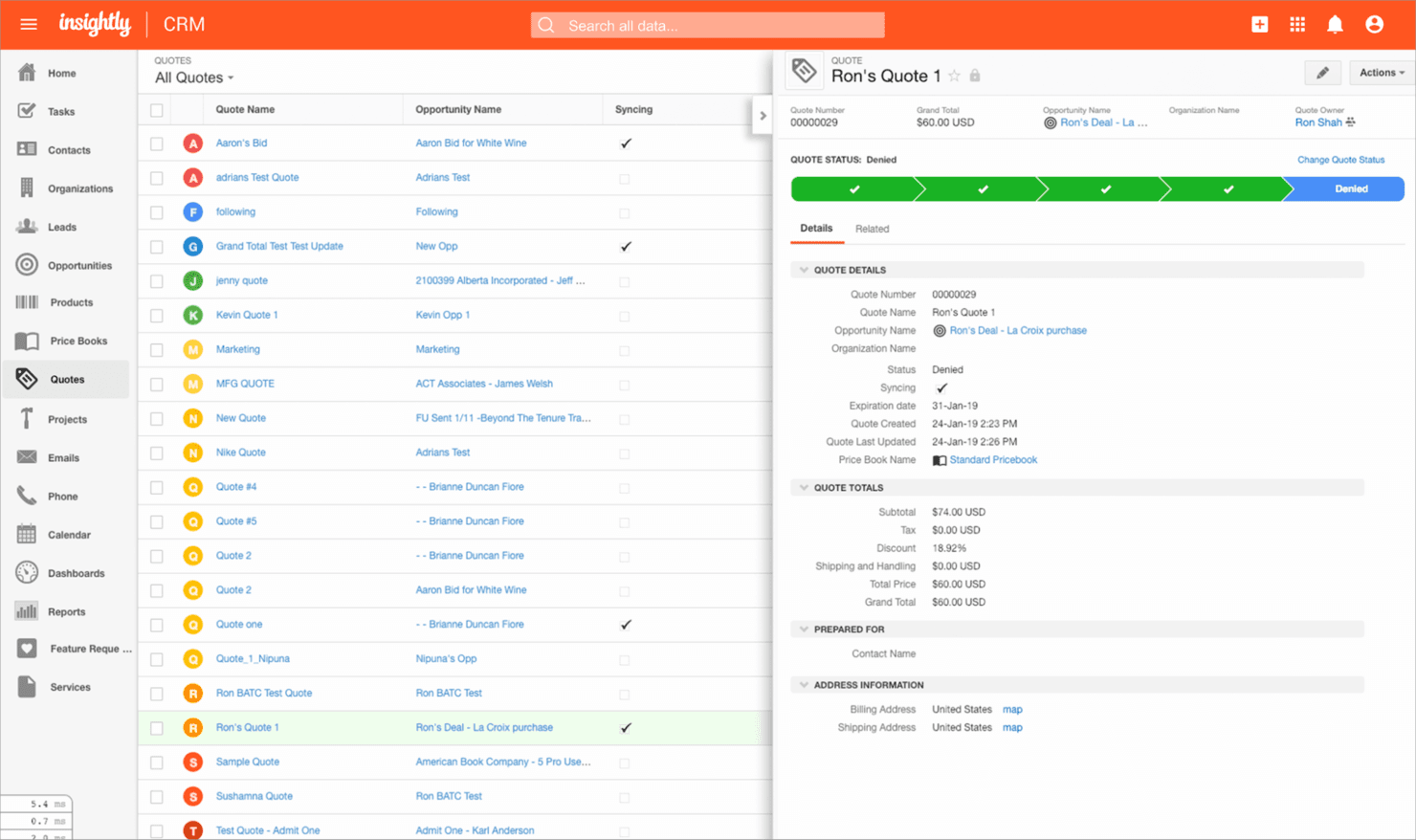
Insightly is a cloud CRM that helps small to medium businesses manage relationships and projects. Insightly is a CRM platform that combines contact management, customizable sales pipelines, workflow automation, and a native project management module for tracking client relationships and deals.
Who Is Insightly Best For?
Insightly suits smaller financial institutions—community banks, credit unions, and regional firms—that need to manage client relationships and post-deal workflows in a single platform without the overhead of an enterprise CRM.
Why I Picked Insightly
I picked Insightly as one of the best because its native CRM-to-project management pipeline solves a real pain point in banking: the handoff gap between closing a deal and delivering on it. When a commercial loan closes, Insightly converts that opportunity directly into a tracked project, carrying all contacts, communications, and tasks across without re-entry. I also like that post-sale "care pipelines" let you manage ongoing client relationships alongside active project delivery in the same platform.
Insightly Key Features
- AI Copilot: A conversational AI assistant that lets you query CRM data in natural language, surface relationship summaries, and trigger workflow automation through chat prompts.
- AppConnect integration builder: A no-code, drag-and-drop interface for connecting Insightly to 500+ apps, including QuickBooks, DocuSign, Slack, and ZoomInfo.
- Customizable sales pipelines: Configurable multi-stage pipelines for tracking deal flow, with built-in quote generation and pipeline reporting dashboards.
- Role-based access control: Permission settings that restrict data visibility and editing rights by user role, available on Professional and Enterprise plans.
Insightly Integrations
Insightly AppConnect provides 500+ pre-built connectors and access to 1,200+ apps, including QuickBooks Online, NetSuite, Sage Intacct, DocuSign, Slack, ZoomInfo, and Microsoft Outlook. It also offers an open API for custom core banking integrations.
Pros and Cons
Pros:
- Strong security and compliance certifications
- Drag-and-drop workflow automation included
- Built-in project management for deal handoffs
Cons:
- No core banking system integrations
- No banking-specific pipeline or referral tools
Learn more about Insightly: Best for unified client financial insights
- Free consultation available
- Pricing upon request
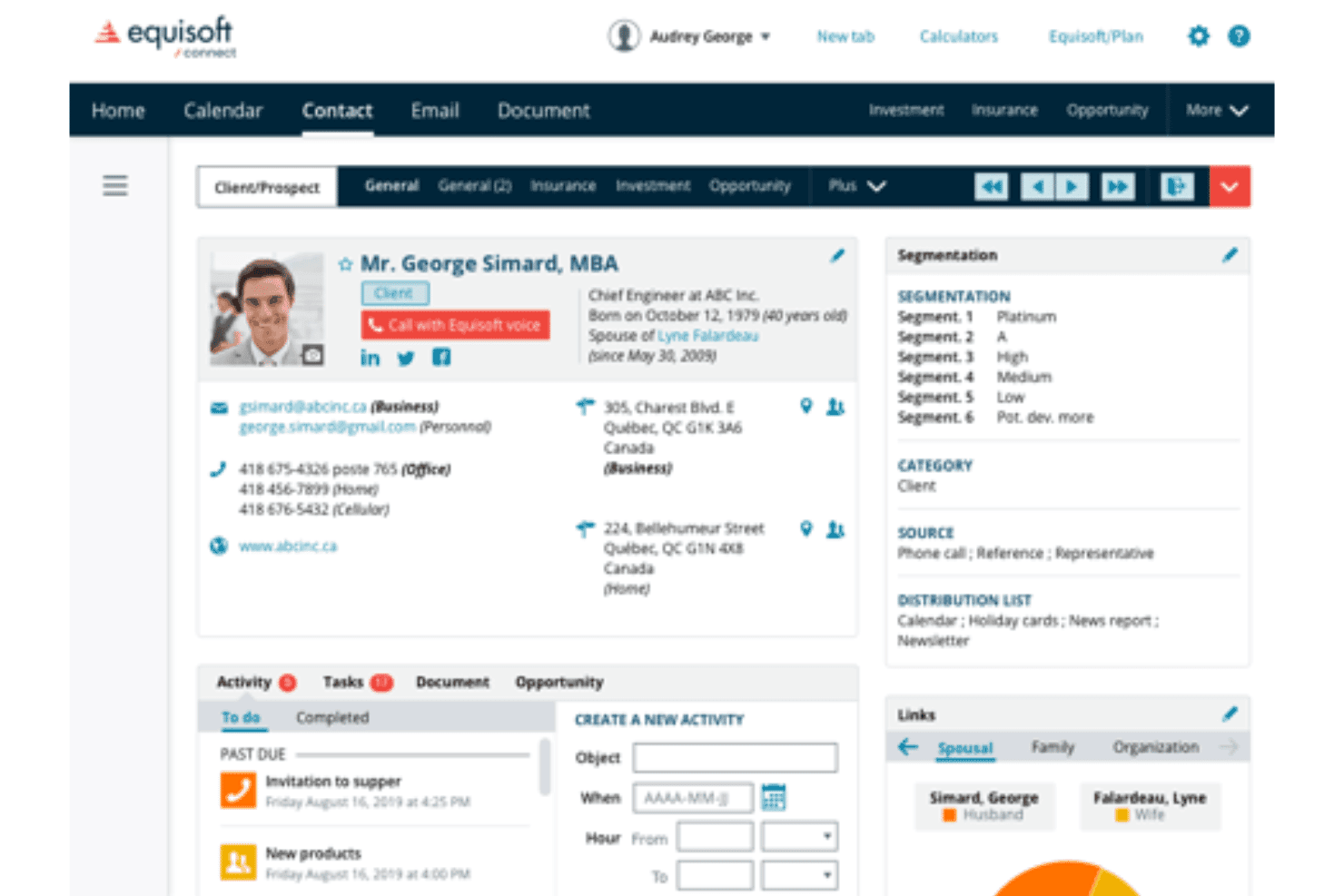
Equisoft centralizes insurance, investments, and advisor client communications. Equisoft is a financial advisor CRM that centralizes client insurance policies, investment portfolios, and communication history while connecting to 80+ carrier and MGA data sources.
Who Is Equisoft Best For?
Equisoft is a strong fit for independent financial advisors and wealth management professionals who need a single platform to manage insurance policies, investment accounts, and client communications.
Why I Picked Equisoft
I picked Equisoft as one of the best because it pulls insurance policies, investment portfolios, and communication history into a single client view automatically, sourcing live data from 80+ carrier and MGA connections. I love that advisors get a complete financial picture per client without manual data entry, which matters when you're tracking coverage gaps or flagging upsell opportunities across a household's full portfolio.
Equisoft Key Features
- Automated compliance audit trail: Equisoft timestamps and stores every client interaction—calls, emails, and wealth records—so your records stay audit-ready without manual logging.
- Native mobile app: Advisors can access full CRM data, manage client records, and track sales activity directly from a mobile device.
- Unlimited document storage: Client documents, pre-filled forms, and industry paperwork are stored and organized within the platform, eliminating the need to access external carrier portals.
- AI-powered cross-sell triggers: Machine learning models analyze client data to surface upsell and cross-sell opportunities, flagging growth potential directly within the advisor workflow.
Equisoft Integrations
Equisoft/connect has 80+ documented integrations with Canadian insurance carriers, MGAs, and investment dealers, including Manulife, Sun Life Financial, Canada Life, RBC Insurance, Investia Financial, and Richardson Wealth. It also connects with Equisoft/centralize, VirtGate, Microsoft 365, Gmail, DocuSign, and Mailchimp, but lacks documented FIS, Fiserv, Jack Henry, or Temenos integrations.
Pros and Cons
Pros:
- AI surfaces insurance upsell opportunities
- Automated compliance tracking for advisor regulations
- Consolidates insurance and investment client data
Cons:
- Lacks core banking integrations and analytics
- No support for banking product workflows
Learn more about Equisoft: 9Best for field force management
Vymo
- Free demo available
- Pricing upon request
Visit WebsiteCustomer Rating:5/5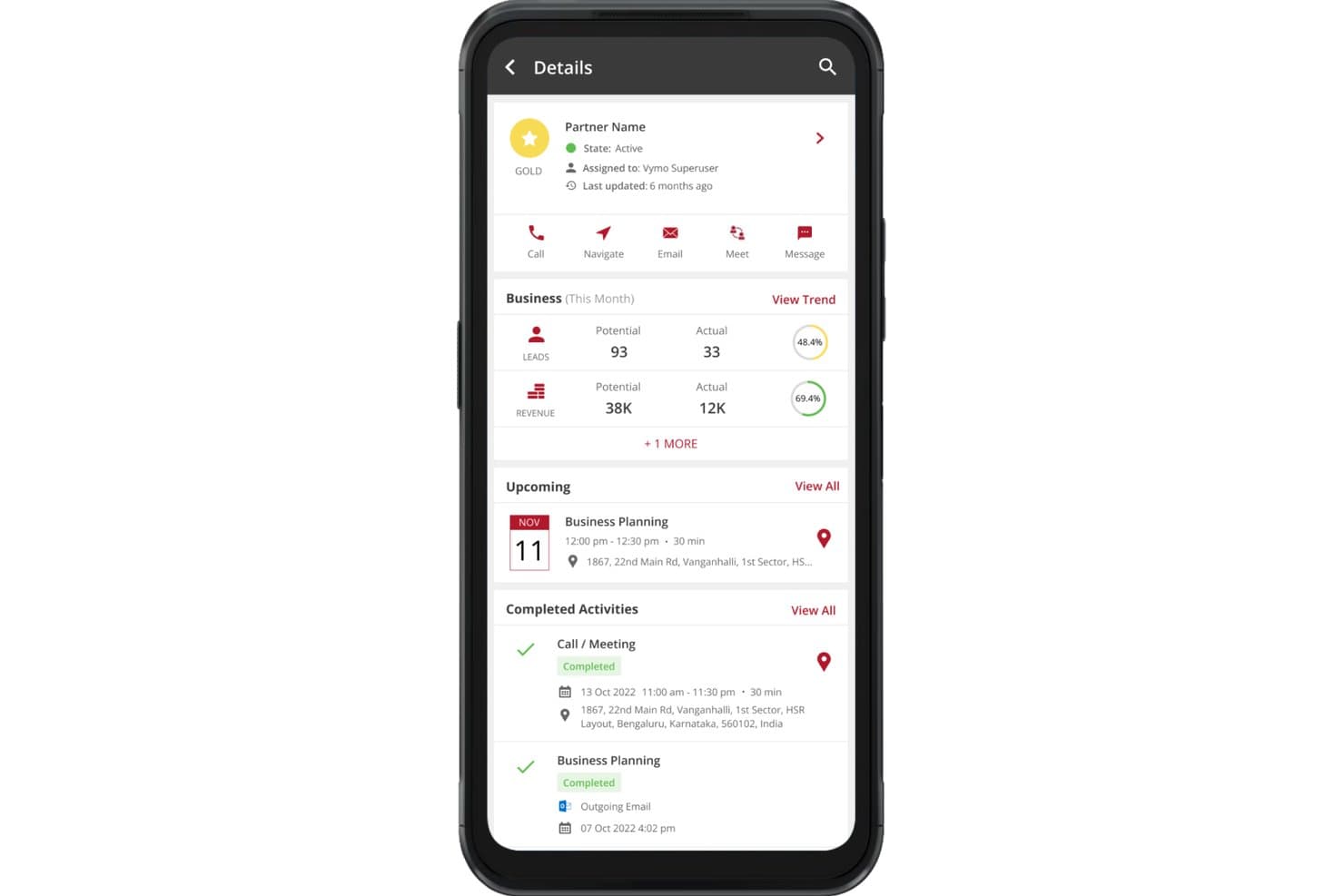
Vymo surfaces partner activity, leads, and revenue in one mobile view. Vymo is a mobile-first CRM built for banking and financial services field teams, combining passive activity capture, AI-driven next-best-action recommendations, lead management, pipeline tracking, and compliance workflows.
Who Is Vymo Best For?
Vymo is a strong fit for retail and commercial banking teams that rely heavily on field-based relationship managers to drive client acquisition and sales activity.
Why I Picked Vymo
I picked Vymo as one of the best because no other tool on this list handles field force management the way it does. Its passive activity capture automatically logs calls, meetings, and check-ins without relationship managers ever touching a form, which keeps CRM data accurate even across large distributed teams. I'm also impressed by its AI-driven next-best-action engine, which models top-performer behavior to coach every field RM in real time.
Vymo Key Features
- Account 360° view: Consolidates client data, engagement history, organizational hierarchies, and multi-branch RM mapping into a single client record.
- AI-powered lead allocation: Automatically assigns leads to relationship managers based on workload, skills, and past performance data.
- Compliance workflow tools: Built-in KYC workflows, AML monitoring, audit trails, and role-based access controls with PII masking.
- Debt collections module: Tracks, prioritizes, and manages collections activity directly within the platform.
Vymo Integrations
Vymo lists integrations with Salesforce, Microsoft Dynamics 365, Zoho CRM, Oracle CRM, SAP CRM, and Zendesk, plus generic CBS, LOS, and LMS connections. It offers an API for custom integrations; named FIS, Fiserv, Jack Henry, and Temenos connectors aren’t documented.
Pros and Cons
Pros:
- AI recommends next-best actions to sellers
- Passive activity capture improves CRM adoption
- Mobile-first design for field sales teams
Cons:
- Lacks relationship profitability analytics tools
- No native connectors for core banking platforms
Learn more about Vymo: Best for agentic automation
- Free demo available
- From $40/user/month (billed annually)
Visit WebsiteCustomer Rating:4.7/5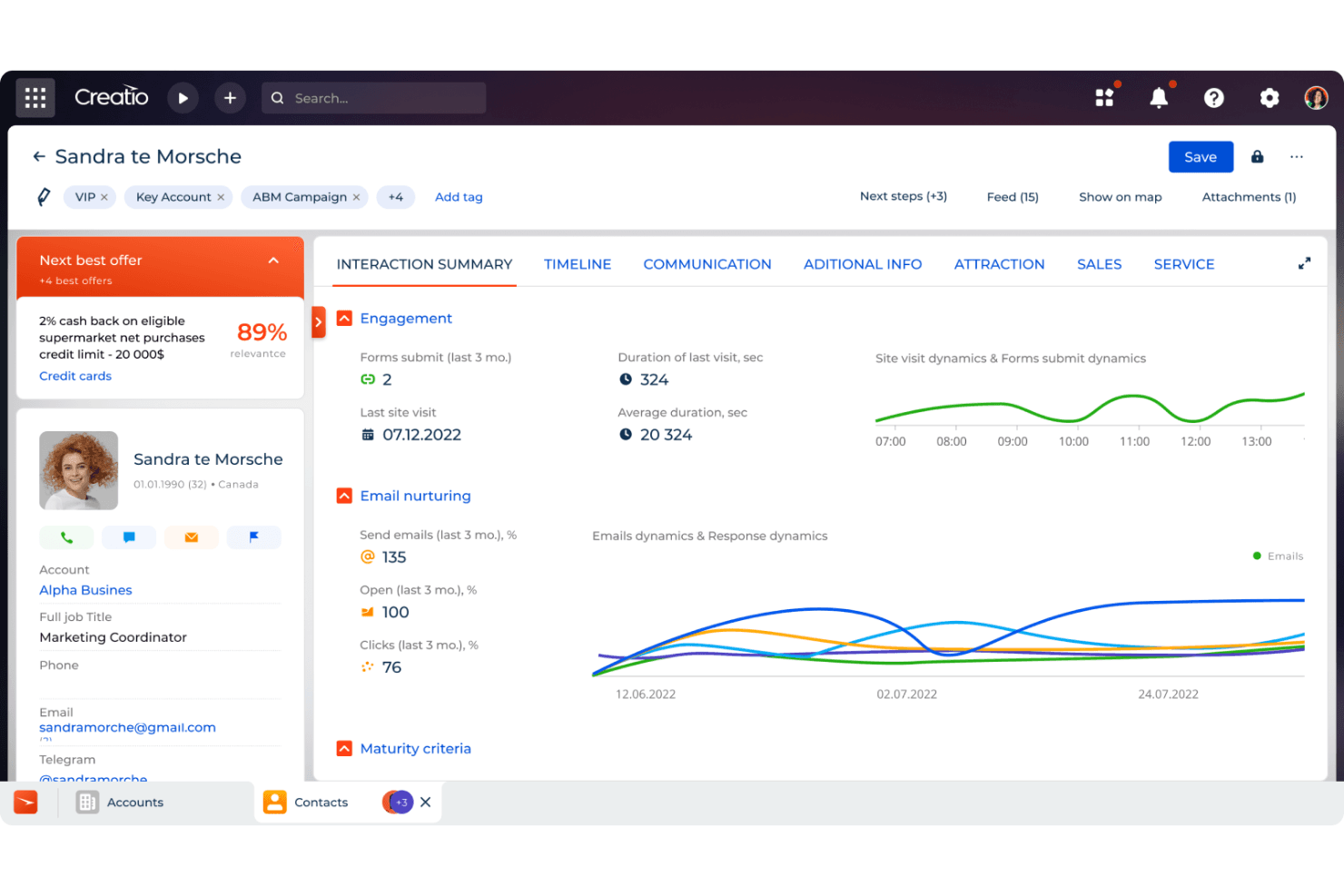
CRM Creatio's 360-degree customer dashboard provides a comprehensive view of customer interactions and history. Creatio CRM is a financial services CRM platform built around no-code workflow automation, AI-driven next-best-offer recommendations, multi-LOB pipeline management, and native KYC/AML compliance tooling for retail and commercial banking teams.
Who Is Creatio CRM Best For?
Creatio CRM is a strong fit for community and regional banks that want to automate complex, compliance-sensitive workflows without relying on developers to make changes.
Why I Picked Creatio CRM
Creatio CRM earns its spot on my shortlist because it's built around agentic AI in a way that banking CRMs rarely are. I'm particularly impressed by the Retention Agent, which autonomously detects churn risk and triggers personalized outreach before a relationship sours, and the Next Best Offers engine, which surfaces ML-driven product recommendations with sale probability scores directly in the banker's workflow. Non-technical teams can also configure and update these processes without touching code.
Creatio CRM Key Features
- Household and legal entity profiles: Unified financial records that capture account hierarchies, ownership structures, and member relationships across both retail and commercial banking customers.
- No-code BPM workflow engine: A drag-and-drop process builder that lets non-technical banking staff configure onboarding flows, loan origination stages, and compliance routing without developer support.
- Sales forecasts module: Pipeline-based revenue projections with plan-versus-actual tracking across sales associates, account segments, and industry verticals.
- ComplyTrack integration: A marketplace add-on that screens customers against OFAC, EU, UN, Dow Jones, and LexisNexis sanctions and PEP lists with configurable risk scoring and audit trails.
Creatio CRM Integrations
Creatio CRM offers marketplace integrations via Solutions Metrix for Jack Henry Symitar and Fiserv, plus ComplyTrack through Creatio Marketplace. Its OData REST APIs and webhooks support custom integrations; no native FIS connector is documented.
Pros and Cons
Pros:
- Referral program management is built for banks
- No-code BPM adapts to banking compliance changes
- Agentic AI drives proactive retention workflows
Cons:
- Reporting tools are less intuitive than peers
- Advanced AML features require a paid add-on
Learn more about Creatio CRM:
Annen CRM-programvare for bankvirksomhet
Her er noen flere alternativer for CRM-løsninger for bankvirksomhet som ikke kom med på kortlisten min, men som likevel er verdt å se nærmere på.
- 11Zoho CRMBest for personalized banking client relationships
- 12SugarAIBest for customizable solutions
- 13Microsoft Dynamics 365Best for enterprise resource planning
- 14monday CRMBest for custom automation
- 15Salesforce Financial Services CloudBest for financial service providers
- 16PipedriveBest for visual sales pipeline
- 17Copper CRMBest for Google Workspace integration
- 18Oracle NetSuite CRMBest for financial management integration
- 19BankPointBest for bank portfolio management
- 20360ViewBest for cross-LOB referral and cross-sell tracking
How I Evaluate Banking CRM Software
I split my evaluation into baseline criteria—like core banking integrations and compliance workflows—and differentiating factors that separate the best fits from the rest.
Core Functionality (Table Stakes For This List)
When I'm selecting tools for my list, I rank each one on a scale from 0 (does not offer the functionality) to 5 (excels in this area) for each core functionality listed below. Then, I calculate the tool's total score into a percentage. Each tool needs to achieve a minimum total score of 55% to be considered for inclusion.
- Unified Client Profiles: I check whether the CRM can link individual contacts to households, entities, and account hierarchies across retail, commercial, and wealth divisions.
- Banking-Specific Pipeline Management: Each tool should support pipelines tailored to banking products like loans, deposits, and treasury services—not just generic deal stages.
- Core Banking System Integrations: I look for prebuilt connectors to platforms like FIS, Fiserv, Jack Henry, or Temenos so relationship data flows without manual imports.
- Compliance & Regulatory Workflows: Built-in KYC/AML fields, audit trails, and role-based access matter here—especially for teams managing onboarding across multiple product lines.
- Revenue & Profitability Analytics: I evaluate whether the platform reports on relationship-level profitability and wallet share, not just standard win/loss metrics.
- Referral & Cross-Sell Workflows: The CRM should route referrals between lines of business with tracking and attribution, so a commercial banker can hand off a wealth prospect with full context.
Once I have a list of tools that meet the criteria, I consider what sets each platform apart.
Differentiating Factors (What Sets Vendors Apart)
Here's how I compare and contrast different vendors:
Standout Features
Relationship pricing tools are a real differentiator—I look for platforms that let bankers model loan rates and fee waivers against total relationship value before structuring a deal. AI-driven next-best-action prompts also matter, especially when they flag cross-sell opportunities based on a client's existing product mix. Call report automation is another feature I evaluate closely, since relationship managers who can log meeting notes via voice-to-text on mobile spend far less time on data entry between client visits.
Beyond Features
I pay close attention to regulatory and security posture—certifications like SOC 2 Type II and data residency options tell you a lot about whether a vendor is built for banking or just adapted to it. Implementation timelines matter too, since core banking integrations can stretch deployments by months if prebuilt data models and banking-specific accelerators aren't available. I also evaluate institution size fit, because a CRM designed for community banks with a handful of branches often falls short for a regional institution running multiple lines of business.
Slik velger du CRM-programvare for bankvirksomhet
Når du sammenligner CRM-programvare for bankvirksomhet, avhenger det riktige valget av behovene dine knyttet til kundedata, krav til samsvar, produkttilbud og eksisterende banksystemer.
| Hvis prioriteten din er … | Se etter … |
|---|---|
| Hvis prioriteten din er …Å bygge komplette kundeprofiler | Se etter …Samlede kunderegistre som dekker kontoer, interaksjoner, produkter og relasjonshistorikk |
| Hvis prioriteten din er …Å koble sammen eksisterende banksystemer | Se etter …Integrerte koblinger eller API-er for kjernebankløsninger, utlån, formuesforvaltning og betalingsplattformer |
| Hvis prioriteten din er …Å administrere regulatoriske prosesser | Se etter …KYC, AML, samtykkeregistrering, revisjonslogger og konfigurerbare arbeidsflyter for samsvar |
| Hvis prioriteten din er …Å øke mulighetene for kryssalg | Se etter …Produktanbefalinger, relasjonsinnsikt og verktøy for neste beste handling |
| Hvis prioriteten din er …Å administrere kundekommunikasjon | Se etter …E-post, telefon, SMS og sikker meldingsutveksling i kunderegistrene |
| Hvis prioriteten din er …Å støtte komplekse bankrelasjoner | Se etter …Kartlegging av relasjoner mellom husholdninger, virksomheter, begunstigede og nærstående parter |
Slik vurderer du kortlisten din
- Test konsolidering av kundedata: Be leverandørene demonstrere hvordan konto-, interaksjons-, produkt- og relasjonsdata vises i én kundeprofil.
- Kontroller tilkoblingen til kjernesystemet for bank: Be om en live-demonstrasjon ved hjelp av bankens kjernesystem eller et sammenlignbart testmiljø.
- Gå gjennom arbeidsflyter for etterlevelse: Test hvordan CRM-systemet håndterer KYC-gjennomganger, AML-varsler, samtykkeregistre og revisjonshistorikk.
- Vurder relasjonsinnsikt: Be leverandøren demonstrere produktanbefalinger, henvisningssporing og relasjonskartlegging ved hjelp av realistiske kundescenarioer.
- Kontroller tillatelser og datastyring: Bekreft at tilgangen kan begrenses etter filial, avdeling, rolle, kontotype eller kunderelasjon.
Hva er CRM-programvare for bankvirksomhet?
CRM-programvare for bankvirksomhet er en plattform for håndtering av kunderelasjoner, utviklet for banker og finansinstitusjoner. Den sentraliserer kundeprofiler, kontorelasjoner, kommunikasjonshistorikk, salgsmuligheter og serviceaktiviteter.
Disse plattformene gir bankteam en tydeligere oversikt over hver kunderelasjon. De kan også støtte kundeetablering, etterlevelsesprosesser, henvisninger, produktanbefalinger og løpende kundekommunikasjon.
Funksjoner i CRM-programvare for bankvirksomhet
Når du velger CRM-programvare for bankvirksomhet, bør du se etter følgende nøkkelfunksjoner:
- Samlede kundeprofiler: Kombinerer kontaktinformasjon, finansielle produkter, kommunikasjonshistorikk, kontorelasjoner og serviceaktivitet i én oppføring.
- Relasjonskartlegging: Kobler kunder til husholdninger, virksomheter, begunstigede, rådgivere, kontoer og andre relaterte parter.
- Tilkobling til banksystemer: Utveksler data med bankenes kjernesystemer, utlånssystemer, formuesplattformer, betalingssystemer og andre finansielle applikasjoner.
- KYC- og AML-arbeidsflyter: Støtter identitetsbekreftelse, innsamling av dokumenter, kundegjennomganger, risikovurderinger og prosesser knyttet til etterlevelse.
- Kundeetablering: Håndterer søknader, nødvendige dokumenter, godkjenninger, signaturer og oppgaver knyttet til kundeetablering fra første kontakt til aktivering av konto.
- Håndtering av salgspipeline: Sporer potensielle kunder, henvisninger, muligheter, produktsøknader og aktiviteter for utvikling av kunderelasjoner.
- Oppsalg og produktanbefalinger: Identifiserer relevante bankprodukter basert på eksisterende kontoer, kundeprofiler, aktivitet og relasjonsdata.
- Omnikanalkommunikasjon: Registrerer e-post, telefon, SMS, møter og andre interaksjoner i den tilhørende kundeprofilen.
- Oppgave- og arbeidsflytstyring: Tildeler oppfølginger, godkjenninger, gjennomganger og kundeserviceoppgaver basert på forhåndsdefinerte bankprosesser.
- Rapportering og oversikter: Sporer kundeaktivitet, henvisninger, resultater for salgspipeline, produktadopsjon, relasjonsverdi og medarbeideraktivitet.
Vanlige AI-funksjoner
I tillegg til standardfunksjoner i CRM-programvare for bankvirksomhet legger mange plattformer til AI-funksjoner som:
- Anbefalinger for neste beste handling: Analyserer kundeaktivitet, eksisterende produkter og relasjonsdata for å foreslå relevante oppfølgingshandlinger.
- Modeller for produktanbefalinger: Identifiserer bankprodukter som kan passe kundens økonomiske profil, eksisterende kontoer eller nylige aktivitet.
- Oppsummeringer av kundeinteraksjoner: Genererer korte sammendrag av e-poster, samtaler, møter og tidligere interaksjoner i kundeoppføringen.
- Poengberegning av potensielle kunder og muligheter: Evaluerer potensielle og eksisterende kunder basert på engasjement, atferd, kontodata og konverteringsmønstre.
- Analyse av kundesentiment: Går gjennom kommunikasjonsmønstre for å identifisere misnøye, endringer i engasjement eller mulige serviceutfordringer.
- Relasjonsinnsikt: Identifiserer forbindelser mellom kunder, kontoer, husholdninger, selskaper og andre tilknyttede økonomiske relasjoner.
Fordeler med CRM-programvare for bankvirksomhet
Implementering av CRM-programvare for bankvirksomhet kan gi flere fordeler for bankteam:
- Fullstendig kundeinnsikt: Sentraliserte oppføringer gir ansatte tilgang til kunderelasjoner, kommunikasjonshistorikk, preferanser og tidligere serviceaktivitet.
- Mer relevante produktanbefalinger: Relasjonsdata og kundeinnsikt kan avdekke passende muligheter for ytterligere bankprodukter.
- Enhetlig kundekommunikasjon: Delte interaksjonsoppføringer reduserer gjentatte spørsmål og gir ansatte kontekst før de kontakter kunder.
- Bedre sporing av samsvar: KYC-oppføringer, godkjenningshistorikk, samtykkedata og revisjonsspor gir tydeligere dokumentasjon ved regulatoriske gjennomganger.
- Raskere kundeetablering: Arbeidsflytverktøy koordinerer innsamling av dokumenter, identitetskontroller, godkjenninger og aktiviteter knyttet til kontoåpning.
- Bedre relasjonsstyring: Kartlegging av husholdninger og relasjoner gir teamene bedre oversikt over komplekse personlige og kommersielle bankrelasjoner.
- Bedre salgsinnsikt: Pipeline-dashbord viser henvisninger, muligheter, søknader og produktaktivitet på tvers av team og filialer.
Kostnader og priser for CRM-programvare for banker
Prisene på CRM-programvare for banker varierer betydelig fordi implementeringsomfang, kundeoppføringer, sikkerhetskrav, tilpasninger og tilkoblinger til banksystemer påvirker totalkostnaden.
Sammenligningstabell for abonnementer på CRM-programvare for banker
| Abonnementstype | Gjennomsnittspris | Vanlige funksjoner |
|---|---|---|
| AbonnementstypeGratisabonnement | Gjennomsnittspris$0/user/ month | Vanlige funksjonerGrunnleggende kontaktstyring, begrenset lagring, e-postintegrasjon og grunnleggende rapportering. |
| AbonnementstypePersonlig abonnement | Gjennomsnittspris$10-$20/ user/month | Vanlige funksjonerAvansert kontaktstyring, tilpassede dashbord, e-postsporing og grunnleggende automatisering. |
| AbonnementstypeForretningsabonnement | Gjennomsnittspris$30-$60/ user/month | Vanlige funksjonerArbeidsflytautomatisering, avansert analyse, integrasjoner med tredjeparter og utvidet kundestøtte. |
| AbonnementstypeForetaksabonnement | Gjennomsnittspris$100-$300/ user/month | Vanlige funksjonerTilpassbare løsninger, dedikert kundeansvarlig, avanserte sikkerhetsfunksjoner og omfattende analyse. |
Vanlige spørsmål om CRM-programvare for banker
Her er noen svar på vanlige spørsmål om CRM-programvare for banker:
Hvor sikker er CRM-programvare for banker ved lagring av sensitive kundedata?
CRM-programvare for banker inkluderer vanligvis kryptering, rollebaserte tilgangskontroller, revisjonslogger, flerfaktorautentisering og sikkerhetsovervåking. Kjøpere bør også vurdere relevante sertifiseringer, alternativer for datalagring i bestemte jurisdiksjoner og leverandørens sikkerhetspolicyer før de velger en plattform.
Støtter CRM-programvare for banker KYC, AML og andre arbeidsflyter for samsvar?
Mange CRM-plattformer for banker støtter KYC, AML, identitetsbekreftelse, innsamling av dokumenter, godkjenningsarbeidsflyter og revisjonsspor. Omfanget av disse funksjonene varierer, så kjøpere bør bekrefte hvilke samsvarsprosesser som er innebygd, og hvilke som krever ekstra verktøy.
Kan CRM-programvare for banker håndtere komplekse kunde- og husholdningsrelasjoner?
Ja. Mange plattformer kan knytte sammen personer, husholdninger, selskaper, begunstigede, rådgivere og tilknyttede kontoer. Relasjonskartlegging gir et tydeligere bilde av hvordan kunder og finansielle relasjoner henger sammen.
Hvor tilpasningsdyktig er CRM-programvare for banker til ulike bankprosesser?
Tilpasninger kan omfatte felt, arbeidsflyter, godkjenningstrinn, dashbord, pipeliner, tillatelser og rapportering. Banker med komplekse prosesser bør se etter konfigurerbare verktøy som ikke krever omfattende utvikling for rutinemessige endringer.
Kan CRM-programvare for banker støtte kryssalg og produktanbefalinger?
Ja. Enkelte plattformer analyserer kundeprofiler, eksisterende produkter, transaksjonsaktivitet og relasjonshistorikk for å identifisere relevante kryssalgsmuligheter. Mer avanserte systemer kan bruke kunstig intelligens til å foreslå neste beste handling eller passende finansielle produkter.
Hvor godt skalerer CRM-programvare for banker på tvers av flere filialer og team?
Mange CRM-plattformer for banker støtter flere filialer, avdelinger, roller og store kundedatabaser. Kjøpere bør vurdere tilgangskontroller, rapportering på tvers av lokasjoner, konsistens i arbeidsflyter og systemytelse når bruker- og datamengdene øker.