

Recensione Sage CRM: Pro, Contro, Funzionalità e Prezzi
Sage CRM offre un'interfaccia intuitiva e solide capacità di integrazione, risultando una scelta valida per i team che cercano soluzioni CRM efficienti.

Recensiamo gli strumenti in modo indipendente e le commissioni aiutano a finanziare i nostri test. Consulta la nostra politica sulla trasparenza, la nostra metodologia o suggerisci uno strumento.
Sage CRM is a CRM enterprise software built for small to mid-sized businesses that need to manage sales pipelines, marketing campaigns, and customer service in one place. It's worth considering if your team already runs on Sage accounting or ERP products, since the native integration keeps your financial and customer data connected without custom development work. I'd choose it over Salesforce when you want something your team can configure and manage without a dedicated admin or a months-long implementation.
Sage CRM Evaluation Summary
3.6/5
- From $45/user/month
- Free trial available
Perché fidarsi dei nostri consigli sui software
6,700+
Reviews
20
Industry experts
16+
Evaluation factors
14
Years
Le nostre recensioni riflettono il nostro giudizio indipendente, non un discorso di vendita. Scopri come manteniamo la trasparenza.
Per questa guida, abbiamo valutato gli strumenti attraverso test pratici e ricerche indipendenti, assegnando un punteggio agli strumenti in base ai nostri criteri di selezione.
Le nostre recensioni riflettono il nostro giudizio editoriale umano, non un discorso di vendita.
Sage CRM Overview
In my opinion, Sage CRM offers a solid set of features suitable for enterprises seeking a reliable CRM platform. It excels in ease of use and offers good value for money, making it a favorable choice for businesses prioritizing affordability and functionality. While its core and standout features are commendable, some users might find onboarding slightly challenging due to limited initial guidance.
The customer support is generally responsive, but not exceptional. Sage CRM is best for medium-sized enterprises wanting a balanced CRM tool without the need for extensive customization. However, if your team requires highly tailored solutions or advanced technical support, you might want to explore other alternatives.
Pros
- It offers a user-friendly interface that helps your team navigate easily.
- It provides strong reporting tools that enhance your data analysis capabilities.
- It supports sales automation, which improves your team's productivity.
Cons
- Customization options are limited, which might not meet specific business needs.
- It lacks advanced features that some larger enterprises might require.
- The learning curve for new users can be steep, affecting onboarding efficiency.
Is Sage CRM Right For Your Needs?
Who Would be a Good Fit for Sage CRM?
Sage CRM is ideal for small to medium-sized businesses looking for a user-friendly CRM with strong reporting tools. If your team values sales automation to boost productivity, you'll find Sage CRM quite effective. It's particularly useful for companies that need straightforward navigation without complex customization. Its capabilities in sales and data analysis make it a solid choice for businesses in retail, services, or any industry where customer relationships drive success.
- Small BusinessesSage CRM's ease of use and sales automation are perfect for small teams and mid-sized businesses needing efficient customer management.
- Retail IndustryIts strong reporting tools help your retail business analyze sales data for improved decision-making.
- Service ProvidersService teams benefit from Sage CRM's ability to manage client interactions and automate follow-ups.
- Sales TeamsSales departments will find the sales automation features enhance productivity and track performance.
- Marketing DepartmentsMarketing teams can leverage its reporting capabilities to analyze campaign effectiveness and customer engagement.
- Healthcare ProvidersHealthcare organizations can use Sage CRM to manage patient relationships and streamline appointment scheduling.
Who Would be a Bad Fit for Sage CRM?
Sage CRM may not suit large enterprises needing advanced features and extensive customization. If your team requires complex integrations or highly tailored workflows, you might find its capabilities lacking. Industries like tech or finance, where detailed data management and customization are crucial, may struggle with its limitations. The learning curve could also hinder teams needing quick onboarding without extensive training.
- Large EnterprisesYou'll find Sage CRM lacks the advanced features and customization large enterprises often require.
- Tech IndustryTech companies needing complex integrations and detailed data management may find Sage CRM insufficient.
- Finance SectorThe finance industry might struggle with Sage CRM's limited customization and advanced reporting capabilities.
- Custom WorkflowsIf your work relies on highly tailored workflows, Sage CRM's customization options may not meet your needs.
- Rapid ScalingFast-growing businesses seeking quick scalability and advanced features might find Sage CRM limiting.
- Complex IntegrationsOrganizations needing intricate integrations with other systems may find Sage CRM's capabilities fall short.
Come Testiamo e Valutiamo gli Strumenti
Abbiamo trascorso anni a costruire, perfezionare e migliorare il nostro sistema di valutazione e test dei software. Il nostro metodo è pensato per cogliere le sfumature della selezione software e ciò che rende uno strumento efficace, concentrandosi sugli aspetti critici del processo decisionale. Qui sotto puoi vedere esattamente come funzionano i nostri test e la valutazione sui sette criteri. Ci permette di fornire una valutazione imparziale del software in base alla funzionalità principale, alle caratteristiche distintive, facilità d’uso, onboarding, assistenza clienti, integrazioni, recensioni degli utenti e rapporto qualità-prezzo.
Funzionalità Principali (25% del punteggio finale)
Il punto di partenza per la nostra valutazione è sempre la funzionalità di base dello strumento. Possiede le caratteristiche e le funzioni che un utente si aspetterebbe di trovare? Alcune di queste funzioni di base sono limitate ai piani tariffari più costosi? Per noi uno strumento deve almeno essere alla pari con le capacità minime offerte dai concorrenti.
Caratteristiche Distintive (25% del punteggio finale)
Successivamente, valutiamo le funzionalità insolite o esclusive che vanno oltre le funzioni core normalmente presenti in strumenti simili. Un punteggio elevato riflette una presenza di caratteristiche particolari o uniche che rendono il prodotto più veloce, efficace o danno un valore aggiunto all’utente. Valutiamo anche la facilità di integrazione con altri strumenti tipici del tech stack per espanderne funzionalità e utilità. Gli strumenti che offrono numerose integrazioni native, connessioni di terze parti e accesso API per costruire integrazioni personalizzate ottengono i punteggi migliori.
Facilità d’Uso (10% del punteggio finale)
Consideriamo quanto sia rapido e intuitivo svolgere le attività fondamentali tramite lo strumento. I software con i punteggi più alti hanno un design ben pensato, sono intuitivi, offrono app mobili, forniscono modelli predefiniti e semplificano anche le attività più complesse.
Onboarding (10% del punteggio finale)
Sappiamo quanto sia importante che un nuovo strumento venga rapidamente adottato dal team, quindi valutiamo la facilità di apprendimento con un minimo di formazione. Valutiamo quanto velocemente un membro del team può iniziare a usare lo strumento senza esperienza. Le soluzioni con i punteggi più alti richiedono poco o nessun supporto iniziale.
Assistenza Clienti (10% del punteggio finale)
Analizziamo quanto sia facile e veloce risolvere problemi e ricevere assistenza tramite telefono, chat dal vivo o knowledge base. Gli strumenti e le aziende che offrono supporto in tempo reale ottengono i punteggi migliori, mentre i chatbot ottengono i peggiori.
Recensioni dei Clienti (10% del punteggio finale)
Oltre ai nostri test, consideriamo il net promoter score da clienti attuali e passati. Valutiamo la probabilità che gli utenti sceglierebbero nuovamente lo strumento per le funzionalità principali. Un punteggio elevato riflette un alto net promoter score da parte dei clienti.
Rapporto Qualità-Prezzo (10% del punteggio finale)
Infine, considerando tutti gli altri criteri, esaminiamo il prezzo medio dei piani base rispetto alle funzionalità principali e agli altri fattori valutativi. I software che offrono di più a un costo inferiore ottengono un punteggio più alto.
Core Features
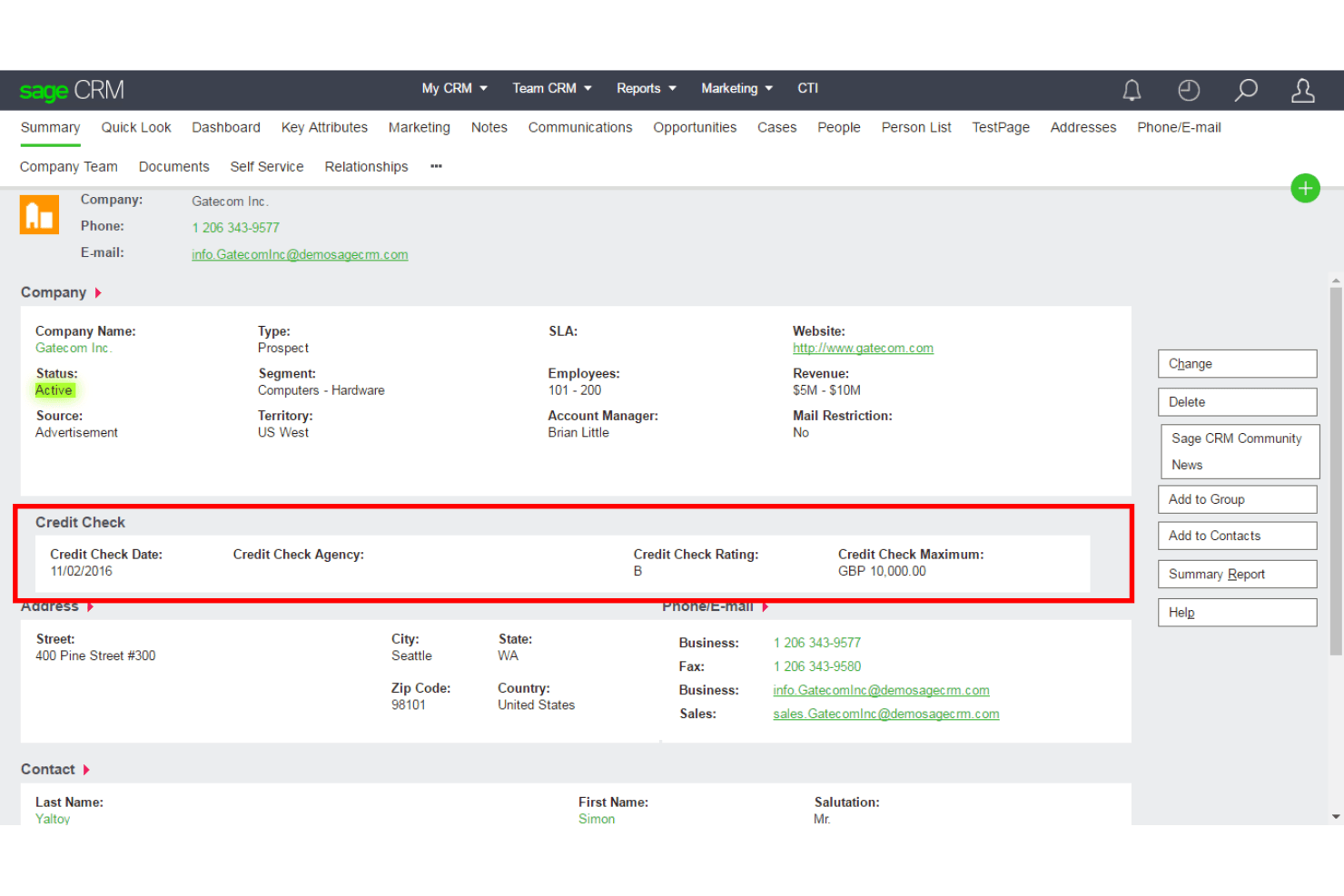
Contact Management: Easily manage your customer information in one place. This feature helps your team keep track of interactions and enhances account management workflows.
Sales Automation: Automate routine sales tasks to save time and increase efficiency. Your team can focus more on closing deals rather than administrative work.
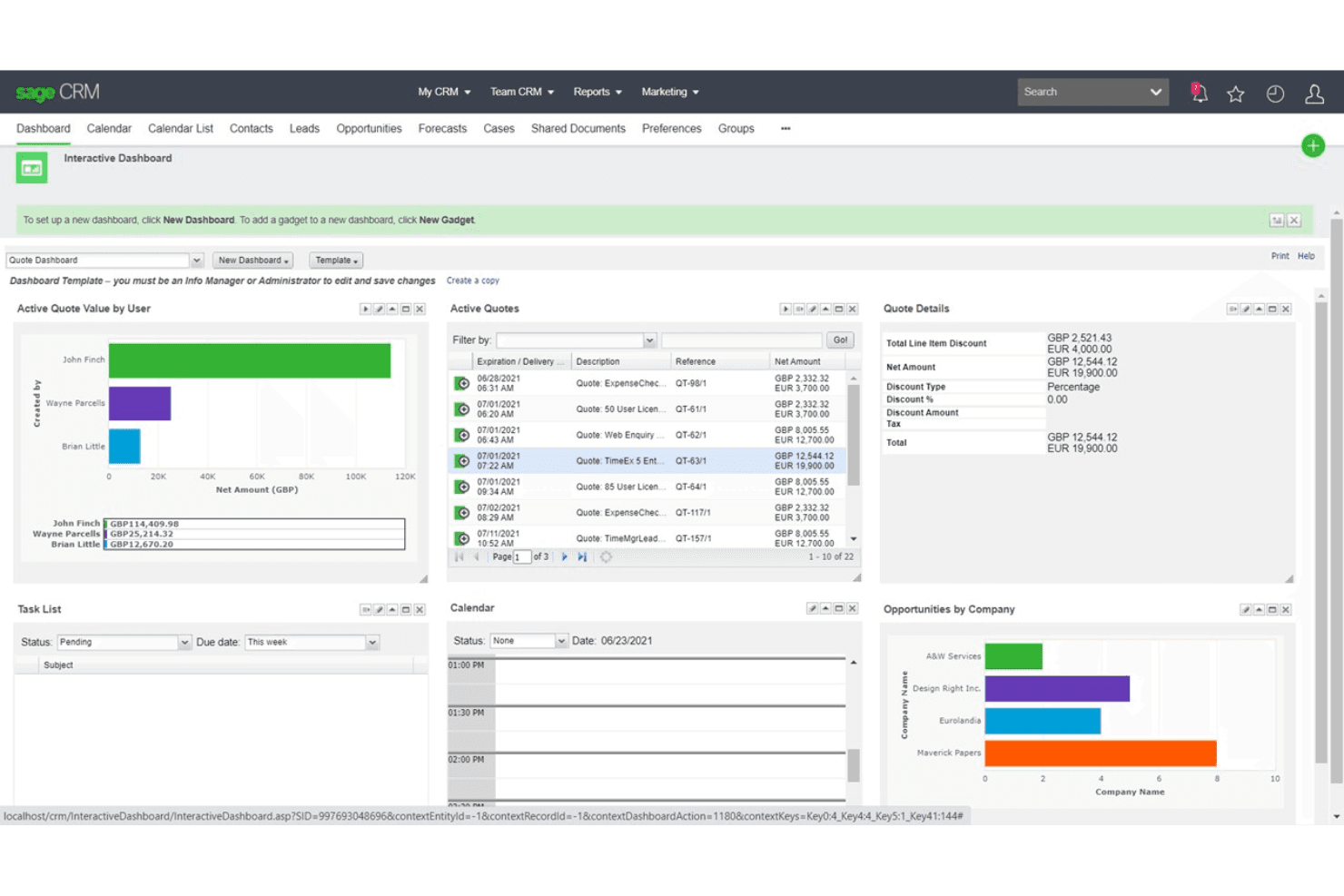
Reporting Tools: Generate detailed reports and monitor performance through a centralized dashboard to make informed decisions. This feature provides insights into sales trends and team productivity.
Customer Support Management: Track and manage customer issues to improve service. It ensures your team can quickly resolve problems and enhance customer satisfaction.
Lead Management: Capture and manage leads with real-time visibility to boost sales opportunities. Your team can prioritize and nurture leads throughout the sales cycle.
Task Management: Organize and track tasks to stay on top of your work. This feature helps your team manage deadlines and deliverables efficiently.
Ease of Use
Sage CRM is generally user-friendly, making it accessible for your team without extensive training. Its interface is straightforward, allowing you to navigate easily and manage tasks efficiently. While some users find the learning curve steep initially, the intuitive design helps you quickly adapt. Compared to other CRM systems like Salesforce CRM, Sage CRM simplifies daily operations with its clean layout and logical organization. This usability ensures your team can focus on building customer relationships without being bogged down by complex systems.
Integrations
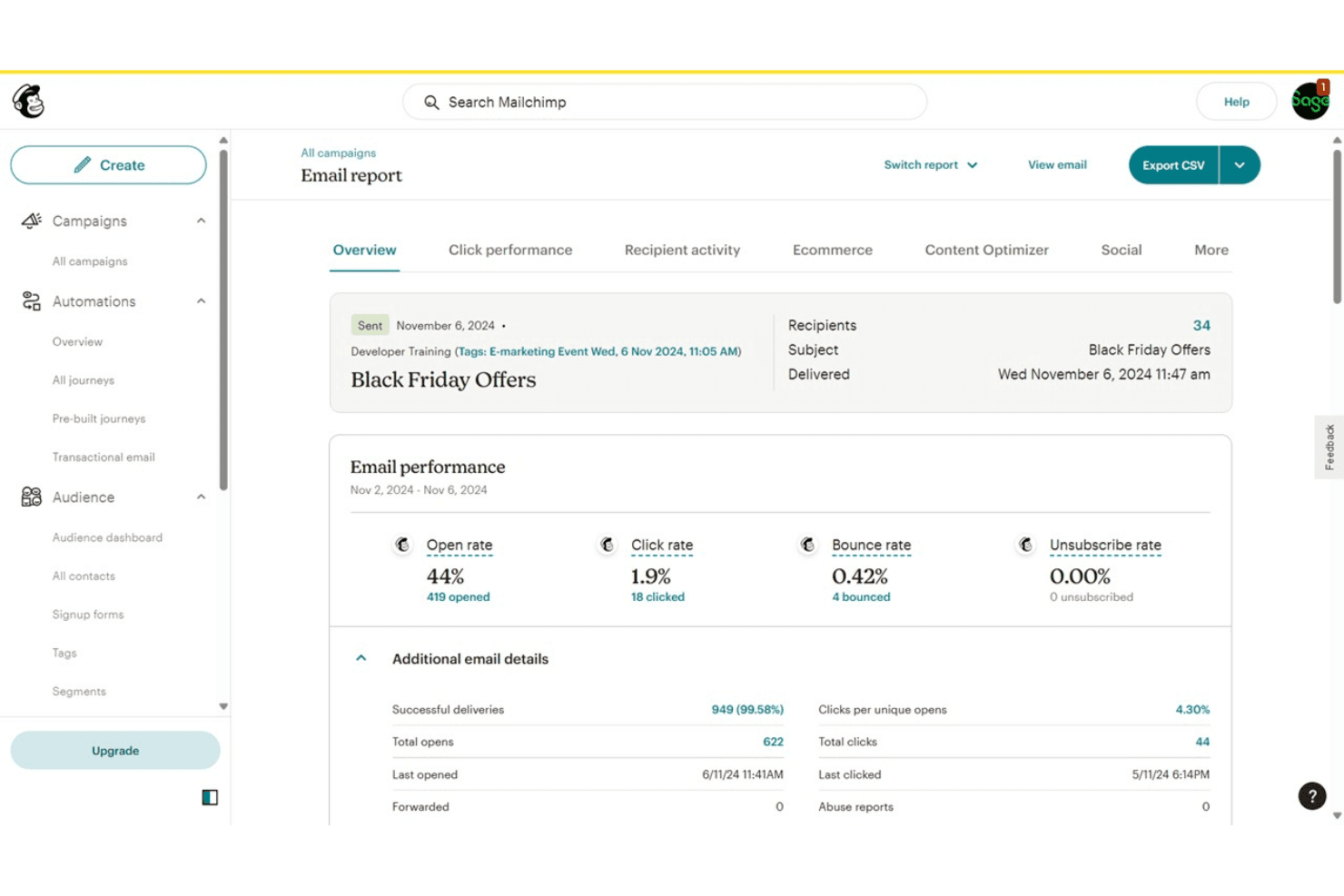
Sage CRM integrates with Microsoft Outlook, MailChimp, Sage 50cloud, Sage 200cloud, Sage 300cloud, Sage X3, Sage 100cloud, Microsoft Office, QuickBooks, and HubSpot. Sage CRM also offers a RESTful API for custom integrations and connects with third-party integration tools.
Sage CRM Specs
- 2-Factor Authentication: Yes
- API: Yes
- Calendar Management: Yes
- Call Tracking: Yes
- Campaign Management: Yes
- Click-to-Dial: Yes
- Contact Management: Yes
- Contact Sharing: Yes
- Custom Data Forms: Yes
- Customer Management: Yes
- Dashboard: Yes
- Data Export: Yes
- Data Import: Yes
- Data Visualization: Yes
- Email Integration: Yes
- External Integrations: Yes
- File Sharing: Yes
- File Transfer: Yes
- Google Apps Integration: Yes
- Lead Management: Yes
- Lead Scoring: Yes
- Marketing Automation: Yes
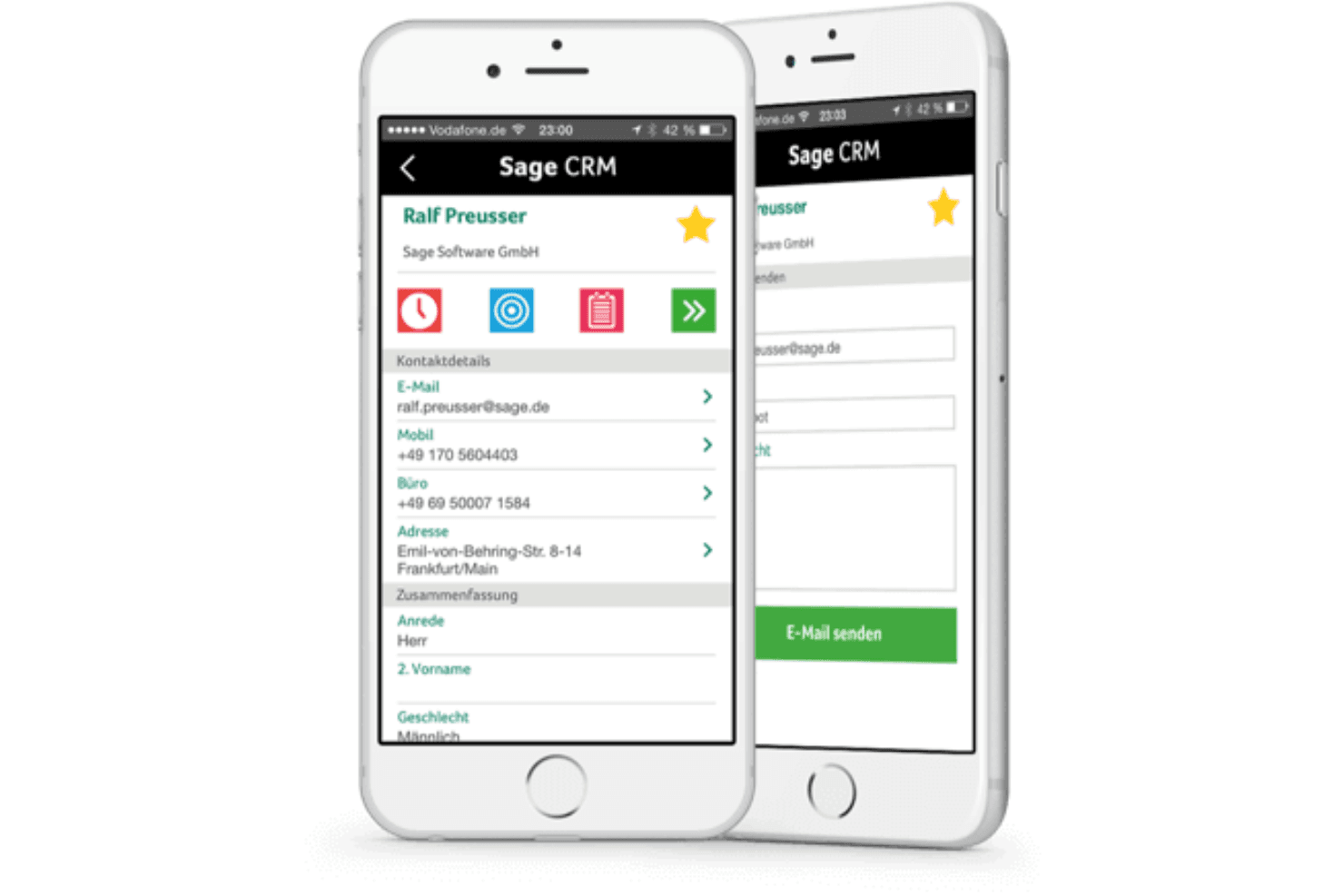
- Mobile App: Yes
- Multi-User: Yes
- Notifications: Yes
- Pipeline Management: Yes
- Sales Automation: Yes
- Scheduling: Yes
- Social-Media Integration: Yes
- Task Scheduling/Tracking: Yes
- Third-Party Plugins/Add-Ons: Yes


