
Recensione di OptinMonster: Pro, Contro, Caratteristiche e Prezzi
Nella mia carriera, ho utilizzato molti strumenti per la generazione di lead, incluso OptinMonster. In questa recensione, analizzerò le funzionalità della piattaforma, i suoi punti di forza e le sue limitazioni, così potrai decidere se si adatta alla tua strategia di acquisizione lead.

Recensiamo gli strumenti in modo indipendente e le commissioni aiutano a finanziare i nostri test. Consulta la nostra politica sulla trasparenza, la nostra metodologia o suggerisci uno strumento.
OptinMonster is a B2B lead generation software built around on-site conversion tools—exit-intent popups, slide-ins, and embedded forms with behavioral targeting rules. I'd consider it if you want to capture leads from your existing web traffic without building out separate campaign pages. If you've looked at Unbounce, that's the stronger fit for dedicated landing page campaigns, but OptinMonster is the better call when your goal is converting visitors who are already on your site.
OptinMonster Evaluation Summary
0/5
- From $7/month (billed annually)
- Free demo + 14-day money-back guarantee available
Perché fidarsi dei nostri consigli sui software
6,700+
Reviews
20
Industry experts
16+
Evaluation factors
14
Years
Le nostre recensioni riflettono il nostro giudizio indipendente, non un discorso di vendita. Scopri come manteniamo la trasparenza.
Per questa guida, abbiamo valutato gli strumenti attraverso test pratici e ricerche indipendenti, assegnando un punteggio agli strumenti in base ai nostri criteri di selezione.
Le nostre recensioni riflettono il nostro giudizio editoriale umano, non un discorso di vendita.
OptinMonster Overview
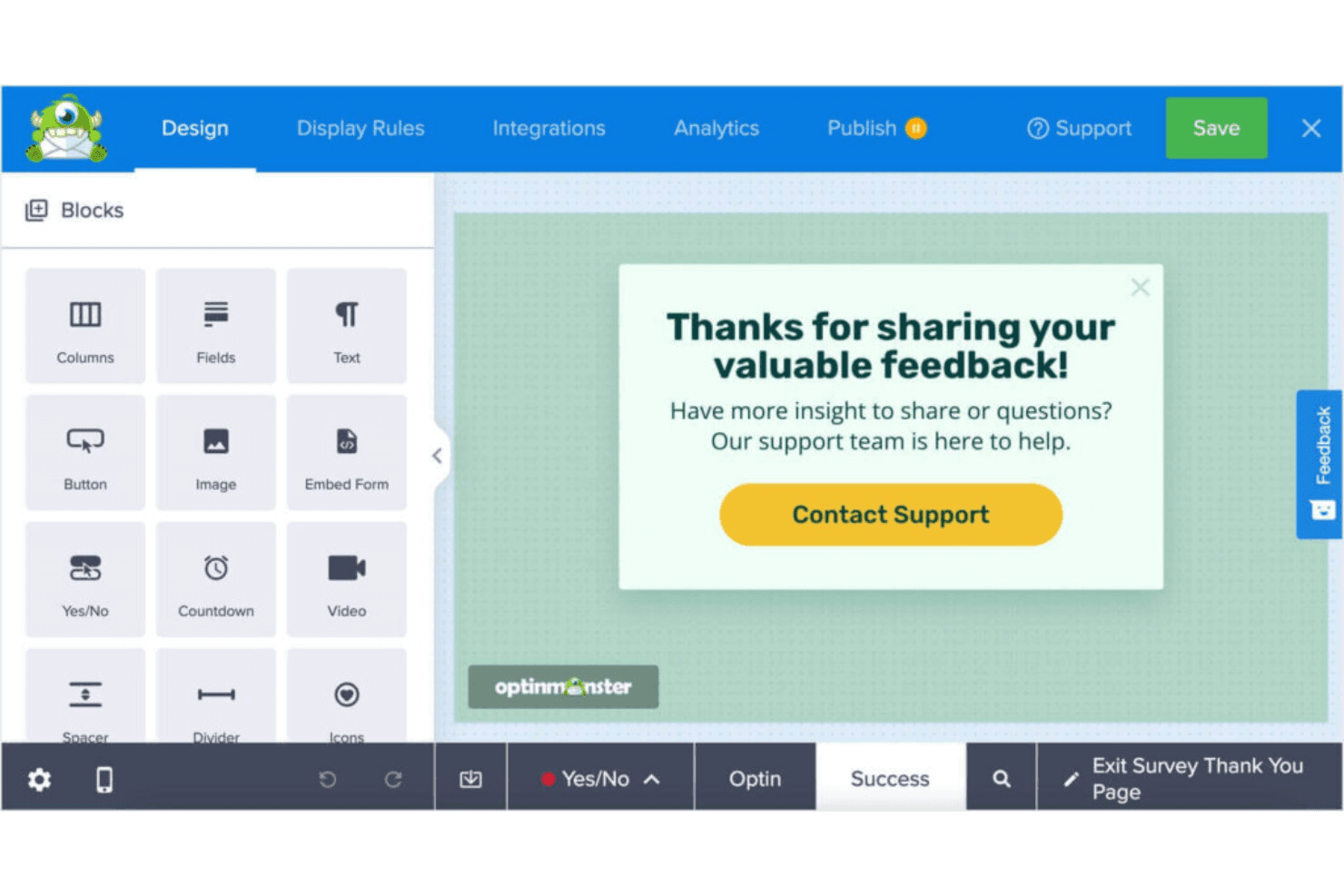
What makes OptinMonster valuable isn’t just ease of use—it’s the ability to create highly targeted, behavior-driven campaigns without needing a developer. From exit-intent popups to advanced A/B testing and analytics, it gives teams the tools to optimize every stage of the lead capture process and continuously improve conversion performance.
Pros
- You can easily create eye-catching pop-ups with its intuitive drag-and-drop builder.
- It offers advanced targeting rules to reach the right audience at the right time.
- You get access to detailed analytics to track and optimize your campaigns.
Cons
- No native email functionality—it only capture leads.
- You might find the customization options limited compared to some competitors.
- Key e-commerce integrations are limited to higher-tier plans.
Is OptinMonster Right For Your Needs?
Who Would be a Good Fit for OptinMonster?
OptinMonster is ideal for small businesses, e-commerce sites, and marketing teams that want to enhance their lead generation efforts. If you’re running an online store or work in a digital marketing agency, OptinMonster’s advanced targeting and analytics tools can boost your conversion rates. It’s also well-suited for content creators who need to grow their email lists quickly, thanks to its user-friendly pop-up builder and customizable templates.
- E-commerce SitesOptinMonster’s exit-intent pop-ups help you recover abandoned carts and increase sales.
- Digital AgenciesYour team can leverage its targeting features to drive more qualified leads for clients.
- Content CreatorsGrow your email list with OptinMonster’s effective sign-up forms and templates.
- Small BusinessesUse its easy-to-use builder to create pop-ups without needing a developer.
- Marketing TeamsGain insights with its analytics to fine-tune your campaigns and maximize impact.
- Online RetailersBoost your promotions by capturing leads with OptinMonster’s targeted campaigns.
Who Would be a Bad Fit for OptinMonster?
OptinMonster may not be the best fit for large enterprises with complex CRM needs or businesses seeking extensive customization options. If your team requires highly tailored solutions or advanced integrations with custom-built systems, OptinMonster’s capabilities might fall short. Additionally, companies with limited lead gen expertise might struggle with the initial setup and learning curve, making it less ideal for those without dedicated marketing resources.
- Large EnterprisesOptinMonster lacks the deep customization and complex integrations large companies might need.
- Tech-Savvy TeamsYour team might find OptinMonster’s customization options limited compared to other platforms.
- Custom CRM UsersIf you’re using a unique CRM, OptinMonster’s integration capabilities might not meet your needs.
- Non-Marketing DepartmentsTeams without marketing expertise might find the setup and learning curve challenging.
- Highly Regulated IndustriesIndustries with strict compliance needs might require more robust data handling features.
- Advanced Analytics NeedsOptinMonster’s analytics might not suffice if you need in-depth, custom reporting capabilities.
Come Testiamo e Valutiamo gli Strumenti
Abbiamo trascorso anni a costruire, perfezionare e migliorare il nostro sistema di valutazione e test dei software. Il nostro metodo è pensato per cogliere le sfumature della selezione software e ciò che rende uno strumento efficace, concentrandosi sugli aspetti critici del processo decisionale. Qui sotto puoi vedere esattamente come funzionano i nostri test e la valutazione sui sette criteri. Ci permette di fornire una valutazione imparziale del software in base alla funzionalità principale, alle caratteristiche distintive, facilità d’uso, onboarding, assistenza clienti, integrazioni, recensioni degli utenti e rapporto qualità-prezzo.
Funzionalità Principali (25% del punteggio finale)
Il punto di partenza per la nostra valutazione è sempre la funzionalità di base dello strumento. Possiede le caratteristiche e le funzioni che un utente si aspetterebbe di trovare? Alcune di queste funzioni di base sono limitate ai piani tariffari più costosi? Per noi uno strumento deve almeno essere alla pari con le capacità minime offerte dai concorrenti.
Caratteristiche Distintive (25% del punteggio finale)
Successivamente, valutiamo le funzionalità insolite o esclusive che vanno oltre le funzioni core normalmente presenti in strumenti simili. Un punteggio elevato riflette una presenza di caratteristiche particolari o uniche che rendono il prodotto più veloce, efficace o danno un valore aggiunto all’utente. Valutiamo anche la facilità di integrazione con altri strumenti tipici del tech stack per espanderne funzionalità e utilità. Gli strumenti che offrono numerose integrazioni native, connessioni di terze parti e accesso API per costruire integrazioni personalizzate ottengono i punteggi migliori.
Facilità d’Uso (10% del punteggio finale)
Consideriamo quanto sia rapido e intuitivo svolgere le attività fondamentali tramite lo strumento. I software con i punteggi più alti hanno un design ben pensato, sono intuitivi, offrono app mobili, forniscono modelli predefiniti e semplificano anche le attività più complesse.
Onboarding (10% del punteggio finale)
Sappiamo quanto sia importante che un nuovo strumento venga rapidamente adottato dal team, quindi valutiamo la facilità di apprendimento con un minimo di formazione. Valutiamo quanto velocemente un membro del team può iniziare a usare lo strumento senza esperienza. Le soluzioni con i punteggi più alti richiedono poco o nessun supporto iniziale.
Assistenza Clienti (10% del punteggio finale)
Analizziamo quanto sia facile e veloce risolvere problemi e ricevere assistenza tramite telefono, chat dal vivo o knowledge base. Gli strumenti e le aziende che offrono supporto in tempo reale ottengono i punteggi migliori, mentre i chatbot ottengono i peggiori.
Recensioni dei Clienti (10% del punteggio finale)
Oltre ai nostri test, consideriamo il net promoter score da clienti attuali e passati. Valutiamo la probabilità che gli utenti sceglierebbero nuovamente lo strumento per le funzionalità principali. Un punteggio elevato riflette un alto net promoter score da parte dei clienti.
Rapporto Qualità-Prezzo (10% del punteggio finale)
Infine, considerando tutti gli altri criteri, esaminiamo il prezzo medio dei piani base rispetto alle funzionalità principali e agli altri fattori valutativi. I software che offrono di più a un costo inferiore ottengono un punteggio più alto.
Core Features
Drag-and-Drop Builder
Create custom pop-ups with ease using OptinMonster's intuitive builder. It lets you design without coding, making it accessible for everyone on your team.
Exit-Intent Technology
Capture leaving visitors by triggering pop-ups as they navigate away. This feature helps you recover potential lost leads and boost conversions.
Targeting Rules
Reach the right audience with advanced targeting options like page-level targeting. Tailor your campaigns to specific visitor behaviors and preferences.
A/B Testing
Optimize your campaigns by testing different pop-up variations. You can see what works best and make data-driven decisions to improve results.
Analytics Dashboard
Gain insights into your campaigns with OptinMonster's analytics. Track performance metrics and make informed adjustments to enhance your strategies.
Mobile-Friendly Pop-Ups
Ensure your pop-ups look great on any device. OptinMonster's responsive design helps you engage users on mobile without compromising experience.
Customizable CTAs
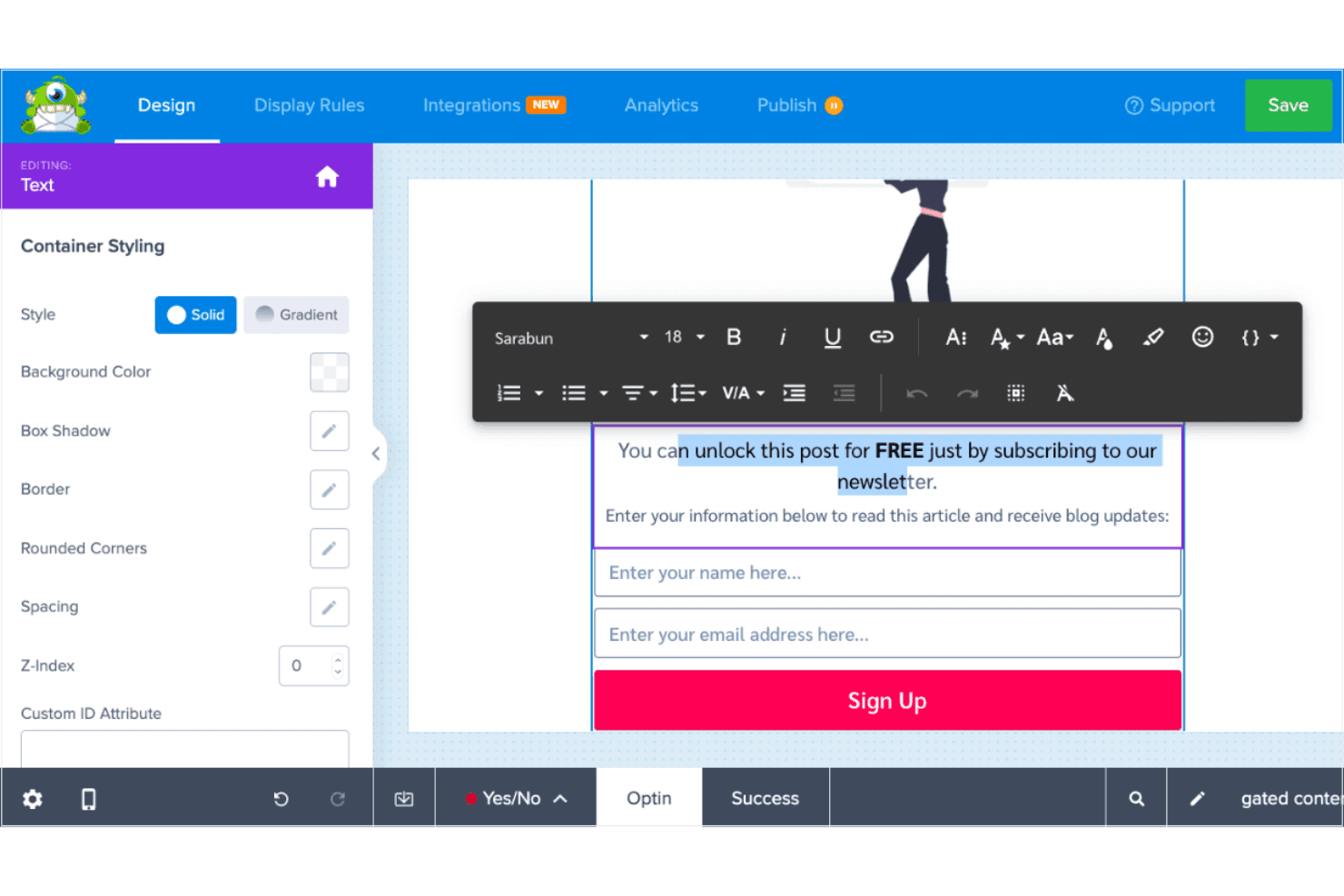
You can create tailored calls-to-action that resonate with their audience, increasing the likelihood of conversion.
Email Integration
Easy sync with email marketing services means you can grow your lists and segment subscribers.
Ease of Use
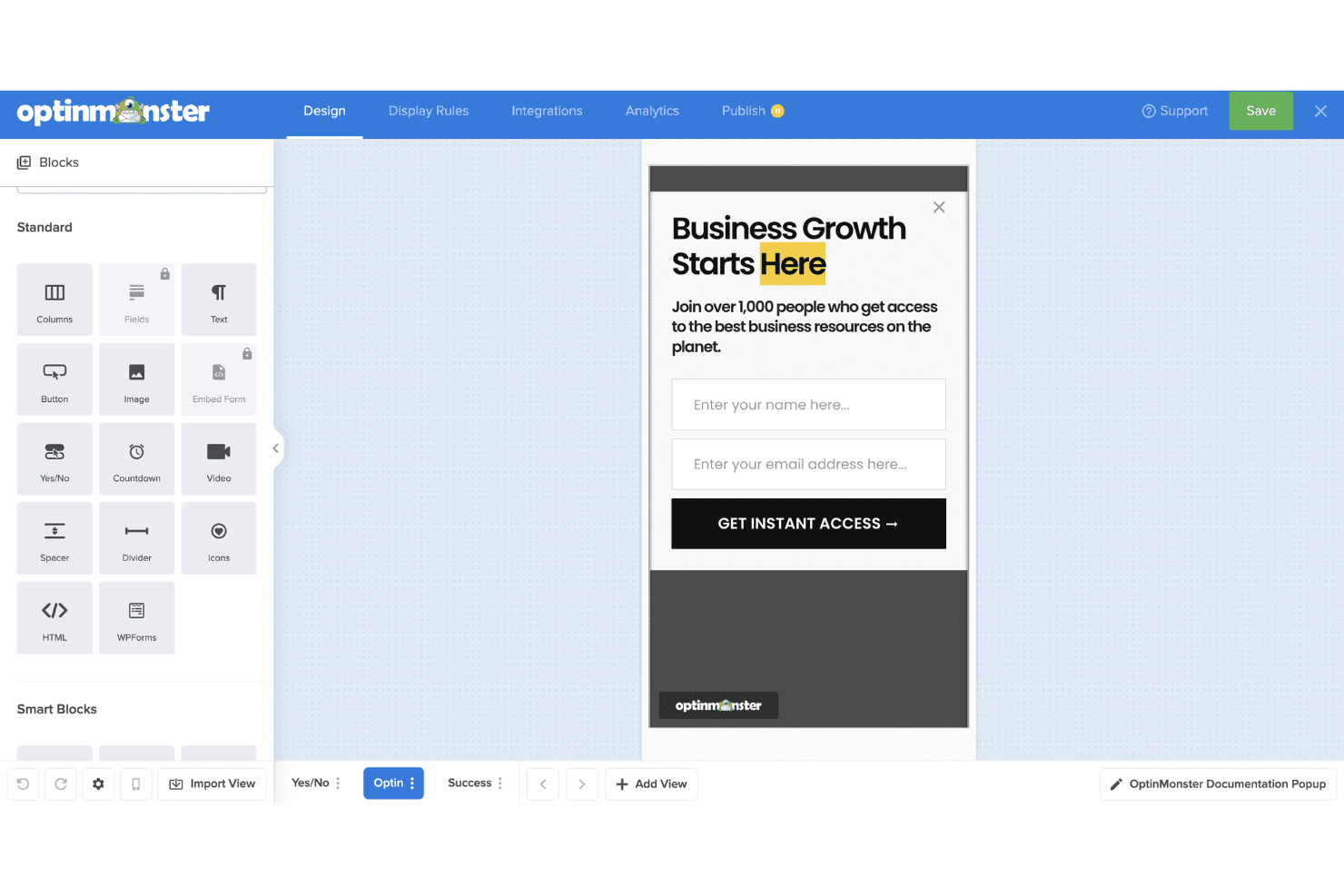
OptinMonster is user-friendly, thanks to its intuitive drag-and-drop builder that makes creating popups and forms easy—even without coding experience. The interface is straightforward, and most users can launch their first campaign quickly. While the range of features can feel a bit overwhelming at first, the learning curve is manageable. Once you're familiar with the layout, using the platform becomes second nature. Compared to other tools, OptinMonster strikes a good balance between power and simplicity, so your team can focus on optimizing conversions instead of wrestling with the software.
Integrations
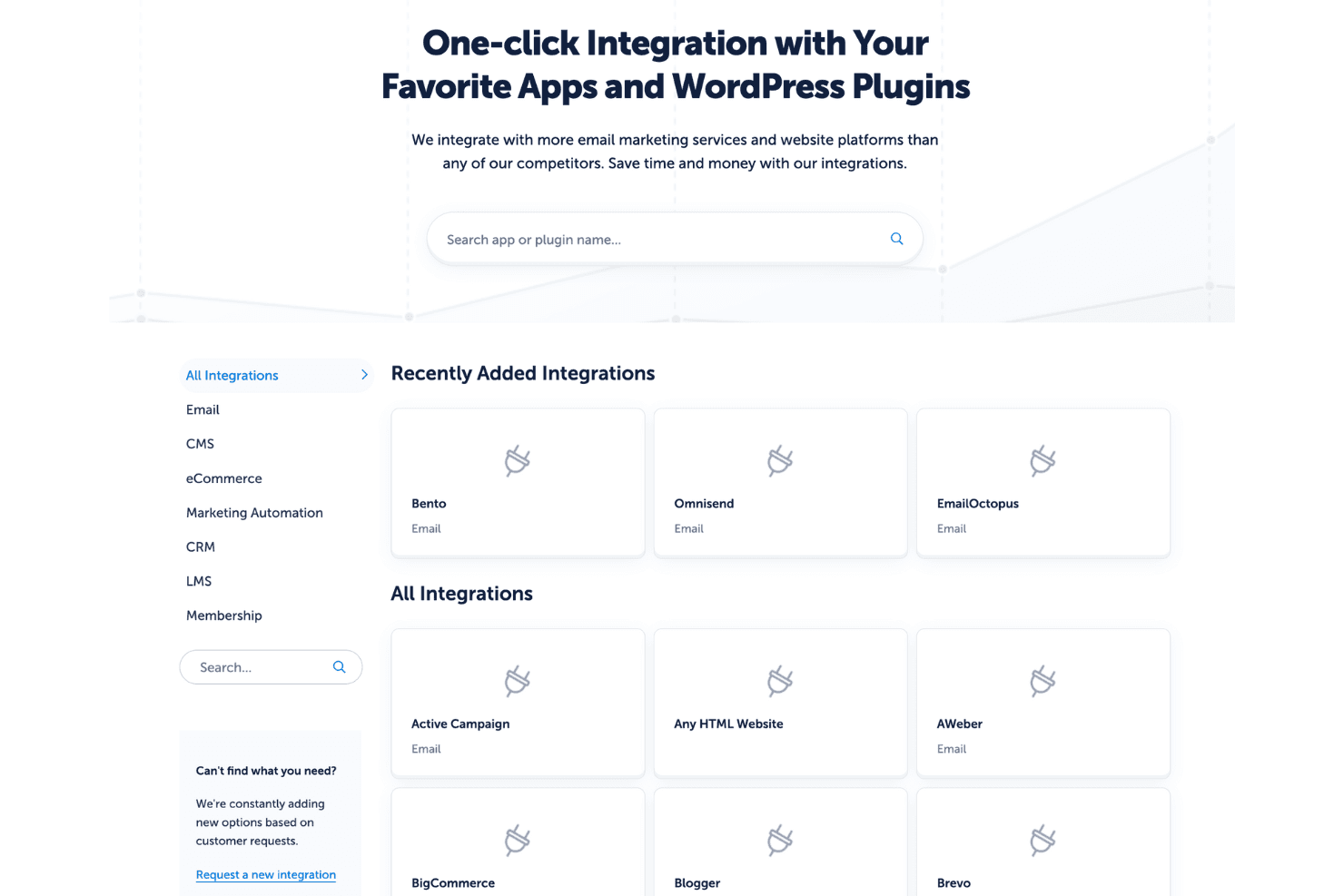
Integrations include Mailchimp, AWeber, Constant Contact, GetResponse, HubSpot, ActiveCampaign, Zapier, Salesforce, WooCommerce, Shopify, Drip, and ConvertKit.
OptinMonster Specs
- 2-Factor Authentication: No
- A/B Testing: No
- Analytics: No
- API: No
- BitCoin: No
- Conversion Tracking: No
- Dashboard: No
- Data Export: No
- Data Import: No
- Data Visualization: No
- Design Templates: No
- External Integrations: No
- Inventory Tracking: No
- Keyword Tracking: No
- Marketing Automation: No
- Multi-User: No
- Notifications: No
- Order Management: No
- Payment Gateway Integration: No
- Payment Processor: No
- PayPal: No
- Product Catalog: No
- Review Monitoring: No
- SAP Integration: No
- Scheduling: No
- Stripe: No
- Third-Party Plugins/Add-Ons: No
Alternatives to OptinMonster


OptinMonster FAQs
E adesso?
Vuoi saperne di più sulle ultime novità e tecnologie di vendita dagli esperti del settore? Iscriviti alla nostra newsletter.