Recensione di EngageBay: Pro, Contro, Caratteristiche e Prezzi


EngageBay is a CRM software for small and mid-sized teams that need marketing, sales, and customer support tools in a single platform. I'd consider it if you want the all-in-one feature depth you'd find in HubSpot, but at a price point that doesn't require an enterprise budget to unlock what matters most.
EngageBay Evaluation Summary

- From $13.79/user/month (billed annually)
- Free plan + free demo available
Perché fidarsi dei nostri consigli sui software
Le nostre recensioni riflettono il nostro giudizio indipendente, non un discorso di vendita. Scopri come manteniamo la trasparenza.
Per questa guida, abbiamo valutato gli strumenti attraverso test pratici e ricerche indipendenti, assegnando un punteggio agli strumenti in base ai nostri criteri di selezione.
Le nostre recensioni riflettono il nostro giudizio editoriale umano, non un discorso di vendita.
EngageBay Overview
In my opinion, EngageBay is a solid choice for small and mid-sized businesses looking for a budget-friendly CRM. It excels in providing essential marketing and sales tools in one platform, which is ideal for startups and freelancers. While its ease of use might not match more intuitive CRMs, its customer support and onboarding process make up for this shortfall. EngageBay outshines many competitors with its value for money and comprehensive feature set, though it might lack the advanced integrations and customizations that larger enterprises need. If you're choosing a CRM for affordability and all-in-one functionality, EngageBay deserves consideration.
pros
-
You get excellent customer support that's responsive and helpful.
-
The platform's marketing automation tools are powerful and easy to use.
-
Onboarding is smooth, making it easy for your team to get started quickly.
cons
-
The user interface could be more intuitive for your team.
-
Advanced reporting features might not meet all your needs.
-
It may lack some customization options you find in other CRMs.
-

Prisync
Visit WebsiteThis rating combines scores from multiple user review sites to reflect overall customer sentiment about the product.4.7 -
Expedite Commerce
Visit Website -
QuickBooks Online
Visit WebsiteThis rating combines scores from multiple user review sites to reflect overall customer sentiment about the product.4




Come Testiamo e Valutiamo gli Strumenti
Abbiamo trascorso anni a costruire, perfezionare e migliorare il nostro sistema di valutazione e test dei software. Il nostro metodo è pensato per cogliere le sfumature della selezione software e ciò che rende uno strumento efficace, concentrandosi sugli aspetti critici del processo decisionale. Qui sotto puoi vedere esattamente come funzionano i nostri test e la valutazione sui sette criteri. Ci permette di fornire una valutazione imparziale del software in base alla funzionalità principale, alle caratteristiche distintive, facilità d’uso, onboarding, assistenza clienti, integrazioni, recensioni degli utenti e rapporto qualità-prezzo.
Funzionalità Principali (25% del punteggio finale)
Il punto di partenza per la nostra valutazione è sempre la funzionalità di base dello strumento. Possiede le caratteristiche e le funzioni che un utente si aspetterebbe di trovare? Alcune di queste funzioni di base sono limitate ai piani tariffari più costosi? Per noi uno strumento deve almeno essere alla pari con le capacità minime offerte dai concorrenti.
Caratteristiche Distintive (25% del punteggio finale)
Successivamente, valutiamo le funzionalità insolite o esclusive che vanno oltre le funzioni core normalmente presenti in strumenti simili. Un punteggio elevato riflette una presenza di caratteristiche particolari o uniche che rendono il prodotto più veloce, efficace o danno un valore aggiunto all’utente. Valutiamo anche la facilità di integrazione con altri strumenti tipici del tech stack per espanderne funzionalità e utilità. Gli strumenti che offrono numerose integrazioni native, connessioni di terze parti e accesso API per costruire integrazioni personalizzate ottengono i punteggi migliori.
Facilità d’Uso (10% del punteggio finale)
Consideriamo quanto sia rapido e intuitivo svolgere le attività fondamentali tramite lo strumento. I software con i punteggi più alti hanno un design ben pensato, sono intuitivi, offrono app mobili, forniscono modelli predefiniti e semplificano anche le attività più complesse.
Onboarding (10% del punteggio finale)
Sappiamo quanto sia importante che un nuovo strumento venga rapidamente adottato dal team, quindi valutiamo la facilità di apprendimento con un minimo di formazione. Valutiamo quanto velocemente un membro del team può iniziare a usare lo strumento senza esperienza. Le soluzioni con i punteggi più alti richiedono poco o nessun supporto iniziale.
Assistenza Clienti (10% del punteggio finale)
Analizziamo quanto sia facile e veloce risolvere problemi e ricevere assistenza tramite telefono, chat dal vivo o knowledge base. Gli strumenti e le aziende che offrono supporto in tempo reale ottengono i punteggi migliori, mentre i chatbot ottengono i peggiori.
Recensioni dei Clienti (10% del punteggio finale)
Oltre ai nostri test, consideriamo il net promoter score da clienti attuali e passati. Valutiamo la probabilità che gli utenti sceglierebbero nuovamente lo strumento per le funzionalità principali. Un punteggio elevato riflette un alto net promoter score da parte dei clienti.
Rapporto Qualità-Prezzo (10% del punteggio finale)
Infine, considerando tutti gli altri criteri, esaminiamo il prezzo medio dei piani base rispetto alle funzionalità principali e agli altri fattori valutativi. I software che offrono di più a un costo inferiore ottengono un punteggio più alto.
Core Features
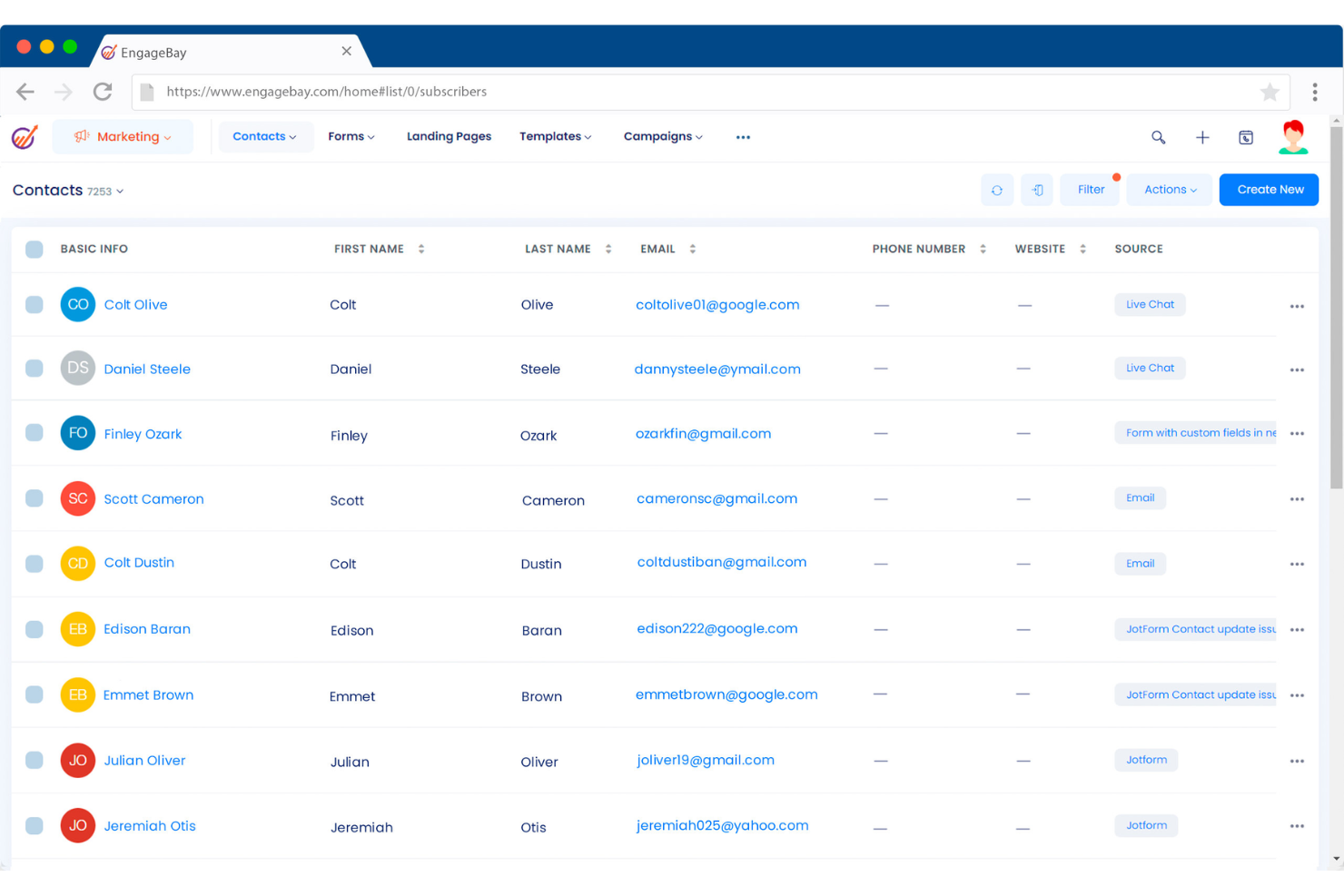
Contact Management: EngageBay lets you store and organize your customer information in one place. Your team can easily access and update contact details, improving communication and follow-ups.
Email Marketing: With EngageBay, you can create and send targeted email campaigns using built-in templates, automation, and segmentation tools to reach the right audience at the right time.
Lead Scoring: EngageBay helps you prioritize leads based on engagement and behavior. This feature ensures your team focuses on the most promising prospects.
Sales Pipeline Management: Track your deals from start to finish using EngageBay’s visual dashboard. You can see your sales pipeline at a glance and take action where needed.
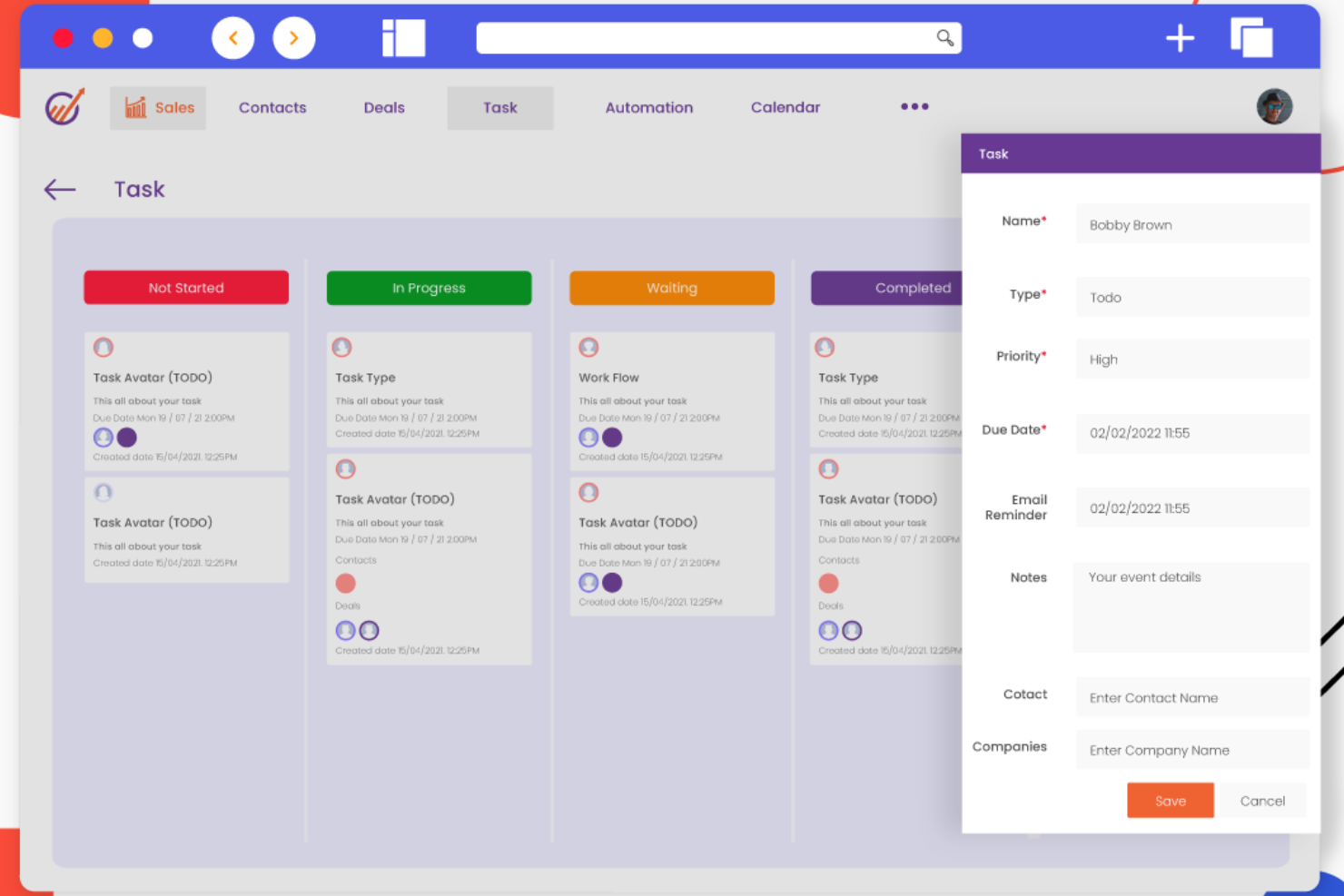
Task Management: Assign and track tasks within your team directly in EngageBay. Keep everyone on the same page and ensure nothing falls through the cracks.
Customer Support Ticketing: Manage and resolve customer issues efficiently with EngageBay’s ticketing system. Your support team can track and address queries promptly.
Ease of Use
EngageBay is relatively easy to use but may require some time to fully master. Its interface is clean, but not as intuitive as some users might like. Your team might face a learning curve initially, especially if they’re new to CRM software. However, once you get the hang of it, EngageBay’s features become more accessible and straightforward, allowing your team to manage tasks efficiently. The onboarding support helps ease this transition, making it manageable for most users.
Integrations
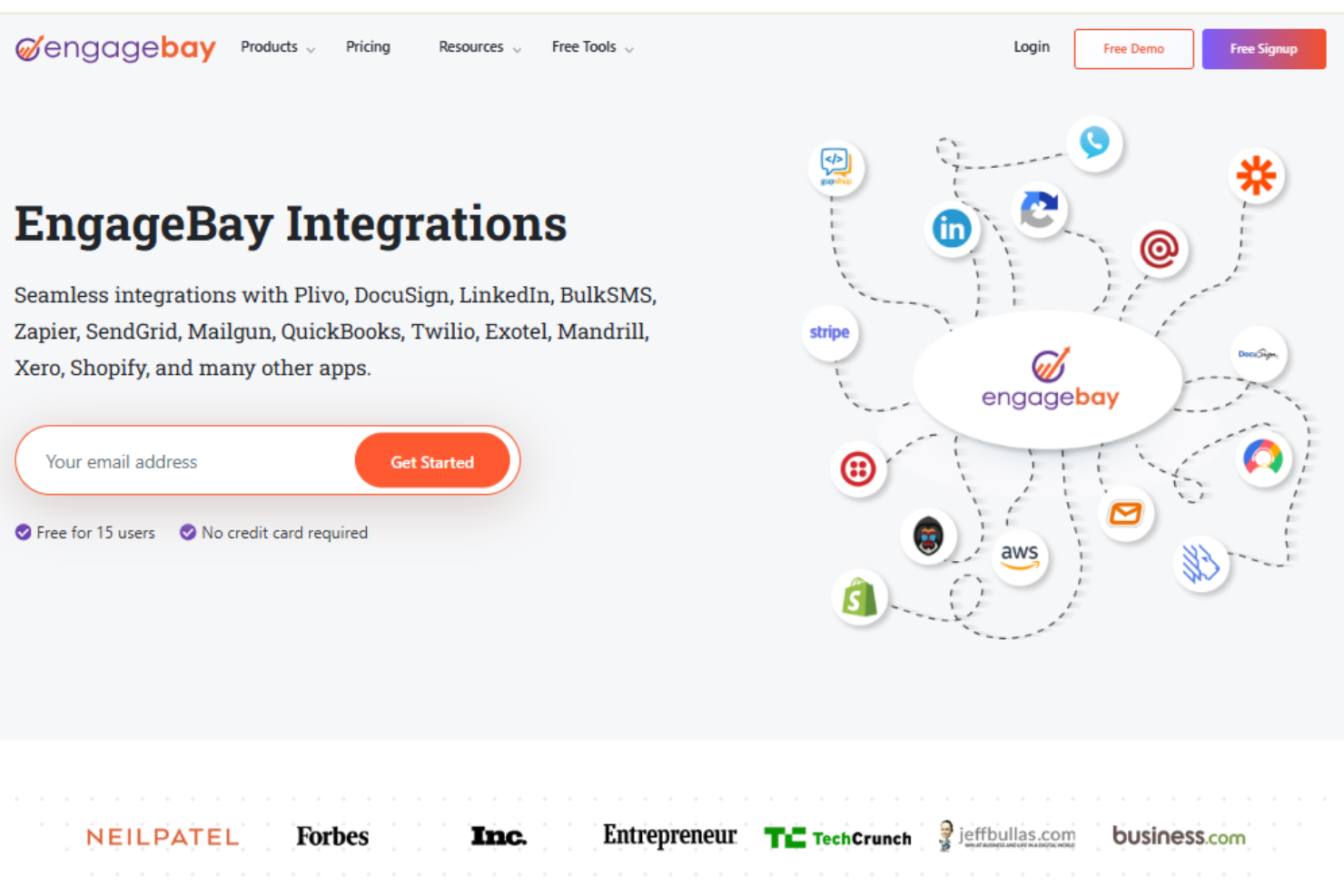
EngageBay integrates with Zapier, Shopify, SendGrid, Mailgun, Hubspot, Mandrill, Xero, QuickBooks, Stripe, LinkedIn, Trello, Mailchimp, Pipedrive, and Twilio.
EngageBay also provides an API and connects with third-party integration tools like Zapier, allowing for seamless workflows between different applications.
EngageBay Specs
- 2-Factor Authentication
- API
- Calendar Management
- Call Tracking
- Campaign Management
- Click-to-Dial
- Contact Management
- Contact Sharing
- Custom Data Forms
- Customer Management
- Dashboard
- Data Export
- Data Import
- Data Visualization
- Email Integration
- External Integrations
- File Sharing
- File Transfer
- Google Apps Integration
- Lead Management
- Lead Scoring
- Marketing Automation
- Mobile App
- Multi-User
- Notifications
- Pipeline Management
- Sales Automation
- Scheduling
- Social-Media Integration
- Task Scheduling/Tracking
- Third-Party Plugins/Add-Ons