Recensione Clio: Pro, Contro, Caratteristiche e Prezzi Spiegati
Clio si distingue per i professionisti legali grazie a una solida gestione dei casi e funzionalità intuitive, ma può essere meno adatto per le aziende non legali che cercano una maggiore flessibilità CRM.

Recensiamo gli strumenti in modo indipendente e le commissioni aiutano a finanziare i nostri test. Consulta la nostra politica sulla trasparenza, la nostra metodologia o suggerisci uno strumento.
Clio is a customer management software built specifically for law firms that need to manage clients, cases, documents, time tracking, and billing from one platform. I'd consider it over something like MyCase if your firm needs a broader integration ecosystem and more flexibility in how you connect your practice management tools to the rest of your tech stack. It's a well-established platform with depth that smaller legal software tools don't quite match.
Clio Evaluation Summary
4.7/5
- From £79/user/month
- Free trial available
Perché fidarsi dei nostri consigli sui software
6,700+
Reviews
20
Industry experts
16+
Evaluation factors
14
Years
Le nostre recensioni riflettono il nostro giudizio indipendente, non un discorso di vendita. Scopri come manteniamo la trasparenza.
Per questa guida, abbiamo valutato gli strumenti attraverso test pratici e ricerche indipendenti, assegnando un punteggio agli strumenti in base ai nostri criteri di selezione.
Le nostre recensioni riflettono il nostro giudizio editoriale umano, non un discorso di vendita.
Clio Overview
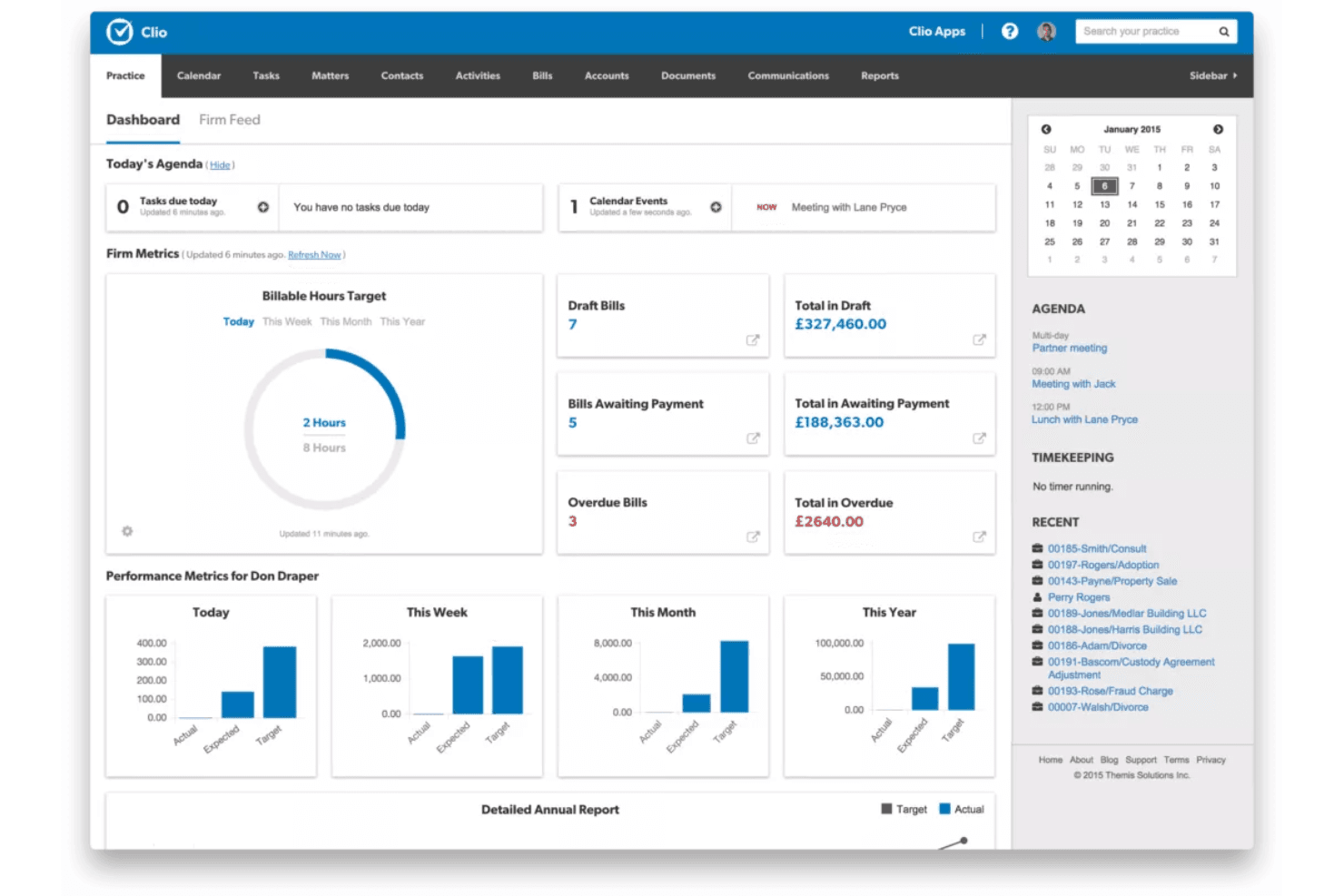
Clio stands out as a customer management software with legal-specific features, strong document management, and reliable support, making it a top choice for law firms and legal professionals due to its robust case management and intuitive features. Its pricing is competitive for legal teams, though less flexible for broader business needs. Compared to generalist platforms, Clio’s integrations and workflow automation are more tailored but may feel limited for non-legal use cases. If you’re selecting legal software for a practice that values compliance, case tracking, and client communication, Clio consistently outperforms more generic options. For example, its matter-centric organization and court calendaring stand out.
Pros
- Centralizes client communications and case details in one place.
- Offers legal-specific document management and e-signature tools.
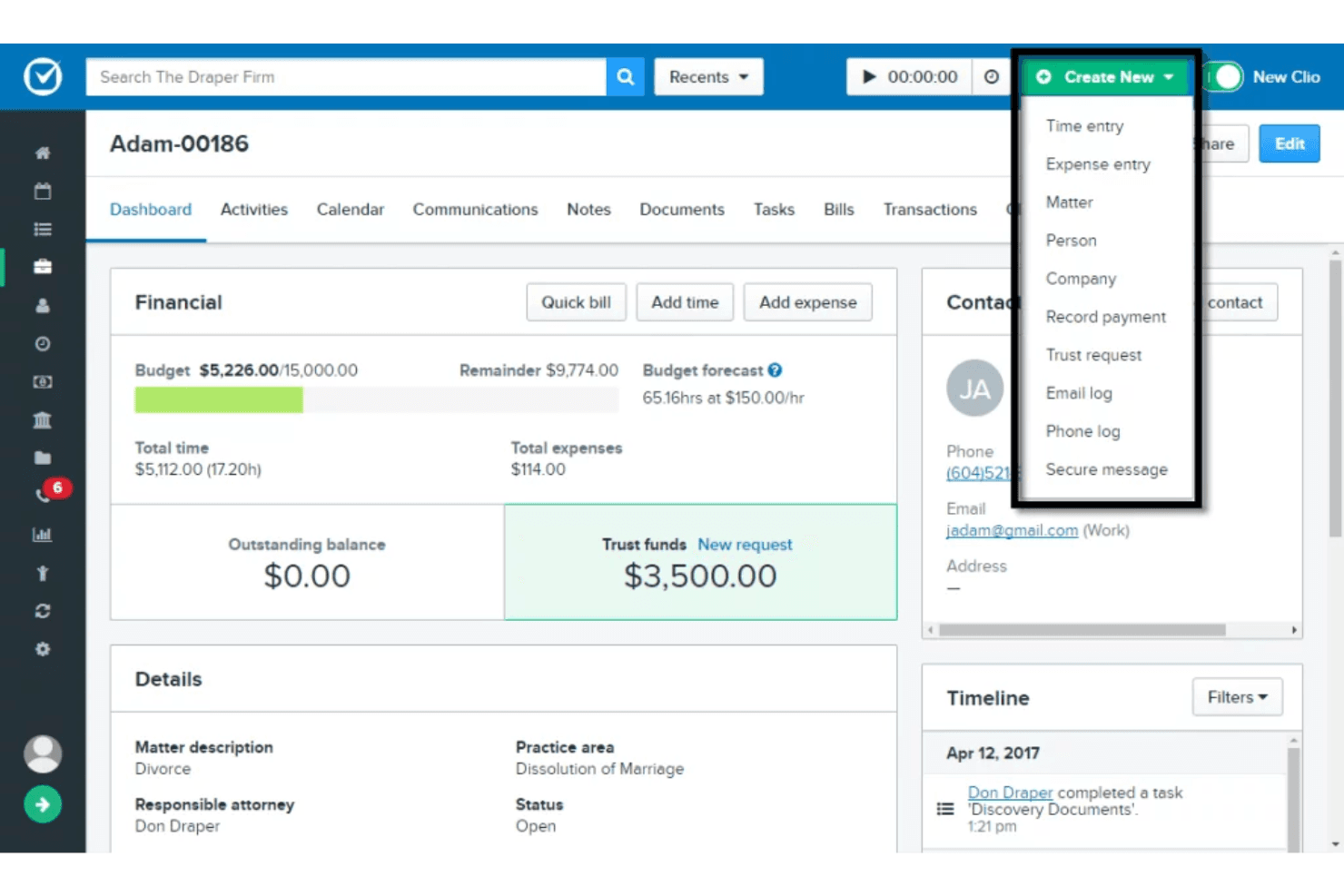
- Provides built-in time tracking and billing for legal workflows.
Cons
- Lacks advanced marketing automation features.
- Reporting options are limited for non-legal business needs.
- Customization for non-legal workflows is minimal.
Is Clio Right For Your Needs?
Who Would be a Good Fit for Clio?
Clio is best suited for legal professionals and organizations that need specialized tools for managing client relationships, case files, and compliance requirements. Its matter-centric workflows, legal billing, and document automation make it a strong choice for law firms, legal departments, and solo practitioners. Teams that prioritize secure client communication, court calendaring, and legal document management will find Clio’s features directly aligned with their daily needs.
- Small Law FirmsClio’s case management and billing tools are tailored for small legal teams.
- Solo PractitionersSolo lawyers benefit from Clio’s all-in-one client and case tracking.
- Legal Aid OrganizationsClio supports intake, document management, and compliance for nonprofits.
- In-House Legal DepartmentsCorporate legal teams use Clio for matter tracking and secure communication.
- Estate Planning PracticesClio’s document automation and e-signature tools fit estate planning needs.
- Family Law PracticesFamily law teams use Clio’s calendaring and client portal for sensitive cases.
Who Would be a Bad Fit for Clio?
Clio is less suitable for businesses outside the legal industry or those needing advanced sales, marketing, or customer support automation. Its features are designed around legal workflows, so teams in industries like retail, SaaS, or healthcare may find the platform restrictive. If your organization relies on complex sales pipelines, marketing campaigns, or non-legal project management, Clio’s capabilities will likely fall short.
- SaaS Sales TeamsClio lacks sales pipeline management and lead scoring features.
- Marketing AgenciesMarketing automation and campaign tracking are not supported in Clio.
- Healthcare ProvidersClio does not offer HIPAA-compliant patient management or scheduling.
- Retail BusinessesRetailers need inventory and customer loyalty tools not found in Clio.
- Customer Support CentersClio does not provide ticketing or omnichannel support features.
- Construction FirmsProject management and field service tracking are missing from Clio.
Come Testiamo e Valutiamo gli Strumenti
Abbiamo trascorso anni a costruire, perfezionare e migliorare il nostro sistema di valutazione e test dei software. Il nostro metodo è pensato per cogliere le sfumature della selezione software e ciò che rende uno strumento efficace, concentrandosi sugli aspetti critici del processo decisionale. Qui sotto puoi vedere esattamente come funzionano i nostri test e la valutazione sui sette criteri. Ci permette di fornire una valutazione imparziale del software in base alla funzionalità principale, alle caratteristiche distintive, facilità d’uso, onboarding, assistenza clienti, integrazioni, recensioni degli utenti e rapporto qualità-prezzo.
Funzionalità Principali (25% del punteggio finale)
Il punto di partenza per la nostra valutazione è sempre la funzionalità di base dello strumento. Possiede le caratteristiche e le funzioni che un utente si aspetterebbe di trovare? Alcune di queste funzioni di base sono limitate ai piani tariffari più costosi? Per noi uno strumento deve almeno essere alla pari con le capacità minime offerte dai concorrenti.
Caratteristiche Distintive (25% del punteggio finale)
Successivamente, valutiamo le funzionalità insolite o esclusive che vanno oltre le funzioni core normalmente presenti in strumenti simili. Un punteggio elevato riflette una presenza di caratteristiche particolari o uniche che rendono il prodotto più veloce, efficace o danno un valore aggiunto all’utente. Valutiamo anche la facilità di integrazione con altri strumenti tipici del tech stack per espanderne funzionalità e utilità. Gli strumenti che offrono numerose integrazioni native, connessioni di terze parti e accesso API per costruire integrazioni personalizzate ottengono i punteggi migliori.
Facilità d’Uso (10% del punteggio finale)
Consideriamo quanto sia rapido e intuitivo svolgere le attività fondamentali tramite lo strumento. I software con i punteggi più alti hanno un design ben pensato, sono intuitivi, offrono app mobili, forniscono modelli predefiniti e semplificano anche le attività più complesse.
Onboarding (10% del punteggio finale)
Sappiamo quanto sia importante che un nuovo strumento venga rapidamente adottato dal team, quindi valutiamo la facilità di apprendimento con un minimo di formazione. Valutiamo quanto velocemente un membro del team può iniziare a usare lo strumento senza esperienza. Le soluzioni con i punteggi più alti richiedono poco o nessun supporto iniziale.
Assistenza Clienti (10% del punteggio finale)
Analizziamo quanto sia facile e veloce risolvere problemi e ricevere assistenza tramite telefono, chat dal vivo o knowledge base. Gli strumenti e le aziende che offrono supporto in tempo reale ottengono i punteggi migliori, mentre i chatbot ottengono i peggiori.
Recensioni dei Clienti (10% del punteggio finale)
Oltre ai nostri test, consideriamo il net promoter score da clienti attuali e passati. Valutiamo la probabilità che gli utenti sceglierebbero nuovamente lo strumento per le funzionalità principali. Un punteggio elevato riflette un alto net promoter score da parte dei clienti.
Rapporto Qualità-Prezzo (10% del punteggio finale)
Infine, considerando tutti gli altri criteri, esaminiamo il prezzo medio dei piani base rispetto alle funzionalità principali e agli altri fattori valutativi. I software che offrono di più a un costo inferiore ottengono un punteggio più alto.
Core Features
Matter Management
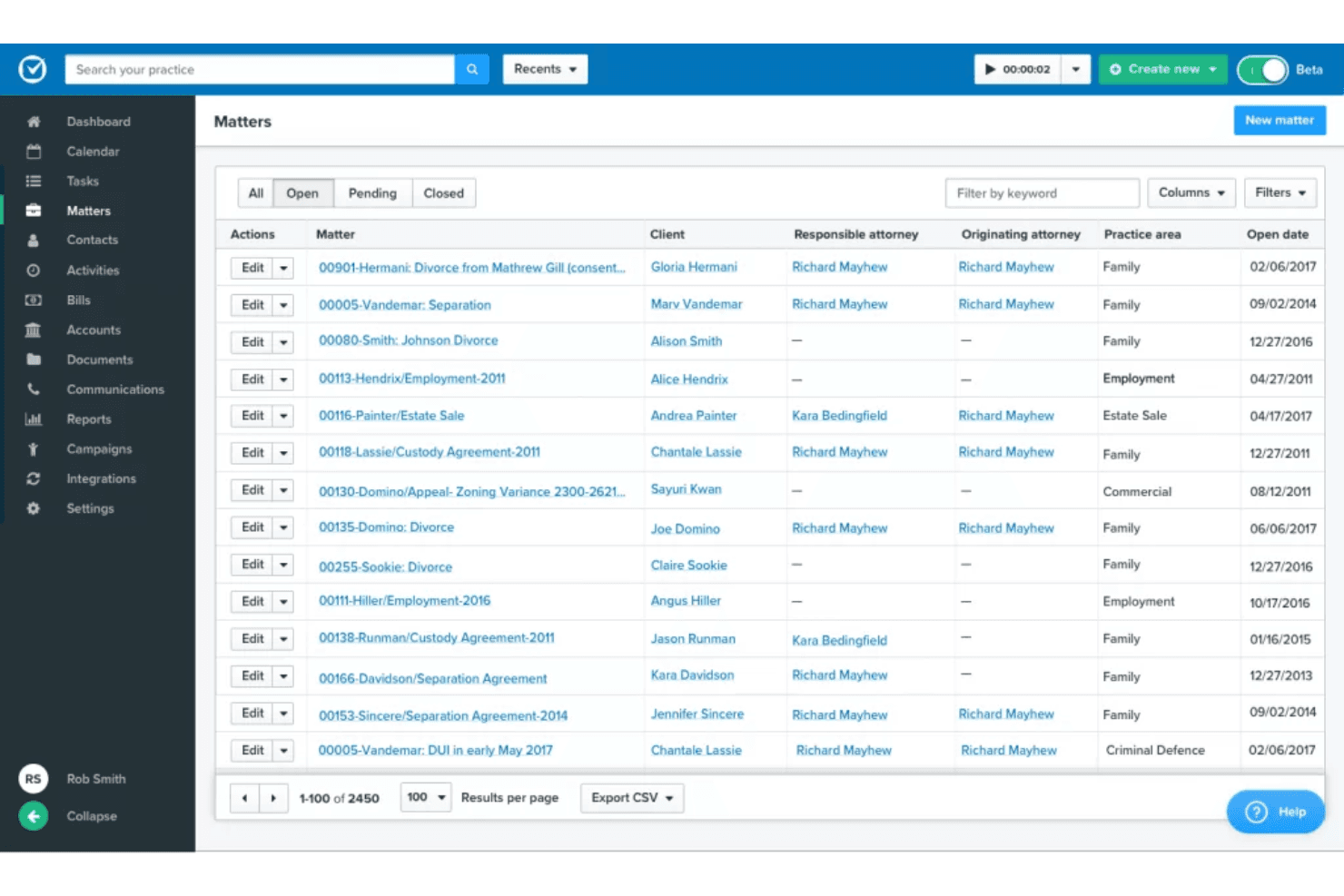
Organize all client information, case files, and communications in one place, starting from initial client intake. Users can quickly search, update, and track matters from intake to resolution.
Client Portal
Share documents, messages, and updates securely with clients online. Clients can access case information and communicate without email.
Document Automation
Generate, store, and e-sign legal documents directly within Clio. Templates and version control help reduce manual work and errors.
Time Tracking
Log billable hours from any device and link them to specific matters. Built-in timers and activity logs make accurate billing easier.
Billing and Invoicing
Create, send, and manage invoices with customizable templates. Accept online payments and track outstanding balances in real time.
Task and Calendar Management
Assign tasks, set deadlines, and manage court dates with automated reminders. Calendar sync and color-coded views help teams stay organized.
Ease of Use
Clio is widely recognized for its user-friendly interface and intuitive navigation, making it approachable for legal professionals with varying tech skills. Users often highlight the straightforward setup, clear matter organization, and accessible client portal as major strengths. The platform’s guided onboarding and in-app help resources reduce ramp-up time. While some advanced features require extra configuration, most users find daily tasks—like time tracking, document sharing, and billing—simple to manage without extensive training.
Integrations
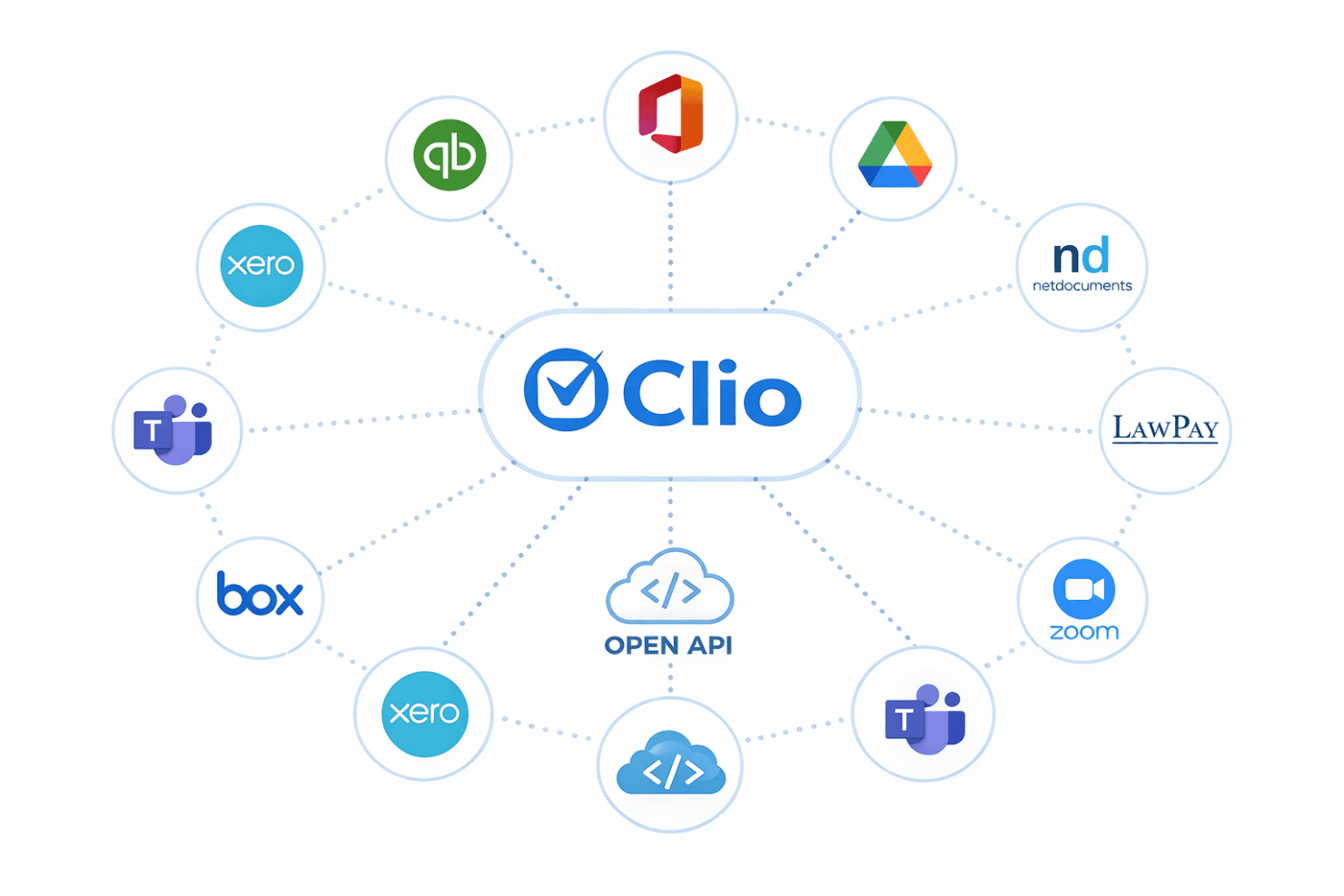
Clio integrates with QuickBooks Online, Microsoft Office 365, Google Drive, Dropbox, NetDocuments, LawPay, Zoom, Microsoft Teams, Box, and Xero, among others.
Clio also offers an open API and connects with third-party integration tools for expanded functionality.
Clio Specs
- 2-Factor Authentication: Yes
- API: Yes
- Approval Workflows: Yes
- Audit Trail: Yes
- Calendar Management: Yes
- Compliance Tracking: Yes
- Contract Management: Yes
- Custom Reports: Yes
- Customer Management: Yes
- Data Export: Yes
- Data Import: Yes
- Document Management: Yes
- External Integrations: Yes
- Multi-User: Yes
- NDA Management: Yes
- Notifications: Yes
- Policy Management: Yes
- Scheduling: Yes
- Workflow Management: Yes